Comic Panel Lip Sync Without Melting the Line Art
A finished comic panel can become a convincing talking shot, but only if facial motion, camera movement and audio timing are kept under control. This guide uses Hailuo for restrained panel animation, followed by a dedicated lip-sync pass that protects line art and character identity.
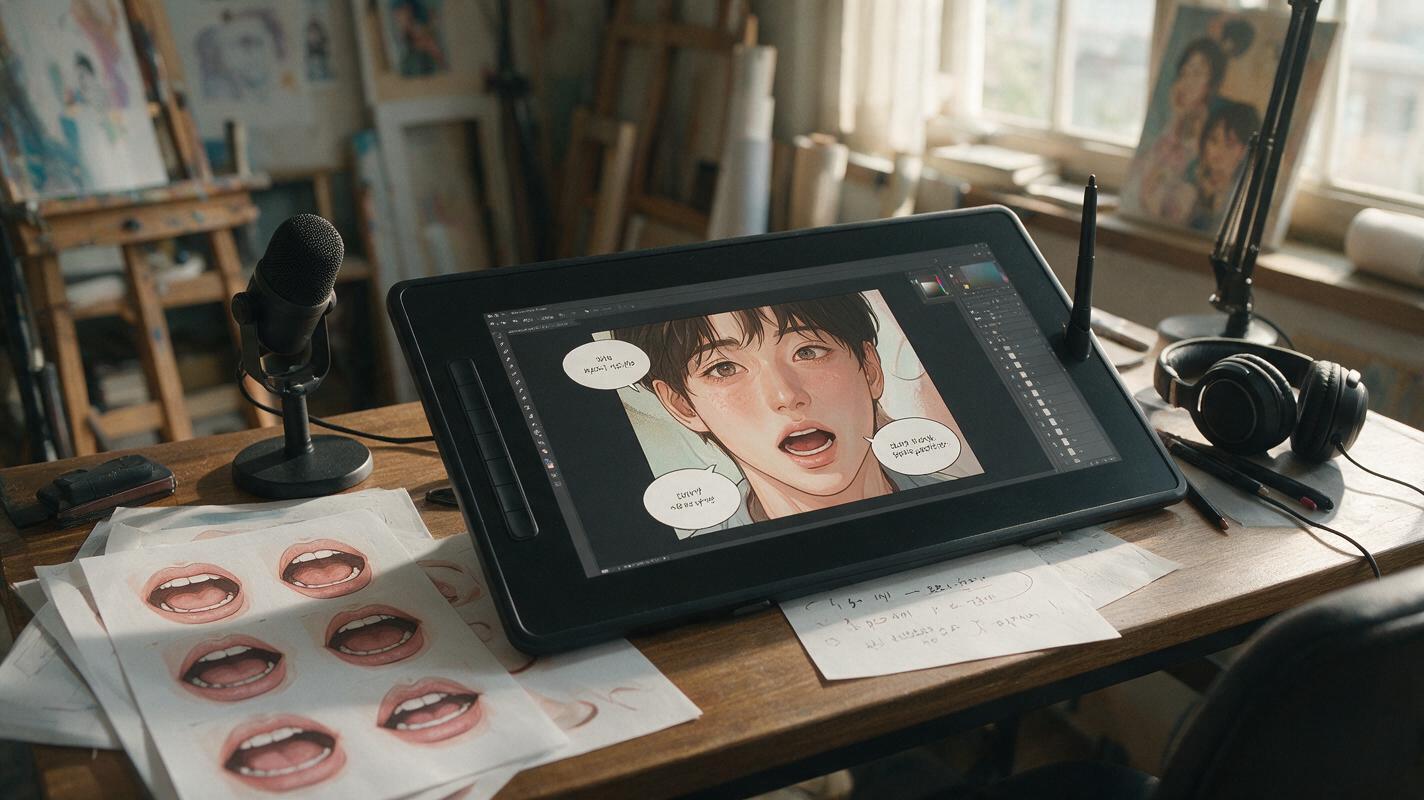
Table of contents
Make a comic character talk without redrawing the panel
Comic panel lip sync works best when the animation is quieter than you expect. The goal is not to make every line move. It is to preserve the drawing while adding believable mouth shapes, tiny head reactions and dialogue timing.
A common failure begins when one generation is asked to animate the camera, hair, hands, face and speech simultaneously. The mouth stretches, the jaw changes shape and carefully inked features start flickering. A safer workflow separates the shot into two controlled passes: restrained panel motion first, precise mouth timing second.
Treat the original panel as approved key art. Motion should support the performance, not reinterpret the design.
Prepare a mouth-friendly dialogue panel
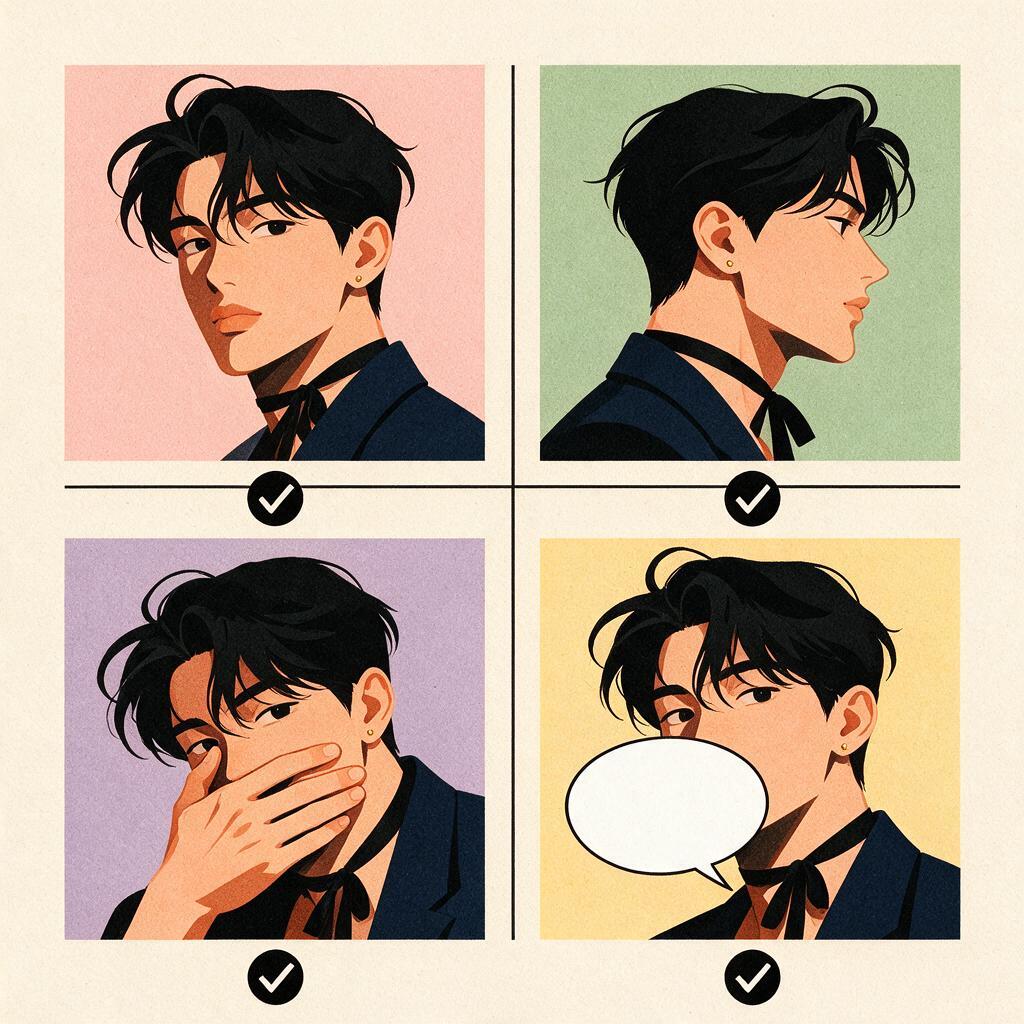
The source drawing determines how much repair work the final clip will need. Choose a panel in which the speaking character has a readable face, a visible mouth and enough resolution around the lips for several distinct mouth shapes.
The most reliable source panels usually have:
- A three-quarter or near-frontal face. Extreme profiles leave little visible mouth area, while steep high or low angles make jaw motion harder to preserve.
- An unobstructed lower face. Hair, hands, cups, masks and heavy shadows can confuse the boundary between lips and nearby forms.
- A stable expression. A neutral, concerned or lightly smiling face is easier to animate than a highly distorted scream.
- Clean separation between facial features. The lip line, chin and nose shadow should not merge into one dark shape.
- No baked-in speech bubble over the face. Keep dialogue lettering on a separate layer and add it back after animation if the clip still needs comic typography.
Before generating motion, enlarge the panel and repair ambiguous marks around the lips. A tiny stray ink line can become a tooth, wrinkle or second mouth once frames are synthesized.
Frame the shot around the performance
A talking clip does not need a wide establishing composition. Crop around the head and upper torso so the character’s expression remains readable on a phone screen. Leave modest room above the hair and in front of the character’s gaze, but avoid large empty areas that invite unnecessary environmental motion.
| Shot choice | Best use | Main risk |
|---|---|---|
| Close-up | Confession, reaction or emotional reveal | Lip errors become highly visible |
| Medium close-up | Most webtoon dialogue and character acting | Hands may begin moving without direction |
| Two-shot | Conversation with visible listener reaction | The wrong character may appear to speak |
| Extreme profile | Stylized confrontation or whisper | Mouth depth and jaw silhouette may drift |
For a two-character panel, identify the speaker in both visual and verbal terms. Describe clothing, position and facing direction rather than relying only on a character name that the model does not know.
Write motion prompts that protect the drawing
Use Hailuo for the initial motion pass when you want to explore restrained acting from a finished illustration. Upload the clean panel through image to video, then describe only the movement that the shot genuinely needs.
A useful prompt establishes three layers of control:
- Primary action: the character speaks with small, natural mouth movement.
- Supporting action: one blink, a slight breath or a subtle head reaction.
- Locked elements: camera, hairstyle, costume, background, line weight and facial proportions.
Single illustrated webtoon dialogue shot. The woman in the dark green jacket speaks calmly with small natural mouth movements. She gives one soft blink and a slight downward nod near the end. Minimal breathing in the shoulders. Locked camera. Preserve the original face shape, eye design, hairstyle, costume details, ink lines, cel shading and background composition. No camera zoom, no head turn, no new gestures, no exaggerated jaw movement, no moving text.Negative instructions are most useful when they identify visible failure modes. Long lists of vague quality terms are less helpful than concrete restrictions such as “no camera zoom” or “no exaggerated jaw movement.”
If the first preview already changes the character’s eyes or jaw, reduce motion before changing the art style prompt.
Separate body motion from mouth timing
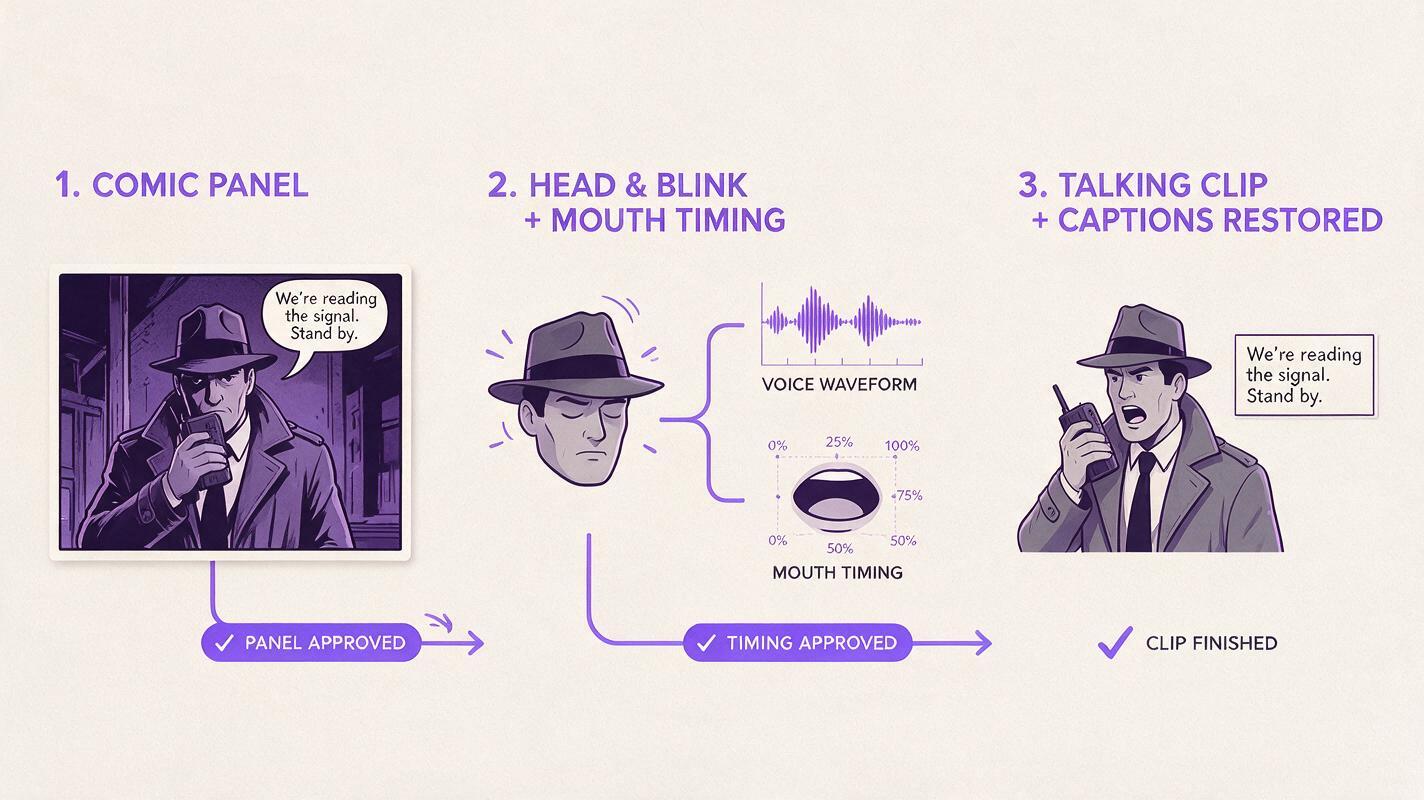
A general animation pass can create breathing, blinking and small posture changes, but it may not match exact syllables. Use the cleanest restrained result as the visual input for ai lipsync. This gives the dialogue track a dedicated timing pass instead of asking one prompt to solve acting and speech at once.
Keep the motion clip short enough to inspect frame by frame. Start with one sentence or one emotional beat. If the dialogue contains a long pause, split the performance into separate clips rather than forcing the mouth to remain stable through a complicated continuous take.
The order matters even without a complicated production pipeline. Start with the approved panel, generate restrained nonverbal motion, select the most identity-stable clip, apply the voice track, and finally restore captions, bubbles or sound effects as separate overlays.
Choose audio that fits the illustrated performance
The voice should match the expression already present in the drawing. A quiet, closed-mouth panel will struggle to support a shouted line full of broad vowels. Either choose a calmer reading or edit the source panel into a more open expression before animation.
Prepare the dialogue track with:
- A clean beginning and ending. Remove long accidental silence unless the pause is part of the acting.
- One dominant voice. Overlapping speakers can cause the visible character to mouth both performances.
- Controlled background sound. Music and effects should not overpower the speech signal during the lip-sync pass.
- Natural punctuation. Brief pauses provide places for blinks, nods and reaction beats.
When adapting a comic speech bubble, do not assume the written sentence will sound natural aloud. Read it once at performance speed. Shorten repeated exposition, add contractions where appropriate and move visual information back into the artwork.
Fix the failures artists notice first
| Visible problem | Likely cause | Practical correction |
|---|---|---|
| Mouth becomes too large | Performance intensity exceeds the source expression | Use a calmer voice take and request small mouth movement |
| Jaw changes between frames | Head motion and speech motion are competing | Remove the head turn and keep only a tiny nod |
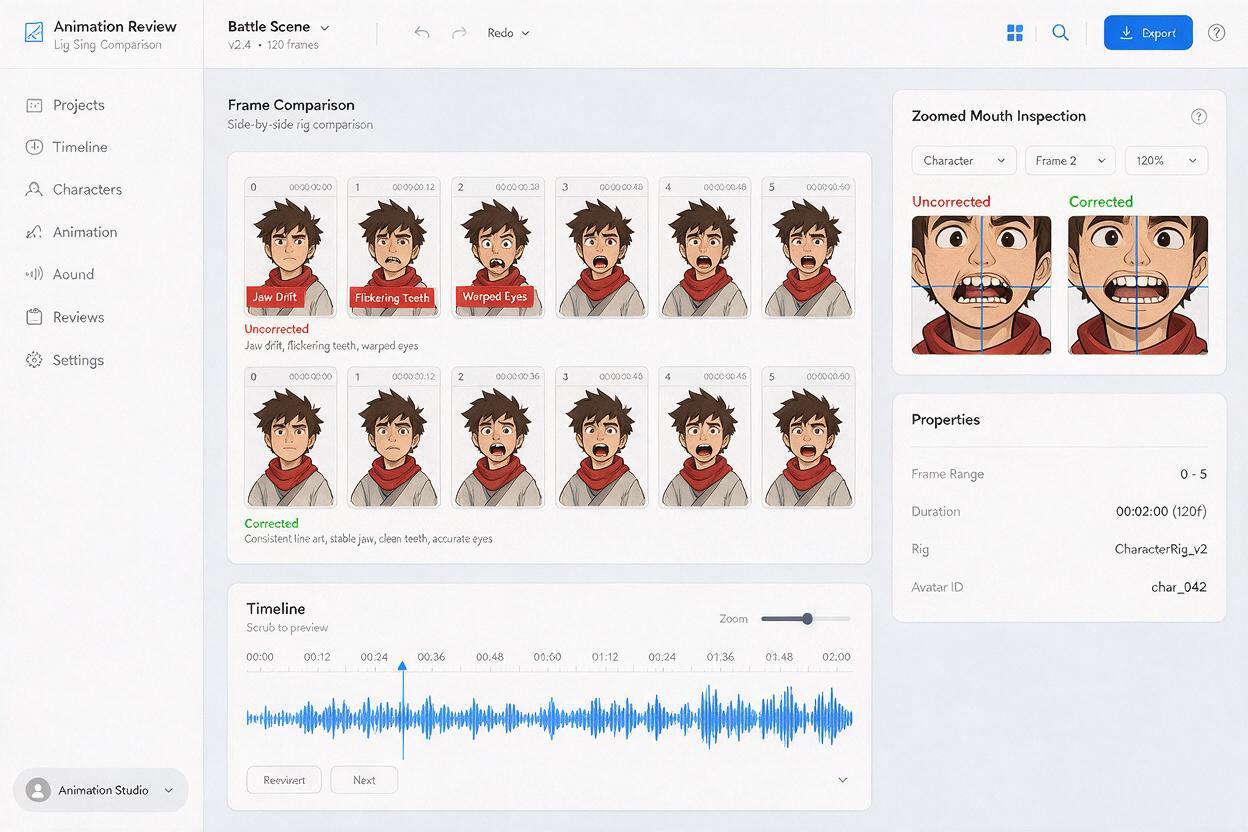
| Teeth flicker on and off | The source mouth has ambiguous white or dark marks | Clean the lip interior before animation or choose a closed-mouth base |
| Eyes lose their drawn shape | Too many facial actions occur at once | Limit blinking and remove eyebrow animation from the first pass |
| Listener starts speaking | A two-shot does not clearly identify the speaker | Crop to one character or specify position, clothes and gaze direction |
| Ink lines shimmer | Broad motion is rebuilding too much of the frame | Lock the camera and reduce hair, clothing and background movement |
| Speech bubble mutates | Typography was included in the generated frames | Animate clean art and restore lettering afterward |
When only a few frames are damaged, compare the repair cost with regeneration. A single unstable blink may be patched in an editor, but persistent jaw drift usually means the motion prompt is too ambitious and should be regenerated.
Use restraint to create stronger character acting
Illustrated dialogue feels alive when movement follows the emotional beat rather than filling every second. A suspicious character might hold perfectly still before one slow blink. An embarrassed character could glance down after the final word. A confident speaker may need nothing more than a slight chin lift.
Write the performance as a sequence of intentions, not a collection of constant motions:
The character begins composed and maintains eye contact while speaking. Near the final phrase, her expression softens and she gives one small nod. The camera and background remain completely still. Preserve the original illustrated design throughout.This approach also makes loops and edits easier. Editors can hold on a stable opening frame, cut away to a reaction panel or extend silence without fighting continuous random movement.
Final checklist
- Use a clear frontal or three-quarter face with an unobstructed mouth.
- Remove speech bubbles and captions before generating frames.
- Crop closely enough for the expression to read on a phone.
- Ask for one primary action and no more than one or two supporting motions.
- Lock the camera, character design, line art, costume and background.
- Select an identity-stable motion clip before applying dialogue timing.
- Match the voice intensity to the expression in the source panel.
- Inspect the jaw, teeth, eyes and ink lines frame by frame.
- Restore lettering and sound effects after the visual generation is complete.
When your clean panel and dialogue track are ready, try these models for free and begin with the quietest version of the performance.
Keywords
comic panel lip sync, ai lipsync, comic panel animation, illustration to video, Hailuo AI, talking comic character, webtoon animation