How to Keep an AI Brand Mascot Consistent Across Poses
A practical Nano Banana Pro workflow for generating consistent brand mascot poses, expressions, and campaign variations without losing the character’s defining features. Learn how to build a master reference sheet, control one variable at a time, diagnose identity drift, and prepare editable assets for production.
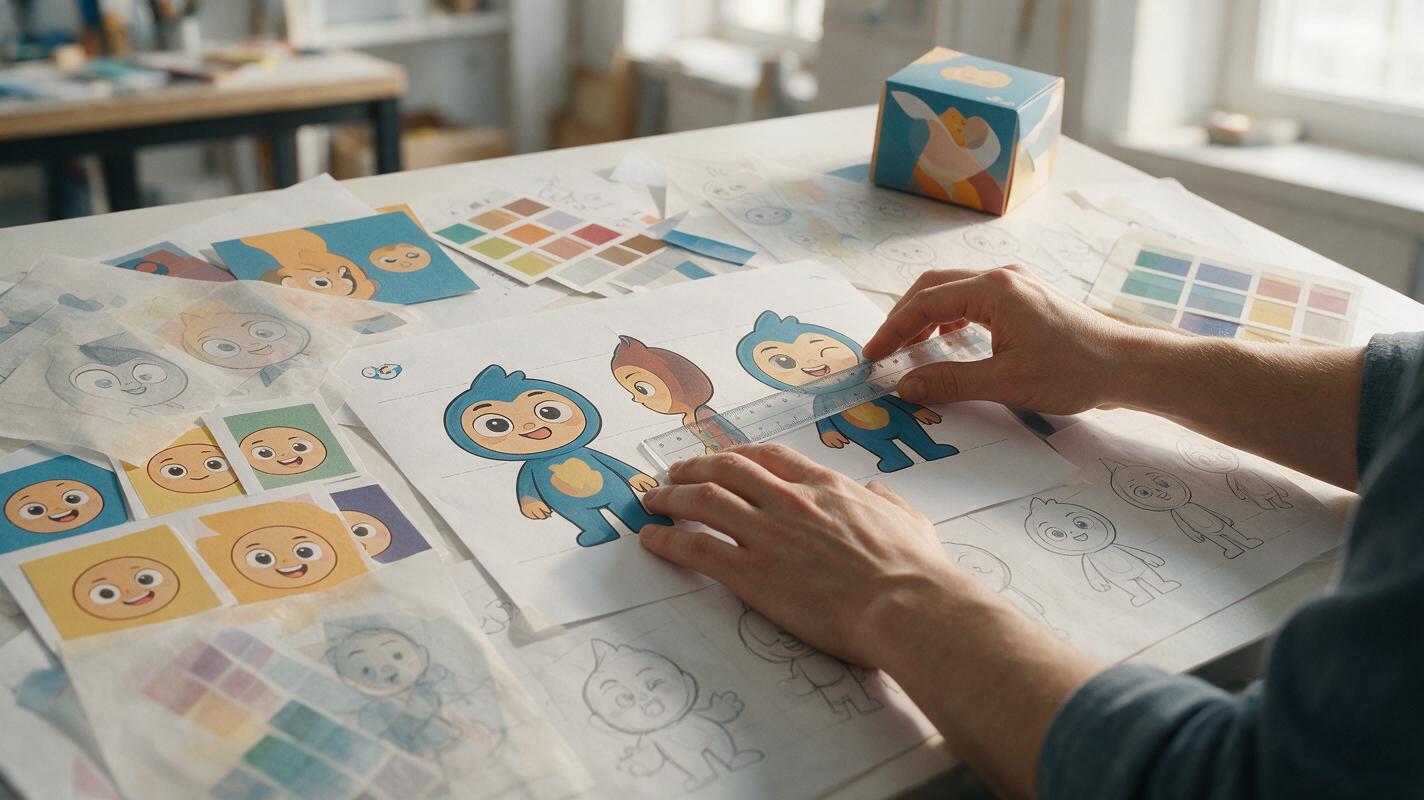
Table of contents
Build a mascot system, not a folder of lucky generations
An AI mascot can look perfect in one image and become a different character in the next. Eye spacing changes, signature accessories disappear, proportions drift, and expressive poses quietly redesign the silhouette. The solution is not a longer style prompt. It is a controlled reference system that separates permanent identity traits from pose, expression, props, and campaign context.
This tutorial uses nano banana pro for reference-based image creation and editing. The same production logic can also improve results from another capable ai image generator, but the prompts should be adjusted for its reference and editing controls.
Treat the mascot like a small visual identity system: define what must never change before asking the model to explore what can change.
Create the master reference sheet
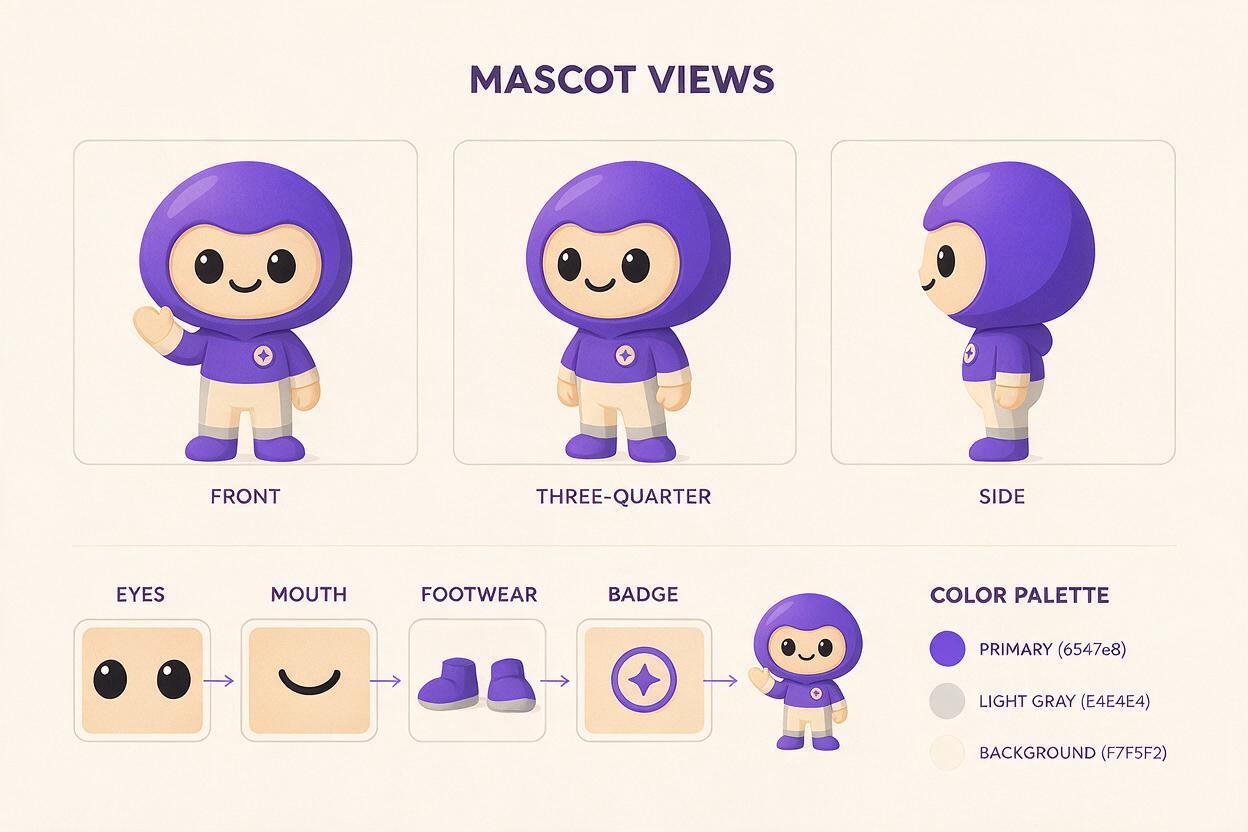
Start with one approved mascot image rather than several loosely related generations. The strongest anchor has a readable silhouette, neutral lighting, visible hands or paws, and minimal perspective distortion. If the existing mascot is a vector asset, export it on a plain background at a generous resolution.
Build a master sheet containing only identity evidence:
- Front and three-quarter views to establish facial spacing and body volume.
- Side view if the character has a distinctive nose, beak, hat, tail, or backpack.
- Neutral standing pose for reliable proportion comparisons.
- Close-up detail cells for eyes, mouth, footwear, patches, or signature accessories.
- Color swatches sampled from approved artwork, not colors inferred from written names.
Do not fill the sheet with dramatic poses. Extreme perspective and overlapping limbs create ambiguous information. The master sheet is a technical identity reference, not a campaign presentation board.
Use an identity-first reference prompt
Using the supplied mascot artwork as the primary identity reference, create a clean character reference sheet on a warm white background. Show front, three-quarter, and side views plus close-up cells for the face and signature accessory. Preserve the exact head-to-body ratio, eye spacing, ear shape, outline weight, color placement, costume construction, and accessory geometry. Neutral standing poses, even studio lighting, no props, no scenery, no text, no logo, no redesign.Inspect the generated sheet before producing campaign art. If one view introduces a new seam, facial feature, or costume panel, remove that inconsistency through a targeted edit. A flawed reference sheet will multiply the same error across every later image.
Define invariants and controlled variables
Write two short lists beside the reference sheet. The first list contains invariants: visual facts that define the mascot. The second contains controlled variables: features that may change for a specific asset.
| Category | Typical examples | Prompt treatment |
|---|---|---|
| Identity invariants | Head ratio, eye spacing, ear shape, costume, color blocks | State that these must remain exact |
| Expression variables | Smile, surprise, determination, curiosity | Change the face without changing its construction |
| Pose variables | Running, waving, holding, leaning | Describe body action and silhouette |
| Campaign variables | Prop, background, lighting, seasonal detail | Add only after identity and pose are stable |
Avoid contradictory instructions such as asking for an exact costume while also requesting a complete seasonal makeover. If the campaign needs a new garment, decide which underlying identity details must remain visible and specify them directly.
Change one variable at a time
Generate a neutral pose first, then vary expression, pose, and campaign styling in separate passes. This makes failures diagnosable. When a single prompt changes the camera, pose, expression, wardrobe, prop, and environment simultaneously, it becomes difficult to identify which instruction caused the redesign.
For an expression sheet, keep the head angle and lighting fixed:
Create a six-cell expression sheet using the supplied mascot reference. Keep the same front-facing head angle, crop, facial proportions, eye construction, outline weight, colors, and lighting in every cell. Expressions: friendly smile, excited, curious, focused, mildly surprised, reassuring. Change only brows, eyelids, pupils, and mouth articulation. Do not change the head shape, eye spacing, costume, accessory, or rendering style. Plain background, no text.For pose exploration, keep the expression neutral until the body action works. Add the final facial expression in a later edit. This reduces the chance that a dramatic emotion will inflate the eyes, reshape the mouth, or alter the character’s age.
Generate action poses without redesigning the character
Action scenes are the hardest consistency test because foreshortening hides identity evidence. Describe the pose as a readable silhouette and include the camera position. Replace vague instructions such as “dynamic” with explicit relationships between limbs, torso, prop, and viewpoint.
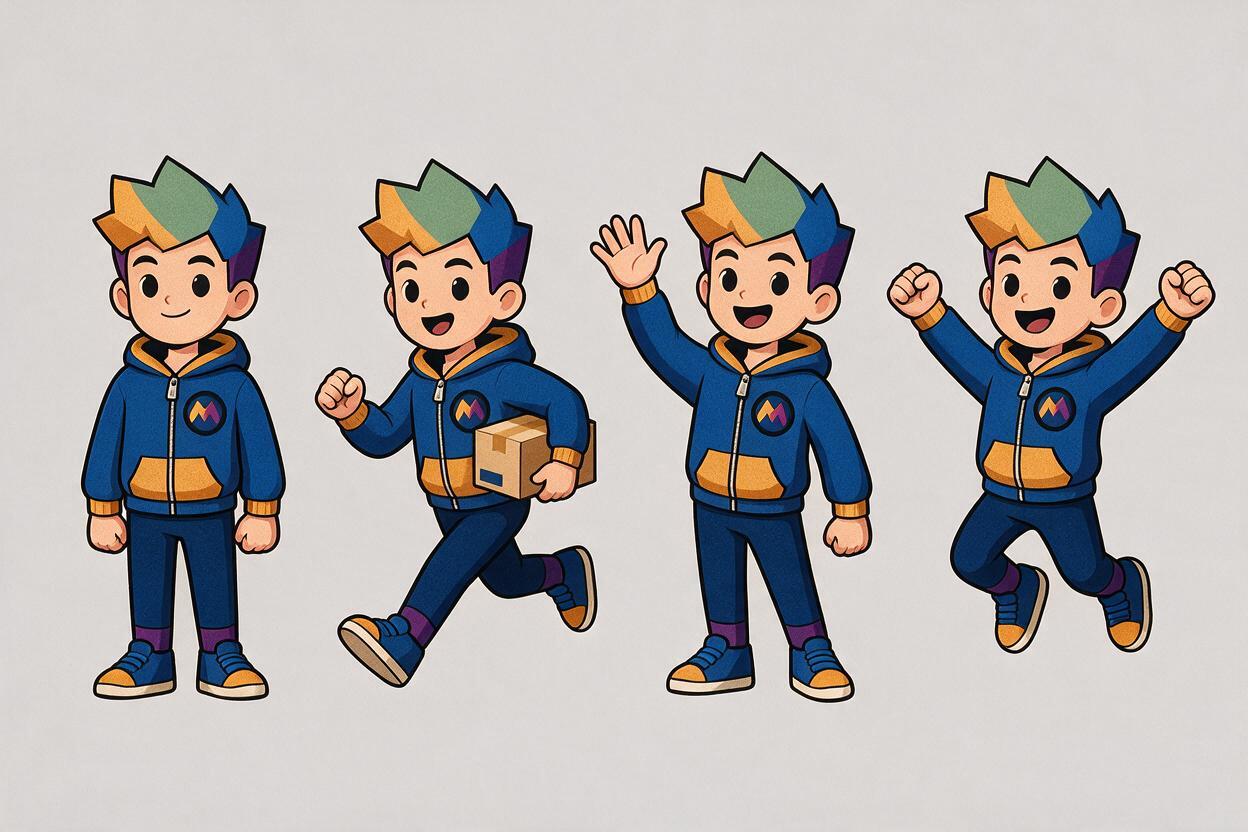
Use the supplied master reference sheet as the fixed character identity. Show the mascot running from left to right in a readable side-oriented silhouette, torso leaning slightly forward, rear foot lifted, front arm carrying a small rectangular parcel, free arm balancing the motion. Eye spacing, head-to-body ratio, ear shape, costume panels, footwear, signature badge, colors, and outline weight remain unchanged. Eye-level camera, minimal foreshortening, complete body visible, plain light-gray background, no motion blur, no extra accessories, no text.If a pose repeatedly breaks the character, reduce its complexity. Generate a stable side-running pose before requesting a low-angle leap. Once the anatomy and identity are correct, use editing to increase camera drama while protecting the face and costume.
Protect small signature details
Models often simplify details that occupy few pixels. Crop tightly enough for a badge, zipper pull, patterned sock, or cheek mark to remain visible. If the final composition needs a distant mascot, create the detailed character at a larger scale and reduce it during layout rather than generating it small.
Separate the mascot from campaign graphics
Do not ask the model to solve the character, headline, logo, package, and finished poster in one generation. Generate the mascot against a simple background, approve the silhouette, and place it into the campaign layout in your design software. This keeps typography editable and prevents the mascot from absorbing colors or shapes from surrounding graphics.
For a prop interaction, supply the approved prop or product as a second reference when possible. Describe the contact point precisely: which hand holds it, where fingers overlap, and which part must remain unobstructed. Packaging labels, logos, and legal copy should be composited from production artwork after generation.
AI should generate the difficult pose and material interaction. Your layout file should retain control of the logo, typography, product label, crop, and final color values.
Catch identity drift before it spreads
Compare every candidate with the same master sheet rather than comparing candidates only with one another. A batch can look cohesive while all six images drift away from the approved character.
| Symptom | Likely cause | Correction |
|---|---|---|
| Face looks older or younger | Eye size, muzzle length, or head ratio changed | Mask the face and restate its geometry |
| Costume becomes more complex | Campaign styling overrode identity | Return to the neutral costume reference |
| Colors shift with the background | Lighting and local contrast influenced the palette | Generate on neutral gray and grade later |
| Hands or paws change construction | Pose hides the approved anatomy | Use a clearer angle or a hand detail reference |
| Accessory changes size | The prompt named it but did not define placement | Reference its geometry and anchor point |
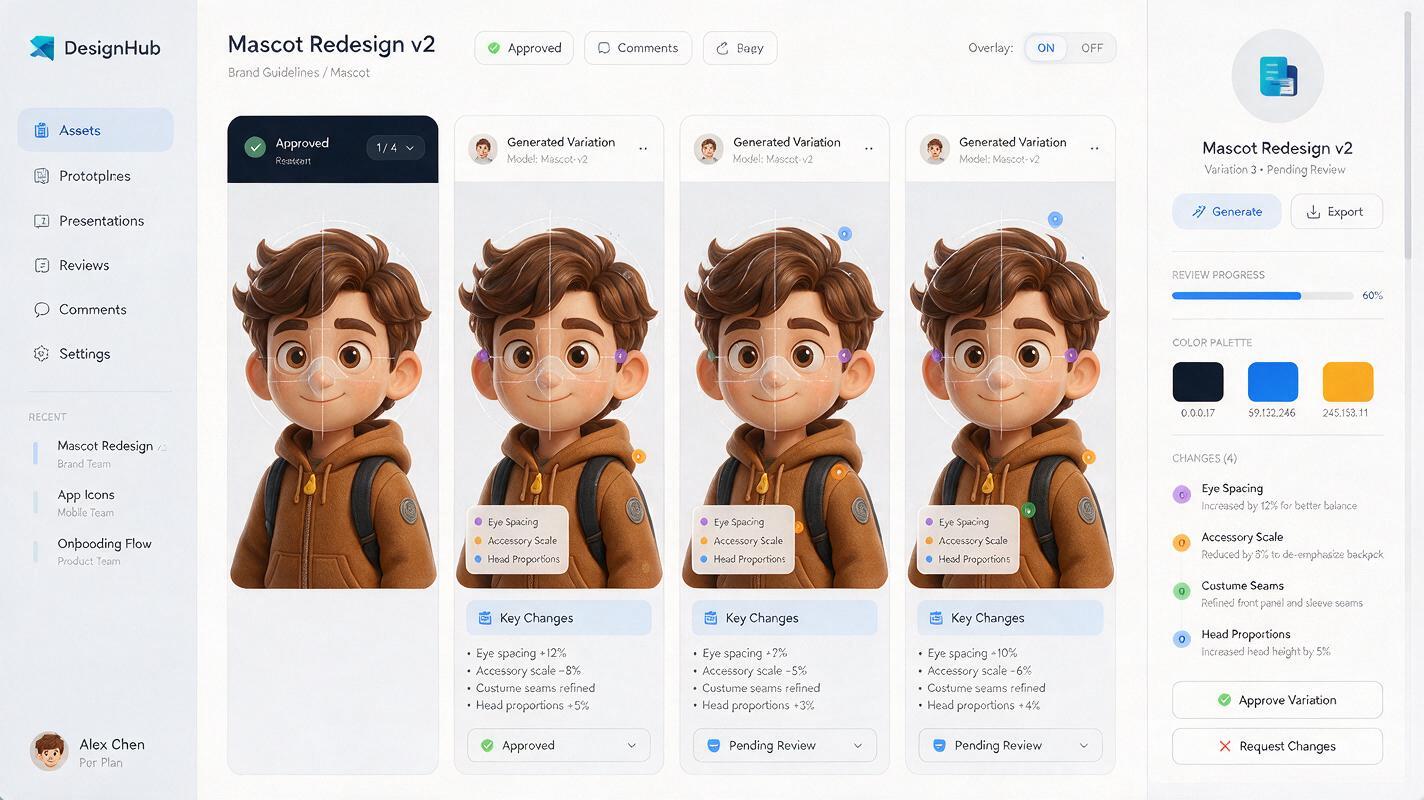
Use overlays when the character must meet strict brand standards. Align the approved and generated faces at equal scale, reduce the top layer opacity, and inspect the eye line, head contour, mouth position, and accessory anchors. Small deviations become obvious before client review.
Prepare a reusable mascot production kit
Once the core poses are approved, save more than flattened campaign images. A useful production kit includes the master reference sheet, neutral turnaround, expression grid, isolated pose library, approved palette, invariant list, and the exact prompt used for each successful variation.
Organize files by action and view rather than by generation date. Names such as mascot-wave-front-neutral and mascot-run-side-parcel make assets easier to reuse across social posts, packaging mockups, presentations, and motion briefs.
When another designer needs a new pose, they should begin from the master reference—not from the most recent campaign image. That prevents temporary seasonal details from becoming permanent character traits.
Final checklist
- Choose one approved image as the primary identity anchor.
- Build clean front, three-quarter, side, face, and detail references.
- Separate permanent identity traits from pose and campaign variables.
- Change expression, action, prop, and environment in separate passes.
- Describe limb relationships and camera angle instead of asking for generic dynamism.
- Generate logos, labels, and headlines outside the mascot artwork.
- Compare every output with the master sheet and use overlays for critical geometry.
- Archive approved poses, prompts, references, and invariants as a reusable brand system.
Ready to build the first controlled pose set? test this prompt yourself with an approved mascot image, then expand only after the neutral reference passes review.
Keywords
AI brand mascot, consistent character AI, Nano Banana Pro, brand design AI, mascot prompts, AI image generator, character reference sheet