How to Keep the Same AI Video Character When Their Hair Gets Wet
Rain can change a character’s hairstyle so dramatically that an AI video shot appears to introduce a different person. This tutorial uses a dry character sheet, matched rain and interior references, and cut-point checks to preserve facial identity while allowing hair and clothing to get wet.

Table of contents
Rain should change the hair, not the character
A character can leave a dry sidewalk, cross through rain, and enter a café looking soaked—without acquiring a new face. The key is to approve one dry identity first, then make wet hair and clothing deliberate changes in the references for each shot.
This tutorial follows Mara, a fictional character whose chestnut waves flatten in the rain. Keep her facial proportions, brow scar, coat, and scarf recognizable across three short shots. Start with a reference made in an ai image generator, then approve the rainy and indoor frames before animating either one.
Cover image prompt:
Photorealistic editorial film still, landscape 16:9. A fictional 31-year-old woman with olive skin, dark brown eyes, thick dark eyebrows, a straight nose, a small crescent scar above her left eyebrow, and chestnut collarbone-length hair stands beneath the awning of a lived-in neighborhood café. Rain beads on her slate-blue waxed coat; her olive scarf and ivory crewneck remain visible. Her damp hair retains its off-center part and original length. Cool overcast daylight, wet pavement, believable storefront details, no readable signs, no text, no logos. MANDATORY CAMERA: eye-level medium shot from a true three-quarter view, natural 50 mm perspective; show her face clearly without a mirror or reflected duplicate.Step 1 — Approve the dry identity before changing the weather
Make one character sheet that records features rain cannot plausibly alter. For Mara, those are her face shape, eye spacing, brow shape, nose, left-brow scar, hairline, and hair length. Clothing is a secondary anchor: the same slate-blue coat, olive scarf, and ivory crewneck should carry into the rainy shots.
Use this compact character sheet template when briefing any recurring character:
Character: Mara, fictional adult, age 31.
Stable identity: olive skin; dark brown eyes; thick dark eyebrows; straight nose; small crescent scar above left eyebrow; chestnut hairline with off-center part; collarbone-length hair.
Continuity clothing: slate-blue waxed coat, olive scarf, ivory crewneck; no jewelry.
Allowed change: dry waves become rain-flattened strands; coat and scarf become damp.
Not allowed: new face shape, different eye spacing, moved scar, shorter hair, changed coat color.
Save the approved sheet separately from scene images. A scene image can be replaced if its framing is wrong; the identity reference should remain fixed throughout the sequence.
Character-sheet image prompt:
Photorealistic three-panel character reference sheet of the same fictional 31-year-old woman in front, exact left-side profile, and back views, arranged left to right in one landscape 16:9 image. Olive skin, dark brown eyes, thick dark eyebrows, straight nose, small crescent scar above the left eyebrow, chestnut collarbone-length wavy hair with an off-center part. Identical slate-blue waxed coat, olive scarf, and ivory crewneck in every panel. Hair and clothes are dry. Neutral light-gray seamless studio background, soft even light, natural anatomy, no labels, no text, no logos. MANDATORY CAMERA AND LAYOUT: three equal full-body panels at the same scale; straight-on front view, true 90-degree left profile, straight-on back view; no three-quarter poses or duplicated limbs.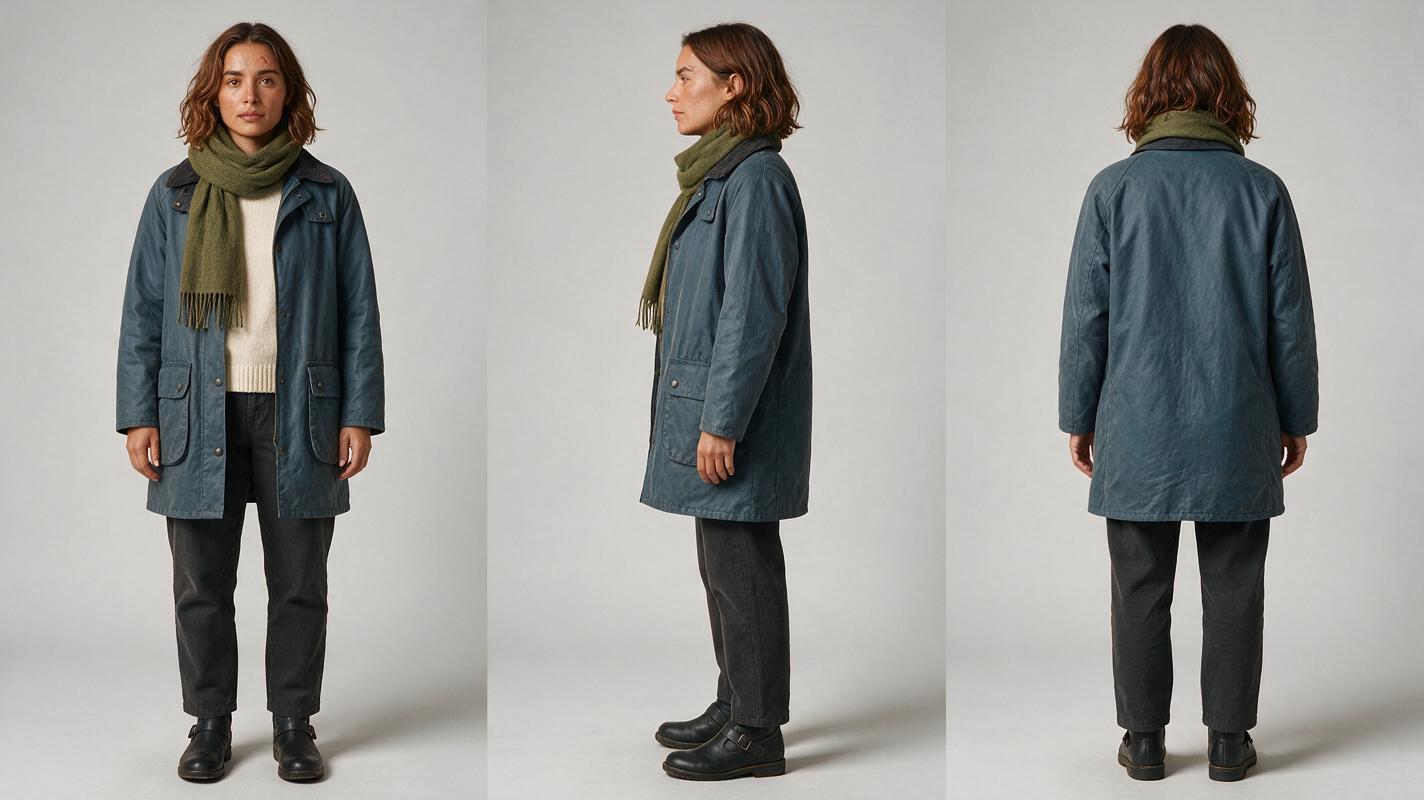
Step 2 — Build the wet scene from the approved reference
Give the rainy shot two jobs: establish that Mara is getting wet and leave a clear facial frame for the next shot to match. Use the approved sheet as the character reference. Specify which features remain unchanged and describe water’s effect on hair rather than requesting a new “rainy character.”
For this example, place Mara outside the café in cool overcast daylight. Keep the sidewalk and entrance visible so the move indoors makes geographic sense. Approve a still with her face unobstructed before generating motion; an umbrella, raised hand, or wet strand crossing an eye makes the cut harder to judge.
Rainy-scene image prompt:
Using the approved three-view sheet of Mara as the identity reference, create a photorealistic cinematic editorial still, landscape 16:9. The same fictional 31-year-old woman with olive skin, dark brown eyes, thick dark eyebrows, straight nose, small crescent scar above her left eyebrow, and chestnut collarbone-length hair walks toward a neighborhood café entrance in steady rain. Her original off-center part remains visible; wet strands lie against her cheeks without hiding her eyes or changing her hairline or length. Her slate-blue waxed coat and olive scarf are damp; the ivory crewneck is visible. Cool overcast daylight, wet pavement, believable doorway and lived-in street, no readable signs, no text, no logos. MANDATORY CAMERA: eye-level medium three-quarter shot with natural 50 mm perspective; one person only, face unobstructed, café doorway behind her to frame left.
Step 3 — Match the café frame before animating the cut
The indoor shot is where drift often becomes obvious. Mara’s hair may cling to her face, but her brow scar, eye spacing, and nose must still match the dry sheet. Use both the approved sheet and the accepted rainy still as references when the selected tool permits multiple image inputs. If it permits only one, make an approved indoor still from the sheet and use that still as the shot’s starting frame.
Write a storyboard reference for the cut: Mara enters through the doorway at frame left, stops beside a table, and turns toward camera. Keep the café’s window light consistent with the overcast exterior; do not add a time-of-day change that makes the comparison harder.
Review the last clear face frame outside against the first clear face frame inside. Hair and moisture should change; facial geometry should not.
Once both stills pass that check, use image to video for short, separate motions. Do not ask one generation to invent the exterior, the doorway crossing, the indoor reveal, and every change in appearance at once.
Step 4 — Diagnose the cut, not just the prettiest frame
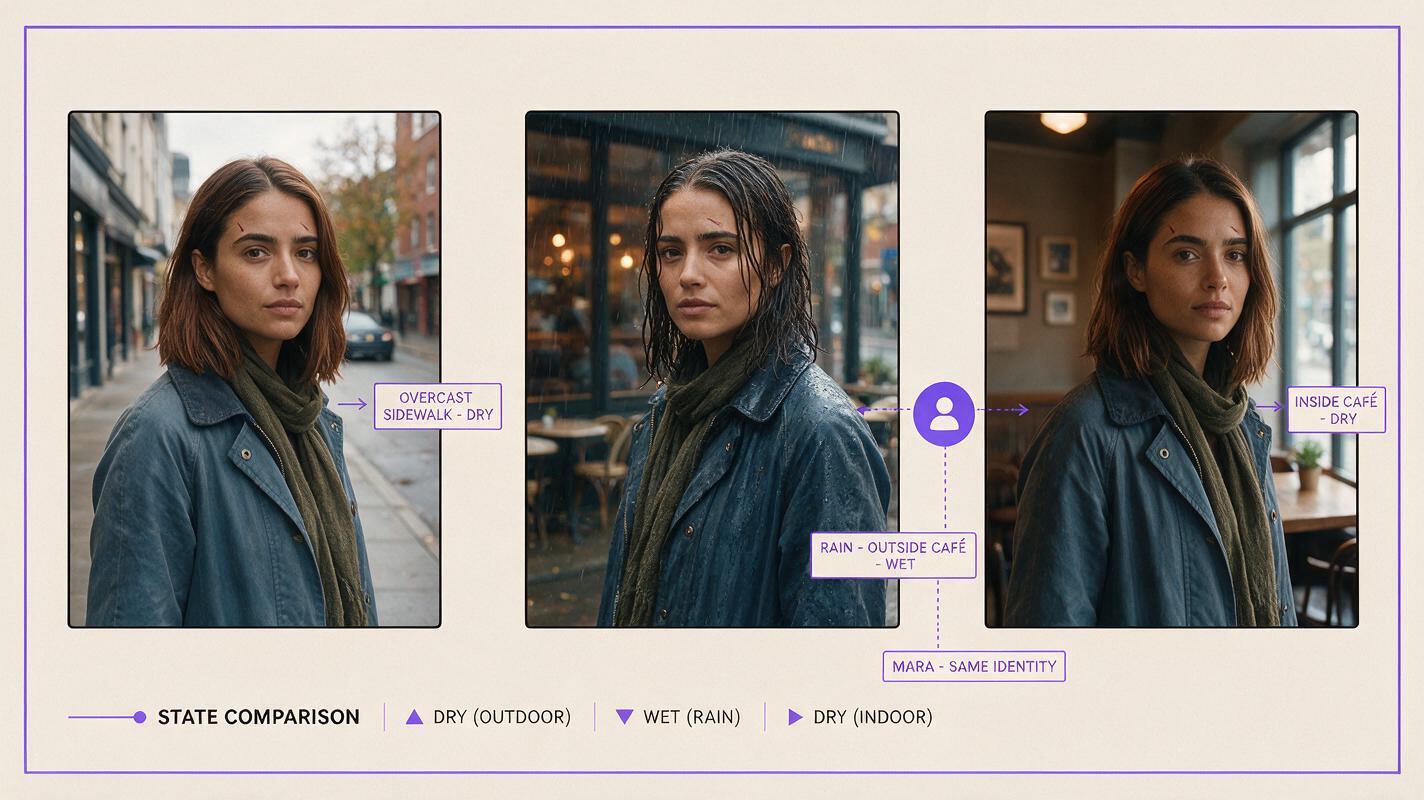
Compare the dry sheet, the rainy exit frame, and the first clear indoor frame side by side. An attractive individual shot can still break a multi-shot sequence if its face or wardrobe differs at the cut.
| What changed | Likely cause | Fix |
|---|---|---|
| Scar moves or disappears | Wet strands obscure the brow, or identity has drifted | Clear the brow in the indoor reference; regenerate the still if the scar is misplaced |
| Hair becomes shorter or darker | “Wet hairstyle” was treated as a redesign | Specify unchanged length, chestnut color, and off-center part |
| Coat or scarf changes color | Scene prompt omitted wardrobe anchors | Repeat the exact garments in both scene prompts |
| Face changes during the doorway turn | The motion crosses an angle not approved in a still | Approve a clear three-quarter turning frame, or cut before the turn |
Comparison image prompt:
Neutral visual comparison, landscape 16:9, with three adjacent cinematic frames and narrow plain borders, no labels or text. Frame one: the approved fictional character Mara, olive skin, dark brown eyes, thick dark eyebrows, straight nose, small crescent scar above left eyebrow, chestnut collarbone-length hair with off-center part, dry on an overcast sidewalk in a slate-blue waxed coat and olive scarf. Frame two: the same character in rain outside a café, hair flattened and coat damp, identity unchanged. Frame three: the same character inside the café in cool window daylight, wet hair still collarbone-length and parted the same way, scar and facial proportions clearly preserved. Photorealistic editorial realism, believable locations, no logos or interface elements. MANDATORY CAMERA AND LAYOUT: three equal eye-level medium three-quarter frames at matching face scale; one Mara per frame; no reflections, extra people, or floating annotations.FAQ
Should the rainy scene use a separate character sheet?
No. Keep the approved dry sheet as the identity anchor. Create a wet scene reference to document the permitted changes to hair and clothing.
What if a tool accepts only one reference image?
Use the approved scene still for that shot, and check it against the character sheet before animating. Preserve the sheet for the next still rather than relying on a generated video frame as the sole identity source.
Can wet hair cover part of the face?
Yes, but retain at least one clear facial frame on each side of the cut. Otherwise, you cannot reliably inspect whether the same face survived the transition.
Final checklist
- Approve a dry front, side, and back character sheet.
- Describe wetness as a change to the approved character, not a redesign.
- Keep hair length, hairline, facial landmarks, coat, and scarf traceable.
- Approve clear rainy and indoor stills before generating motion.
- Compare the last exterior face frame with the first interior face frame.
With those references ready, try these models for free and test the cut with two short shots before making the full scene.
Keywords
character consistency, consistent character video, consistent character across scenes, character reference, multi-shot, storyboard reference, ai character design, keep the same face across video