Why AI Comic Props Change Between Panels—and How to Keep Them Consistent
AI-generated props often change shape, scale, or construction whenever the camera angle changes. This guide shows comic and webtoon artists how to build a prop reference sheet, write interaction-aware prompts, and repair object drift with GPT Image without repainting the entire panel.
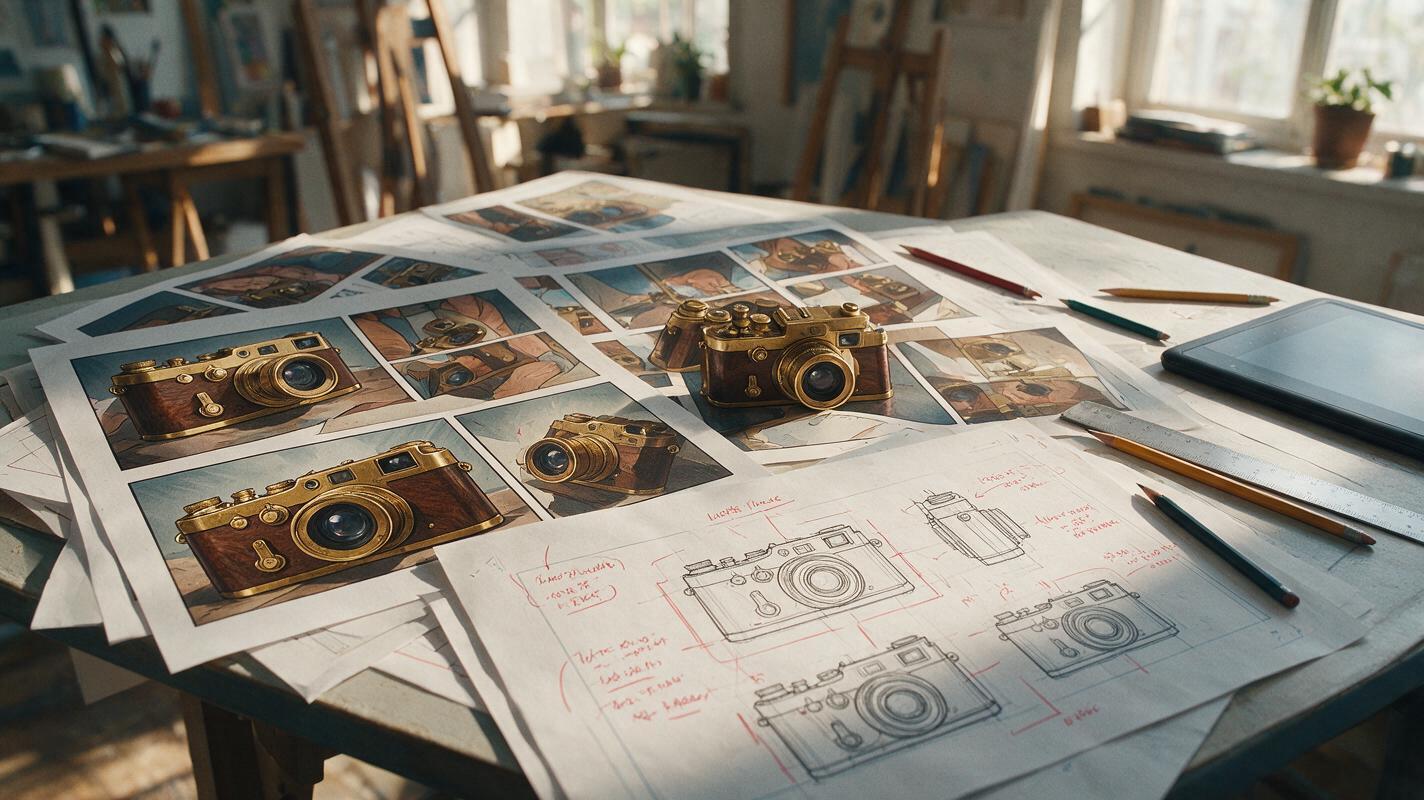
Table of contents
Keep important objects recognizable from panel to panel
A hero’s sword should not gain a second guard in the next panel. A distinctive phone should not change color when it moves into a close-up. Yet AI-generated comic props frequently drift in shape, scale, materials, and small construction details—even when the character remains recognizable.
The reliable fix is to treat every story-critical object like a supporting character. Give it a compact identity sheet, separate its permanent features from its current state, and describe how the character physically interacts with it. GPT Image can support this reference-based process through an ai image generator, but consistency still depends on the information supplied to the model.
Use the prop test: If changing the object would confuse the action, reveal, or character identity, it needs its own continuity reference.
Why AI changes props between comic panels
A prompt such as “a detective holding an antique camera” describes a category, not a specific object. The model may produce a plausible antique camera in every image while changing the lens, body proportions, button layout, strap, or viewfinder.
Comic production makes this problem more visible because the same object appears under different conditions:
- New camera angles expose surfaces that were not visible in the original panel.
- Hand contact forces the model to solve the prop and fingers together.
- Action states alter hinges, blades, straps, screens, or moving components.
- Scale changes encourage extra decorative details in close-ups.
- Loose naming allows the model to reinterpret the object as another member of the same category.
Repeating more adjectives rarely solves the issue. The model needs a visual and structural definition that remains stable while pose, camera, and action change.
Build a prop identity sheet before generating scenes
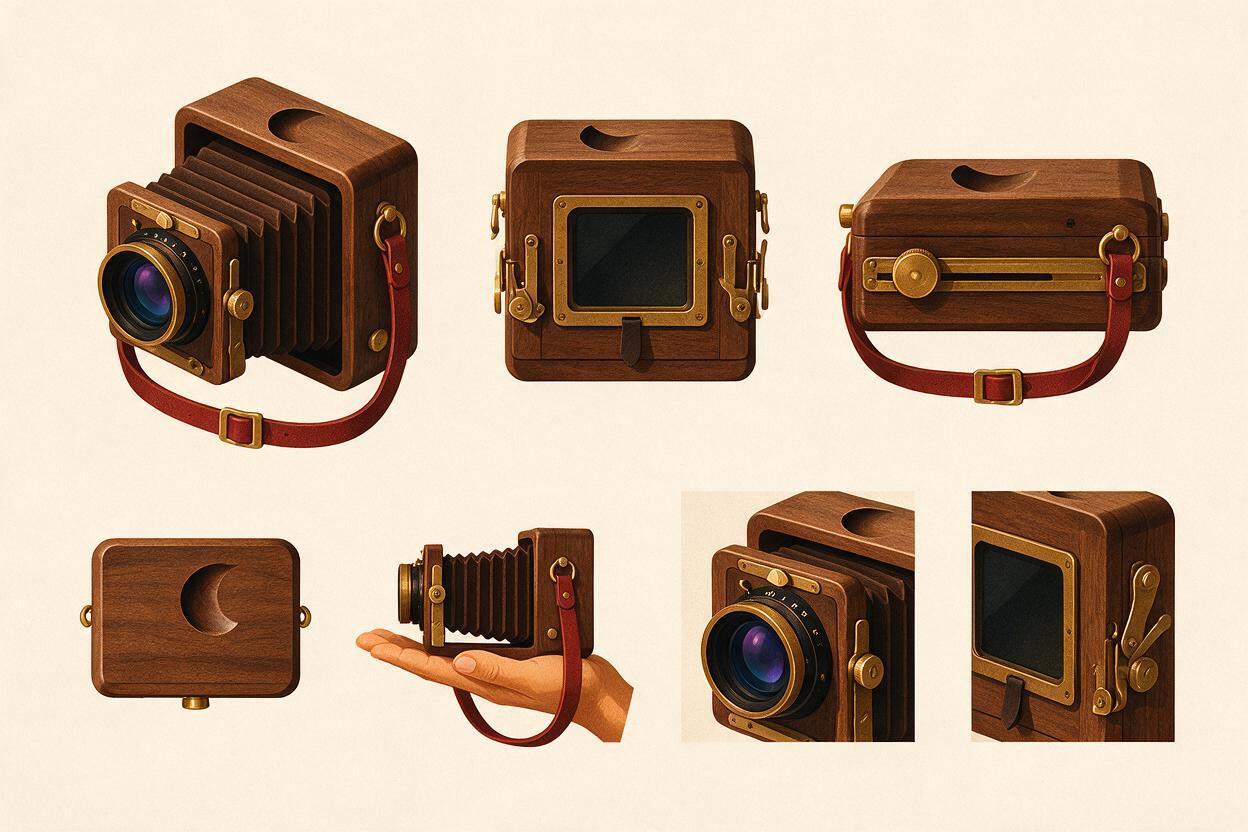
Create a clean reference sheet for recurring weapons, jewelry, devices, vehicles, keys, books, masks, or magical artifacts. A useful sheet contains only the views and details needed to reconstruct the object consistently.
| Reference cell | What it establishes | What to keep visible |
|---|---|---|
| Primary three-quarter view | Overall silhouette and proportions | Major parts, material breaks, dominant color |
| Opposite or rear view | Hidden construction | Fasteners, straps, back panels, asymmetry |
| Scale view | Size relative to the owner | Object beside the character’s hand or body |
| Functional state | How the object opens or transforms | Moving parts and their correct limits |
| Detail inset | Story-critical identifying feature | Emblem, crack, engraving, button, gemstone |
Place the object against a plain background and avoid dramatic perspective. If the prop is asymmetrical, label its left and right sides. For a sword, show which face carries the engraving. For a messenger bag, identify where the buckle sits and which shoulder receives the strap.
Use a prompt that distinguishes fixed construction from presentation:
Create a production reference sheet for one recurring comic prop: a compact brass field camera owned by the protagonist.

FIXED CONSTRUCTION:
- rectangular dark walnut body
- one circular brass lens centered on the front
- narrow brass viewfinder on the upper left
- red leather strap attached at two side rings
- small crescent-shaped dent on the lower right corner
- no additional buttons, lenses, decorations, or text

SHEET CONTENT:
primary three-quarter front view, rear view, left side view, top view, scale comparison beside an adult hand, and one close detail of the crescent dent.

Neutral orthographic presentation, consistent proportions in every cell, plain light background, clean comic production art.
Generate the sheet before placing the prop in a finished scene. Correct structural errors here, where they are easy to see, rather than after they have spread through several panels.
Separate permanent construction from temporary state
A prop can remain the same object while changing state. A folding knife may be closed, half-open, or locked open. A spell book may be pristine, wet, burned, or glowing. Problems occur when the prompt mixes identity and state into one unstructured description.
Organize the information into three layers:
- Identity: features that never change, including silhouette, materials, colors, and signature damage.
- State: features that can change in the current beat, such as open, broken, illuminated, empty, or bloodstained.
- Visibility: which identity features should actually be visible from this camera angle.
For example: “The same walnut field camera from the reference sheet, strap hanging loose, rear panel open, crescent dent still on the lower-right front corner but mostly hidden from this rear angle.” This prevents the model from interpreting “open camera” as permission to redesign the whole device.
Prompt the interaction, not just the object
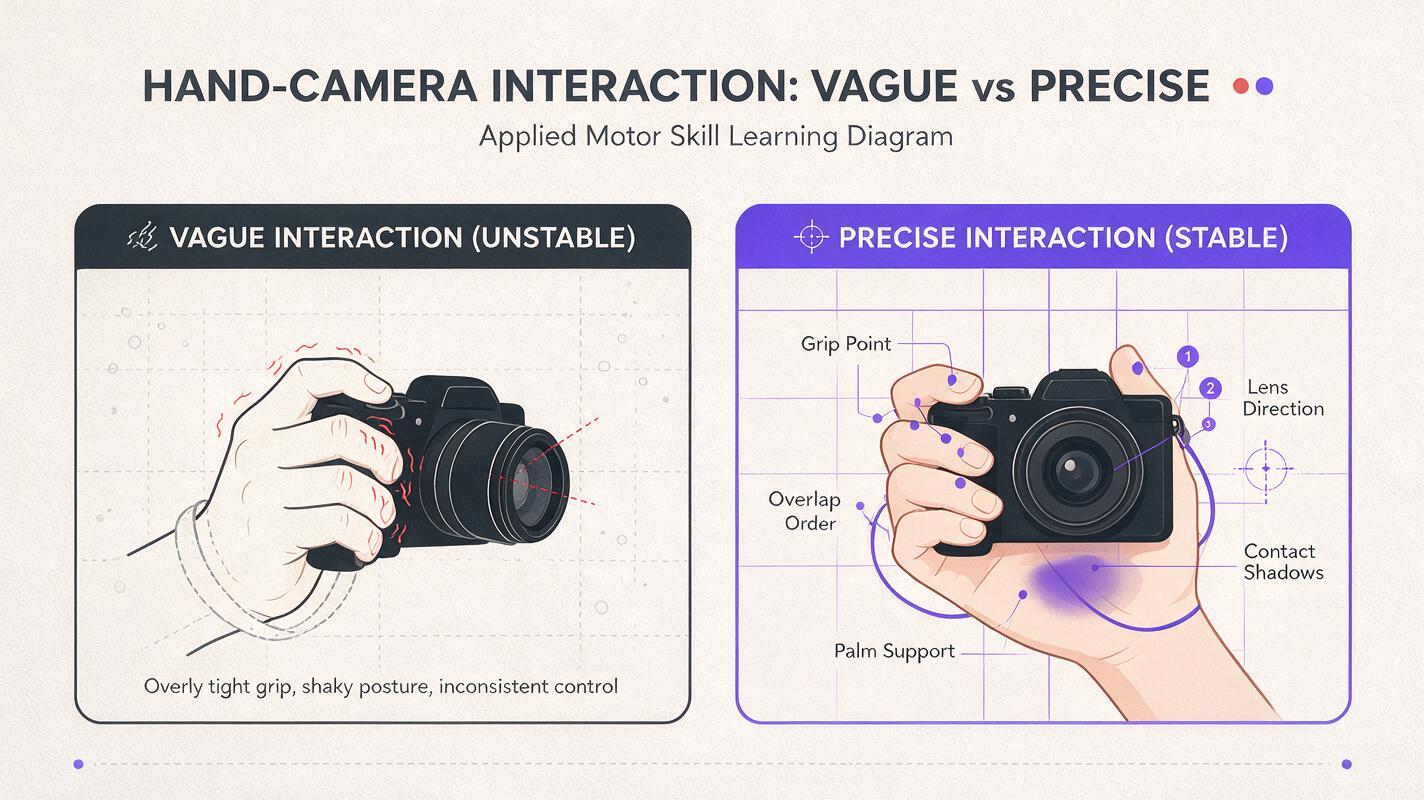
Many apparent prop failures begin as unclear hand-object relationships. “Holding a sword” does not explain which hand grips it, where the fingers close, how the blade is oriented, or whether the object supports weight.
Describe contact as a small physical diagram:
Use the attached character and prop references.

The detective holds the same brass field camera in both hands.
The right hand wraps around the right side of the wooden body.
The left palm supports the bottom edge without covering the lens.
The index finger rests near the shutter lever.
The red strap hangs between both wrists.
The camera remains level and points toward the viewer.

Preserve the camera's rectangular proportions, single centered lens, upper-left viewfinder, brass fittings, and crescent dent. Do not add controls or alter the hand anatomy.
When the prop crosses the body, specify what overlaps what. When it touches a table, state the contact point. When the object is partially hidden, describe only the visible portion instead of asking the model to display every identifying feature at once.
Continuity is not maximum visibility. A hidden emblem should remain hidden when the camera cannot logically see it.
Generate difficult views before committing to the sequence
Test the prop under the hardest conditions before producing a long chapter. Useful stress tests include a rear view, extreme close-up, foreshortened angle, two-handed grip, and partial occlusion.
Create three provisional panels:
- A clear establishing view where the object is easy to identify.
- An interaction view where hands, clothing, or furniture overlap it.
- A difficult angle that reveals a previously hidden surface.
These are not numbered production steps; they are a compact continuity test. Compare silhouette, part count, attachment points, scale, material boundaries, and signature marks. If the object fails repeatedly from one angle, add that angle to the reference sheet instead of expanding every scene prompt.
Repair the prop without repainting the panel
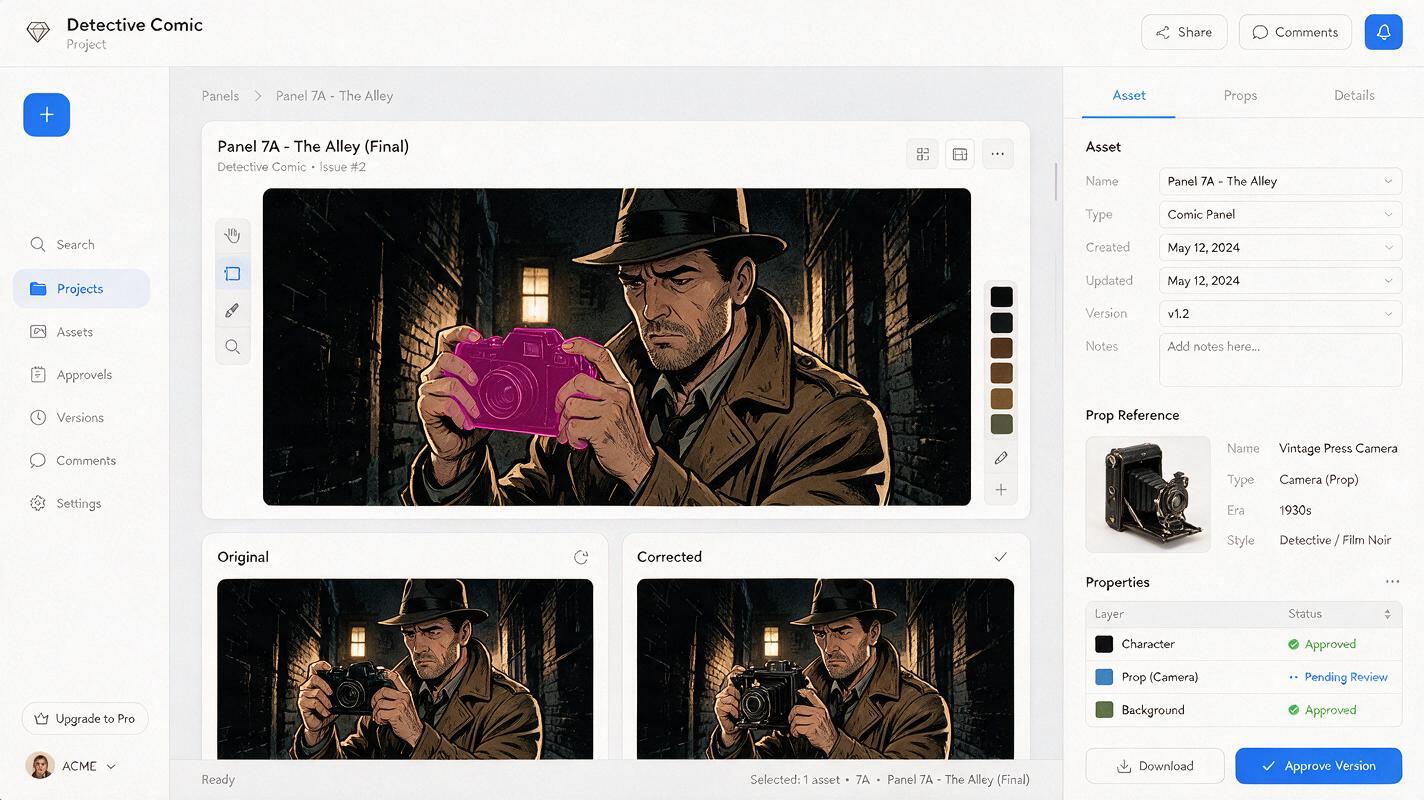
If the character, composition, and background already work, do not regenerate the whole image. Use localized editing to replace only the inconsistent object. This protects facial identity, pose, lighting, and panel staging.
Provide GPT Image with the approved prop reference and a tight edit instruction:
Edit only the camera inside the selected area.
Replace it with the exact recurring field camera shown in the reference: dark walnut rectangular body, one centered brass lens, upper-left viewfinder, red leather strap, and crescent dent on the lower-right corner.

Keep the existing hand positions, character, face, costume, background, lighting, line weight, colors, crop, and camera angle unchanged. Match the current perspective and preserve all pixels outside the selected area.
Inspect the repaired contact edges at full size. Look for fingers merging into the object, straps disappearing behind the wrong layer, duplicated handles, and shadows that no longer match the table or hand.
For an established visual style, use the repaired panel as a continuity reference rather than repeatedly returning to a generic prompt. This turns each approved result into production evidence for the next ai drawing.
Know when simplification is better than perfect detail
Not every panel needs the complete prop design. Small webtoon panels and distant manga shots cannot display tiny engravings reliably, and forcing them into the prompt can create visual noise.
| Panel type | Details to preserve | Details to simplify |
|---|---|---|
| Wide shot | Silhouette, color block, size, carrying position | Engravings, buttons, surface texture |
| Medium interaction | Major parts, grip, strap path, orientation | Micro-scratches and tiny labels |
| Close-up | Construction, signature mark, material transitions | Nothing relevant to the story beat |
| Motion panel | Readable outline and direction of movement | Details hidden by speed lines or blur |
Consistency means preserving the information readers use to recognize the object. It does not mean rendering every screw in every shot.
A practical continuity record for long chapters
Maintain a short prop ledger beside the character and location references. Record the approved asset name, current state, last known location, owner, damage, and any transformation caused by the story.
PROP ID: CAM-01
OWNER: Mara
FIXED: walnut body, brass single lens, red strap, crescent dent
CURRENT STATE: rear panel closed, one plate loaded
LAST APPEARANCE: Episode 06, panel 41
NEXT CHANGE: strap breaks during rooftop chase
FORBIDDEN DRIFT: second lens, black strap, centered viewfinder, readable logo
This record prevents a different kind of error: preserving the design while forgetting narrative state. A cracked artifact should stay cracked. A key handed to another character should not reappear on its former owner’s belt.
Final checklist
- Create a dedicated reference sheet for every story-critical prop.
- Define silhouette, materials, part count, asymmetry, and signature marks.
- Separate permanent identity from temporary state.
- Describe grips, contact points, orientation, and occlusion explicitly.
- Test difficult views before generating an entire sequence.
- Repair only the drifting object when the rest of the panel is successful.
- Simplify details according to panel size without changing recognition cues.
- Track ownership, damage, location, and state in a prop ledger.
Once the identity sheet and stress-test prompts are ready, create your own version and compare the object across three different camera angles before expanding the scene.
Keywords
consistent AI comic props, comic AI generator, GPT Image, prop reference sheet, webtoon AI, comic prompts, AI drawing