How to Keep the Same Face During an AI Video Camera Orbit
A camera orbit can change a character’s face even when the shot never cuts. This guide shows how to anchor the front, profile, and rear views of one fictional character, prepare an orbit-ready reference frame, and review the angles where identity drift becomes visible.
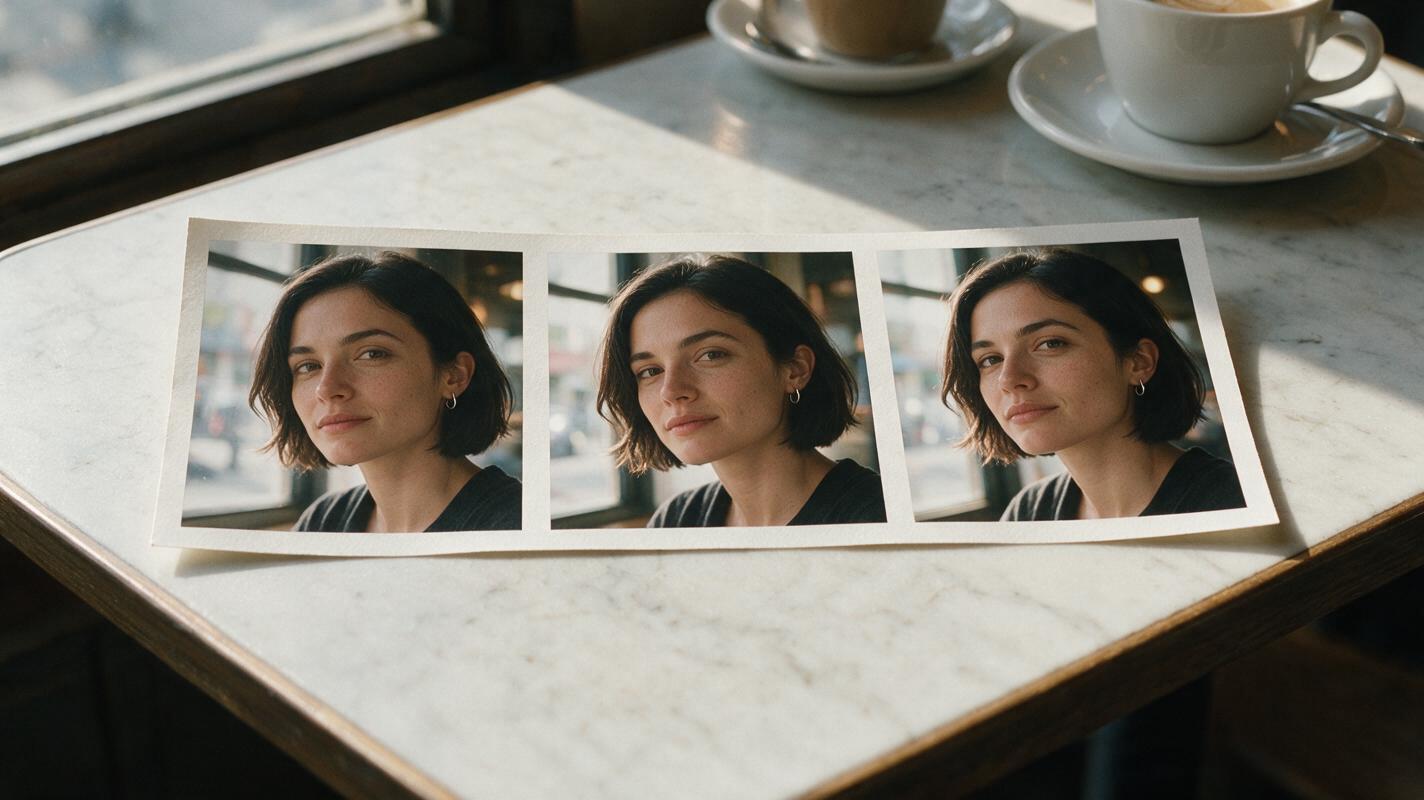
Table of contents
A camera move that tests identity
A continuous camera orbit should reveal new angles of the same person—not quietly replace their nose, jaw, ears, or hairline halfway around. The practical fix is to approve a three-view character sheet, establish the starting frame, and keep the camera path short enough to inspect angle by angle.
This tutorial follows one fictional character, Mara, as the camera moves from her front-left three-quarter view toward her right profile in a lived-in café. It addresses identity drift within one unbroken shot, rather than continuity between separate scenes.
Cover recreation prompt:
Photorealistic editorial photograph, landscape 16:9: a physical strip of three unmarked photographic frames lying on a café table, each showing the same fictional woman with a short dark bob and a small silver hoop in her left ear at successive camera angles in the same café; natural window light, realistic paper texture, no printed words, logos, screens, or interface elements. MANDATORY CAMERA: tabletop three-quarter view, with all three frames visible and no change in the woman's facial proportions.Step 1 — Approve the views the orbit will reveal
Begin with a neutral ai image generator reference, not a dramatic café portrait. A front view alone leaves the generator to invent the profile and rear silhouette when the camera moves. Review the sheet at full size before using it: the front and side panels must agree on nose projection, brow shape, chin depth, and ear position.
Copyable character sheet template:
CHARACTER: Mara, fictional adult.
IDENTITY LOCK: oval face; straight, moderately projected nose; softly angular jaw; dark brown eyes; small silver hoop in left ear.
HAIR LOCK: short dark-brown bob, blunt ends at jaw level, side part on her right.
WARDROBE: charcoal crew-neck sweater; no visible branding.
VIEW REQUIREMENT: front, true right-side profile, and back; same person, same haircut and sweater in every panel.
BACKGROUND: neutral light-gray seamless studio background.
OUTPUT: photorealistic landscape 16:9 three-panel character sheet; even neutral light; no text or panel labels.
Character-sheet visual prompt:
Photorealistic landscape 16:9 three-panel character reference sheet of the same fictional adult woman, Mara: oval face, straight moderately projected nose, softly angular jaw, short dark-brown bob with blunt jaw-length ends and a part on her right, small silver hoop in her left ear, charcoal crew-neck sweater; neutral light-gray seamless background, soft even studio lighting, identical identity and clothing across panels, no text, logos, or interface elements. MANDATORY CAMERA AND LAYOUT: left panel straight-on front portrait, center panel true right-side profile, right panel straight-on rear view; aligned head size and shoulder height.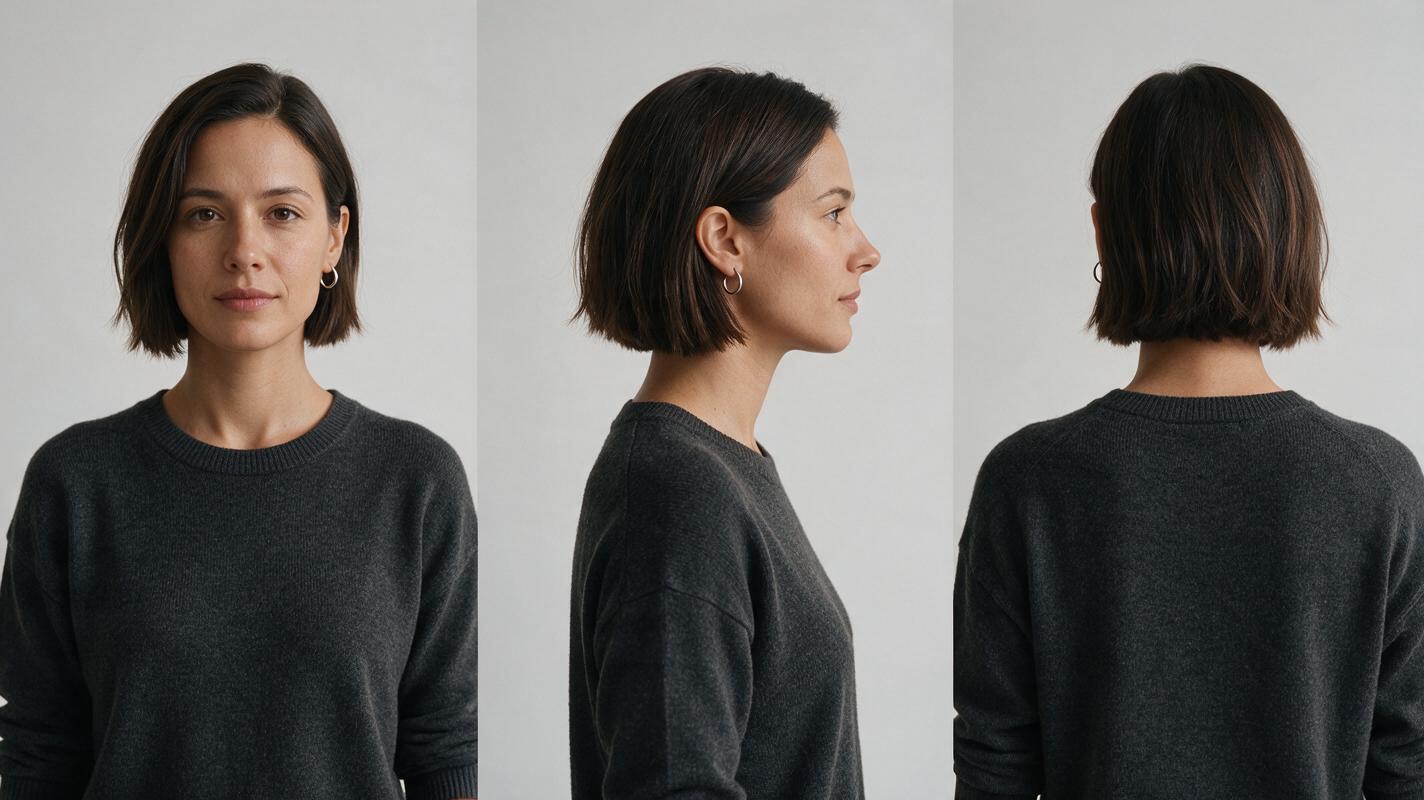
Step 2 — Establish a starting frame with a readable face
Make a scene still in which Mara’s face is unobstructed and her visible features match the approved sheet. Preserve the side of her part and the left-ear hoop; those details help expose accidental mirroring. Give her a stable pose and leave visual room for the camera to travel. Avoid asking the video model to introduce a new expression, turn her head, and swing the camera all at once.
For the first attempt, choose a modest arc—from front-left three-quarter to right profile—rather than a full circle. If your workflow offers image to video, use the approved scene still as the starting image and keep the sheet nearby for comparison. Check the controls available in your chosen tool; a reference sheet may guide your preparation even when the tool accepts only one starting image.
Scene-reference visual prompt:
Photorealistic cinematic editorial still, landscape 16:9, inside a believable neighborhood café with worn wooden tables, a rain-speckled window, and softly blurred patrons deep in the background; Mara, the same fictional woman from the approved three-view sheet, stands still beside a table in a charcoal crew-neck sweater, short dark-brown jaw-length bob parted on her right, small silver hoop in her left ear; consistent oval face, straight moderately projected nose, and softly angular jaw; natural overcast window light, no text, logos, screens, or interface elements. MANDATORY CAMERA: medium shot from Mara's front-left three-quarter angle, eye level, face unobstructed, clear space around her for a clockwise camera move.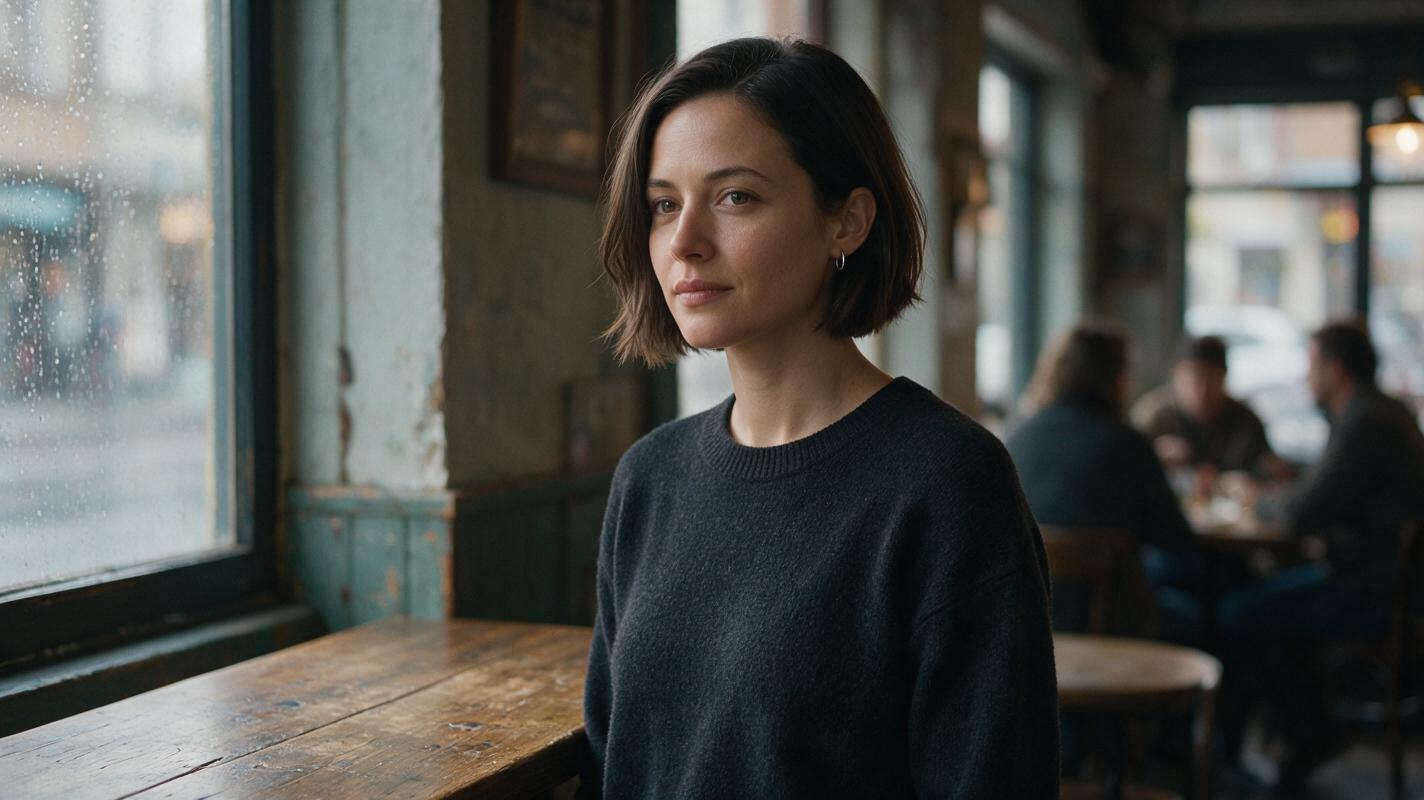
Step 3 — Prompt the camera, not a new performance
Write the movement as a camera instruction and state what the character does not change. “Orbit around her” is too open-ended: it can become a head turn, a jump between angles, or a second person appearing in frame. Keep the subject nearly still so changes in facial geometry are easier to spot.
Use the approved café starting frame as the visual anchor. One continuous, uncut shot. The camera moves slowly clockwise around Mara from her front-left three-quarter view to her right-side profile at eye level. Mara stays in place, keeps a neutral expression, and looks toward the café window. Preserve the same oval face, straight nose projection, jawline, dark-brown bob and right-side part throughout the move. Preserve the charcoal sweater and café layout. No face morph, mirrored hairstyle, duplicate person, sudden zoom, cut, or change in lighting. Stop at a clean right-side profile.If the profile changes despite a stable starting frame, shorten the arc. Approve a clean intermediate three-quarter frame before attempting a longer move.
Step 4 — Inspect the angles that expose drift
Review the opening, the midpoint, and the final profile as still frames, then watch the movement between them at normal speed. Compare each frame with the corresponding part of the sheet. A pleasing opening frame does not establish continuity if the nose changes shape at the midpoint.
| What you see | Likely cause | Revision to try |
|---|---|---|
| The profile has a different nose or chin | The side view was vague or inconsistent | Correct the sheet’s true profile, then regenerate the starting frame and clip. |
| The hair part or earring switches sides | The face or frame has been mirrored | Check left and right in the sheet, still, and output; reject mirrored frames. |
| A second Mara appears during the move | The camera instruction was read as multiple subjects or frames | Specify one person and one continuous shot; simplify background activity. |
| The face changes during a fast sweep | Too much angle change is compressed into the move | Slow or shorten the orbit and review an intermediate angle. |
Failure-and-fix visual prompt:
Neutral photorealistic side-by-side comparison, landscape 16:9, showing two editorial-realism frames from the same fictional café camera orbit, with no words, arrows, logos, borders resembling software, or interface elements; on the left, Mara at right-side profile has an obviously inconsistent rounded nose and longer chin despite her short dark bob and charcoal sweater; on the right, Mara at the same angle retains the straight moderately projected nose, softly angular jaw, right-side hair part, and stable features of her approved sheet; identical café background, lighting, framing, and pose in both halves. MANDATORY CAMERA AND LAYOUT: two equal side-by-side eye-level medium-profile views, consistent subject scale; the only meaningful difference is facial identity accuracy.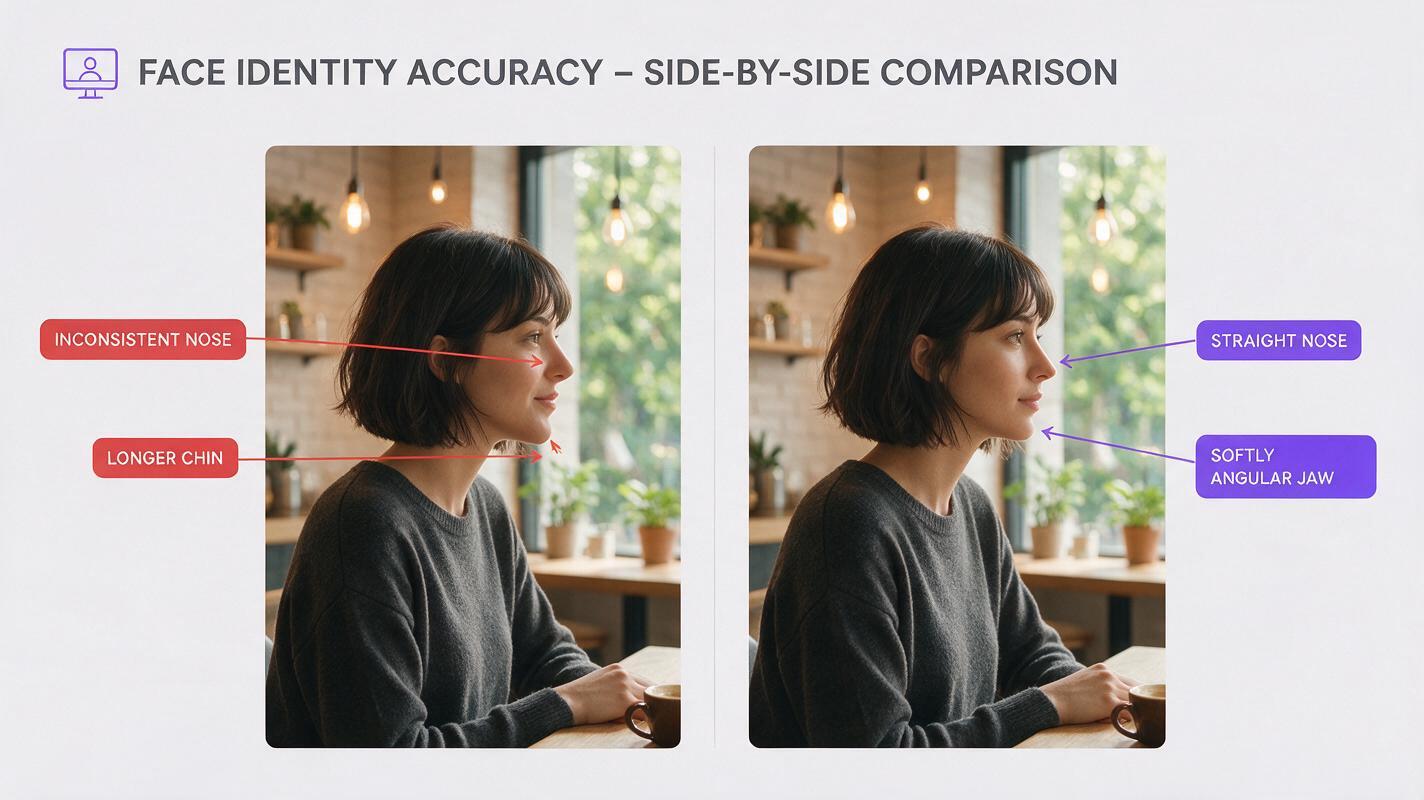
FAQ
Will a character sheet guarantee the same face through a full orbit?
No. It supplies views to compare and reference, but it cannot guarantee that every generated frame will preserve them. Build up from shorter arcs and inspect intermediate angles.
Should the character turn her head while the camera moves?
Not on the first pass. A nearly stationary head makes it easier to tell whether the camera moved correctly and whether the face remained consistent. Add a head turn after the camera-only version works.
What if my video tool accepts only one reference image?
Use the approved scene still as its input. Keep the three-view sheet as your guide when making that still and as your standard when reviewing the resulting clip.
Final checklist
- The front, true profile, and back views depict one approved character.
- The starting frame matches the sheet and has an unobstructed face.
- The prompt describes one person, one uncut move, and a defined end angle.
- The opening, midpoint, and profile retain the same facial structure and left-right details.
- Any drifting segment is revised with a shorter arc or a corrected reference—not hidden by a faster move.
When your references are ready, try these models for free with the same starting frame and compare their orbit frames against your sheet.
Keywords
character consistency, character reference, consistent character video, multi-shot, keep the same face across video