How to Keep the Same AI Video Character While Expressions Change
A character can look like someone else when a generated shot shifts from calm to crying or laughter. This tutorial uses a neutral three-view sheet, expression-specific reference frames, and cut-point checks to preserve facial identity without freezing the performance.
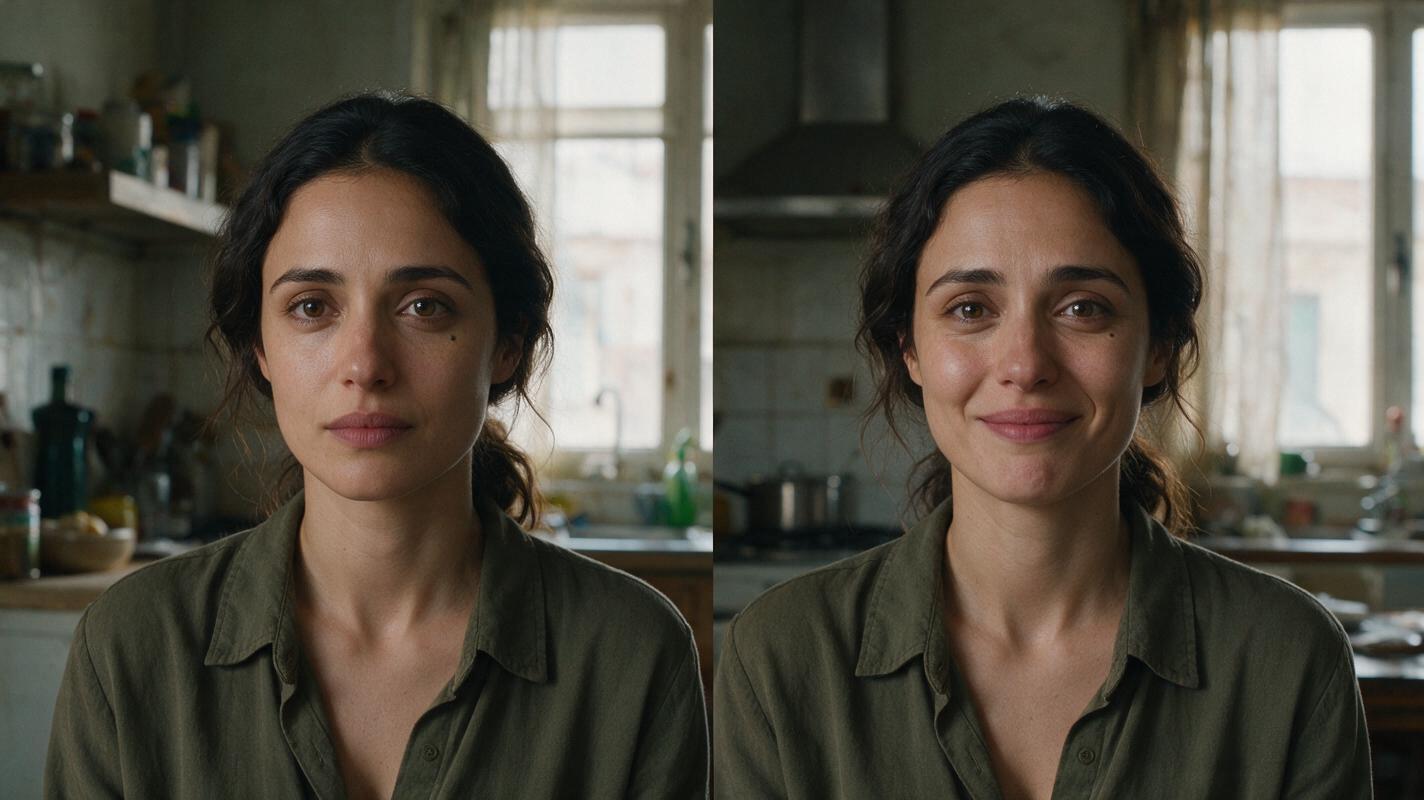
Table of contents
Keep the face, change the expression
A convincing emotional scene needs the same person in every shot—even when a smile lifts the cheeks, tears narrow the eyes, or laughter changes the shape of the mouth.
The practical fix is to separate identity from expression. Approve a neutral character reference first, build emotional frames from it, and animate only after those frames still read as one person. This tutorial follows a fictional character, Mara, through a calm close-up, a restrained cry, and a relieved laugh.
Cover visual prompt — copy and recreate: Photorealistic cinematic editorial photograph, landscape 16:9; the same fictional woman, Mara, appears in two adjacent moments inside a lived-in apartment kitchen, composed as a seamless photographic diptych: calm at left and quietly relieved at right; she has an oval face, deep-set brown eyes, a small mole beneath her left eye, a softly squared jaw, dark wavy hair tied low, and a plain olive shirt; natural window light, believable skin texture, restrained expressions, no text, logos, screens, or interface elements; MANDATORY CAMERA: matched eye-level medium close-ups with the same lens perspective and facial proportions in both halves.
Step 1 — Approve a neutral character sheet
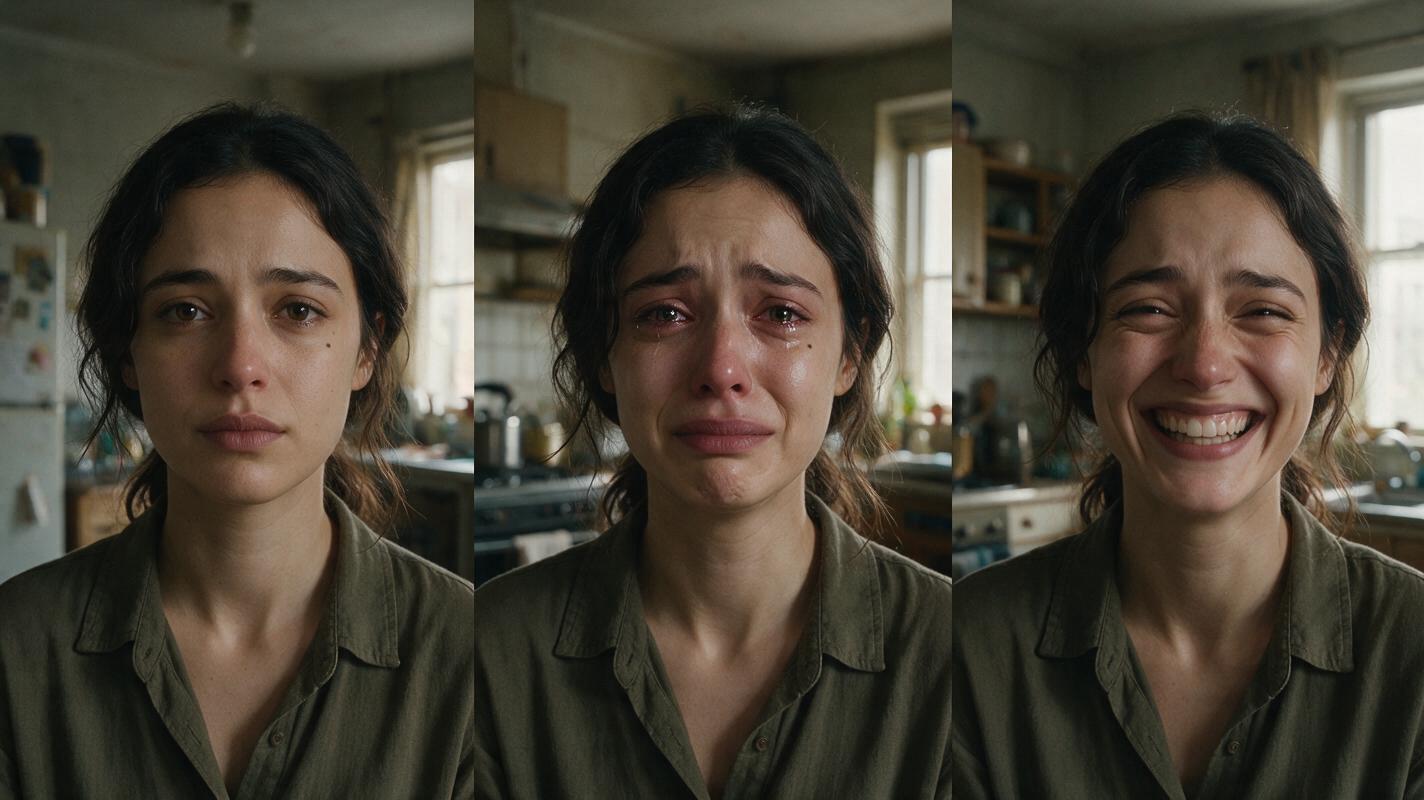
Start with a neutral face because it gives you a stable reference when expressions distort familiar landmarks. Use an ai image generator to make a three-panel sheet showing Mara from the front, side, and back. Inspect the result before using it: the views must depict one person, not three similar people.
Keep a compact character sheet template alongside the image:
- Fixed identity: oval face, softly squared jaw, deep-set brown eyes, small mole beneath the left eye.
- Hair and wardrobe: dark wavy hair tied low; plain olive shirt.
- Allowed changes: expression, tears, breathing, and head angle.
- Do not change: eye color, mole placement, jaw structure, hairline, or apparent age.
The mole helps with inspection, but it is not an identity system by itself. Compare the full arrangement of facial features, especially when the mole is hidden by an angle or a tear.
Visual prompt — character sheet:
Photorealistic three-panel character reference sheet of one fictional adult woman named Mara. Same person in every panel: oval face, softly squared jaw, deep-set brown eyes, small mole beneath her left eye, dark wavy hair tied low, plain olive shirt. Neutral expression and relaxed posture. Front view, true side profile, and back view, in that order. Neutral light-gray seamless background, even soft studio light, realistic skin and hair, landscape 16:9. MANDATORY CAMERA/LAYOUT: three equal full-height panels, consistent scale and eye level; side view must be a true 90-degree profile; no labels, text, logos, UI, or extra people.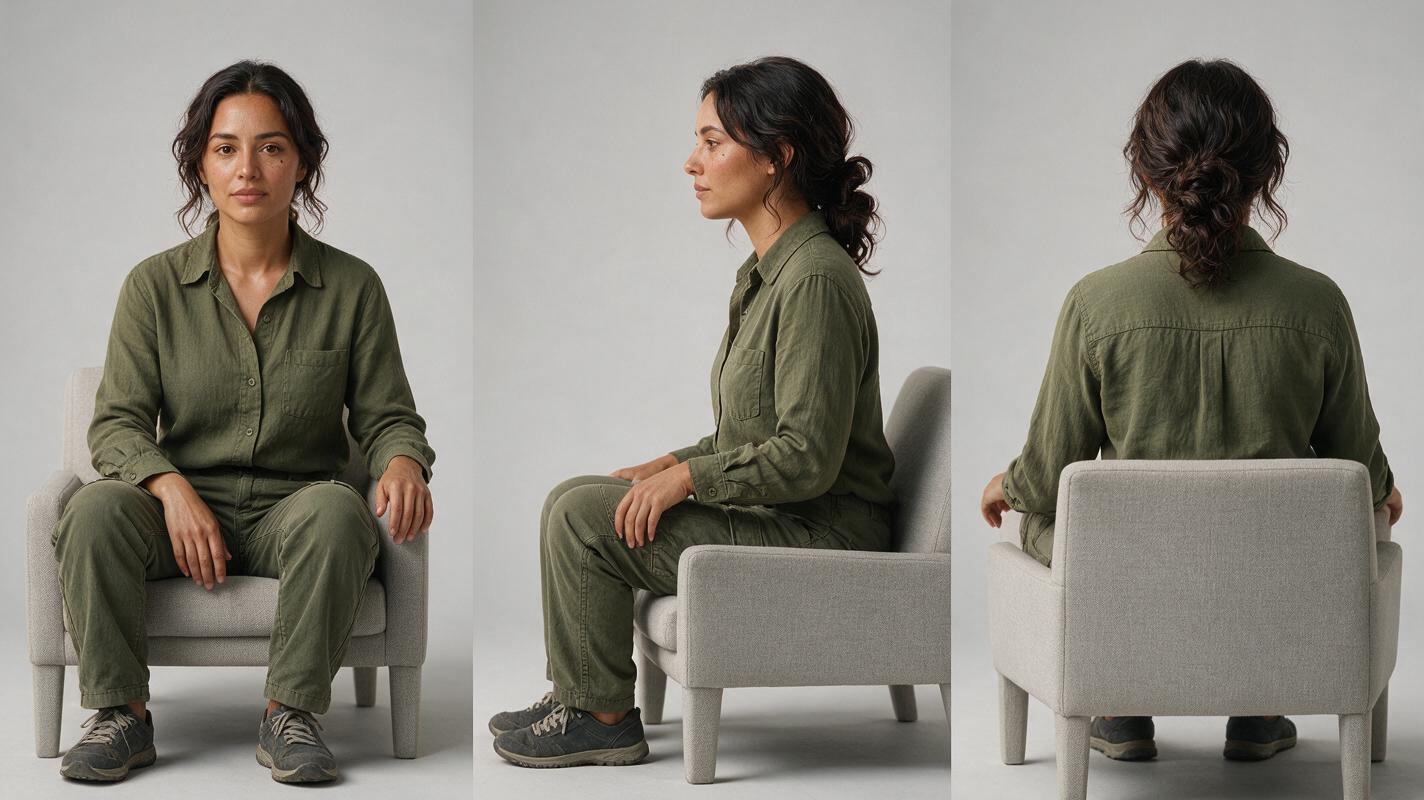
Step 2 — Make expression frames without redesigning the face
Create three stills from the approved sheet: calm, restrained crying, and relieved laughter. Use the sheet as the identity reference wherever the chosen image workflow accepts one. Keep Mara’s outfit, camera distance, and kitchen position steady so the expression is the main variable.
Ask for observable muscle changes rather than a new emotional archetype. For crying, specify tightened lower eyelids, moisture at the lash line, and a slight tremble in the lips. For laughter, specify lifted cheeks and a natural open smile. If the resulting smile changes her jaw or the crying frame changes her eyes, revise the still before generating video.
Visual prompt — expression frames:
Create a photorealistic three-panel cinematic editorial sequence of the same fictional woman Mara in a lived-in apartment kitchen. Use the approved three-view Mara character sheet as the identity reference: oval face, softly squared jaw, deep-set brown eyes, small mole beneath her left eye, dark wavy hair tied low, plain olive shirt. Left panel: calm, listening. Middle panel: restrained crying, moist lower eyelids and slightly trembling lips, without changing facial structure. Right panel: relieved laughter, lifted cheeks and a natural open smile, without changing jaw shape or apparent age. Natural window light, realistic skin texture, landscape 16:9. MANDATORY CAMERA/LAYOUT: three equal matched eye-level medium close-ups, identical framing and lens perspective; no text, logos, screens, or additional people.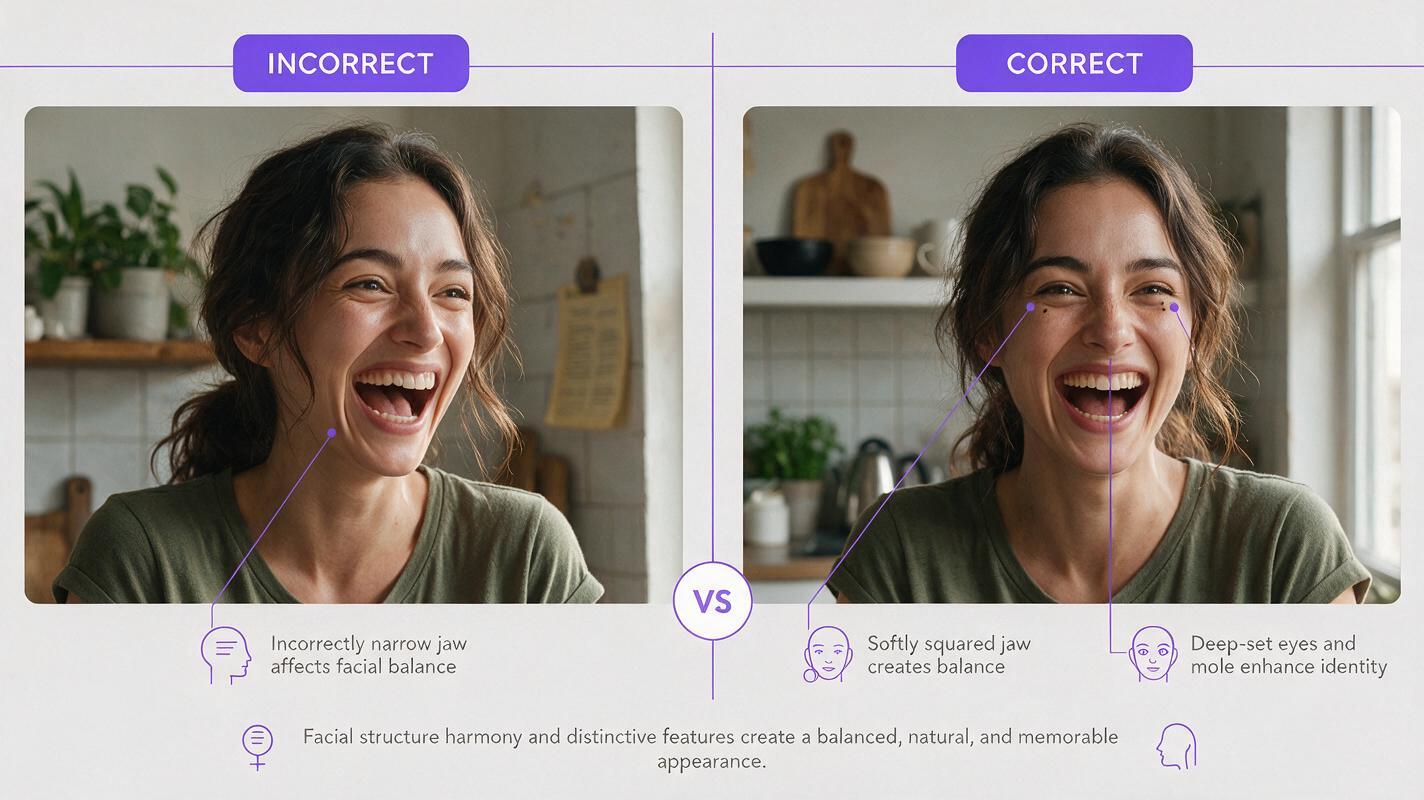
Step 3 — Animate from approved frames, then inspect the transition
Once each still passes the identity check, use an image to video workflow that accepts a starting image. Generate short shots separately rather than asking one long clip to invent every emotional transition. Use the approved expression still for each shot’s starting frame if the selected workflow permits it.
Motion prompt: “Mara looks down, takes a shallow breath, and raises her eyes. Moisture gathers at her lower eyelids. Preserve her face shape, mole placement, hairline, clothing, camera position, and kitchen background. Keep the movement subtle and physically plausible.”
Make a separate prompt for the laugh: a breath releases, the cheeks lift, and the smile opens gradually. Do not request a simultaneous camera move unless the emotional motion works on its own. A moving camera can make a changing face harder to judge.
Review each clip at its first clear face, its strongest expression, and its last clear face. Then compare the outgoing frame of one shot with the incoming frame of the next. This multi-shot check catches identity changes that look acceptable in isolation but become obvious at the cut.
Step 4 — Diagnose expression drift before you regenerate
When a frame fails, identify what changed. A targeted correction is more useful than repeating “keep the character consistent.” The comparison visual below is an illustrative review target, not a product screenshot.
Visual prompt — failure and correction:
Neutral illustrative before-and-after comparison made from photorealistic editorial portraits of fictional Mara in the same lived-in apartment kitchen. Left half shows an intentionally inconsistent laughing portrait: jaw noticeably narrower and eyes a different shape from her approved identity. Right half shows the corrected laughing portrait: original softly squared jaw, deep-set brown eyes, small mole beneath the left eye, dark wavy hair tied low, plain olive shirt. Keep the emotional intensity and natural window lighting comparable so the identity correction is visible. Landscape 16:9. MANDATORY CAMERA/LAYOUT: two equal side-by-side eye-level medium close-ups with matched lens perspective; no arrows, labels, text, logos, screens, or UI.| What you see | Likely cause | What to change |
|---|---|---|
| The laughing face has a new jawline | The expression frame was generated without a strong identity anchor | Rebuild that still from the approved sheet; describe cheek and mouth movement without altering bone structure. |
| The crying close-up looks younger | Tears and softened lighting have changed skin and facial detail | Restore the approved age cues and match lighting to the calm reference. |
| The face looks right at the start but changes mid-clip | Motion generation has drifted during the expression | Shorten the shot, reduce motion complexity, and regenerate from the approved expression frame. |
| Each clip looks plausible, but the cut feels wrong | Framing or facial proportions differ between boundary frames | Match camera distance and angle; compare the last and first clear faces side by side. |
For another pass, keep the sheet and approved stills together, change one instruction at a time, and try this prompt for free.
FAQ
Can one neutral portrait serve as the only reference?
It can help, but a front, side, and back sheet gives you more to inspect when the head turns. Expression-specific stills also let you reject an altered face before spending time on motion.
Should every shot use the same expression reference?
No. Use the same approved identity sheet throughout, but choose a still that matches the expression and framing of the shot you intend to animate.
What if tears hide a defining feature?
Check several facial landmarks together. A feature such as Mara’s mole may disappear behind moisture or an angle; eye spacing, jaw shape, hairline, and the next unobstructed frame still need to agree.
Final checklist
- Approve one neutral three-view sheet before making emotional frames.
- Keep identity traits fixed while specifying small, physical expression changes.
- Reject expression stills that alter facial structure.
- Inspect the strongest expression and both sides of every cut.
- Correct the specific failing frame or shot rather than restarting the entire sequence.
Keywords
character consistency, consistent character video, consistent character across scenes, character reference, multi-shot, ai character design, keep the same face across video