How to Keep the Same AI Video Character After a Haircut
A haircut changes one of the strongest visual cues in an AI-generated scene, making a character’s face easier to lose at the cut. This tutorial uses paired character sheets, a matched post-haircut reference, and a cut-point check to preserve identity while making the hairstyle change unmistakable.
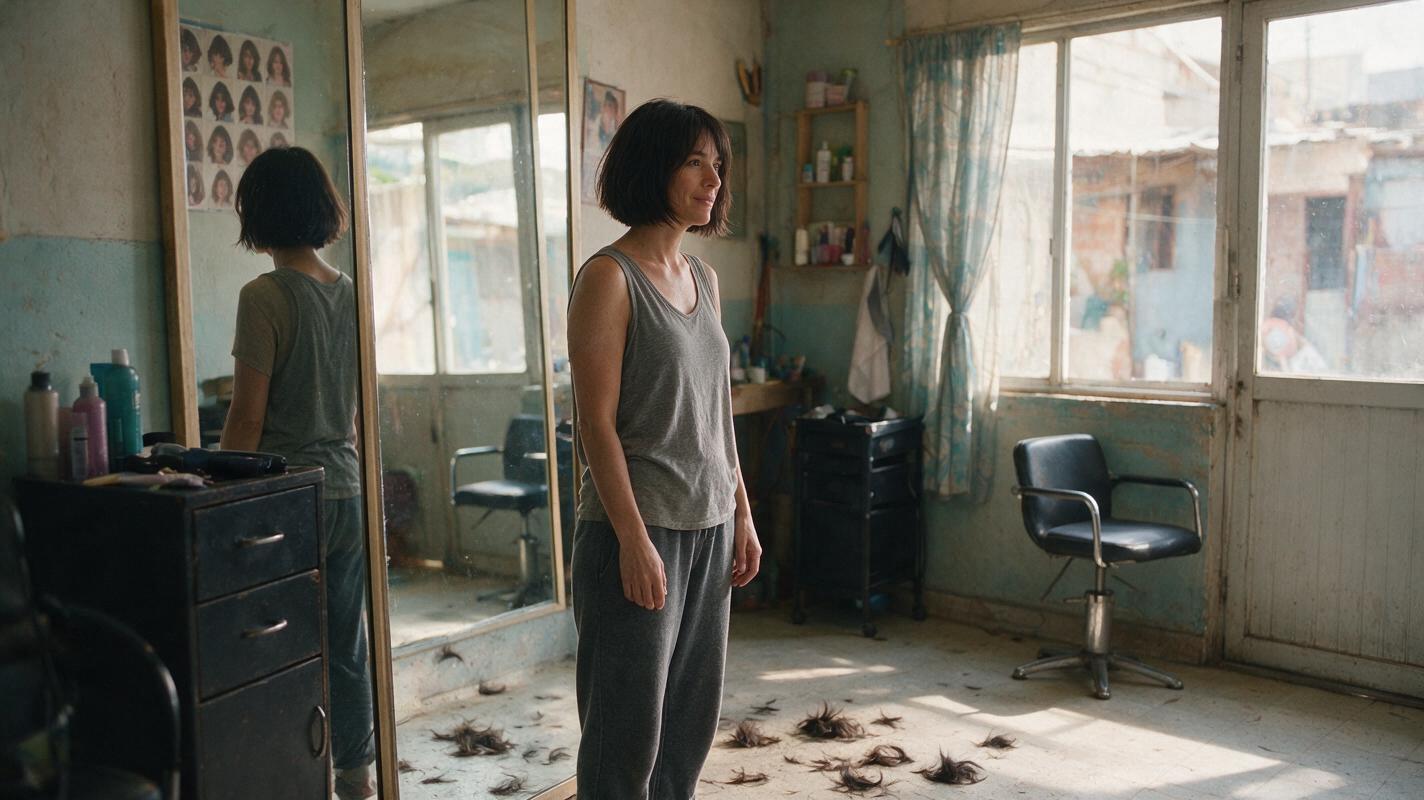
Table of contents
Keep the face; change the hair
A convincing AI video haircut needs two things to happen at once: the viewer must notice the new hairstyle and still recognize the same person immediately. The safest approach is to approve both looks before generating motion, then make the first post-haircut frame a clear view of the face.
This tutorial follows one fictional character, Mara, from a salon chair to the street outside. It treats the haircut as an intentional continuity change—not a reason to redesign her eyes, nose, jaw, or complexion. An ai image generator can help establish the still references before any video shots are made.
Cover recreation prompt: Photorealistic cinematic editorial photograph, landscape 16:9; MANDATORY CAMERA: eye-level three-quarter view from inside a modest neighborhood hair salon toward its front window; one adult woman with a newly cut dark chin-length bob sits quietly beside a mirror, loose cut hair visible on the floor, afternoon daylight and believable worn furnishings, natural skin texture, no readable text, logos, screens, or interface elements.
Step 1 — Approve the character before the haircut
Give Mara an identity description that does not depend on her hairstyle. Hair is the variable; facial structure and distinctive features are the anchors. Make a three-view sheet with neutral lighting so color and shadow do not conceal differences you will need to catch later.
| Character-sheet field | Approved description |
|---|---|
| Face | Oval face, broad cheekbones, softly squared jaw, straight nose, deep-set dark brown eyes |
| Distinctive detail | Small beauty mark beneath the left eye |
| Complexion | Medium olive skin with natural texture |
| Before haircut | Long dark brown hair, center part, ending below the shoulders |
| After haircut | Dark brown chin-length bob, center part, no fringe |
| Fixed costume | Charcoal jacket over an ivory crew-neck shirt |
Save the approved sheet as the master character reference. Record which features must stay fixed and which single feature—hair length—may change.
Before-haircut character sheet
Visual recreation prompt:
Photorealistic three-panel character sheet of one fictional adult woman named Mara. The SAME woman appears in every panel: front view, true right-side profile, and back view, in that order. Oval face, broad cheekbones, softly squared jaw, straight nose, deep-set dark brown eyes, medium olive skin, small beauty mark beneath her left eye. Long dark brown hair with a center part, ending below her shoulders. Identical charcoal jacket and ivory crew-neck shirt in all three views. MANDATORY CAMERA/LAYOUT: landscape 16:9, three equal full-height panels, eye-level camera, consistent subject scale, neutral soft studio lighting, light-gray seamless background. Natural skin texture; no writing, labels, logos, screens, or interface elements.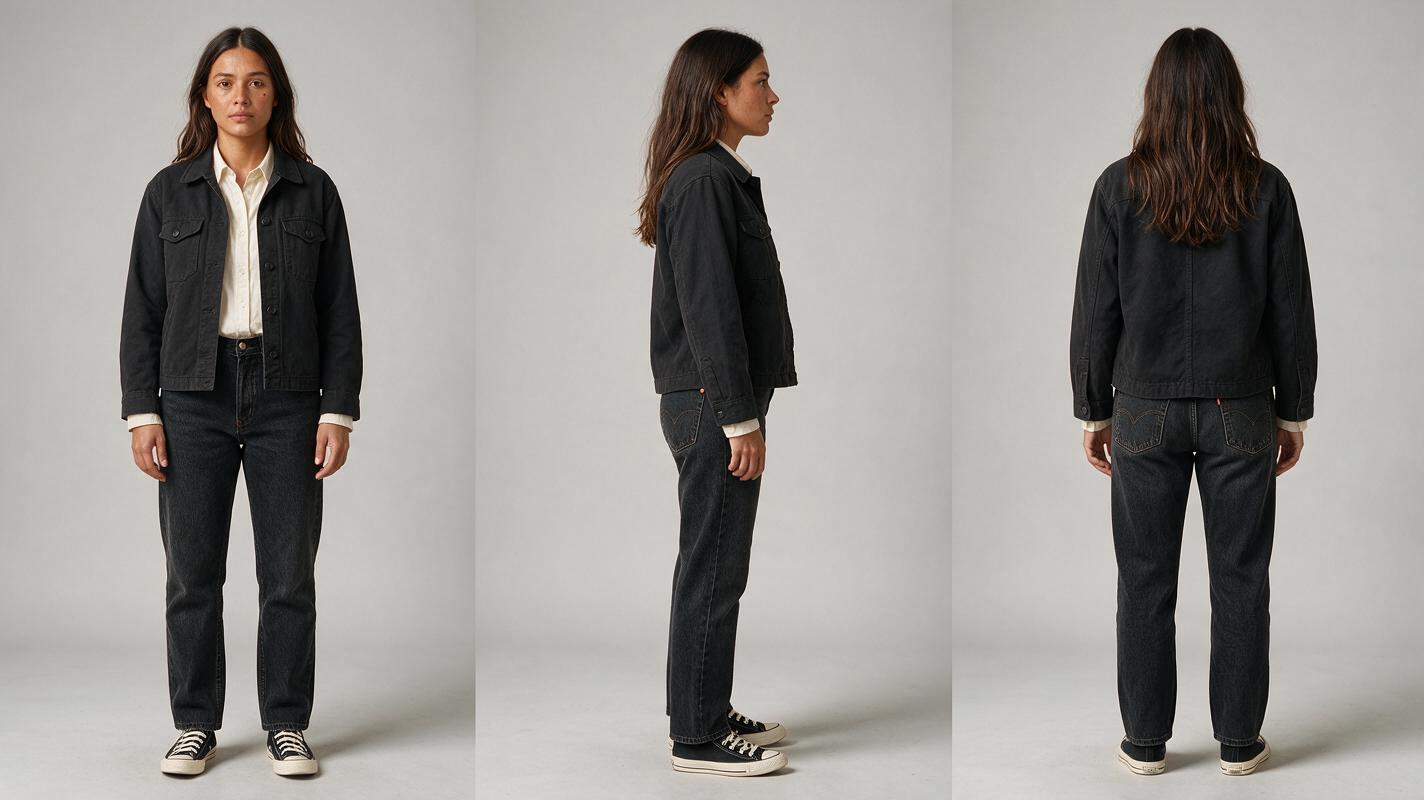
Step 2 — Build the after-haircut reference without recasting her
Use the approved face as the reference for the new look, if your chosen image workflow accepts reference images. Change only the hair instruction. Do not ask for a “more stylish face,” different makeup, or a new age: those requests can turn a haircut into an accidental recast.
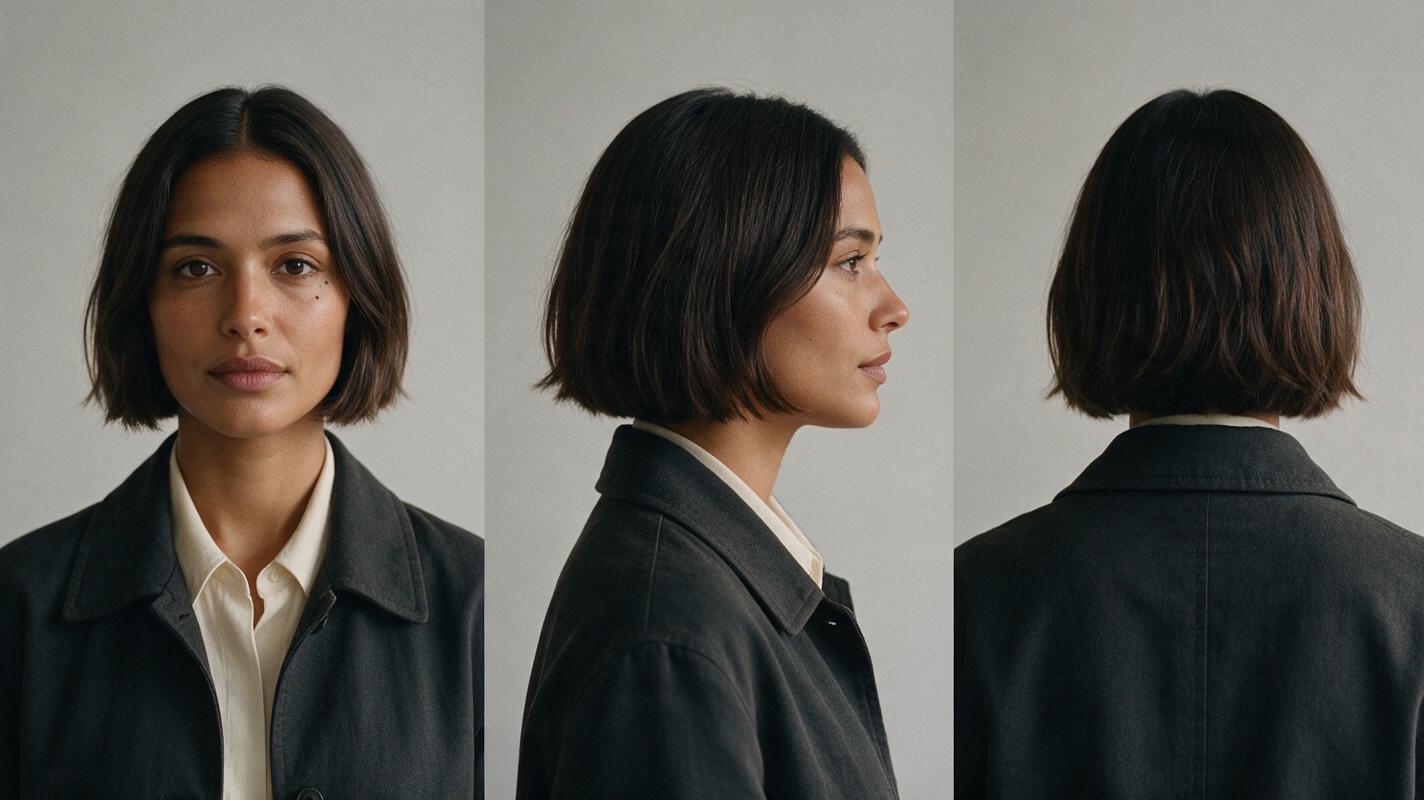
Compare the resulting front and profile views against the first sheet. The beauty mark should remain beneath the same eye; the jaw, nose bridge, eye spacing, and cheekbones should still match. Reject a striking new hairstyle if the face no longer belongs to Mara.
After-haircut character sheet
Visual recreation prompt:
Using the approved before-haircut Mara character sheet as the identity reference, create a photorealistic three-panel sheet of that exact same fictional adult woman AFTER a haircut. Preserve her oval face, broad cheekbones, softly squared jaw, straight nose, deep-set dark brown eyes, medium olive skin, natural skin texture, and small beauty mark beneath the left eye. Change ONLY her hair to a dark brown chin-length bob with a center part and no fringe. Keep the identical charcoal jacket and ivory crew-neck shirt. MANDATORY CAMERA/LAYOUT: landscape 16:9, three equal full-height panels showing front view, true right-side profile, and back view in that order; eye-level camera, identical subject scale, neutral soft studio lighting, light-gray seamless background. No writing, labels, logos, screens, or interface elements.If the workflow cannot use an image reference, repeat the entire fixed-face description and compare candidates manually. A matching text prompt alone is not proof that two generated faces match.
Step 3 — Bridge the salon scene to the reveal
Plan three shots: a clear pre-haircut view in the salon, a short transitional shot that does not claim to show the cutting process, and a clear post-haircut view outside. This storyboard reference makes the intended change explicit while keeping the transition manageable. An actual cutting shot introduces additional continuity demands—hands, scissors, falling hair, and a hairstyle changing over time—so omit it unless the story needs it.
- Salon shot: Mara’s face and long hair are visible together. Save a clean frame.
- Transition: Cut to a neutral detail, such as the salon door closing. Do not use it as a face reference.
- Street reveal: Mara turns toward camera with her chin-length bob. Approve a still showing the new hair and an unobstructed face before animating it.
For the moving reveal, use the approved post-haircut still with an image to video workflow if one is available. Keep the requested motion modest: a small turn and a few steps are easier to inspect than a rapid spin. Reference support differs among tools and models, so check the controls available in the workflow you choose.
Step 4 — Check the cut, not just the best-looking frames
Inspect the final clear salon frame and the first clear street frame side by side. Then check later frames in the street shot, especially as Mara turns toward the camera. A convincing opening frame does not guarantee that her face stays stable through the motion.
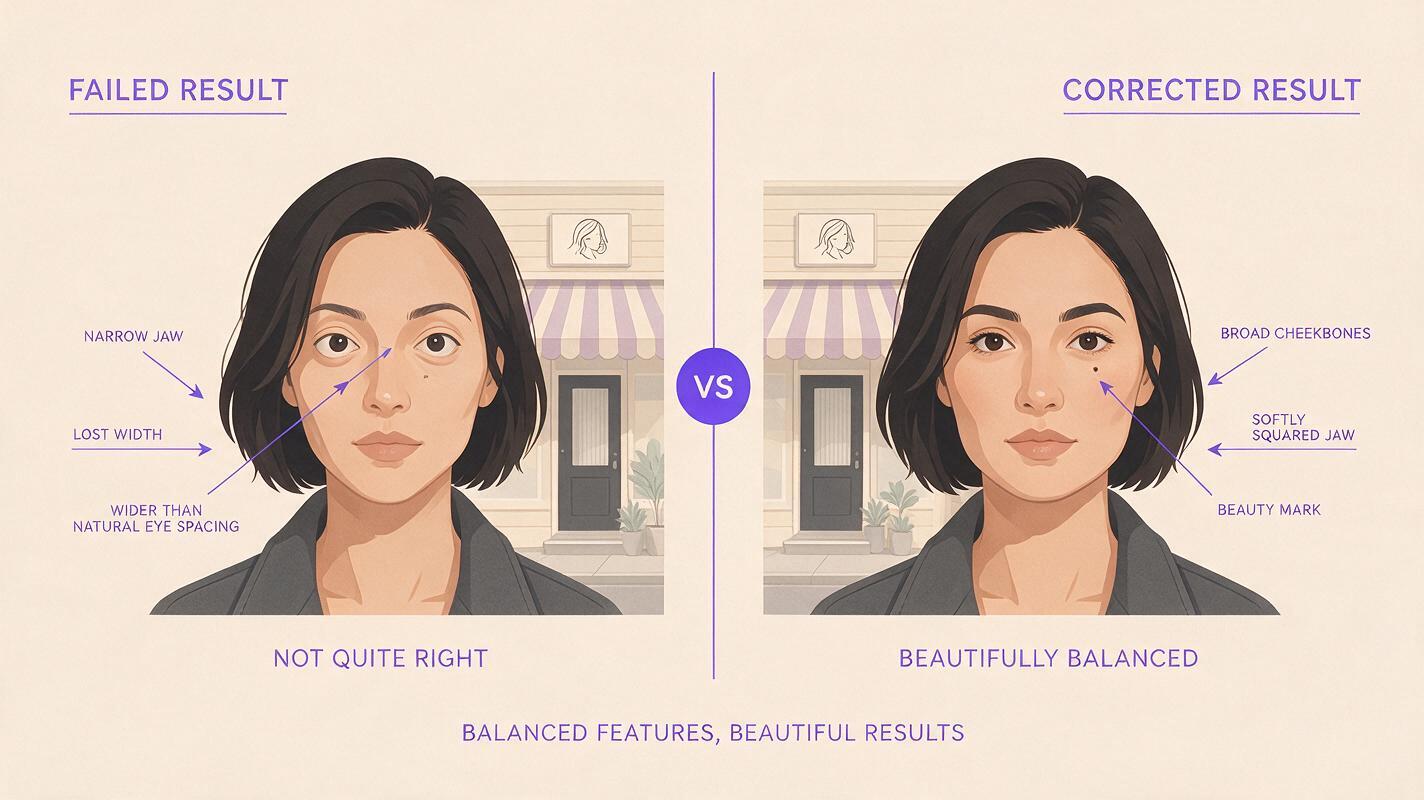
Identity-drift comparison
Visual recreation prompt:
Create a neutral photorealistic editorial comparison of two possible post-haircut street-reveal frames, not a product result or screenshot. Both halves show a fictional adult woman in a charcoal jacket and ivory crew-neck shirt, outdoors near the same believable neighborhood salon in soft daylight, with a dark brown chin-length bob. LEFT HALF: illustrative failure—her eyes are noticeably farther apart, jaw much narrower, and the beauty mark beneath the left eye is missing. RIGHT HALF: illustrative correction—the approved oval face, broad cheekbones, softly squared jaw, straight nose, deep-set dark brown eyes, medium olive skin, and beauty mark beneath the left eye are preserved. MANDATORY CAMERA/LAYOUT: landscape 16:9, two equal cinematic frames side by side, matching eye-level medium close-up, true three-quarter view, consistent lighting and subject scale. No arrows, labels, writing, logos, screens, or interface elements.Use the comparison as a diagnostic example, not as evidence of a particular model’s performance. In your own footage, replace any drifting shot with a new generation based on the approved post-haircut reference.
| Failure | Likely cause | Practical fix |
|---|---|---|
| New haircut, new face | The hairstyle prompt overrode the identity reference | Return to the approved face sheet; regenerate the after-haircut still with hair as the only requested change |
| Bob reverts to long hair mid-shot | The moving shot has a weak or ambiguous starting look | Start from an approved post-haircut frame and shorten the action |
| Beauty mark changes sides | Reference orientation or a mirrored frame was overlooked | Compare front and profile references in the intended screen direction before generating |
| Face looks different only at the cut | Adjacent shots use mismatched angles or lighting | Approve a reveal frame closer to the salon shot’s face angle, then vary the camera later |
Continuity rule: “Same character” should describe stable anatomy and identifiable details. “New haircut” should describe the intentional change. Keep those instructions separate in every prompt.
Final checklist
- Approve a front, side, and back sheet for Mara before and after the haircut.
- Keep facial structure, complexion, beauty mark, and costume fixed across both sheets.
- Generate a clear post-haircut still before asking for movement.
- Inspect the last salon face, first street face, and later frames of the reveal.
- If the face drifts, repair the still reference before regenerating the video.
When both looks are approved, try these models for free to build the still-to-video sequence in one workspace; check the available models and free-use terms before starting.
FAQ
Can one character sheet cover both hairstyles?
It can document the identity, but a separate post-haircut sheet gives the new hairstyle an unambiguous reference. Keep the same face description in both.
Should the haircut itself appear on camera?
Only if it matters to the story. A cutaway between approved before-and-after looks is simpler to control than a continuous transformation involving scissors, hands, and changing hair length.
What if the face matches in still images but changes in video?
Check the first drifting frame. Regenerate that shot from the approved post-haircut still with less motion or a shorter duration, and inspect the new result at the cut.
Keywords
character consistency, consistent character video, consistent character across scenes, character reference, multi-shot, storyboard reference, keep the same face across video