How to Keep the Same AI Video Character After They Pass Behind an Object
A character can emerge from behind a doorway or pillar with a different face, outfit, or position. This tutorial uses a three-view character sheet and matched entrance and exit frames to keep identity intact through an occlusion.
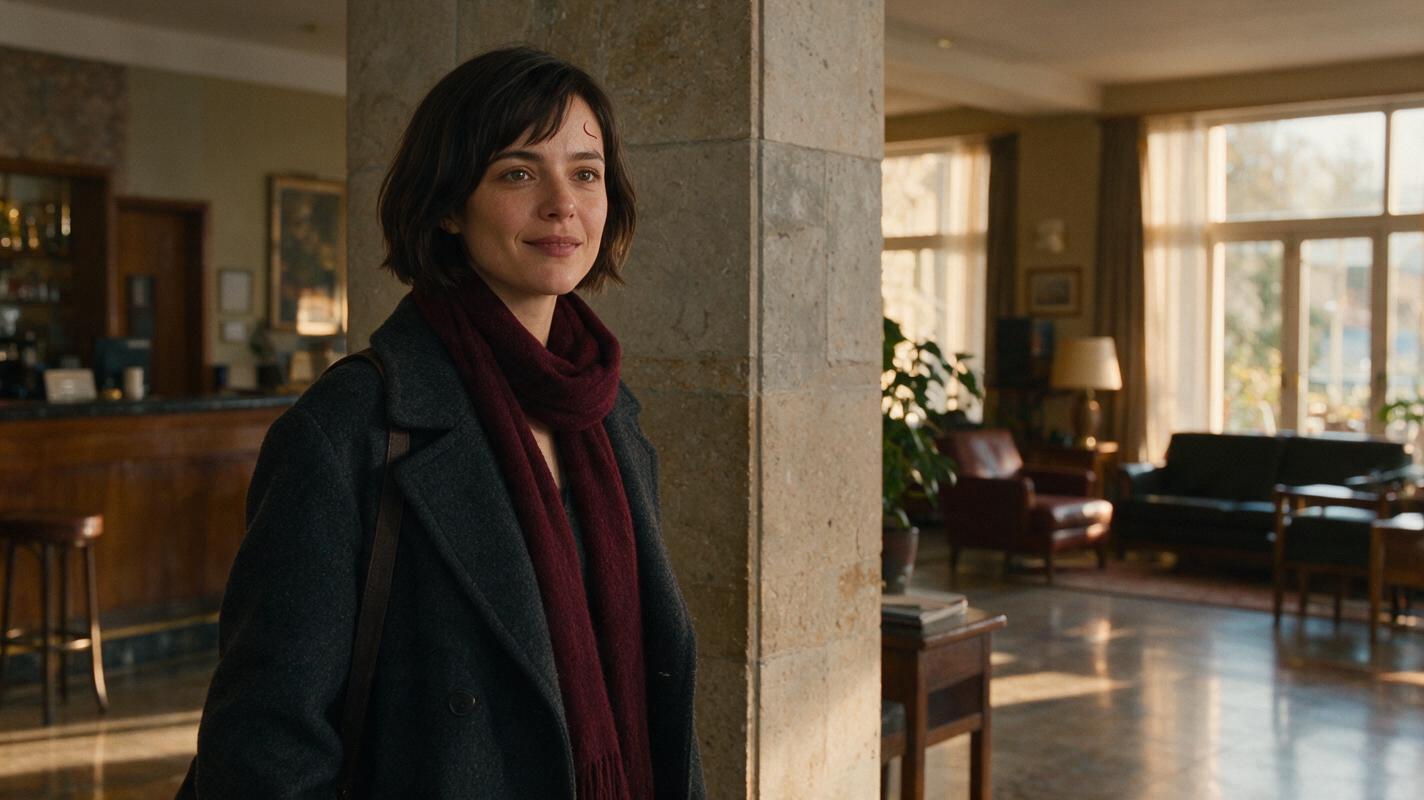
Table of contents
Keep the identity fixed while the character is out of sight
A person walks behind a pillar for half a second and comes out looking subtly different. The problem is easy to miss during generation because the mismatched face is never visible beside the original. It becomes obvious when the shot plays through.
To preserve character consistency, approve the character’s appearance and both sides of the occlusion before generating motion. The pillar can hide the transition, but it cannot establish who should emerge. The reference sheet and exit frame must do that work.
This example follows one fictional character, Mara, through a lived-in hotel lobby. She enters from camera left, disappears behind a wide stone pillar, and reappears on the right. The method also applies to doorframes, passing vehicles, foreground pedestrians, and other objects that briefly block a face.
Cover visual — neutral illustration prompt:
Photorealistic editorial film still in a lived-in hotel lobby at late afternoon: a fictional woman in her early thirties, with a short dark-brown bob, a small crescent-shaped scar above her left eyebrow, a charcoal wool coat and a burgundy scarf, walks behind a wide stone pillar; her near shoulder is visible on one side while the lobby continues naturally on the other. MANDATORY CAMERA: locked eye-level medium-wide shot from a true three-quarter view, landscape 16:9, 35 mm lens look. Warm window light, believable furnishings and floor reflections; no text, logos, screens or interface elements.Step 1 — Approve a character sheet that survives a change of angle
Make one master sheet before producing lobby frames. A front portrait alone is a weak character reference for this shot: Mara turns toward profile as she passes the pillar, then returns to a three-quarter angle. Her side view and the shape of her hair from behind matter as much as her frontal face.
Use [ai image generator](https://www.magicboat.net/ai/en/draw) to develop a sheet, then select one version as the approved reference. Do not ask the scene generator to redesign her. Save the sheet separately from location images so that a change to the lobby does not accidentally change Mara.
Character sheet template: record apparent age range, face shape, skin tone, hair cut and part, one small distinguishing feature, default outfit, and features that must not change. For Mara, the scar belongs above her left eyebrow; the scarf stays burgundy. Lighting, expression, and walking pose may change.
Visual — three-view character sheet. Copyable prompt:
Create a photorealistic three-panel character reference sheet of ONE fictional woman, Mara, early thirties, oval face, medium-brown skin, short dark-brown bob parted on her right, small crescent-shaped scar above her left eyebrow, charcoal wool coat and burgundy scarf. Show the SAME person and unchanged clothing in front, true left-side profile, and back views, full body, standing neutrally. MANDATORY LAYOUT: three equal panels ordered front / side / back, landscape 16:9; neutral light-gray seamless background, even soft studio light, consistent camera height and subject scale. No other people, labels, text, logos, collage borders or interface elements.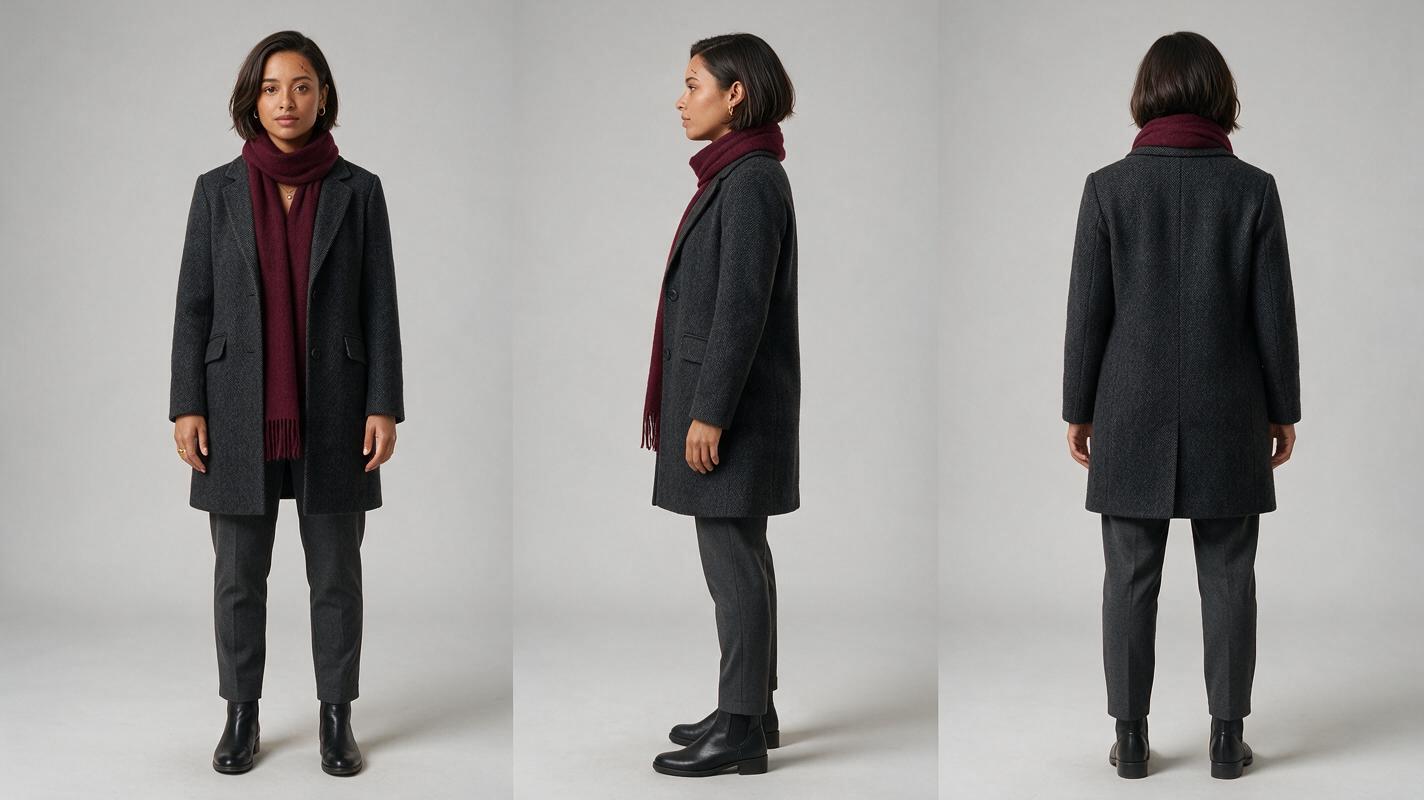
Step 2 — Lock the pillar and camera before placing Mara
Occlusion creates a geometry problem as well as a face problem. If the pillar shifts between references, the character may appear to jump sideways, change size, or emerge from an impossible position. Establish one empty location image with a fixed camera, then use it as the storyboard reference for both sides of the action.
Keep the pillar wide enough to cover Mara’s entire face for a short interval. Mark the entrance and exit positions in your shot notes: left edge of pillar, right edge of pillar, walking direction, and distance from the camera. These are production notes, not text to add to the image.
Visual — empty lobby reference. Copyable prompt:
Cinematic editorial-realism image of an empty, lived-in hotel lobby: one wide pale-stone pillar slightly right of center, worn patterned rug, upholstered chairs, a reception area deep in the background, warm late-afternoon light through tall windows. MANDATORY CAMERA: locked eye-level medium-wide composition, landscape 16:9, 35 mm lens look; keep both sides of the pillar visible and leave clear walking space behind it. Natural shadows, believable architecture, no people, legible signs, text, logos, screens or interface elements.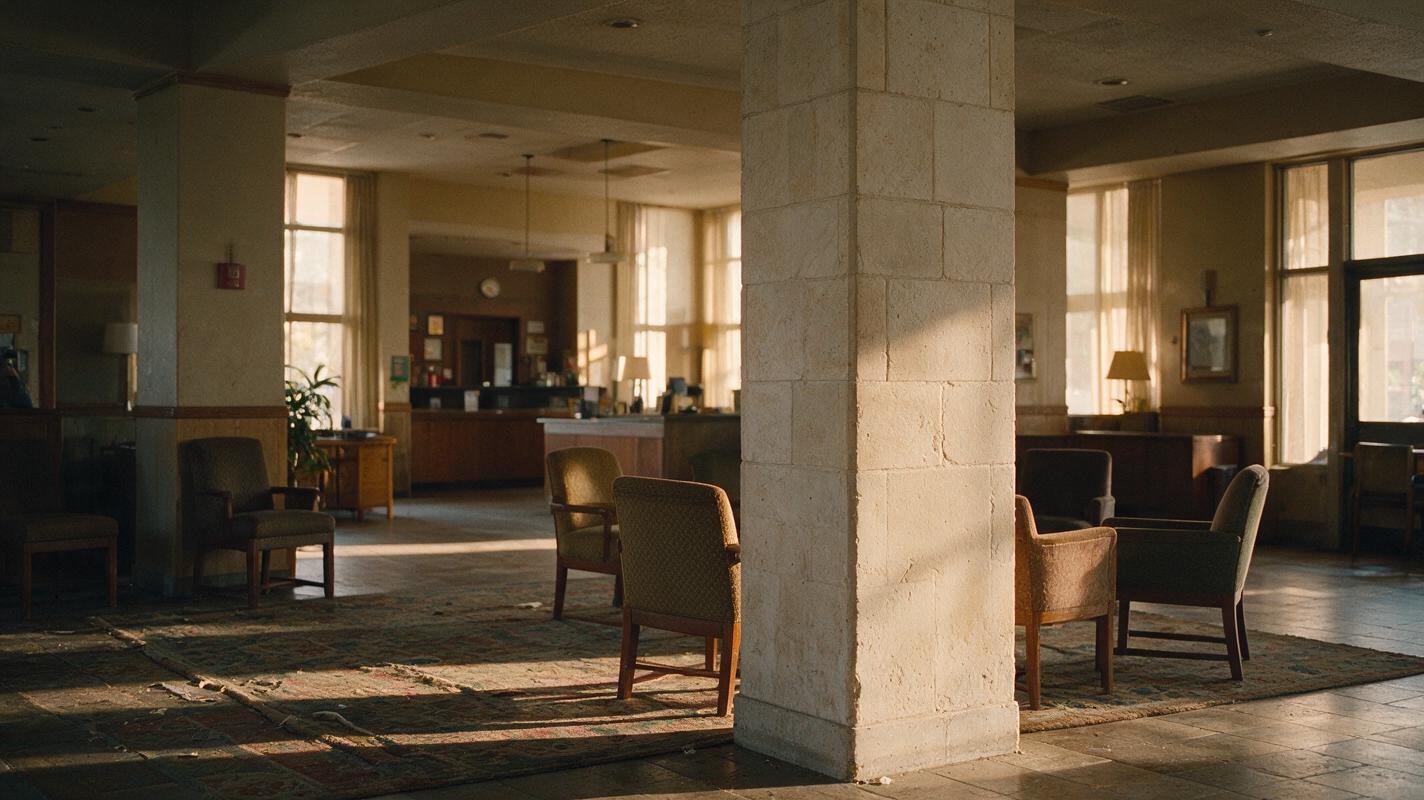
Step 3 — Approve matching frames on both sides of the pillar
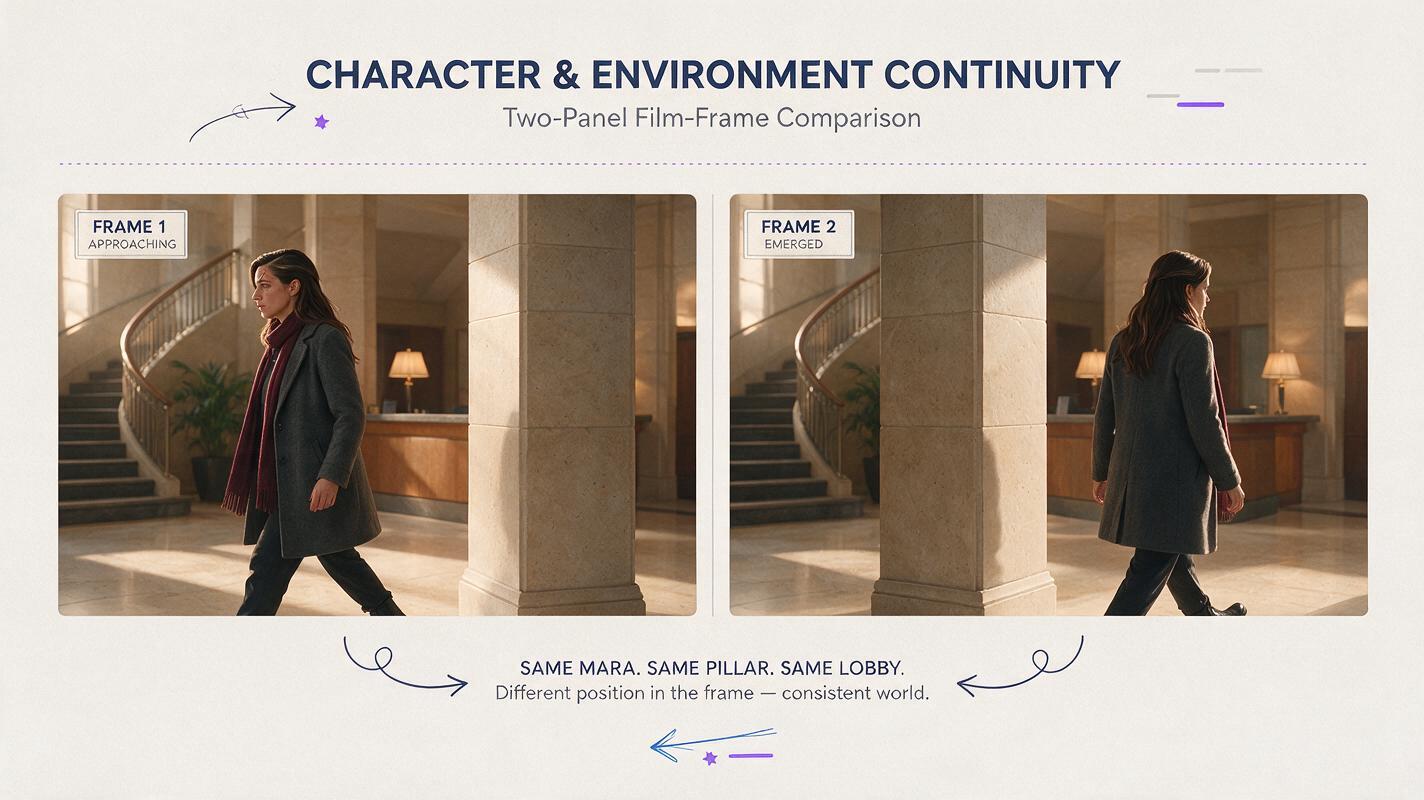
Create an entrance still and an exit still using the approved character sheet and the same lobby reference. In the entrance frame, Mara approaches the pillar from the left. In the exit frame, she has just cleared its right edge. Compare the two images at the same viewing size before attempting image to video.
The useful comparison is specific: does the left eyebrow scar remain on the correct side, does the bob keep its part and length, and do the coat and scarf retain their shapes? Also check that Mara’s apparent height and distance from the camera make sense. If the stills disagree, regenerate the exit still; motion will not reliably repair an already inconsistent pair.
Visual — entrance-to-exit frame comparison. Copyable prompt:
Create a neutral, photorealistic two-panel film-frame comparison showing ONE fictional woman, Mara, using the approved character sheet and the same hotel-lobby location reference in both panels. Left panel: Mara in her charcoal wool coat and burgundy scarf approaches the left edge of the wide stone pillar, face visible in three-quarter view. Right panel: the SAME Mara has just emerged from the right edge, with the same face, left-eyebrow crescent scar, hair part, outfit, scale and walking direction. MANDATORY CAMERA: identical locked eye-level medium-wide framing in both panels, landscape 16:9 overall, 35 mm lens look; pillar and background must remain stationary. Cinematic editorial realism, natural late-afternoon light; no arrows, labels, text, logos, screens or interface elements.Copyable motion prompt:
Using the approved entrance frame and character reference, show Mara walking steadily from left to right behind the fixed stone pillar and emerging on its right side. Preserve her facial structure, left-eyebrow scar, short bob, charcoal coat, burgundy scarf, apparent height and walking speed. Keep the camera locked and the lobby geometry unchanged. The pillar fully blocks her face during the crossing; she does not stop, turn around, duplicate or change clothes. End on the approved exit composition.Use an end-frame or equivalent control only if the selected video tool provides one. Otherwise, generate the crossing from the approved entrance image and treat the approved exit still as a visual target during review—not as a control the tool has received.
Step 4 — Review the hidden interval and the first clear face
Play the clip at normal speed, then inspect three points: the last clear frame before Mara disappears, the moment she should be fully concealed, and the first clear frame after she emerges. Compare that first clear face with the approved exit still. For a multi-shot sequence, perform the same check again at the cut into the following shot.
| What you see | Likely cause | Practical fix |
|---|---|---|
| A different face emerges | The exit identity was left to inference | Approve a closer exit still; repeat the sheet’s distinctive facial details in the motion prompt. |
| Mara appears on both sides at once | The model treats entrance and exit as separate people | Specify one person and complete concealment; shorten the action or widen the pillar’s coverage. |
| The scarf or hair changes while hidden | Clothing and hair were not fixed in both boundary frames | Correct the exit still before regenerating motion. |
| Mara jumps in scale or position | Camera or location geometry changed | Reuse the same location reference and match camera height, lens look, and walking path. |
Editing rule: cut within the fully concealed interval only after checking that the frames on either side preserve Mara’s position and walking rhythm. The pillar hides a cut; it does not excuse a discontinuity.
Final checklist
- One approved front, side, and back sheet defines the recurring character.
- Entrance and exit stills share the same camera, pillar, scale, outfit, and facial details.
- The character is fully concealed before reappearing; no duplicate is visible.
- The first clear exit frame matches the approved reference.
- The next shot preserves identity and walking direction.
Ready to build the sheet and boundary frames? [try these models for free](https://www.magicboat.net/) and keep the approved references beside you as you review the crossing.
FAQ
Will a character sheet alone keep the same face across video?
Not necessarily. The sheet defines the character, but the entrance and exit frames show how that character should appear at this camera angle and location. Check the generated face after the occlusion against both.
Should the pillar completely cover the character?
For this workflow, yes—at least briefly. Full coverage creates a clear interval to inspect and, if needed, edit. Partial coverage can expose face blending or duplicated limbs during the transition.
What if my video tool cannot use an end frame?
Generate from the approved entrance image, keep the motion simple, and compare the first clear exit frame with your approved exit still. If it drifts, revise the input or regenerate rather than assuming the saved exit still constrained the tool.
Keywords
character consistency, consistent character video, consistent character across scenes, character reference, multi-shot, storyboard reference, keep the same face across video