How to Make Consistent Characters for Faceless Story Videos With GPT Image
Keep a recurring character recognizable across the still images in a faceless story video. This tutorial shows how to create a reference image, plan distinct shots, generate scenes with GPT Image, and catch continuity mistakes before editing.
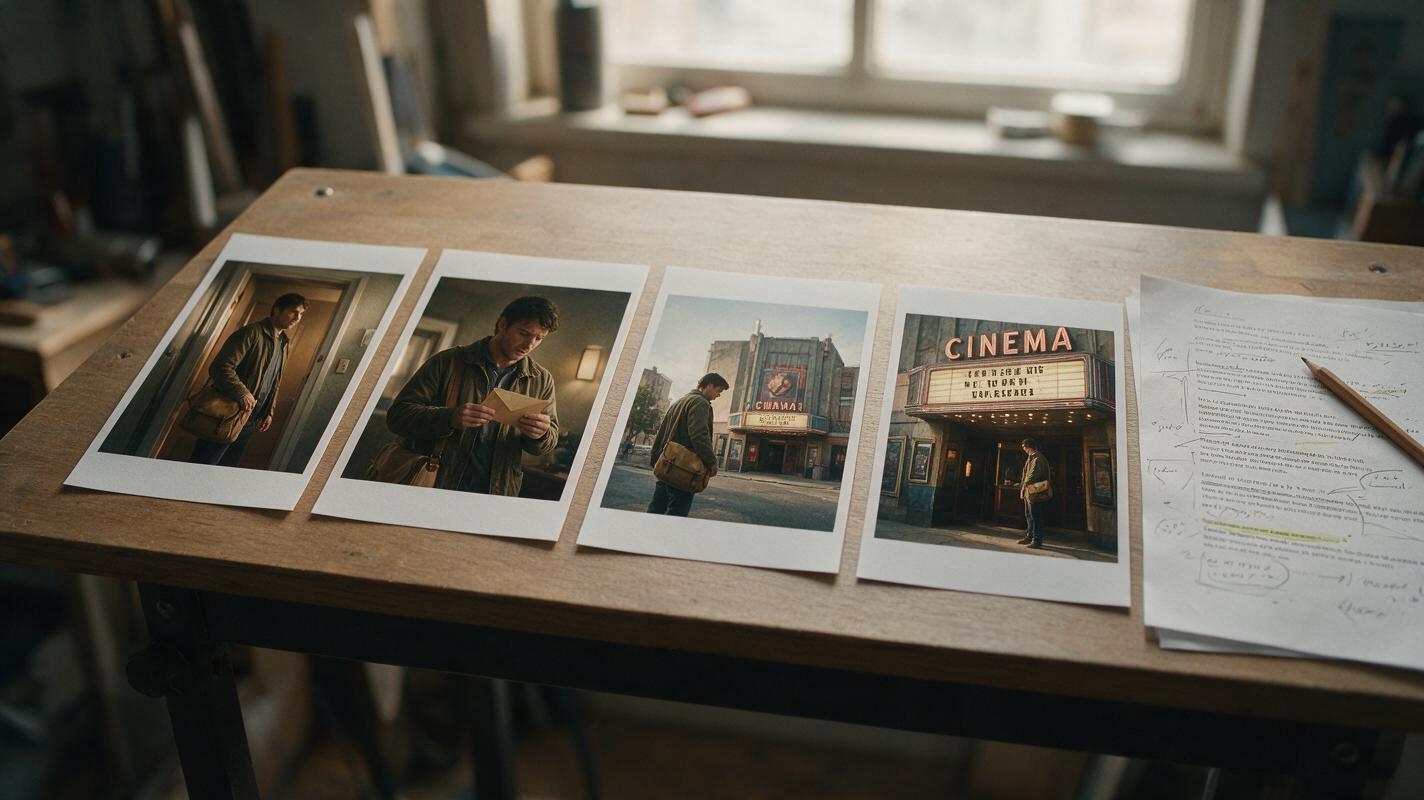
Table of contents
Keep one character recognizable from scene to scene
Your faceless story video needs a recurring character, but each new image gives them a different face, coat, or hairstyle. The fix is to create one clear character reference first, then build every story shot from that reference while changing only the scene and action. This GPT Image workflow helps you make a sequence that feels like one story rather than a slideshow of unrelated people.
You do not need a perfect character model to begin. You need a short list of recognizable traits, a usable reference image, and a way to review continuity before the images reach your timeline.
Step 1 — Plan the shots before generating anything
Start with four to six moments from your script. Give each moment a different narrative job: establish the place, introduce a clue, show a decision, reveal a consequence. If every prompt simply says ‘the character looks worried,’ the resulting images may be consistent but visually repetitive.
For a running example, imagine a faceless mystery video about a courier who receives an envelope addressed to an abandoned cinema. The character appears in several shots, but the camera does not need to show their face in every one.
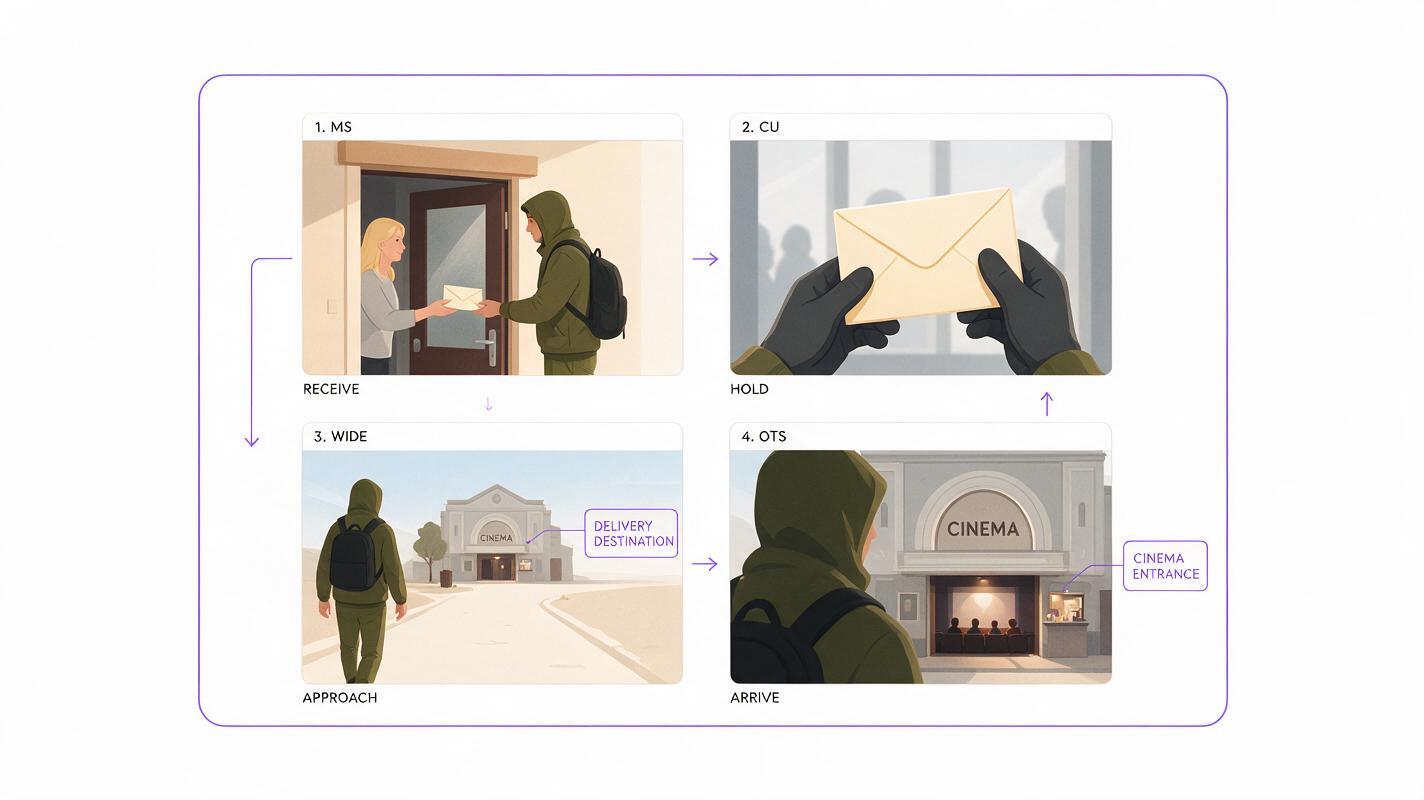
| Shot | Story purpose | Framing | What must remain consistent |
|---|---|---|---|
| 1. Delivery | Introduce the envelope | Medium shot at a doorway | Courier, jacket, satchel |
| 2. Address | Reveal the destination | Close-up of hands and envelope | Jacket sleeves, satchel strap |
| 3. Arrival | Build tension | Wide shot outside the cinema | Courier silhouette and outfit |
| 4. Decision | End on a question | Over-the-shoulder shot at the entrance | Hair, jacket, satchel |
This shot list also tells you where a face matters. A hand close-up and a rear view can carry two beats without forcing the model to reproduce facial details in every frame.
Step 2 — Make a character reference you can reuse
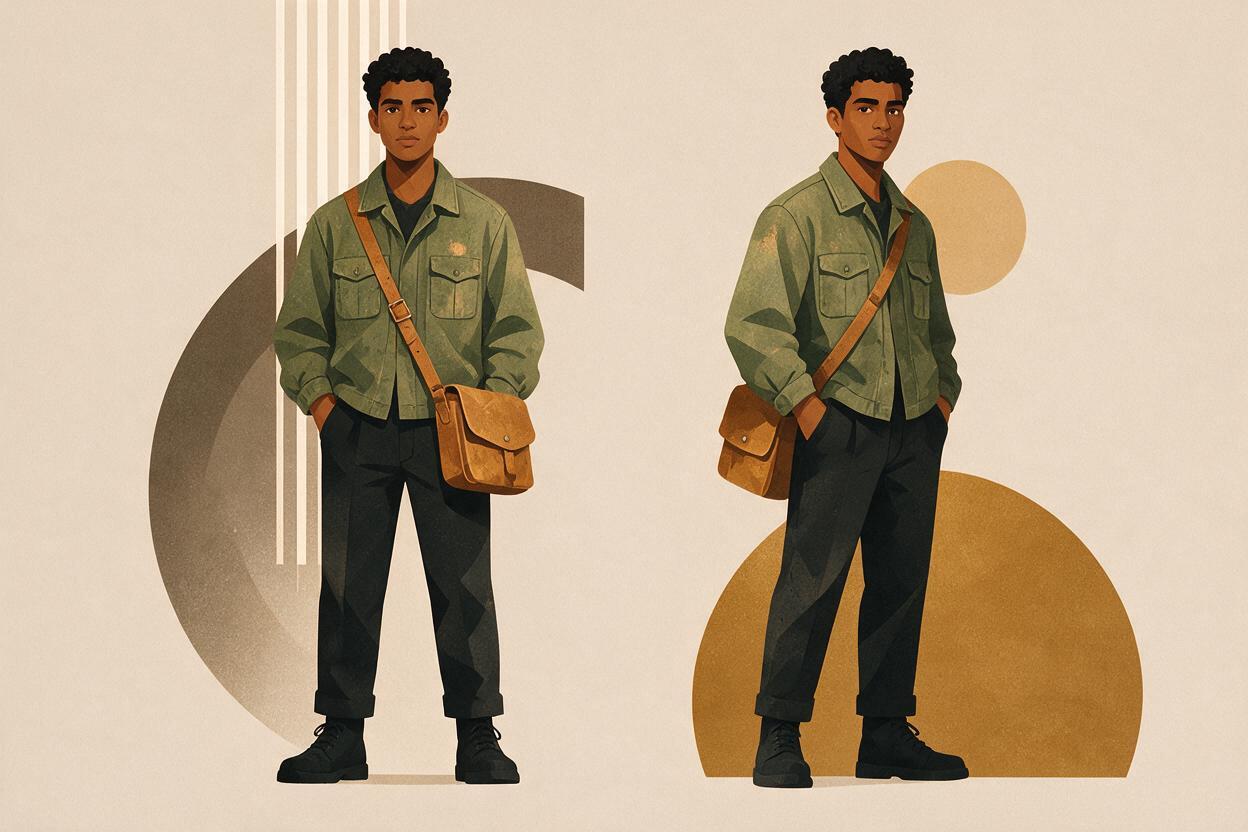
Use an ai image generator to create a plain, readable reference of the character before asking for cinematic scenes. In GPT Image, start with a simple full-body or three-quarter portrait against an uncluttered background. Choose traits that are easy to recognize at video size: a specific haircut, one distinctive garment, and one prop.
For the courier, keep the description short enough to repeat without contradictions:
Create a realistic character reference for an original fictional courier, approximately 30 years old, with short dark curly hair, a narrow face, a faded olive-green field jacket, dark trousers, and a worn tan cross-body satchel. Show one person standing naturally against a simple neutral background, from head to mid-thigh. Soft daylight, clear view of face, hair, jacket, and satchel. No lettering, logos, extra people, or dramatic lighting.Save the strongest result as your master reference. Look for a clear silhouette, visible clothing details, and a face that is not obscured by shadows. If the jacket color or satchel is wrong, correct the reference now; do not build four scenes around an image you already intend to replace.
Keep the reference practical: One clear image is more useful than an elaborate character biography. The traits visible on screen are the traits your later prompts can help preserve.
Step 3 — Generate each story image from the same reference
For every shot, provide the master reference to GPT Image in an interface that accepts image input. Ask it to use that person as the character reference, then describe the new composition. Keep the identity and wardrobe instructions stable; change the location, camera angle, and action.
Here is the prompt for the first story shot:
Use the attached courier image as the character reference. Keep the same person, short dark curly hair, faded olive-green field jacket, dark trousers, and worn tan cross-body satchel. Create a realistic cinematic still of the courier standing at an apartment doorway, holding a sealed cream envelope just received from someone outside the frame. Medium shot, late-afternoon natural light, quiet mystery mood. The courier is the only visible person. No readable writing on the envelope, no logos, no captions.For the cinema arrival, reuse the reference and the same identity sentence, but change the shot:
Use the attached courier image as the character reference. Keep the same person, short dark curly hair, faded olive-green field jacket, dark trousers, and worn tan cross-body satchel. Create a realistic wide cinematic still of the courier approaching an old, closed cinema at dusk. Show the courier from behind, small in the frame, with the cinema entrance clearly visible ahead. The tan satchel and olive jacket remain recognizable. No other people, no readable signs, no captions.Notice what stays fixed and what moves. The character description stays fixed. The second prompt changes the camera distance, setting, time of day, and story action. That separation makes revisions easier: if the scene is too bright, you can change the lighting without accidentally rewriting the character.
Test this prompt yourself with a two-shot sequence before generating an entire video. Compare the jacket, satchel, hair, and face where visible. If those drift, tighten the reference and identity instructions before continuing.
Step 4 — Fix continuity errors one at a time
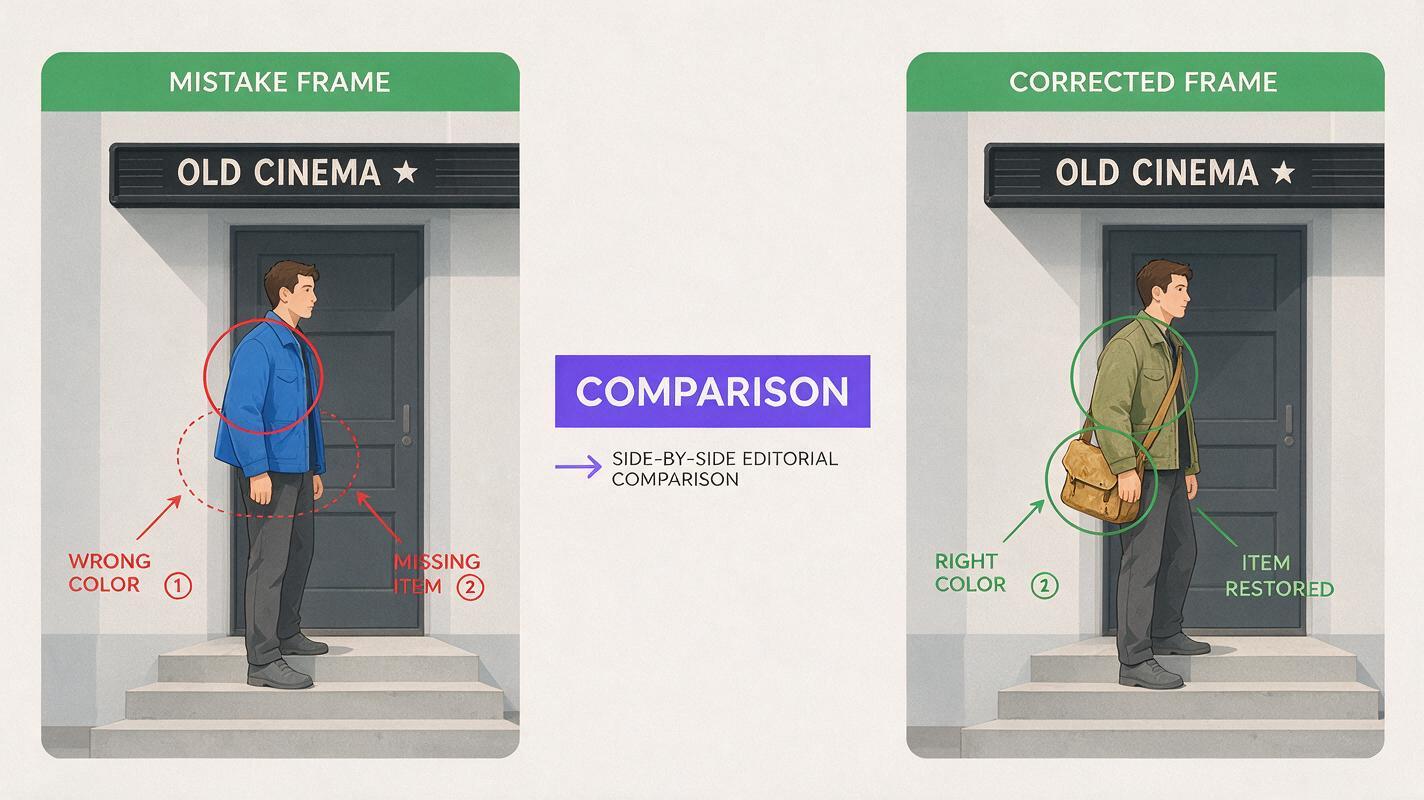
Do not accept a scene simply because it looks cinematic. Check it against the master reference and the shots beside it. Common failures have different remedies:
- Different face: Supply the original reference again and request a closer match to its facial features. If the face is not important to that beat, switch to an over-the-shoulder or rear view.
- Changed wardrobe: Name the jacket’s color and type and the satchel’s color in the revision. Avoid vague instructions such as ‘same outfit.’
- Extra person or prop: Specify the number of people and identify the single prop the shot needs.
- Unreadable but prominent text: Leave space for an address or clue, then add the exact words in your video editor rather than relying on generated lettering.
- Every frame looks alike: Return to the shot list. Change framing or action while leaving character traits untouched.
Revise the failed image, not the entire sequence. If the shot is meant to show only hands opening an envelope, ask for that crop instead of spending time matching a face the viewer will never see.
Step 5 — Edit the images into a story, not a slideshow
Place the stills on your timeline in script order and read the voiceover against them. Each image should answer a question or raise the next one. The doorway shot establishes the delivery; the close-up draws attention to the envelope; the cinema wide shot reveals where the courier went.
Use restrained movement—such as a slow crop or pan—to direct attention within a still. If you later use image to video to add motion to a selected frame, keep the motion tied to the narrative beat: a jacket shifting in the wind or a slow approach toward the cinema entrance. Review the result for changes to the courier’s outfit and silhouette before placing it between stills.
For the envelope address, cinema name, or final cliffhanger line, add editable text during assembly. This keeps important story information legible and makes it easy to change without regenerating the artwork.
Final checklist
- Each shot has a specific story purpose and a distinct composition.
- Every recurring shot uses the same master character reference.
- Hair, jacket, satchel, and visible facial features match across the sequence.
- Any essential words are added as editable text, not left to image generation.
- The sequence makes sense alongside the voiceover before you add motion or effects.
Keywords
consistent ai characters, faceless story videos, gpt image, character reference, ai story images, youtube storytelling