How to Create Controlled Transformation Shots With Text to Video AI
Create a readable AI transformation shot by defining exact start and end states, connecting them with a short causal sequence, and keeping the camera locked. Test the prompt in text to video first, then use reference frames and image to video when structure or composition needs tighter control.
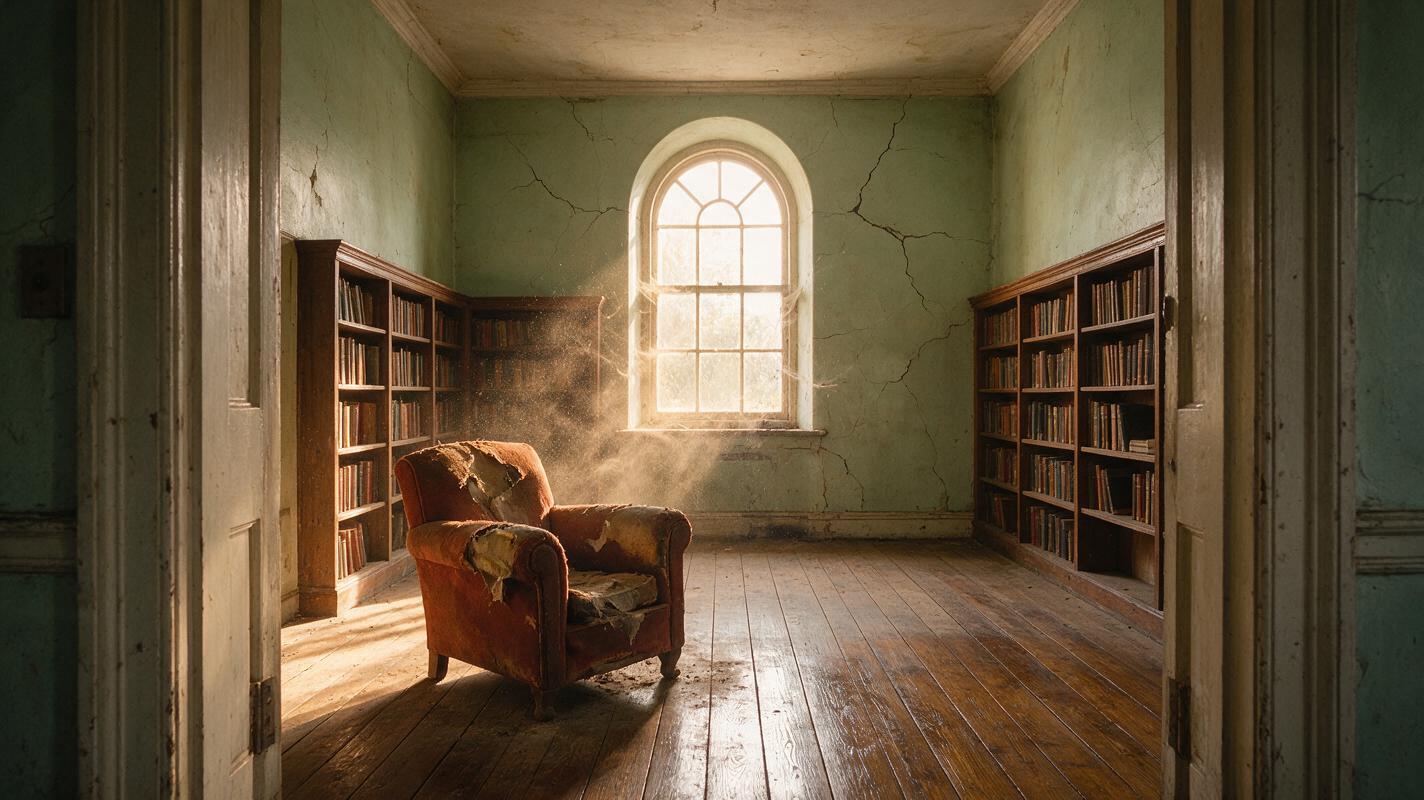
Table of contents
TL;DR
The fastest way to make a controlled transformation is to describe it as a visible sequence rather than asking for a vague morph: define the opening state, three physical changes, the final state, and one locked camera instruction. Start with text to video for exploration; if the room, object, or composition drifts, generate start and end frames and switch to a reference-first workflow.
The core rule: one subject, one transformation, one camera move—or preferably no camera move—per clip.
Why AI transformation shots become chaotic
A prompt such as “an abandoned room transforms into a beautiful modern apartment” communicates the concept but not the physical event. A video model must invent which surfaces change first, where new furniture comes from, how long each action takes, and whether the camera should move.
That uncertainty produces familiar failure modes:
- Object popping: furniture appears between frames instead of assembling visibly.
- Geometry drift: windows move, walls bend, or the room gains an extra doorway.
- Reversible motion: repaired surfaces briefly return to their damaged state.
- Unclear final state: the clip ends halfway through the transformation.
- Camera interference: an orbit, zoom, or cut hides continuity errors but makes the change difficult to follow.
The solution is not a longer list of adjectives. It is a prompt with spatial anchors, causal verbs, ordered phases, and a clear completion condition.
3 ways to build a controlled transformation
- Prompt-only generation: best for ideation and transformations where exact architecture is not critical.
- Start-frame image to video: best when the opening composition must remain recognizable.
- Start-and-end reference workflow: best when both states need art direction, such as renovations, seasonal transitions, product assembly, or costume changes.
This tutorial begins with the fastest prompt-only method, then escalates only when a specific constraint fails.
How MagicBoat handles transformation workflows
MagicBoat lets you test multiple generation approaches from one account instead of rebuilding the project on separate platforms. Seedance, Kling, and Veo can be compared for video generation, while Seedream, Flux, or GPT Image can help create controlled reference frames before an image to video pass.
| Need | Useful approach | What to compare |
|---|---|---|
| Fast concept test | Text-driven video | Transformation order and completion |
| Stable opening geometry | Start-image animation | Wall, object, and camera stability |
| Specific final design | Directed start/end frames | Visual path between both states |
| Model-specific failure | Run the same shot in another model | Structure, pacing, and material behavior |
Do not assume that a more elaborate model choice can rescue an ambiguous event. Build a clean transformation prompt first, and keep the same frame, duration target, and creative brief when comparing outputs.
Step 1 — Design one transformation with two readable states
Write the opening and final states as if they were separate production stills. Preserve at least three spatial anchors between them: for example, the same window, fireplace, and floor pattern.
OPENING STATE: A neglected 1930s reading room, cracked pale-green plaster, dusty oak floor, one tall arched window centered on the back wall, empty fireplace on the left, torn armchair on the right.

FINAL STATE: The same room fully restored as a warm contemporary reading room, smooth pale-green walls, polished original oak floor, the same arched window, restored fireplace on the left, repaired rust-colored armchair on the right.
Expected result: the model receives two distinguishable states without being asked to redesign the room.
Reusable visual prompt: opening and final state comparison
Photorealistic cinematic editorial diptych showing the exact same 1930s reading room before and after restoration; left panel neglected with cracked pale-green plaster, dusty oak floor, empty fireplace on the left and torn rust-colored armchair on the right; right panel fully restored with smooth walls, polished original floor, restored fireplace and repaired armchair; the tall arched window remains centered in both panels. MANDATORY CAMERA: identical locked-off eye-level wide shot in both panels, 28mm lens, camera centered, no tilt, no crop change. MANDATORY LAYOUT: landscape 16:9 split evenly into two panels, matching geometry and natural late-afternoon window light, no people, no text, no logos.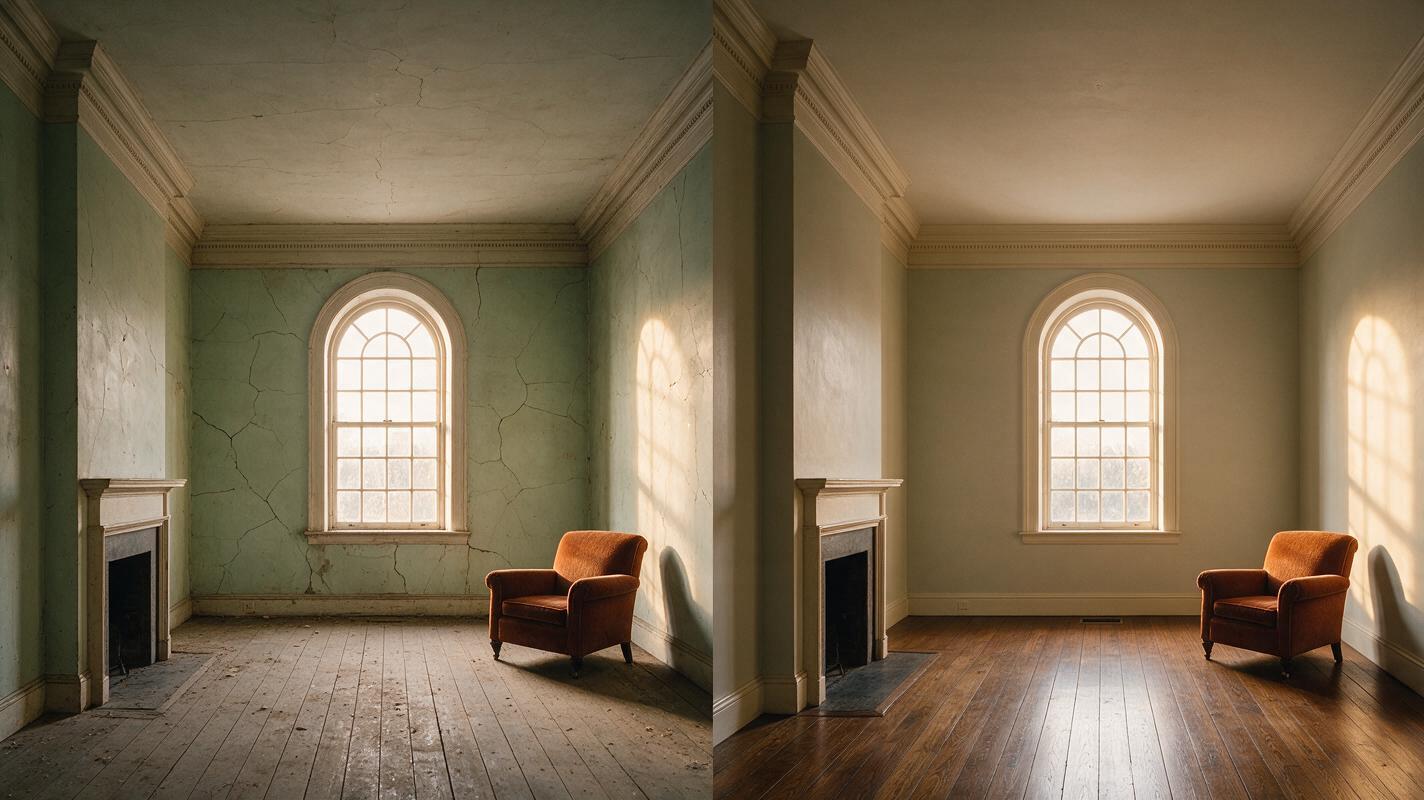
Step 2 — Lock the composition before adding motion
Transformations are easier to judge when the viewpoint stays still. State the shot scale, lens character, camera position, and prohibition against cuts. Avoid combining a renovation, a sweeping orbit, a rack focus, and dramatic handheld motion in one short clip.
CAMERA: locked-off eye-level wide shot from the doorway, natural 28mm perspective. The framing remains unchanged for the entire clip. No pan, no zoom, no orbit, no cut, no time-lapse camera movement.If some motion is essential, use a subtle push-in only after the transformation is stable. The subject change should remain the dominant event.
Expected result: stationary architectural lines make popping, warping, and incomplete changes visible enough to diagnose.
Step 3 — Write the transformation as a timed causal chain
Replace “magically transforms” with three or four actions that can be shown physically. Use directional verbs and let each phase prepare the next one.
TRANSFORMATION SEQUENCE:
First, dust lifts gently from the floor and streams out through the open window.
Next, cracks in the plaster close smoothly from bottom to top while the existing pale-green surface becomes clean and even.
Then, the original floorboards polish in a continuous wave from the back wall toward the camera.
Finally, the torn armchair upholstery visibly stitches itself together and the fireplace becomes clean and restored.
The transformation completes before the final moment, leaving a stable finished room.
Words such as first, next, then, and finally do not guarantee exact frame timing, but they reduce competition between simultaneous events. Three stages are often clearer than eight.
Expected result: the change has a beginning, progression, and stable endpoint rather than behaving like an uncontrolled crossfade.
Reusable visual prompt: causal transformation storyboard
Six-frame cinematic storyboard diagram of one locked-off reading-room restoration: frame 1 dusty abandoned room, frame 2 dust flowing toward the window, frame 3 wall cracks closing upward, frame 4 floorboards polishing from back to front, frame 5 torn armchair stitching itself, frame 6 completed warm restored room. MANDATORY CAMERA: identical centered eye-level wide composition in all six frames, 28mm perspective, no camera movement. MANDATORY LAYOUT: landscape 16:9, six equal panels arranged left to right with small unobtrusive arrows between panels, realistic architectural geometry, muted film color, no labels, no logos.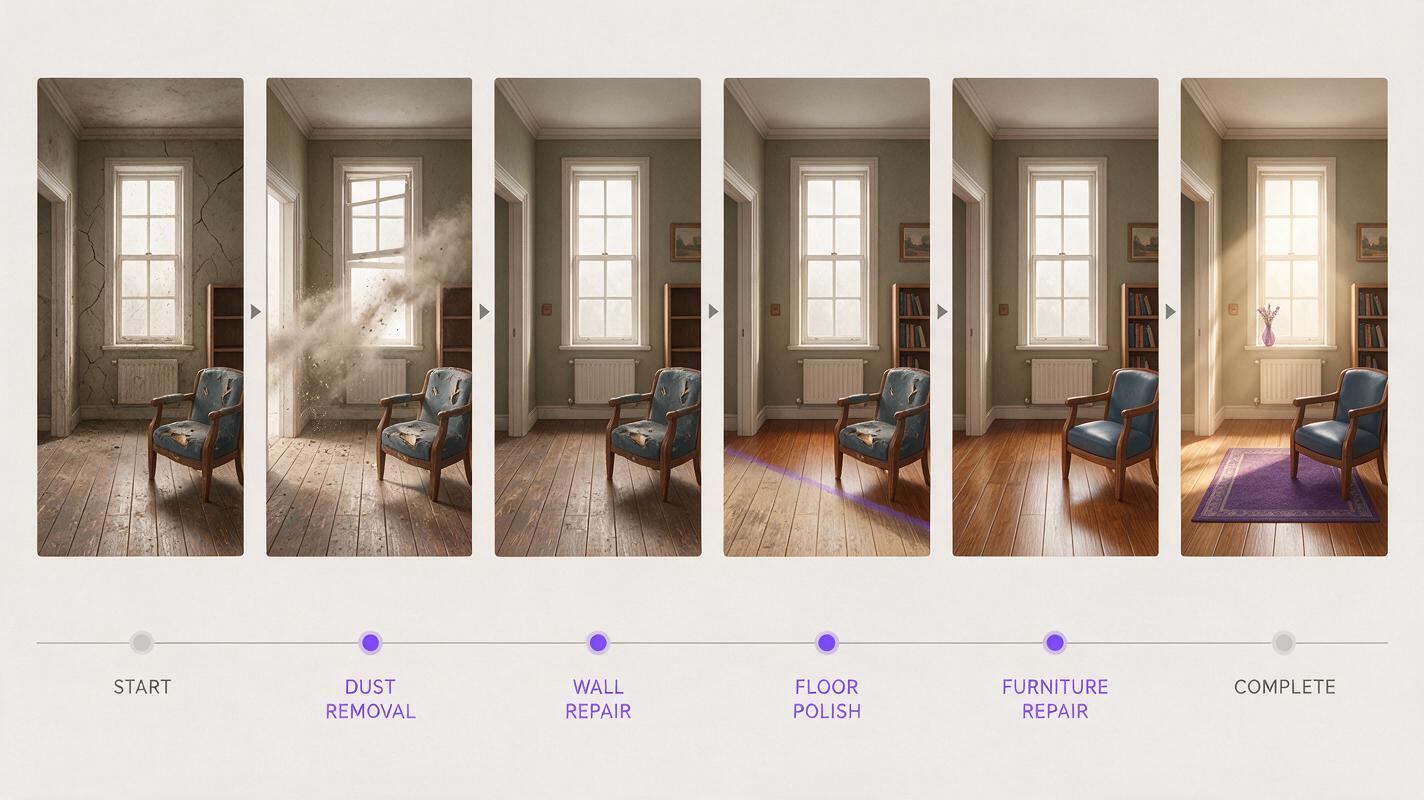
Step 4 — Add preservation constraints, not a giant negative list
Protect only elements that must survive the transformation. Long negative prompts can introduce competing concepts or make troubleshooting difficult.
PRESERVE: identical room dimensions, one centered arched window, fireplace on the left, armchair on the right, original oak floorboard direction, realistic material continuity.

AVOID: new doors or windows, duplicated furniture, moving walls, people entering, sudden cuts, object popping, reversed transformation.
Keep preservation language concrete. “Maintain consistency” is weaker than naming the exact window count, furniture positions, and floor direction.
Expected result: the clip can change surface condition while retaining the room’s identity.
Step 5 — Generate a reference-first image-to-video version
If prompt-only tests keep changing the architecture, generate the opening still first. Use the same state description and locked camera specification from Step 1. Review the still before animating it: count openings, inspect furniture placement, and reject distorted geometry.
For stricter art direction, create a matching final frame. Preserve the camera position and spatial anchors while changing only condition, materials, and approved objects. Then animate the transformation with the causal sequence from Step 3.
Animate from the supplied opening room while preserving its camera position, dimensions, centered arched window, left fireplace, right armchair, and floorboard direction. Dust exits through the window; wall cracks close upward; the floor polishes from back to front; the armchair repairs itself. End on a motionless, fully restored room. No cut and no new architecture.Expected result: the input frame anchors composition, reducing the amount of geometry the video model must invent.
Reusable visual prompt: reference-first input and output frames
Photorealistic three-panel film contact sheet showing a controlled room transformation: left panel is the approved abandoned-room input frame, center panel is a believable halfway state with dust moving out, partly repaired plaster and half-polished floorboards, right panel is the completed restored-room output frame; centered arched window, left fireplace and right armchair remain fixed. MANDATORY CAMERA: identical locked-off eye-level wide shot in every panel, 28mm lens, camera centered at doorway height. MANDATORY LAYOUT: landscape 16:9 with three equal panels, consistent late-afternoon light direction, cinematic editorial realism, no people, no text, no logos.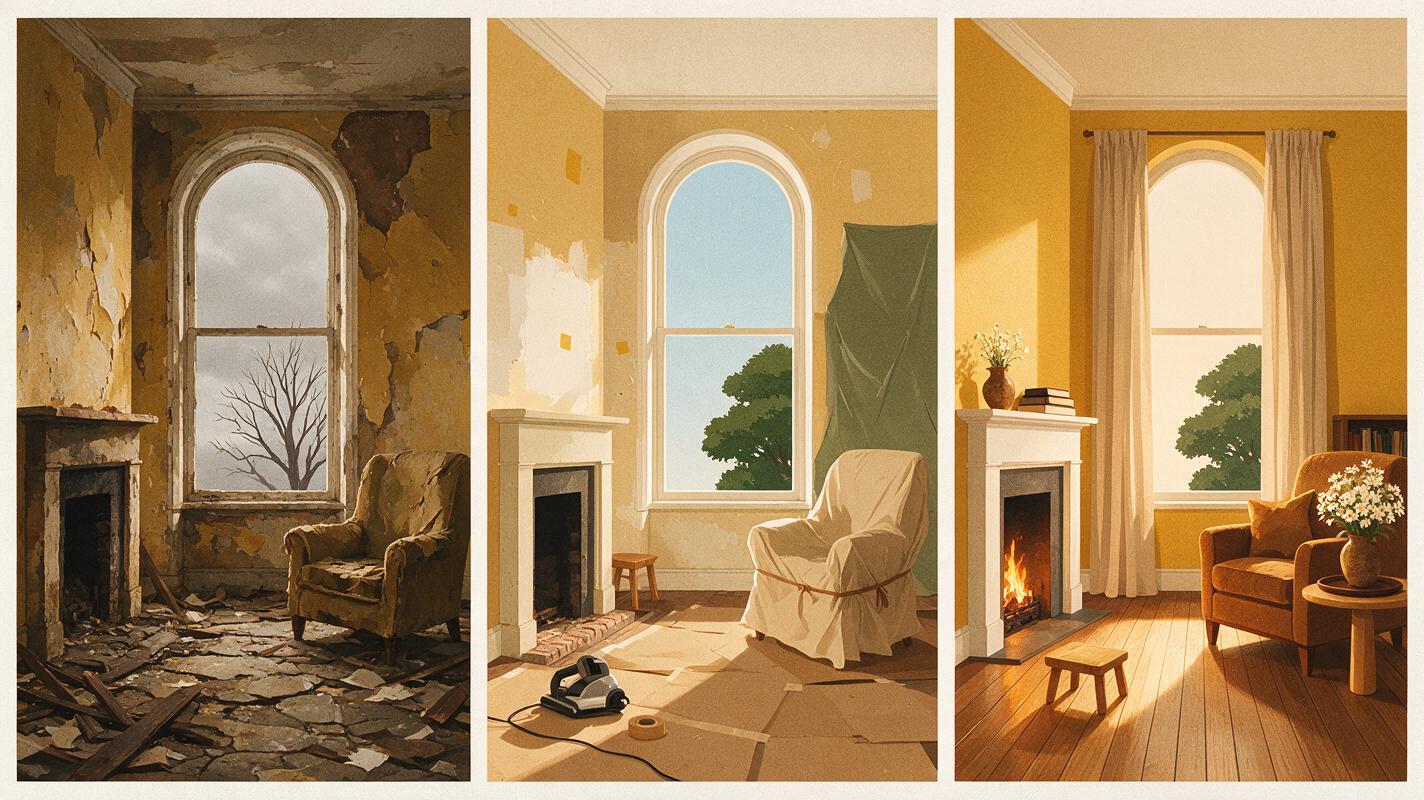
Step 6 — Compare Seedance and Kling with one controlled test
Use the same prompt, reference frame, aspect ratio, and intended duration when comparing models. Judge the clips on transformation behavior rather than overall spectacle.
| Review point | Pass condition | Typical reason to retry |
|---|---|---|
| First frame | Matches the approved composition | Immediate crop or object shift |
| Middle phase | Changes occur in the requested order | Everything changes simultaneously |
| Geometry | Window and walls remain fixed | Opening moves or duplicates |
| Final phase | Finished state holds briefly | Transformation remains incomplete |
A model that produces a less dramatic but structurally stable result is usually the better base. Extra atmosphere can be added later; moving walls are harder to repair.
Expected result: a fair model comparison that identifies whether the failure comes from the prompt or model behavior.
Step 7 — Repair one failure at a time
Change only the instruction connected to the visible defect. If the room gains furniture, do not rewrite the lighting, camera, materials, and transformation simultaneously.
- Objects pop in: replace “appears” with a visible assembly or repair action.
- The ending is unfinished: shorten the causal chain and require a stable completed hold.
- The camera moves: repeat “locked-off” at the beginning and remove cinematic movement language.
- Geometry warps: switch from prompt-only generation to an approved start frame.
- The change reverses: add “continuous one-way transformation; repaired areas never return to damage.”
Expected result: each regeneration answers a specific question instead of producing an unrelated variation.
Advanced alternatives
Keep the same location across a series
Save a clean reference image for every recurring state: abandoned, partly restored, finished, and nighttime. Reuse identical camera language and fixed spatial anchors. Do not regenerate the location from prose for every episode.
Alternative: transform an isolated object
For a watch assembling, a flower blooming, or a damaged chair repairing itself, use a plain environment and reserve most motion for the hero object. Specify which components move and which surfaces remain rigid.
Alternative: use motion transfer for an embodied change
If a costume, creature, or performer must follow exact body movement while transforming, record or generate the performance first. Apply the appearance change around stable body motion rather than asking one prompt to invent choreography and transformation together.
Where the workflow falls short
Even a well-structured prompt cannot guarantee frame-exact timing. Fine text, intricate mechanical assembly, transparent materials, reflections, and large topology changes remain difficult. A chair repairing its fabric is simpler than a chair dissolving into hundreds of birds because the second event changes object count, silhouette, and motion logic at once.
Reference frames also constrain rather than fully dictate the path between states. If the start and end images differ in camera height or room geometry, the model may bend space to reconcile them. Build compatible references before blaming the animation pass.
FAQ
Should I use text to video or image to video?
Use text-driven generation to discover the look and transformation logic. Use an image reference when composition, architecture, branding, or object shape must remain stable.
How many transformation stages should one prompt contain?
Start with three visible stages plus a final hold. Add another stage only after the simpler sequence works.
Can I ask for a camera orbit during the transformation?
Yes, but it increases spatial uncertainty. First create a successful locked-camera version, then test a slow, limited move without changing the transformation instructions.
Why does the final frame look less detailed?
The model may be spending most of the clip resolving motion. Simplify the event, complete it earlier, and request a stable finished hold so the final state has time to settle.
Do negative prompts fix object duplication?
They can help, but positive spatial instructions are usually stronger. State the exact number and position of important objects, then add a short prohibition against duplication.
Final checklist
- Define distinct opening and final states.
- Preserve three or more spatial anchors.
- Use a locked camera for the first test.
- Write three or four ordered physical actions.
- Require the transformation to finish before the clip ends.
- Escalate to reference frames when geometry drifts.
- Compare models with identical inputs.
- Change one failed instruction per retry.
Ready to test the workflow? Create your first ai video free on MagicBoat and compare the same transformation prompt across available models.
Keywords
text to video, AI transformation video, prompt engineering, Seedance prompts, Kling prompts, image to video, AI video workflow