Turn Daytime Listing Photos Into Realistic Twilight With Flux
Tired of paying premium rates for professional twilight listing shoots? This guide shows you how to turn ordinary daytime property photos into realistic, click-worthy twilight images using Flux’s image-to-image capabilities, with prompts that preserve critical property details and avoid common AI rendering mistakes. Perfect for real estate marketers looking to boost listing engagement on a tight timeline and budget.
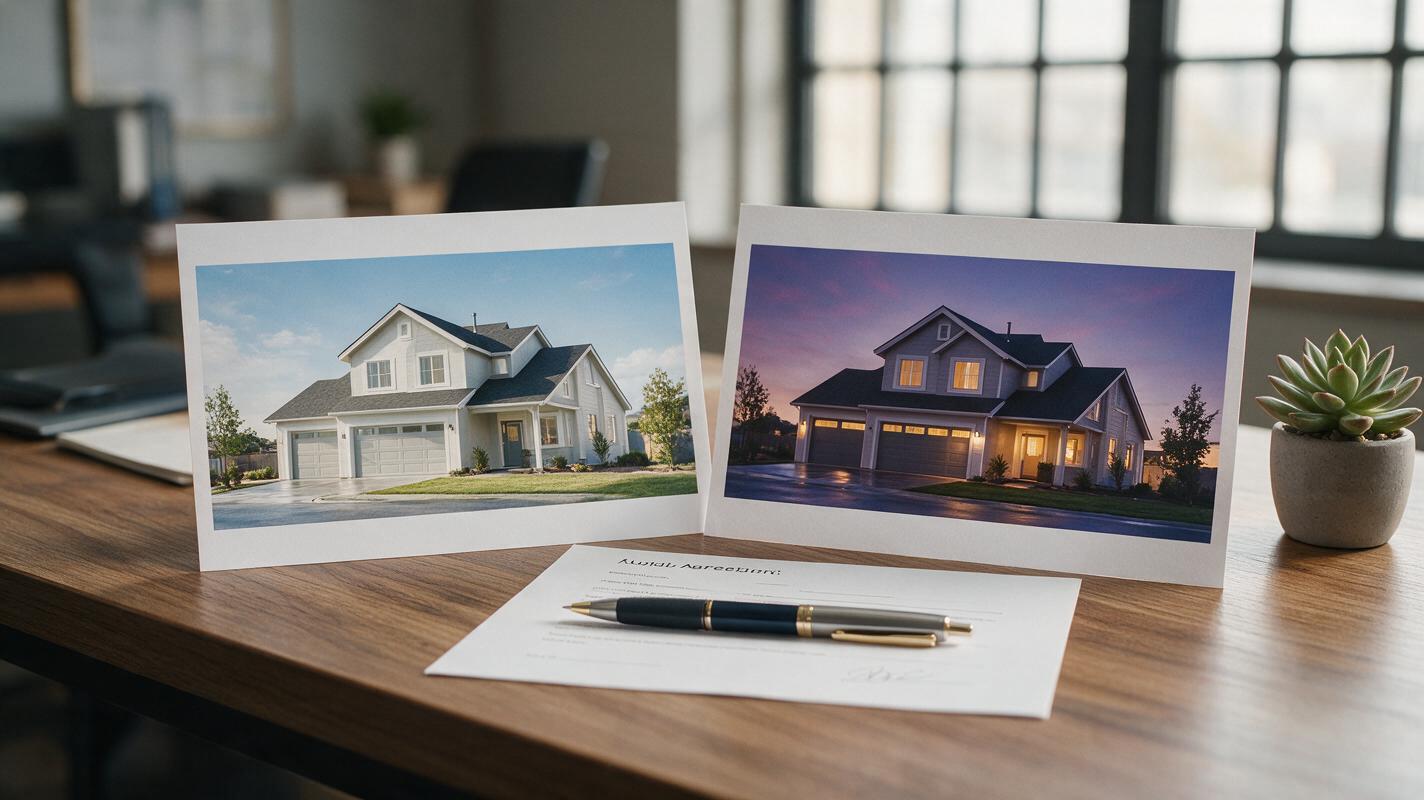
Table of contents
The case for AI-generated twilight listing photos
If you’ve ever paid a premium for a 20-minute twilight photoshoot, rescheduled three times because of cloudy weather, or settled for flat daytime shots that don’t make your listing pop, you know how much of a difference dusk lighting makes for real estate marketing. Twilight listing photos consistently outperform daytime shots in click-through rates and buyer engagement, making them a staple for top-performing real estate marketers.
Traditional twilight shoots are expensive, time-consuming, and weather-dependent. AI image generation lets you turn any sharp daytime listing photo into a realistic dusk image in minutes, without scheduling a photographer or waiting for golden hour. The catch? Most generic AI twilight edits alter critical property details—wrong roof color, misplaced windows, fake-looking landscaping—that can mislead buyers and hurt your credibility.
This guide walks you through creating accurate, professional-quality twilight listing photos with Flux, with prompts and settings designed specifically to preserve every detail of the property while delivering that coveted dusk glow.
Pick the right daytime photo for best results
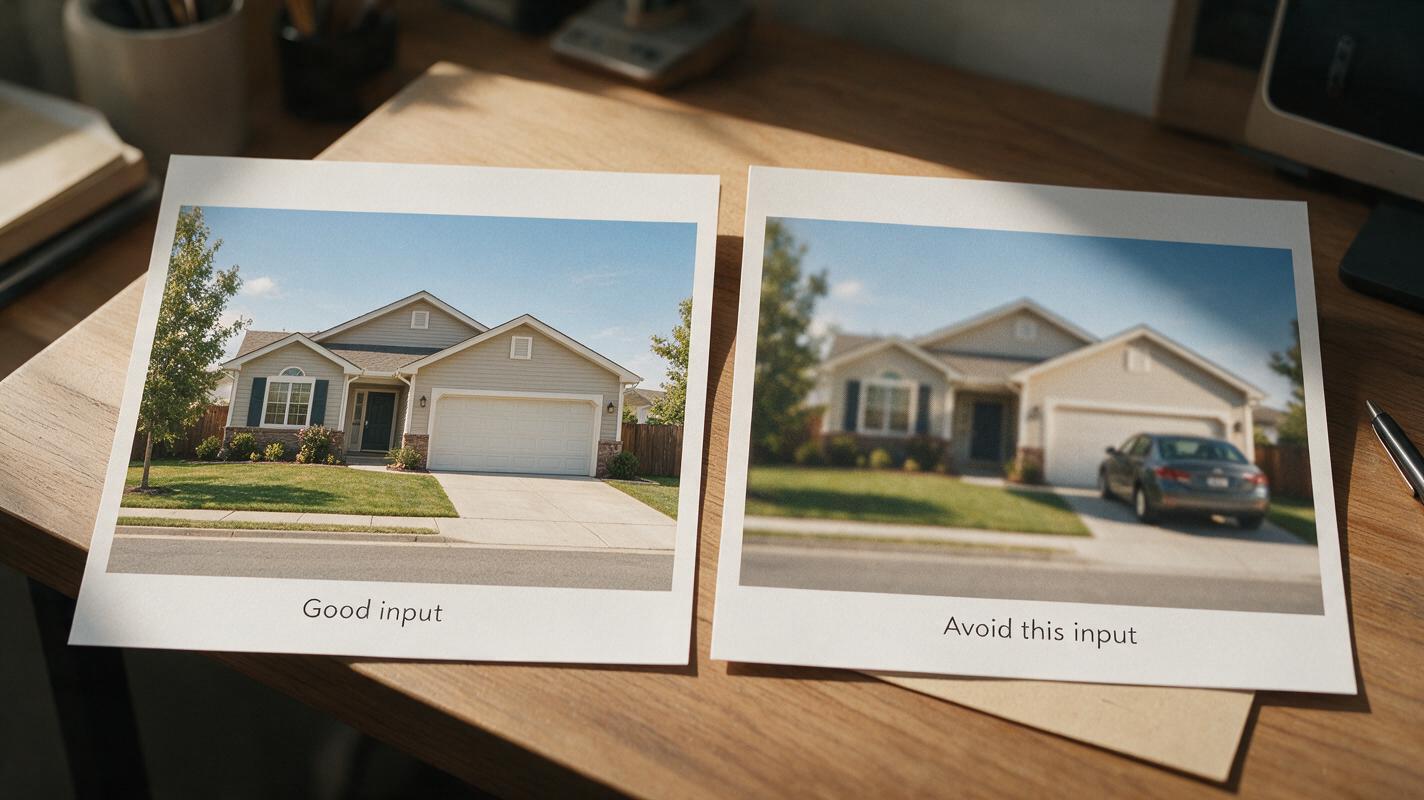
The quality of your input photo makes or breaks the final twilight result. Flux can fix minor lighting issues, but it can’t repair blurry shots, obscured facades, or cluttered yards on its own. For the most accurate output, start with a photo that meets these criteria:
- Sharp focus on the entire property facade, with no motion blur or lens flare
- Shot at eye level or a slight elevation, with the home centered in the frame
- Minimal obstructions: no parked cars, trash bins, or overgrown tree branches covering key features
- Taken on a mostly clear day (overcast is fine, but heavy rain or snow will skew lighting translation)
- Includes visible windows and exterior details (siding, roof, porch) that you want preserved
Avoid photos taken in harsh midday sun, as deep shadows can confuse the model and lead to uneven dusk lighting. Late afternoon shots with soft, warm light work especially well, as they already have a similar color temperature to early dusk.
Flux image-to-image prompts that preserve property details
The biggest risk with AI twilight conversion is the model changing the home’s actual features to “improve” the shot. These prompts are built to prioritize property accuracy first, then add realistic dusk lighting. You’ll use Flux’s image-to-image mode, uploading your daytime photo as the reference, and adjusting the prompt to match your property type.
For standard single-family homes, use this base prompt:
Photorealistic twilight photo of the exact single-family home in the reference image, soft dusky pink and purple sky, warm golden light glowing from all windows, exterior lights on, subtle streetlight glow in the background, crisp landscaping, realistic stone and siding texture, professional real estate photography, 16-35mm lens, f/8, sharp focus on the entire home, no distortionPair it with this negative prompt to eliminate common errors:
Negative prompt: altered house shape, changed window placement, wrong roof color, fake sky, oversaturated colors, blurry details, cars in driveway, trash bins, distorted landscaping, people, unrealistic lightingThis prompt leads with “exact single-family home in the reference image” to force Flux to prioritize structural accuracy over creative interpretation. The negative prompt targets the most common real estate rendering errors, from altered facades to oversaturated skies.
Test this prompt yourself with a recent listing photo to see how closely Flux matches the original property details.
Prompt variations for other property types
Tweak the base prompt to match your listing’s style for the most natural results:
- Condo / townhome: Swap “single-family home” for “exact [condo/townhome] building in the reference image, warm light from unit windows, well-lit common area walkways, professional real estate photography”
- Luxury estate: Add “grand entryway lights on, manicured garden lighting, soft glow from pool (if present), high-end architectural photography, crisp stone and wood details”
- Waterfront property: Add “calm water reflecting dusk sky, soft dock lights, gentle ripples, natural coastal landscaping”
Always include the phrase “exact [property type] in the reference image” at the start of your prompt. This simple addition drastically reduces property detail drift in most image-to-image real estate tests, as it tells the model the reference photo’s structure is non-negotiable. Using a high-quality ai image generator built for photorealism makes this level of detail preservation possible, especially for complex property features like custom siding or unique rooflines.
Fine-tune settings for realistic dusk lighting
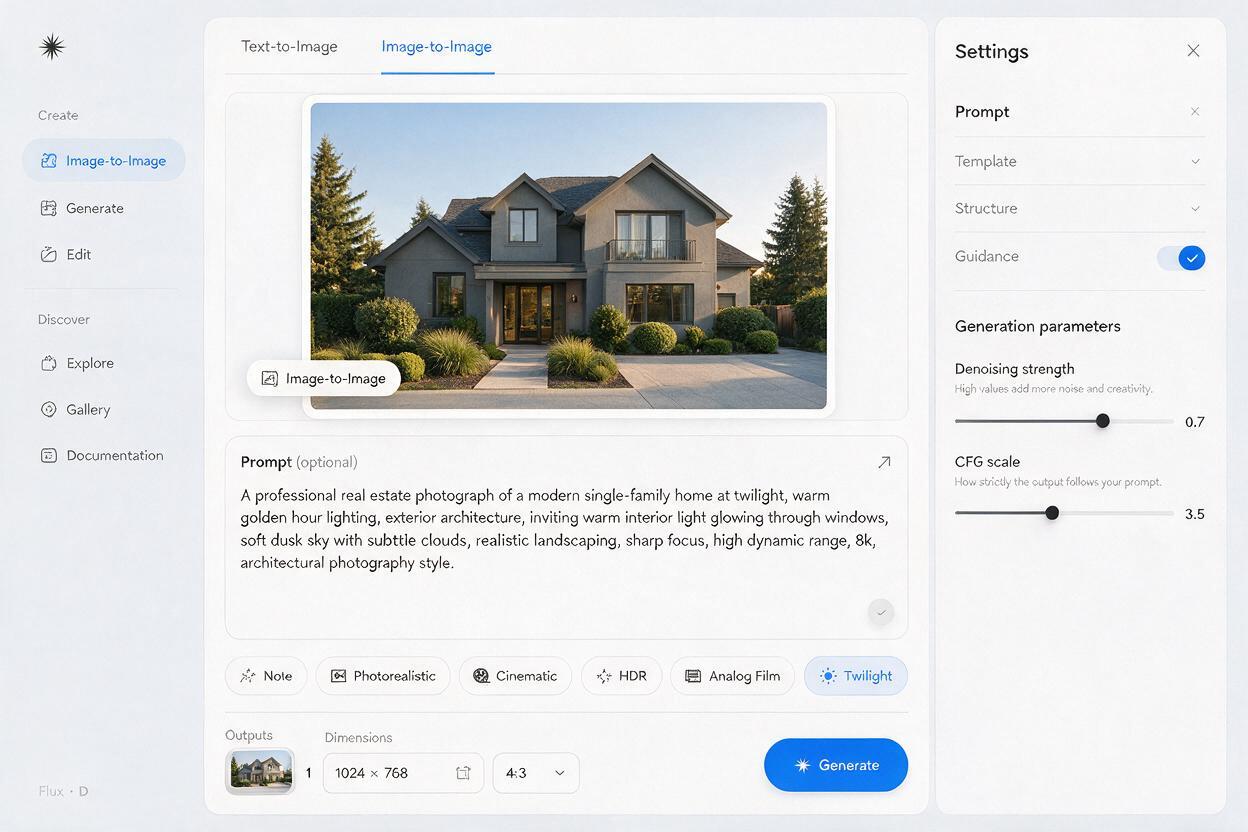
Even with a great prompt, wrong settings can make your twilight photo look fake or washed out. Flux’s image-to-image mode has three key settings to adjust for real estate use:
- Denoising strength: Keep this between 0.3 and 0.45 for maximum detail preservation. Lower values (0.2-0.3) will keep the photo almost identical to the original but with subtle dusk lighting, while higher values (0.4-0.5) will add more dramatic sky and lighting effects but risk minor detail changes. Never go above 0.5 for listing photos, as this will almost always alter the home’s facade.
- CFG scale: Set this to 6-8 for a balance of prompt adherence and natural lighting. Higher CFG values (10+) will make colors oversaturated and the sky look fake, while lower values (3-5) will result in soft, washed-out dusk tones that don’t stand out on listing feeds.
- Aspect ratio: Match the aspect ratio of your original photo (usually 3:2 or 4:5 for social media) to avoid stretching or cropping key property features. For Instagram carousels or Zillow listings, 4:5 works best; for website hero shots, use 16:9.
If you’re unsure where to start, use 0.35 denoising strength and 7 CFG scale as your baseline, then adjust up or down based on your first result.
Fix common AI twilight rendering issues
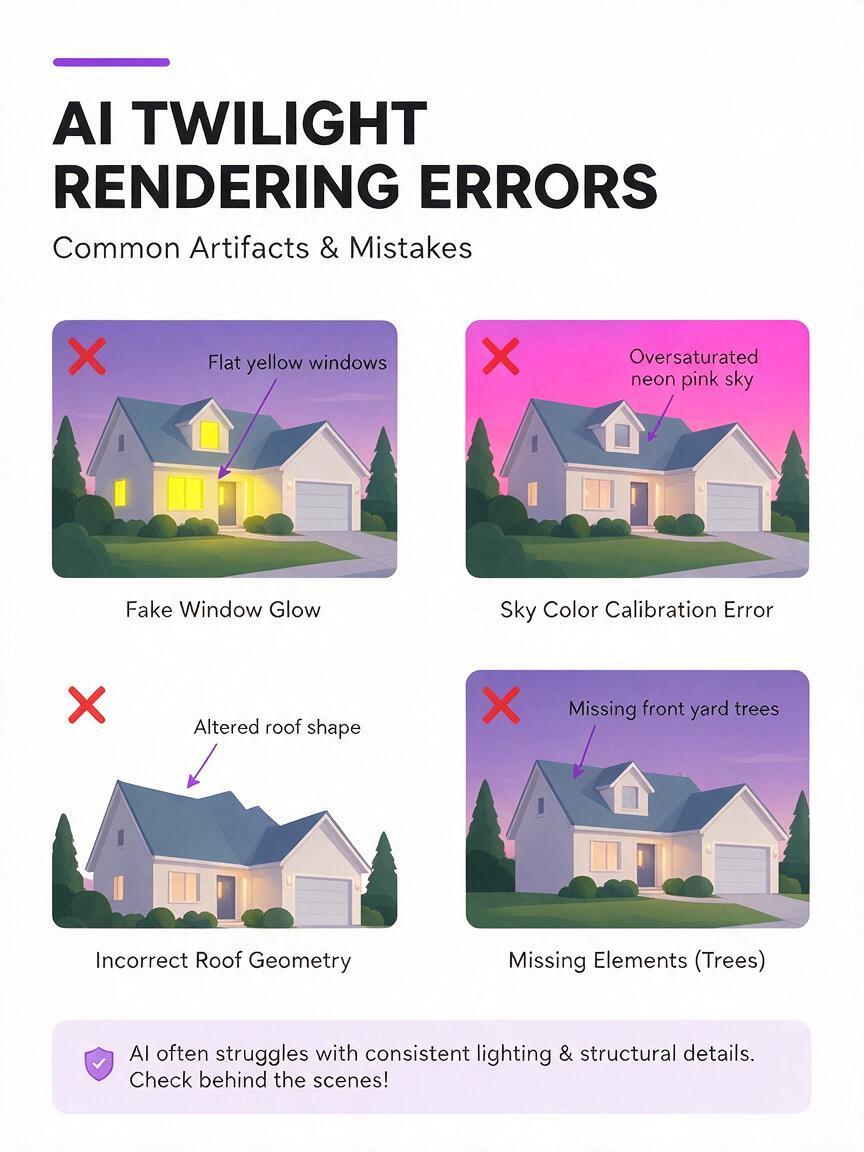
Even with the right prompts and settings, you may run into small rendering errors. Here’s how to fix the most common issues for real estate listings:
- Fake-looking windows (uniform glow, no interior detail): Add “realistic interior window glow, visible hints of furniture and curtains inside windows” to your prompt, and increase denoising strength by 0.05. Avoid adding “bright interior lights” as this will make windows look like flat yellow blocks.
- Wrong roof or siding color: Add “match exact roof color and siding material from reference image” to the start of your prompt, and lower denoising strength by 0.05. If the issue persists, use a smaller region of the photo as a secondary reference for the roof texture.
- Oversaturated neon sky: Add “soft natural dusk sky, muted purple and pink tones, realistic cloud cover” to your prompt, and lower CFG scale by 1. Avoid terms like “vibrant sunset” or “dramatic sky” as these lead to unrealistic colors for real estate marketing.
- Distorted landscaping or missing trees: Add “preserve exact landscaping and tree placement from reference image” to your prompt, and keep denoising strength below 0.4. For small details like flower beds, mention them explicitly (e.g., “red flower beds along front walkway”) to ensure they stay intact.
Final checklist for publish-ready twilight photos
- Property shape, window placement, and roof line match the original daytime photo exactly
- Siding, brick, or stone texture is consistent with the reference image
- Window glow looks natural, with no flat yellow blocks or uniform lighting
- Sky colors are soft and realistic (no neon pink or bright purple hues)
- Landscaping, trees, and hardscaping (walkways, driveways) are preserved
- No random objects (cars, people, trash bins) have been added by the model
- Lighting feels natural for dusk, with no harsh shadows or overexposed areas
- Photo is sharp and high-resolution enough for listing sites and social media
Keywords
twilight listing photos, flux image to image, real estate photo editing, ai listing photos, daytime to twilight real estate, ai image generator, property marketing visuals