How to Dub Training Videos Into Multiple Languages Without Rerecording
Learn how to localize training videos with AI dubbing while preserving technical meaning, readable pacing, and a natural delivery. This workflow covers script preparation, pronunciation control, voice selection, synchronization, quality review, and accessible exports.

Table of contents
Localize one training video without rebuilding the lesson
You can dub a training video into multiple languages without rerecording the presenter, but translation alone is not enough. A useful localized lesson must preserve technical meaning, fit the available speaking time, pronounce specialist terms correctly, and remain synchronized with demonstrations on screen.
The workflow below is designed for course creators, teachers, and training teams localizing explainers, software tutorials, onboarding modules, and compliance lessons. It uses MagicBoat’s voice and dubbing tools for the spoken track, with optional lip synchronization when a presenter is visible.
Localize the learning experience, not just the words. The learner should hear each instruction when the corresponding button, diagram, or physical action appears.
Prepare a dubbing-ready master video
Start with the cleanest version of the original lesson. Ideally, it should contain separate narration, music, and sound-effect tracks. A mixed soundtrack can still work, but removing speech may also weaken music or ambient sound that occupies the same frequencies.
Your master package should include:
- The highest-quality exported video available
- The approved source-language script
- A narration-only audio file when possible
- Music and sound effects on separate tracks
- Editable captions rather than captions burned into the picture
- Source files for title cards or slides that require translation
Watch the entire video while reading the script. Correct any mismatch before translation, including improvised phrases, omitted warnings, outdated interface labels, and examples that no longer appear on screen. If the source transcript is wrong, every language derived from it will inherit the error.
Mark sections where timing is instructionally important. In a software tutorial, phrases such as “select Export” must coincide with the pointer reaching that control. In laboratory training, a safety warning must arrive before the risky action—not several seconds afterward.
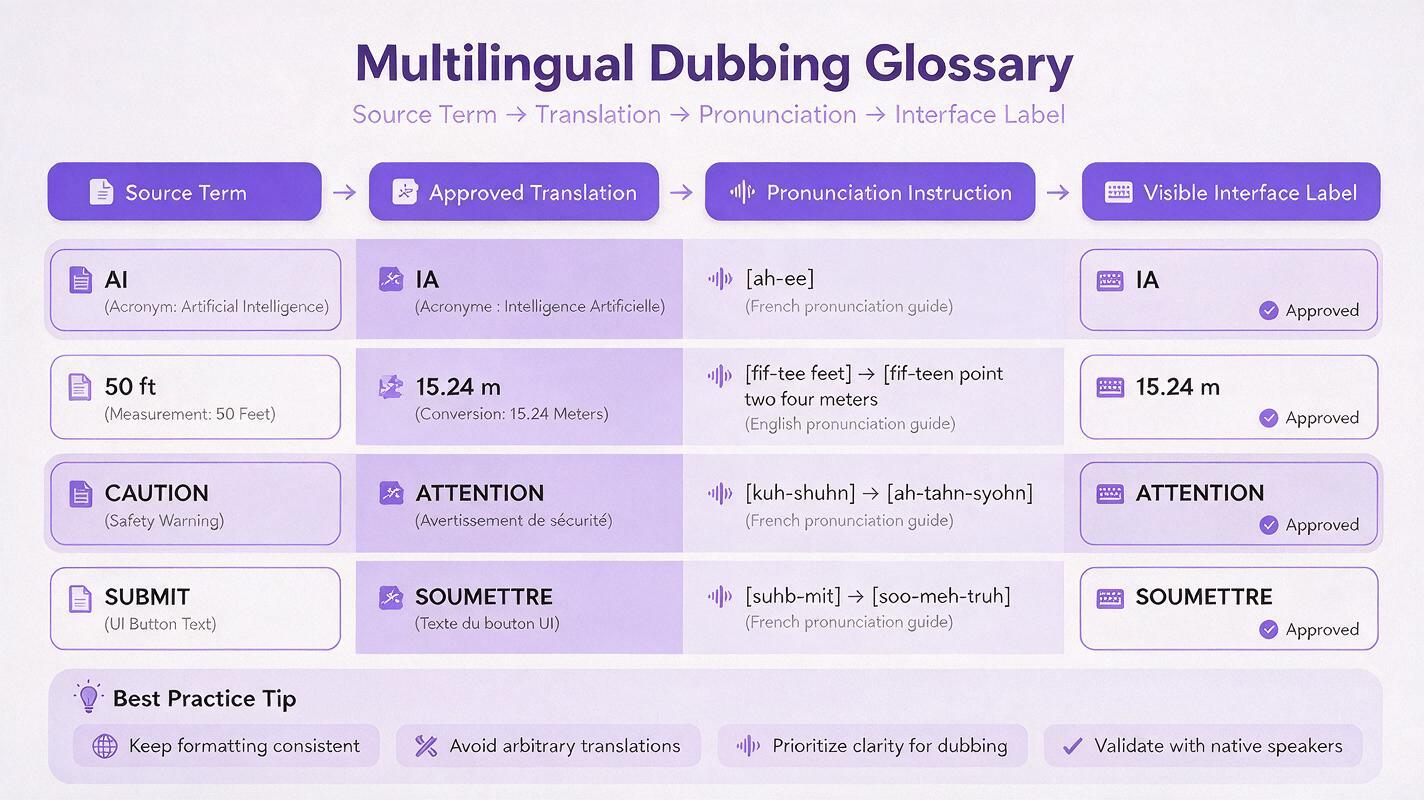
Build a pronunciation and translation sheet
Create one shared sheet for terminology before generating voices. This prevents translators, reviewers, and voice tools from making different choices for the same term.
| Source term | Approved translation | Pronunciation note | Keep unchanged? |
|---|---|---|---|
| Learning management system | Approved local equivalent | Read in full on first use | No |
| SCORM | SCORM | Specify local letter-by-letter reading | Yes |
| Export | Match the localized interface | Use the product’s official label | No |
| 5 mg/mL | Localized unit phrasing | Five milligrams per milliliter | Unit stays fixed |
Include product names, acronyms, equations, personal names, safety terminology, units, and words that a general voice model might interpret incorrectly. For software lessons, confirm whether the target audience sees a localized interface. If their button still says “Settings,” translating it to a different visible label may make the instruction harder to follow.
Ask a qualified subject reviewer to approve consequential material. Medical, legal, scientific, and safety training should not rely on an unreviewed machine translation. The reviewer should check meaning, not merely grammar.
Adapt sentences for spoken timing
A literal translation can be much longer or shorter than the source narration. Rewrite for equivalent meaning and similar duration rather than forcing an unnatural speaking rate.
Use this editing brief with a translator or language model:
Adapt this training narration for natural spoken delivery in [TARGET LANGUAGE].
Preserve every instruction, warning, number, unit, and assessment clue.
Use the approved terminology list exactly.
Keep each segment close to its target duration.
Do not add claims or examples.
Return a table with: segment ID, translation, estimated speaking difficulty, and reviewer note.
Break dense passages into short, timestamped segments. This gives you control over timing and makes corrections cheaper because one faulty line can be regenerated without replacing the entire narration.
Generate a voice that supports learning
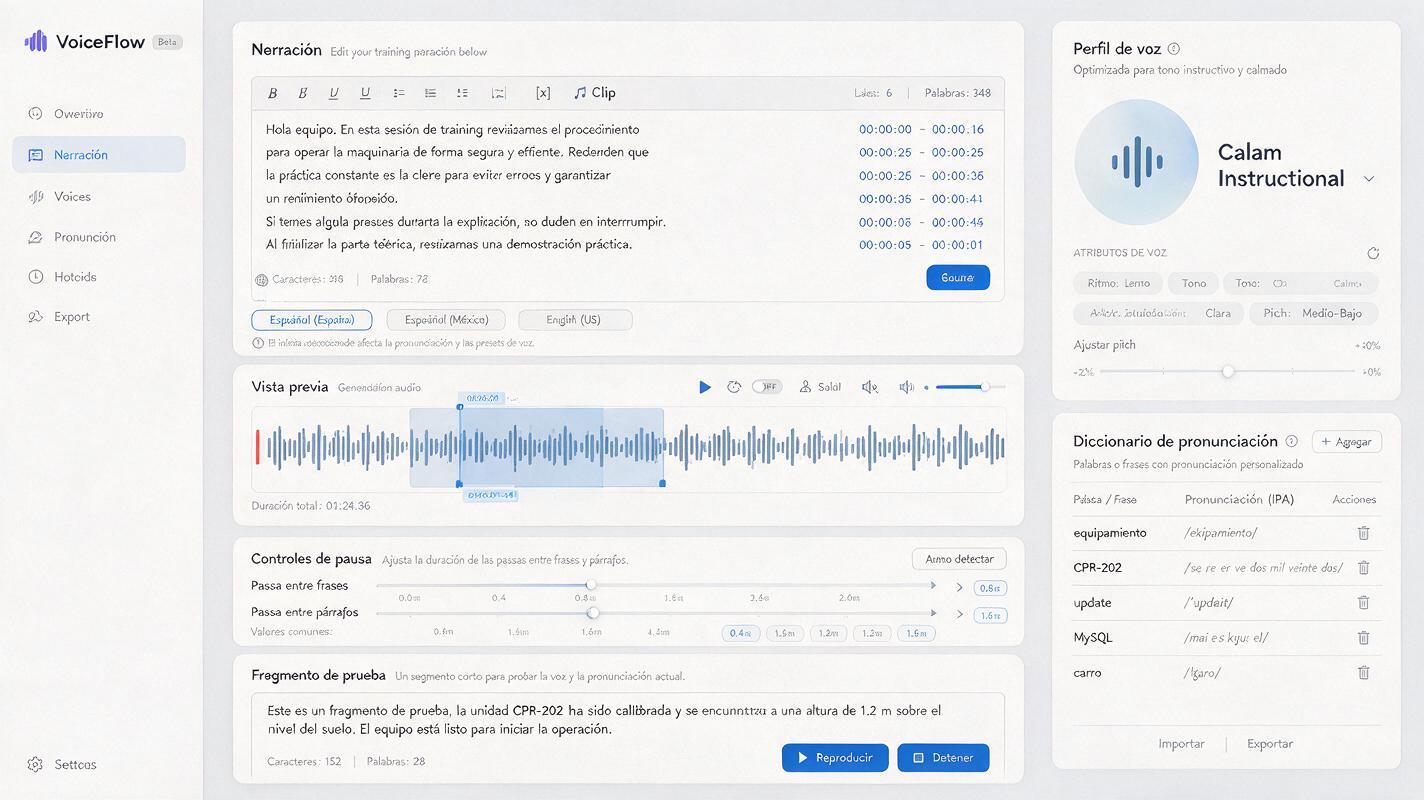
Use ai dubbing to generate a separate audio track for each target language. Choose a voice for clarity and consistency rather than dramatic performance. Most instructional narration benefits from moderate pacing, stable volume, restrained emotion, and brief pauses around key terms.
Test the voice with a difficult 20–30 second excerpt before processing the full lesson. Include at least one acronym, one number, one technical term, and one sentence that must align with an on-screen action.
A practical voice brief might read:
Clear adult instructional voice in [LANGUAGE/LOCALE].
Tone: calm, capable, welcoming, and neutral.
Pace: moderate, with short pauses after warnings and section titles.
Read all numbers and units unambiguously.
Do not sound promotional or theatrical.
Follow the supplied pronunciation notes exactly.
Listen without watching the video first. The narration should be understandable on its own. Then listen while watching and note every point where the voice arrives too early, too late, or competes with important sound effects.
Use voice cloning only with documented permission
If a recognizable instructor’s voice is required, obtain explicit authorization for the languages and courses in which it will be used. Keep the approved use, retention policy, and withdrawal process documented. When consent is unavailable, select a licensed synthetic voice and identify the localized narration according to your organization’s disclosure policy.
Synchronize narration with demonstrations
Place each generated segment near its original timestamp, but do not stretch every line automatically. Excessive time compression can make a voice hurried, while aggressive stretching may introduce an unnatural cadence.
Use these remedies in order:
- Rewrite: Remove repetition while preserving the full instructional meaning.
- Move a pause: Borrow silence from a nearby transition or title card.
- Adjust the edit: Hold a screen recording or diagram slightly longer when nothing time-sensitive is occurring.
- Change speed gently: Make only a small pacing adjustment after the script is already concise.
Do not shorten warnings, prerequisites, numerical values, or assessment instructions simply to match the source duration. Extend the visual when necessary.
If a presenter’s mouth is clearly visible, apply ai lipsync only after the translated audio is approved. Lip synchronization should be treated as a finishing layer, not as a substitute for accurate timing. For slides, screencasts, diagrams, or off-camera narration, it adds no instructional value and can be skipped.
Review meaning, timing, and accessibility separately
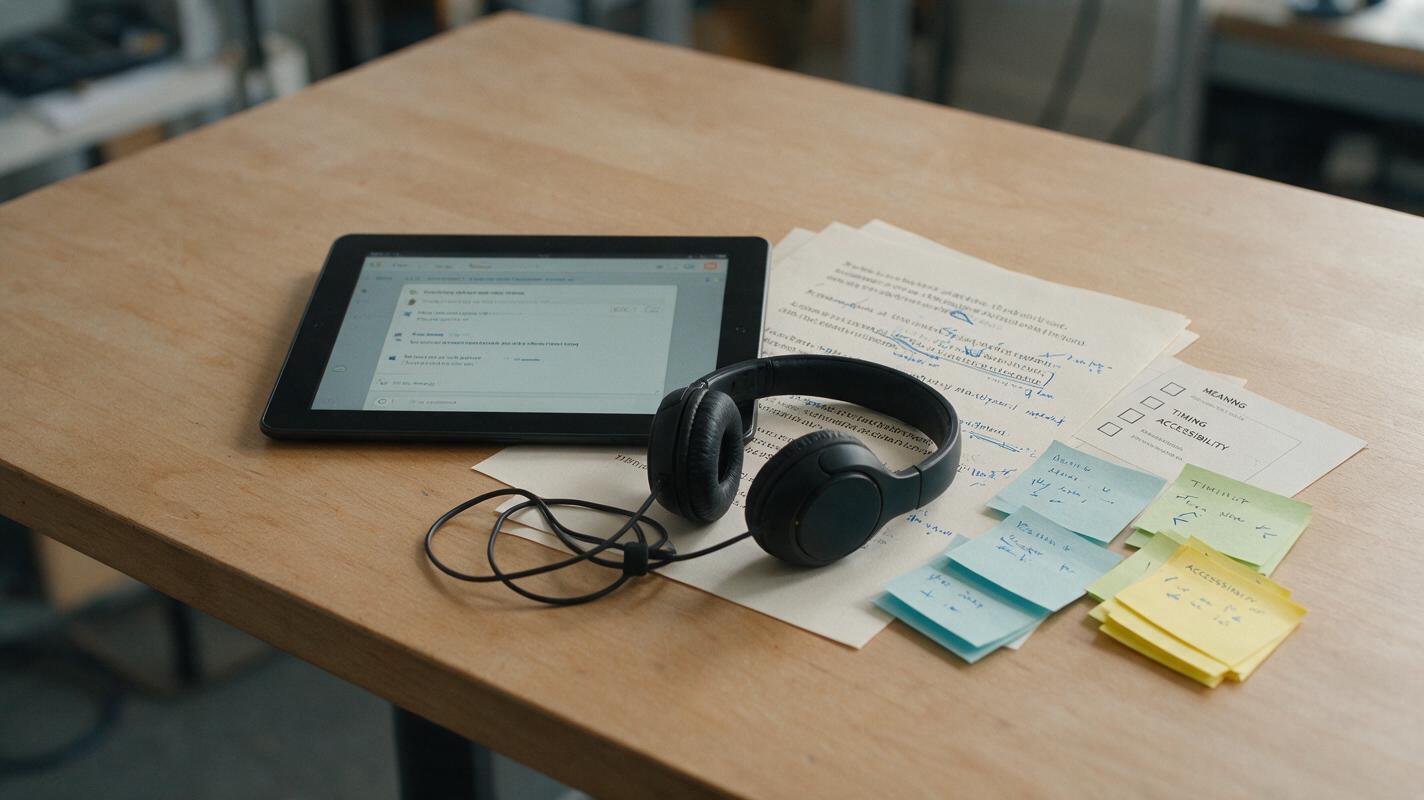
A single review pass tends to miss errors because reviewers divide their attention among too many signals. Use three focused passes instead.
| Review pass | What to inspect | Typical failure |
|---|---|---|
| Language and subject accuracy | Terminology, numbers, warnings, examples, and tone | A fluent sentence changes the original meaning |
| Audio and visual timing | Clicks, gestures, diagrams, callouts, and scene transitions | The instruction names an action after it occurs |
| Accessibility and playback | Captions, reading order, volume, mobile display, and controls | Captions cover the interface being demonstrated |
Generate captions from the approved translated script, then time them against the final audio. Do not assume an automatic transcript will preserve specialist spelling. Keep caption lines concise, avoid covering essential visuals, and identify meaningful non-speech audio when it affects comprehension.
Finally, ask a native-speaking reviewer to complete the lesson as a learner would. They should follow the procedure, answer any knowledge checks, and flag places where the localized wording is technically correct but difficult to act upon.
Fix common dubbing problems
The translated voice sounds rushed
Shorten the sentence structure, replace redundant phrases, and move optional context into on-screen text or a downloadable resource. Avoid solving a large duration mismatch solely by increasing voice speed.
Acronyms and units are pronounced incorrectly
Write a phonetic instruction or spell out the spoken form in the narration field while preserving the correct written form in captions. Test decimals, dates, chemical symbols, equations, and abbreviations individually.
The narration no longer matches the interface
Confirm which interface language learners will actually use. Match spoken control names to visible labels, or show both forms briefly when learners may encounter multiple versions.
The voice is clear but feels emotionally wrong
Revise the direction before changing models. Specify the educational situation: reassuring for onboarding, firm for safety guidance, conversational for a course introduction, or neutral for assessment instructions. Avoid vague requests such as “make it engaging.”
Background music masks the new voice
Lower the music beneath narration and reduce frequencies that compete with speech. Check the result on laptop speakers and inexpensive headphones, not only studio monitors.
Package each language as a maintainable course asset
Export narration, captions, transcript, glossary, and final video as separate, clearly named assets. A maintainable package makes later corrections possible without regenerating the entire course.
course-module-03/
  master-video/
  en-source/
  es-419/
    narration.wav
    captions.vtt
    transcript.docx
    glossary.csv
    final-video.mp4
  fr-fr/
    narration.wav
    captions.vtt
    transcript.docx
    glossary.csv
    final-video.mp4
Record the language and regional variant in the file name. Spanish for Latin America, Spanish for Spain, French for France, and French for Canada may require different vocabulary, pronunciation, and examples. Preserve the approved script version and reviewer sign-off alongside each export.
Final checklist
- The source transcript matches the master video.
- Technical terms, names, acronyms, numbers, and units have approved pronunciations.
- The translation preserves every instruction and warning.
- The voice sounds clear at a comfortable instructional pace.
- Spoken directions align with buttons, diagrams, gestures, and demonstrations.
- Voice cloning, if used, has documented consent.
- Captions match the final audio and do not obscure essential visuals.
- A native-speaking subject reviewer has completed the localized lesson.
- Audio, captions, scripts, glossaries, and final videos are stored separately.
Keywords
ai dubbing, training video localization, multilingual course videos, ai voiceover, course translation, educational video