How to Generate Consistent Enemy Faction Variations With Seedream 4.5
Game concept artists often spend weeks designing cohesive enemy faction variants, struggling to retain shared armor motifs, color palettes, and stylistic tone across different unit roles. This guide walks through a reference-locked workflow using Seedream 4.5 to generate consistent grunt, scout, heavy, and boss enemy concepts that stay true to a core faction visual identity. It includes reusable prompt structures, reference weight settings, and fixes for common consistency issues like color drift and missing design motifs.
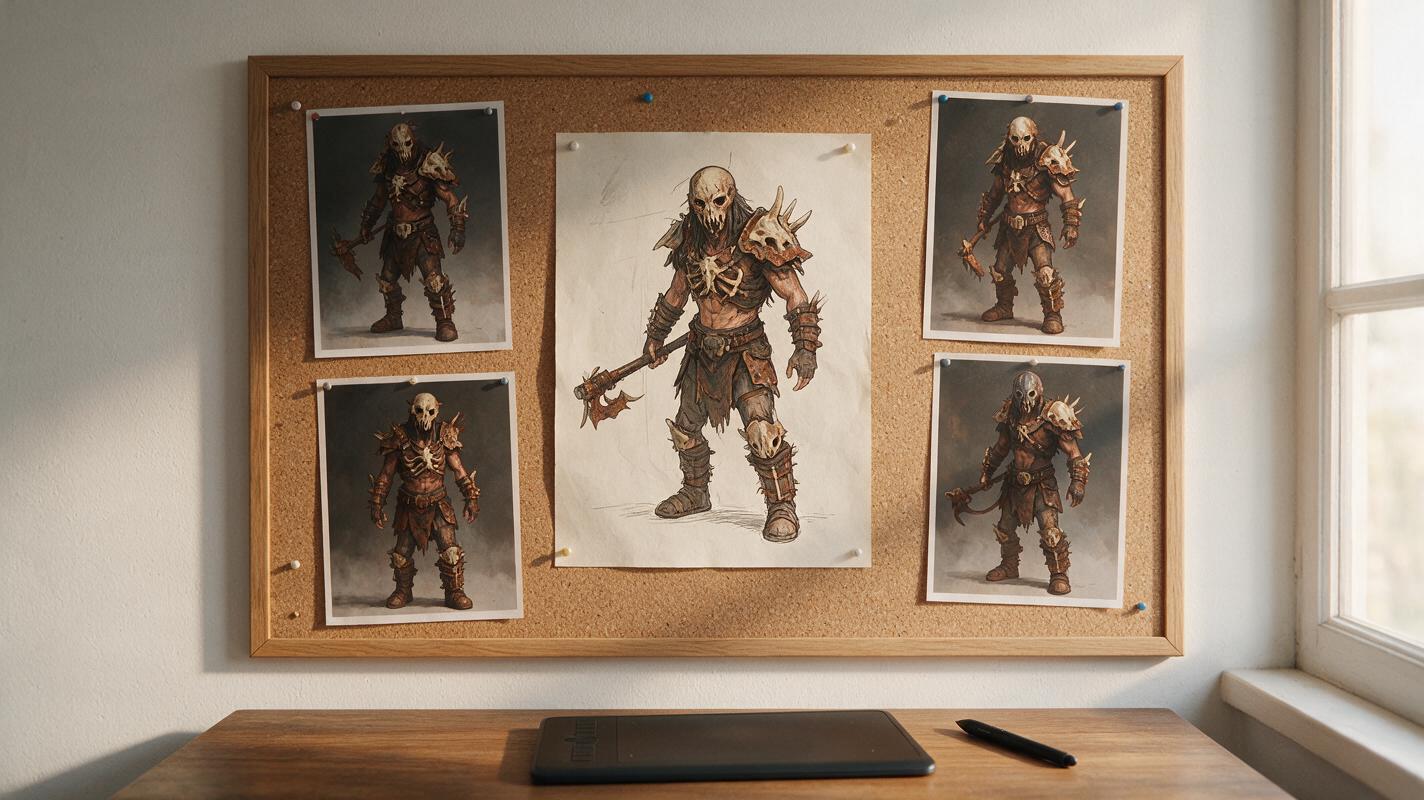
Table of contents
Why enemy faction design eats up concept art time
Designing a cohesive enemy faction is one of the most time-consuming tasks in game concept art. After finalizing a core unit design, artists typically spend weeks iterating on grunts, scouts, heavies, bosses, and special units — all while trying to retain shared armor motifs, color palettes, and stylistic tone. Even small drifts in design language can make a faction feel disjointed, leading to rounds of revisions, delayed production, and weaker visual readability for players.
Traditional text-only AI tools often make this problem worse, since each generation is independent and style lock is hit-or-miss. Seedream 4.5’s reference-based generation solves this by letting you lock in your faction’s core visual identity from a single base image, while still giving you room to create distinct, role-appropriate variants.
Pick a base reference that locks your faction identity
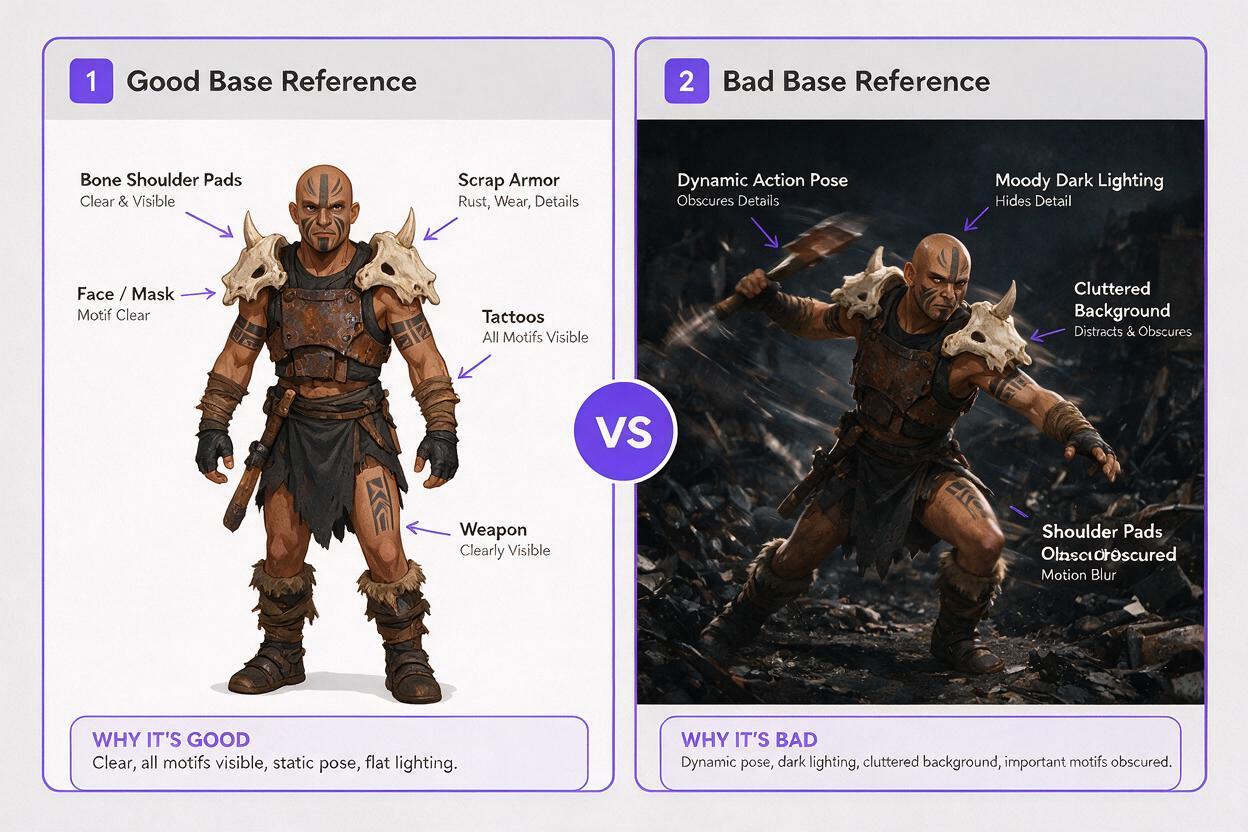
Your base reference image is the foundation of every variant you generate, so it’s worth taking 10-15 minutes to get it right. The goal is to give the model a clear, unobstructed view of your faction’s visual DNA — not a polished, dynamic illustration.
- Full-body view: Use a front or 3/4 angle of your core unit (a basic grunt works best) so all armor pieces, proportions, and motifs are visible.
- Flat, even lighting: Avoid dramatic shadows or colored lighting that can hide details or skew the model’s read of your color palette.
- Prominent key motifs: Make sure your faction’s signature design elements (insignias, unique armor shapes, material combinations) are front and center.
- Neutral pose: A static, standing pose keeps the focus on design details rather than movement.
- Simple background: Use a solid white or light gray background to eliminate distractions.
Configure reference control for style and motif lock
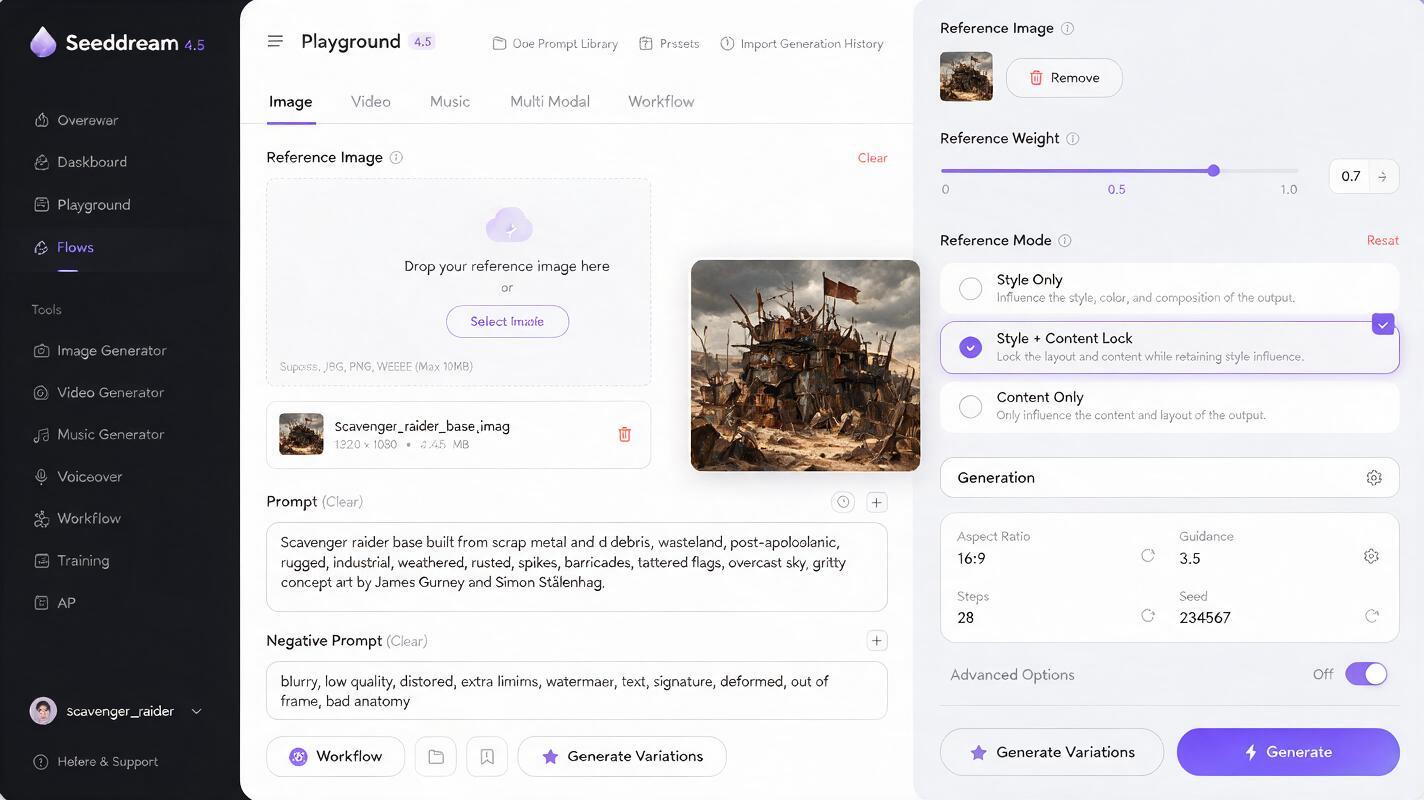
Seedream 4.5’s reference control feature lets you adjust how closely generated images match your base reference, with separate controls for style and content. For enemy faction variants, you’ll want to lock both the artistic style and core design motifs, while leaving room for silhouette and role changes.
Start with a reference weight of 0.7 — this is the sweet spot for most faction variants, as it retains key motifs and color palettes while allowing the model to adjust proportions, weapons, and silhouette for different unit roles. Adjust from there based on how much variation you need:
- Bump weight to 0.75-0.8 for very similar units (e.g., two grunt variants with different weapons)
- Drop weight to 0.6-0.65 for high-variation units (e.g., a towering boss that needs more elaborate design details)
Make sure to select the "Style + Content Lock" mode, which copies both your reference’s artistic style and its core design elements, rather than just color or texture.
Prompt structure for role-specific enemy variants
Even with a strong reference, your prompt needs to reinforce your faction’s identity and clearly define the unit’s role to avoid drift. Think of your prompt as two parts: first, a reminder of the faction’s core traits, and second, a description of the specific unit’s unique features.
A reliable structure is:
[Art style context] + [faction core traits] + [unit role + silhouette] + [weapon/gear] + [composition] + [production context]
If you’re used to working with a standard ai image generator that only uses text prompts, this reference-locked approach will feel far more reliable for production design work. Below are reusable sample prompts for a post-apocalyptic "Scavenger Raiders" faction, designed to pair with a base grunt reference:
Grunt unit prompt
digital game concept art, scavenger raider grunt, rusted scrap metal armor with bone shoulder pads, tanned leather straps, jagged edges, earthy brown and rust orange palette, bulky humanoid silhouette, holding crude iron mace, neutral standing pose, full body view, white background, production-ready, hard surface detailsScout unit prompt
digital game concept art, scavenger raider scout, rusted scrap metal armor with bone chest insignia, tanned leather wraps, jagged edges, earthy brown and rust orange palette, slim agile humanoid silhouette, holding homemade bow, crouched ready pose, full body view, white background, production-ready, hard surface detailsHeavy unit prompt
digital game concept art, scavenger raider heavy, thick rusted scrap plate armor with large bone pauldrons, tanned leather belts, jagged edges, earthy brown and rust orange palette, oversized muscular humanoid silhouette, holding heavy scrap axe, wide standing stance, full body view, white background, production-ready, hard surface detailsBoss unit prompt
digital game concept art, scavenger raider warlord boss, layered rusted scrap metal armor with carved bone chest plate and horned helmet, tanned leather cloak, jagged edges, earthy brown and rust orange palette with dark red accents, towering muscular humanoid silhouette, holding massive spiked scrap hammer, intimidating standing pose, full body view, white background, production-ready, hard surface detailsAdd this universal negative prompt to all variants to reduce noise and inconsistencies:
negative prompt: blurry, distorted proportions, missing limbs, mismatched armor, cartoonish style, bright neon colors, complex background, dynamic lighting, shadowsFix common consistency issues
Even with the right settings, you may occasionally run into drift or design issues. Here are quick fixes for the most common problems:
- Color palette drift: If outputs include colors outside your faction’s palette, increase reference weight by 0.1 and add explicit color constraints to your prompt (e.g., "only earthy brown and rust orange, no blue or green").
- Missing key motifs: If a signature design element (like a bone shoulder pad) is missing, mention it early in your prompt and bump reference weight to 0.75. For stubborn cases, use in-paint to reinforce the motif directly.
- Style shift: If outputs are more cartoonish or realistic than your reference, match the style preset in Seedream 4.5 to your reference’s style (e.g., "Digital Concept Art" for painterly game art) and add style keywords to your prompt.
- Proportion distortion: If units have wonky limbs or inconsistent heights, add "correct humanoid proportions, anatomically consistent" to your prompt and increase CFG scale to 7-8 for stricter prompt adherence.
Build a production-ready faction roster sheet
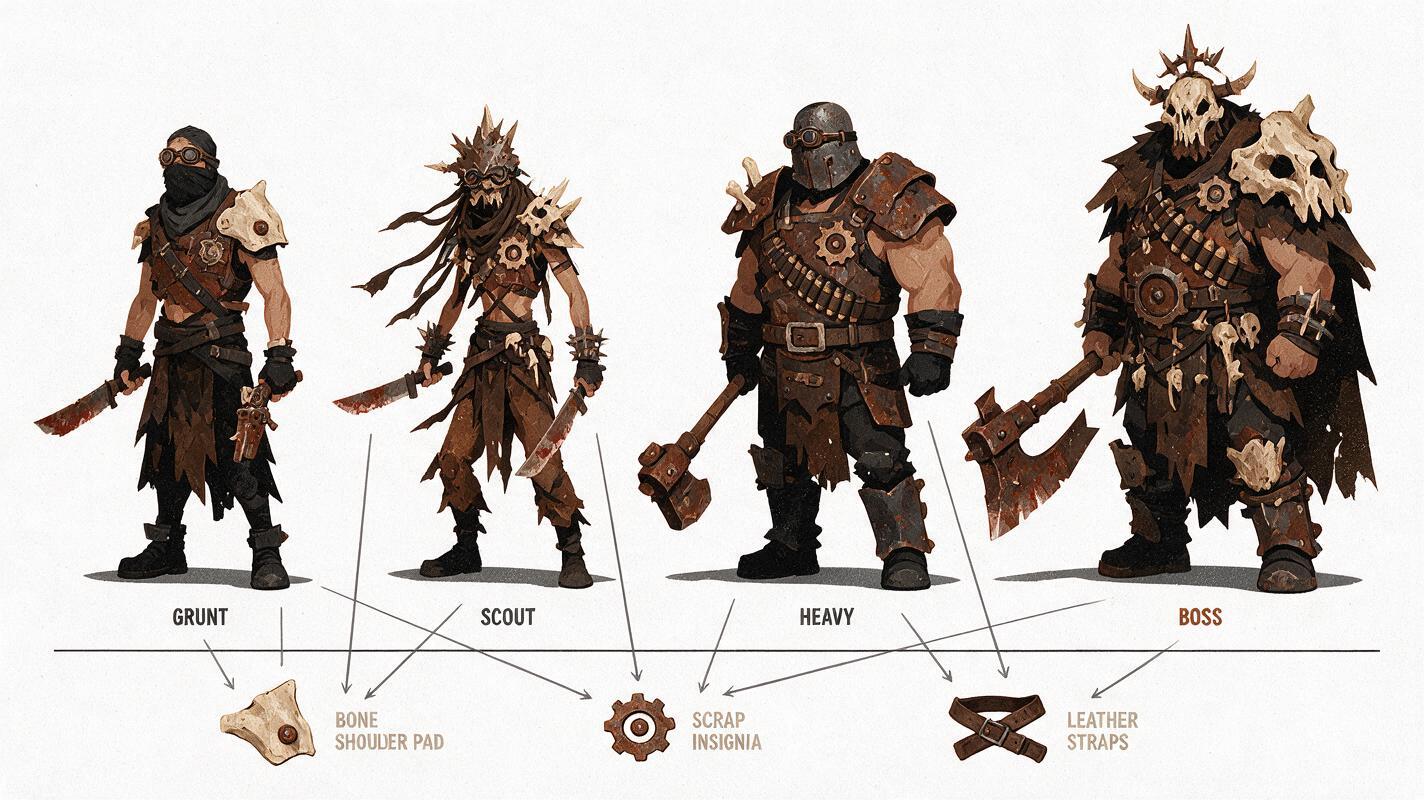
Once you’ve generated 3-5 strong variants for each unit role, curate the best ones and arrange them into a formal roster sheet for your art and design teams. A good roster sheet makes it easy to compare units at a glance and reference shared faction motifs.
Arrange units in a logical order (e.g., from smallest to largest, or grunt to boss) and add clear labels for each role. Include small callouts pointing to shared design elements to reinforce the faction’s visual identity for the rest of the team. You can also generate close-up detail shots of weapons or armor pieces by cropping those sections from your base reference and using them as inputs for detail-focused generations.
You can test this prompt yourself with your own base faction concept to see how quickly you can expand a single design into a full roster.
Key takeaways
- Start with a clear, detail-rich base reference of your core unit to lock in your faction’s visual identity.
- Use a Seedream 4.5 reference weight of 0.6-0.8, adjusting based on how much variation you need for each unit role.
- Structure prompts to reinforce core faction traits first, then add role-specific details like silhouette, weapon, and pose.
- Fix consistency issues by tweaking reference weight, adding explicit prompt details, or using negative prompts to exclude unwanted elements.
- Curate and arrange generated variants into a labeled roster sheet for easy production reference.
Keywords
enemy faction concept art, seedream 4.5, game concept art, consistent ai art, enemy design variations, reference image generation, game character concepts