Etsy Earring Size Photos That Show Real Scale—Without AI Try-Ons
Tiny earrings can look much larger in a tightly cropped listing photo, while AI-generated try-ons may change their size or shape. This guide shows Etsy sellers how to photograph verifiable scale cues and use AI only for supporting presentation.
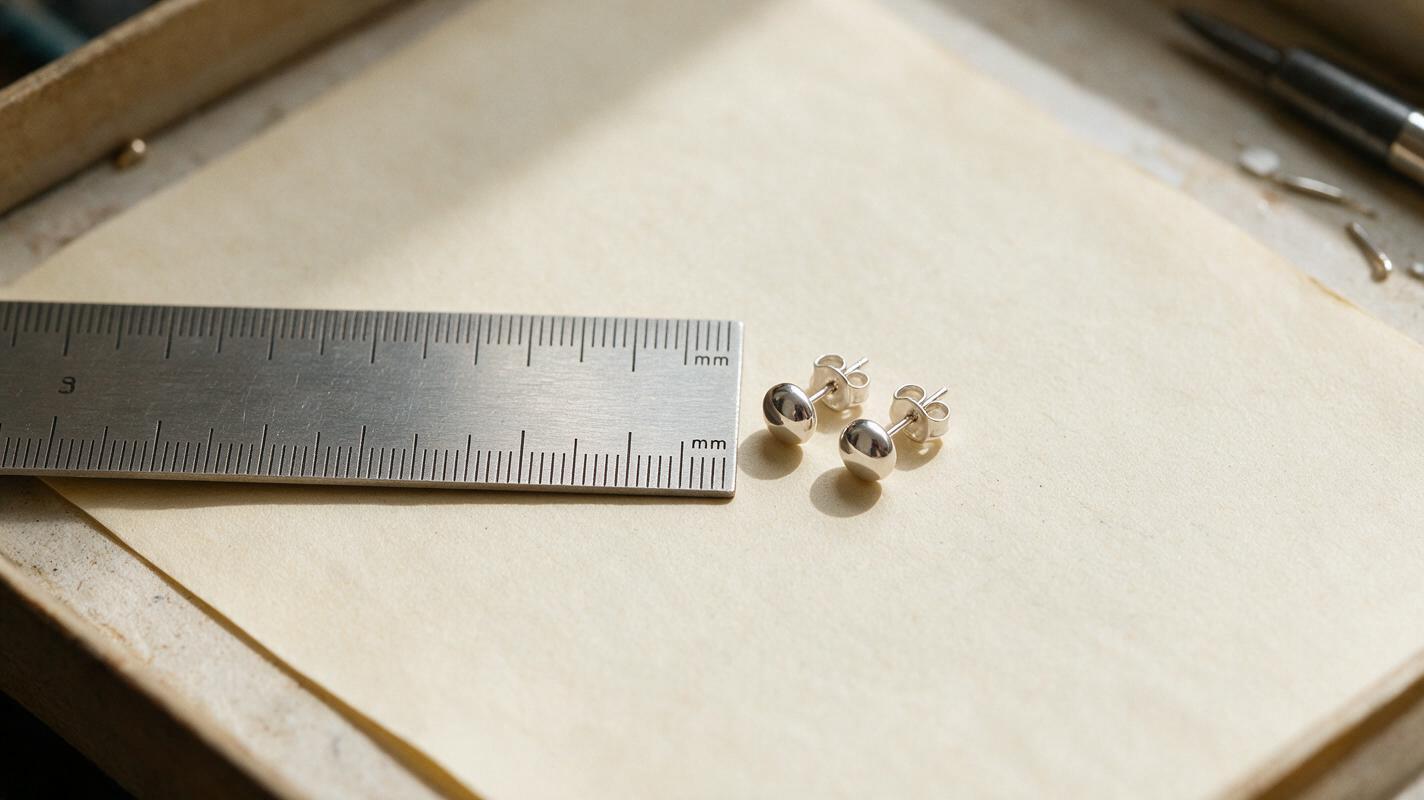
Table of contents
Make the size obvious before a buyer has to guess
A close-up can make a 5 mm stud look substantial, while an AI-generated ear can make the same stud look smaller—or change its shape altogether. For Etsy earrings, the dependable solution is a gallery that shows the actual pair beside a measured scale cue, followed by a real worn photo when one is available. AI can help with the setting, but it should not supply evidence of size.
The distinction matters most for studs, tiny hoops, and charms photographed against empty backgrounds. A beautiful image may show finish and detail perfectly yet leave a buyer unable to picture what arrives. Treat scale as a product fact to document, not a visual effect to prompt into existence.
Photograph the earrings and ruler on the same plane
Measure the finished item you will sell, including any part that changes its visible dimensions. Record the dimensions in millimeters and specify what each number describes: stud diameter, hoop outer diameter, drop length, or charm height. If handmade pieces vary, state the range you can reliably fulfill rather than presenting one photographed piece as an exact guarantee for every order.
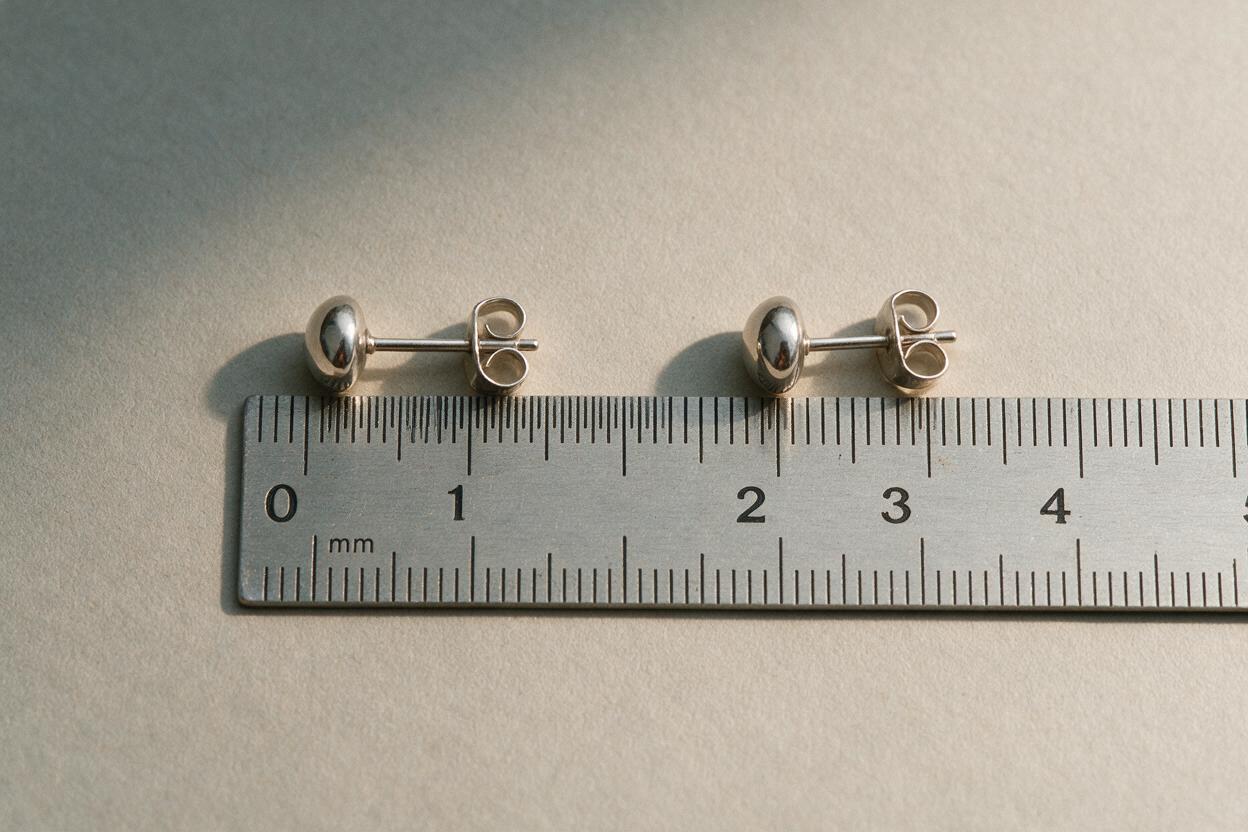
For the scale image, place an actual earring beside a ruler with millimeter markings. Keep both flat on the same surface and photograph them from directly above. Position the relevant end of the item close to the ruler’s zero mark without covering it. If a hoop cannot lie flat in a way that shows the measurement you quote, photograph the hoop upright with the measuring tool in the same plane, or use a separate, clearly labeled measurement diagram based on your recorded dimensions.
- Keep the zero mark visible. A ruler cropped to arbitrary numbers is harder to interpret.
- Leave enough space around the item. Buyers should see the full outline, not just a magnified detail.
- Check the photograph against the physical item. Perspective and a tilted ruler can make an otherwise honest image misleading.
A coin can be a secondary visual cue, but coins vary by country and are less useful than a marked ruler for shoppers in different markets. Do not stretch the item or resize it independently of the ruler when editing.
Use a real worn photo when fit matters
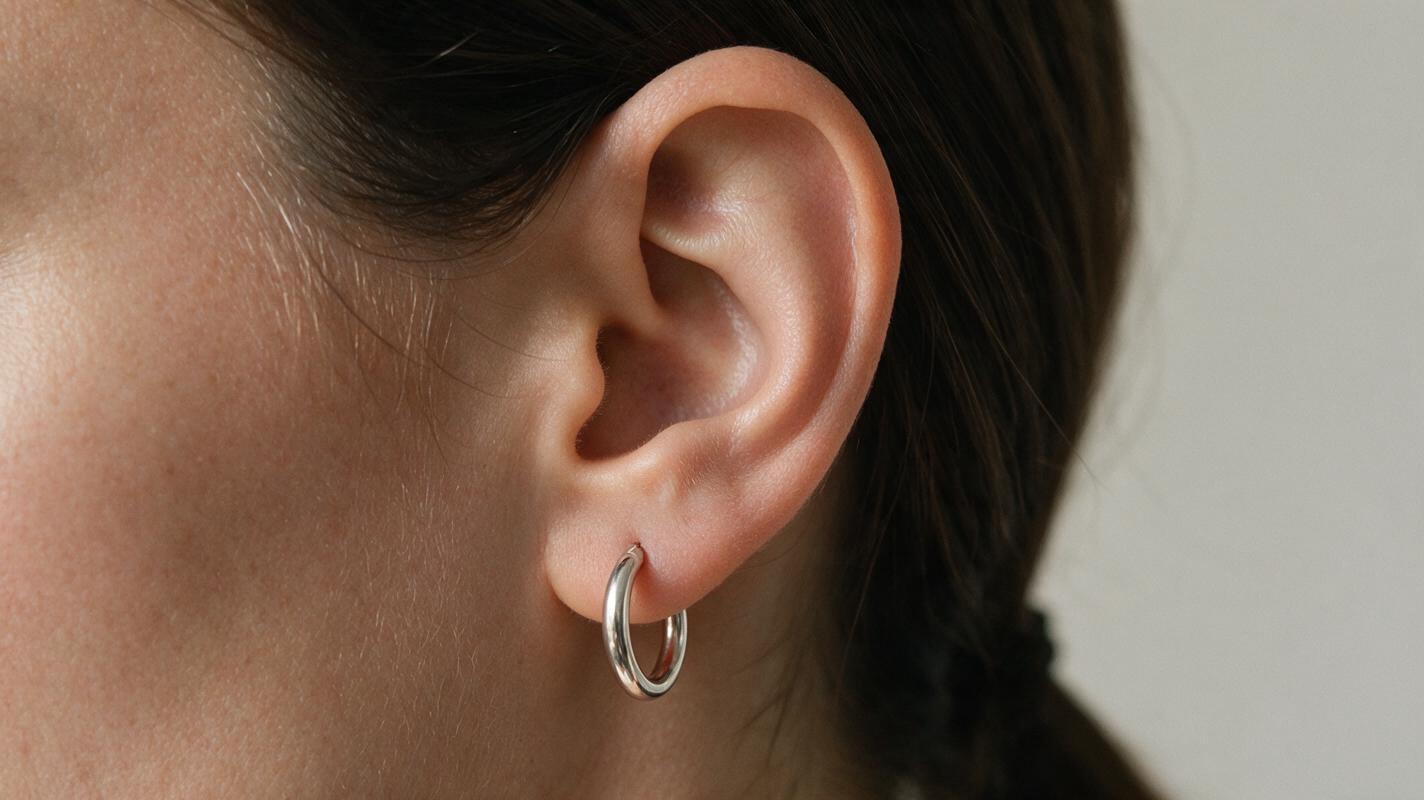
For hoops and drops, a genuine on-ear photograph answers a question a ruler cannot: how the earring sits and hangs. Use the actual product on a consenting wearer, photograph it in even light, and include a view that shows enough of the ear to provide context. If the listing offers multiple sizes, identify which size is worn in the photo.
Do not generate an ear wearing the product and present it as a fit reference. An AI try-on can subtly alter a hoop’s diameter, post position, drop length, or thickness. It can also depict a fastening the product does not have. When a worn photo is not practical, use the measured scale shot and a clear close-up of the fastening instead. Those images answer different buyer questions without pretending to show a fit you have not documented.
A useful test: Could a buyer use this image to infer a dimension or fit that you have not verified? If yes, photograph the evidence or remove that implication.
Let AI improve the setting, not the measurement
A styled photo can make a small pair easier to notice in the gallery. Use Seedream 4.5 through an ai image generator to make an empty jewelry-display setting, then place a photograph of the actual earrings into that scene. Keep the original scale-and-ruler image as a separate, minimally edited gallery image; the styled composite is for presentation, not measurement.
Generate a background that leaves room for the product and does not introduce other jewelry that could be mistaken for included items:
Photorealistic overhead jewelry photography background: warm ivory paper on a small matte stone surface, soft window light from the upper left, subtle natural shadows, generous empty space at the center for a pair of stud earrings. No earrings, no jewelry, no hands, no ruler, no text, no packaging, no logo.When compositing, match the source photo’s lighting direction and preserve the photographed edges, metal finish, stone color, and shape. Avoid adding a shadow that makes the earrings appear to float far above the surface. If the original photo has a ruler in it, do not paste the earring alone into a new setting and call the result a scale image: removing the ruler removes the evidence.
For a second look, change only the empty setting—perhaps from warm ivory to pale gray. Do not use separate generated versions of the earrings to represent the same SKU. Compare the final composite with the physical item before publishing, especially around prongs, clasps, and small stones.
Give each gallery image one clear job
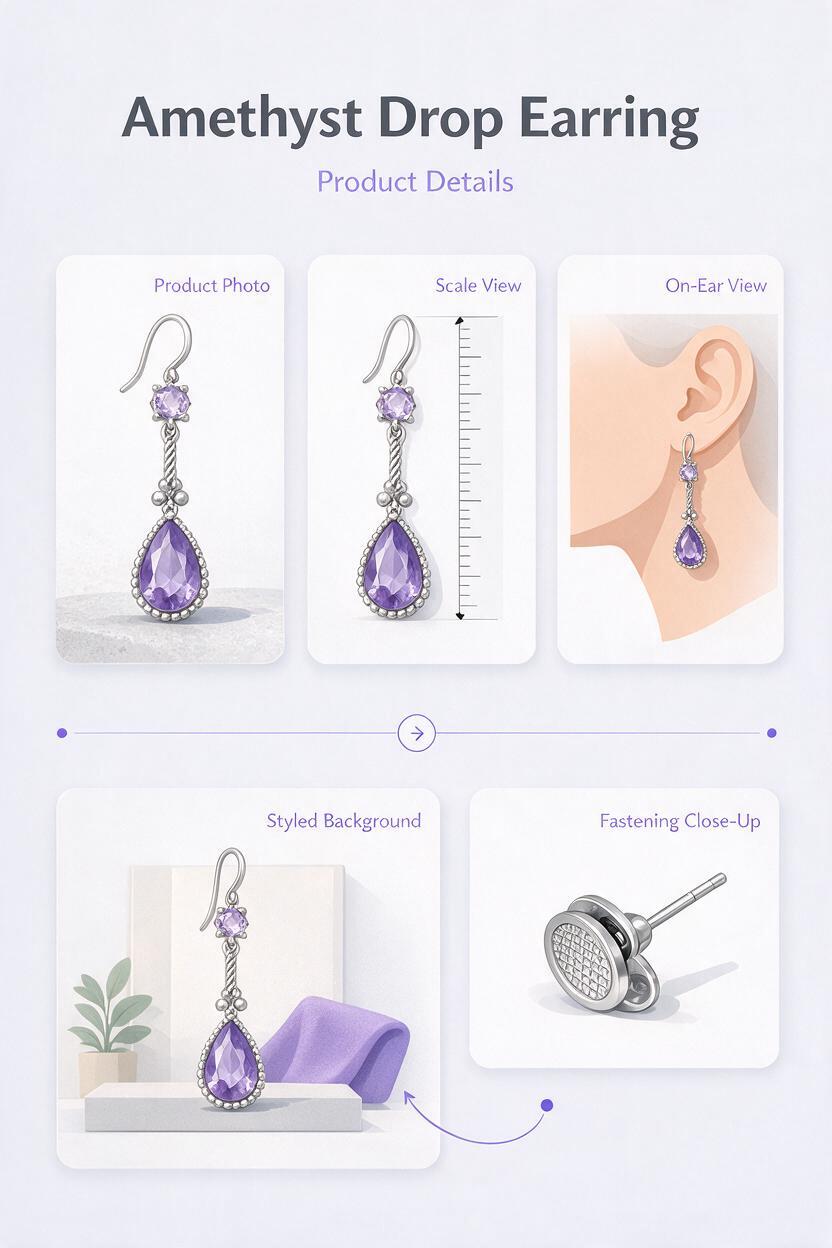
A compact gallery works better when the images answer distinct questions rather than repeating the same close crop:
| Image | Question it answers | What must stay verifiable |
|---|---|---|
| Clean product photograph | What does the pair look like? | Shape, finish, color, and included quantity |
| Real ruler photograph | How big is it? | Item and ruler photographed together without independent resizing |
| Real worn photograph, if available | How does it sit on an ear? | Actual product and identified size |
| Styled lifestyle composite | How might it look in a display setting? | Photographed product preserved; generated scene not used as scale evidence |
| Fastening close-up | How does it attach? | Actual post, back, clasp, or hook |
Add the same dimensions to the listing description using the same measurement terms. A photograph labeled “8 mm” is not enough if a shopper cannot tell whether that refers to the hoop’s inner diameter, outer diameter, or drop. Check that captions, variation names, and photographs all describe the same item.
Final checklist
- Measurements come from a finished product, with each dimension defined.
- The ruler and earring appear together in an unwarped source photograph.
- Any worn image shows the real item and identifies its size.
- AI-generated settings contain no invented product details or implied accessories.
- Gallery captions and listing measurements agree.
If you have a verified product photo ready, test this prompt yourself to build a supporting scene—then keep the real scale photograph in the gallery where buyers can find it.
Keywords
Etsy earring size photos, earring scale photography, Etsy jewelry listing images, AI jewelry photos, earring size guide, product lifestyle background