Fix Busy Event Photo Backgrounds for Instagram With Nano Banana Pro
A strong event photo can become a weak Instagram cover when signs, clutter, and bright objects compete with the subject. Learn how to use Nano Banana Pro to make the background quieter while keeping the real event intact, then add readable text and check the result before publishing.
Table of contents
Make an event photo readable at feed size
Your best event photo may have everything an Instagram recap needs—a recognizable speaker, a lively room, and genuine energy—except a clean place for the headline. A bright exit sign, crowded wall, or distracting object can pull attention away from the moment. Nano Banana Pro can help you create a quieter cover from an existing photo, but the goal is visual clarity, not a rewritten event.
This approach works for conference recaps, community events, workshops, and launch-day posts. Keep the original photograph as your record; treat the edited version as a clearly designed social cover.
Choose a photo that can survive a tighter composition
Start with a licensed or team-owned event photo whose main subject is already sharp and recognizable. Look for space beside or above the subject where a short headline could sit. If a crop alone removes the distraction, use the crop. Generative editing is most useful when the distracting area sits too close to the subject to cut away.
Decide what must remain true before you edit:
- People: Preserve faces, clothing, expressions, and the number of visible attendees.
- Event evidence: Keep meaningful signage, sponsor marks, products, and presentation screens accurate—or leave them out of the cover rather than inventing replacements.
- Scene: Maintain the venue's recognizable features and plausible lighting.
A candidate with an unobstructed subject against a cluttered but unimportant side wall is safer to edit than one where the distraction crosses a face, logo, or stage screen.
Ask for a quieter wall, not a different event
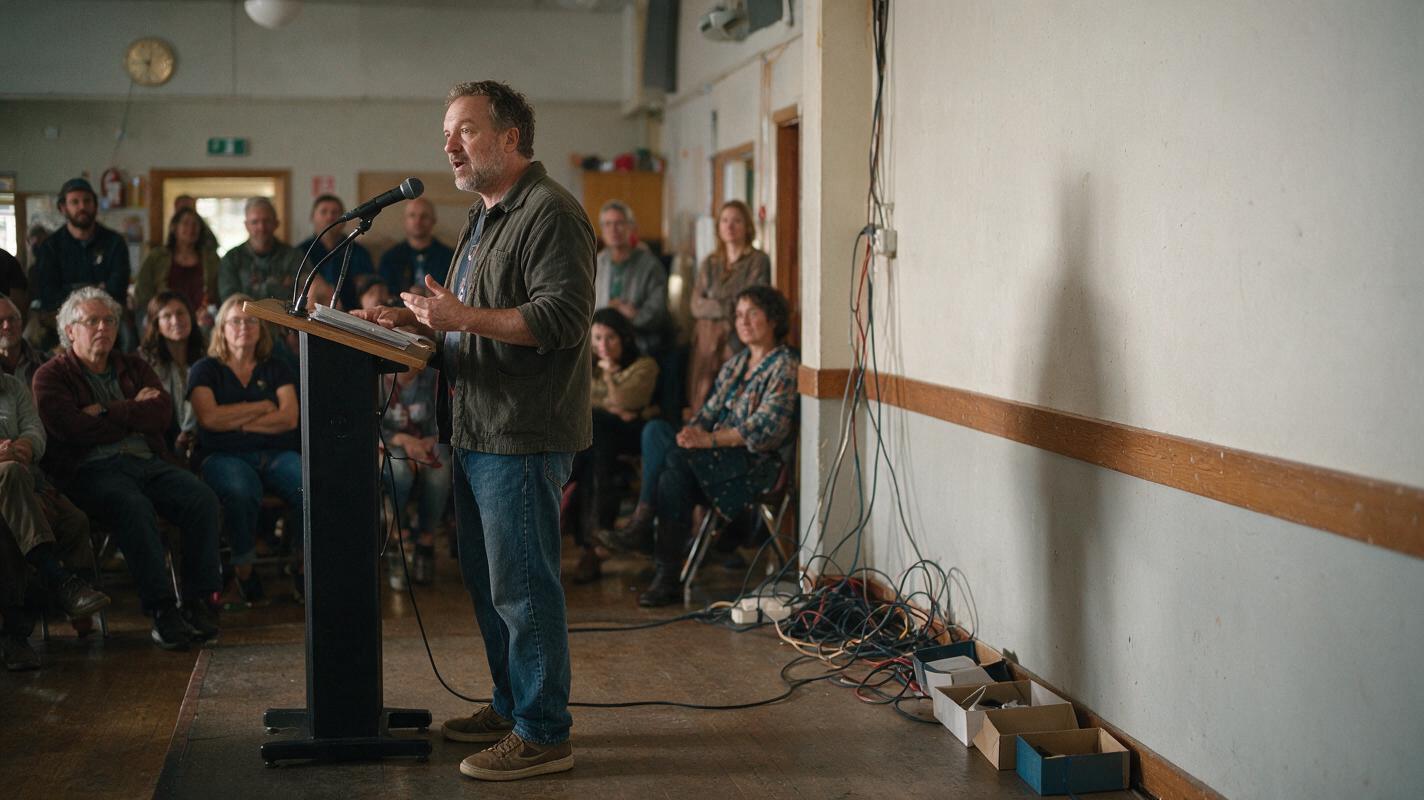
Upload the source photo for image editing and describe the smallest useful change. In the example below, the event is real, but a cluster of loose cables and empty boxes along a side wall distracts from the speaker. The prompt confines the edit to that area.
Edit the uploaded event photograph for an Instagram recap cover. Preserve every person exactly as photographed, including faces, clothing, positions, and expressions. Preserve the stage, audience, lighting, and all readable event signage. In the empty side-wall area to the right of the speaker, remove only the loose cables and empty storage boxes. Continue the existing wall texture and shadows naturally. Do not add people, products, decorations, logos, or text. Keep the photograph realistic and leave calm space in the upper-right area for a headline to be added later.Why this prompt is narrow: It names the editable region, names what cannot change, and asks for empty space rather than AI-generated lettering. If the result alters a person or an important sign, discard it and retry with a smaller edit area. Test this prompt yourself with a photo your team has permission to use.
Match the edit to the kind of distraction
Not every busy background needs object removal. Use the least invasive request that makes the cover legible.
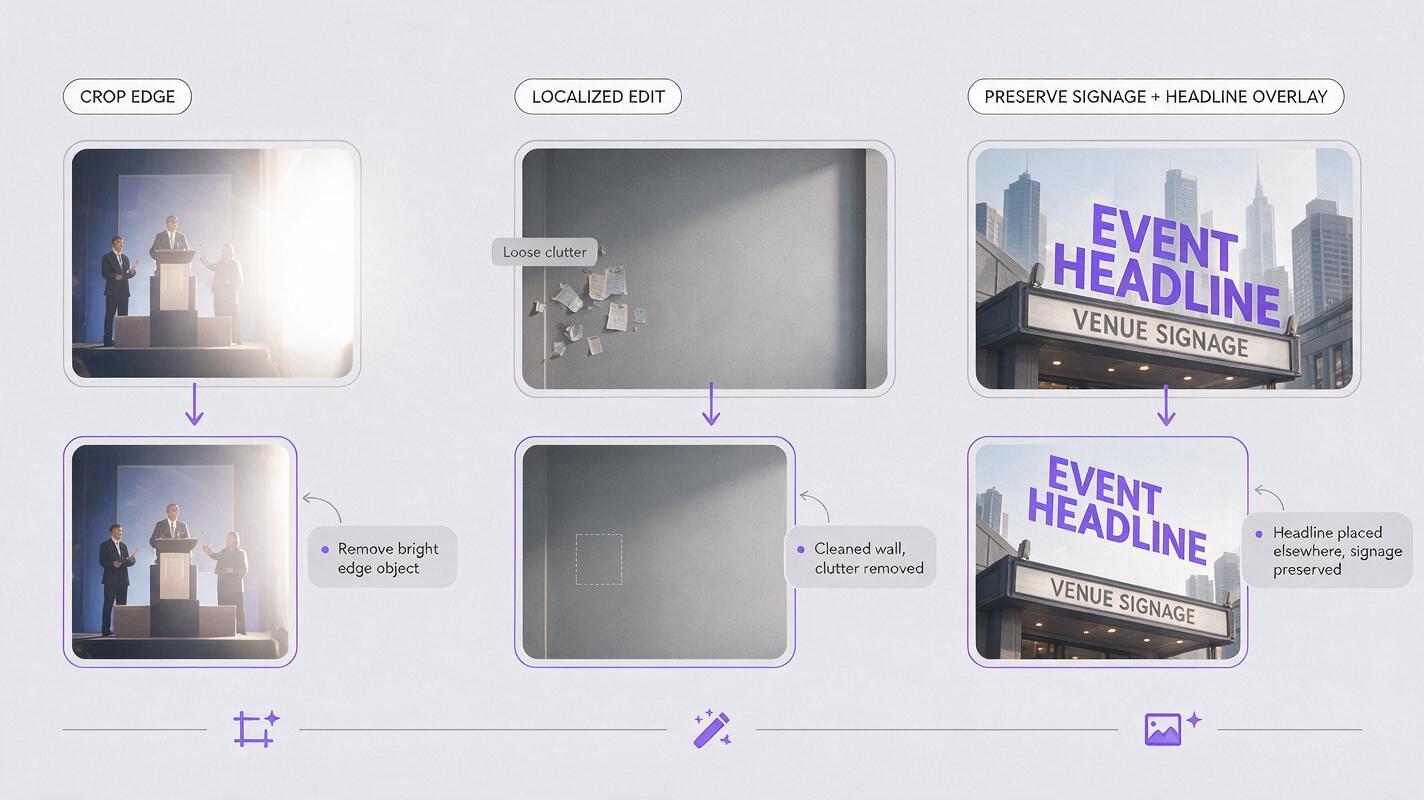
| Problem in the source photo | Better request | Check before approval |
|---|---|---|
| Bright object at the edge | Crop first; remove it only if cropping harms the composition | Does the result still show the real venue? |
| Clutter on an empty wall or table | Remove specified clutter and reconstruct only that surface | Are edges, shadows, and reflections believable? |
| Busy but important signage | Move the headline elsewhere or add a designed overlay | Is the sign unchanged and readable where necessary? |
| Other attendees behind the subject | Adjust the crop or use conventional blur where appropriate | Has the cover avoided changing who was present? |
For a workshop photo with a patterned wall but no removable objects, try a more restrained variation:
Use the uploaded workshop photograph as the source. Keep all people, furniture, objects, and venue details in their original places. Make the empty wall area behind the headline position less visually dominant through subtle, realistic tonal simplification only. Do not erase attendees, change signage, invent a new wall, or add text. Preserve natural camera texture and event lighting.If that still produces conspicuous artifacts, stop generating. A semi-opaque headline panel added in your design tool is often cleaner than further changes to the photo.
Build the cover outside the photograph
Once the image is acceptable, add the headline, date, or series label in a design editor rather than asking the model to render final copy. This keeps spelling, typography, and brand treatment under your control. Use a short headline that identifies the event or takeaway without covering the speaker's face.
Inspect the composition at the sizes your audience will actually see. A headline that looks comfortable on a desktop canvas may collide with a face or disappear against the background on a phone. Check both the full post and any cropped grid preview you plan to use. Keep essential words well inside the edges, and move the text block if a preview crop cuts it off.
A useful cover should pass two quick tests: the main subject is recognizable without zooming, and the headline is readable without studying the image.
Compare the result with the source before posting
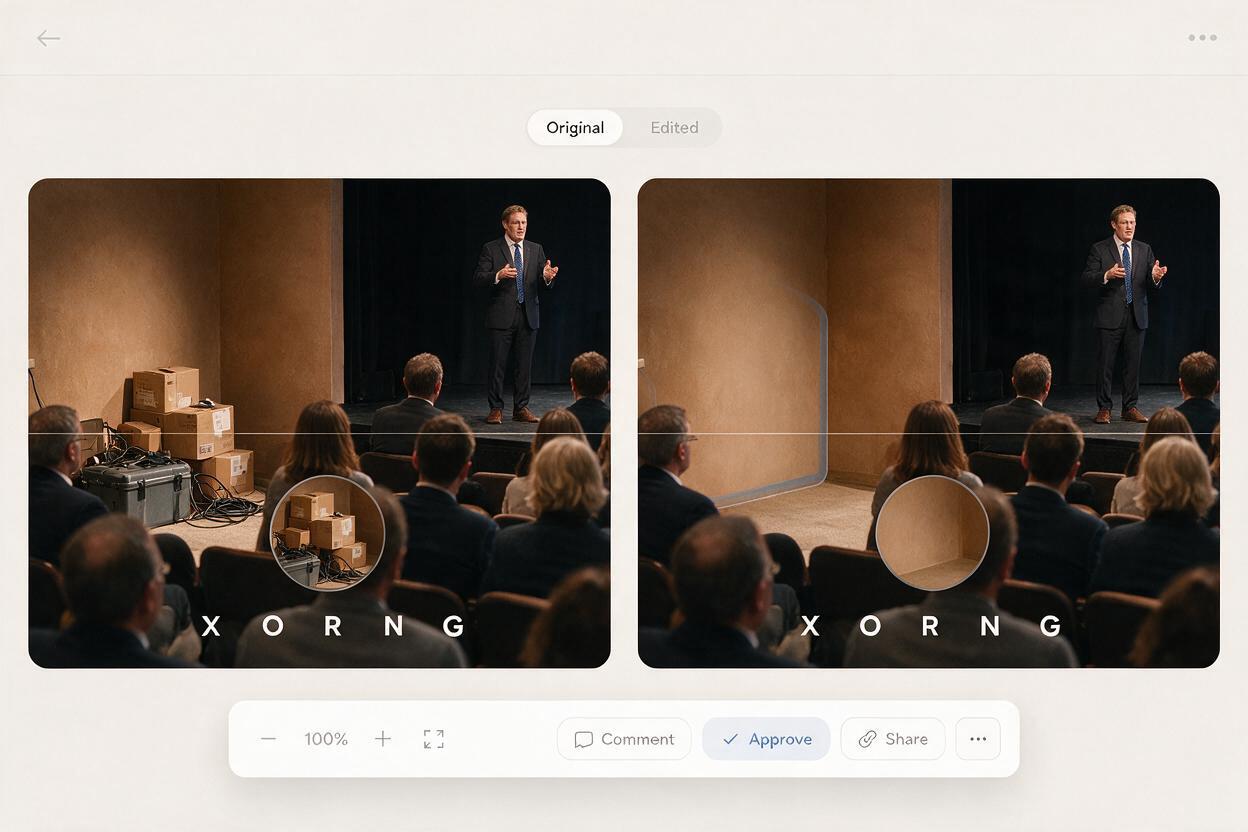
Place the original and edited photo side by side at the same size. Scan the image in a fixed order: faces and hands, event signage, clothing and products, room geometry, then the edited background. This makes subtle changes easier to catch than a general impression that the result “looks fine.”
Watch for repeated wall patterns, smeared edges around hair, altered audience members, or reflections that no longer match the room. If a correction requires repeated large-area regeneration, return to the original and choose a simpler crop or overlay instead.
For event recaps, accuracy is part of the design brief. Do not remove people to imply lower attendance, add people to imply a bigger crowd, or erase safety-related details. Check your organization's disclosure and editorial rules if a substantially edited cover accompanies documentary photos from the event.
Final checklist
- The team has permission to use the source photograph.
- The edit is limited to a nonessential background area.
- People, products, signage, and event details still match the source.
- The headline was added and proofread outside the generated image.
- The cover reads clearly at phone size and in the intended preview crop.
- The original and edited versions are saved for review.
Keywords
Instagram event photos, event recap cover, Nano Banana Pro, busy photo background, social image editing, Instagram cover design