Why AI Character Motion Looks Floaty—and How to Fix It in Hailuo
Floaty AI character motion usually comes from missing contact, vague timing, and excessive camera movement—not simply a weak prompt. This guide shows motion designers how to structure Hailuo shots around readable poses, weight transfer, impact, and recovery.
Table of contents
Fix the physics before adding more detail
When an AI character glides, drifts, or moves without weight, adding words such as “dynamic” and “cinematic” usually makes the problem worse. The shot needs clearer motion beats: where the character starts, what initiates the action, when contact occurs, and how the body recovers. Hailuo can animate a designed character image effectively, but it still needs a prompt that describes visible changes over time rather than a general mood.
This troubleshooting workflow is designed for short stylized shots: a character landing, pushing an object, turning sharply, lifting a prop, or reacting to an impact. It keeps the visual design intact while making the movement feel intentional enough to refine in a compositor or editing timeline.
Read the motion failure before changing the prompt
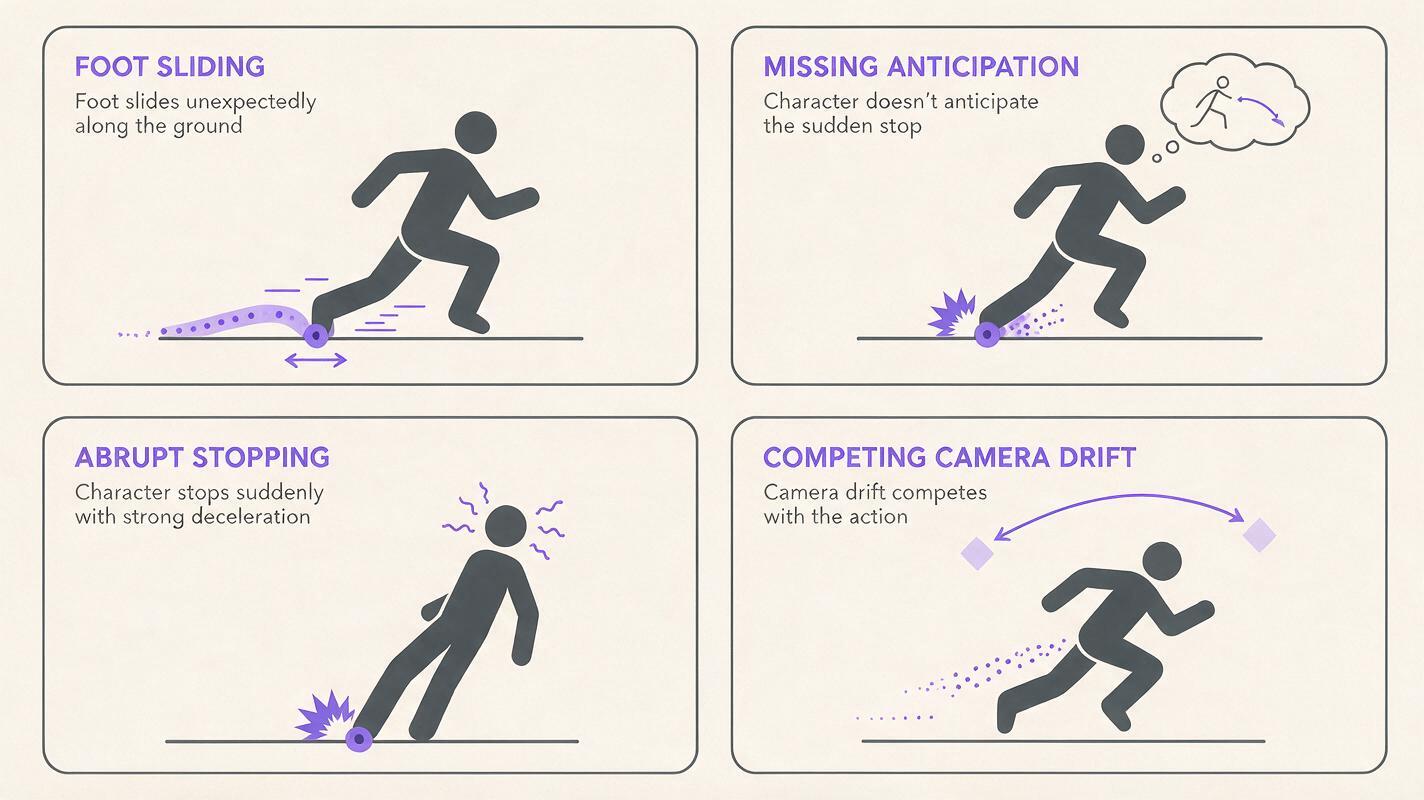
“Floaty” is a useful reaction, but it is not a precise diagnosis. Watch the generated clip without sound and identify the first frame where the movement stops feeling believable. Most failures belong to one of four categories.
| Visible problem | Likely cause | Better prompt direction |
|---|---|---|
| The feet slide while the body moves | No planted contact point | Specify which foot stays fixed and when it releases |
| The action starts at full speed | No anticipation | Add a brief crouch, lean, recoil, or wind-up |
| The character stops abruptly | No follow-through or recovery | Describe overshoot, settling, and a held final pose |
| The whole frame drifts | Camera motion is competing with body motion | Lock the camera until the character action works |
Also separate an animation problem from a source-image problem. If both feet are hidden, the hips are cropped, or the pose has no clear line of action, the model has insufficient visual information for a grounded performance. Correct the artwork before spending more generations on prompt variations.
Useful test: pause on the anticipated pose, the contact pose, and the final pose. If those three frames do not read as distinct silhouettes, the action probably needs stronger staging.
Choose a source image that can carry weight
For an image to video shot, start with a character pose that clearly establishes balance. The viewer should be able to infer which leg supports the body, where the center of mass sits, and which direction the next action will travel.
- Show the feet and the surface beneath them whenever ground contact matters.
- Leave visible space in front of the character for a jump, turn, push, or reach.
- Avoid crossed limbs when each arm or leg must perform a different action.
- Use a simple background with strong separation around the silhouette.
- Remove text, interface graphics, and decorative lines that must remain perfectly rigid.
A neutral standing pose is not always the best starting point. A slightly compressed pose—bent knees, lowered hips, shoulders preparing to move—already contains anticipation. This gives Hailuo a more useful physical state than a symmetrical character waiting motionlessly in the center of the frame.
Write motion as beats, not adjectives
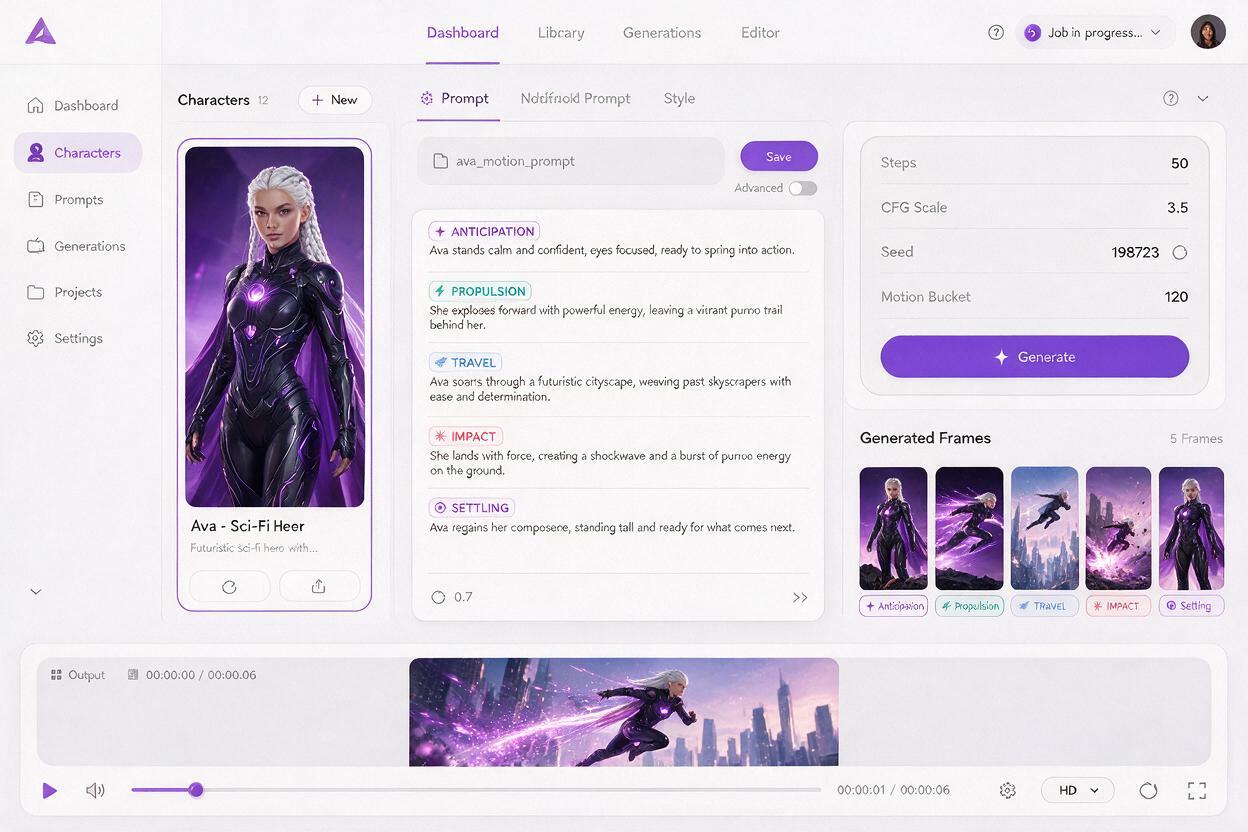
A reliable prompt describes a small sequence of observable events. Start with the initiating body part, continue through the main contact or acceleration, and finish with recovery. Keep style language secondary.
Locked camera. The character shifts weight onto the left foot and briefly crouches. The right foot pushes firmly against the ground. The body accelerates sideways, the coat and hair trail behind, then the character lands on the right foot. The knees compress on impact, the torso overshoots slightly, and the character settles into a stable final pose. Preserve the face, costume, proportions, and flat illustrated linework.This prompt gives the model a temporal structure: preparation, propulsion, travel, impact, and settling. It also names the planted and landing feet, which reduces ambiguous lower-body motion.
Contrast it with a weak version:
The character makes a powerful dynamic leap with epic cinematic motion, dramatic energy, and smooth animation.The weak prompt communicates intensity but not mechanics. “Smooth” can even encourage continuous drifting because it does not define where acceleration ends or contact begins.
Keep each test focused on one primary action. A leap, camera orbit, costume transformation, facial performance, and explosion in the same generation create too many competing changes. Once the body motion works, add secondary movement selectively. You can test this prompt yourself with the original illustration and compare the contact frames rather than judging only the overall spectacle.
Build contact and recovery into the shot
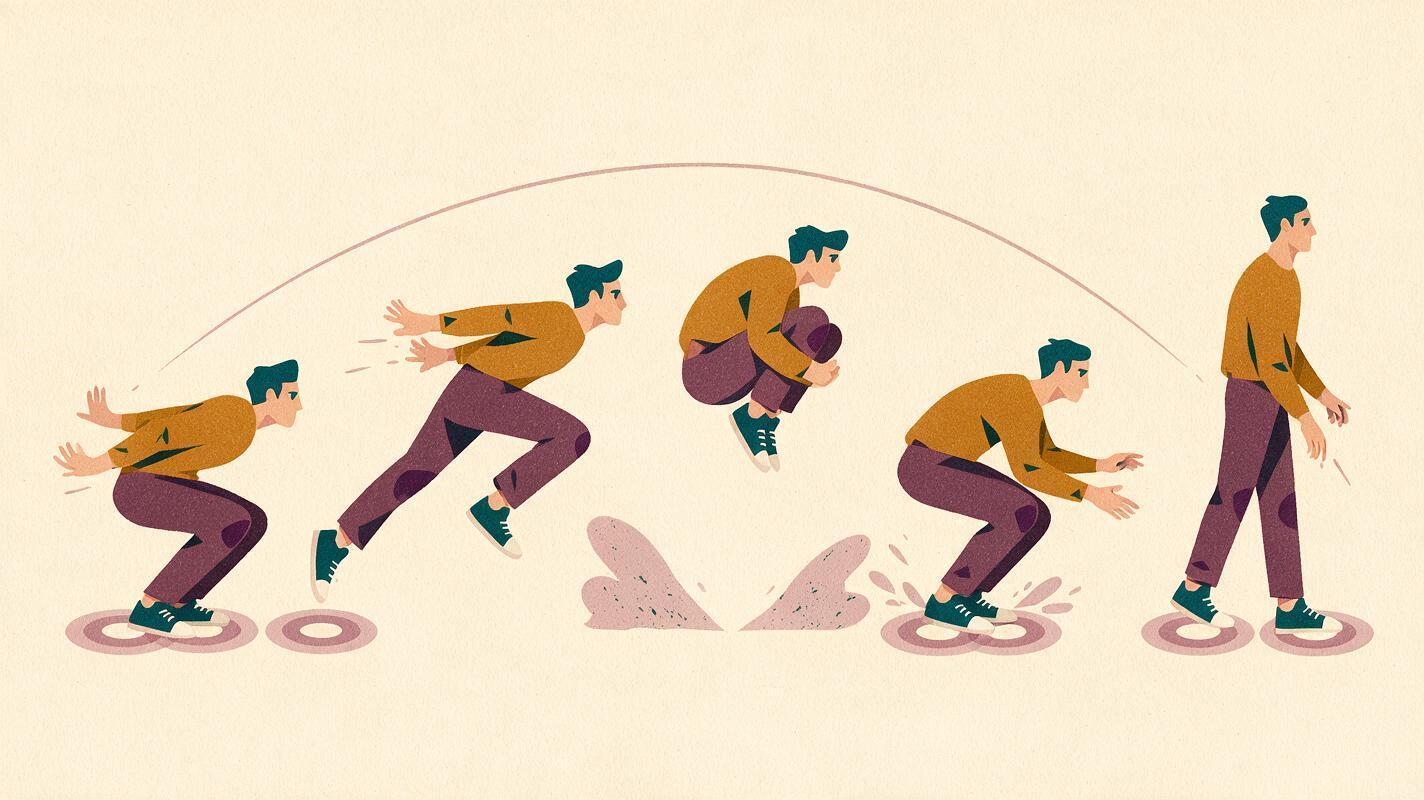
Weight becomes visible at moments of resistance. A foot presses against the ground. A hand meets a wall. A heavy box delays before moving. A landing compresses the legs. Without these events, a character can travel through space while appearing untouched by gravity or momentum.
For jumps and landings
- Include a short downward compression before takeoff.
- Name the leg that pushes from the floor.
- Describe knee compression at landing.
- End with a stable held pose instead of continuous movement.
For pushes and pulls
- State where the hands make contact with the object.
- Add a delay before the object begins moving.
- Describe the torso leaning against the resistance.
- Let the body recover when the object stops or releases.
For hits and reactions
- Separate the incoming action from the reaction.
- Make the head, shoulders, and torso react at slightly different moments.
- Add a brief overshoot before the character regains balance.
- Avoid prolonged shaking unless it is a deliberate graphic effect.
The final recovery is especially important for motion graphics. A settled pose gives the editor a clean place to cut, add typography, transition to another layout, or freeze the character for a graphic hold.
Lock the camera while testing body mechanics
Camera movement can disguise whether the character is actually moving well. A push-in may make a static pose feel active, while an orbit can introduce apparent sliding and unstable proportions. Begin with “locked camera,” “fixed framing,” or “no camera movement” and judge the body mechanics on their own.
Once the action reads clearly, test a restrained camera instruction:
Subtle camera push during the anticipation, stopping before the landing. No orbit, no handheld shake, no reframing. Keep the character fully visible.Attach camera motion to a specific beat rather than requesting generic cinematic movement. For example, a brief push during anticipation can build tension, while stopping before impact lets the landing remain readable. If the character begins sliding again, return to the locked-camera version and add the camera move later in editing.
Protect stylized character design from motion drift
Strong motion can deform flat illustration, graphic anatomy, and costume details. Prompt preservation explicitly, but do not bury the action beneath a long list of restrictions. Put the physical action first and the design constraints last.
Preserve the original face shape, eye spacing, hairstyle, costume colors, body proportions, outline thickness, and two-dimensional illustration style. No new accessories, no costume changes, no extra limbs.Inspect identity at the frames with the greatest deformation: the deepest crouch, fastest turn, widest arm extension, and strongest impact. A character may look consistent at the beginning and end while drifting badly in the middle.
If one limb repeatedly breaks, simplify the task. Generate the torso and weight shift first with restrained arms, then create a separate shot for the complex gesture. Two readable cuts are often more useful than one ambitious clip with unstable anatomy.
Use short generations as motion studies
Treat early outputs as animation tests rather than finished shots. Generate small prompt variations that change one variable at a time:
- Timing: brief anticipation versus prolonged anticipation.
- Force: gentle push versus heavy resisted push.
- Contact: left foot planted versus right foot planted.
- Recovery: quick settle versus visible overshoot.
- Camera: locked frame versus subtle push-in.
Compare the same key moments across every version. Select the clip with the clearest weight transfer, not necessarily the version with the most detail or movement. Motion designers can then retime the strongest section, add a deliberate hold, or combine separate anticipation and impact clips in the edit.
Final checklist
- The source image shows the contact points required by the action.
- The prompt names an anticipation, main action, contact, and recovery.
- At least one foot or hand has a clearly defined planted moment.
- The camera remains locked during the first body-motion tests.
- Secondary motion follows the body instead of leading it.
- The final pose settles long enough to create a usable edit point.
- Character identity is checked during peak deformation, not only at the endpoints.
- Each new generation changes only one major variable.
Keywords
Hailuo, AI character motion, image to video, motion graphics, animation prompts, character animation, reference motion