Why Listing Photo Animations Warp Walls—and How to Fix It With Hailuo
Warped walls, bending windows, and expanding furniture can make an animated listing photo unusable. This guide explains why architectural drift happens and shows real estate marketers how to produce more stable Hailuo animations with better source images, restrained camera motion, preservation-focused prompts, and practical quality checks.
Table of contents
Keep the Property Still While the Camera Moves
Listing photo animation fails when the house appears to move with the camera. Walls bow, window frames bend, furniture stretches, and doorways change size. These defects are especially noticeable in real estate because viewers already understand how rooms and buildings should behave.
The solution is not simply to request more realism. Stable animation starts with a suitable listing image, a restrained motion concept, and a prompt that separates camera movement from property movement. This guide uses Hailuo as the working model, but the preservation principles apply broadly to reference-based property animation.
The safest rule is simple: animate the viewpoint, light, or environmental details—not the architecture.
Why Architectural Drift Appears
Image-based video models must infer depth and unseen information from one flat frame. A photograph does not reveal exactly what sits behind a sofa, around a corner, or outside the crop. When the requested camera move exposes too much hidden space, the model has to invent it.
Several conditions make that invention more likely:
- Large lateral moves: A dramatic orbit demands new side surfaces that are absent from the source.
- Wide-angle distortion: Strongly converging lines already make the room geometry difficult to interpret.
- Busy foreground objects: Chairs, plants, railings, and chandeliers can merge with the background as perspective changes.
- Conflicting motion instructions: Requests such as “fast dolly, sweeping pan, cinematic orbit” compete for control.
- Long generation duration: Small errors can compound as the clip moves farther from its starting frame.
- Vague realism language: “Make it cinematic” does not tell the model which physical details must remain fixed.
For a listing, the objective is not maximum motion. It is the strongest motion the source image can support without materially changing the property.
Choose a Source Image That Can Survive Motion
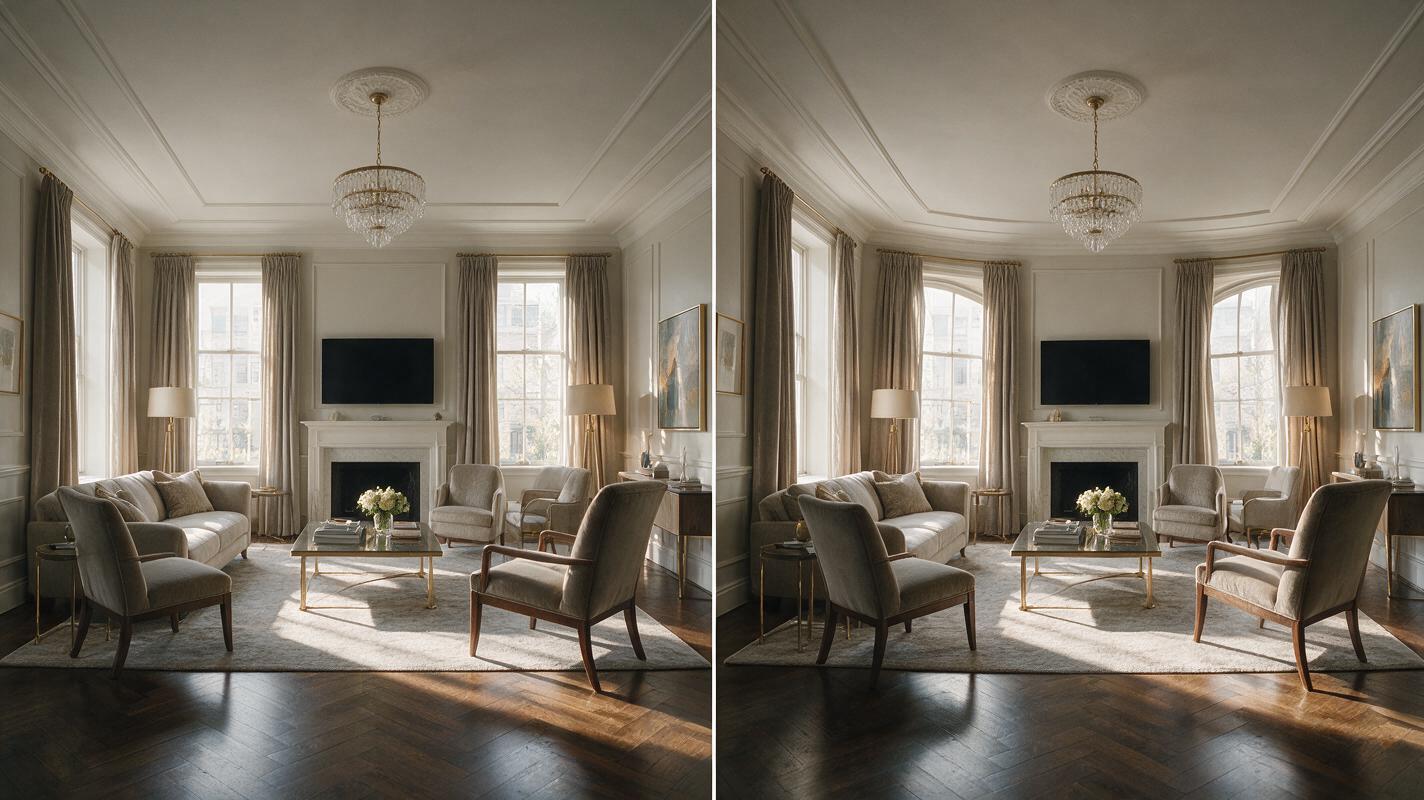
Start with a high-resolution photograph that has clear edges, balanced exposure, and limited lens distortion. Rooms photographed from a stable central or corner position usually provide stronger geometric cues than extreme wide-angle compositions.
A good animation candidate typically has:
- straight, visible wall and window edges;
- no duplicated or heavily blurred objects;
- enough space around important architectural features;
- consistent lighting across the frame;
- minimal obstruction in the immediate foreground;
- a composition that already feels complete without revealing off-frame space.
Avoid starting with an image that needs major retouching. Crooked verticals, stitched panorama artifacts, aggressive HDR halos, or an incorrect sky can become more obvious once motion is introduced. Correct those defects in the still image before attempting image to video.
Match the motion to the composition
| Source composition | Safer motion | Motion to avoid |
|---|---|---|
| Centered exterior elevation | Slow forward push | Wide orbit around the building |
| Corner view of a living room | Subtle diagonal dolly | Fast sideways truck |
| Kitchen facing an island | Gentle push toward the island | Crane move over the counter |
| Bedroom with foreground furniture | Very slow zoom or micro-dolly | Deep parallax around the bed |
| Pool and landscaped terrace | Locked camera with water and foliage motion | Rapid fly-through toward the house |
Write a Preservation-First Hailuo Prompt
An effective property-animation prompt gives the model a single camera action, a restrained speed, and explicit preservation constraints. Describe the visible scene rather than asking the model to redesign it.
Use this structure:
[single camera movement], [slow speed], preserve the exact architecture and composition, keep [critical features] rigid and unchanged, [subtle environmental motion], realistic natural light, stable straight lines, no new objects, no structural transformationFor a contemporary living room, a complete prompt could be:
Slow controlled camera push into the contemporary living room, subtle natural parallax only. Preserve the exact room layout, wall geometry, ceiling height, window dimensions, fireplace, flooring, furniture placement, and exterior view. Keep all vertical and horizontal architectural lines straight and rigid. Gentle curtain movement and soft daylight variation only. Photorealistic property footage, stable perspective, no new objects, no redesign, no structural transformation.This prompt does not guarantee perfect geometry, but it gives Hailuo a clearer hierarchy: the camera may move, minor environmental elements may move, and the property itself must remain fixed.
Exterior prompt for a restrained approach shot
Very slow forward camera approach toward the front elevation. Preserve the exact roofline, facade materials, window count, door placement, driveway edges, landscaping layout, and building proportions from the reference image. Only subtle leaf movement in a light breeze. Stable architectural geometry, realistic daylight, straight vertical lines, no added structures, no changing windows, no morphing surfaces.Poolside prompt with a locked camera
Locked-off luxury property shot with no camera translation. Preserve the house, terrace, pool dimensions, furniture, railings, and landscaping exactly as shown. Add only gentle water ripples, faint reflections, and minimal foliage movement. Natural late-afternoon light, photorealistic materials, stable edges, no object movement, no architectural changes.The locked-camera version is often the best rescue option for a difficult image. Environmental motion can create a living scene without forcing the model to reconstruct hidden architecture.
Reduce Motion Before Rewriting Everything
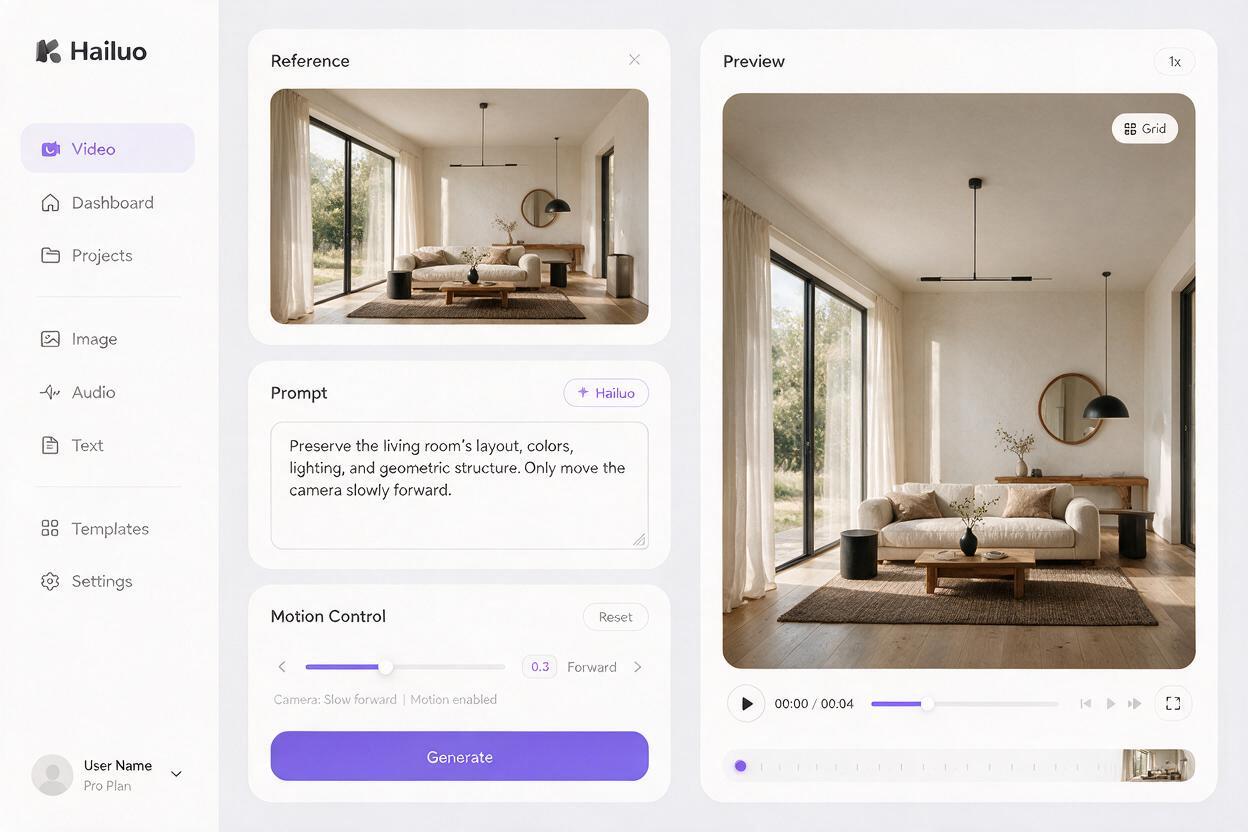
When the first result bends walls or stretches objects, reduce the motion demand before adding a long list of negative instructions. Excessive prompting cannot compensate for a move that requires unavailable visual information.
Apply these corrections in order within your working process:
- Replace an orbit with a forward push.
- Replace a lateral truck with a subtle digital dolly.
- Reduce perceived camera speed.
- Shorten the usable clip and cut before drift becomes visible.
- Remove secondary movements such as tilt, crane, or rotation.
- Lock the camera and animate only water, curtains, fire, clouds, or foliage.
Change one variable at a time. If the prompt, source crop, camera direction, and motion intensity all change together, you will not know which adjustment improved the result.
Troubleshoot the Defect You Actually See
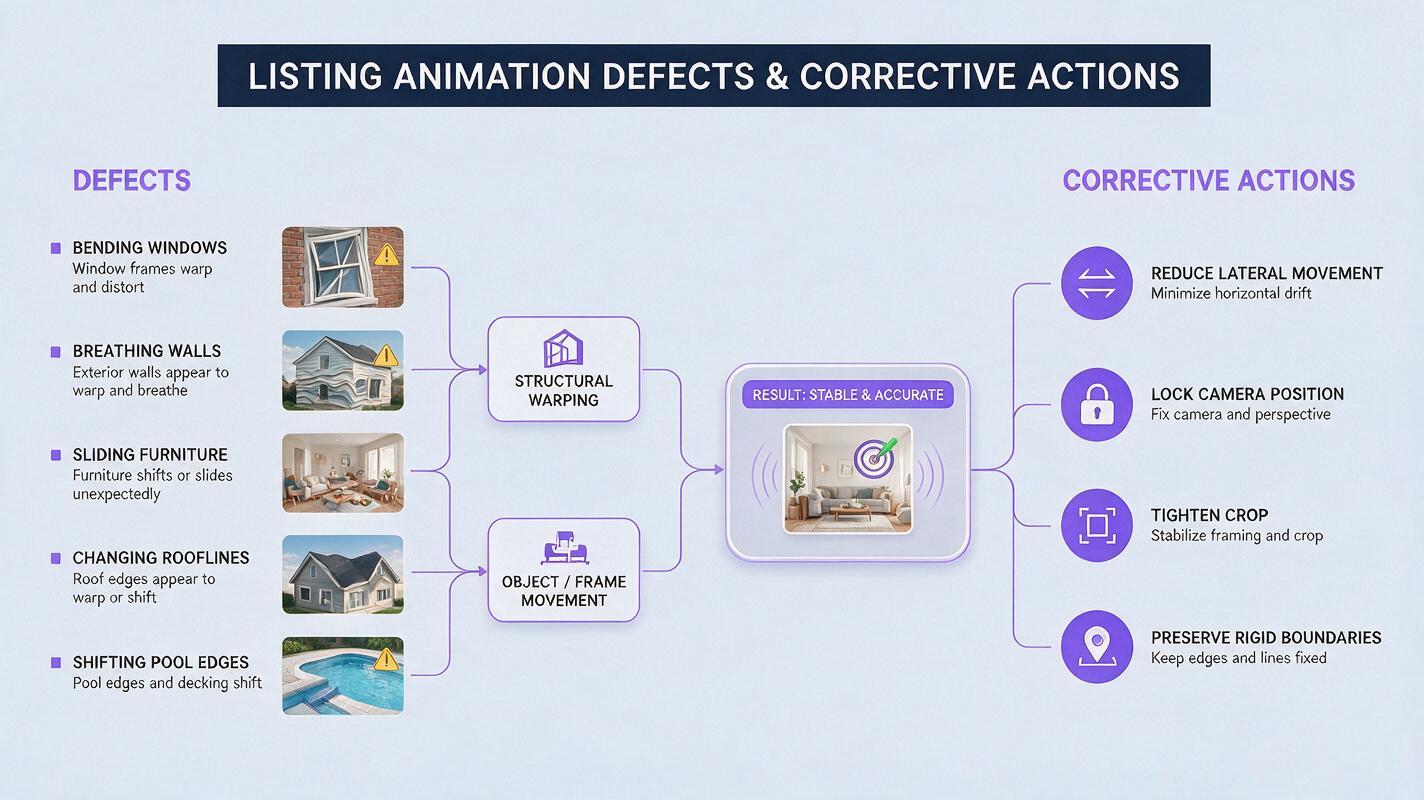
| Visible defect | Likely cause | Prompt or workflow correction |
|---|---|---|
| Window frames bend | Too much perspective change | Use a slower forward push and name the window dimensions as fixed |
| Walls appear to breathe | Architecture interpreted as animated content | Add “rigid stationary walls” and remove broad motion language |
| Furniture grows or slides | Foreground parallax is too strong | Reduce lateral movement or use a tighter crop |
| New doors or windows appear | The move reveals unseen surfaces | Keep the viewpoint near the original axis |
| Roofline melts against the sky | Weak edge contrast or excessive camera motion | Improve the source edge and request a locked or near-locked shot |
| Pool shape changes | Water animation affects the boundary | Specify that only the water surface moves and pool edges remain fixed |
Do not hide a structural defect with speed ramps, heavy transitions, or oversized captions. If a window changes shape for even a few frames, regenerate the shot or cut around the defect. Marketing polish does not make inaccurate property representation acceptable.
Inspect the Clip Like a Listing Photographer
Watch the generated clip once at normal speed for overall impact, then inspect it frame by frame. Compare the beginning, middle, and end against the source photograph.
Pay particular attention to:
- window count, shape, and spacing;
- door positions and opening widths;
- ceiling lines, beams, and recessed lights;
- cabinet edges and countertop thickness;
- stairs, railings, balconies, and fences;
- rooflines and exterior material boundaries;
- fixed appliances, fireplaces, and built-ins;
- views through windows and glass doors.
Also check for smaller temporal artifacts: flickering fixtures, pulsing reflections, crawling textures, duplicated plants, or shadows moving without a physical cause. A clip may preserve the floor plan while still looking synthetic because its materials change from frame to frame.
If the generated motion could make a viewer misunderstand a permanent property feature, the clip is not ready for listing use.
Build a Stable Sequence From Short Clips
A polished property reel does not need one continuous artificial camera move. Several conservative clips usually look more credible than a single ambitious fly-through.
For example, a stable sequence might include:
- a slow exterior push toward the entrance;
- a locked living-room shot with minimal curtain movement;
- a gentle kitchen push focused on the island;
- a static terrace shot with foliage and water motion;
- a closing exterior frame with subtle cloud movement.
Keep each shot visually distinct, but use similar motion speed and color treatment so the edit feels intentional. Straight cuts or restrained dissolves are generally easier to trust than transitions that attempt to invent movement between unrelated rooms.
When your source image and preservation prompt are ready, test this prompt yourself. Generate a few restrained variations, select the version with the best architectural stability, and discard any clip that alters a fixed feature.
Final Checklist
- Use a sharp source image with straight architectural lines.
- Choose one modest camera movement per generation.
- Name the property features that must remain unchanged.
- Prefer a forward push over a wide orbit or lateral sweep.
- Use environmental motion when the architecture cannot support parallax.
- Compare the first, middle, and final frames with the source photo.
- Reject clips with altered windows, doors, walls, roofs, or built-ins.
- Label or disclose AI-generated visual content when required by the platform, market, or brokerage policy.
Keywords
listing photo animation, Hailuo, architectural drift, image to video, real estate video, property marketing, AI video prompts