Nano Banana Pro Prompts for Realistic Foundation Shade Match Images
Create foundation shade match images that preserve real skin texture, undertone differences, and consistent lighting instead of producing flat, mask-like coverage. These reference-led Nano Banana Pro prompts cover face swatches, jawline comparisons, shade-range grids, and troubleshooting for beauty campaign assets.
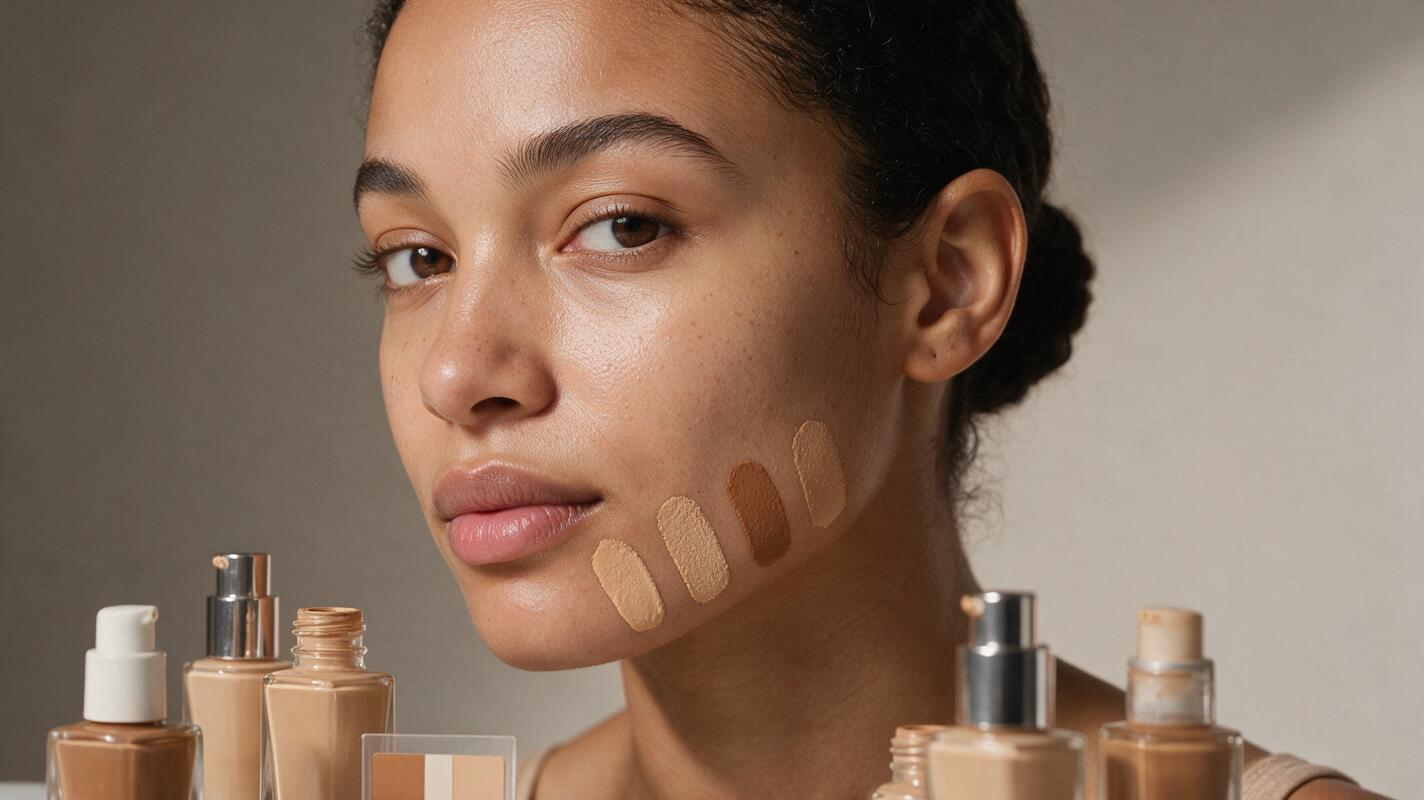
Table of contents
Foundation shade visuals that still look like real skin
A useful foundation shade image must show three things clearly: the model’s natural skin, the product’s actual undertone, and the transition between them. If AI removes pores, changes the face, or gives every shade the same beige cast, the result cannot help shoppers compare products.
The most reliable method is reference-led editing rather than generating an unfamiliar face from scratch. Start with a clean portrait, separate product references, and explicit instructions about where coverage should appear. Use nano banana pro to create controlled variations while repeatedly checking identity, skin texture, and shade separation.
Important: AI shade visuals should be treated as creative campaign assets or concept images unless they have been checked against photographed product samples under controlled lighting. Do not present an unverified generated shade as an exact consumer match.
Build a reference set that controls the variables
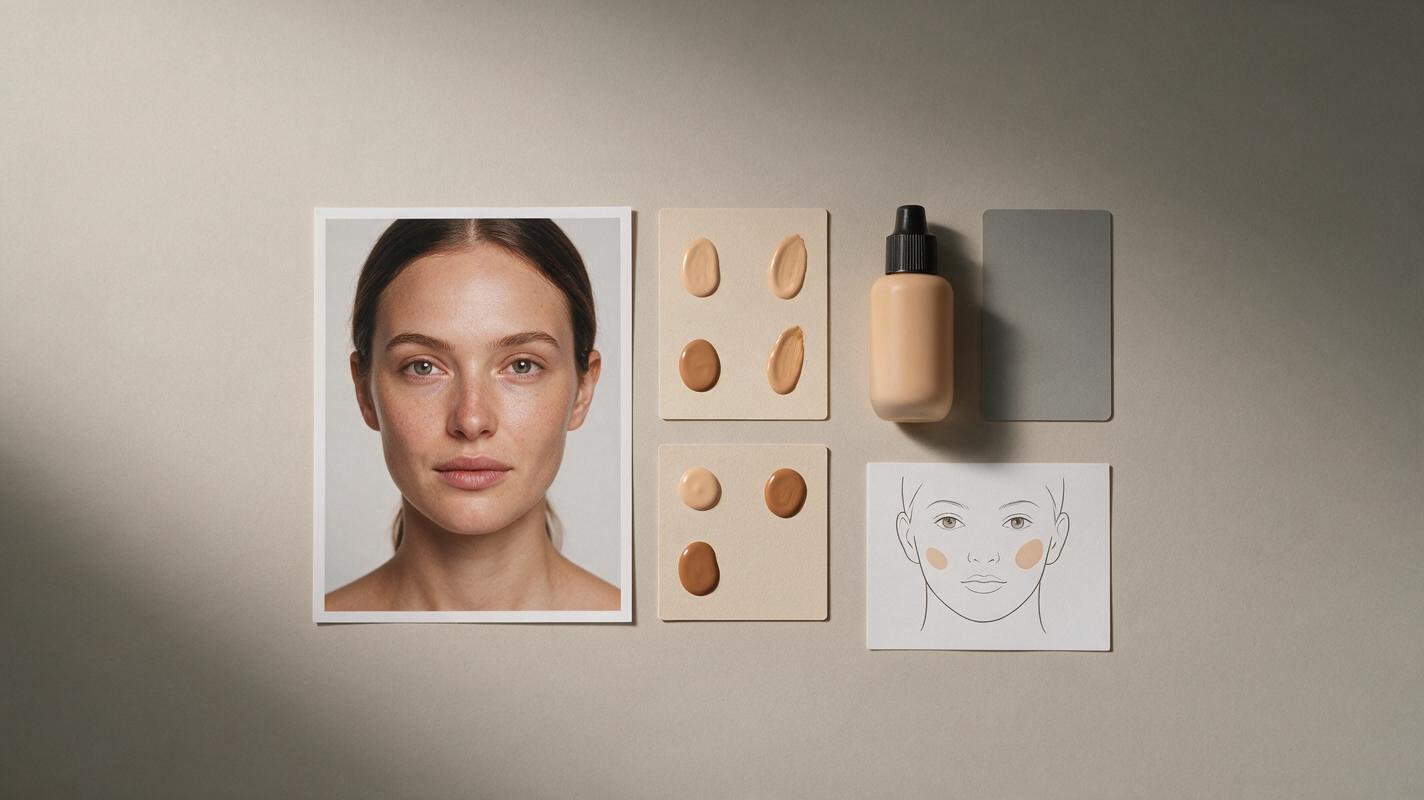
A single bottle photo does not contain enough information to define a foundation shade. Reflections, tinted glass, screen calibration, and studio lighting can all make the visible package color differ from the formula. Assemble a compact reference set before writing the prompt:
- Identity reference: a sharp, front or three-quarter portrait with minimal retouching and visible skin texture.
- Bare-skin reference: the model under neutral, diffused light without foundation, bronzer, or a strong color grade.
- Formula reference: a photographed swipe or dot of the actual foundation on a neutral surface.
- Packaging reference: a front-facing packshot for bottle shape, cap color, label placement, and logo proportions.
- Placement guide: a simple marked image showing whether the product belongs on the cheek, jawline, or one half of the face.
Keep the camera angle and lighting direction consistent across comparison frames. A warmer light in one image can make a neutral shade appear golden, while stronger contrast can make the same formula look deeper.
Use a prompt structure that separates skin from product
Foundation prompts often fail because they request “perfect skin” or “flawless makeup.” Those phrases encourage excessive smoothing and erase the evidence needed to judge a match. Define the unedited skin first, describe the formula second, and protect the model’s identity last.
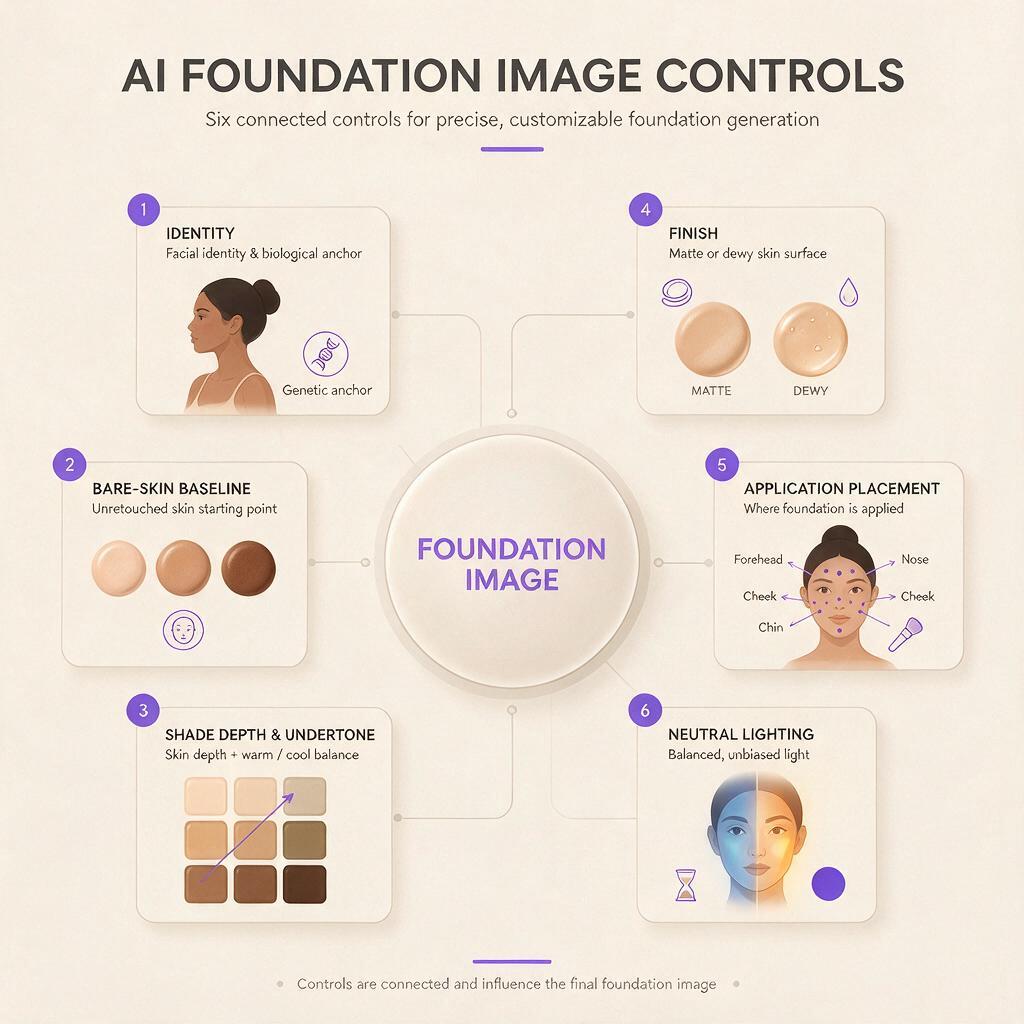
A practical prompt contains six controls:
| Control | What to specify | What it prevents |
|---|---|---|
| Identity | Same person, features, expression, and face shape | Face redesign |
| Skin baseline | Visible pores, fine lines, freckles, and natural tonal variation | Plastic skin |
| Shade | Depth plus cool, neutral, olive, golden, or red undertone | Generic beige output |
| Finish | Matte, natural, satin, radiant, or dewy | Incorrect formula behavior |
| Placement | Exact cheek, jawline, stripe, dot, or half-face area | Coverage spreading everywhere |
| Lighting | Neutral white balance and one stable light direction | Misleading color shifts |
Edit the supplied portrait rather than generating a new person. Preserve the model’s exact identity, facial proportions, expression, hairline, eyebrows, eye color, lip shape, and natural skin texture. Apply the referenced foundation only to [PRECISE AREA]. Match the supplied formula reference: [SHADE DEPTH], [UNDERTONE], [FINISH], [COVERAGE LEVEL]. Keep pores, fine lines, freckles, and realistic tonal variation visible through the product where appropriate. Use neutral diffused beauty lighting, accurate white balance, and no color grading. Do not smooth the untreated skin, reshape the face, deepen the tan, brighten the complexion, or alter the background.Prompts for common foundation shade match layouts
Jawline stripes for undertone comparison
Jawline comparisons work best when each stripe has equal width, opacity, and lighting. Ask for clear boundaries without making the formula look like thick paint.
Using the supplied bare-skin portrait as the identity reference, create a realistic foundation shade comparison on the lower cheek and jawline. Add four narrow vertical foundation swatches with equal width and spacing. From left to right: light-medium cool pink, light-medium neutral, light-medium olive, and light-medium golden. Use the supplied formula swatches as color references. Show medium-buildable coverage with a natural satin finish and subtle realistic product texture. Preserve visible pores and fine facial hair. Keep the neck and untreated cheek unchanged. Neutral diffused studio light, consistent exposure, documentary color accuracy. No labels, no beauty filter, no face reshaping, no airbrushing, no orange cast.Half-face coverage without a fake before-and-after
A half-face image should demonstrate coverage, not imply an impossible transformation. Preserve the same lighting and expression on both sides, and avoid changing shadows, facial symmetry, or skin tone.
Edit the reference portrait into one continuous half-face foundation demonstration. Leave the left half completely untreated and apply the referenced neutral-olive foundation to the right half only, following the center line of the face naturally. The product provides medium coverage and a skin-like natural finish: reduce the visibility of mild redness while retaining pores, fine lines, freckles, and normal texture. Preserve the exact face, expression, lighting, camera position, background, and overall skin depth. The treated side must not become lighter, smoother, younger, or more symmetrical. No split-screen seam, no exaggerated blemishes, no cosmetic claims, no text.Cheek swatches for a shade-range campaign
For a multi-image campaign, generate one base composition and change only the controlled swatch area. An ai image generator can produce the variations, but each output still needs visual comparison against the same approved references.
Create a clean editorial beauty portrait based on the supplied model reference. Place three small foundation swipes on the outer cheek, each following the skin’s curvature and showing realistic creamy liquid texture. Use the three supplied shade references exactly in their given order. Preserve meaningful differences in depth and undertone; do not average the shades into similar beige colors. Keep the rest of the face bare with natural pores, minor tonal variation, and fine facial hair visible. Soft neutral daylight, white balance locked, minimal retouching, no jewelry changes, no new makeup, no packaging, no typography.Inclusive shade grid with consistent presentation
Do not ask the model to invent a diverse grid and assign shades automatically. Use approved portraits and formula references for every cell. This separates representation decisions from generation and makes review more manageable.
Create a consistent 3-by-2 editorial foundation shade grid using the six supplied approved portrait references. Preserve each person’s identity, natural skin depth, undertone, facial features, and texture. Match camera crop, neutral background, soft frontal lighting, exposure, and head position across all cells without lightening or darkening any person to create artificial uniformity. On each model, apply only the specifically assigned referenced foundation shade as a subtle jawline blend test. Keep untreated skin visible beside the product. No labels, no shade names, no beautification filter, no facial homogenization, no altered ethnicity, no repeated faces.Why foundation images become flat or mask-like
When a result looks synthetic, diagnose the visible failure before rewriting the entire prompt. Small corrections usually preserve more of the successful composition.
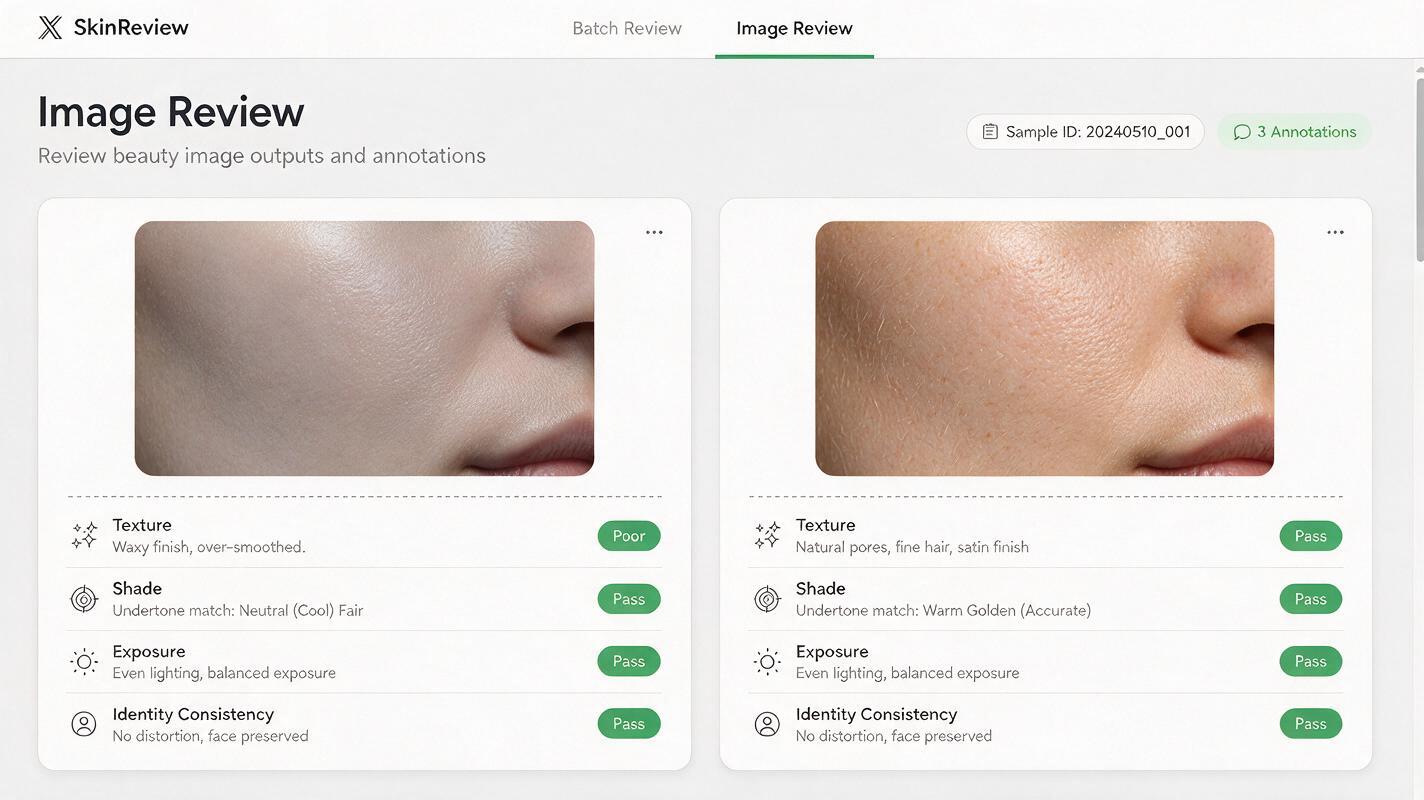
| Problem | Likely cause | Prompt correction |
|---|---|---|
| Waxy, poreless skin | “Flawless” or heavy beauty-retouch language | Request visible pores, fine lines, and microtexture through coverage |
| Foundation looks painted on | No formula thickness or finish defined | Specify a thin liquid layer, medium coverage, and diffused edges |
| Every shade turns beige | Shade names without visual references | Attach separate swatches and define depth and undertone for each |
| Treated side becomes lighter | Coverage confused with brightening | State that overall skin depth and exposure must remain unchanged |
| Face changes between versions | Too many variables regenerated at once | Lock identity, crop, expression, hair, background, and lighting |
| Jawline blend looks too perfect | No request for product-to-skin transition | Keep a subtle visible edge and realistic variation at the blend boundary |
If undertones continue to drift, remove decorative campaign language and run a plain proof image first. Approve shade behavior in neutral light, then add the final background, styling, and crop without changing the skin instructions.
Protect packaging and claims in the final campaign
Generate the skin demonstration and product packshot separately when label accuracy matters. AI may reinterpret tiny typography or alter bottle geometry, even when the skin result is strong. A photographed packshot can be composited into the approved layout after generation.
Review the final asset at full resolution and thumbnail size. At full resolution, inspect pores, swatch boundaries, hands, hair edges, and label characters. At thumbnail size, confirm that shade differences remain visible without exaggerated contrast.
- Do not imply that one generated shade fits every person with a similar skin depth.
- Avoid unverified performance claims such as exact wear time, treatment benefits, or guaranteed color matching.
- Do not darken untreated skin to make the applied side appear more effective.
- Retain original references and prompt versions for internal creative review.
- Use descriptive alt text that identifies the layout and represented shade comparison.
Final checklist
- The same identity, expression, crop, and lighting remain intact.
- Every foundation shade has an approved visual reference.
- Depth and undertone differences are visible without artificial saturation.
- Pores, fine lines, and natural tonal variation have not disappeared.
- Coverage appears only in the requested area.
- The treated skin has not become lighter, younger, or structurally different.
- Packaging and advertising claims have received a separate accuracy review.
Once your references are ready, try these models for free and begin with one neutral-light proof image before expanding the concept into a complete shade campaign.
Keywords
foundation shade match, Nano Banana Pro prompts, AI beauty generator, foundation swatches, beauty campaign AI, cosmetic product photography, AI makeup generator