GPT Image Prompts for Shade-Accurate Cream Cheek Palette Looks
This article shares reusable GPT Image prompt templates for generating shade-accurate cream blush, bronzer, and highlighter looks on diverse skin tones. It includes a 4-part prompt framework, four use case-specific variations, and targeted fixes for common AI artifacts like streaky application, muddy bronzer, and shade drift. Beauty brands and content creators can use these prompts to create consistent campaign visuals without costly reshoots.
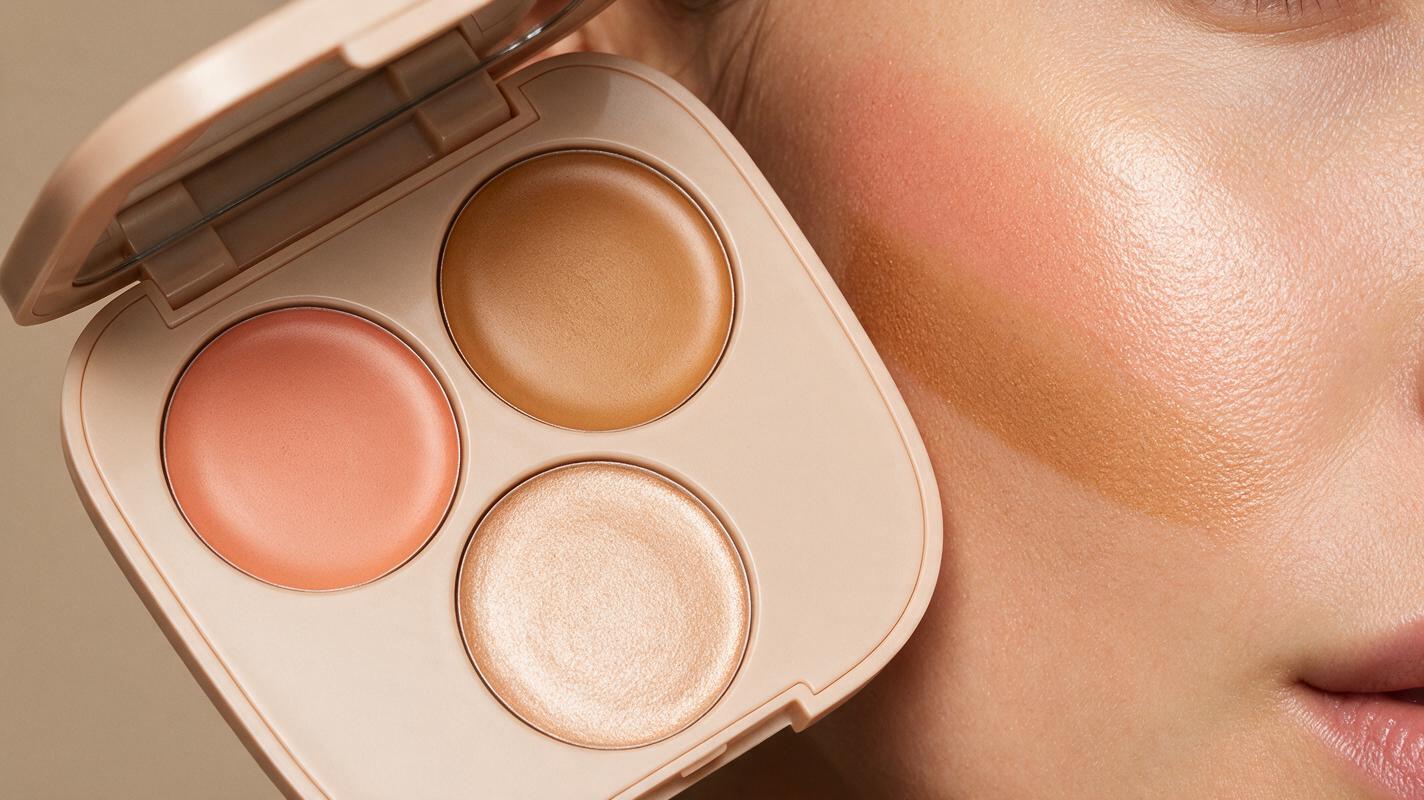
Table of contents
The challenge with AI-generated cream cheek palette looks
Generating shade-accurate cream blush, bronzer, and highlighter looks on diverse skin tones doesn’t have to require costly reshoots or endless AI regeneration cycles.
Beauty brands and content creators often struggle with AI-generated cheek makeup: streaky blush application, muddy bronzer with gray undertones, harsh glittery highlighter, and shades that drift dramatically from the physical palette. These issues force teams to spend hours editing outputs or fall back on generic stock visuals that don’t match brand identity.
GPT Image stands out as an ai image generator for this use case because its reference-aware generation can lock in exact palette shades while preserving realistic skin texture, provided you use structured, specific prompts.
Prep your reference assets for shade accuracy
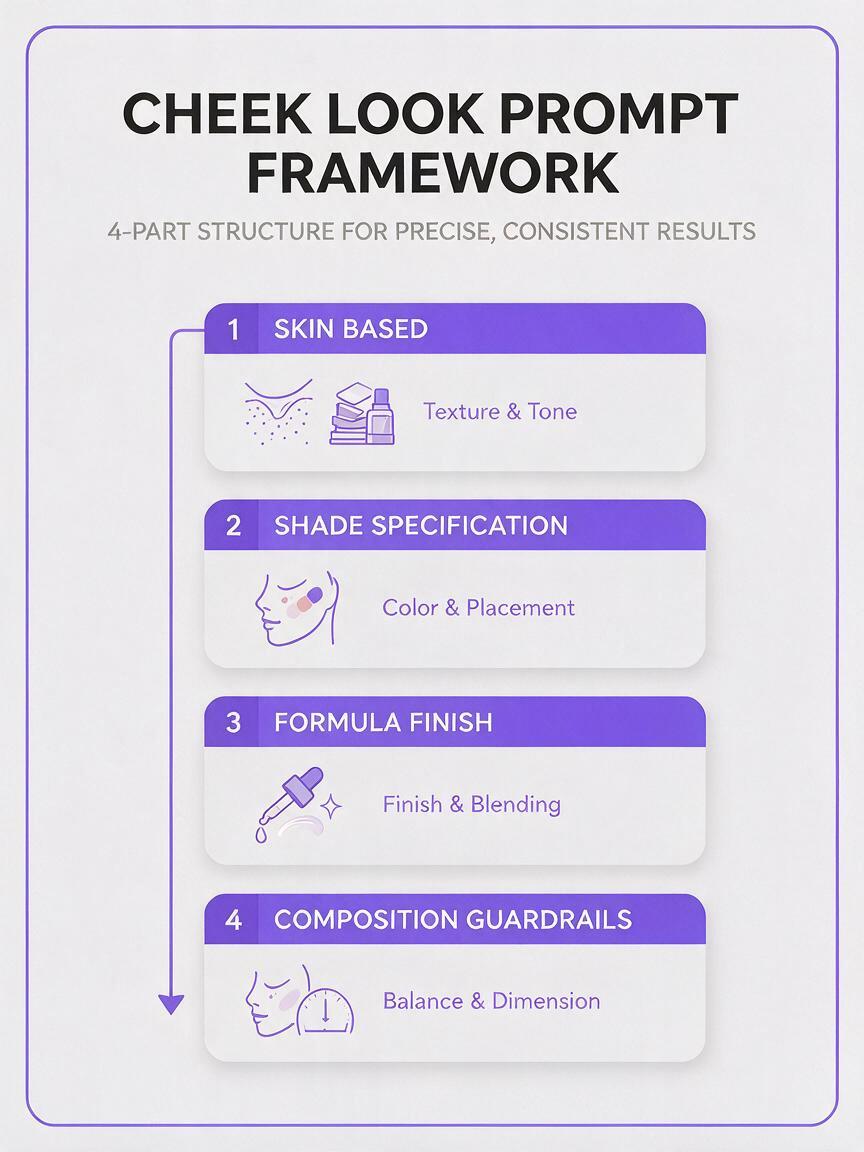
Shade accuracy starts with good reference inputs. GPT Image uses attached reference images to anchor color output, so skipping this step is the most common cause of shade drift.
Gather these two reference assets before writing your prompt:
- A flat, glare-free shot of your physical cream cheek palette, shot in 5000K natural daylight with no filters or color grading
- One arm swatch of each shade (blush, bronzer, highlighter) on neutral medium skin, shot next to the palette for direct color mapping
For best results, crop references to remove distracting backgrounds and ensure the pans and swatches fill at least 70% of the frame. This helps the model prioritize color accuracy over irrelevant details.
Prompt framework for consistent, realistic cheek looks
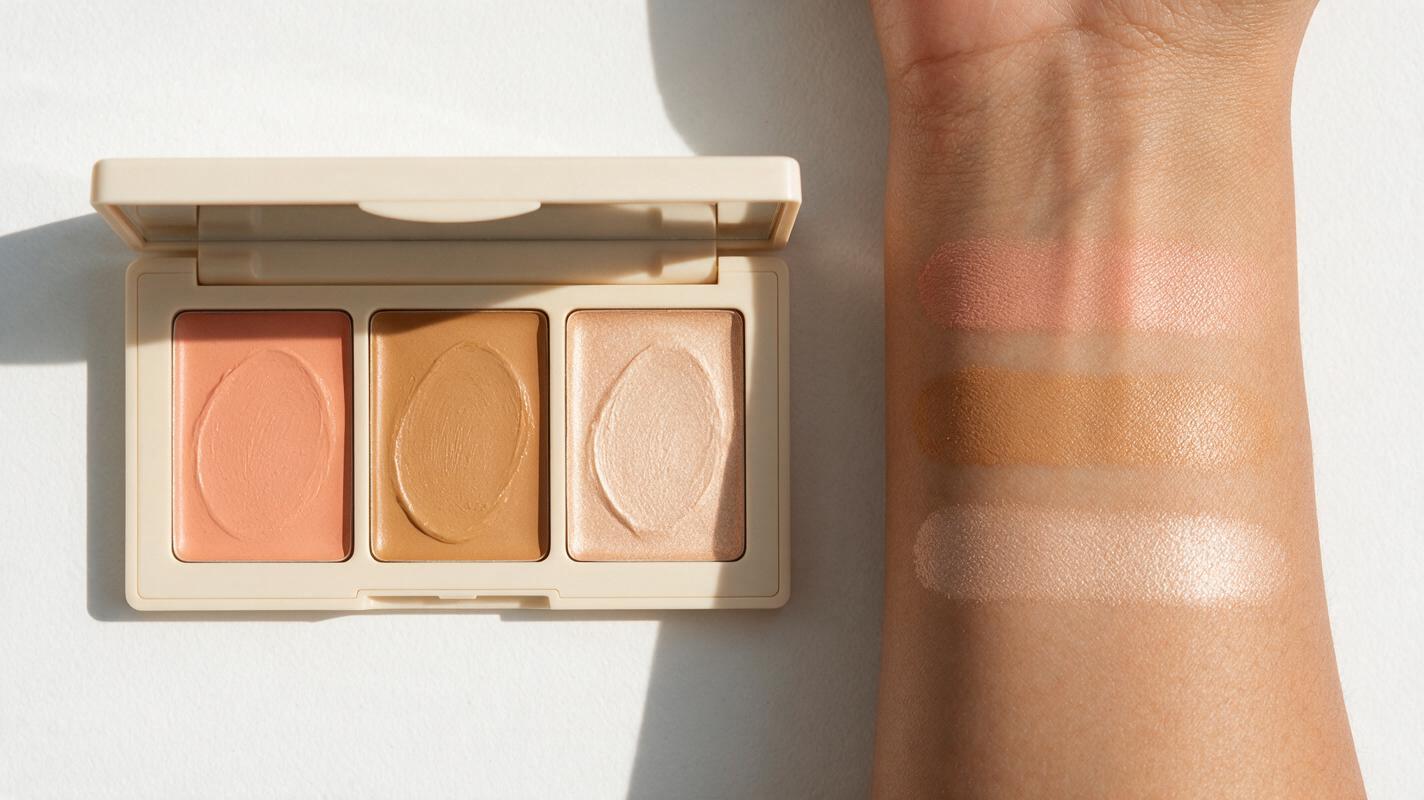
This 4-part prompt structure eliminates most common AI cheek look artifacts by specifying every critical detail upfront, leaving no room for the model to fill in gaps with generic beauty tropes.
The four core components are:
- Skin base: Define skin tone, undertone, and texture requirements to avoid over-smoothing or mismatched undertones
- Shade specification: Name each shade explicitly and where it sits on the face, tied to your reference palette
- Formula finish: Describe the cream texture, blending quality, and glow level to avoid streaks or glitter
- Composition guardrails: Set lighting, background, and style parameters to match your campaign’s visual identity
Use this base template as a starting point, and always attach your palette and swatch references when generating:
Close-up editorial beauty photo of [skin tone + undertone] model’s cheek area,
soft diffused 5000K studio lighting, natural skin texture with visible pores,
cream blush in [exact shade name, e.g. warm peachy coral] blended seamlessly on the apples of cheeks,
cream bronzer in [exact shade name, e.g. warm golden tan] softly contoured along cheekbones,
cream highlighter in [exact shade name, e.g. champagne pearl] dusted on high points of cheekbones,
no harsh lines, no streaks, no patchy pigment, natural dewy finish,
exact color match to attached palette reference, no color shift,
high resolution, beauty campaign style, neutral off-white background
Test this prompt yourself with your own palette reference to see how closely the output matches your physical product shades.
Use case-specific prompt variations
Adapt the base template to match the specific format you need for your campaign. These variations are tuned for the most common beauty marketing use cases.
Full-face campaign looks for e-commerce
For product pages and category banners that show the full makeup look, not just a cheek close-up. This prompt keeps the face symmetrical and ensures the cheek shades are the focal point without clashing with other makeup.
Medium shot editorial beauty photo of [skin tone + undertone] model with neutral eye makeup and clear lip gloss,
soft diffused studio lighting, natural skin texture visible,
cream blush in [shade name] blended on cheek apples, cream bronzer in [shade name] along cheekbones, cream highlighter in [shade name] on high points,
seamless blending, no streaks, natural dewy finish,
exact color match to attached palette reference,
straight-on angle, neutral gray background, e-commerce beauty campaign style, high resolution
Shade comparison grid for 3 skin tones
For shade matcher tools and product pages that help customers find their perfect match. This prompt ensures consistent lighting and application across all skin tones for accurate comparison.
Three-panel side-by-side beauty grid, each panel showing a close-up cheek shot of a different skin tone (fair cool, medium neutral, deep warm),
identical soft diffused lighting across all panels, natural skin texture in each panel,
same cream blush, bronzer, and highlighter shades applied in the same placement on every cheek,
seamless blending, no streaks, exact shade match to attached palette reference across all skin tones,
white background between panels, clean and modern, high resolution
Macro texture shot of blended formula
For product detail pages that highlight the cream formula’s texture and skin feel. This prompt focuses on the formula’s finish without showing the full face.
Extreme macro close-up photo of cream blush, bronzer, and highlighter blended onto skin,
soft side lighting to show texture, natural skin pores visible,
cream formula with smooth, blendable texture, no chunky glitter, natural sheen,
exact shade match to attached palette reference,
sharp focus on formula texture, neutral background, skincare product photography style, high resolution
UGC-style casual cheek look
For social media content and influencer campaign concepts that feel authentic and unpolished, not like studio ads.
Casual selfie-style photo of [skin tone + undertone] person smiling, showing their cheek with cream blush, bronzer, and highlighter applied,
natural window light, slightly grainy film texture, no heavy editing,
soft blended cream cheek look, natural finish, exact shade match to attached palette reference,
bedroom background, casual and authentic, UGC style, high resolution
Fix common AI cheek look artifacts
Even with strong references and a good prompt, you may run into these common issues. Use these targeted adjustments instead of regenerating from scratch to save time.
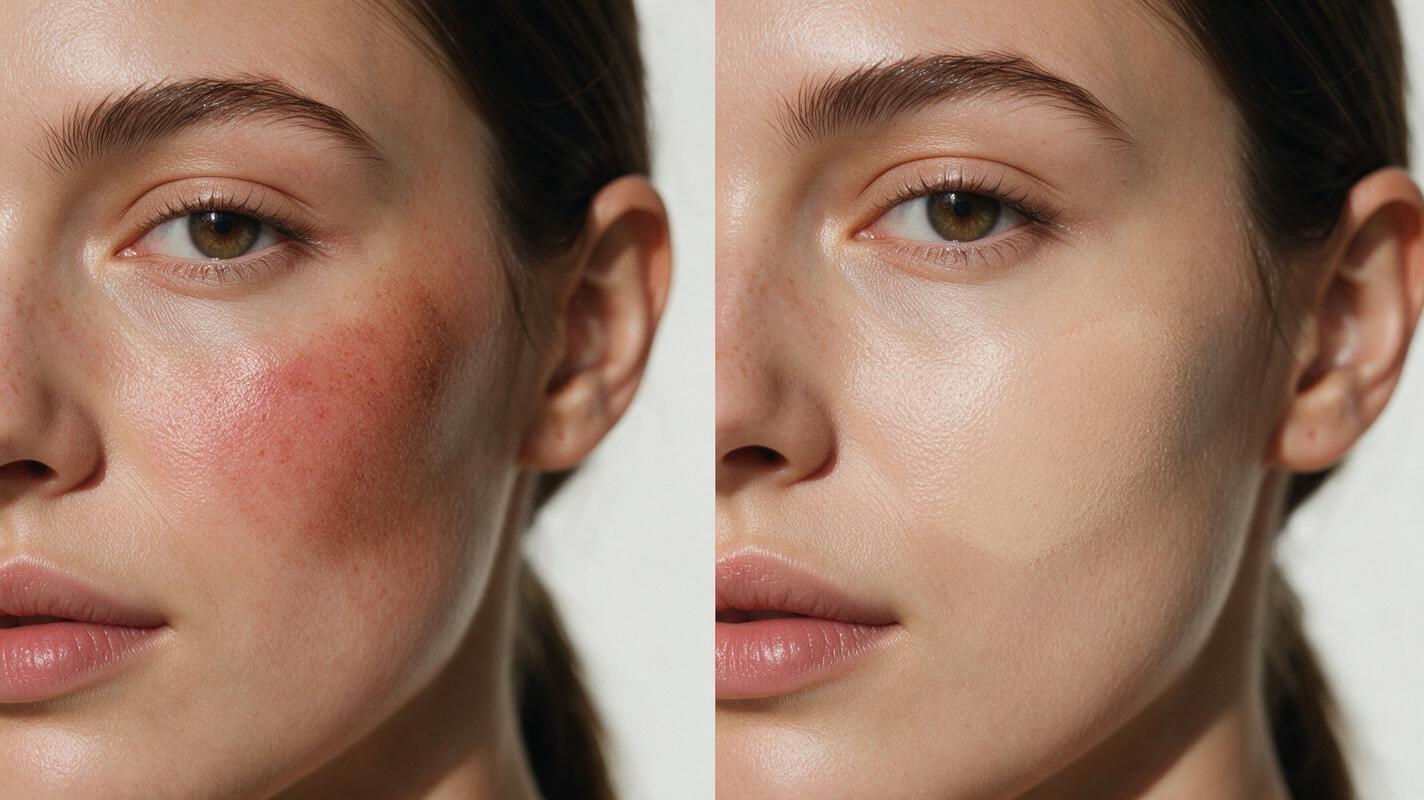
- Streaky or patchy blush application: Add "seamless airbrushed blending, no visible brush strokes, no patchy pigment buildup" to your prompt, and increase the reference image weight by 10-15% if your tool allows it.
- Muddy bronzer with gray undertones: Explicitly specify "warm golden bronzer, no gray cast, no muddy pigment, true to reference shade" and double-check that your reference swatch is shot in neutral daylight (warm indoor light can make bronzer look muddy in references).
- Harsh glittery highlighter: Replace "highlighter" with "cream highlighter with subtle lit-from-within sheen, no chunky glitter, no sparkles" — terms like "shimmery" or "glowing" can trigger over-the-top glitter artifacts.
- Shade drift from reference palette: Add "exact 1:1 color match to attached palette reference, no shade lightening, no darkening, no undertone shift" and ensure your reference image has no glare or color cast from overhead lighting.
- Over-smoothed plastic skin: Add "visible natural skin texture, pores, fine lines, no over-retouching, no plastic-like skin finish" to counteract the model’s default tendency to smooth beauty skin excessively.
Key takeaways
- Always pair text prompts with physical palette and swatch references to lock in shade accuracy and reduce drift.
- Use the 4-part prompt framework (skin base, shade specification, formula finish, composition guardrails) to eliminate common AI artifacts upfront.
- Adapt the base prompt for specific use cases (e-commerce, shade grids, macro shots, UGC) to match your campaign’s needs.
- Fix minor artifacts with targeted prompt additions instead of starting over from scratch to speed up your workflow.
Keywords
gpt image prompts, cream cheek palette looks, ai makeup generator, shade accurate beauty images, blush bronzer highlighter ai, beauty campaign visuals, ai beauty ad creative