Hailuo Prompts for Anime Fight Scenes With Clear Screen Direction
Anime fight clips become confusing when characters switch sides, attacks cross the wrong direction, or the camera ignores established geography. These Hailuo prompt patterns use screen direction, eyelines, landmarks, and controlled shot changes to create action that viewers can follow.
Table of contents
Why anime fight scenes lose direction
A convincing anime fight needs readable geography before it needs speed, particles, or spectacular camera motion. If the hero attacks from left to right in one shot but suddenly appears on the opposite side in the next, the audience may read the cut as a continuity error rather than intentional movement.
Hailuo can generate energetic character motion, but a broad prompt such as two anime warriors fight dramatically leaves too many spatial decisions undefined. The model must invent where each fighter stands, which way they face, how the camera moves, and whether anyone crosses the center line.
The solution is to describe each shot as a controlled piece of choreography. In MagicBoat, Hailuo can be used through ai video generator to test individual shots before assembling the sequence in an editor.
Establish the fight axis before adding motion
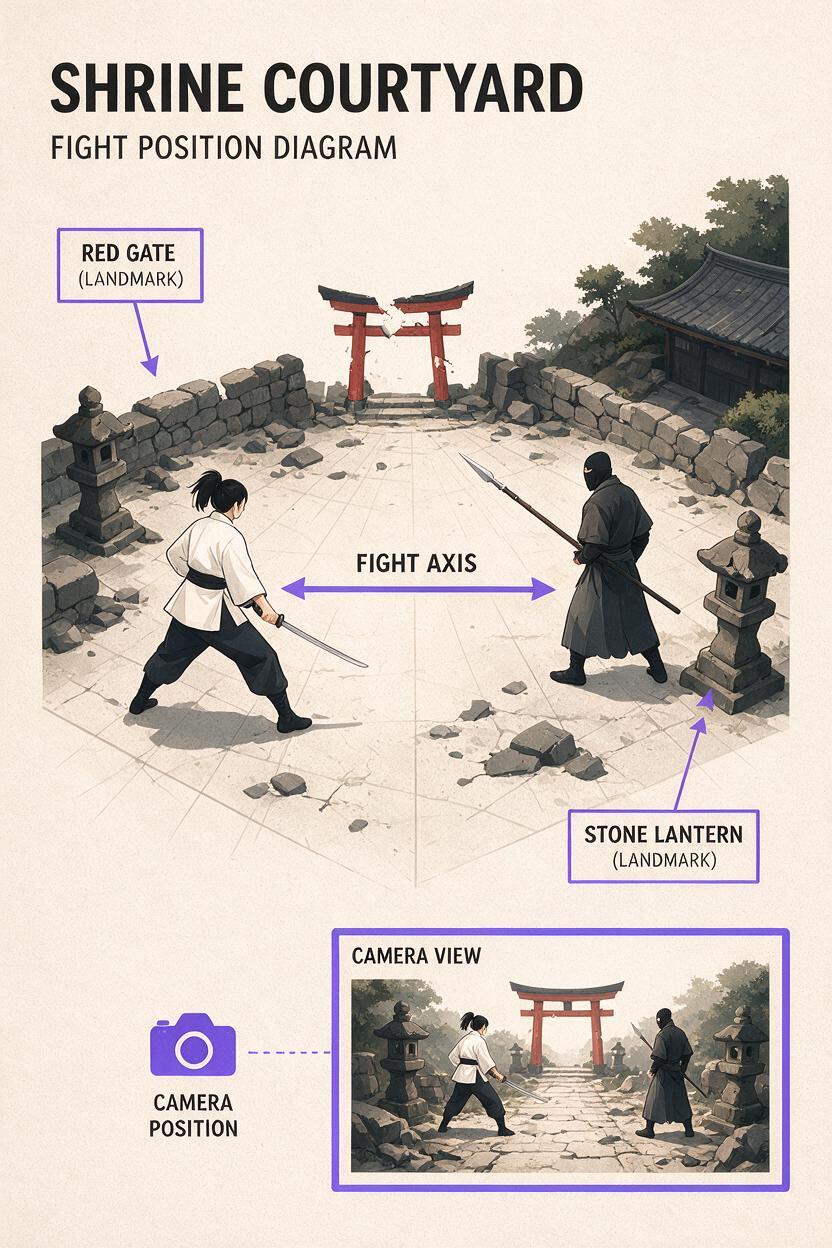
The fight axis is an imaginary line connecting the two opponents. Once a camera side has been established, keep the camera on that side unless the scene clearly shows it crossing. This preserves a simple visual rule:
- Fighter A: stays on screen left and faces right.
- Fighter B: stays on screen right and faces left.
- Attacks: travel toward the opponent rather than toward an unexplained off-screen position.
- Background landmarks: remain in predictable parts of the frame.
A useful establishing-shot prompt identifies the fighters by visible design features instead of relying only on names:
Wide anime action shot in a ruined shrine courtyard. A short-haired swordswoman in a white jacket stands on screen left, facing right. A masked spear fighter stands on screen right, facing left. They remain on opposite sides of the frame. A broken red gate is centered behind them, and a stone lantern remains at the far left. The camera holds a stable side view as both fighters lower their stance and prepare to attack. Clean 2D anime linework, readable silhouettes, restrained cloth motion.Continuity rule: Repeat side, facing direction, costume identifiers, and one fixed landmark in every prompt. Do not expect a previous clip to define those facts automatically.
Write prompts around one readable action beat
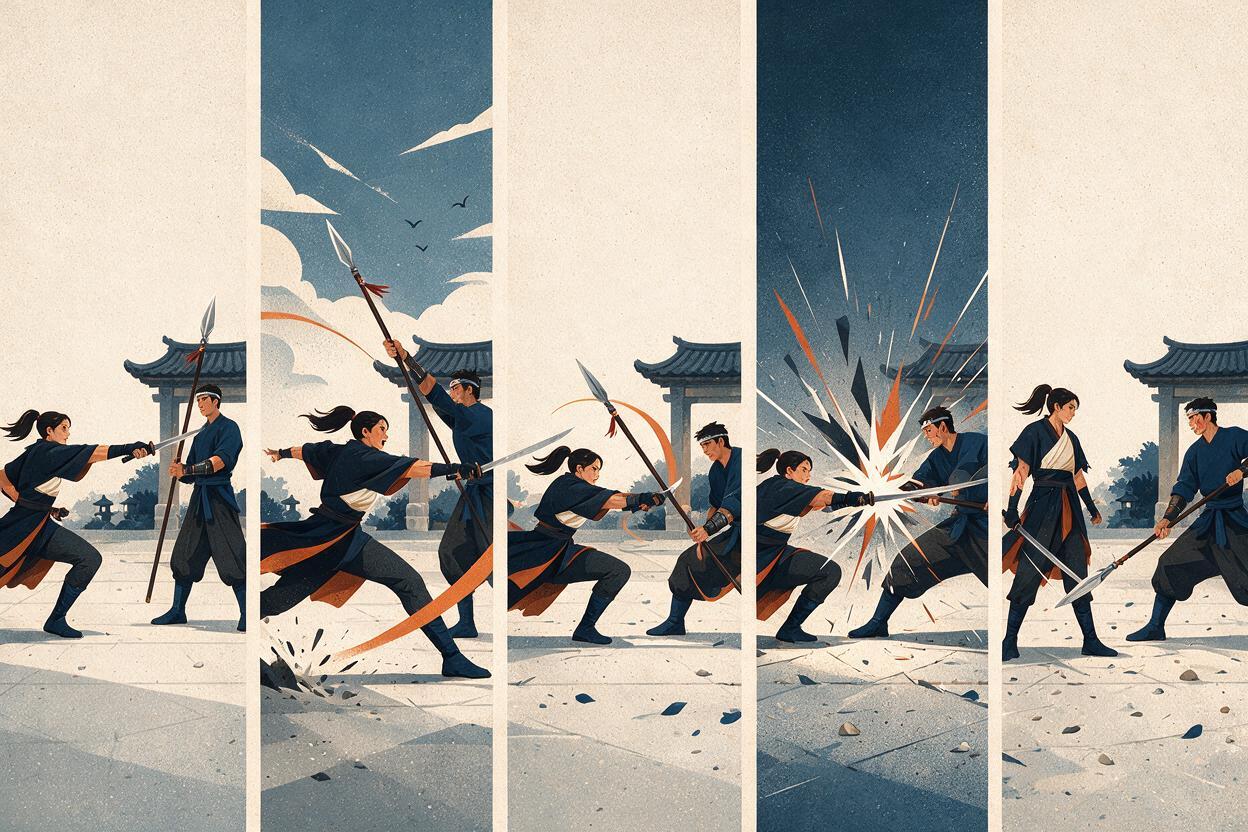
Fight prompts often fail because they contain an entire battle: sprinting, jumping, sword clashes, explosions, reactions, and a finishing move in one generation. That encourages compressed or blended motion. Assign one dominant beat to each clip instead.
| Action beat | What the viewer must read | Useful prompt focus |
|---|---|---|
| Approach | Who initiates and where both fighters are | Travel direction, stable camera, destination |
| Attack | Weapon path and intended target | Starting pose, arc, endpoint, planted foot |
| Defense | How the attack is stopped or avoided | Contact point, guard angle, dodge direction |
| Impact | The exact instant of force transfer | Brief contact, recoil, debris, no side swap |
| Recovery | Where each fighter ends the exchange | Final stance, spacing, preserved orientation |
For example, isolate the approach instead of asking for the whole exchange:
Medium-wide side-view anime shot. The swordswoman begins on screen left and dashes toward screen right in one direct line. The masked spear fighter remains on screen right, facing left, holding a defensive stance. The swordswoman stops just outside spear range. No camera orbit, no side switching, no collision yet. Dust trails behind her feet while both faces and costumes remain consistent.The phrase stops just outside spear range gives the movement a visible endpoint. Without an endpoint, forward motion may continue until the characters overlap or pass through each other.
Control attack direction and defensive response
An attack becomes easier to follow when its path can be described as a line or arc. State where the weapon starts, where it travels, and what stops it. The defender should perform one compatible response rather than a simultaneous collection of blocks and dodges.
Horizontal sword strike and spear block
Side-view anime combat shot with the established screen direction preserved. The swordswoman stays on screen left, facing right. She swings her sword once from her left side toward screen right in a waist-high horizontal arc. The masked fighter stays on screen right, facing left, and catches the strike on the middle of the spear shaft. One clear weapon contact point between them. Both hands remain attached to their weapons. Brief recoil after contact. The camera does not cross the fight axis.Forward thrust and lateral dodge
Medium side-view shot. The masked spear fighter on screen right thrusts once toward screen left. The swordswoman on screen left avoids the spear by shifting one body width toward the foreground while continuing to face right. She does not cross behind the opponent. The spear follows a straight path and stops at full extension. Stable anatomy, readable spacing, no camera rotation.Notice that the dodge uses foreground rather than an ambiguous phrase such as moves aside. Directional language should describe what the audience sees, not what the character feels.
Use landmarks to reconnect separate clips
Screen position alone may not survive a cut from a wide shot to a close-up. A recurring background object gives the viewer another orientation cue. In the shrine example, the red gate and stone lantern can anchor reverse angles, reaction shots, and recovery poses.
Plan these anchors in an ai storyboard before generating final motion. A simple board should record the fighter positions, facing arrows, attack path, camera side, and visible landmark for every shot.
| Shot | Framing | Required spatial cue |
|---|---|---|
| Opening standoff | Wide side view | Both fighters, gate, lantern |
| Swordswoman attacks | Medium on attacker | Motion travels left to right |
| Spear fighter blocks | Medium two-shot | Defender remains on the right |
| Impact detail | Close-up | Sword enters from left, spear from right |
| Recovery | Wide side view | Original sides and landmark positions return |
Close-ups still need directional continuity. If the sword belongs to the fighter on the left, it should generally enter the impact close-up from the left. That detail helps the audience understand the shot before seeing a face.
Make an intentional axis crossing visible
Characters can switch sides, but the audience needs to witness the change. Use a neutral frontal shot, an overhead view, or a continuous camera move that visibly travels across the axis. Do not hide the crossing inside an unrelated cut.
Continuous anime action shot. Begin with the swordswoman on screen left and the masked spear fighter on screen right. The swordswoman runs past the spear fighter while the camera remains wide enough to show both full bodies. She visibly crosses behind him and finishes on screen right. He turns in place and ends on screen left. The side exchange happens once in continuous view. No cut, no teleportation, no additional camera orbit. End with both characters separated and facing each other.After this bridge shot, update every later prompt. The swordswoman is now on the right facing left, and the spear fighter is on the left facing right. Reusing the old orientation text would undo the crossing.
Reduce camera instructions when choreography is complex
A moving camera changes the apparent direction of every action. Fast orbits, dramatic spins, and repeated zooms can conceal otherwise readable choreography. Keep the camera stable while testing body motion, then introduce one restrained camera behavior if the action remains clear.
- Use a locked side view for attacks with precise contact.
- Use a slow lateral track for a chase moving in one direction.
- Use a short push-in for anticipation or a reaction.
- Use an overhead shot to clarify spacing before a complicated exchange.
- Avoid combining an orbit, zoom, shake, and character crossing in the same clip.
Camera shake should follow the impact rather than obscure the approach. A useful instruction is one brief camera jolt after weapon contact, then immediate stabilization. This keeps the cause visible before showing the effect.
Diagnose continuity errors before regenerating
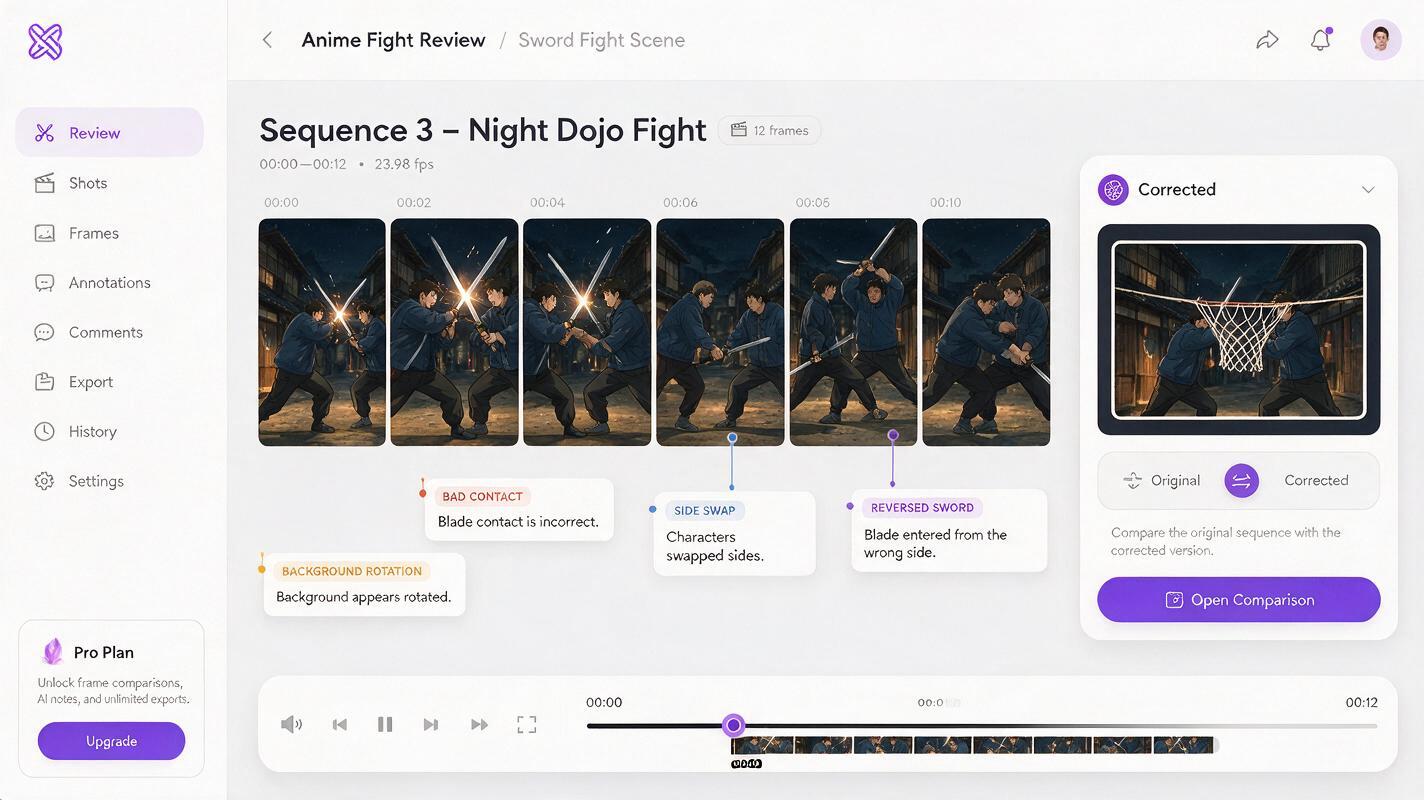
When a clip feels confusing, identify the first frame where its spatial rule fails. Different failures require different prompt changes.
| Visible problem | Likely missing constraint | Prompt repair |
|---|---|---|
| Fighters suddenly exchange sides | Fixed screen positions | Repeat left, right, and facing direction |
| Attack travels away from the target | Weapon endpoint | Name the arc, target, and contact location |
| Characters merge at impact | Spacing and contact limit | Specify one contact point and separated bodies |
| Close-up feels reversed | Entry direction | State which edge each weapon enters from |
| Background appears to rotate | Camera behavior | Lock the camera and repeat the landmark |
| Dodge becomes teleportation | Visible travel path | Define distance, direction, and final position |
Regenerate only the faulty beat instead of rewriting the entire fight. Keeping successful clips intact makes it easier to preserve timing, geography, and character design across the edit.
Final checklist
- Assign each fighter a fixed side and facing direction.
- Establish one recognizable background landmark.
- Give every clip one dominant action beat.
- Describe attack paths with starts, arcs, targets, and endpoints.
- Keep the camera stable during precise weapon contact.
- Show any side exchange in a continuous bridge shot.
- Update orientation prompts after an intentional axis crossing.
- Inspect the first continuity error before regenerating a clip.
Once the shot map is clear, try these models for free and build the fight as a sequence of short, readable exchanges rather than one overloaded generation.
Keywords
Hailuo prompts, anime fight animation, anime screen direction, AI anime video, fight scene prompts, character animation, anime storyboard