Hailuo Camera Movement Prompts for Cinematic Spec Ads
Create more controlled Hailuo commercial shots by describing one camera move, one subject action, and one clear ending composition. These reusable prompts cover product reveals, fashion films, food commercials, automotive concepts, and common motion failures.
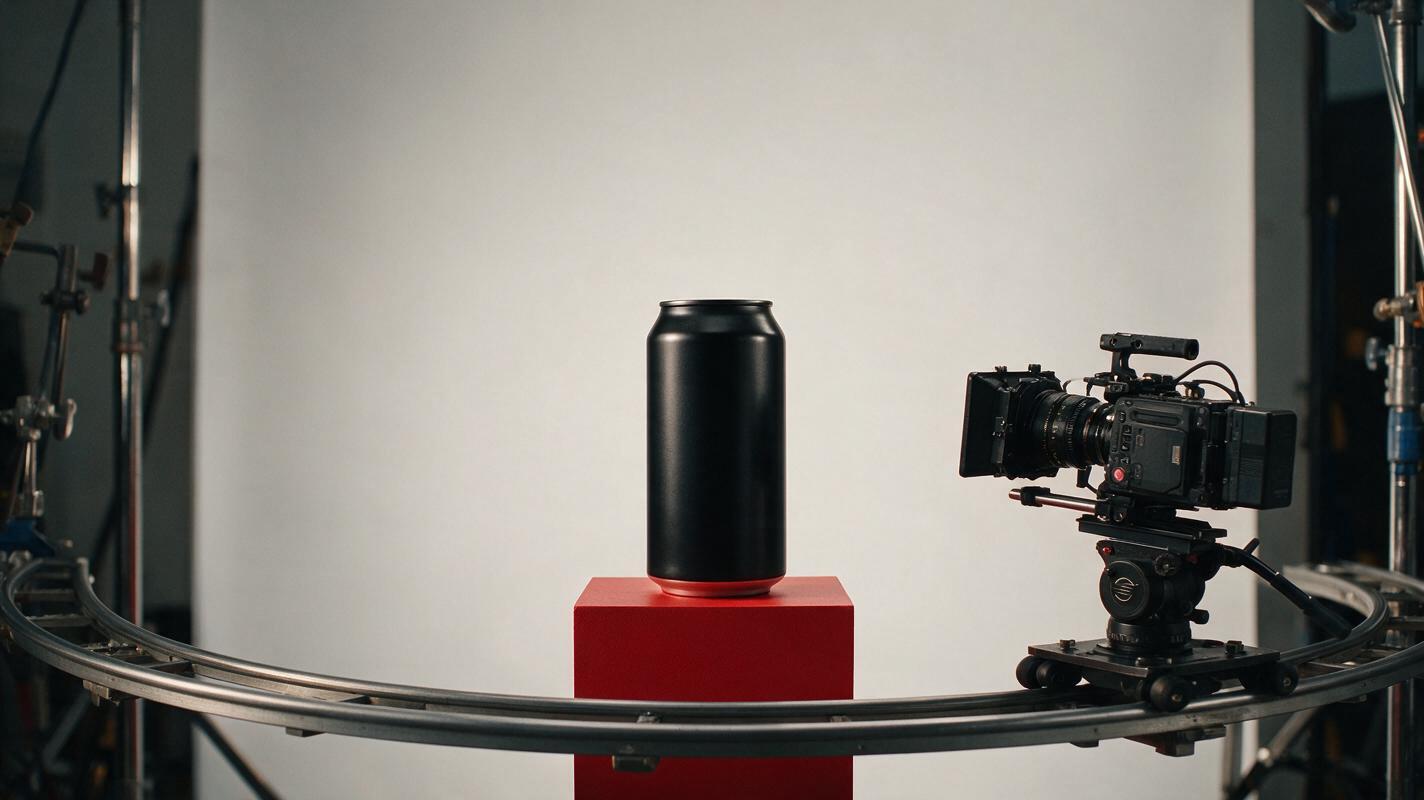
Table of contents
Controlled camera motion starts with a simpler prompt
A cinematic camera command can quickly become an unusable commercial shot when the product drifts, the actor changes, or the frame never settles for the edit. The solution is not to add more film terminology. It is to give Hailuo one readable camera path, one restrained subject action, and one deliberate ending composition.
This prompt collection is designed for advertising creatives building spec ads, pitch films, product concepts, and campaign motion tests. Each template separates the camera from the subject so you can diagnose what went wrong instead of repeatedly rewriting the entire idea.
Working rule: if the shot cannot be explained with one camera verb and one subject verb, split it into two shots.
Build every shot around five prompt decisions
Before choosing a lens description or lighting reference, define the visible event. A dependable commercial prompt can be organized around five decisions:
- Subject anchor: the product, person, vehicle, or ingredient that must remain recognizable.
- Subject action: one restrained action such as turning, lifting, pouring, stepping, or remaining still.
- Camera path: one primary move such as dolly in, lateral track, orbit, crane down, or locked-off push.
- Environmental response: controlled movement in fabric, steam, reflections, dust, liquid, or background light.
- End frame: the composition where the shot must land for a cut, logo, headline, or product hold.
Write these decisions in visual order rather than as an equipment inventory. Hailuo needs to understand what changes over time. A list containing a crane, orbit, zoom, handheld shake, and rack focus may sound cinematic, but it gives the generation competing movement instructions.
Commercial shot of [subject anchor] in [location].
The subject [single restrained action].
The camera [one camera path] at [slow/moderate/fast] speed.
[One environmental element] responds naturally.
The shot ends on [specific final composition].
Keep [protected details] stable and readable.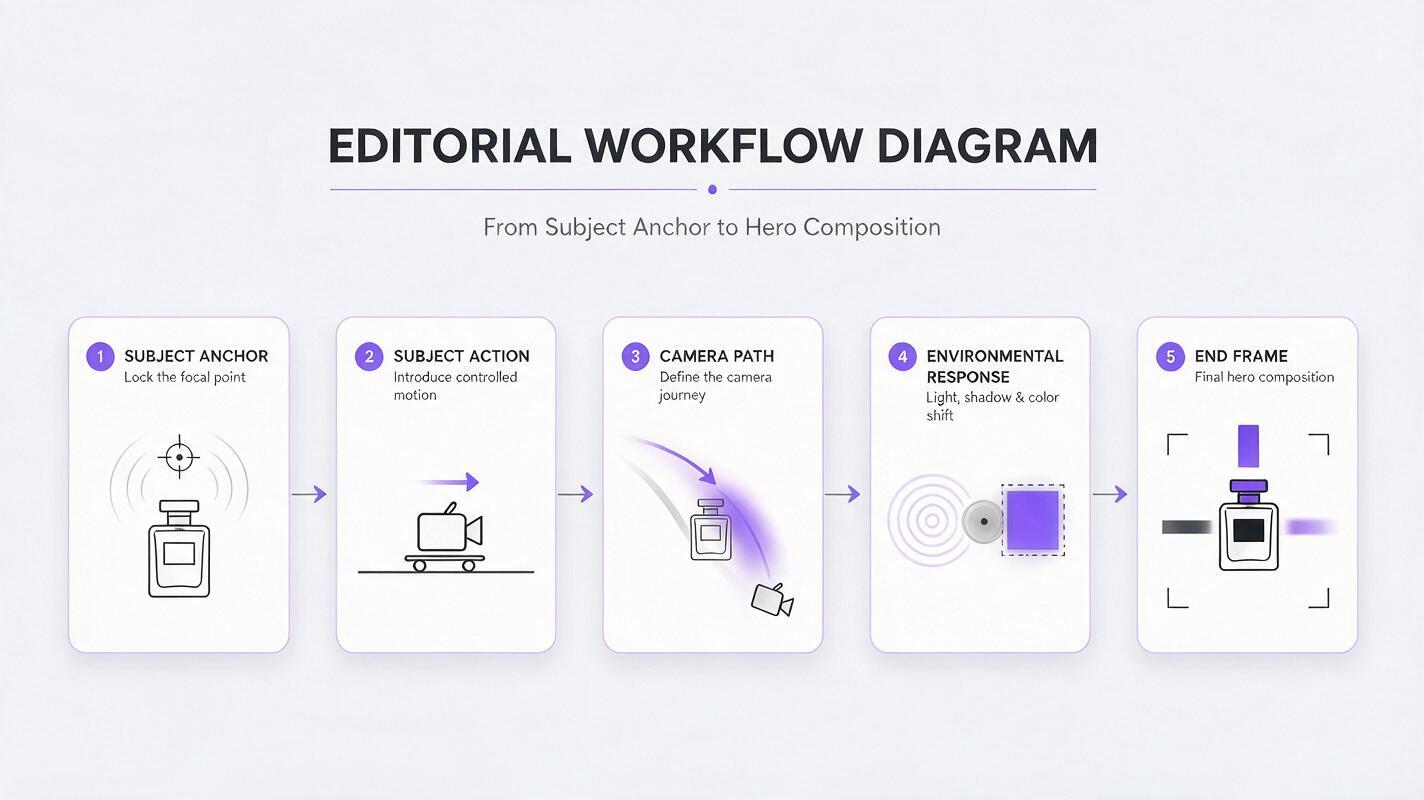
Match the camera move to the advertising objective
Camera movement should reveal information or change perception. Select it because it supports the message, not because it makes the frame busier.
| Advertising objective | Useful movement | Best ending frame | Main risk |
|---|---|---|---|
| Introduce a premium product | Slow dolly in | Centered hero composition | Unwanted product deformation |
| Show shape or material | Controlled partial orbit | Three-quarter product angle | Invented rear details |
| Create speed or energy | Lateral tracking move | Subject entering clean space | Background smearing |
| Reveal scale | Crane down or pull back | Wide environmental tableau | Subject shrinking or changing |
| Emphasize human attitude | Subtle handheld follow | Stable medium close-up | Face and wardrobe drift |
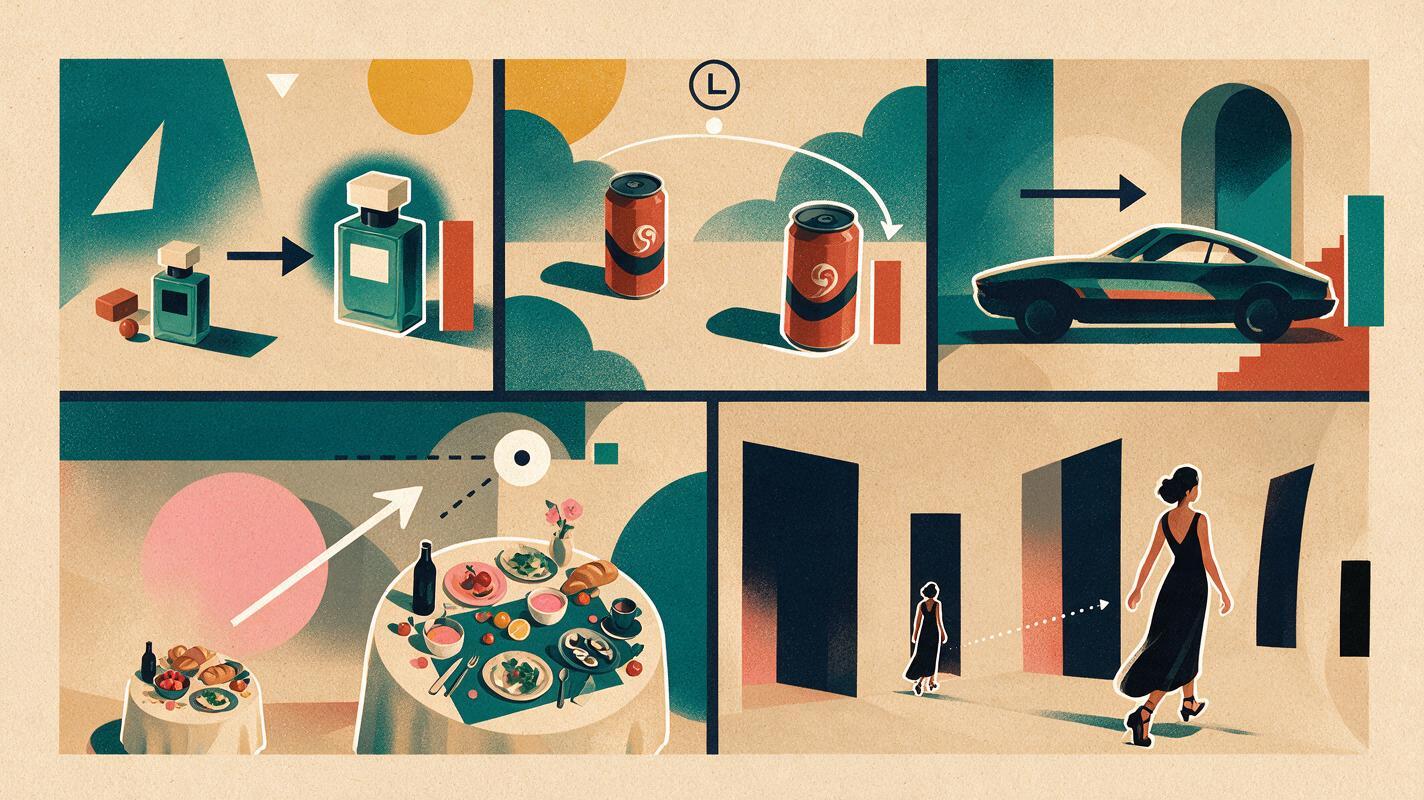
A partial orbit is usually easier to art-direct than a complete revolution because fewer unseen surfaces need to be invented. Likewise, a gentle dolly often preserves a campaign composition better than a dramatic zoom combined with subject movement.
Premium product reveal with a slow dolly
Use this structure when the product already carries the visual idea and the camera only needs to increase attention. Keep the pack stationary, assign movement to light or atmosphere, and specify a clean hero frame at the end.
Premium fragrance commercial on a dark polished stone pedestal.
A rectangular glass perfume bottle remains completely stationary and upright.
The camera performs one slow, straight dolly toward the bottle with no orbit.
A narrow warm reflection travels gently across the glass while faint atmospheric haze moves in the background.
The shot ends in a symmetrical medium close-up with clean space above the bottle for a headline.
Preserve the bottle proportions, cap geometry, glass edges, and front-facing label area.
For approved packaging, replace the generic bottle description with observable physical traits from the reference. Do not ask the generation to render final legal copy. Preserve a stable label area, then composite exact typography during finishing.
Fashion follow shot without chaotic handheld motion
“Handheld” alone can produce arbitrary shake. Describe the operator relationship, the actor's limited movement, and the point where the camera regains stability.
Contemporary fashion campaign in a concrete gallery with soft window light.
A model in a structured cobalt coat walks forward at a calm, even pace, keeping the same hairstyle, outfit, and facial appearance.
The camera tracks backward at matching speed with subtle natural handheld movement, never circling the model.
The coat hem responds gently to each step; the architecture remains straight and stable.
The shot finishes as a steady waist-up portrait with the model looking just past the camera.
No sudden shake, no speed ramp, no wardrobe transformation, no extra people.
The phrase “subtle natural handheld movement” controls texture, while “tracks backward at matching speed” defines the actual path. The final steady portrait gives editors a usable exit rather than forcing them to cut during a wobble.
Food commercial push-in with appetite detail
Food shots often fail when every ingredient moves at once. Protect the hero plate, animate one appetite cue, and let the camera approach gradually.
Bright tabletop food commercial featuring a plated stack of golden pancakes in morning window light.
The plate and pancake stack remain fixed while a thin stream of maple syrup pours onto the top pancake.
The camera makes a gentle diagonal push from a medium tabletop view to a close three-quarter angle.
Soft steam rises naturally and one highlight moves across the syrup.
The shot ends with the pancake edges, syrup texture, and plate rim clearly defined.
No melting plate, no multiplying berries, no changing tableware, no abrupt macro jump.
When testing this as text to video, generate the simple food geometry before adding secondary props. A crowded table introduces more objects that can compete for motion and continuity.
Automotive tracking shot that preserves direction
A moving vehicle, moving camera, reflective bodywork, and changing environment create several simultaneous continuity demands. Reduce the shot to one direction of travel and a camera that maintains a defined relationship to the car.
Cinematic electric coupe commercial on a clean coastal road at blue hour.
The silver coupe travels smoothly from left to right in one lane at constant moderate speed.
The camera performs a parallel side tracking move, maintaining the same distance and low three-quarter profile angle.
Road reflections travel consistently along the bodywork while the wheels rotate naturally.
The shot ends with the vehicle in the right third of frame and open road visible ahead.
Keep the body silhouette, wheel count, window shape, paint color, and travel direction unchanged.
Avoid combining “side tracking” with “camera overtakes the car” unless the change in relationship is the entire point of the shot. For a pitch edit, create the profile track and the overtaking reveal as separate clips.
Graphic orbit for a beverage campaign
An orbit is useful when packaging shape and finish matter, but a full rotation can expose surfaces that were never established. Request a limited arc and define exactly where it stops.
Graphic beverage commercial with a chilled matte-black can on a circular red platform.
The can remains upright and perfectly still.
The camera moves through a smooth 45-degree clockwise arc from a frontal view to a three-quarter view.
Condensation catches controlled studio highlights; the platform and background do not rotate.
The shot ends with the can centered and a broad clean area on the left for campaign copy.
Maintain the can height, diameter, top rim, color blocking, and label panel throughout.
Notice that the prompt distinguishes camera rotation from platform rotation. Without that separation, the scene may behave like a turntable product shot instead of a moving-camera reveal.
Diagnose motion failures before rewriting the concept
Change only the instruction connected to the failure. Replacing the entire prompt makes it difficult to learn whether the camera, subject action, or environmental motion caused the problem.
| Visible failure | Likely prompt conflict | Targeted correction |
|---|---|---|
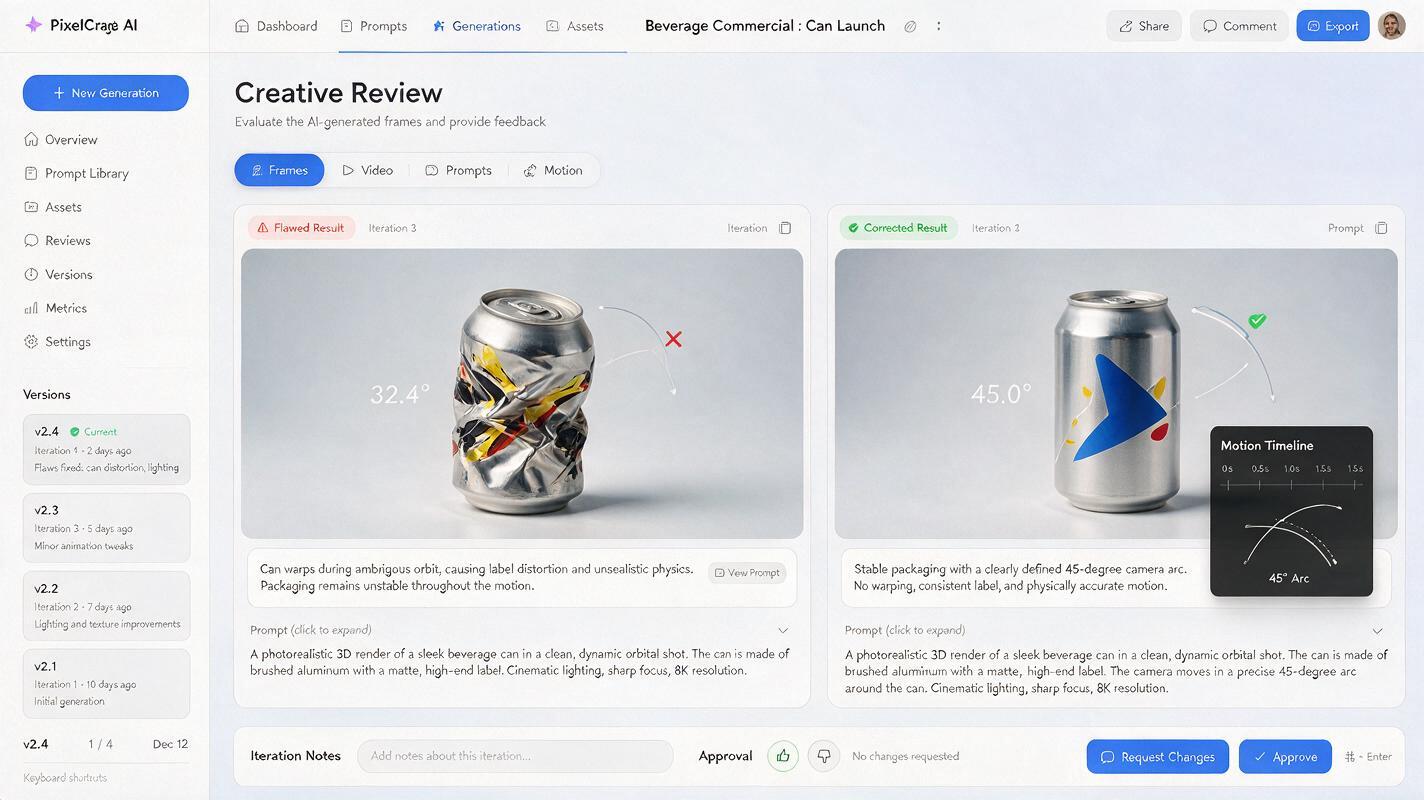
| The product bends during a push-in | Camera motion and product animation are both emphasized | State that the product remains stationary; move only the camera and light |
| The camera wanders | Several movement verbs are present | Keep one path and explicitly exclude orbiting or panning |
| The actor's face changes | Performance, camera, hair, and wardrobe all move strongly | Reduce the performance and environmental movement |
| The background rotates with the camera | Orbit target is ambiguous | Name the stationary subject and describe the camera arc around it |
| The clip has no editable ending | No landing composition is defined | Add a final framing, subject position, and momentary hold |
| Motion feels fast despite “cinematic” wording | Speed is implied but not stated | Use a direct pace instruction such as slow and even |
Run short motion tests with the simplest viable scene. Once the camera path behaves correctly, restore reflections, particles, fabric movement, or background activity one element at a time. This protects iteration time and makes approvals easier to explain.
Turn successful tests into an editable shot family
A useful commercial test should produce more than one attractive clip. Once a movement works, keep its structural language and vary only the part required by the campaign.
- Format variation: retain the movement but change the final composition for vertical, square, or widescreen placement.
- Message variation: preserve the product and camera path while changing the environmental cue, such as warm light versus cool light.
- Edit variation: create a wide entrance, medium reveal, and close detail as separate shots rather than forcing three framings into one clip.
- Market variation: leave controlled negative space for localized typography instead of generating text inside the scene.
Name each approved movement in plain production language, such as “slow frontal dolly” or “45-degree clockwise arc.” The same label can then appear in the storyboard, prompt sheet, edit notes, and client presentation.
Before generating a full campaign set, test this prompt yourself with one product, one motion cue, and one final frame. Complexity should be added only after the shot's basic geometry works.
Final checklist
- Give the camera one primary movement.
- Limit the subject to one restrained action.
- State what must remain stationary and recognizable.
- Animate only one or two environmental details.
- Describe the final composition, not just the opening image.
- Separate complex reframing into multiple clips.
- Reserve exact logos, legal copy, and typography for compositing.
- Change one prompt variable at a time when troubleshooting.
Keywords
hailuo prompts, camera movement prompts, cinematic spec ads, ai video generator, commercial prompts, product advertising, brand films