Hailuo Prompts for Seamless Cinematic Match-Cut Transitions
Create convincing match cuts with Hailuo by generating two shots around a shared shape, movement, or composition instead of asking the model to invent an entire transition. This guide includes reusable prompt pairs, editing instructions, and practical fixes for morphing, timing, and continuity failures.
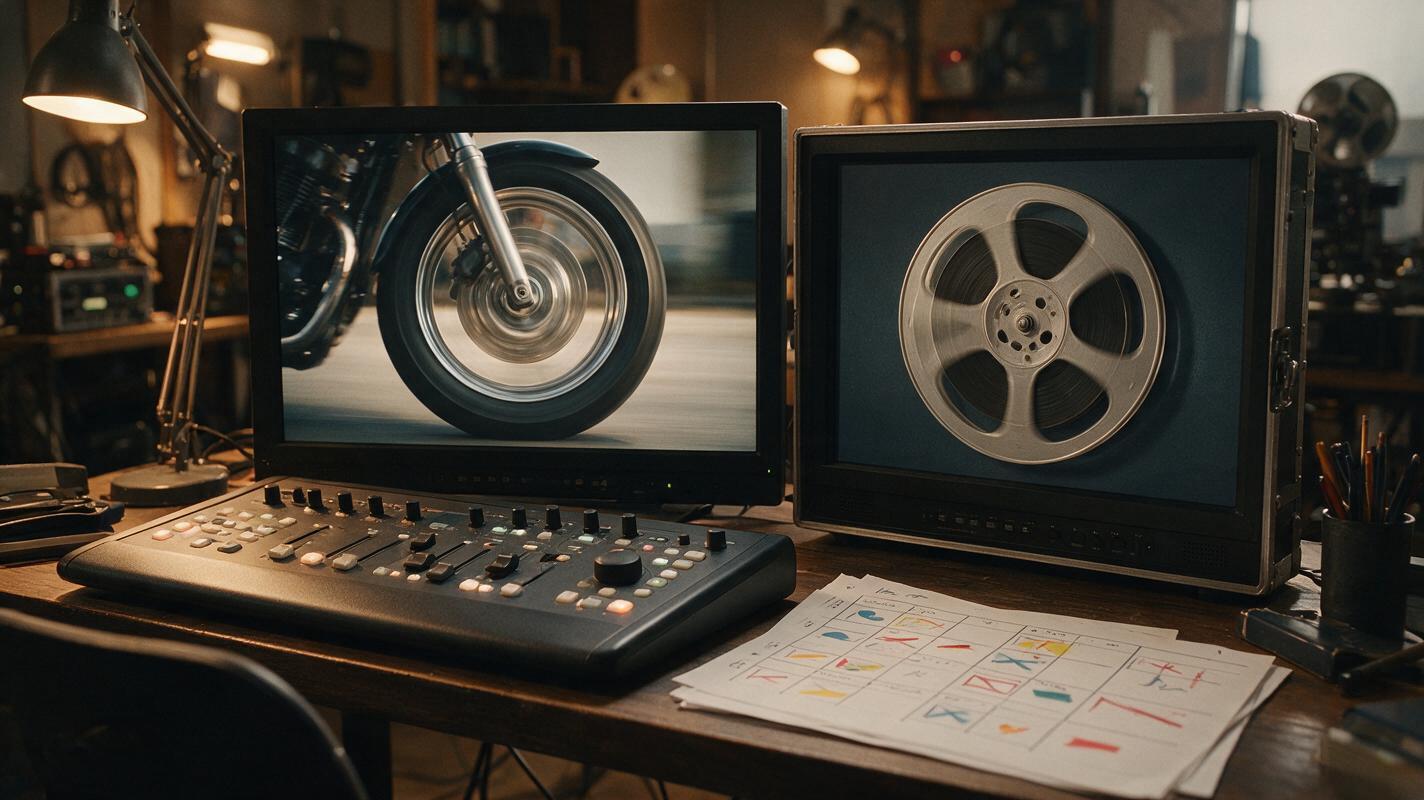
Table of contents
Create the cut, not an uncontrolled morph
The most reliable way to create an AI match cut is to generate two separate shots that share a visual bridge, then join them on the matching frame. With Hailuo, that bridge can be a circular object, a repeated gesture, a directional movement, or an almost identical composition. This avoids the warped hybrid frames that often appear when one prompt asks an AI model to transform an entire location or character in a single clip.
The method is useful for title sequences, trailers, music videos, short films, dream transitions, and compressed passages of time. The prompts below are designed as paired shots: an outgoing clip that finishes on a controlled image and an incoming clip that begins with its visual counterpart.
Build each transition around one visual bridge
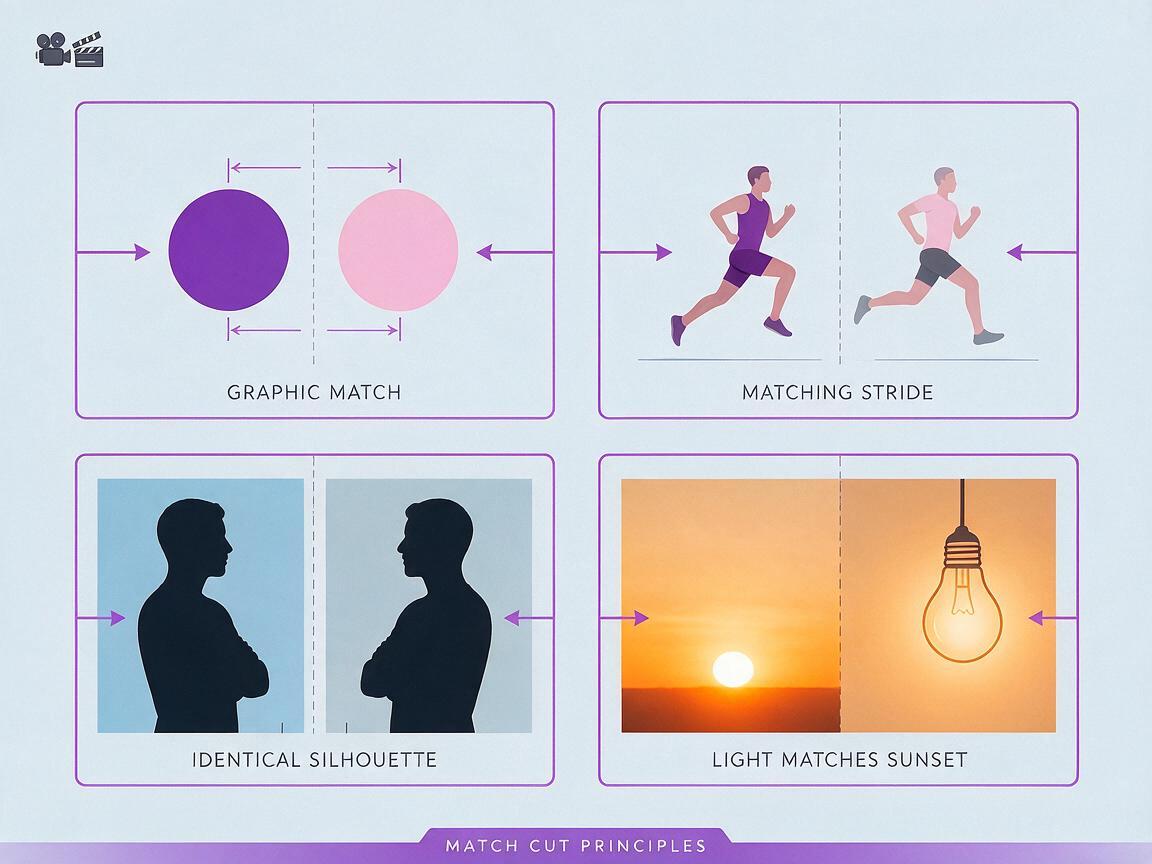
A match cut works because the audience briefly recognizes continuity across two otherwise different shots. Before writing a prompt, decide exactly what remains consistent at the edit point. Do not try to match the subject, camera move, lighting, framing, and background simultaneously.
| Bridge type | What matches | Good use | Common failure |
|---|---|---|---|
| Graphic match | Shape, size, and screen position | Time jumps and location changes | The object drifts away from the intended position |
| Motion match | Direction, speed, and gesture phase | Action scenes and energetic montages | The second movement starts too early or reverses direction |
| Composition match | Subject scale and framing | Character parallels and thematic edits | Camera distance changes near the cut |
| Color match | Dominant tone or light source | Dreams, memories, and mood transitions | The model introduces extra colors or flickering exposure |
For the cleanest result, choose one primary bridge and one supporting constraint. A circular shape in the center of the frame can be the primary bridge, while a slow push-in becomes the supporting constraint.
Directing principle: If you cannot describe the exact frame where the edit should happen, the prompt is not yet specific enough.
Use a paired prompt structure
Write the outgoing and incoming shots separately. Give both prompts the same framing language, screen direction, camera behavior, and transition landmark. In a text to video workflow, generate several short candidates for each side rather than spending all your attempts on one long clip.
Use this reusable structure:
OUTGOING SHOT
[subject and setting]. [single controlled action].
Camera: [framing], [movement], [direction].
End with [matching object or gesture] filling [specific part] of the frame.
Keep the final moment steady and visually clean.

INCOMING SHOT
Begin with [corresponding object or gesture] filling the same part of the frame.
Camera: [matching framing], [matching movement], [same direction].
Reveal [new subject and setting].
Keep the opening moment steady and visually clean.
The phrases “end with” and “begin with” clarify which part of each clip matters most. Keep the action simple near the edit. Secondary performers, fabric, smoke, reflections, and handheld shake can all make frame matching harder.
Match a spinning wheel to a film reel
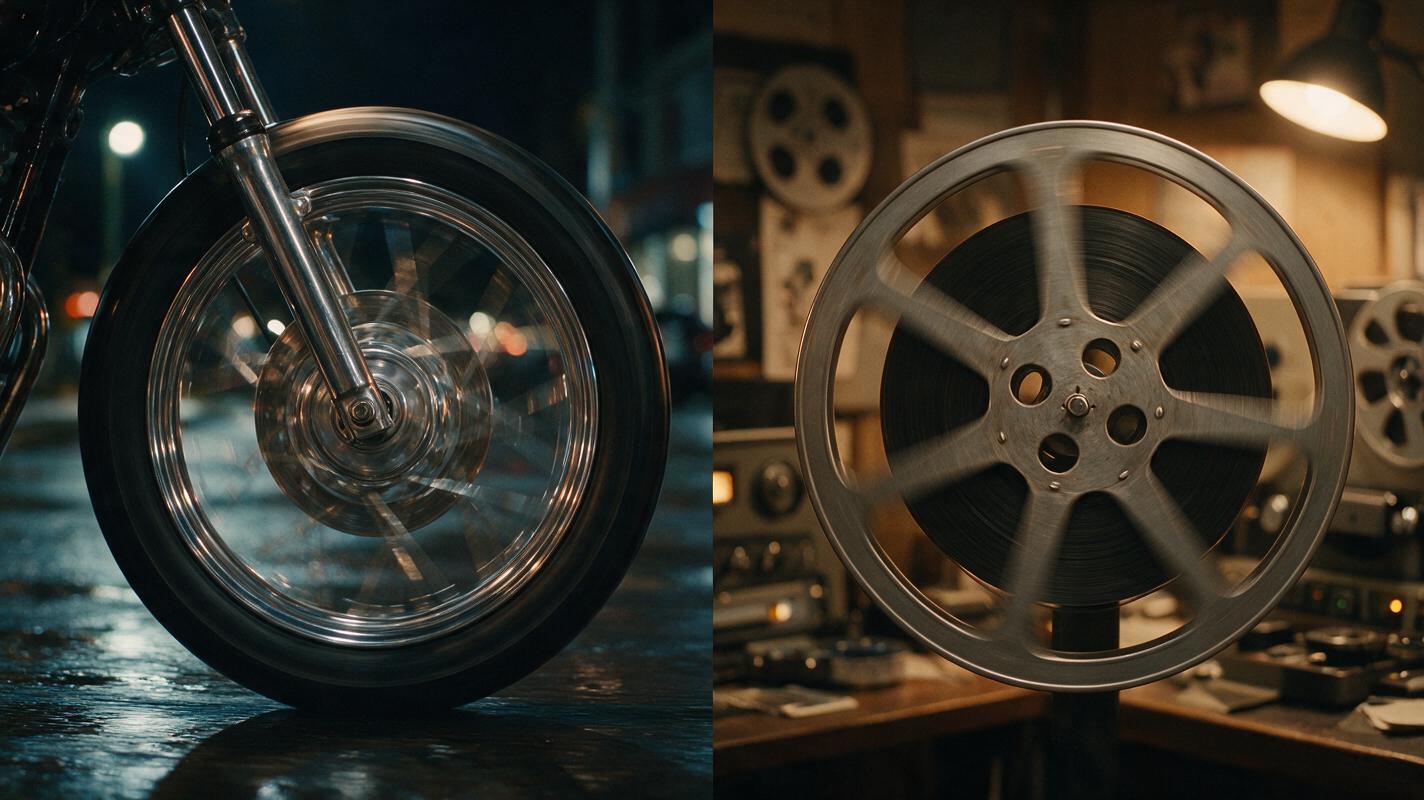
This graphic-and-motion match moves from a night drive into an editing room. The wheel and reel share a circular silhouette, clockwise rotation, and central placement.
Outgoing road shot
Cinematic close-up of a vintage motorcycle wheel moving along a wet city street at night, reflections sliding across the chrome spokes. Low tracking camera parallel to the wheel, stable speed, shallow depth of field. Gradually tighten until the clockwise-spinning wheel fills the center of the frame. End on a clean side profile with no people or vehicles crossing in front.Incoming editing-room shot
Begin on a centered side profile of a metal film reel rotating clockwise at the same measured speed, its circular rim filling the frame. Slowly pull back to reveal a dim analog editing room with warm practical lamps, film strips and a viewing machine. Smooth controlled camera movement, realistic mechanical motion, cinematic low-key lighting.In the edit, find a frame where the brightest spoke points in the same direction as an opening in the reel. Cut directly between those frames. A short whoosh or mechanical sound bridge can conceal minor differences in rotational speed.
Carry a running gesture across two locations
A motion match can connect different characters or different periods in the same character’s life. The critical variables are screen direction and body phase. Both subjects should move left to right, and the cut should occur when the same leg reaches forward.
OUTGOING: Wide lateral tracking shot of a teenage runner sprinting left to right across an empty school athletics field at dawn. Camera remains perpendicular to the runner, constant distance, full body visible, natural running cycle. Finish with the runner's right knee raised and left arm forward near the center of frame. No camera orbit, no slow motion.

INCOMING: Begin with an adult courier in the same full-body running pose, right knee raised and left arm forward, moving left to right through a crowded futuristic market. Wide lateral tracking shot, constant distance, camera perpendicular to movement. Continue the sprint naturally as colored signs and stalls pass in the background.
Do not ask Hailuo to reproduce an exact stride throughout both clips. Generate multiple takes, then select compatible frames in the edit. Slight speed differences can be corrected by trimming earlier, retiming a short section, or hiding the cut under foreground motion.
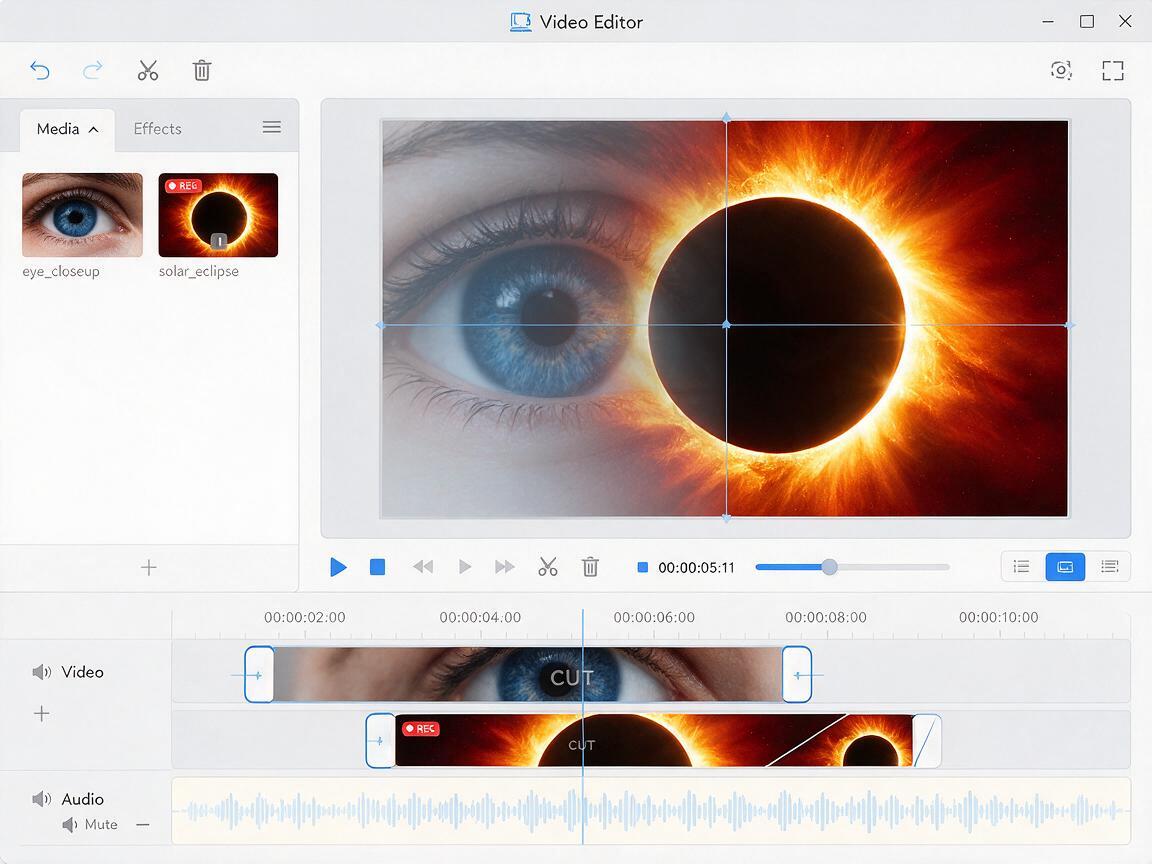
Turn an eye close-up into a solar eclipse
This transition uses shape, scale, and centered composition. It works best when facial motion is almost absent at the end of the first shot and celestial motion is restrained at the beginning of the second.
OUTGOING: Extreme close-up of an astronaut's eye inside a helmet, subtle reflections of spacecraft instruments across the visor. The camera makes a very slow precise push toward the dark pupil. Keep the eye centered, gaze steady, realistic skin texture, no blinking during the final second. End when the pupil nearly fills the frame.

INCOMING: Begin with a centered black solar eclipse nearly filling the frame, a thin white corona around the circular silhouette. Continue the same slow forward movement, then reveal faint stars and the curved edge of a distant planet. Stable exposure, restrained celestial movement, no rapid lens flare.
A hard cut usually feels more deliberate than a dissolve here. If the eye and eclipse do not align perfectly, scale and reposition one clip by a small amount in the editor rather than regenerating an otherwise successful take.
Bridge two scenes with a whip pan
Whip pans are forgiving because motion blur temporarily removes fine visual detail. They are useful when the locations have incompatible geometry, but their direction must remain consistent.
OUTGOING: Medium shot in a quiet 1970s apartment kitchen, a woman abruptly looks toward an off-screen sound. The camera performs one fast horizontal whip pan from left to right, ending in full-frame directional motion blur. No zoom, no rotation, no subject transformation.

INCOMING: Begin with full-frame horizontal motion blur traveling left to right. The camera completes the whip pan and settles into a medium shot of a detective entering a rain-soaked neon alley at night. One decisive camera movement, stable landing, realistic wet pavement and practical lighting.
Place the edit where both clips are most blurred. If the cut still bumps, add a few frames of directional blur over the join. Avoid combining a whip pan with a large push-in or tilt; multiple camera instructions can produce curved, inconsistent motion.
Prevent morphing and unstable transition frames
Match-cut failures usually come from asking one generation to do too much. Separate clips give the editor control over the exact transition frame and make troubleshooting more predictable.
- The object changes shape before the cut: Ask the outgoing shot to hold its final composition and remove unnecessary environmental action.
- The incoming shot starts too wide: Repeat the required opening scale and screen position in the first sentence of the prompt.
- Movement reverses direction: Use explicit screen direction such as “left to right” in both prompts. Do not rely only on words like “forward.”
- The camera overshoots its landing: Request one camera move with a stable finish. Remove simultaneous orbit, zoom, tilt, and handheld instructions.
- Identity changes near the endpoint: Cut before facial deformation becomes visible, or compose the transition around an object, silhouette, hand, or environmental detail.
- The timing feels mechanical: Let dramatic action motivate the cut. Match on a glance, impact, turn, or musical beat rather than choosing a frame only because the geometry aligns.
When evaluating candidates, inspect the final second of the outgoing shot and the first second of the incoming shot frame by frame. The middle of each clip can be excellent while the intended edit point remains unusable.
Assemble the match in the edit
Start by placing the outgoing clip on the timeline and mark its cleanest matching frame. Then place the incoming clip above it, lower its opacity temporarily, and adjust scale or position until the shared shape overlaps. Restore full opacity and test the hard cut at normal speed.
- Trim clips before applying speed changes.
- Use brief retiming only when the movement phase is mismatched.
- Preserve consistent screen direction unless disorientation is intentional.
- Add sound after the picture cut works without audio.
- Use a dissolve only when the story calls for a soft temporal or emotional blend.
For previs, perfect pixel-level alignment is unnecessary. The transition only needs to communicate framing, movement, rhythm, and editorial intent clearly enough for collaborators. When you have chosen a bridge, test this prompt yourself with two short clips before generating a longer sequence.
Final checklist
- Define one primary visual bridge for the cut.
- Generate the outgoing and incoming shots separately.
- Repeat framing, scale, direction, and camera behavior in both prompts.
- Keep action simple around the intended edit point.
- Generate multiple takes and select compatible frames.
- Align the clips in the editor before adding effects or sound.
- Cut on dramatic motivation, not visual similarity alone.
Keywords
hailuo prompts, cinematic match cuts, ai video transitions, motion match editing, visual storytelling, film previsualization, text to video