Hailuo Prompts for Seamless Comic Character Idle Loops
Learn how to animate breathing, blinking, hair, clothing, and environmental details in a finished comic panel without making the character look restless. These Hailuo prompt patterns and editing techniques help visual storytellers build restrained idle loops that preserve the original pose, face, line art, and composition.
Table of contents
Keep a still comic scene alive without making it restless
A good character idle loop should feel almost invisible: one quiet breath, a natural blink, or a slight movement in hair and clothing. The common failure is too much activity. Faces drift, shoulders bounce, the camera creeps forward, and a calm dialogue panel suddenly looks like an exaggerated reaction shot.
Hailuo can add controlled motion to a finished illustration, but the prompt must define what remains fixed as clearly as what moves. Use image to video with a clean source panel, a small motion budget, and an editing plan that does not depend on the model producing a perfect loop in one generation.
The useful target is not constant movement. It is a stable drawing with one or two readable signs of life.
Why comic idle loops become distracting
Video models often interpret words such as alive, dynamic, and cinematic as permission to animate the entire frame. That may introduce head turns, body swaying, lip movement, camera pushes, or changing facial expressions. Every added action creates another opportunity for the illustration to drift.
Seamless repetition introduces a second problem. Natural actions have different timing:
- Breathing is slow and continuous.
- Blinking is brief and intermittent.
- Hair movement follows delayed, overlapping arcs.
- Steam, dust, or light may move continuously without returning to an obvious starting pose.
Trying to synchronize all of these actions into one short cycle usually makes the repetition obvious. A better loop gives the character one primary motion and assigns any secondary motion a much lower amplitude.
Prepare a loop-safe source panel
Start with a panel in which the character already has a clear resting pose. Three-quarter portraits, waist-up dialogue shots, and quiet environmental panels are easier to loop than running poses, extreme foreshortening, or frames captured in the middle of an impact.
Before uploading the illustration, inspect these areas:
- Eyes: Both eyelids should be clearly drawn and unobstructed if blinking is required.
- Shoulders and chest: The silhouette needs enough room for subtle breathing without colliding with a panel border.
- Hair tips and loose fabric: Separated shapes are easier to move than dense tangles.
- Hands and props: Keep them still unless their movement is essential to the shot.
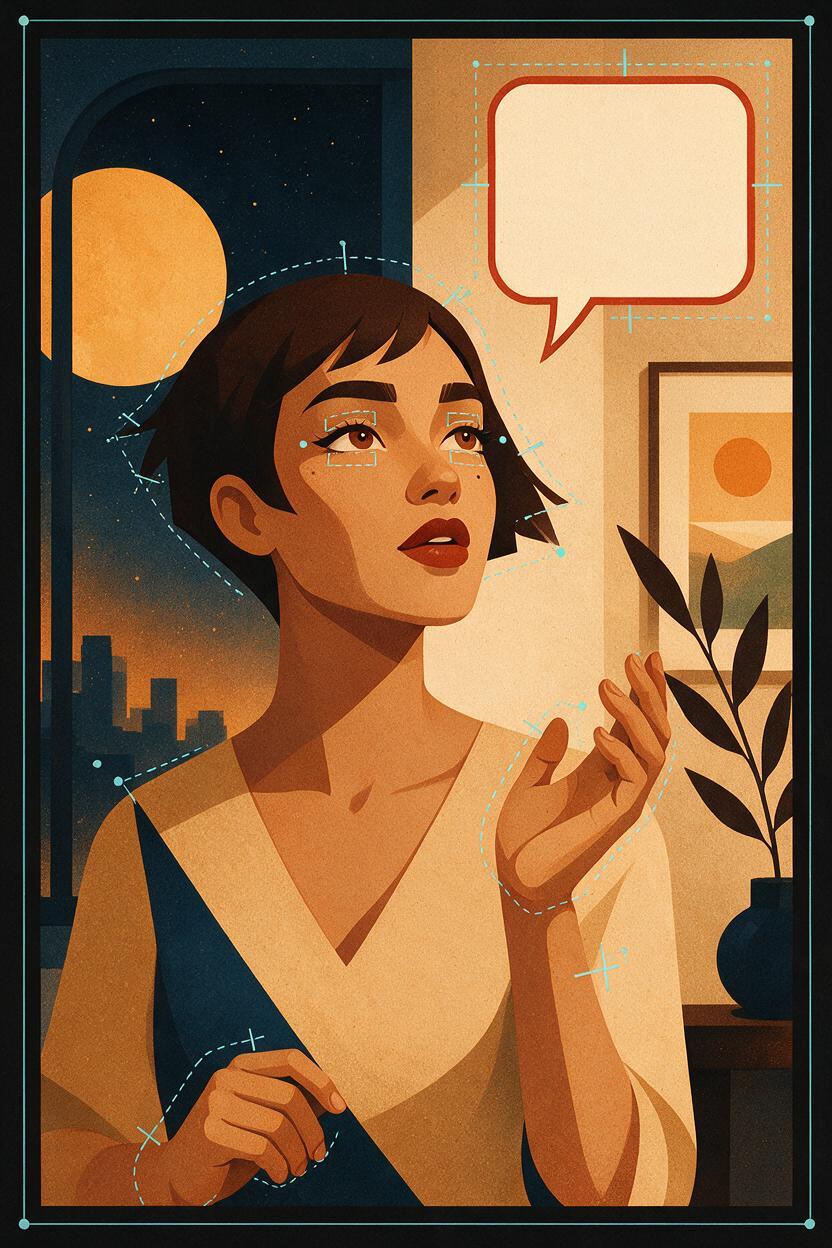
- Speech bubbles: Remove them before animation or preserve them as a separate overlay in the final edit.
Avoid enlarging tiny source art immediately before generation. Upscaling cannot restore missing eyelid geometry or unclear line intersections. If the face is small, crop a closer animation plate and composite it back into the full panel afterward.
Write prompts around reversible motion
An idle-loop prompt works best when it contains four instructions: the fixed pose, the permitted movement, the movement intensity, and the locked elements. Describe motion with restrained physical verbs such as rises slightly, settles, flickers gently, or returns to neutral.
This base structure is suitable for a calm waist-up panel:
Locked-off illustrated comic shot. The character keeps the original pose,
facial identity, expression, hand position, costume design, and silhouette.
Only subtle natural breathing: the upper chest and shoulders rise very slightly,
then settle back to the neutral pose. Hair and clothing remain nearly still.
No speaking, no head turn, no body sway, no camera movement, no zoom,
no new objects, no line-art changes, no composition changes.
The phrase returns to the neutral pose helps define a reversible action, but it does not guarantee identical first and last frames. Plan to trim and finish the cycle in an editor.
Quiet breathing without shoulder bouncing
Subtle resting breath in a still comic portrait. The ribcage expands minimally;
the shoulders rise by an almost imperceptible amount and settle naturally.
The neck, chin, eyes, hands, costume details, and background stay fixed.
No rhythmic bobbing, no posture change, no camera motion.
If the result resembles floating, remove all references to the full body. Confine the action to the upper chest and a minimal shoulder response.
A single blink inside a longer hold
The character holds the same calm expression and gaze. After a still pause,
the eyelids close once in a quick natural blink and reopen to the exact original gaze.
No eyebrow movement, no eye-direction change, no mouth movement, no head motion.
The camera and all surrounding artwork remain locked.
A blink often works better as a one-time event inside the clip than as a rapid repeating cycle. In the final edit, place the blink at irregular intervals while looping the quieter breathing layer underneath.
Hair and fabric moved by a faint breeze
Locked illustrated character shot with a very faint breeze. Only the loose hair tips
and one small edge of the scarf drift a few millimeters, lag gently, and return.
The hairstyle, face, body, hands, fitted clothing, line art, and background stay unchanged.
No dramatic wind, no billowing fabric, no camera movement.
Name the exact movable regions. Asking for “hair moving in the wind” can animate the entire hairstyle, alter its length, or expose parts of the face that were not drawn.
Give each shot a strict motion budget
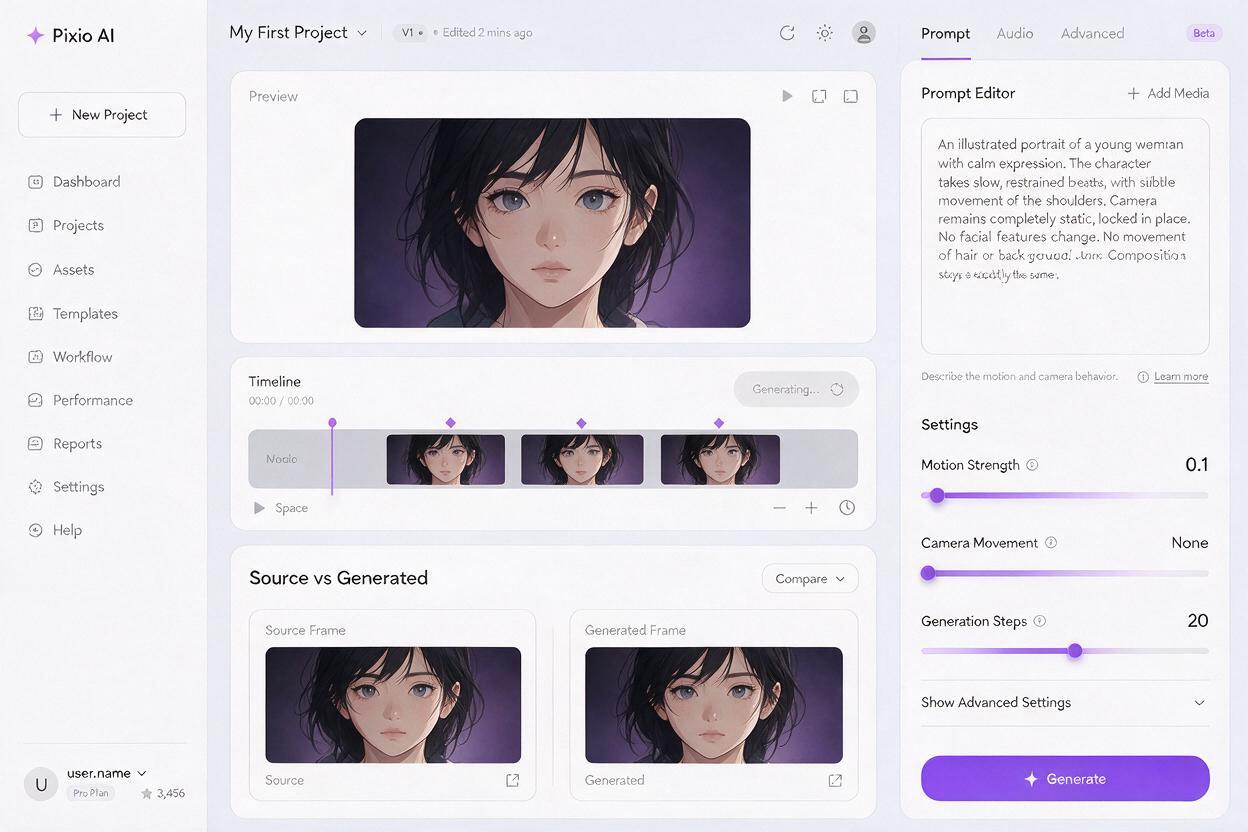
A motion budget limits how many independent elements may change. For a short comic loop, one primary action plus one secondary accent is usually enough.
| Scene type | Primary motion | Optional accent | Keep locked |
|---|---|---|---|
| Quiet dialogue | One breath | Single blink | Mouth, hands, camera |
| Rooftop pause | Hair tips | Small scarf edge | Face, torso, skyline |
| Café close-up | Breathing | Steam behind the face | Cup grip, gaze, lettering |
| Night watch | Coat edge | Distant light flicker | Weapon, stance, camera |
Do not combine breathing, blinking, speaking, hand gestures, wind, moving lights, and a camera orbit in one generation. If several motions are essential, generate separate plates or passes and composite the most stable regions.
Build the seamless cycle in the edit
Generate several restrained versions rather than increasing motion when the first result feels too subtle. The best candidate is the clip with the most stable identity and line work, not necessarily the one with the largest movement.
Review the clip frame by frame and locate two moments where the character is closest to the original resting pose. Trim between those neutral points. A short dissolve can hide a small exposure or line-weight change, while an optical-flow transition may distort illustrated contours and should be inspected carefully.
Ping-pong playback can work for breathing, drifting fabric, and gentle hair movement because those actions are approximately reversible. It is usually wrong for blinking, falling rain, rising steam, walking, or any action with a clear physical direction. A reversed blink has unnatural timing, and reversed steam appears to collapse into its source.
Loop the continuous motion separately from the event motion. Breathing can repeat; a blink can be placed occasionally on top.
Repair the loop instead of regenerating everything
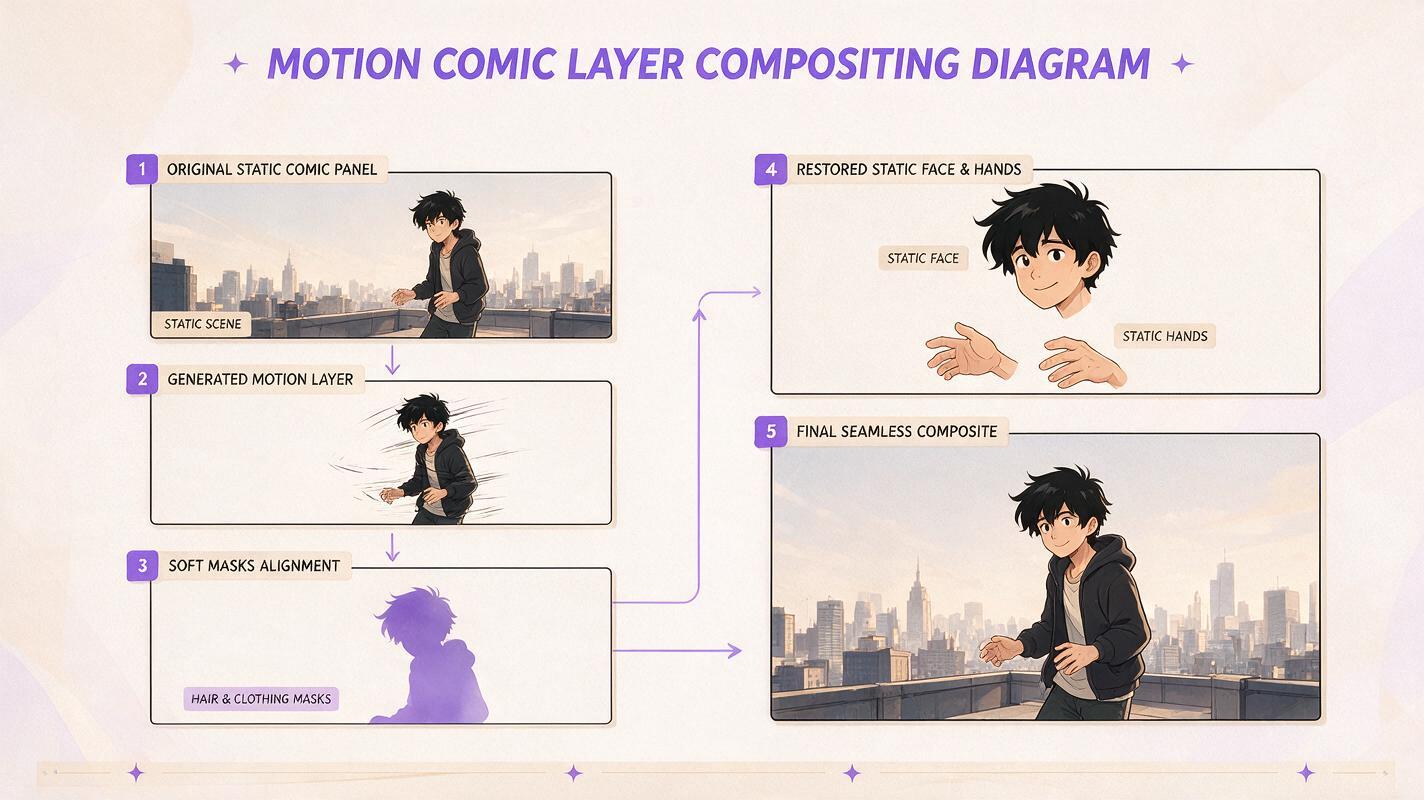
Small defects are often easier to isolate than to solve with another full-frame generation. Use the original illustration as a clean plate and reveal animated regions with soft masks.
- Face drifts but clothing works: Restore the original face and keep only the fabric animation.
- Background bends: Replace it with the static source background.
- Hands mutate: Freeze the hands and blend motion around the wrists.
- Line art flickers: Reduce the animated area or lower its opacity over the source art.
- First and last frames jump: Trim around a different neutral point before adding a transition.
If every region changes, simplify the prompt. Remove mood-heavy language, camera terminology, and multiple simultaneous actions. Return to one physical movement with explicit locked elements.
Choose motion that supports the panel’s story beat
Idle animation should reinforce the reason the panel exists. A nervous character may hold their breath before a small exhale. A confident character can remain almost perfectly still while a coat edge moves in the wind. A tired character might blink slowly, but changing the eyebrows or mouth could rewrite the expression.
Restraint also protects reading time. Webtoon and comic audiences need enough visual stability to study a face, read dialogue, and understand staging. If the motion attracts attention before the emotional beat does, the animation is too strong.
For a practical first test, use the breathing prompt on a waist-up panel with a plain background. Once the identity and silhouette remain stable, introduce one secondary element. You can test this prompt yourself and compare several low-motion generations before committing to a longer scene.
Final checklist
- Choose a source panel with a clear neutral pose and readable facial features.
- Assign one primary movement and no more than one subtle accent.
- Name the exact body part, hair section, fabric edge, or environmental detail that may move.
- Lock the face, expression, hands, costume design, composition, and camera.
- Remove speech bubbles and restore them as static overlays after animation.
- Trim around matching neutral poses instead of expecting a perfect generated loop.
- Use ping-pong playback only for motion that looks physically plausible in reverse.
- Composite stable areas from the original illustration when local drift appears.
Keywords
Hailuo prompts, comic character animation, idle animation loop, comic panel animation, illustration to video, webtoon animation, seamless character loop, image to video