Hailuo Prompts for Hazard-Spotting Training Videos
Learn how to animate hazard-spotting scenarios with Hailuo without changing the hazards, revealing answers too early, or introducing distracting motion. This practical workflow covers source-image design, reusable prompts, clip review, accessibility, and troubleshooting for workplace and classroom training.
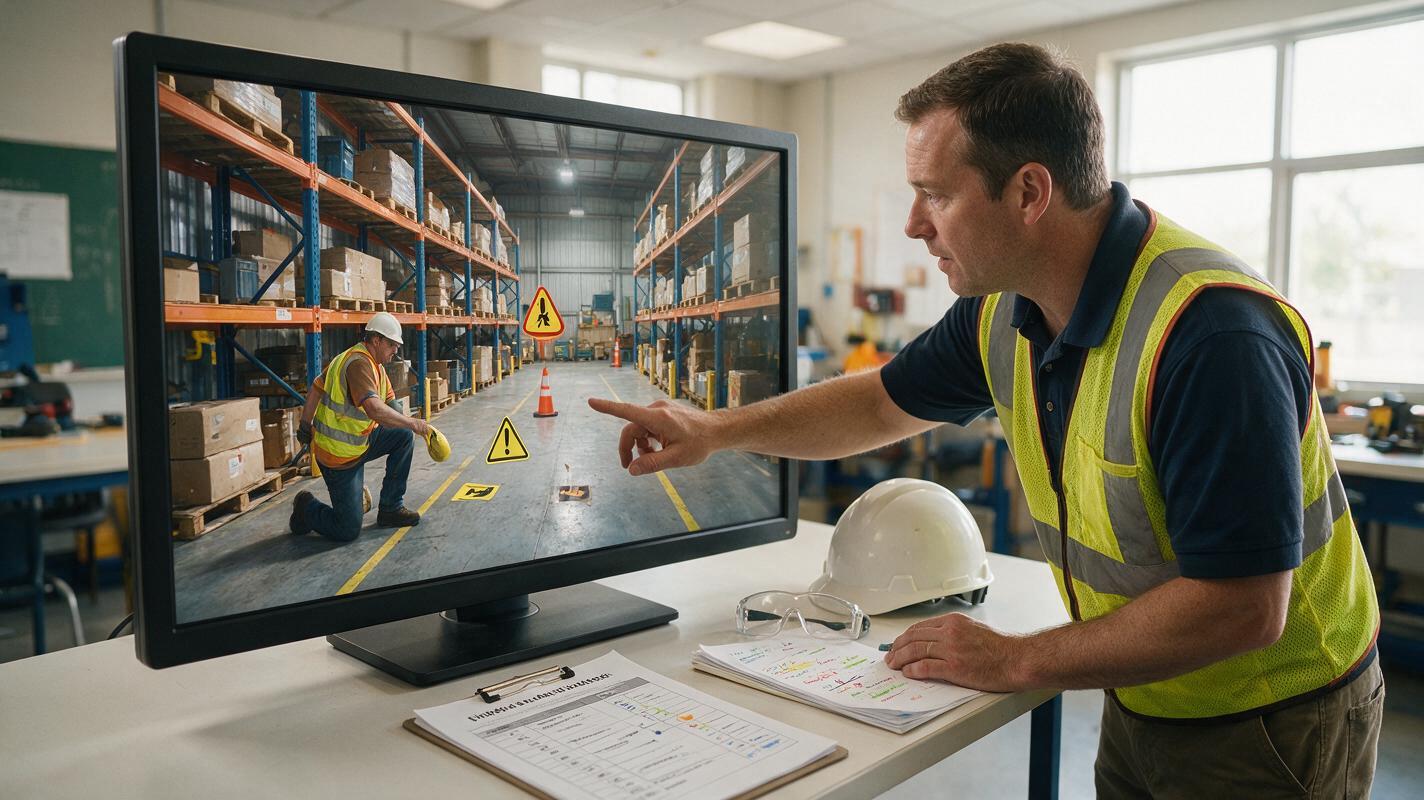
Table of contents
Make hazards observable without giving away the answer
A useful hazard-spotting video gives learners enough movement to inspect a realistic situation, but not so much that the animation changes the evidence or points directly to the correct answer. With Hailuo, the safest approach is to build a verified still image first and animate only neutral environmental details. The hazards, protective equipment, warning signs, and worker positions should remain fixed until the teaching reveal.
This method works for workplace safety courses, vocational lessons, laboratory inductions, and compliance refreshers. A practical setup pairs Hailuo with an ai video generator, a reviewed source image, and separate overlays for questions and answers.
Design the assessment before generating motion
Decide what learners must notice before creating the scene. A single clip should usually assess a small, clearly defined set of observations. If the scene contains too many accidental details, learners may spend more effort guessing the author’s intention than applying the safety rule.
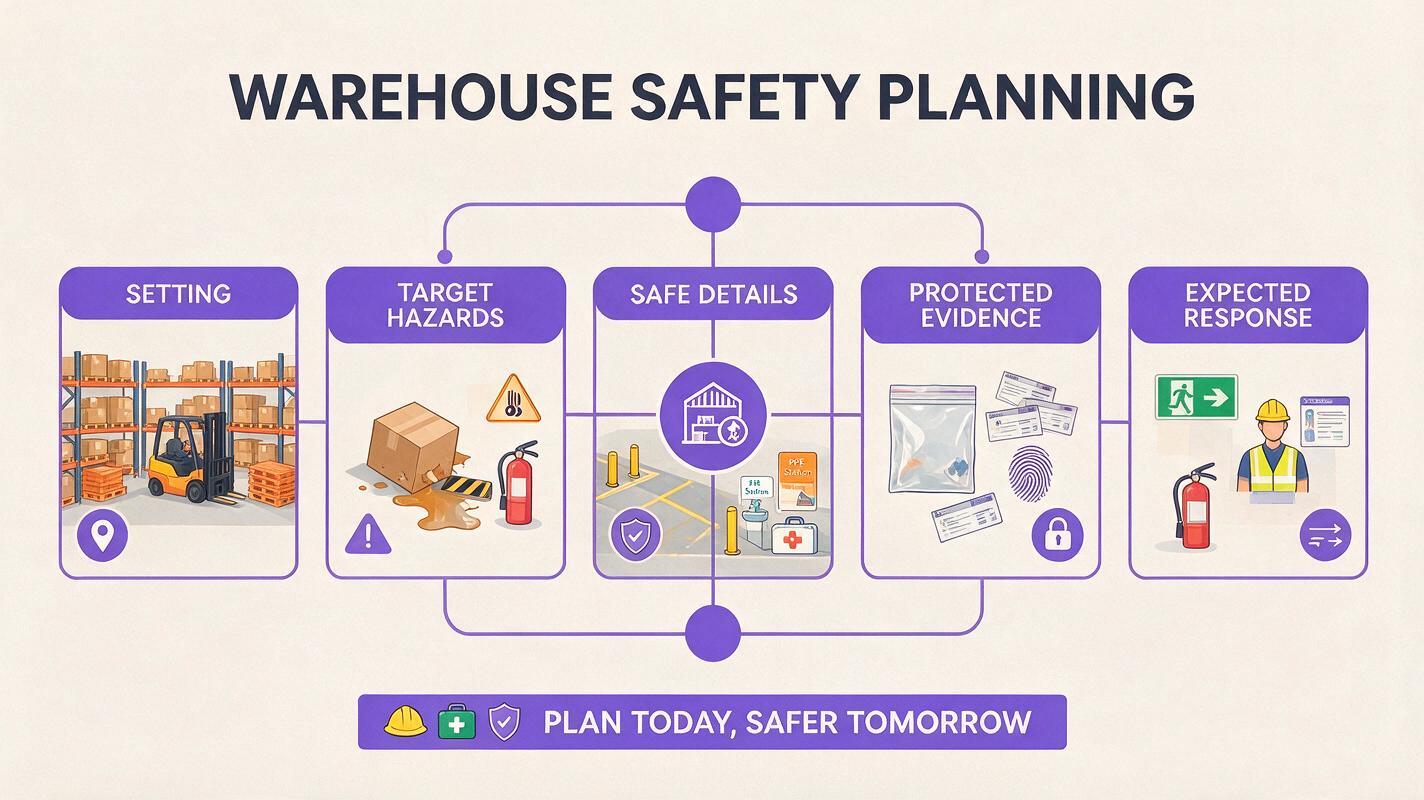
Write an assessment specification containing:
- Setting: the exact workplace, laboratory, workshop, kitchen, warehouse, or classroom environment.
- Target hazards: observable conditions that learners should identify.
- Safe details: nearby objects that are acceptable and must not be mistaken for hazards.
- Protected evidence: signs, equipment states, body positions, and spatial relationships that animation must not alter.
- Expected response: what learners will select, describe, or recommend after watching.
Generate only hazards that are relevant to the stated learning objective. Do not add dramatic danger merely to make the video more exciting.
For example, a laboratory clip might ask learners to identify an uncapped chemical container, blocked eyewash access, and missing eye protection. Steam, flashing alarms, or a sudden spill would introduce new evidence and turn the assessment into a different question.
Build a source image that can survive animation
Create or photograph a wide establishing view with every important object clearly visible. Avoid severe perspective, heavy foreground obstruction, unreadable signs, and tiny hazards at the edge of the frame. Keep critical objects separated so that the video model does not visually merge them.
A strong source plate should include:
- One stable camera viewpoint with enough space around people and equipment.
- Distinct silhouettes for tools, cables, containers, guards, and protective equipment.
- Even lighting that preserves floor-level and background details.
- No embedded question text, circles, arrows, or answer markers.
- A composition that remains understandable when displayed on a phone or learning platform.
If an instructional sign contains essential wording, add that wording later in an editor. Generated motion can warp small letters even when the rest of the scene looks convincing.
Lock the evidence in the Hailuo prompt
Use an image to video workflow so the approved source plate controls the setting and object layout. The prompt should describe permitted motion, protected details, camera behavior, and prohibited changes. Avoid asking the model to “make the scene dangerous,” because that invites it to invent hazards.
Here is a reusable prompt for a warehouse inspection clip:
Animate this approved warehouse safety-training image as a restrained observation shot.

Keep the camera completely fixed. Preserve every worker, pallet, forklift, cable, safety barrier, floor marking, sign, and item of protective equipment in its original position and condition.

Permitted motion only: subtle fluorescent-light variation, very slight fabric movement, natural blinking, and minimal breathing. Workers do not walk, gesture, look toward hazards, or touch equipment.

Do not add, remove, repair, exaggerate, highlight, or relocate any hazard. Do not change readable symbols, equipment states, hand positions, facial expressions, or spatial relationships. No zoom, pan, rack focus, dramatic lighting, sparks, smoke, falling objects, or warning graphics.

The result should feel like a calm workplace observation captured for a hazard-identification exercise, not an accident reenactment.
The same structure can be adapted for laboratories, food preparation areas, construction sites, healthcare simulations, and technical workshops. Replace the object inventory rather than relying on a vague instruction such as “keep everything consistent.”
Choose motion that does not become a clue
Movement attracts attention. If only one cable swings or one container emits vapor, learners will naturally treat it as the answer. Neutral motion should therefore be distributed carefully and kept unrelated to the assessed hazard.
| Motion choice | Training effect | Recommendation |
|---|---|---|
| Fixed camera and minimal breathing | Supports inspection without redirecting attention | Usually suitable |
| Worker looks toward a hazard | Reveals where learners should look | Avoid before the answer |
| Slow zoom toward one object | Turns camera movement into a hint | Reserve for feedback |
| Smoke, sparks, or liquid movement | May invent severity or a new event | Use only when verified and taught |
| Subtle ambient movement across the scene | Adds realism without selecting an answer | Use sparingly |
When the assessment depends on a static condition, the best animation may be almost still. Motion is not automatically evidence of quality; instructional control matters more.
Separate observation, response, and feedback
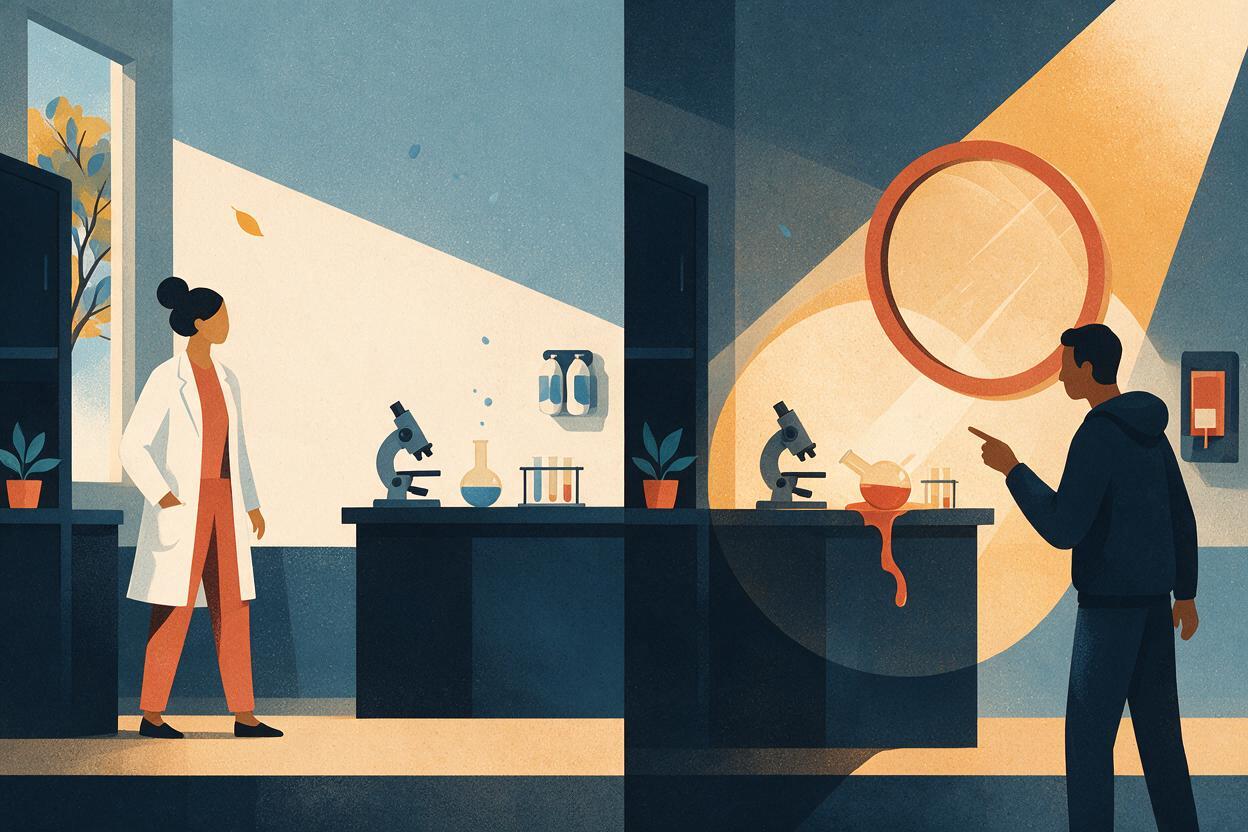
Structure the learning activity as three distinct beats. First, show the unmarked clip and tell learners what to inspect. Then pause for a response through a quiz, discussion, or downloadable worksheet. Finally, present a separate feedback frame with overlays identifying the intended hazards.
Do not ask the video model to generate circles and explanatory labels inside the observation clip. Create those elements as editable graphics so they remain legible and can be updated when regulations, terminology, or translations change.
A concise course sequence could be:
- Observation: “Watch the scene and identify three conditions requiring action.”
- Response: learners select regions or write their findings.
- Feedback: the source image returns with numbered markers and short explanations.
- Transfer: learners state the correct action or control measure for each hazard.
This separation also prevents a visually impressive clip from replacing the actual learning task.
Review every frame for changed evidence
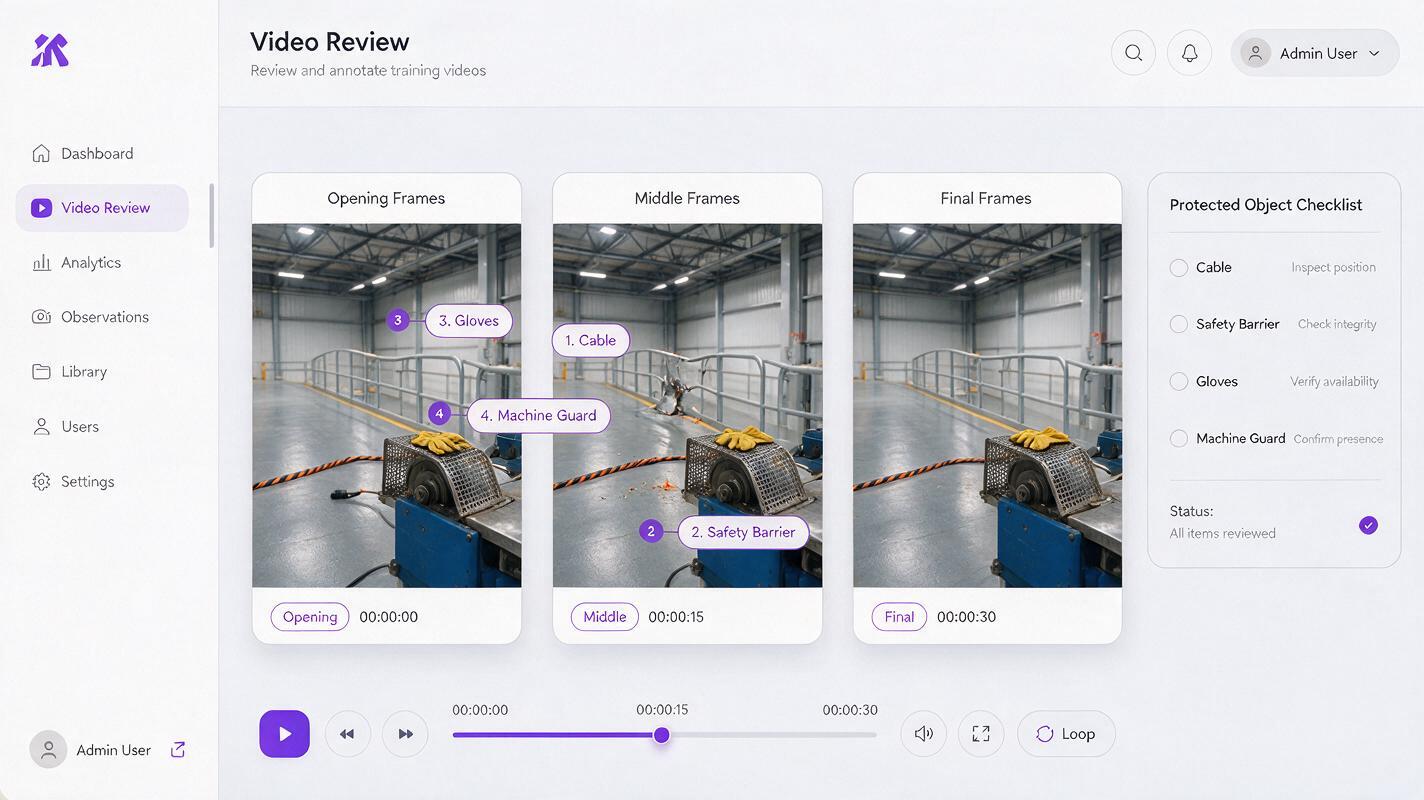
Watch the result once at normal speed for learner experience, then inspect it slowly for factual drift. Compare the opening frame, middle frames, and final frame against the approved source plate.
Check whether the generation has:
- Added or removed gloves, goggles, guards, labels, lids, cables, or barriers.
- Changed whether a door, container, switch, or machine guard is open or closed.
- Moved a person closer to machinery or altered hand placement.
- Made a safe object appear broken, unstable, hot, sharp, or contaminated.
- Introduced eye direction, pointing, focus changes, or lighting that reveals the answer.
Reject the clip if a changed detail affects interpretation, even when the alteration lasts for only a few frames. Learners may pause the video, and an accidental frame can undermine the assessment.
Fix common hazard-video failures
The model invents an accident
Remove dramatic verbs such as “dangerous,” “chaotic,” “urgent,” and “about to fail.” Replace them with an explicit inventory of fixed objects and a short list of permitted ambient movements.
A worker signals the correct answer
Protect gaze direction, posture, hands, and facial expression. State that nobody looks toward, points at, approaches, or reacts to a hazard.
Signs and markings become unreadable
Use signs with simple verified symbols in the source plate, but place detailed wording in an editable overlay after generation. Never depend on regenerated fine text for a compliance-critical instruction.
The hazard disappears during the clip
Reduce the requested motion and simplify the scene. If the target object is very small, create a closer source composition rather than asking for a digital zoom that could distort its surroundings.
The result is too subtle for some learners
Improve the source image instead of making the hazard move. Increase lighting, separation, scale, or contrast while keeping the answer unmarked. Supply captions, a still-image alternative, and enough viewing time for learners who process visual information differently.
Use a prompt for laboratory hazard practice
This variation protects evidence in a science-laboratory lesson:
Create a restrained training clip from this approved laboratory image. Keep the camera locked and preserve the exact positions and conditions of the uncapped container, eyewash station, stool, electrical cable, glassware, labels, protective goggles, hands, and work surfaces.

Allow only subtle breathing, natural blinking, and faint background light variation. No person reacts to or looks toward any hazard. Do not create spills, fumes, flames, broken glass, alarms, hand gestures, camera movement, focus shifts, or new objects.

Maintain the scene as a neutral visual inspection exercise. Do not reveal which details are unsafe.
After generating, compare every protected item with the source image. If the evidence remains stable, add the question and feedback in your course editor. You can test this prompt yourself with a reviewed training image and substitute your own protected-object inventory.
Final checklist
- The target hazards match a defined learning objective.
- Safe details are distinguishable from assessed hazards.
- The source image has been reviewed by a qualified subject-matter expert.
- The prompt names protected objects and permits only neutral motion.
- Camera movement, gaze, lighting, and effects do not disclose the answer.
- Question and feedback graphics are added outside the generated clip.
- Opening, middle, and final frames preserve the same evidence.
- Captions, viewing time, and a still alternative support accessibility.
- Synthetic or reconstructed scenes are identified when context requires disclosure.
Keywords
hailuo prompts, hazard spotting videos, safety training videos, image to video, training video prompts, workplace safety training, scenario-based learning