Hailuo Prompts for Product Reveal Ads Without Camera Chaos
Create polished product reveal ads from a single packshot using Hailuo prompts that control camera movement, object motion, lighting, and composition. This guide includes reusable prompt templates, channel-specific framing advice, and fixes for distorted packaging, unreadable labels, and overactive motion.
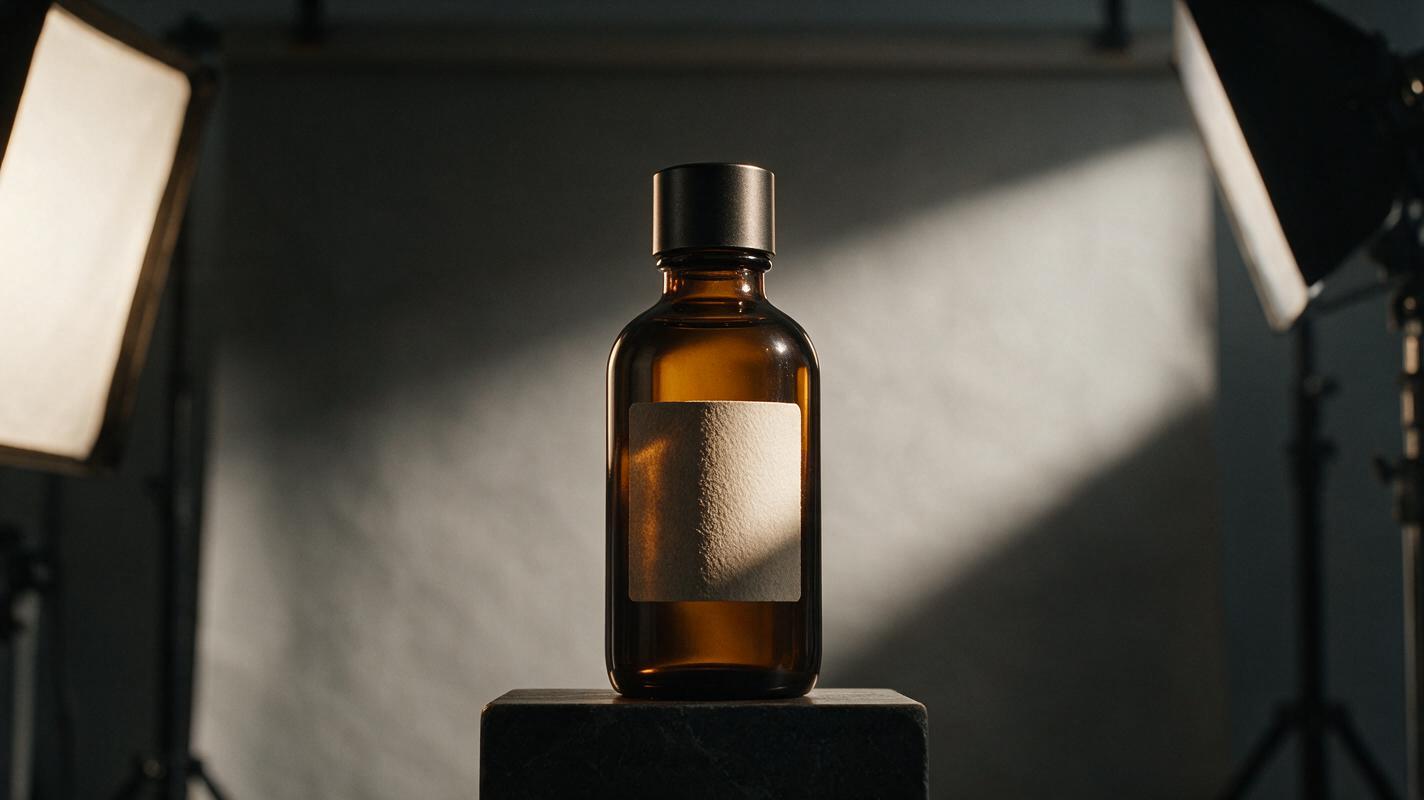
Table of contents
Create a controlled product reveal from one clean packshot
A cinematic product reveal should make the item feel desirable without bending the package, obscuring the label, or sending the camera into an uncontrolled orbit.
Hailuo can animate a polished product image into a short reveal, but the prompt needs more than words such as cinematic or luxury. Reliable results come from defining what stays fixed, how the camera moves, what environmental motion is allowed, and where the product must remain in the frame.
The following prompt patterns are designed for ecommerce ads, product-page media, launch teasers, and paid social creative. Replace the bracketed details with your product and brand attributes.
Why product reveal prompts become chaotic
Product animation often fails because the prompt asks the model to make too many creative decisions at once. A request for a “dramatic cinematic reveal with dynamic movement” does not explain whether the product rotates, the camera moves, the background changes, or all three happen together.
That ambiguity can produce several conversion-damaging problems:
- Competing motion: the camera circles while the product also spins, making the label difficult to read.
- Packaging drift: edges, caps, handles, or printed details change between frames.
- False functionality: buttons move, lids open, or materials flex even though the source image provides no evidence for that action.
- Weak framing: the product exits the safe area needed for headlines, captions, or platform controls.
- Overactive effects: smoke, liquid, particles, or reflections become more prominent than the item being sold.
The safest reveal uses one dominant camera action, one restrained environmental effect, and an explicit instruction to preserve the product.
Prepare a source frame that protects the product
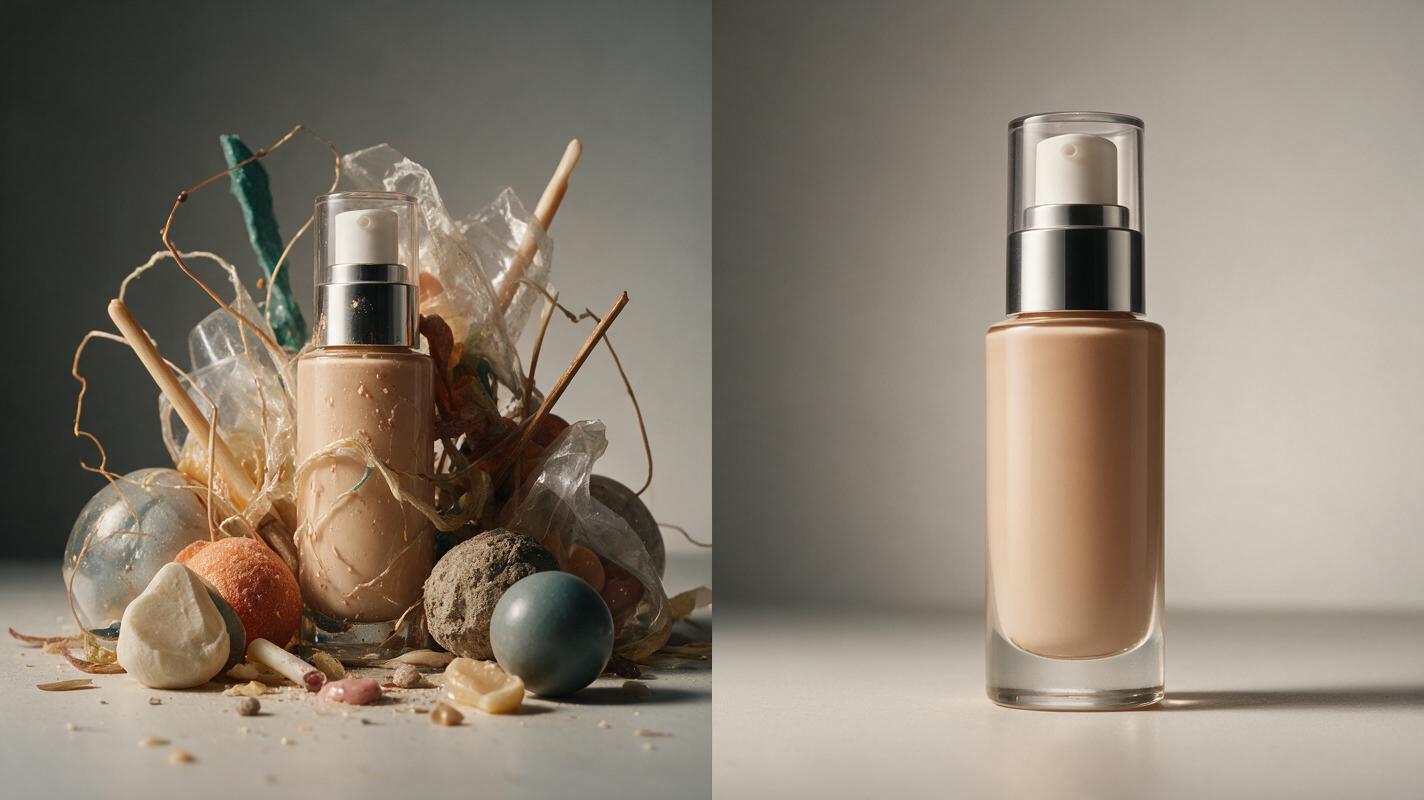
Start with a high-resolution packshot or approved campaign still. The product should be sharp, fully visible, and large enough to preserve important details. Avoid beginning with a tiny item surrounded by excessive empty space; animation models may treat the background as the primary subject.
A strong source frame usually has:
- A clearly readable silhouette with no cropped corners or accessories
- Even focus across the logo, label, closure, and major product features
- Simple lighting that already matches the intended advertising mood
- Useful negative space on the side where copy will appear
- No temporary price text, badges, or disclaimers baked into the image
For a reference image to video workflow, treat the uploaded image as the product-accuracy layer. Let the prompt control motion and atmosphere rather than redesigning the packaging.
Build the prompt around four motion layers
A controllable Hailuo prompt can be written as four compact layers: subject lock, camera action, environmental response, and ending composition. This structure gives every movement a clear owner.
| Prompt layer | What to specify | Useful language |
|---|---|---|
| Subject lock | What must remain unchanged | Preserve the exact product shape, label, logo, cap, colors, and proportions |
| Camera action | One dominant movement | Slow push-in, gentle lateral slide, controlled tilt, subtle pull-back |
| Environment | One supporting effect | Soft moving reflection, faint mist, drifting shadow, restrained particles |
| End frame | Where the shot settles | Centered hero composition, front label facing camera, negative space on left |
Write the most important constraints early. Avoid long lists of camera terms that conflict with one another. “Push in, orbit, pan, tilt, and zoom” is not more precise than choosing one deliberate move.
Use the uploaded product image as the exact visual reference.
Preserve the original packaging, silhouette, logo, label, colors, materials,
and proportions throughout the shot.

Camera: [one slow camera movement].
Environment: [one subtle supporting motion].
Lighting: [controlled lighting behavior].
Ending: [final composition and copy-safe area].

No product rotation, no label changes, no added components,
no deformation, no sudden camera movement.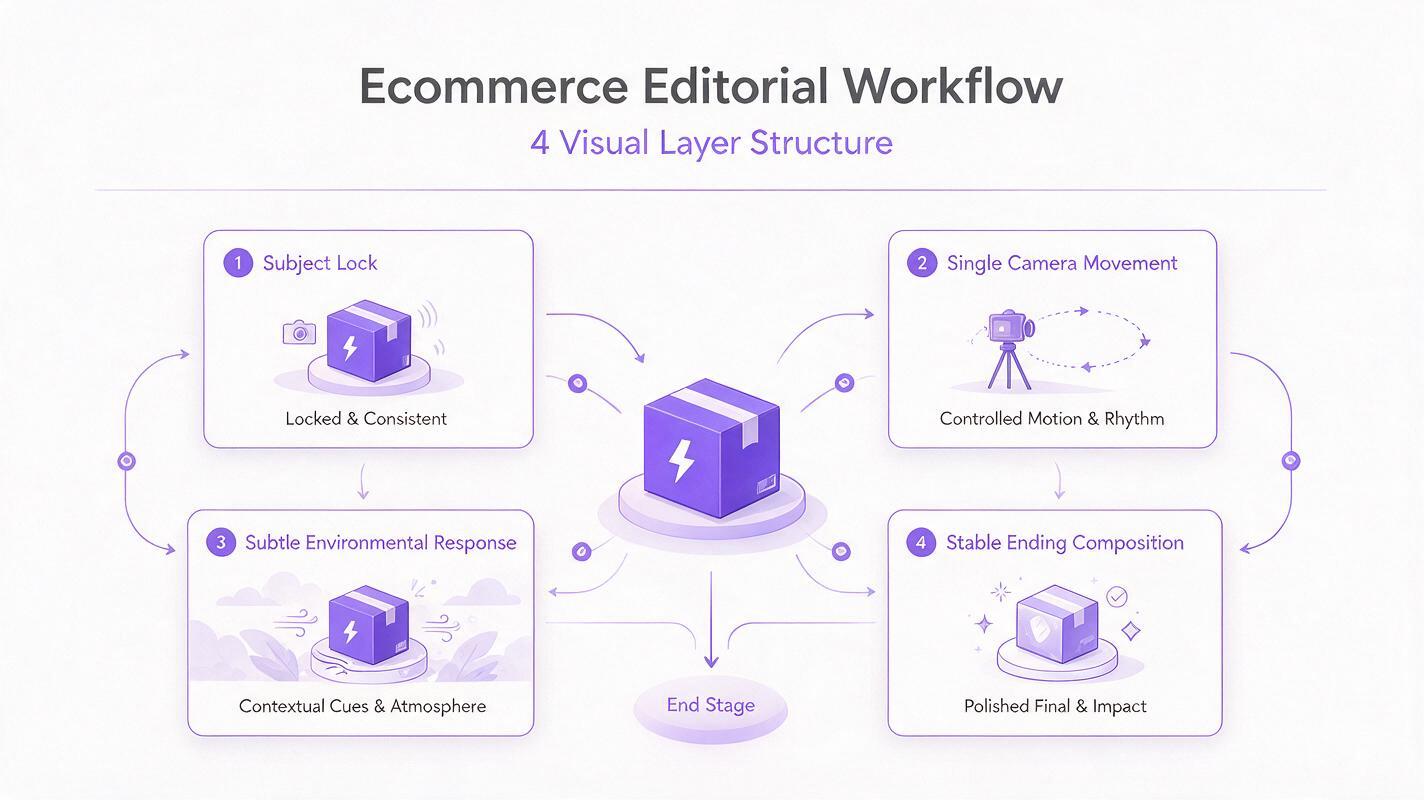
Clean studio reveal prompt
This format works for beauty, electronics, home goods, supplements, and other products that need a premium but broadly usable presentation.
Animate the exact product shown in the reference image without changing its
shape, packaging, logo, label, colors, or proportions. The product remains
stationary and upright. Use a slow, smooth camera push-in toward the front
of the product. A soft studio highlight travels gently across the surface,
revealing the material without hiding the label. Keep the background clean
and stable. Finish on a sharp centered hero frame with clear negative space
on the left for ad copy. No rotation, warping, floating, added text, or
sudden motion.
The restraint is intentional. A stationary product combined with a push-in and moving highlight creates depth without asking the model to reconstruct unseen sides.
Luxury shadow reveal prompt
Use this variation when the brand calls for darker contrast, controlled suspense, and a premium launch-film aesthetic.
Preserve the exact product design and all visible packaging details from the
reference image. Begin with the product partially defined by a soft shadow.
The camera makes a very slow lateral slide from right to left while a narrow,
warm highlight gradually reveals the front surface. Keep the product fixed,
upright, and facing the camera. Maintain deep charcoal tones and realistic
reflections. End with the logo and label fully visible, with open space on
the right for a headline. No orbit, no product spin, no smoke covering the
item, no shape changes, and no new decorative elements.
If the result feels too theatrical, remove smoke and particles before reducing the camera movement. Atmospheric effects are usually the first source of visual clutter.
Fresh ingredient reveal prompt
Food, beverage, skincare, and wellness ads often need freshness cues. The safest approach is to animate the environment around the package rather than simulate unsupported product behavior.
Keep the product packaging identical to the uploaded image, including the
container shape, cap, printed label, logo, color palette, and proportions.
The product stays motionless in a front-facing hero position. Use a gentle
camera pull-back that reveals a clean surface with [ingredient] arranged in
the background. Add only slight natural movement: two small leaves shift in
a soft breeze and condensation catches the light. Keep all ingredients behind
or beside the product so the label remains unobstructed. Finish with a stable,
bright composition and copy space above. No splashing over the label, no
container deformation, and no invented packaging text.
Only show ingredients or benefits that are accurate and approved for the product. Generative polish does not replace advertising substantiation.
Frame the reveal for its actual placement
Choose the destination before generating variants. Reframing a finished horizontal shot into a vertical ad can crop the product or remove the negative space created for copy.
| Placement | Recommended composition | Prompt adjustment |
|---|---|---|
| Vertical social ad | Product near center with clear upper and lower margins | Request a stable vertical hero frame and space above for a short hook |
| Square feed creative | Large product with balanced side spacing | Use a short push-in and keep all supporting objects close to the product |
| Horizontal launch banner | Product on one third with wide copy-safe space | Specify which side must remain uncluttered throughout the shot |
| Product detail page | Front-facing item with minimal effects | Prioritize material detail, label clarity, and a calm ending frame |
Generate the clean master before adding headlines, prices, ratings, or calls to action in an editor. This prevents text from morphing during animation and makes localization easier.
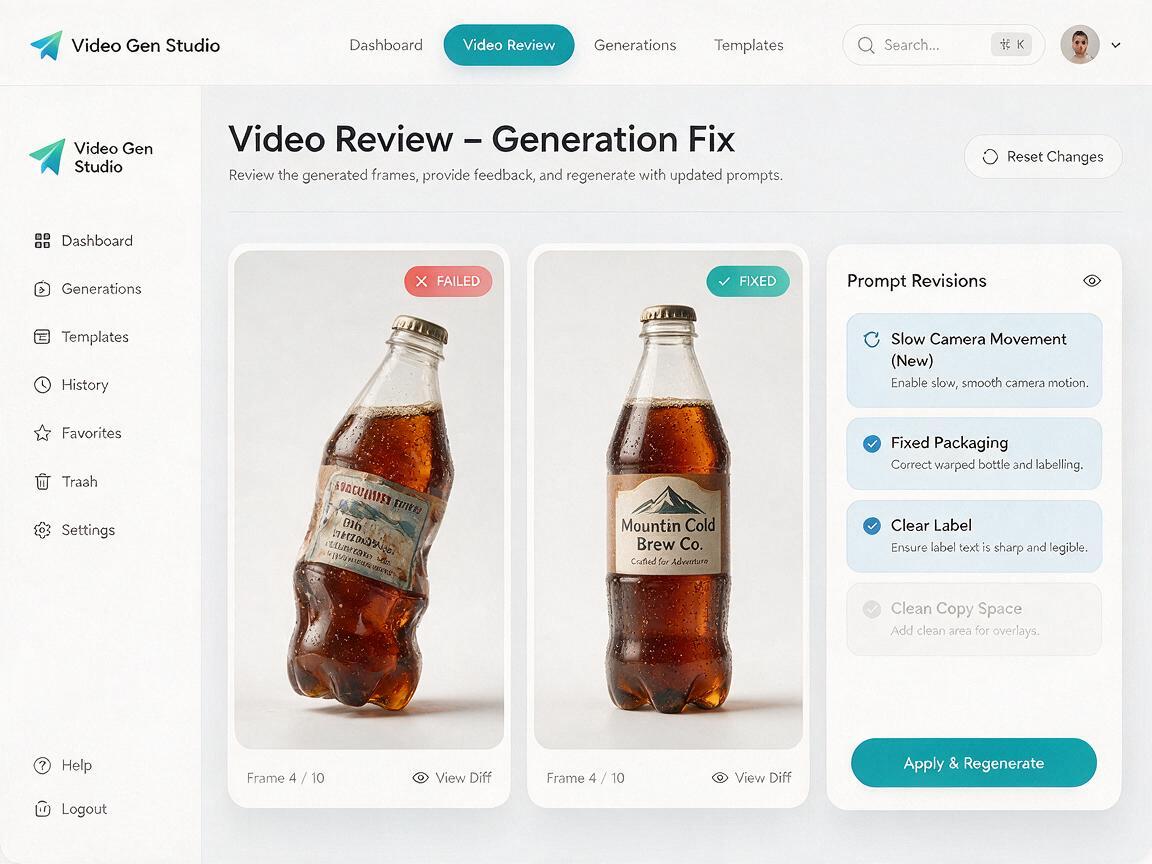
Fix label drift, distortion, and unwanted motion
| Problem | Likely cause | Prompt correction |
|---|---|---|
| Label becomes unreadable | Camera move is too wide or effects cross the package | Keep the front label facing the camera and remove foreground particles |
| Product appears to melt or flex | The prompt assigns motion to the product | State that the rigid product remains stationary, solid, and unchanged |
| Camera rushes toward the item | Words such as dramatic or rapid imply acceleration | Request a slow constant-speed push-in with a gentle stop |
| New props appear | The environment is underspecified | Name the permitted props and explicitly reject additional objects |
| Copy space disappears | The final composition is undefined | Reserve a specific side and require it to remain clean for the entire shot |
| Product rotates unexpectedly | Reveal is interpreted as an object spin | Say that only the camera moves and the product never rotates |
Change one variable per retry. If you alter the camera, lighting, effects, framing, and product position simultaneously, you will not know which correction improved accuracy.
Create useful ad variants without rebuilding the shot
Once a stable reveal works, keep the subject lock and camera sentence unchanged. Produce controlled variants by changing only the environment or ending composition.
- Hook variant: begin closer to the product for immediate recognition.
- Copy-space variant: move visual weight to the opposite third of the frame.
- Seasonal variant: adjust the background palette and approved props without changing the package.
- Material variant: replace particle effects with a soft highlight that emphasizes glass, metal, matte paper, or polished plastic.
- Retargeting variant: use a calmer shot with a longer, readable final hold for offer overlays.
Save the successful prompt beside the source asset and final export. Naming each version by camera move, environment, ratio, and ending position makes future testing easier. When your reference frame is ready, test this prompt yourself with the clean studio template before attempting more elaborate effects.
Final checklist
- The source product is sharp, unobstructed, and large enough in the frame.
- The prompt preserves the exact package, logo, label, colors, and proportions.
- Only one dominant camera movement is requested.
- The product remains stationary unless rotation is genuinely necessary.
- Environmental motion supports the product instead of covering it.
- The ending frame includes intentional space for copy or interface controls.
- Generated claims, ingredients, packaging text, and product behavior are reviewed for accuracy.
- Headlines and prices are added after generation rather than animated inside the source image.
Keywords
hailuo product video, product reveal ads, cinematic product ads, camera motion prompts, product photo animation, ecommerce video creative