How to Make a 90s Commercial With AI: VHS, Camcorder & Retro Ad Prompt Guide
The 90s look is not a grain filter. Build the decade first, then add camera and tape artifacts.
Table of contents
Direct answer
To make an AI video feel like a real 1990s commercial or home-video ad, four things need to work together:
- era-specific production design
- consumer-camera behavior
- analog signal imperfections
- editing that belongs to the period
Most failed “VHS prompts” simply add *retro, VHS, grainy, nostalgic* to a modern scene. The result is a contemporary cinematic image wearing a glitch filter.
A convincing retro result starts with a scene that could plausibly exist in the decade: clothing, appliances, packaging, furniture, cars, props, lighting and performance. Only then add soft consumer optics, direct flash, snap zooms, autofocus hunting, color bleed, scan texture or tracking wobble.
The reference: a small home-video moment
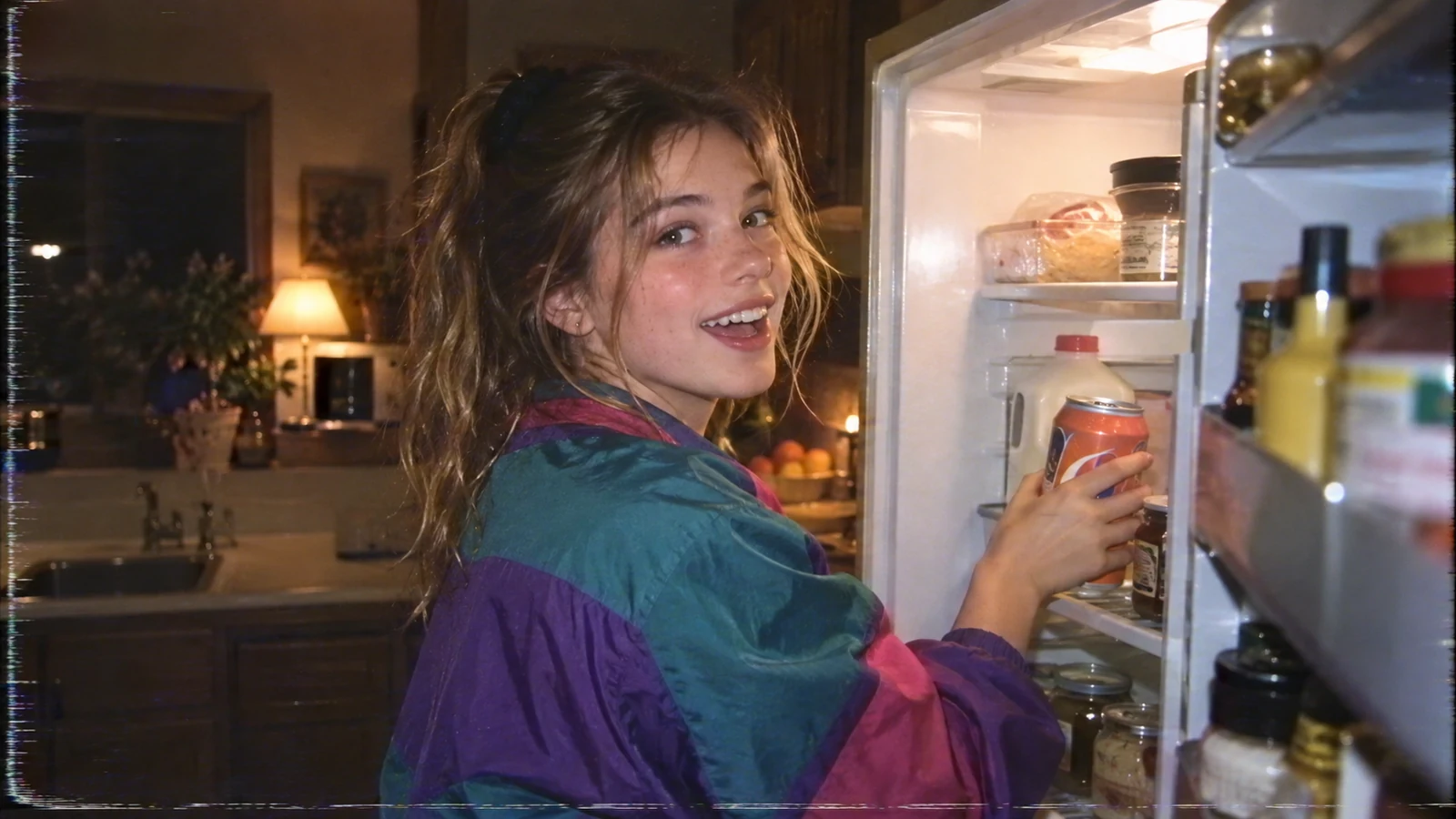
This frame feels period-specific because the idea is simple: someone grabs a soda at night and notices the camera.
The decade is spread across the frame: windbreaker silhouette, older kitchen styling, warm practical light, bright refrigerator highlights, imperfect consumer-camera detail, tape texture and a candid performance.
That is a better starting point than “make a 90s soda commercial.”
1. Build the decade before the VHS effect
If you removed all glitch and scan-line effects, would the scene still feel period-appropriate? If not, the art direction is not finished.
Start here:
1990s suburban kitchen at night, wood cabinets, older white refrigerator,
warm table lamp in the next room, fruit bowl, paper notes on the fridge,
young woman in a teal-purple windbreaker, loose high ponytail,
reaches into the fridge for an unbranded orange soda can and looks back at the camera.
Then add camera language.
Useful era cues include windbreakers, oversized denim, track jackets, plaid, chunky sneakers, CRT TVs, wired controllers, VHS tapes, photo prints, plastic household objects and fluorescent convenience-store fixtures.
Avoid making every 90s scene neon cyberpunk.
2. Prompt the camera like a physical object
For a consumer-camcorder look, use shoulder or chest-height handheld framing, a fast reframe after action begins, a snap zoom instead of a smooth dolly, brief autofocus hunting, soft edges, direct on-camera light, slight motion smear and small horizon drift.
Camera prompt block
Captured on a consumer 1990s camcorder.
Handheld operator stands a few feet away and reacts to the action.
Small horizon drift, soft consumer zoom, one quick snap-zoom,
brief autofocus hunt when the subject turns,
slight motion smear, imperfect edge detail.
No modern gimbal, no drone movement, no luxury commercial camera.
3. Use analog artifacts as seasoning
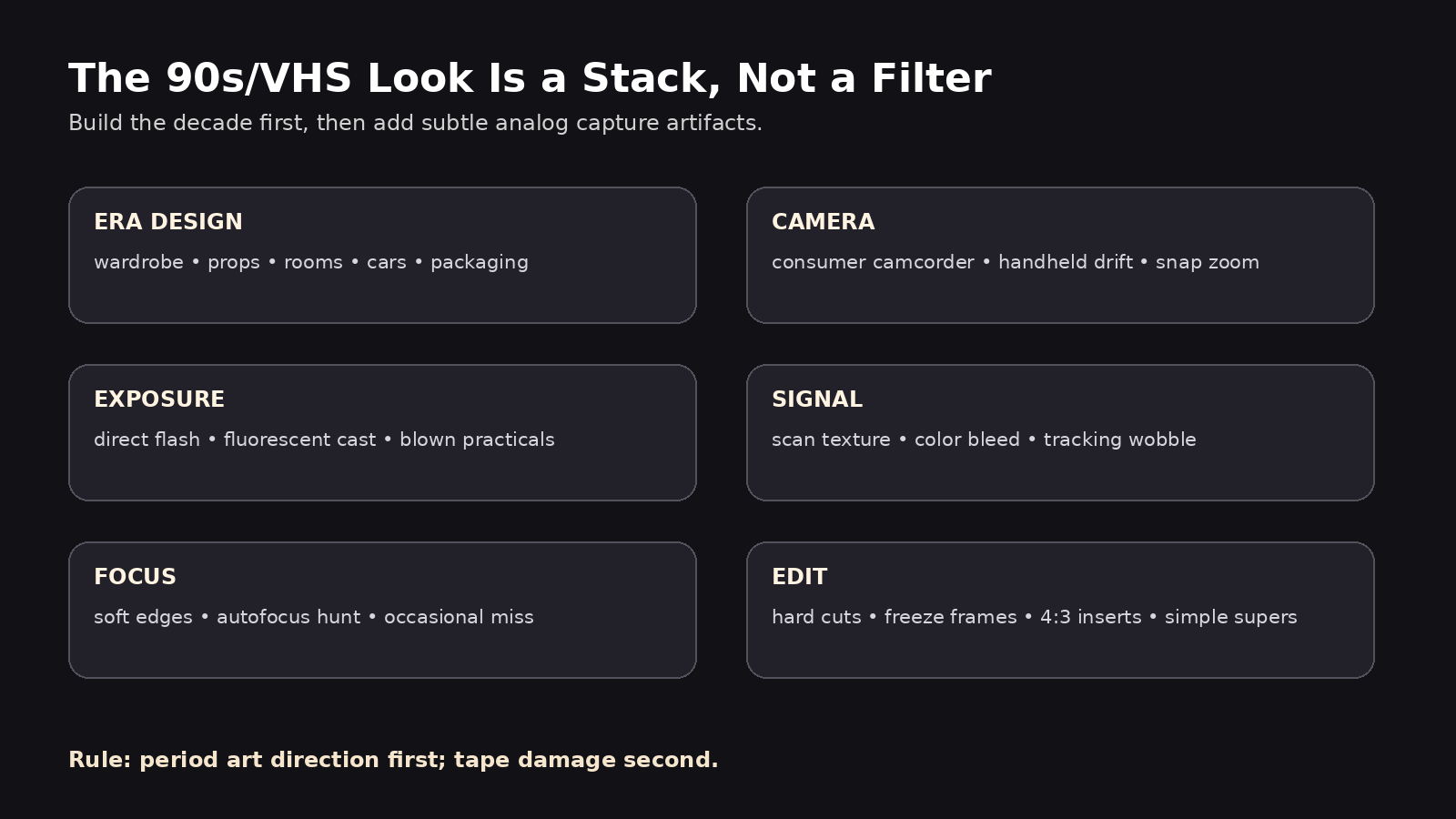
Useful cues include subtle scan texture, chroma bleed, red/blue edge separation, soft luma detail, bottom-edge tracking wobble, brief horizontal tearing, low-level tape noise, clipped highlights and momentary brightness pumping.
Do not stack every defect at full strength.
Light VHS tape texture with fine scan-line noise, slight chroma bleed,
soft luma detail and one brief tracking wobble near the bottom edge.
Keep faces readable. Do not cover the image in heavy glitch effects.
4. Design the commercial as five short shots
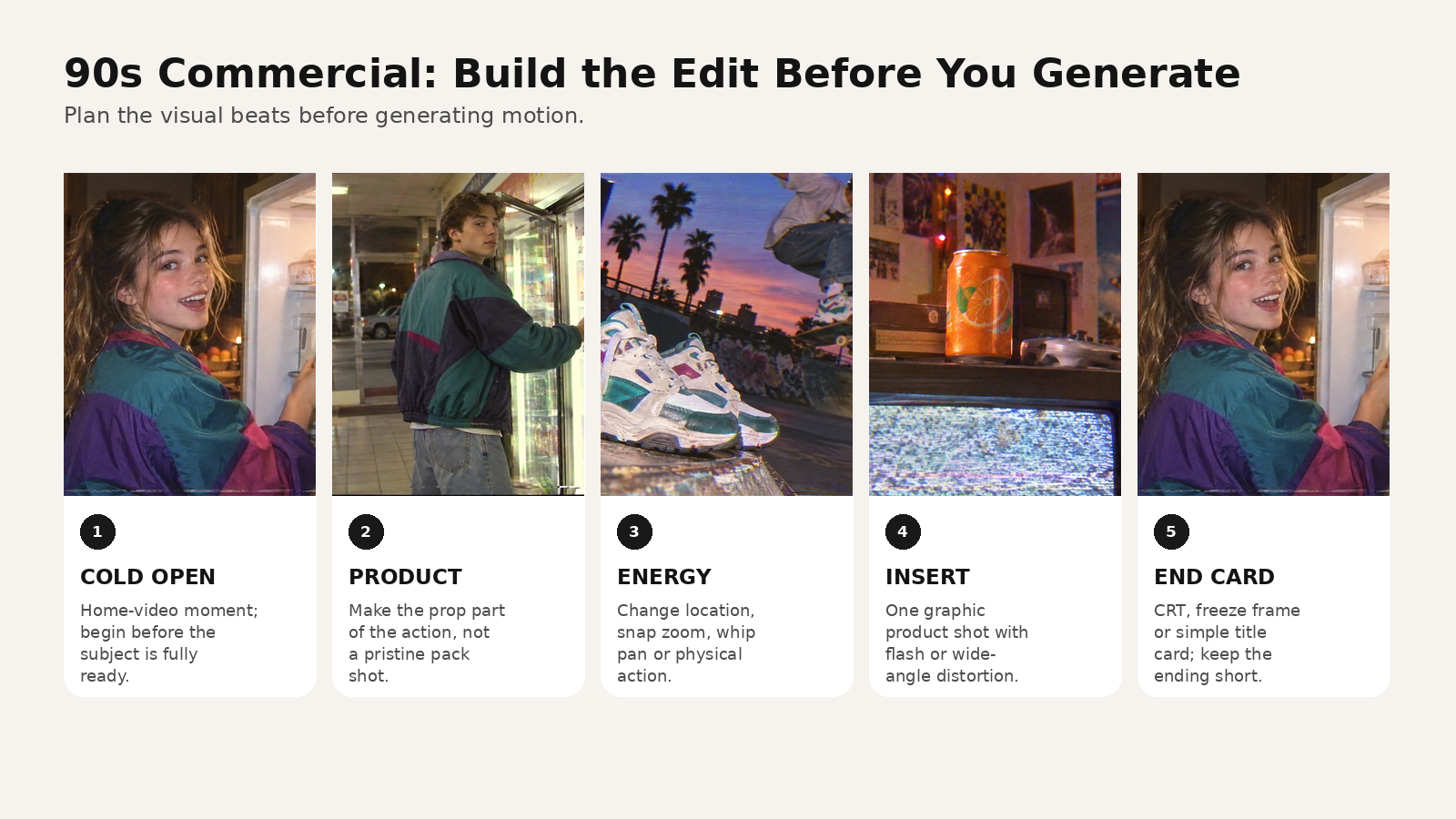
Shot 1 — Cold open
1990s kitchen at night.
Handheld camcorder begins recording just after the fridge door opens.
A teenage girl in a teal-purple windbreaker reaches for an orange soda,
then notices the camera and smiles over her shoulder.
Bright refrigerator light clips slightly; warm room behind her.
Subtle VHS texture, soft consumer lens, tiny horizontal tracking noise.
Shot 2 — Convenience store
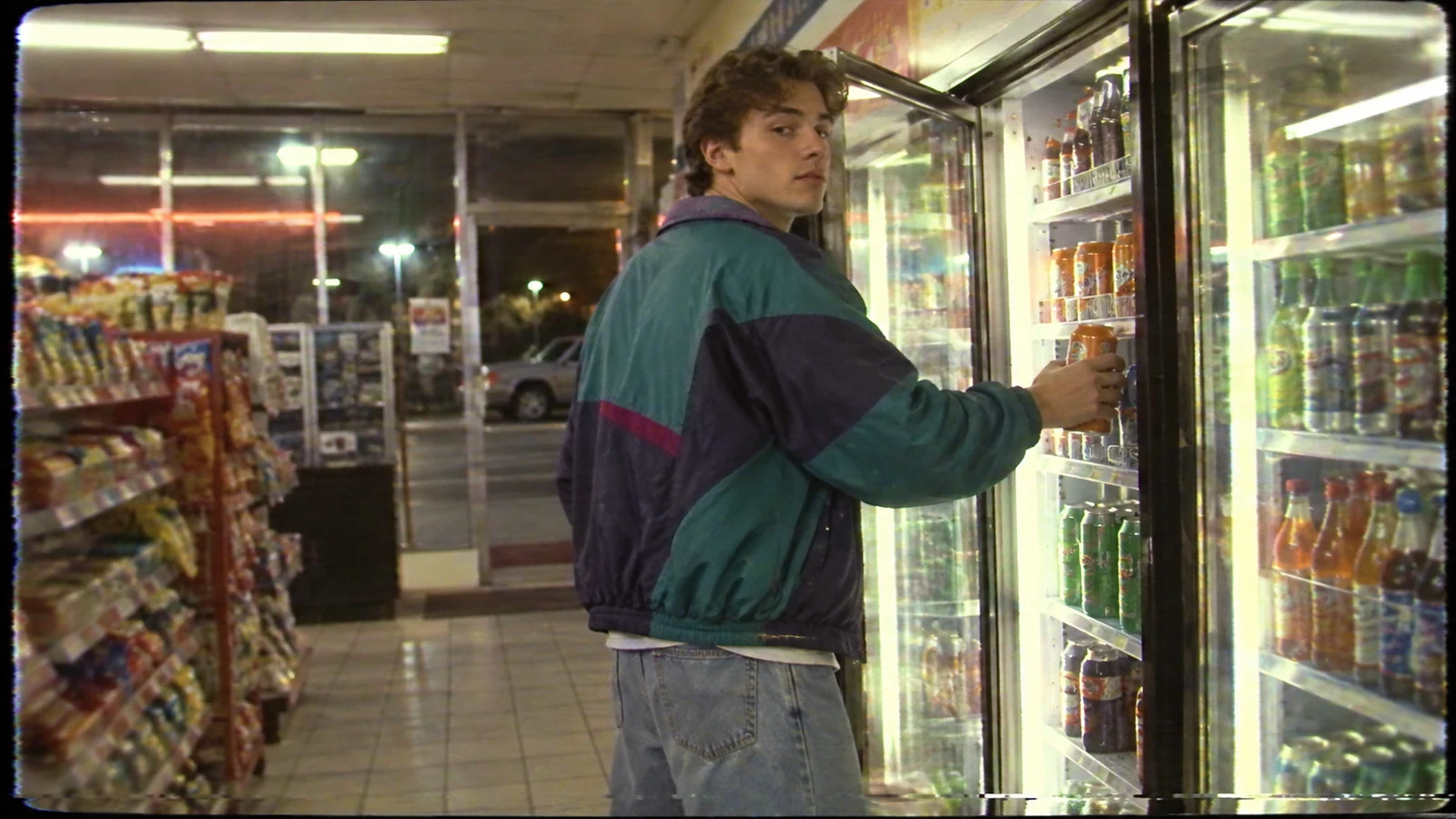
Night convenience store in the late 1990s.
Young man in a teal/navy windbreaker and loose jeans opens a refrigerator case,
grabs the same orange soda and glances back toward a friend holding the camcorder.
Cold fluorescent light, reflective tile, snack aisle in background.
Wide handheld framing, slight autofocus adjustment, mild tape grain and color bleed.
Shot 3 — Lifestyle action
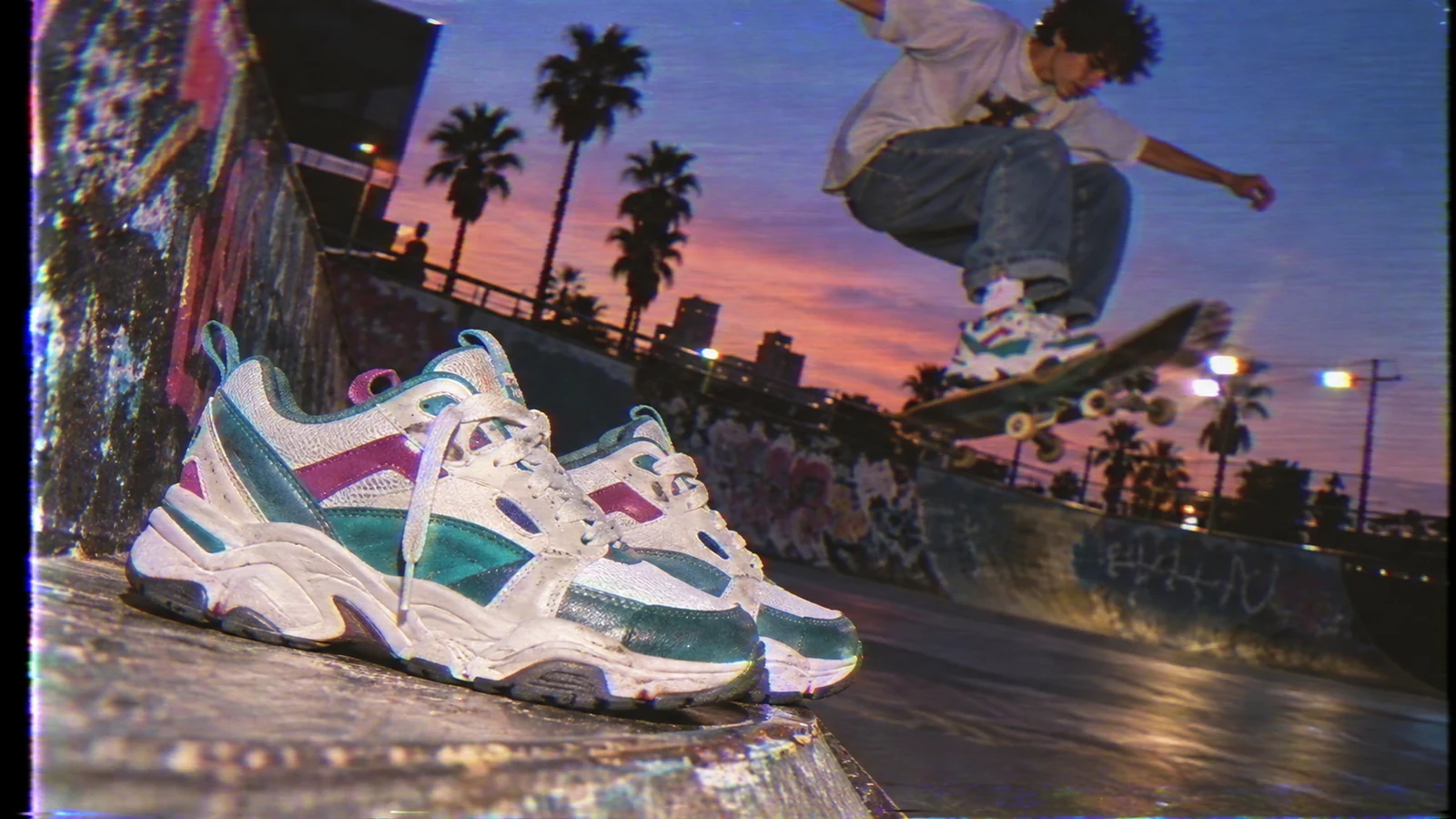
Dusk at a neighborhood skatepark, late-1990s youth-commercial energy.
Low consumer-camcorder angle near chunky white teal magenta sneakers.
A skateboarder lands a trick in the background.
Palm trees, graffiti, parking-lot lights and purple-orange sunset.
Slight wide-angle distortion, motion smear, VHS scan texture, no modern cinematic slow motion.
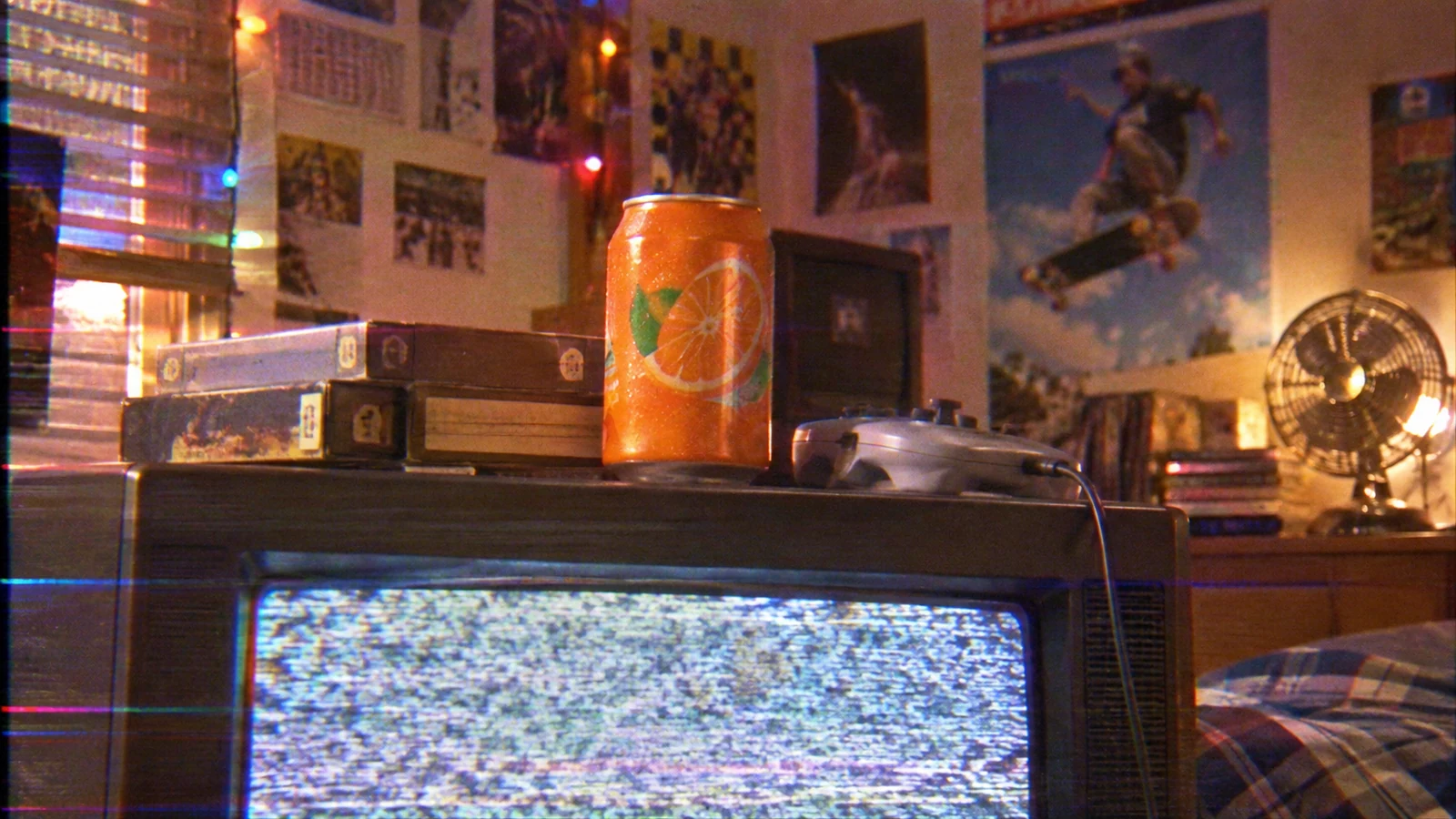
Shot 4 — Product insert
Unbranded orange soda can placed on top of a scratched CRT television.
Direct on-camera camcorder light catches condensation on the can.
Background softly shows VHS tapes, wired controller, posters and string lights.
Short handheld push closer followed by a tiny focus correction.
Shot 5 — End card
Try a freeze frame + simple text, a CRT with static, a hard cut to product and price, a camcorder timestamp freeze, primitive 3D type, or a two-color graphic.
Keep the end card fast. Do not let a retro sequence suddenly become a glossy modern motion-graphics package.
5. Use this prompt formula
Use:
SCENE + ERA DETAILS + ACTION + CAMERA + LIGHT + ANALOG SIGNAL + PERFORMANCE + AVOID
Full prompt example
SCENE:
Late-1990s suburban kitchen at night.

ERA DETAILS:
Wood cabinets, older white fridge, paper notes and magnets, fruit bowl,
small tungsten lamp in the next room, no modern smart devices.
Young woman wears an oversized teal-purple windbreaker and loose jeans.

ACTION:
She opens the fridge, reaches past jars for an unbranded orange soda,
pulls it out, notices the person filming and gives a quick playful smile.

CAMERA:
Consumer home-camcorder language, handheld from chest height,
operator reacts slightly late, small horizon drift, one gentle snap zoom,
brief autofocus hunt as she turns.

LIGHT:
Bright cool fridge interior against warm tungsten room light.
Highlights clip slightly near the fridge bulb.

ANALOG SIGNAL:
Fine tape noise, light scan texture, subtle chroma bleed,
soft edges, one short bottom-edge tracking wobble.

PERFORMANCE:
Candid and playful, not fashion posing, not slow motion.

AVOID:
modern luxury kitchen, LED accent lighting, smartphone,
cinematic anamorphic flare, drone movement, perfect gimbal stabilization,
heavy cyberpunk neon, excessive glitch overlay.
6. Do not confuse three retro looks
| Look | Camera language | Best cues |
|---|---|---|
| 90s home video | consumer camcorder | soft zoom, candid framing, tape noise |
| 90s TV commercial | staged, broadcast-conscious | strong product insert, slogans, clean cuts |
| modern retro revival | modern digital imitation | sharper image, intentional grain, fashion styling |
All three can work. Problems begin when one prompt asks for all three at once.
7. Use references for art direction, not only faces
A practical reference set contains one main character, one wardrobe, one hero location, one product image, one color/mood reference and one camera-texture reference.
If multiple references are supported, give each one a clear job. Do not upload ten images that disagree about decade, palette and subject.
8. Keep the edit period-aware
Even strong shots can fail if the edit feels too modern.
Try hard cuts, short freeze frames, one snap zoom as transition, simple supers, 4:3 inserts, brief static or tracking breaks, uncomplicated product closes and short music stings.
For commercial use, make sure music, logos, packaging and reference materials are cleared for the intended use.
How to make the sequence in MagicBoat
A practical workflow is:
- Write the 15–25 second concept.
- Split it into five short shots.
- Build references for character, location, wardrobe, product and texture.
- Generate stills first and reject anything that feels too modern.
- Animate each shot with scene-specific camera instructions.
- Edit for period rhythm rather than applying one VHS filter to a modern commercial.
- Add voice, captions, music and final card.
- Export clean and platform-specific versions.
The value of an integrated project is keeping the script, storyboard, references, generations and edit connected instead of re-explaining the decade every time you switch tools.
Try it at https://www.magicboat.net/.
Common mistakes
“VHS” is the whole prompt
Write the scene first, then add camera and signal behavior.
Everything is neon
Use ordinary homes, stores, parking lots, bedrooms and school spaces.
Heavy glitch on every frame
Use subtle continuous texture; reserve stronger tracking failure for a moment or transition.
Modern art direction under the filter
Inspect appliances, architecture, clothing, cars, product shape and props.
Modern gimbal motion
Use operator-driven reframing, snap zooms, static wides and small handheld drift.
Copyrighted nostalgia as a shortcut
Evoke the decade through design language instead of copying logos, famous ads, characters or songs.
FAQ
What words make an AI video look VHS?
Useful terms include consumer camcorder, soft analog detail, scan texture, chroma bleed, tape noise, tracking wobble, autofocus hunt and clipped practical highlights. Use a few at a time.
Should a 90s AI video be 4:3?
4:3 can signal older TV and home-video formats, but a modern vertical edit can also contain 4:3 footage, borders or CRT inserts.
Why does my VHS AI video still look modern?
Usually because the environment, wardrobe, lighting or camera motion is modern. The signal effect cannot hide modern set design.
How much grain should I add?
Enough to soften digital perfection, not enough to cover faces and products.
Can MagicBoat make retro AI videos?
MagicBoat can support the end-to-end workflow—concept, storyboard, references, generation, voice, music and editing. Verify the current interface for the exact model you want to use.
Sources
- MagicBoat — https://www.magicboat.net/
- Library of Congress, The Signal — AV Artifact Atlas: https://blogs.loc.gov/thesignal/2014/01/av-artifact-atlas-by-the-people-for-the-people/
- Library of Congress — VHS format documentation: https://www.loc.gov/aba/pcc/conser/CEG/CEG-E-007.pdf
Keywords
90s AI video, VHS AI video, 90s commercial AI, retro AI video prompt, camcorder AI video, VHS video prompt, AI commercial, nostalgic AI video, analog video aesthetic, retro product ad, MagicBoat AI