How to Make AI UGC Ads That Look Like Real Phone Videos in 2026
A practical workflow for natural lighting, imperfect framing, believable product handling, creator-style performance, and prompts you can copy.
Table of contents
Direct answer
The fastest way to make an AI UGC ad feel real is to stop prompting it like an ad.
Real creator video is full of useful imperfections: the framing is a little too close, the camera drifts when the person moves, a hand covers part of the product for a moment, window light changes across the face, and the creator looks away from the lens while thinking. AI often removes those imperfections and replaces them with polished skin, perfect lighting, symmetrical composition, and floating camera motion. That is exactly what makes the result feel generated.
The fix is to build the video as a real moment first and a product message second.
TikTok's creative guidance emphasizes native, mobile-first creative and a simple hook → body → close structure. “Authentic” does not mean intentionally low quality. It means the capture language feels plausible for the feed.
What “real UGC” actually looks like
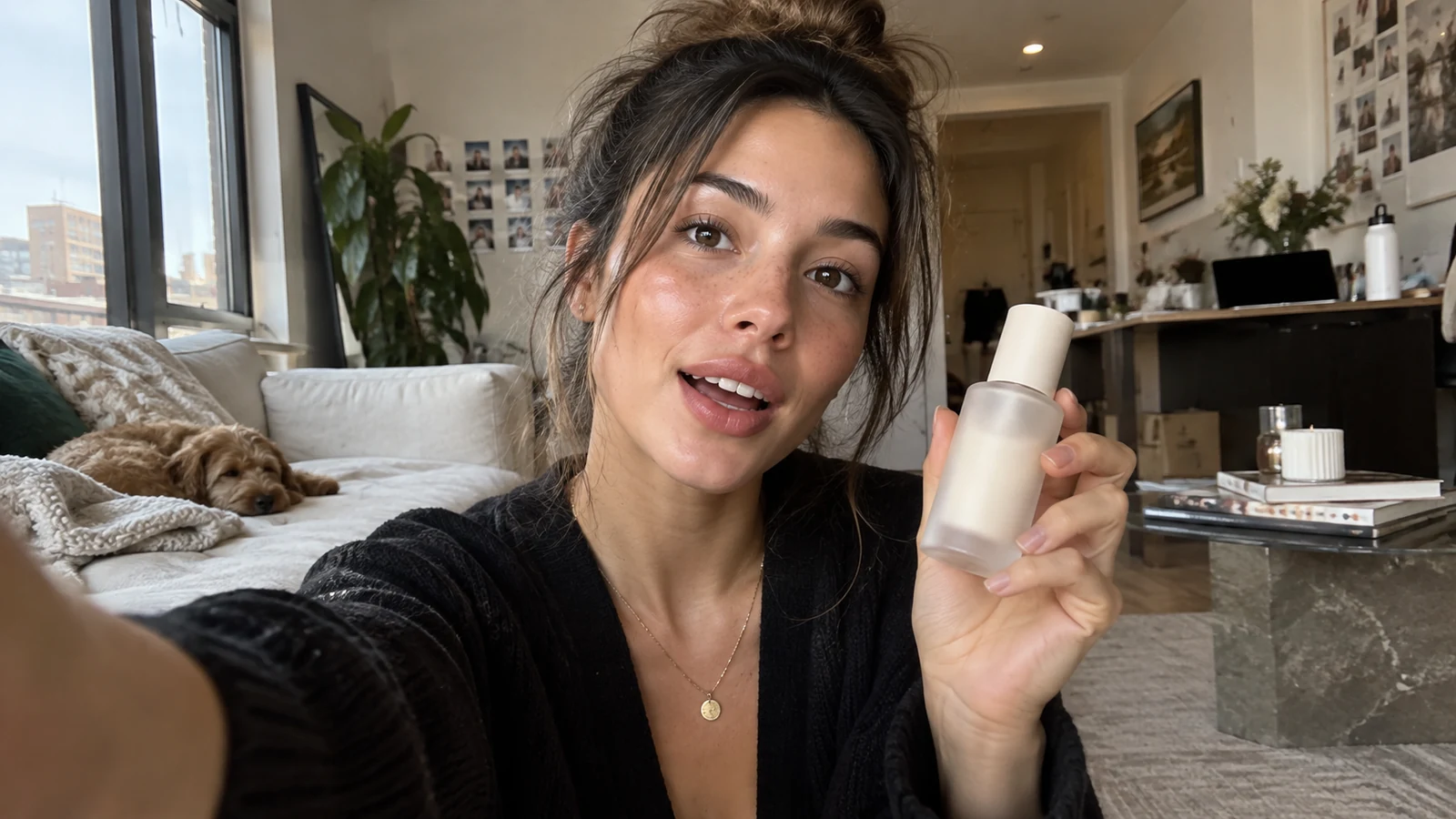
A believable UGC shot contains three layers at once:
| Layer | What the viewer notices | What to prompt |
|---|---|---|
| Human moment | The creator looks busy, curious, tired or skeptical | A specific situation, not “a beautiful influencer” |
| Capture behavior | Handheld movement, imperfect crop, changing focus/exposure | Physical phone position and camera behavior |
| Product proof | The object is touched, opened, applied or carried | Concrete hand action and interaction |
A weak prompt is:
“Beautiful girl holding skincare, realistic, cinematic, UGC style.”
A stronger prompt behaves like a shot brief:
Front-facing phone video in a lived-in apartment at 8:15 a.m.
A woman with a messy bun is halfway through getting ready for work.
She raises a small frosted skincare bottle into frame while continuing a sentence.
The camera is arm's-length and slightly below eye level.
Subtle handheld drift from her wrist; the crop occasionally cuts the top of her hair.
Soft side light from a window, warm kitchen practicals in the background.
She glances at the product, then back to the lens.
Natural skin texture, no beauty-commercial retouching.
1. Start with a creator moment, not a pack shot
Before you write a prompt, answer one question:
Why would this person have their phone out right now?
Good answers: getting ready before work, unpacking a delivery, showing a friend what they bought, doing a bathroom routine, walking to the subway, sitting in the car before an appointment, or making coffee while explaining a problem.
The environment should support the moment. A bathroom can contain half-used products and a damp towel. A kitchen can have dishes. A desk can have a charger and a coffee cup. Small details make the scene feel inhabited.
2. Let the framing be imperfect on purpose
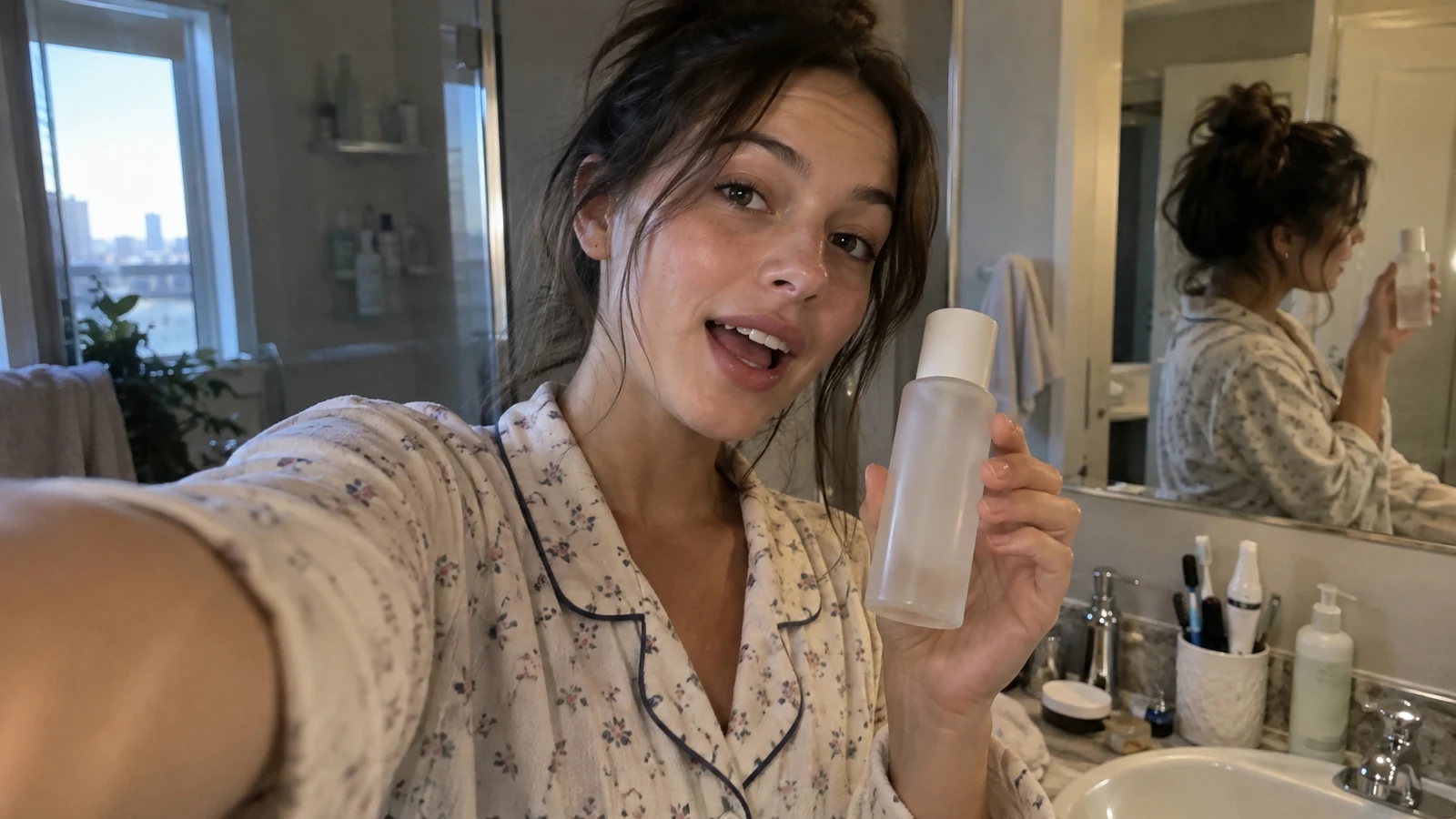
AI defaults often behave like a perfect invisible camera operator. Real phone video does not.
Add two or three cues: arm's-length front camera, slightly low angle, hair or shoulder clipped by the crop, small wrist drift, a tiny reframe after the product enters shot, a brief focus pull, or exposure adjustment near a window.
Use them lightly. If every frame shakes, hunts focus and glitches, you have made a fake “UGC effect.”
Copyable camera prompt
Shot like a casual vertical phone video, arm's-length front camera.
Small handheld drift from natural wrist movement, not cinematic gimbal motion.
Slightly imperfect framing, occasional edge crop, subtle focus pull when the product moves closer to the lens.
Exposure responds gently as the subject turns toward the window.
No floating camera, no perfect orbit, no commercial dolly movement.
3. Use real-world lighting, not “cinematic lighting”
Natural-looking UGC usually has one obvious source: side window + warm ceiling light, bathroom vanity + cool window, car windshield + afternoon sun, convenience-store fluorescent light, or bedside lamp + laptop glow.
Mixed color temperature is not automatically a mistake. It can help the image feel captured rather than art-directed.
4. Make hands do something believable
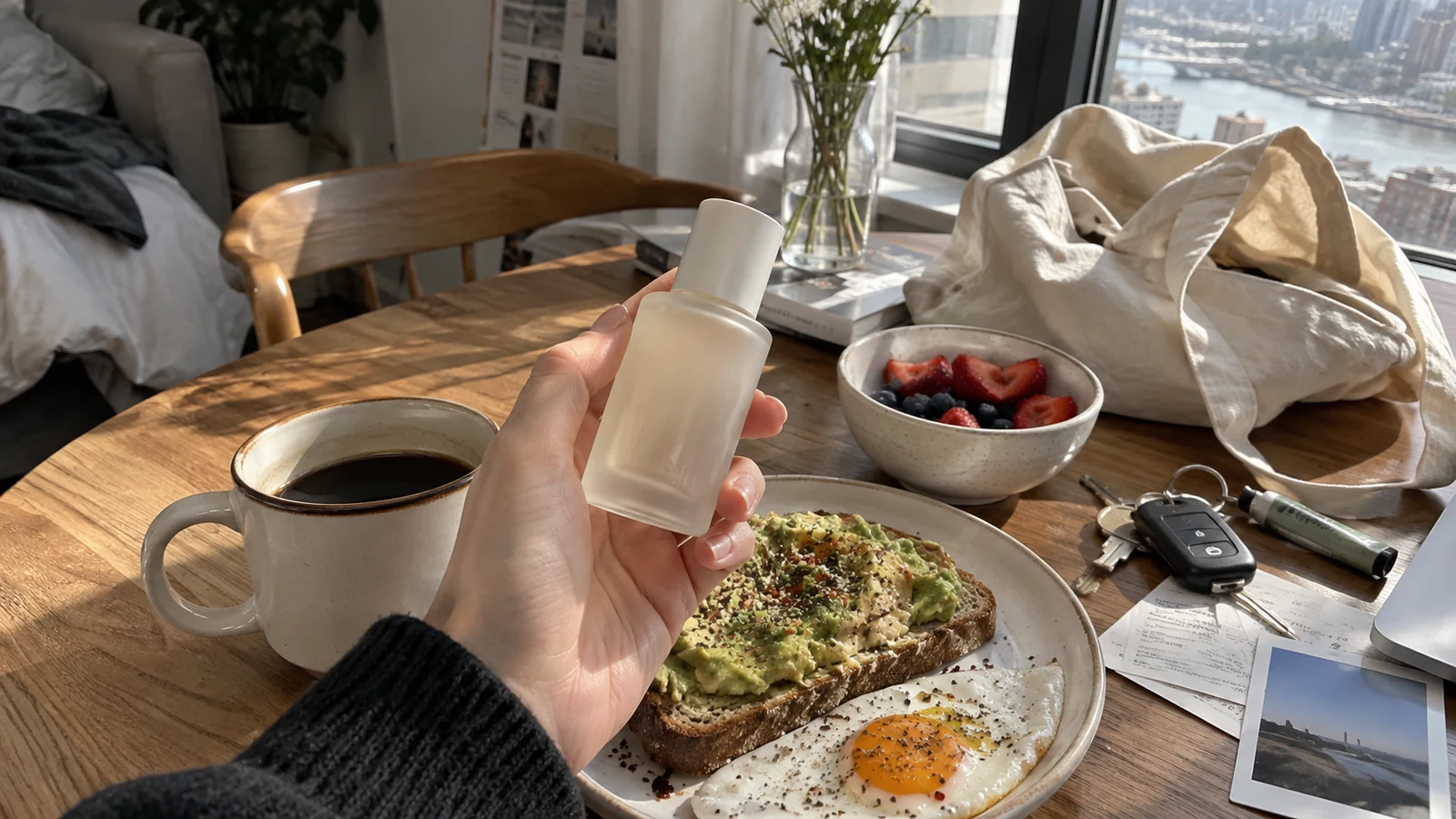
Instead of “she holds the bottle beautifully toward camera,” describe the mechanics:
She picks the bottle up from beside her coffee, turns it once to check the front,
rests her thumb over part of the label for a moment, then brings it closer to the lens.
Her grip changes naturally as she twists the cap.
Useful imperfections include fingers briefly obscuring packaging, a bottle rotating off-axis, a cap taking two motions to open, the object moving out of focus when too close, the creator looking at their hands, or a sleeve touching the product.
5. Build the ad as five beats
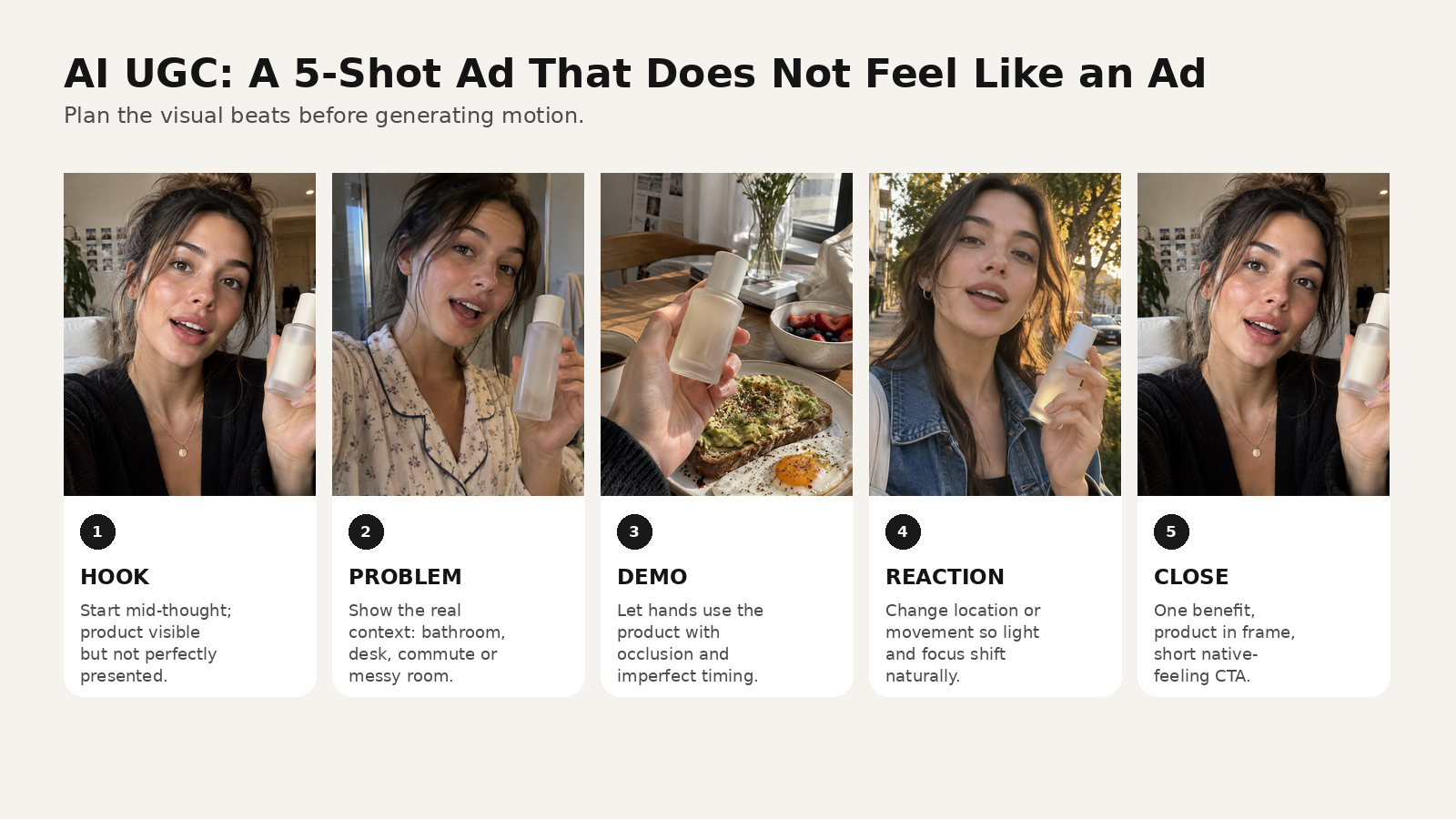
Shot 1 — Hook
Start mid-thought. Product visible, but not perfectly presented.
Shot 2 — Problem
Show why the creator is talking about this product in this place.
Shot 3 — Demo
Show physical use. Let focus or framing be slightly imperfect.
Shot 4 — Reaction / proof
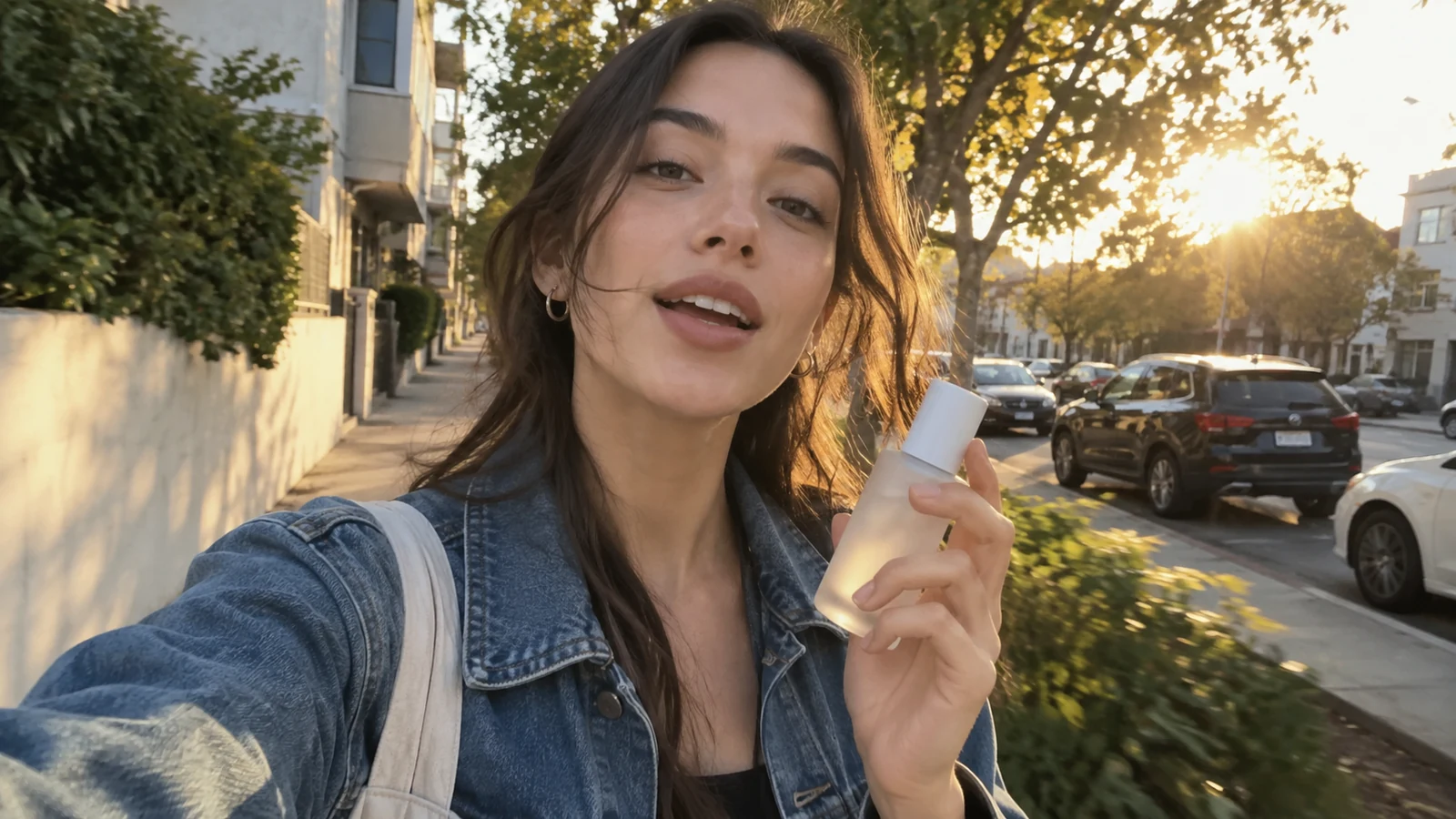
Change the visual rhythm: move outside, switch room, show another time of day, or add a before/after.
Shot 5 — Close
Keep the CTA in the same voice as the rest of the video. A soft “I’ll link the one I got” often feels more native than announcer copy.
6. Use this prompt formula
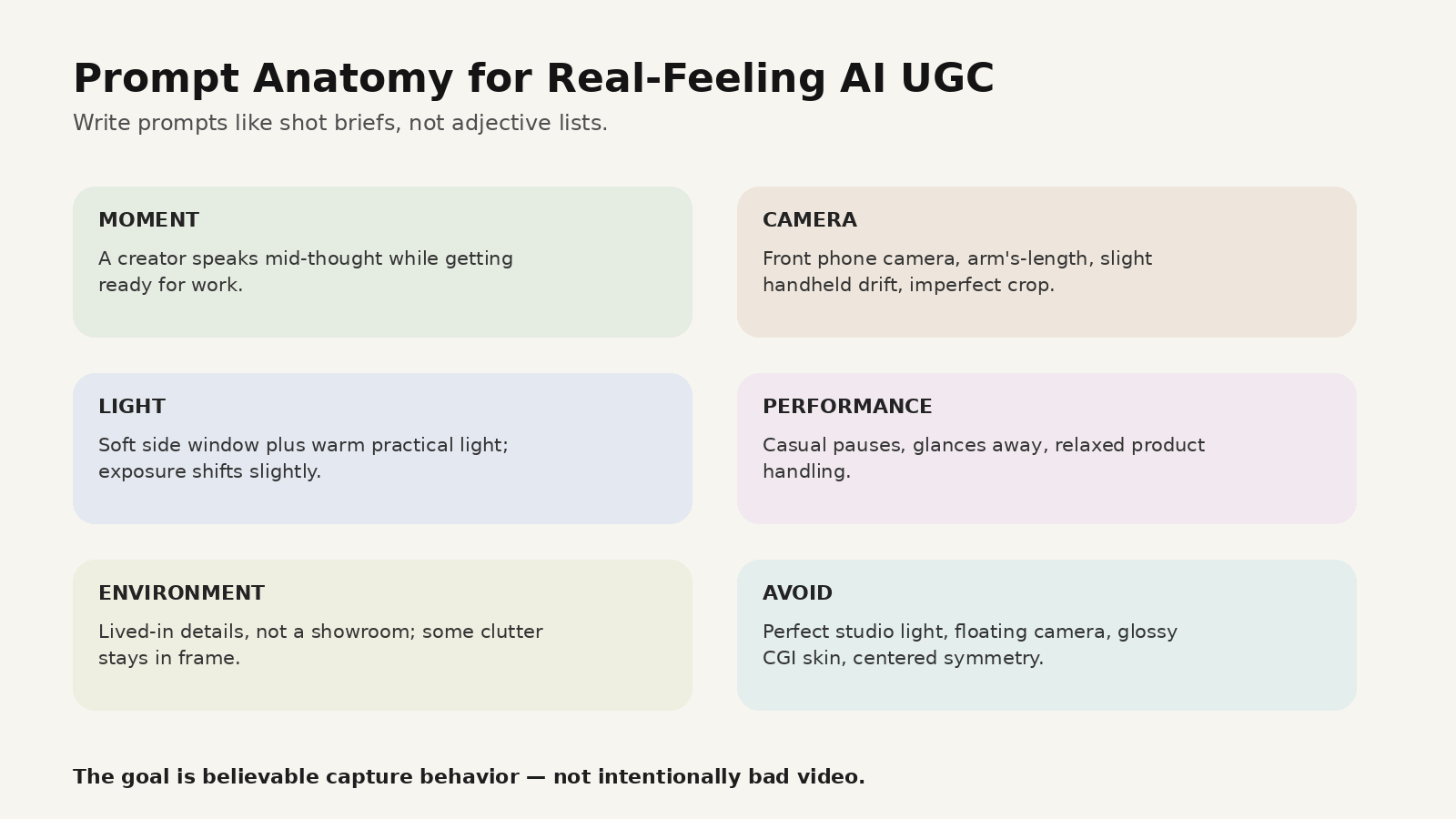
Use:
MOMENT + CAMERA + LIGHT + PERFORMANCE + PRODUCT ACTION + ENVIRONMENT + AVOID
Full prompt example
A casual creator-style skincare video filmed at home in the morning.

MOMENT:
A woman with a loose messy bun is getting ready for work and explains why she keeps
a small frosted serum bottle next to her coffee.

CAMERA:
Vertical front-facing phone camera, arm's-length, slightly below eye level.
Natural wrist drift, tiny reframe when she lifts the bottle, imperfect crop around the hair.
Brief focus pull from her eyes to the bottle when it comes closer to the lens.

LIGHT:
Soft daylight from a large side window mixed with warm apartment practical lights.
No studio key light. Exposure shifts slightly when she leans toward the window.

PERFORMANCE:
Conversational and relaxed, as if answering a friend's question.
She pauses once, glances at the bottle, smiles slightly, then continues.

PRODUCT ACTION:
She picks up the bottle from the table, rotates it naturally, partly covers the front with her thumb,
twists the cap, then sets it beside the coffee again.

ENVIRONMENT:
Real lived-in apartment, books, tote bag, half-finished breakfast, charger and flowers in background.

AVOID:
beauty-commercial retouching, perfect symmetrical framing, floating gimbal motion,
plastic skin, exaggerated smile, luxury studio lighting, slow-motion product spin.
7. Change one variable at a time
Keep the world stable and vary only the hook, location, delivery, product-demo timing, selfie vs walking shot, or CTA. This gives you creative learning instead of a folder of unrelated generations.
How to build this workflow in MagicBoat
A useful MagicBoat workflow is:
- Write three hooks for the same product angle.
- Turn the winner into a five-shot storyboard.
- Lock creator and product references before generating multiple shots.
- Choose the generation approach per shot instead of forcing one model to do everything.
- Generate short variations.
- Add voice, captions, music and pacing after the sequence works.
- Export multiple hooks or CTAs from the same core edit.
The value is not a magic “authentic” button; it is keeping scripts, shots, reusable references, generations and final editing connected in one workflow.
Try it at https://www.magicboat.net/.
Common mistakes
| Mistake | Why it looks fake | Better direction |
|---|---|---|
| Perfect center framing | Feels like a commercial | Slight crop and human reframe |
| Skin with zero texture | Reads as a beauty render | Keep natural texture and ordinary highlights |
| Product always facing camera | Looks staged | Let hands rotate and partly cover it |
| One flawless long take | Feels generated | Build several short beats |
| Constant eye contact | Feels scripted | Add glances to product/environment |
| “Cinematic” in every prompt | Pushes toward ad language | Describe physical camera behavior |
| Fake chaos | Too much shake/glitch is artificial too | Use 1–3 subtle imperfections |
| Generic apartment | Looks like a set | Add task-specific lived-in details |
FAQ
What is an AI UGC ad?
An AI UGC ad uses generative tools to create creator-style branded video that borrows the visual language of user-generated or creator content. Do not falsely present an AI spokesperson as a real customer; follow applicable disclosure and platform rules.
Why do AI UGC ads look fake?
Common causes are perfect framing, generic locations, plastic skin, floating camera motion, stiff product handling, constant eye contact and prompts that use style words without physical camera instructions.
Should AI UGC look low quality?
No. The goal is clear video with believable capture behavior, not deliberate bad quality.
What aspect ratio should I use?
For TikTok, Reels and Shorts, vertical full-screen composition is the natural starting point. Keep important product and text information away from interface-heavy edges.
Can MagicBoat make UGC-style videos?
MagicBoat can support the broader workflow—planning, visual generation, reusable characters/references, voice, editing and multi-model iteration. Check the current interface for exact model availability and paid capabilities.
Sources
- TikTok for Business — Creative Advertising Guide: https://ads.tiktok.com/business/en/guides/what-is-ad-creative-guide
- TikTok for Business — Creative Best Practices: https://ads.tiktok.com/business/en/blog/creative-best-practices-top-performing-ads
- MagicBoat — https://www.magicboat.net/
Keywords
AI UGC ads, AI UGC video, AI UGC ads that look real, AI TikTok ads, realistic AI video, AI product video, UGC video prompt, AI creator ad, phone video prompt, AI ecommerce creative, MagicBoat AI