Why Isometric Game Concept Art Breaks Perspective (And How Flux Fixes It)
Isometric game environment concept art generated with AI often suffers from skewed perspective, mismatched tile proportions, and inconsistent scale that makes it unusable for level design. This article breaks down the most common perspective errors in AI-generated isometric art, explains why they happen, and provides tested Flux prompts and settings to produce clean, production-ready isometric concepts. Game designers and concept artists can use these workflows to generate modular level pieces, town layouts, and dungeon tiles without manual perspective corrections.
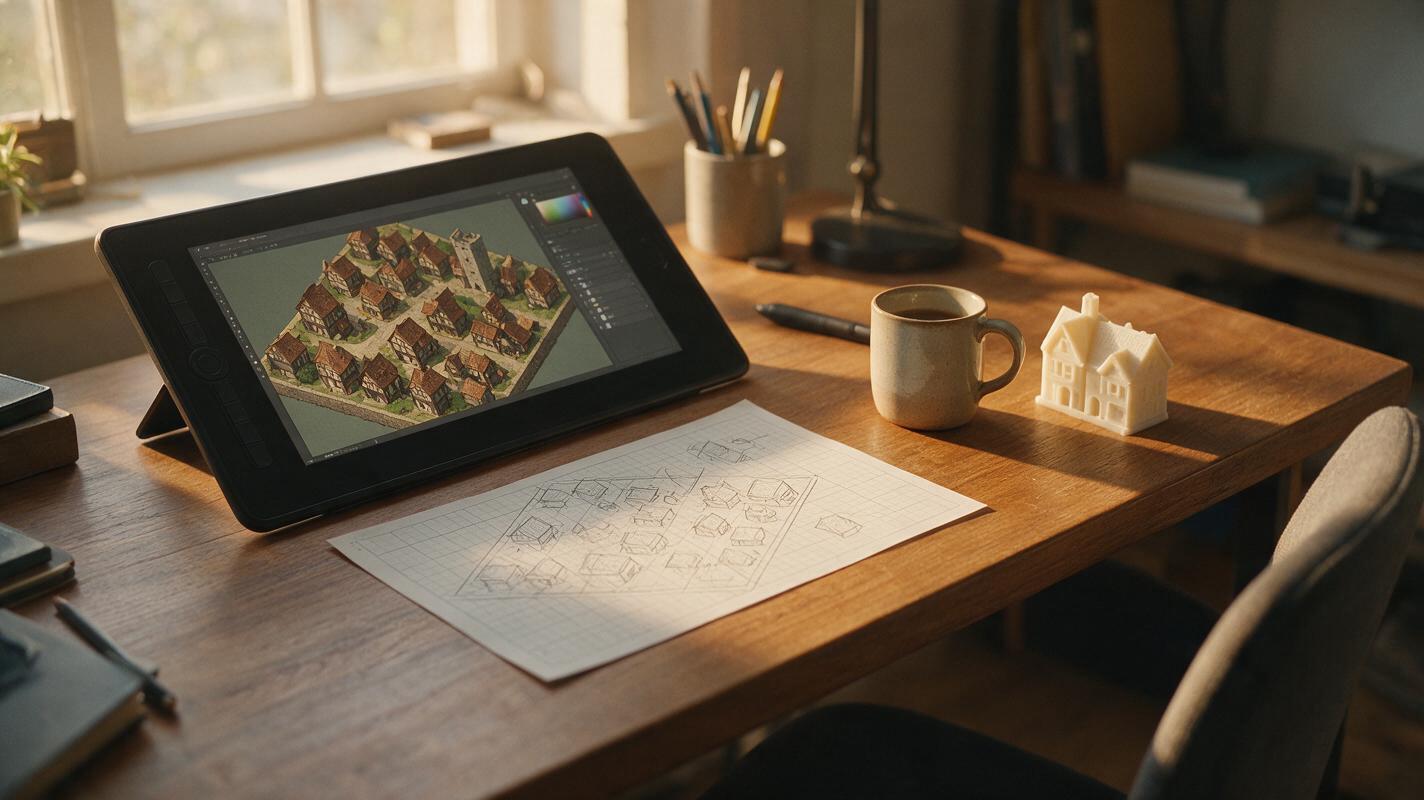
Table of contents
Isometric game environment concept art generated with AI almost always suffers from skewed perspective, mismatched tile proportions, and floating assets that make it unusable for level design pipelines.
The core problem with AI-generated isometric concept art
For game designers working on top-down, isometric, or pixel-art-style games, consistent perspective is non-negotiable. Isometric assets need to align to a fixed grid, maintain uniform scale across tiles, and fit together modularly so level designers can drag-and-drop pieces to build full maps. Most AI image models struggle with this because they prioritize artistic appeal over structural precision, leading to three common failures:
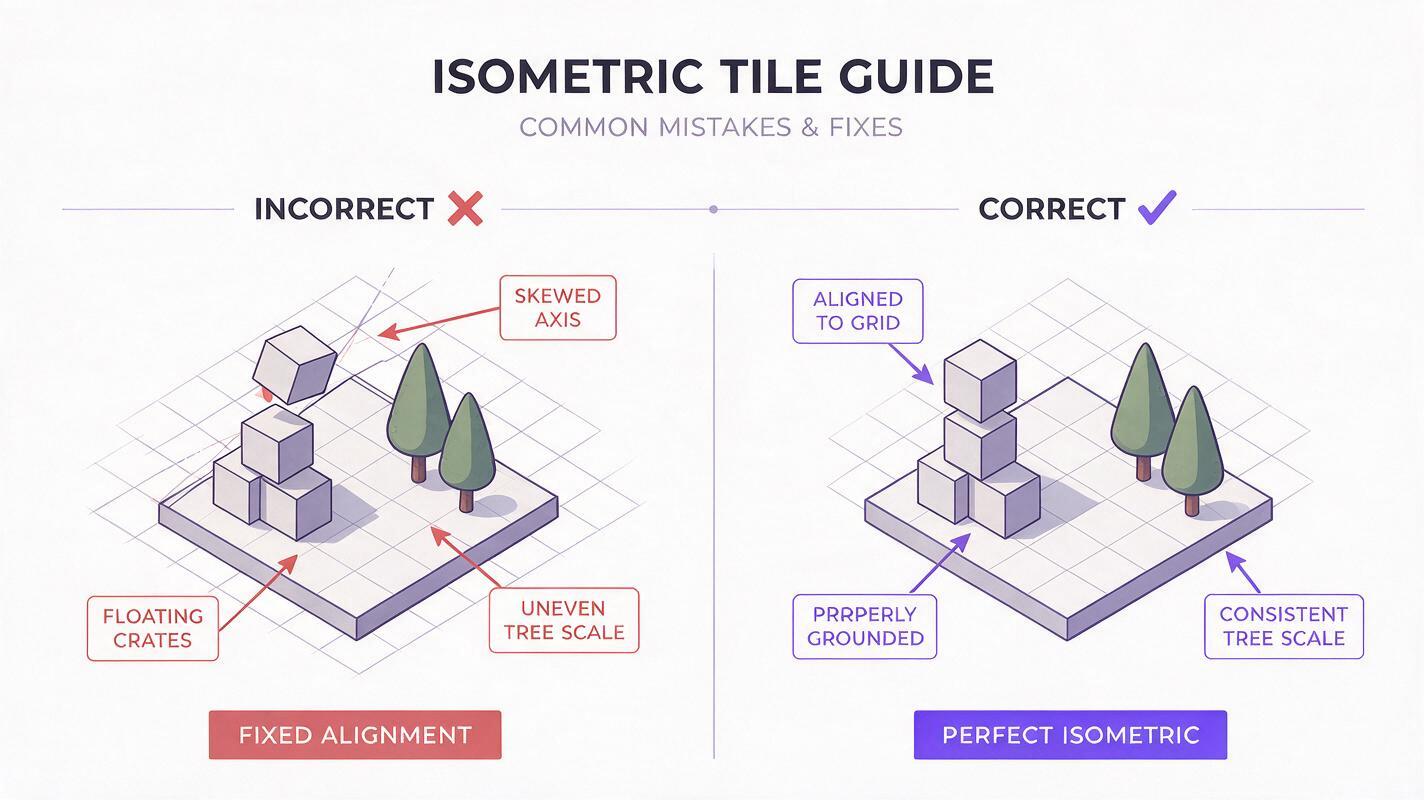
- Axis skew: The isometric 30-degree x-axis and y-axis tilt shifts across the image, making tiles impossible to align.
- Scale drift: Objects like doors, crates, or trees change size from one side of the image to the other.
- Floating or sinking assets: Props don’t sit flush with the ground plane, breaking the illusion of a flat tileable surface.
These issues mean most AI-generated isometric art requires 1-2 hours of manual perspective correction per tile in Photoshop — a waste of time for small teams and solo devs.
Why Flux handles isometric perspective better than most image models
Flux is an ai image generator built with spatial consistency in mind, thanks to training data that includes a far larger set of technical architectural drawings, isometric game assets, and 3D-rendered tile sets than many older image models. This gives it a stronger inherent understanding of spatial consistency and grid alignment.
Unlike models optimized for painterly concept art, Flux excels at following precise structural constraints, which makes it well-suited for generating isometric art that adheres to grid rules. It also responds far better to negative prompts targeting perspective errors, so you can explicitly rule out axis skew and scale drift without sacrificing style. For game teams that need 10+ modular tiles per environment, this cuts down manual correction time by 80% or more.
Tested Flux prompts for clean isometric game environments
The key to consistent isometric art with Flux is a prompt structure that leads with perspective rules, then style, then subject. Leading with perspective ensures the model prioritizes grid alignment before adding artistic details. Below are reusable prompts for common game environment use cases, paired with negative prompts to eliminate common errors.
Isometric medieval town tile
Prompt:
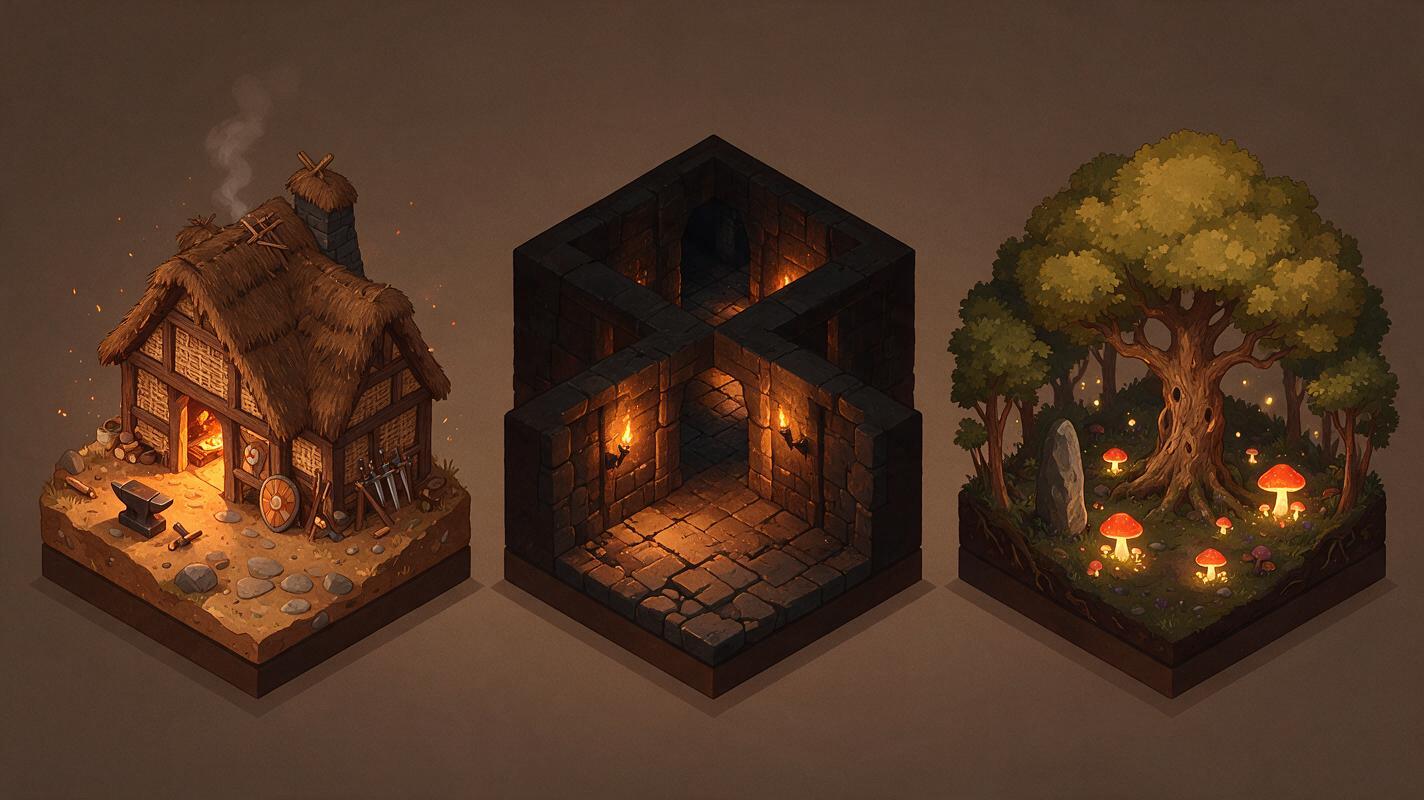
Perfect isometric 64x64 tile, medieval blacksmith shop with stone chimney, thatched roof, anvil outside, wooden fence, cobblestone ground, hand-painted game concept art style, warm golden hour lighting, sharp clean lines, aligned to isometric grid, flat ground plane, no distortion

Negative prompt:
skewed perspective, tilted axis, uneven ground, floating objects, warped lines, blurry edges, scale inconsistency, 3d render, photorealistic
Isometric dungeon corridor tile
Prompt:
Perfect isometric tile, dark fantasy dungeon corridor, stone brick walls, iron torch on wall, cracked stone floor, scattered bones, moody torchlight, pixel art inspired game concept art, aligned to isometric grid, uniform wall height, flat floor, modular end pieces

Negative prompt:
skewed perspective, uneven walls, floating torches, warped bricks, blurry details, scale drift, open edges, non-modular
Isometric forest clearing tile
Prompt:
Perfect isometric tile, enchanted forest clearing, ancient oak trees, glowing mushroom patches, mossy stone path, soft dappled sunlight, stylized game concept art, aligned to isometric grid, flat ground plane, consistent tree scale

Negative prompt:
skewed perspective, tilted trees, floating mushrooms, uneven ground, warped path, scale inconsistency, photorealistic
For all prompts, start with "perfect isometric tile" and "aligned to isometric grid" to signal to Flux that structural accuracy is a top priority. Adjust the style and subject details to match your game’s art direction. Test this prompt yourself to generate a set of 3-5 tiles for your next game project and see how Flux performs compared to your current image model.
Settings tweaks to eliminate perspective drift
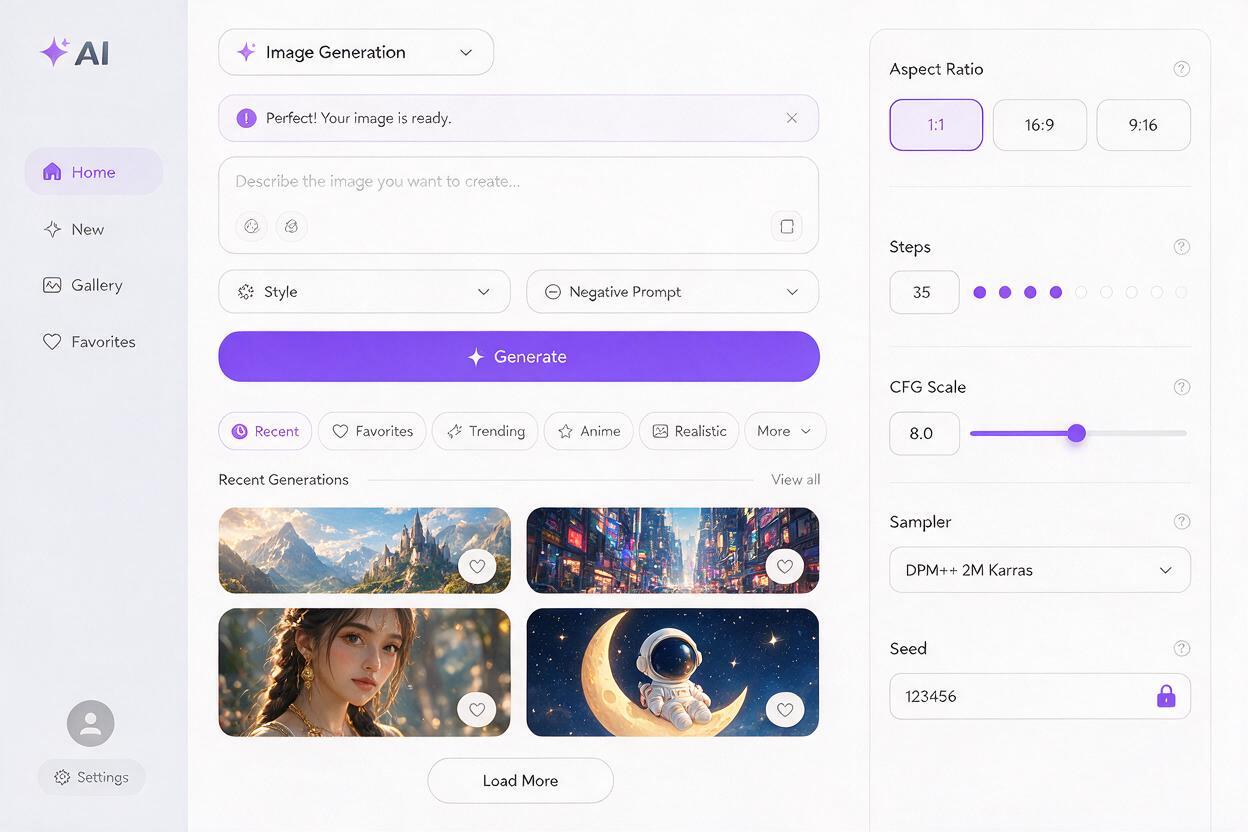
Even with a strong prompt, wrong settings can introduce perspective errors. Use these baseline Flux settings for isometric tiles, then adjust based on your specific style needs:
| Setting | Recommended Value | Why it works |
|---|---|---|
| Aspect Ratio | 1:1 (square) | Square tiles align perfectly to standard isometric grid systems used in most game engines. |
| Steps | 30–40 | Enough steps to render sharp, straight lines without over-processing that warps edges. |
| CFG Scale | 7–9 | Balances prompt adherence with natural detail; higher values can cause rigid, distorted lines. |
| Sampler | DPM++ 2M Karras | Produces cleaner structural lines than Euler a, which can introduce random perspective shifts. |
| Seed | Locked (same seed across tile sets) | Maintains consistent style, color palette, and line weight across all tiles in an environment set. |
If you still notice minor axis skew after generating, bump the CFG scale up by 1 and add "strict isometric grid alignment" to the front of your prompt.
How to verify your isometric art is production-ready
Before adding generated tiles to your concept art library or passing them to level designers, run three quick checks to ensure they’re usable:
- Grid overlay test: Drop the tile into your game engine or Photoshop and overlay a standard isometric grid. All ground edges and wall bases should line up perfectly with grid lines.
- Tile repeat test: Duplicate the tile and place it next to the original. The ground, walls, and path edges should match seamlessly with no visible gaps or misalignment.
- Scale check: Use a reference object (like a door or crate) across multiple tiles to confirm the size stays consistent. A standard human-sized door should be the same height in every tile.
For small misalignments (1-2 pixels), you can fix them with a quick perspective warp in Photoshop. For larger issues, regenerate with a stronger perspective prompt and higher CFG scale.
Key takeaways
- Most AI-generated isometric concept art fails because models prioritize artistic style over structural grid alignment.
- Flux’s spatial awareness makes it one of the best models for isometric game assets with minimal perspective drift.
- Lead your prompts with perspective rules first, then style and subject, to prioritize grid alignment.
- Lock your seed across tile sets to maintain consistent style and scale for modular level design.
- Always run a grid overlay and tile repeat test before calling a tile production-ready.
Keywords
isometric game art, concept art, flux, perspective correction, environment design, game level design, ai image generator