Kling 3.0 Omni Reference Images in Firefly: Turn One Product Photo Into a Multi-Shot AI Video Ad
Adobe added reference-image support for Kling 3.0 Omni in Firefly on September 18. Here is the practical creator question: how do you use one approved product photo without letting every new shot redesign the product?
Table of contents
Visual note: The sneaker and storyboard examples in this guide are original illustrative concepts created for this article. They are not presented as official Adobe, Kling, or MagicBoat generation results.
Quick answer
Adobe’s September 18 Firefly update added reference images for Kling 3.0 Omni in both the Video Generation tab and Boards.
Kuaishou’s official Kling 3.0 announcement describes Video 3.0 Omni as a multimodal video model designed for reference-based generation, multi-shot storyboarding, and stronger consistency. The broader Kling 3.0 family supports text-, image-, and reference-to-video workflows, native audio, and up to 15-second video generation.
For product advertising, the useful workflow is:
one approved product image → define what the reference owns → storyboard short shots → generate motion around the product → run a continuity pass → edit the campaign
The reference image does not remove the need for prompting.
It changes what the prompt should do.
Start with one “master product” image
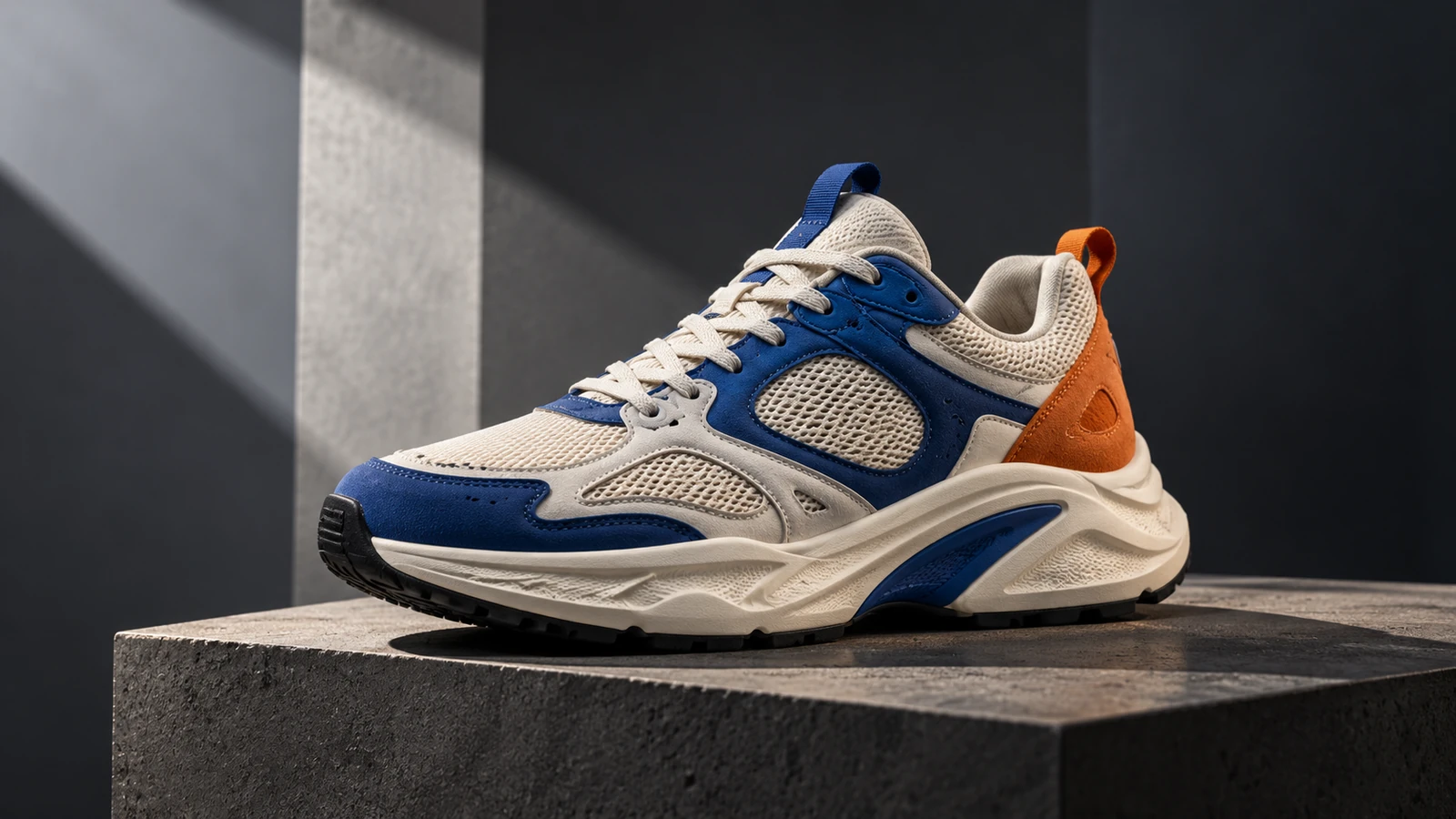
For this guide, imagine a fictional running shoe with:
- cream mesh
- cobalt-blue overlays
- orange heel accent
- thick sculpted cream sole
- small blue midsole insert
- black outsole
- cream laces
The image above is the master reference.
Its job is not to define the whole campaign.
Its job is to answer:
What must the product continue to look like?
Before generating video, write an identity lock.
PRODUCT IDENTITY LOCK

Keep:
- cream mesh base
- cobalt-blue overlays
- rust-orange heel accent
- cream lace color
- thick sculpted cream midsole
- blue midsole insert
- black outsole
- overall proportions and silhouette

Do not:
- add logos
- add text
- change the color blocking
- turn the shoe into a boot
- redesign the sole
- add extra straps
This becomes the stable product brief across every shot.
1. Give every reference one job
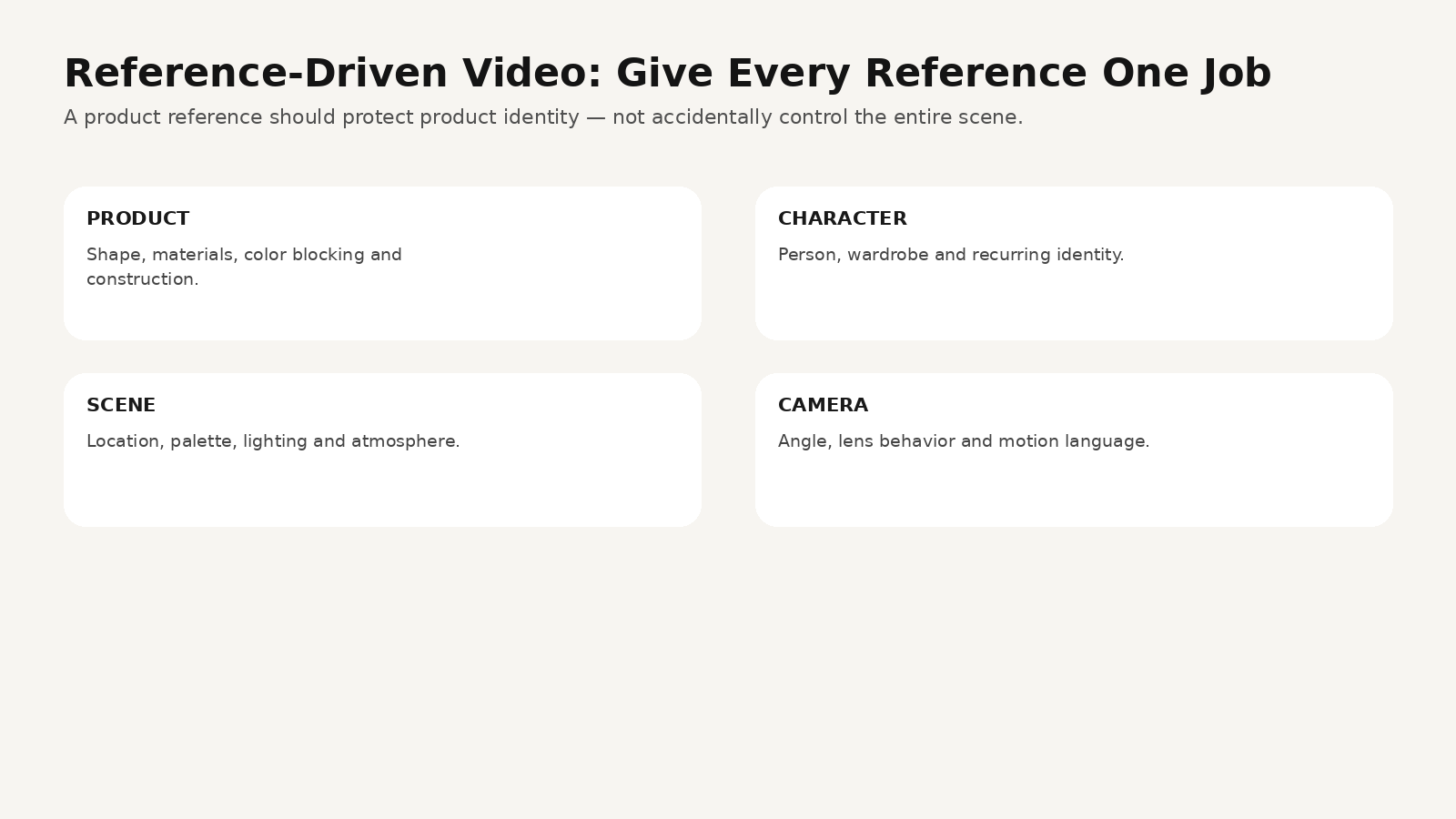
Reference-driven generation often fails because creators upload several images without telling the model which information belongs to which image.
A better system assigns roles.
Reference 1 — Product identity
Controls:
- shape
- materials
- color blocking
- construction details
Reference 2 — Character
Controls:
- person
- wardrobe
- body proportions
- recurring identity
Reference 3 — Scene
Controls:
- location
- mood
- palette
- lighting environment
Reference 4 — Camera / style
Controls:
- angle
- lens behavior
- composition
- motion language
Then write the prompt explicitly:
Use Image 1 only as the product identity reference.
Preserve the sneaker shape, color blocking, sole construction and material layout.

Use Image 2 only for the runner’s appearance and wardrobe.

Do not copy the background, camera angle or lighting from Image 1.
The new scene should follow the environment and camera instructions below.
That is more precise than:
“Use these references.”
2. Build the ad as short shot jobs
Do not ask one generation to make a complete commercial.
A product ad is easier to control when each shot has one job.
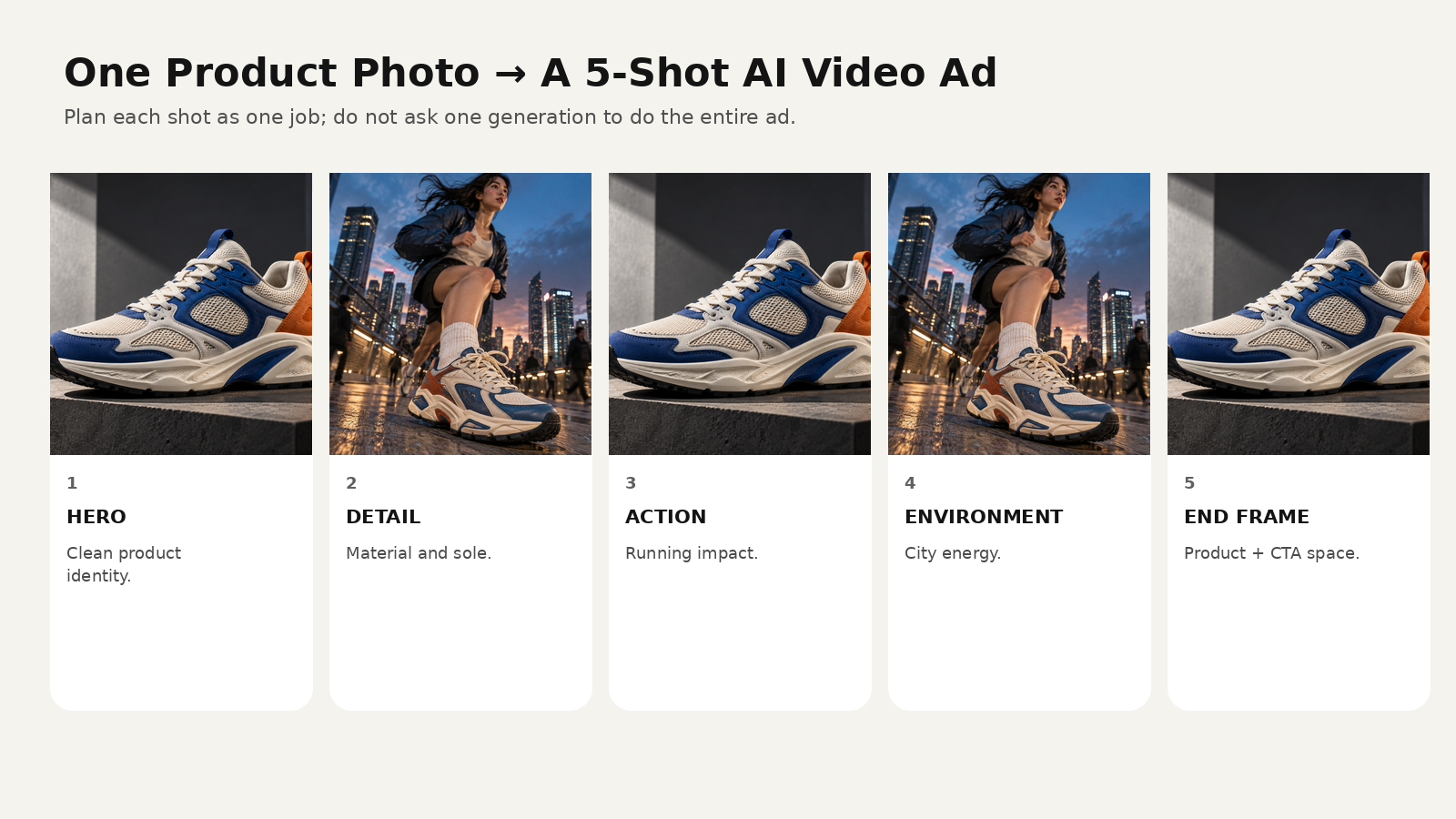
Shot 1 — Hero
Goal: clean product identity.
5-second product hero shot.

Use the supplied sneaker image as the strict product reference.
Dark charcoal studio with one warm hard light slicing across a concrete pedestal.

The shoe remains stationary.
Camera performs a slow 15-degree arc from front three-quarter to side three-quarter.

Preserve:
cream mesh, blue overlays, orange heel, cream sole, blue insert, black outsole.

No logo. No redesign. No floating shoe.
Shot 2 — Detail
Goal: show materials.
Macro product detail.

Use the reference shoe identity.
Camera moves slowly across cream mesh, blue overlay and lace eyelets,
then settles on the transition into the sculpted sole.

Very shallow focus but keep material texture readable.
No shape changes.
No melting or morphing.
Shot 3 — Action
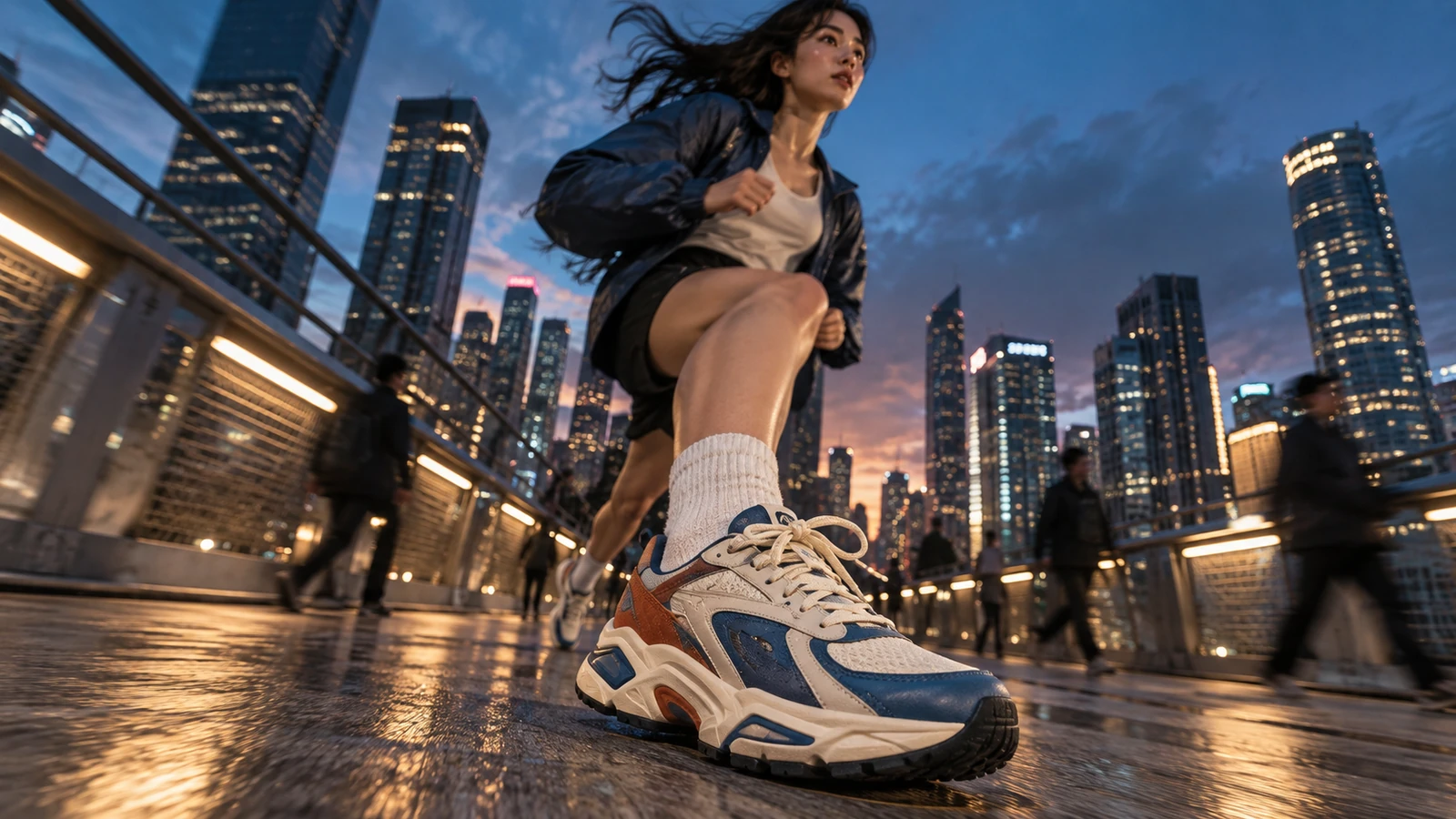
Goal: show the shoe in use.
6-second dynamic running shot at blue hour.

REFERENCE JOB
Use the product image only to preserve the sneaker design.

ACTION
Athletic woman runs across a wet urban bridge.
Front foot lands once close to the lens, then pushes away naturally.

CAMERA
Low 24mm-equivalent tracking angle moving backward at running speed.
Small natural vibration from operator movement.

LIGHT
Cool blue ambient city light with warm rail lights reflected on wet pavement.

LOCK
Do not change sneaker color blocking, sole structure or proportions.
Shot 4 — Environment
Goal: turn the product into a campaign world.
Wide city-running shot.

Same runner and same reference sneaker.
Camera trails 3 meters behind as she accelerates toward the skyline.

The product does not need to fill the frame.
Its job is to remain identifiable during movement.

Wet bridge, blue-hour sky, warm city practicals, realistic footfall timing.
Shot 5 — End frame
Goal: give the edit a clean close.
Return to the master sneaker on a dark pedestal.

Camera starts close on the orange heel detail,
then slowly pulls back to a clean full-product composition.

Leave negative space on the left for brand copy added later in editing.
Do not generate text inside the shot.
Notice what happens here.
The product reference stays stable.
The shot job changes.
3. Prompt the reference separately from the motion
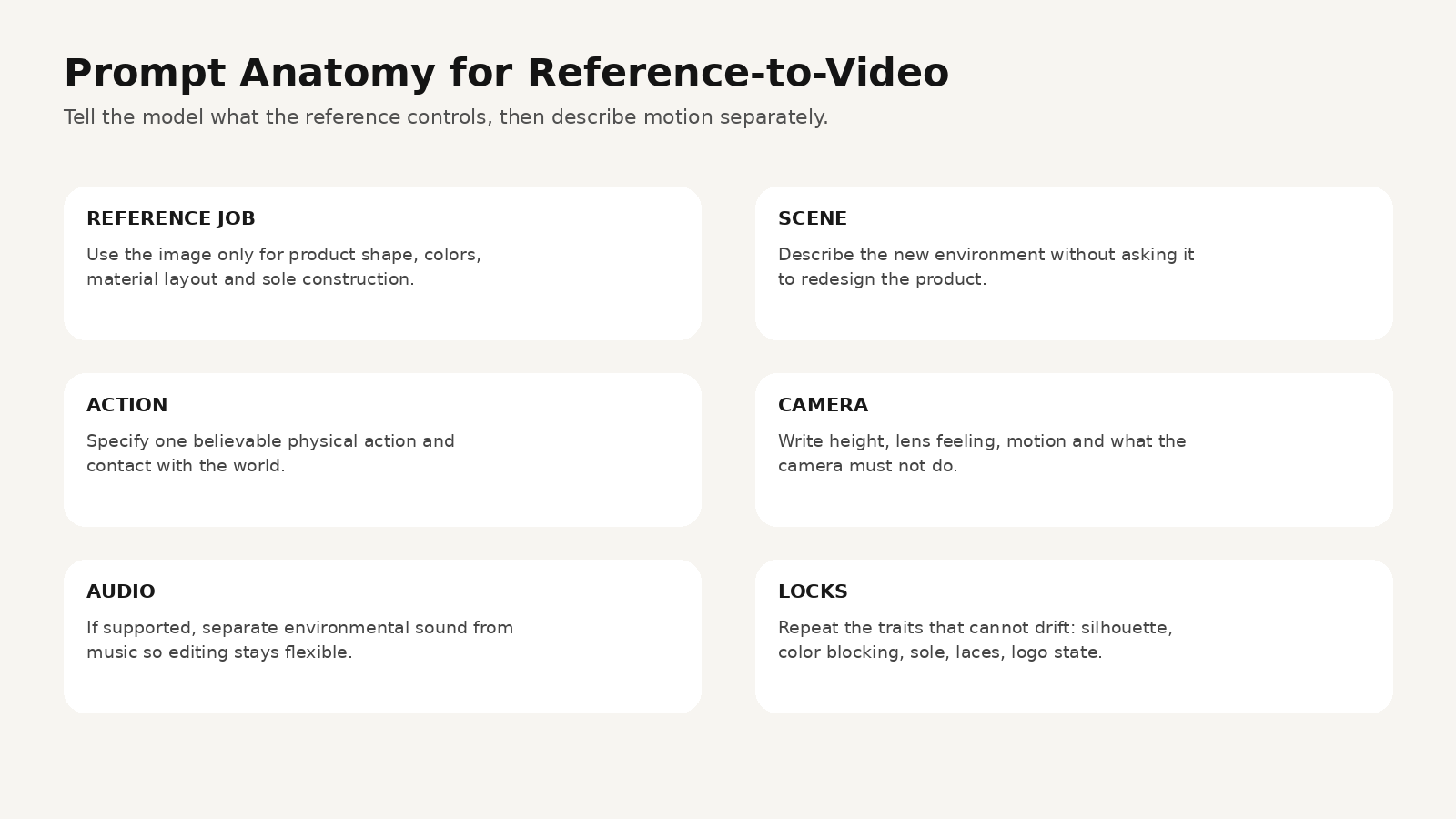
A reliable reference-to-video prompt has six parts:
- Reference job
- Scene
- Action
- Camera
- Audio
- Locks
Full prompt example
REFERENCE JOB
Use the supplied sneaker image only as the product identity reference.
Preserve the shoe silhouette, cream mesh, cobalt-blue overlays,
rust-orange heel, cream laces, sculpted cream midsole,
blue midsole insert and black outsole.

SCENE
Rain-wet urban pedestrian bridge at blue hour.
Modern city skyline in distance.
Warm practical rail lights reflect on pavement.
No readable logos or signage.

SUBJECT ACTION
A young athletic woman runs naturally through frame.
Her right foot lands near the camera once, compresses under body weight,
then lifts and pushes away.
Motion must obey realistic running physics.

CAMERA
Very low 24mm-equivalent tracking shot.
Camera moves backward at running speed.
No orbit.
No impossible sudden zoom.

AUDIO
Natural footfalls on wet pavement, quiet city ambience and distant train sound.
No background music so the clip can be edited later.

LOCKS
Do not redesign the sneaker.
Do not change the color blocking.
Do not add branding.
Do not change lace count or sole architecture.
Product identity must remain stable through motion.
That is much more useful than:
“Make this shoe run through a cool city, cinematic.”
4. Use multi-shot thinking even if you generate shots separately
Kuaishou says Kling Video 3.0 can understand multi-scene instructions and that Video 3.0 Omni includes a customizable multi-shot storyboard workflow.
That does not mean every ad should be generated as one giant prompt.
For commercial work, separate shots can be easier to revise.
Think like a storyboard:
| Shot | Duration | Shot size | Product job | Camera |
|---|---|---|---|---|
| Hero | 4s | close / medium | identity | slow arc |
| Detail | 3s | macro | material | lateral slide |
| Action | 5s | low wide | performance | backward track |
| Environment | 4s | wide | lifestyle | trailing follow |
| End | 3s | clean medium | recognition | slow pull back |
The storyboard gives the campaign rhythm.
The reference keeps the product anchored.
5. Do not ask the product reference to invent hidden geometry
This is a common failure.
You upload one side view of a shoe.
Then ask:
“Show the bottom outsole in extreme close-up.”
The model has to invent information the reference does not contain.
For a real commercial product, that is dangerous.
If the product must remain accurate from several angles, prepare a better reference pack:
- front three-quarter
- side
- back
- top
- outsole if needed
- macro material detail
The closer the ad comes to a product claim, the less you should ask AI to guess.
6. Product consistency is not only shape
A campaign can preserve the shoe silhouette and still fail continuity.
Check:
Color
Does cobalt blue drift into navy or teal?
Material
Does mesh become leather?
Sole
Does the midsole suddenly become thinner?
Laces
Do cream laces become bright white?
Heel
Does the orange panel move or disappear?
Scale
Does the product look physically larger on one foot?
Physics
Does the sole bend in a believable way on impact?
That last one matters.
A “consistent” object can still feel fake if it does not behave like the object.
7. Why reference-driven videos still fail
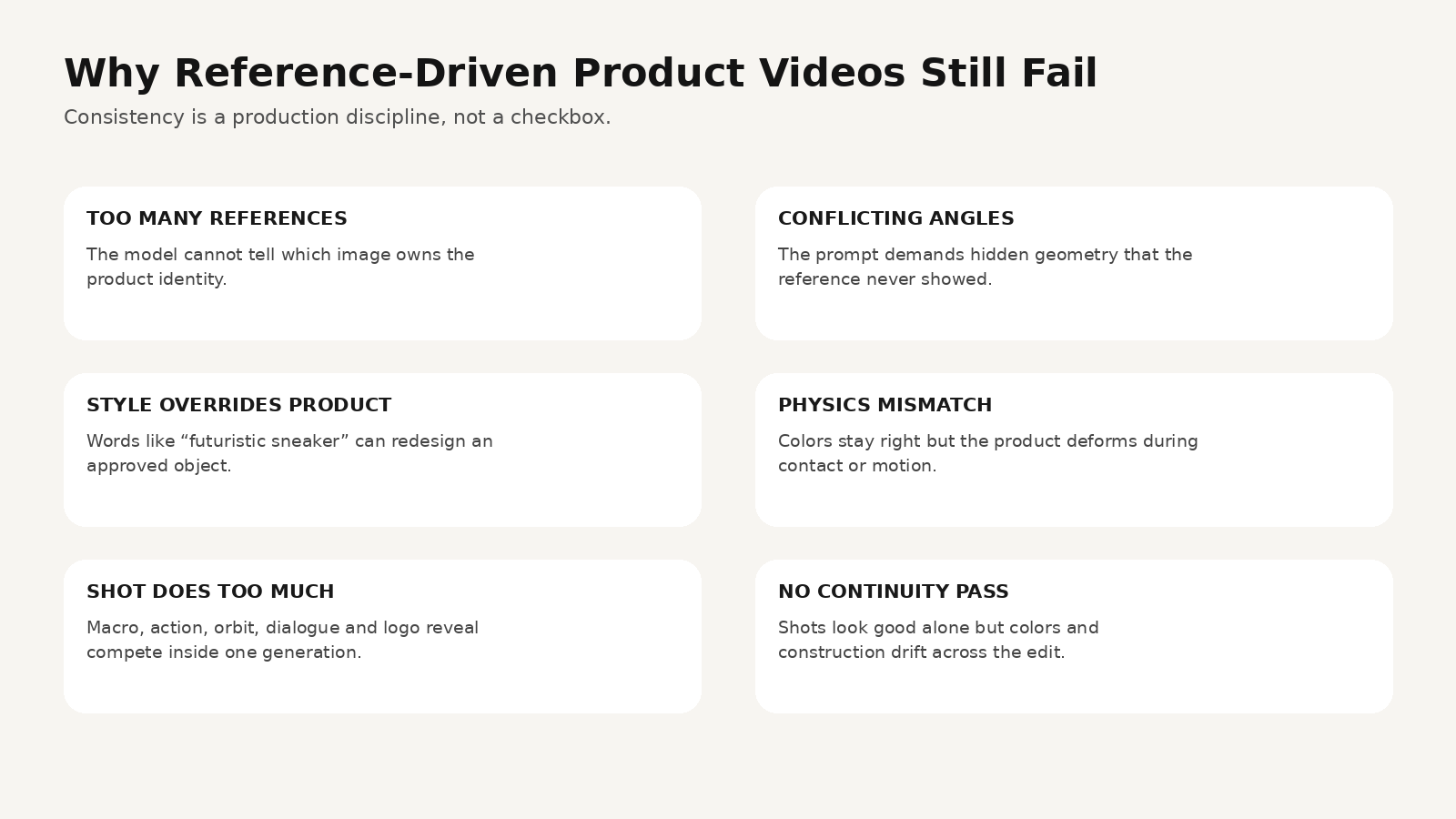
Too many references
The model does not know which visual owns product identity.
Fix: assign each reference a job.
Conflicting angles
The prompt asks the model to reveal a detail the product reference never shows.
Fix: create additional approved product views.
Style language overrides product identity
Words such as:
“futuristic cyber sneaker”
may encourage redesign.
Fix: separate environment style from product identity.
Physics mismatch
The product may preserve its colors but deform during action.
Fix: simplify the action and shorten the shot.
The shot does too much
Macro → running → orbit → dialogue → logo reveal in one generation.
Fix: split the commercial into shot jobs.
No continuity pass
Every clip is reviewed alone.
Fix: place all approved shots next to each other before editing.
8. Where Kling 3.0 Omni fits compared with the rest of the workflow
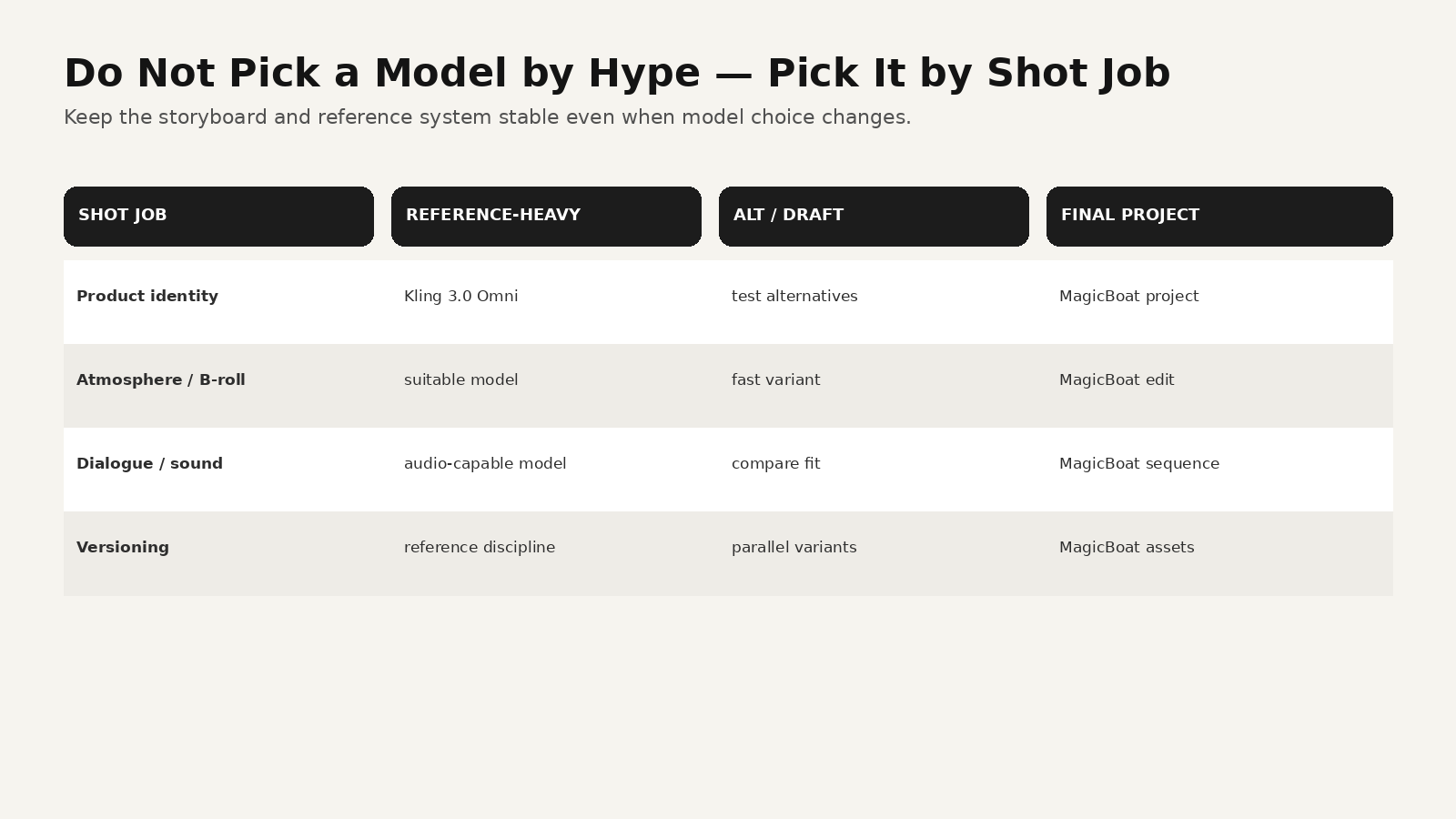
A campaign does not need one “best AI model.”
It needs the right tool for each production task.
Kling 3.0 Omni
Strong fit when your brief depends on:
- explicit reference assets
- recurring product or character identity
- multi-shot planning
- native audio use cases
- multimodal generation/editing
Other video models
Another model may be a better choice for:
- a simple atmospheric B-roll shot
- a faster draft
- a different motion style
- a specific audio behavior
- a cheaper variation pass
The important thing is that switching models should not destroy the campaign’s production system.
Keep:
- reference pack
- storyboard
- approved product identity
- shot purpose
- copy
- edit structure
stable.
How to build the full campaign in MagicBoat
MagicBoat’s current site describes a workflow that includes:
- script
- automatic shot breakdown and storyboard
- visual generation
- character consistency
- reusable project assets
- multiple visual/video models
- voiceover
- lip sync
- music
- shot editing
- sequencing
- subtitles
- version iteration
That makes the most useful relationship between Kling and MagicBoat straightforward.
Kling 3.0 Omni is a generation decision
You may choose it for a reference-heavy shot.
MagicBoat is the larger production project
Use the project to manage:
- campaign brief
- product references
- storyboard
- shot order
- alternative generations
- voice
- captions
- music
- final edit
- multiple versions
For example:
Shot 1
Kling 3.0 Omni — product hero
Shot 2
Another suitable model — atmospheric material detail
Shot 3
Kling 3.0 Omni — reference-heavy running shot
Shot 4
Fast model — city B-roll
Shot 5
Image/video workflow — clean end frame
Then edit the final sequence in one place.
This is where a multi-model platform can beat a “one model for everything” mindset: the campaign keeps its creative system even when individual shots use different generation approaches.
Try the workflow at https://www.magicboat.net/.
A full 20-second product ad plan
Shot 1 — 0:00–0:04
Dark studio hero.
Message: design.
Shot 2 — 0:04–0:07
Macro mesh and sole.
Message: material.
Shot 3 — 0:07–0:12
Low-angle bridge run.
Message: movement.
Shot 4 — 0:12–0:16
Wide city run.
Message: lifestyle.
Shot 5 — 0:16–0:20
Clean hero + copy space.
Message: recognition and CTA.
The ad feels larger because each shot does less.
Product-video continuity checklist
Before final edit, freeze one frame from every shot.
Place them side by side.
Ask:
- Is this obviously the same product?
- Does the blue match?
- Does the orange heel stay in the same place?
- Does the sole have the same volume?
- Do materials still read the same?
- Are laces and eyelets stable?
- Does the shoe behave naturally under force?
- Do we ever show a detail the real product does not have?
If the answer fails in one shot, fix that shot.
Do not regenerate the entire campaign.
Common mistakes
Mistake 1: “Reference image” becomes the whole prompt
Fix: state what the reference owns and then write the new shot.
Mistake 2: One photo is expected to describe every angle
Fix: build a multi-view reference pack for commercial accuracy.
Mistake 3: The product looks right but moves wrong
Fix: reduce action complexity and specify physical contact.
Mistake 4: Every shot uses the same camera
Fix: preserve product identity, not identical cinematography.
Mistake 5: Every shot is generated by the same model just because the first shot worked
Fix: route by shot requirement, then assemble in one production workflow.
FAQ
What changed with Kling 3.0 Omni in Adobe Firefly?
Adobe announced on September 18, 2026 that reference images can now be used with Kling 3.0 Omni in Firefly’s Video Generation tab and Boards.
What is Kling 3.0 Omni?
Kuaishou launched Kling Video 3.0 Omni as part of the Kling 3.0 model family. The company describes it as a multimodal, reference-driven video system with consistency and multi-shot storyboard capabilities.
Can Kling 3.0 Omni use reference videos?
Kuaishou’s official launch materials say Video 3.0 Omni can use a reference video to extract visual and voice characteristics for new scenes. Actual controls can depend on the product surface through which you access the model.
Can I create a product ad from one photo?
Yes, but one photo only contains visible information from one view. For commercial product accuracy across many angles, use additional approved references rather than asking the model to invent hidden details.
Does a reference image guarantee product consistency?
No. Prompt conflicts, action complexity, unseen geometry, and model behavior can still cause drift. A continuity review is still necessary.
Why use MagicBoat if I already have Kling?
Kling is a generation model. MagicBoat is positioned as a broader video-production workflow covering script, storyboard, reusable assets, multi-model generation, voice, editing, and final sequencing. A creator can use the appropriate model for individual shots while keeping the whole project organized.
Sources
- Adobe Community — What’s new in Adobe Firefly, September 2026, September 18, 2026: https://community.adobe.com/announcements-402/what-s-new-in-adobe-firefly-september-2026-1642552
- Kuaishou Technology — Kling AI Launches 3.0 Model, February 5, 2026: https://ir.kuaishou.com/news-releases/news-release-details/kling-ai-launches-30-model-ushering-era-where-everyone-can-be
- Kling AI — Official quickstart / guides: https://kling.ai/quickstart
- MagicBoat — Official product page: https://www.magicboat.net/
Keywords
Kling 3.0 Omni reference images, Kling 3.0 Omni, Firefly Kling 3.0 Omni, Kling reference image, product photo to video, AI product video ad, reference to video AI, AI ecommerce video, AI sneaker ad, multi-shot AI video, MagicBoat AI