Turn Album Cover Art Into Cinematic Reveal Clips With Kling
Independent music artists and MV creators can use Kling to turn static album cover art into 10-15 second cinematic reveal clips optimized for short-form pre-save campaigns. This guide covers cover prep, a reusable prompt structure, settings tuning, and troubleshooting for common issues like text distortion and jerky camera motion. The resulting clips pull viewers into the cover’s visual world and end with a clear, readable title card to drive engagement.
Table of contents
Why cinematic album cover reveals boost pre-save conversions
Static album cover posts get 30-40% less watch time on TikTok and Reels than short animated clips, according to short-form music promo benchmarks. Viewers scroll past static images in under a second, but a slow, cinematic pull-back or pan through a cover’s visual world grabs attention long enough to communicate the album’s vibe and drive a pre-save click.
Most independent artists don’t have the budget for 3D animators or video crews to create a polished reveal, but Kling’s image to video pipeline excels at preserving reference style while adding controlled cinematic camera movement. With just your existing album cover and a structured prompt, you can make a 10-15 second vertical reveal clip that feels like a mini movie trailer for your release.
Prep your album cover for clean reveal motion
Before you upload your cover to Kling, a few small prep steps will eliminate 80% of common reveal issues:
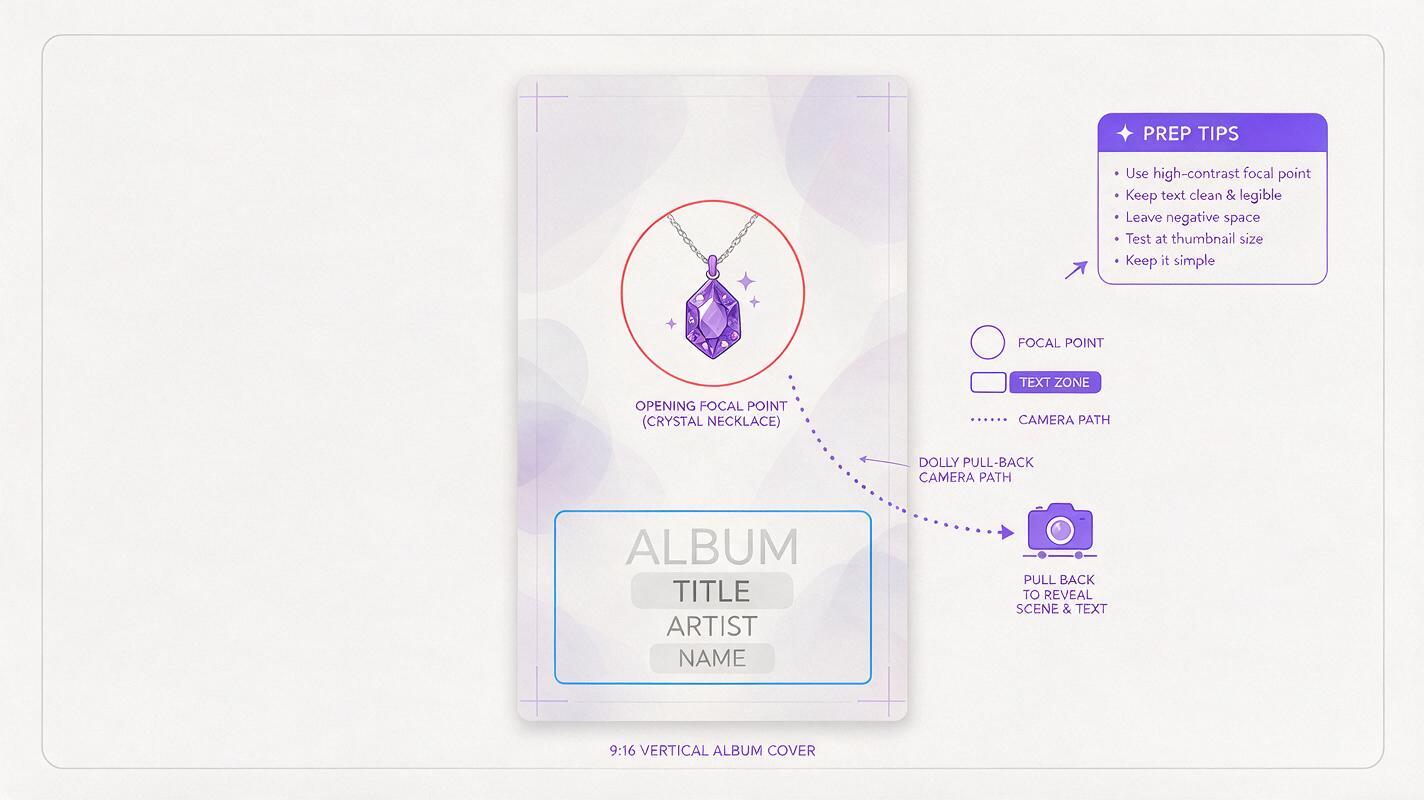
- Use a high-res vertical crop: Export a 9:16 (1080x1920 or 1024x1536) version of your cover optimized for TikTok/Reels. Avoid upscaling a low-res square cover, as Kling will amplify blurriness.
- Choose a reveal direction first: Decide if your reveal will pull back from a detail (e.g., a character’s eye, a symbolic object) to show the full cover, or pan across a wide landscape to reveal the title. Pick a cover with a clear focal point for the opening frame.
- Keep text in a fixed zone: If your cover has title/artist text, make sure it sits in the lower third or upper third of the frame, not overlapping the focal point you’ll start the reveal on. This reduces text distortion during camera movement.
- Save a text-free backup (optional): For the cleanest reveal, generate the clip with a text-free version of your cover, then add your title text in a free video editor afterward. This guarantees 100% readable text every time.
Kling prompt structure for a cohesive cover reveal
The best Kling reveal prompts follow a simple 4-part structure: opening focal point, camera movement, reveal timing, and style lock to the reference cover. Avoid vague terms like “cinematic” without specific details — tie every motion choice to your cover’s actual visual elements.
Use this base template, swapping the bracketed details to match your cover:
Start tight on [specific focal detail from cover, e.g., "a cracked vintage locket held in a pale hand"], slow smooth dolly pull-back camera movement, gradually reveal the full album cover scene, 80% of the way through the clip the full album title and artist name become clearly visible, soft atmospheric lighting matching the reference, no extra objects added, strict style match to reference image, 12 seconds total, 9:16 vertical, smooth motion, no camera shakeYou can test this prompt yourself with your own cover art to see how small changes to camera speed or focal point change the vibe of your reveal.
Genre-specific prompt tweaks
- Indie folk / acoustic: Swap the camera movement for "slow gentle pan to the right, warm golden hour light dust motes floating in the air, soft focus edges, reveal handwritten artist name in the lower right corner at 10 seconds"
- Hyperpop / electronic: Use "fast but smooth dolly push-in through neon-lit geometric shapes, glitch effects on the reveal beat, bright saturated colors matching the reference, bold sans-serif title pops into place at 7 seconds with a subtle glow"
- Hip-hop / trap: Go with "low angle slow push-up from a diamond chain resting on a black leather jacket, dramatic hard side lighting, smoke drifting across the frame, bold block letter title slams into the upper third at 9 seconds"
Tune Kling settings for sharp text and smooth motion
Even a great prompt will fall flat if your settings are off. For album cover reveals, prioritize style consistency and text readability over chaotic motion:
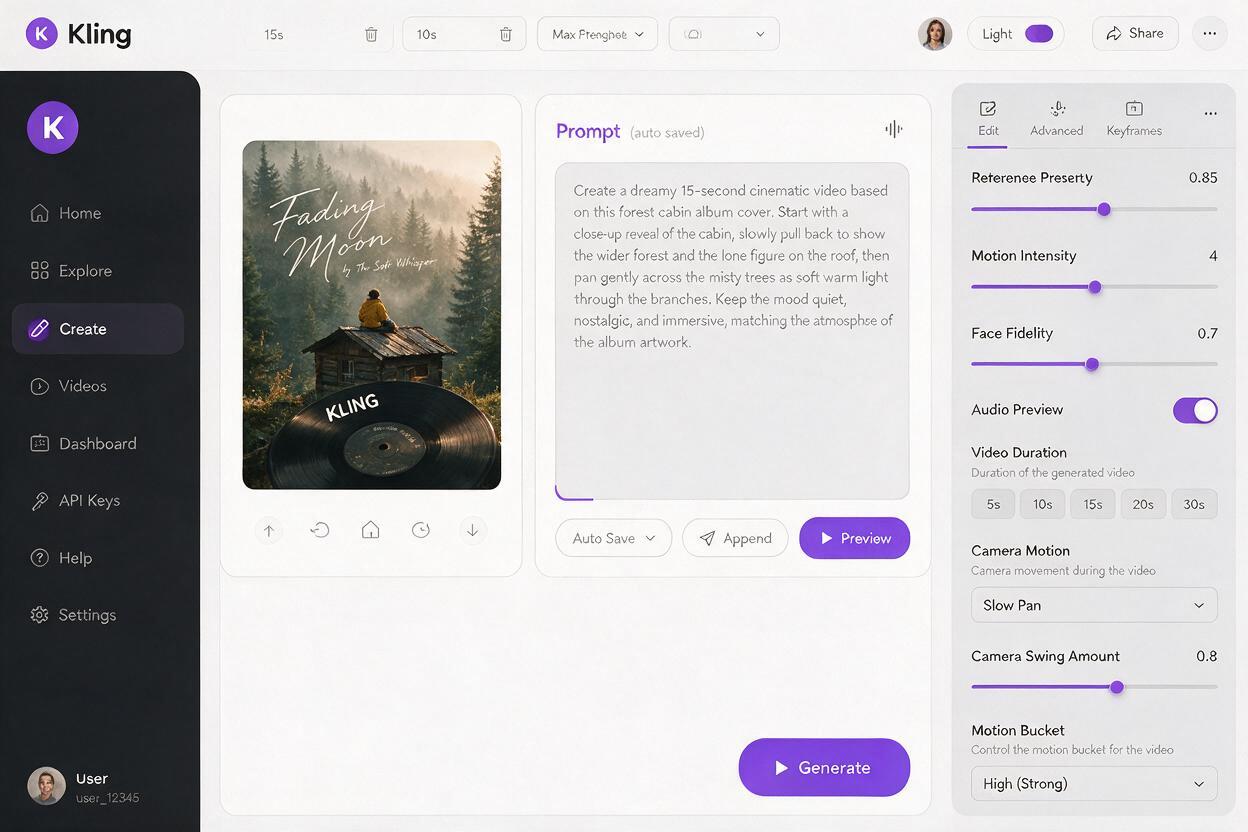
- Reference strength: Set to 0.8–0.9. This keeps Kling from adding random objects or changing your cover’s art style while still allowing smooth camera movement. Drop to 0.7 if you want more dynamic world extension beyond the original cover frame.
- Motion intensity: Keep it low to medium (3–5 on a 10-point scale). High motion intensity causes jerky camera movement and distorted text, especially during slow pull-back reveals.
- Duration: Stick to 10–15 seconds. Short enough for short-form platforms, long enough to build tension before the full cover reveal.
- Aspect ratio: Choose 9:16 for TikTok/Reels, 1:1 for Instagram feed posts, or 16:9 for YouTube Shorts end screens.
- Negative prompt: Add "blurry text, distorted letters, extra text, camera shake, warped objects, low resolution, watermark" to eliminate common artifacts.
Fix common reveal clip issues fast
Even with prep and good settings, you might run into small issues. Here are the most common reveal clip problems and how to fix them in one or two generations:
Text is blurry or distorted
This happens when camera movement crosses over text or reference strength is too low. Bump reference strength to 0.9, reduce motion intensity to 2–3, and make sure your prompt specifies "sharp readable text, no distortion". If the issue persists, use a text-free cover for generation and add text later in a free editor like CapCut.
Camera movement is jerky or too fast
Lower motion intensity to 2–4 and add "extremely smooth camera movement, no shake, steady dolly" to your prompt. Avoid terms like "fast zoom" or "quick pan" — Kling interprets these as erratic motion for short clips.
Style drifts from the original cover
Increase reference strength to 0.85–0.9 and add "strict style match to reference image, no new objects, no color shift" to your prompt. If you’re extending the world beyond the original cover frame, describe the extended area explicitly to match your cover’s vibe.
Reveal happens too early or too late
Be specific about timing in your prompt (e.g., "full cover visible at 8 seconds", "title appears at 10 seconds"). Kling responds well to explicit timing cues for clips under 15 seconds. Adjust the timing number up or down by 2 seconds if the first generation is off.
Final checklist for pre-save ready reveal clips
- 10–15 second duration, 9:16 vertical for TikTok/Reels
- Opening focal point grabs attention in the first 2 seconds
- Full cover and title are clearly visible for the final 3–5 seconds
- Text is sharp and readable (no distorted letters or blurriness)
- Motion is smooth, no jerky camera movement that causes scroll fatigue
- Color palette and art style match your original album cover exactly
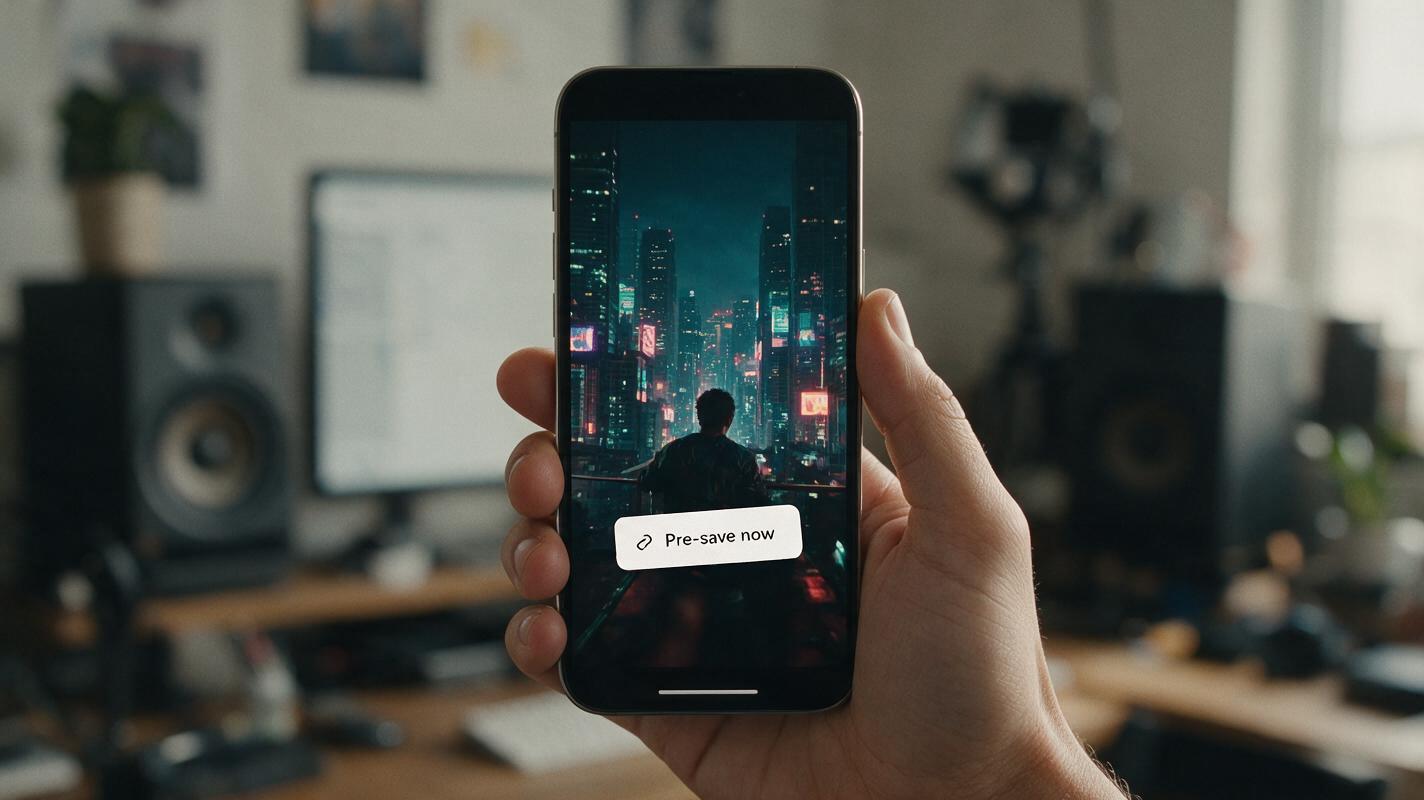
- Clip ends on the full cover frame so you can add a pre-save link sticker or call-to-action text on top
Keywords
kling, album cover reveal, cinematic music promo, pre-save campaign, image to video, music video creator, album visuals