Kling Prompts for Science Scale Videos Without Misleading Zooms
Science scale videos can make microscopic and astronomical relationships memorable, but an uncontrolled continuous zoom may imply false spatial connections or inaccurate sizes. This guide shows educators how to use Kling with verified visual anchors, explicit transitions, stable labels, and reusable prompts.
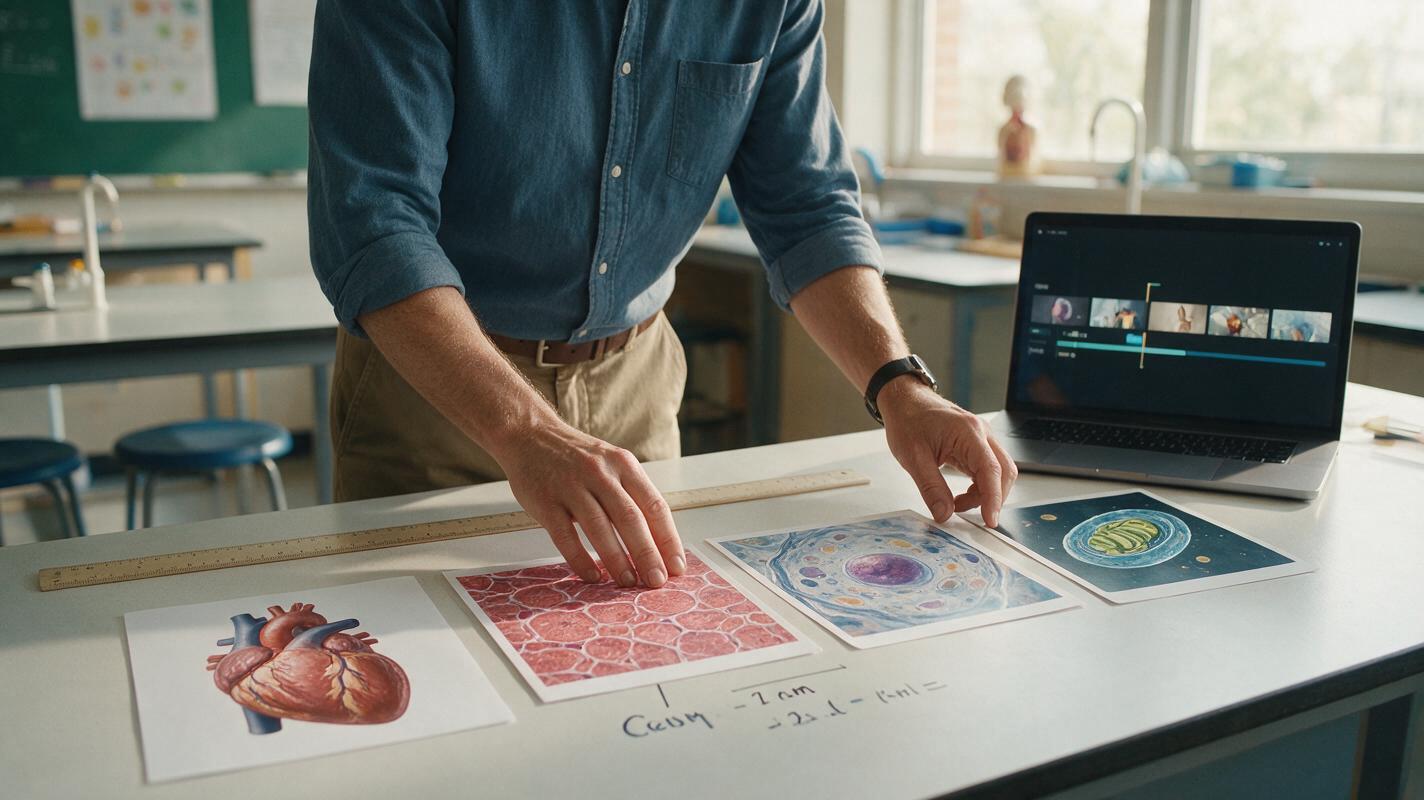
Table of contents
Make scale visible without making it false
A good science scale video should help learners compare orders of magnitude without implying that cells, planets, or particles sit inside one seamless camera shot.
Kling can add motion between prepared science visuals, but the model should not be responsible for deciding relative size, units, or scientific relationships. Those decisions belong in verified source frames. A controlled image to video workflow then uses Kling to animate transitions while preserving the instructional structure.
This method works for lessons about biological organization, the electromagnetic spectrum, geological time, planetary scale, metric units, and other topics where ordinary illustrations struggle to communicate enormous differences.
Why continuous zooms can teach the wrong idea
A dramatic unbroken zoom is visually appealing, but it can introduce misconceptions. If the camera travels from a classroom to a cell and then to DNA without a visible break, learners may interpret the sequence as a literal journey through continuous space. The generated transition may also invent intermediate anatomy or change an object's proportions.
Three failures are especially important to prevent:
- False containment: the video suggests that one object is physically nested inside another when the relationship is only comparative.
- Unreliable scale: objects grow or shrink smoothly without a unit, ratio, or order-of-magnitude marker.
- Visual mutation: a source object changes shape during motion, making a scientific diagram look like a transformation rather than a scale change.
Treat each scale as a separate evidence card. The transition should announce a change of viewpoint, not pretend that the model captured a literal journey.
Choose a sequence learners can explain
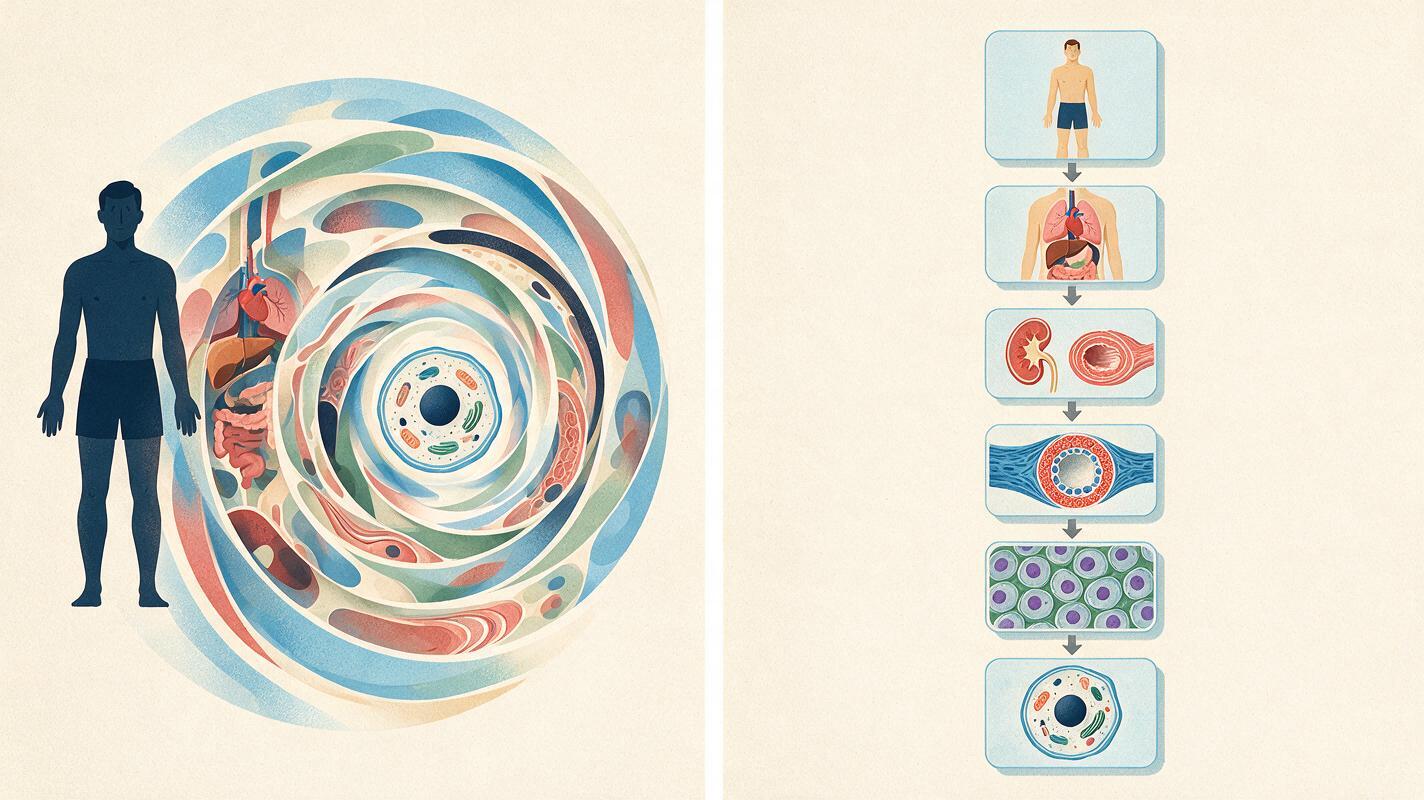
Before generating video, write the comparison as a short chain of named scales. A biology sequence might be organism → organ → tissue → cell → organelle. An astronomy sequence might be Earth → Earth–Moon system → inner Solar System → Solar System.
Keep the first version to three or four scales. Every frame should answer the same questions:
- What object or region is being shown?
- What approximate size or scale range matters?
- Is the image observational, diagrammatic, or conceptual?
- What relationship should the learner notice?
Write the teaching point separately from the animation prompt. For example, “A typical animal cell is much smaller than the tissue it helps form” is a learning statement. “Camera dives into living tissue” is a cinematic direction that may imply an observation the visual cannot support.
Build the visual anchors before adding motion
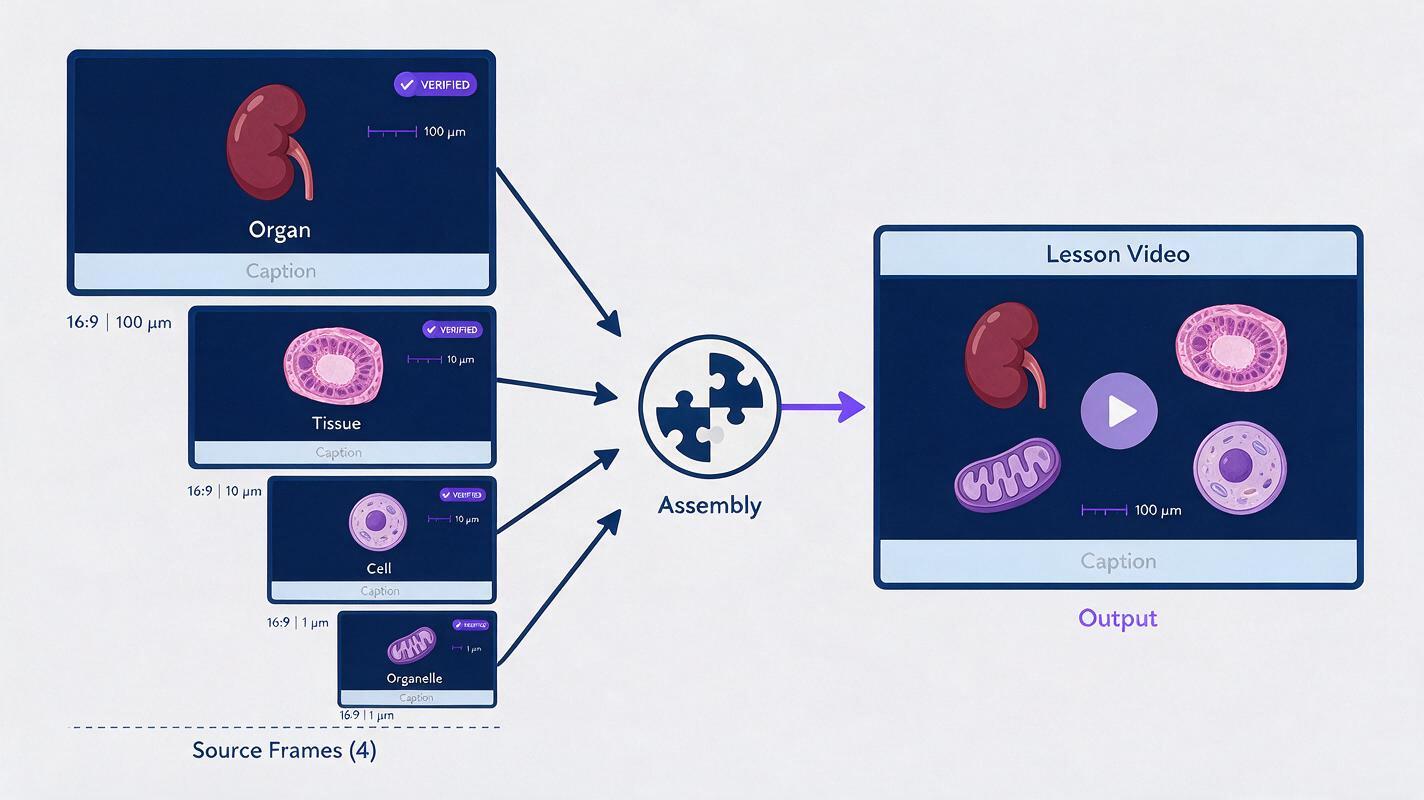
Create one verified still image for each scale. Use the same aspect ratio, background family, lighting logic, and placement of the main subject. Consistent composition gives Kling fewer opportunities to redesign the scene.
A practical anchor card contains:
- a centered subject with clear boundaries;
- a short scale label added in an editor rather than generated inside the picture;
- a scale bar or comparison object where appropriate;
- a small caption identifying whether the visual is simplified;
- empty space for narration captions.
Do not ask the image model to embed long unit labels. Generate or source the visual first, verify it, and add typography as a separate overlay. Preserve a clean copy without labels for animation and a labeled copy for reference.
A reliable source-frame prompt
Create a clean educational visualization of [SUBJECT] viewed at [SCALE OR MAGNIFICATION CONTEXT]. Center the subject against a restrained dark blue background. Show only [VERIFIED STRUCTURES]. Use a precise scientific illustration style with clear boundaries and no decorative particles. Leave the upper-left and lower third uncluttered for labels. No text, numbers, arrows, scale bars, or invented internal structures. 16:9 composition.Replace the bracketed text with reviewed content. If scientific realism would reveal details irrelevant to the lesson, request a simplified diagram and label it as simplified in the finished video.
Prompt Kling to transition, not invent
Import the verified frame and describe only the movement that should occur. Avoid broad instructions such as “travel inside the cell” or “zoom from Earth to an atom.” Those prompts invite Kling to manufacture connective imagery.
Use this restrained transition prompt:
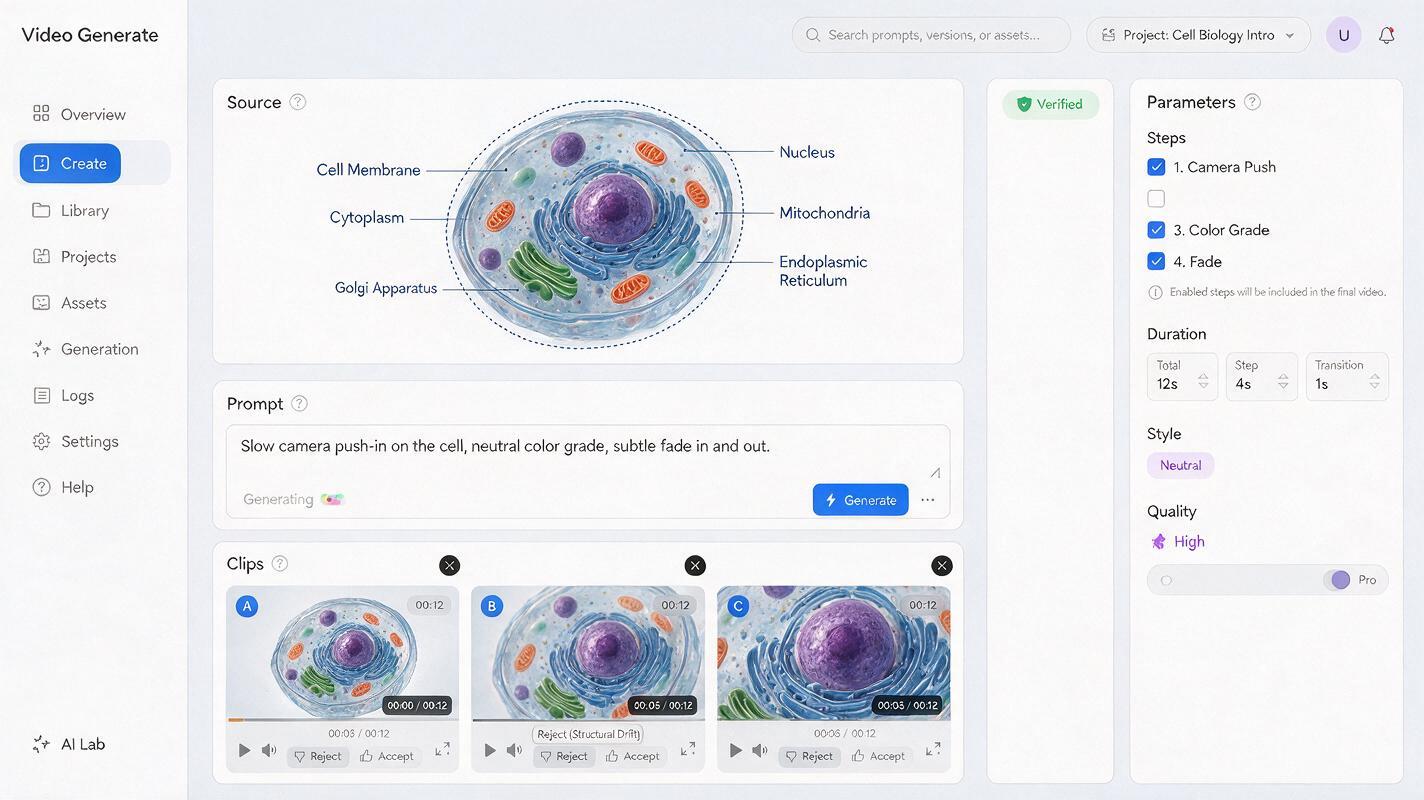
Begin with the supplied educational science frame. Keep the subject's structure, proportions, colors, and orientation unchanged. Apply a slow, steady camera push toward the marked region of interest. Near the end, fade through a brief neutral dark-blue transition so the next scale can be introduced as a separate view. No morphing, no new anatomy, no floating particles, no text, no labels, no extra objects, and no sudden camera rotation. Calm classroom pacing.For a pullback, replace “camera push” with “slow camera pullback” while retaining the structural constraints. Generate each transition as its own short clip rather than asking for the entire scale journey in one pass.
When using an ai video generator, shorter single-purpose clips are easier to inspect and replace. Assemble the accepted clips in an editor, where labels, narration, pauses, and assessment cues remain controllable.
Use motion grammar that signals a change of scale
The transition style tells learners how to interpret the relationship. Match it to the claim rather than choosing movement only for spectacle.
| Transition | Best teaching use | Main risk | Safer cue |
|---|---|---|---|
| Slow push-in | Directing attention to a region | Suggesting literal entry | Cut to a separately labeled view |
| Crossfade | Comparing distinct scales | Weak sense of direction | Add a scale-change caption |
| Matched cut | Comparing similar shapes | Implying identical function | Narrate the limited comparison |
| Pullback | Showing broader context | Inventing surroundings | Use a verified destination frame |
| Neutral interstitial | Jumping across many orders of magnitude | Interrupting visual flow | Keep it brief and show units |
A neutral transition is often the most accurate option. A half-second dark frame with “Changing scale” or “Diagrammatic view” can prevent a smooth animation from becoming a misleading scientific claim.
Add units and narration after generation
Place scale bars, magnification notes, and object names after the motion is approved. Static overlays stay readable and cannot warp with the generated imagery. If the camera moves significantly, hold the unit label in a fixed screen position rather than attaching it to a deforming object.
Narration should distinguish size, magnification, and representation. These terms are related but not interchangeable. A useful pattern is:
We are changing from a view of [LARGER SCALE] to a separate representation of [SMALLER SCALE]. The images are not shown in one continuous physical journey. Notice that [VERIFIED RELATIONSHIP].Give learners time to inspect the destination frame before moving again. A short pause with one question—“Which scale is smaller?” or “What changed besides magnification?”—turns visual spectacle into retrieval practice.
Review every clip for scientific drift
Watch each transition frame by frame with the source image beside it. Reject a clip if the model changes a defining feature, invents intermediate structures, reverses direction, or makes a scale bar appear to move with the object.
Use this review table before publication:
| Check | Accept when | Reject when |
|---|---|---|
| Subject identity | Defining structures remain stable | Anatomy, geometry, or count changes |
| Scale claim | Units come from a verified source | Size is inferred from generated motion |
| Transition meaning | The cut clearly introduces another view | The clip implies undocumented containment |
| Labels | Typography is added separately and readable | Generated text is warped or ambiguous |
| Accessibility | Narration, captions, and contrast communicate the point | Meaning depends on motion alone |
Fix common Kling scale-video failures
The subject melts during the zoom
Reduce the amount of camera travel, shorten the clip, and repeat the instruction that structure and proportions must remain unchanged. If the destination differs substantially, end on a neutral transition instead of forcing a morph.
The model invents particles or glowing energy
Remove cinematic terms such as “epic,” “cosmic,” and “magical.” Explicitly prohibit particles, energy trails, lens flares, and decorative motion. These effects can be especially misleading in lessons about radiation, atoms, or fields.
The transition suggests the wrong relationship
Replace the continuous push with a crossfade or matched cut. Add a visible phrase such as “separate diagrammatic view” and state the relationship in narration.
The labels become unreadable
Animate an unlabeled source frame. Add all text afterward, keep it stationary, and provide enough screen time for reading. Do not regenerate an otherwise accurate clip merely to repair typography.
Final checklist
- Define a sequence of no more than four scales for the first version.
- Verify every object, unit, and relationship independently of the generated video.
- Prepare separate source frames with matching composition and no embedded text.
- Ask Kling for restrained camera movement rather than invented connective imagery.
- Use cuts or neutral transitions when a continuous zoom would imply false containment.
- Add scale bars, captions, and narration after generation.
- Inspect every transition for structural drift and scientific ambiguity.
- Include a pause or question that checks whether learners understood the scale change.
Once the source frames and scientific claims are ready, test this prompt yourself and compare several restrained transition variants before building the complete lesson.
Keywords
kling prompts, science scale video, scientific visualization, image to video, lesson visuals, educational video, scale comparison