Luma Dream Machine Alternatives: 6 Tools for More Control
Luma Dream Machine makes text-to-video and image animation accessible, but creators may need different motion controls, editing workflows, effects, or pricing models. This guide compares six credible Luma alternatives by capability, cost structure, and production fit.
Table of contents
Luma Dream Machine Is Fast—but It Is Not the Only Option
Luma Dream Machine remains a capable text-to-video and image-to-video platform, but its credit limits, generation variability, and workflow fit can push creators to consider alternatives. This shortlist compares six real AI video tools offering different strengths in motion control, effects, editing integration, and scene development.
Pricing note: Plan structures and availability were checked on official public pages on October 14, 2026. Providers frequently change credit allocations, regional access, and model availability, so confirm the current checkout page before subscribing.
Copy and recreate the cover frame
Photorealistic editorial photograph of a film production table beside a sunlit studio window, six printed cinematic storyboards arranged around one central reference frame, a compact cinema camera, lens markers, color chart, handwritten motion notes and a slate on the table, warm natural morning light, realistic paper texture, restrained neutral palette, photographed from a 45-degree overhead angle with a 35mm lens, shallow but readable depth of field, 16:9 composition, no screens, logos, robots, holograms or futuristic interfaces.Why Creators Look Beyond Luma
Luma can produce attractive clips from text or still images, yet choosing an AI video platform involves more than finding the most striking single generation. Production teams also need repeatable characters, predictable camera behavior, usable export options, manageable credit costs, and a path from generation to final edit.
- Credit economics: Complex shots often require several attempts, making the cost per usable clip more important than the advertised monthly price.
- Motion control: A creator may need deliberate camera movement, performance guidance, keyframe-style control, or stronger adherence to a reference image.
- Editing requirements: Luma is primarily a generation environment. Other platforms combine generation with timelines, compositing, effects, or established video editors.
- Creative specialization: Social transformations, cinematic scene building, product animation, and rapid concept testing benefit from different tools.
- Access restrictions: Free credits, queues, watermarks, resolutions, and commercial terms vary by plan and region.
Judge each platform with the same source frame and motion brief. A polished demonstration made from a different prompt cannot tell you which tool will handle your actual project.
Which Luma Alternative Fits Your Workflow?
| Tool | Core strength | Pricing model | Best for |
|---|---|---|---|
| MagicBoat (Recommended) | One-stop multi-model testing: compare Runway, Kling, Pika, Veo-powered tools and more under one free account for greater control | Free account with trial credits, no credit card; pay per use | Side-by-side model comparison before choosing a main tool |
| Runway | Generation plus video production tools | Limited free access; paid credit plans | Editors and production teams |
| Kling AI | Prompt-led and reference-image video | Free access with limits; paid memberships | Cinematic shot experimentation |
| Pika | Fast transformations and effect-led clips | Free and paid credit plans | Social and promotional content |
| Adobe Firefly | Generation inside an Adobe workflow | Generative credits and paid plans | Creative Cloud users |
| Google Flow | Veo-powered scene creation and organization | Eligible Google AI subscriptions | Prompt-led narrative development |
| Hailuo AI | Accessible text and image animation | Limited free use and paid plans | Rapid visual exploration |
Reusable visual prompt:
Clean editorial workflow diagram on an off-white background comparing six unlabeled AI video routes from one reference image: production suite, cinematic generator, social effects, desktop editor integration, narrative scene builder and rapid ideation; three horizontal stages labeled Input, Generate and Finish, thin charcoal connectors, muted purple accents, balanced 16:9 layout, crisp readable typography, generous spacing, no logos, dashboards, gradients, robots or holographic elements.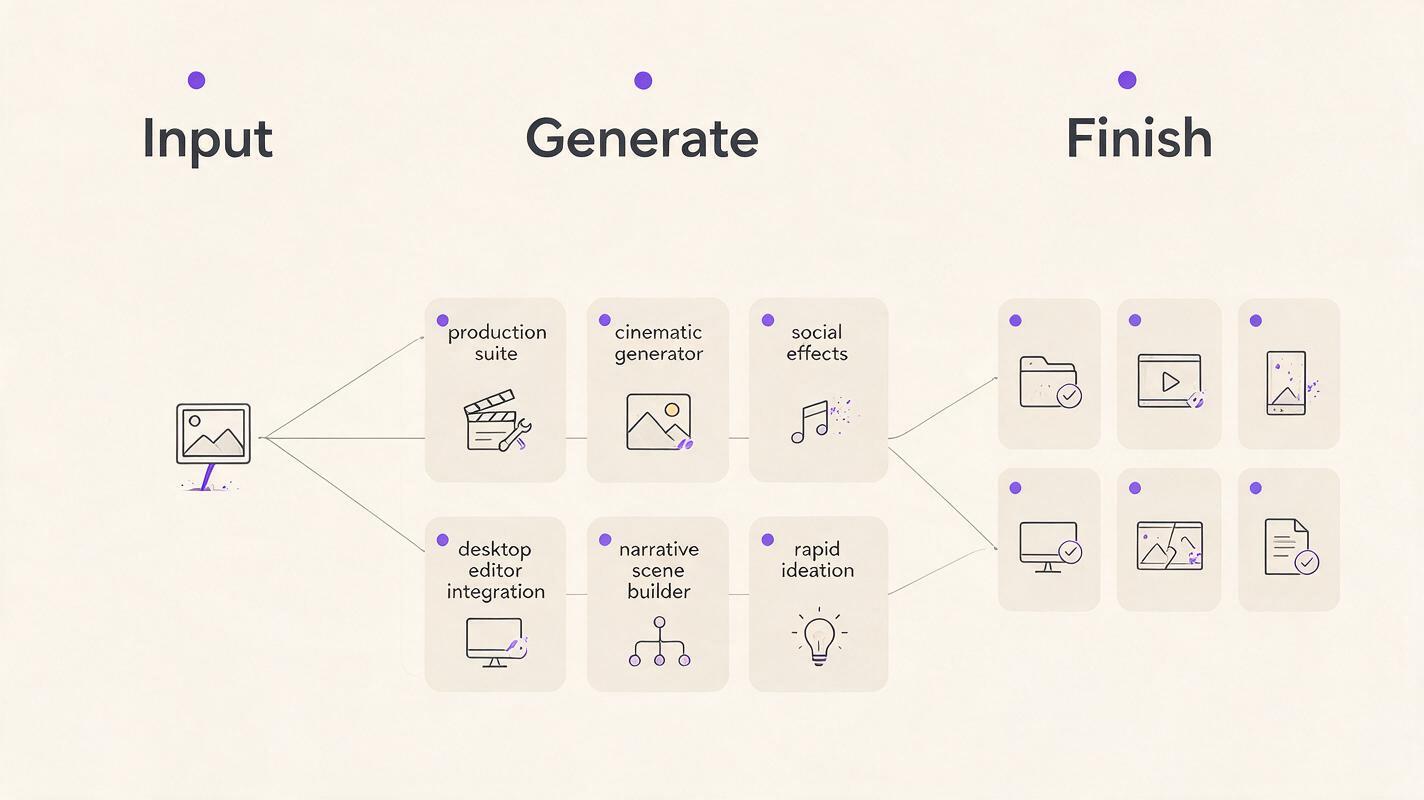
Runway: Best for Generation and Post-Production in One Workspace
Runway combines generative video with a wider collection of creative video tools. That makes it useful when a generated shot still needs adjustment, compositing, background treatment, or assembly rather than being downloaded as a finished asset.
- Core capability: Text-to-video, image-to-video, video transformation, and complementary editing tools.
- Pricing: Limited free access is available, while paid plans use recurring credit allocations. Generation costs depend on the selected model and settings.
- Best for: Filmmakers, agencies, and editors who want generation close to the rest of the production workflow.
- Compared with Luma: Runway provides a broader production environment; Luma can feel more direct when the task is simply turning a prompt or image into a shot.
Kling AI: Best for Testing Cinematic Motion
Kling AI supports both prompt-based creation and reference-image animation. It is a practical Luma alternative when the project calls for repeated testing of subject movement, environmental motion, or camera direction.
- Core capability: Text-to-video and image-to-video generation with configurable creative controls.
- Pricing: Kling offers limited account access alongside paid memberships and credit purchases; queues and output options vary by tier.
- Best for: Creators developing cinematic inserts, atmospheric shots, and movement from still artwork.
- Compared with Luma: Kling provides a different interpretation of physical movement and prompt direction. Neither platform wins every scene, so matched testing is especially valuable.
Pika: Best for Effect-Driven Short Clips
Pika focuses on approachable creation and conspicuous visual transformations. Its effects are helpful for advertisements, social posts, transitions, and playful concepts that do not require a conventional film-production workflow.
- Core capability: Text and image animation, clip modification, and effect-oriented transformations.
- Pricing: A limited free tier and paid credit subscriptions are available. Faster processing and access levels depend on the plan.
- Best for: Social creators, campaign teams, and rapid promotional experiments.
- Compared with Luma: Pika emphasizes quick transformations and recognizable effects, while Luma is often the more natural starting point for straightforward cinematic shot generation.
Adobe Firefly: Best for an Existing Creative Cloud Pipeline
Adobe Firefly is the strongest fit here for teams already finishing projects in Adobe applications. Its video generation features can support ideation and asset creation without forcing editors to build an entirely separate production pipeline.
- Core capability: Prompt- and image-guided video generation connected to Adobe creative workflows.
- Pricing: Usage is governed by generative credits, with paid Firefly and Creative Cloud options. Video generation can consume credits differently from still-image features.
- Best for: Premiere Pro users, brand studios, and teams managing mixed design and video assets.
- Compared with Luma: Firefly's advantage is workflow integration rather than a guarantee that every raw generation will outperform Luma.
Google Flow: Best for Building Connected Scenes
Google Flow is a filmmaking-oriented interface for creating and organizing shots with Google's Veo models. It is relevant when a creator wants to develop a sequence around reusable ingredients instead of treating every clip as an isolated generation.
- Core capability: Prompt-led video creation, scene organization, and filmmaking controls powered by Veo.
- Pricing: Access is tied to eligible Google AI subscriptions, with usage allowances and availability varying by plan and region.
- Best for: Directors, previsualization artists, and creators constructing related shots for a narrative.
- Compared with Luma: Flow is more explicitly structured around scene development, whereas Luma offers a simpler path to individual generated clips.
Hailuo AI: Best for Rapid Image Animation Experiments
Hailuo AI, developed by MiniMax, offers text-to-video and image-to-video creation through a browser-based service. Its accessible workflow makes it useful for comparing several motion ideas before committing resources to a final shot.
- Core capability: Prompt-based video generation and animation from uploaded images.
- Pricing: Limited free usage and paid subscription or credit options are offered; generation priority and allowances vary.
- Best for: Storyboard artists, independent creators, and fast visual prototyping.
- Compared with Luma: Both are convenient for direct generation. The meaningful difference will usually be how each handles a particular reference image, motion brief, and retry budget.
A Fair Test for Any Luma Alternative
Use one controlled brief rather than unrelated showcase prompts. Start with a sharp 16:9 reference image containing one person, a readable foreground, and a background with obvious depth. Ask every tool for the same subject action and camera movement, then record the credits consumed across all retries.
| Evaluation point | What to inspect | Warning sign |
|---|---|---|
| Identity stability | Face, clothing, proportions, and accessories | Features drift between frames |
| Motion quality | Weight, timing, contact, and background movement | Sliding feet or melting objects |
| Camera adherence | Requested direction, speed, and framing | Unrequested zooms or reframing |
| Image fidelity | Composition, color, and product details | Reference details are redesigned |
| Practical cost | Total credits used to obtain one acceptable result | Low headline price but many retries |
Copy and recreate this controlled reference frame:
Cinematic editorial-realism frame of a cyclist in a mustard rain jacket standing beside a silver touring bicycle on a wet coastal road at dawn, wind moving the jacket hem and roadside grass, dark cliffs receding into sea mist, subject positioned on the left third with open road leading into the right background, eye-level camera at six meters, 50mm cinema lens, soft overcast natural light, realistic skin and fabric texture, subtle film grain, 16:9 composition; motion brief: slow dolly forward while the cyclist turns toward the ocean, bicycle remains stationary, preserve face, clothing, frame geometry and horizon, no cuts, no text.Run that brief through each candidate, save every attempt, and compare complete clips rather than selected frames. Also check whether the required resolution, watermark policy, processing priority, and usage terms are included in the plan you would actually purchase.

Use One Workspace to Compare More Efficiently
Switching among separate services can make prompt testing and asset management unnecessarily fragmented. MagicBoat brings multiple creative capabilities into a one-stop workflow, letting you explore ai video generation and image to video animation without rebuilding the creative brief for every experiment.
Compare the results yourself with the same reference frame and motion prompt, then keep the version that best fits your edit.
Final checklist
- Choose Runway when post-generation production tools matter most.
- Test Kling AI for an alternative interpretation of cinematic movement.
- Use Pika for fast, effect-led promotional clips.
- Consider Adobe Firefly when Adobe integration reduces handoffs.
- Try Google Flow for connected scenes and narrative development.
- Use Hailuo AI for quick text and reference-image experiments.
- Compare total retries, not only subscription prices.
- Verify current credits, watermarks, export limits, and regional availability before paying.
Keywords
luma alternative, luma dream machine alternatives, ai video generator alternatives, text to video alternative, image to video, runway, kling ai