Luma Prompts to Animate Landscape Photos Without Warping the Horizon
Turn your own landscape photos into short establishing shots for faceless videos without making mountains, shorelines, or buildings wobble. These Luma prompts favor restrained camera movement and include checks for deciding whether a generated clip is usable.

Table of contents
Give a landscape photo motion without losing its shape
A landscape photo can make a useful establishing shot for a faceless YouTube video—until the horizon bends, a mountain changes shape, or the camera appears to fly through a foreground tree. With Luma, the safest approach is to treat your photo as the visual source and ask for one small, believable movement. The prompts below are designed for your own travel, hiking, and location footage, where the scene should remain recognizable from the first frame to the last.
This is an image to video task, not a request to invent a new landscape. The photo supplies the geography; the prompt describes how the viewer should move through it. If a factual location matters to your narration, compare the generated clip with the original before using it.
Choose a photo that can move believably
Start with a high-resolution image whose horizon and main landmarks are easy to identify. A coastline, valley, or overlook with distinct foreground, middle ground, and background layers gives you something to inspect for drift. A severely blurred photo, crowded silhouette, or frame with a tree branch covering half the sky is harder to animate cleanly.
Before uploading, crop for the video you actually need. Keep the horizon away from the very top or bottom edge, and leave a little space around any landmark the viewer must recognize. For a vertical Short, make sure the important subject survives a portrait crop; do not assume a wide scene will remain readable when squeezed into a narrow frame.
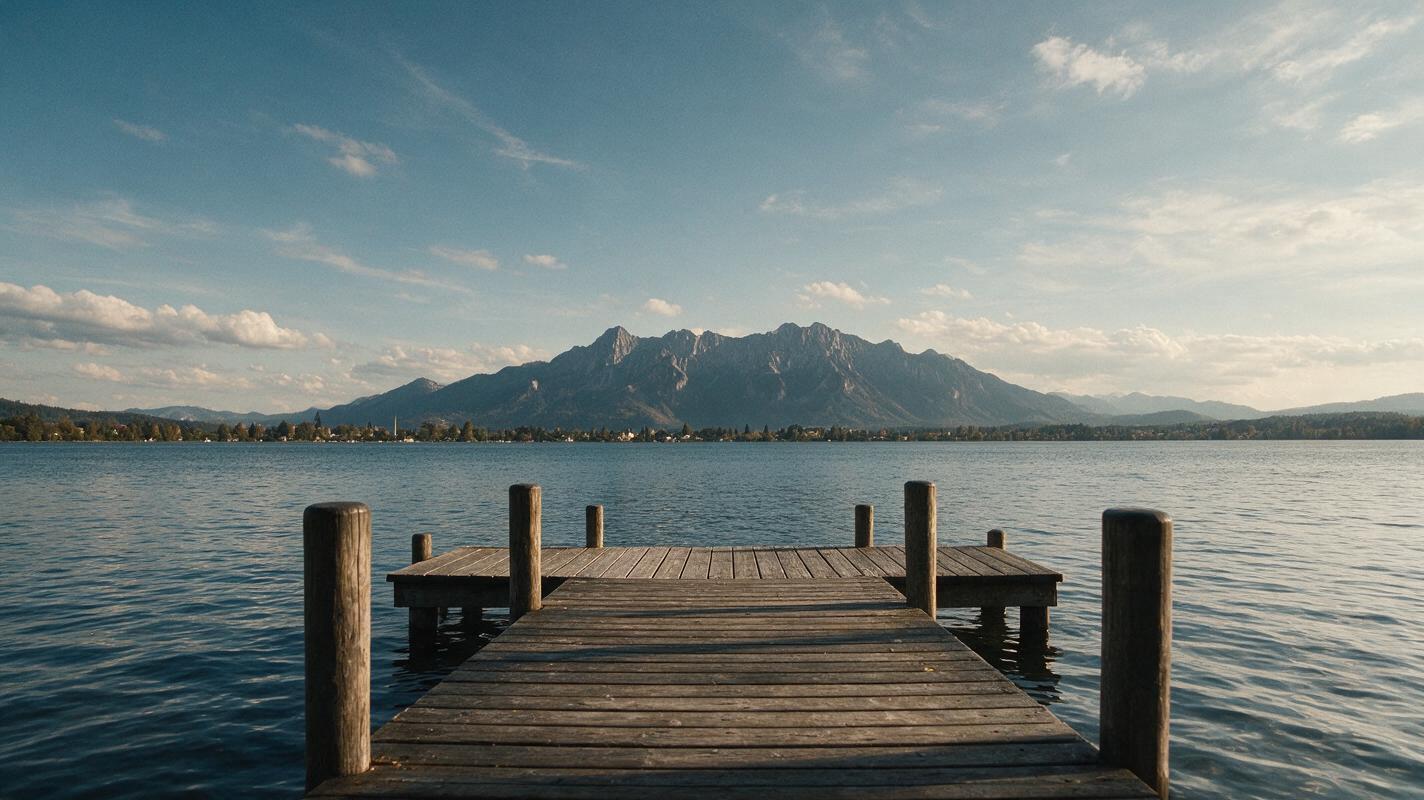
- Good candidate: a lake with a clear opposite shore, a stationary dock, and open sky.
- Riskier candidate: fine branches crossing the horizon, tiny distant figures, and reflective water containing detailed mirrored buildings.
- Editorial rule: use a photo you own or have permission to use, and keep an untouched copy for comparison.
If the shot illustrates a real place, avoid prompting for new structures, changed weather, or wildlife that was not present. You can ask for subtle atmospheric movement, but that movement should not become evidence for a claim about what happened there.
Keep the horizon steady in the prompt
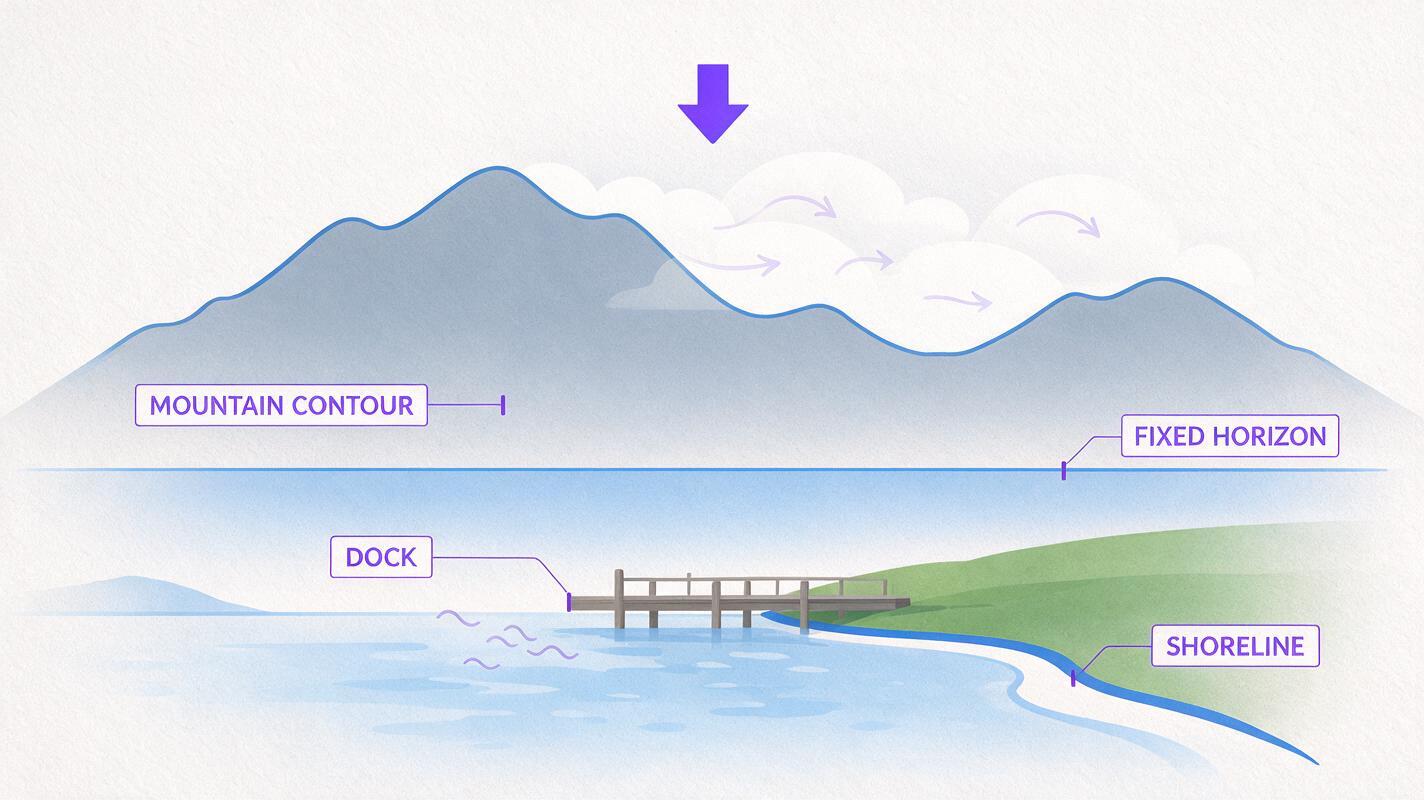
The strongest instruction is often a constraint rather than a dramatic effect. Name the fixed parts of the scene, specify a restrained camera move, and tell Luma what must not change. Begin with a near-static shot; increase motion only if the first result holds together.
For a lakeside establishing shot
Use the uploaded lakeside photograph as the exact visual reference. Create a short, restrained establishing shot with a very slow forward camera move. Keep the distant shoreline, mountain contours, dock, and horizon fixed in shape and position relative to one another. Allow only subtle movement in the existing water surface and clouds. Do not add boats, people, buildings, new weather, or text. No camera roll, rapid zoom, bending shoreline, or morphing objects.This prompt gives the viewer a sense of arrival without demanding large amounts of invented scenery. Watch the dock and shoreline closely: if they stretch as the camera moves, the clip is not preserving the photograph well enough.
For a mountain overlook with foreground depth
Animate the uploaded mountain-overlook photo as a calm establishing shot. Use a slight sideways camera drift, with minimal parallax between the nearby rocks and distant mountains. Preserve the exact mountain skyline, rock shapes, horizon level, and lighting direction. Keep motion slow and continuous. Do not reveal unseen terrain behind the rocks, introduce hikers, change the season, or distort the edges of the frame.Sideways movement is more demanding because it suggests a view around objects. If Luma invents the hidden side of a rock or changes the ridgeline, switch to a smaller move or a static hold with subtle motion in existing clouds.
For a coastal shot with moving water
Use the uploaded coastal photograph as the source frame. Hold the camera nearly still while adding gentle motion only to the visible waves. Preserve the coastline, headland silhouette, beach boundary, and horizon exactly. Keep the wave direction consistent with the image. No new people, boats, structures, dramatic storm effects, camera rotation, or changing landforms.Water can make a static view feel alive, but it is also a common place for visual inconsistencies. Check whether a wave crosses onto dry land unnaturally or whether the boundary between sea and shore crawls between frames.
Match the movement to the narration
Pick the prompt that serves the edit rather than generating motion for its own sake. A slow push can introduce a destination. A slight sideways drift can add depth to an overlook. An almost-still coastal shot can sit beneath a sentence that needs room to breathe. Keep the original photograph available on your timeline so you can cut away if a generated frame becomes unstable.
| What the narration needs | Motion to request | First thing to inspect |
|---|---|---|
| Introduce a place | Very slow forward move | Horizon and landmark shapes |
| Suggest depth | Minimal sideways drift | Foreground edges and parallax |
| Hold attention under a longer sentence | Near-static camera, subtle existing motion | Shoreline and cloud consistency |
A generated shot does not have to fill the entire voiceover. Use its cleanest portion, then cut to a map, your own footage, or another photograph. For a real destination, keep labels and factual annotations in your editor rather than asking the model to draw them into the scene.
Inspect the result before you publish
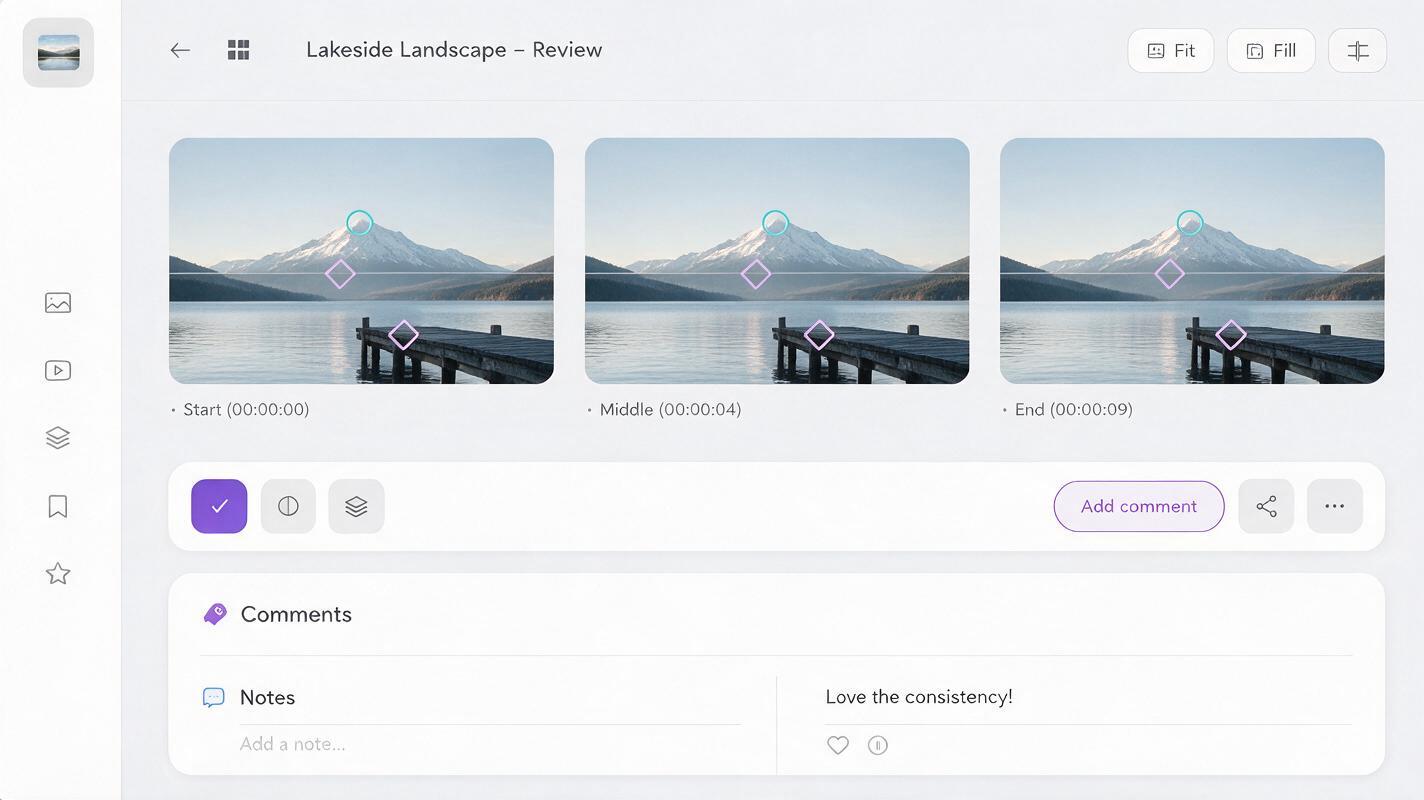
Review the clip at normal speed, then pause at the beginning, middle, and end. Compare those frames with the source photo. The most important question is not whether the motion looks impressive; it is whether the place still looks like the same place.
- Trace the horizon: does it stay level, or does it bow and recover?
- Compare fixed landmarks: do peaks, buildings, docks, and headlands retain their shapes?
- Check frame edges: do branches, rocks, or railings smear as the camera moves?
- Inspect added details: has a boat, person, sign, or structure appeared?
- Check the edit: is the usable portion long enough for the intended line of narration?
If a recognizable landmark changes shape, do not try to rescue the shot with a faster cut. Reduce the requested motion or use the original still with a simple editor-made pan.
When you have a suitable photo, test this prompt yourself. Begin with the near-static version, compare it with your source, and keep only the motion that makes the shot more useful without changing the scene.
Final checklist
- Use a photo you can legally publish and retain the original for comparison.
- Crop for the intended video format before judging the animation.
- Request one restrained movement and name the landmarks that must remain fixed.
- Reject warped horizons, altered geography, and newly invented details.
- Choose the cleanest usable segment—or use a simple editor-made pan instead.
Keywords
luma landscape prompts, animate landscape photos, landscape b-roll, faceless youtube videos, stable horizon video, photo animation prompts