Luma Prompts for Liquid, Smoke, Cloth, and Glass Motion Reference
Generate focused material-motion studies in Luma, then use them as reference for animation timing, force, overlap, and deformation. This guide includes reusable prompts for liquid, smoke, cloth, and glass, plus a practical method for translating AI footage into designed motion graphics.
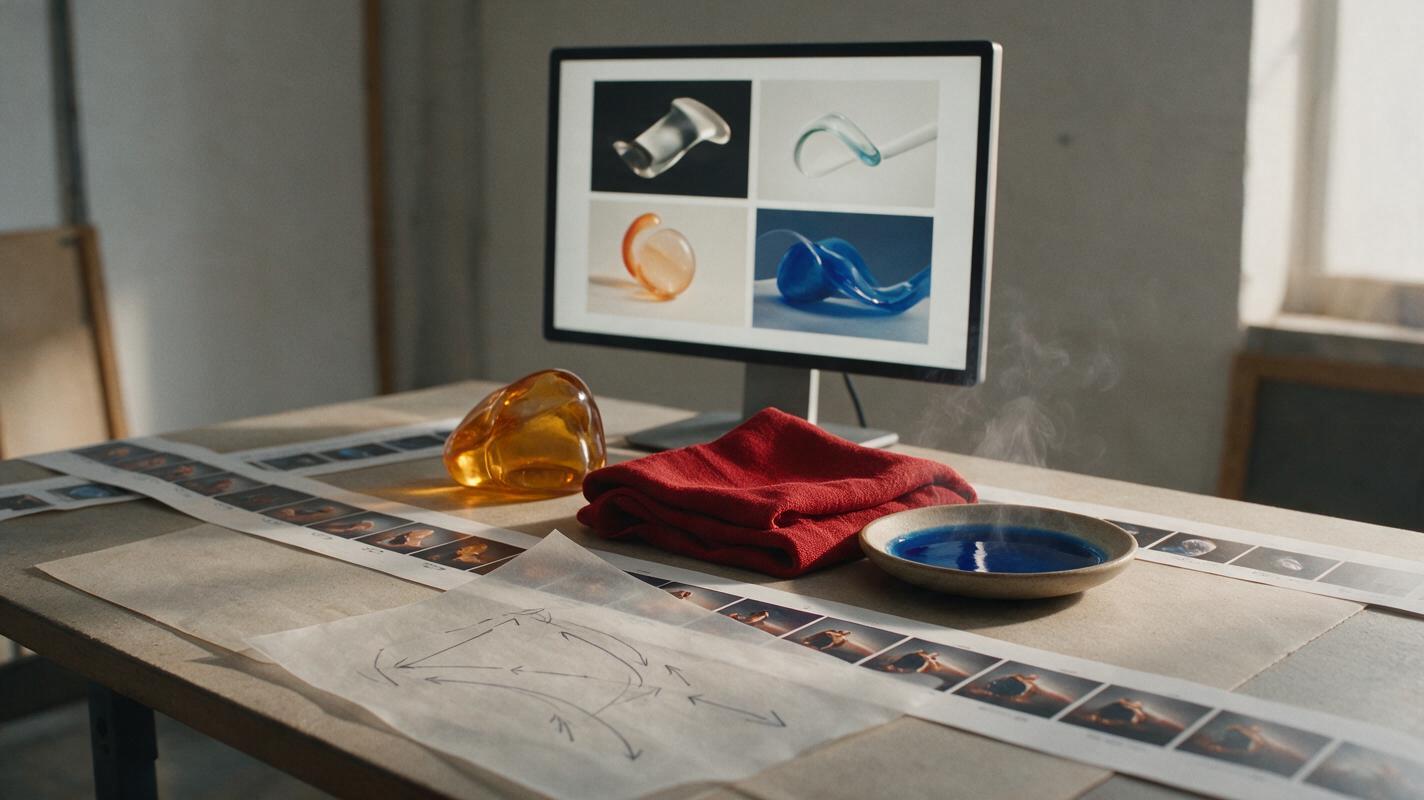
Table of contents
Build useful motion reference instead of chasing a finished shot
When liquid feels weightless, smoke moves like a solid object, or cloth ignores momentum, the problem is often inadequate motion reference rather than weak keyframes.
Luma can generate short studies that help you investigate how a material accelerates, folds, stretches, collides, and settles. The goal is not to place raw AI footage directly into a project. It is to create a temporary reference plate from which you can extract timing, silhouettes, force paths, and secondary motion.
This approach is especially useful for stylized motion graphics. You can study recognizable physical behavior, simplify it into a few readable poses, and then rebuild it using shape layers, illustration frames, particles, 3D geometry, or hand-drawn animation.
Treat generated footage as an observation tool, not a physics simulation. Keep what makes the action believable and redesign everything that does not serve the composition.
Use a force-first prompt structure
Material prompts often fail because they describe appearance without explaining what causes the movement. “Beautiful blue liquid swirling” gives the model a subject and an adjective, but it provides little information about direction, pressure, impact, or timing.
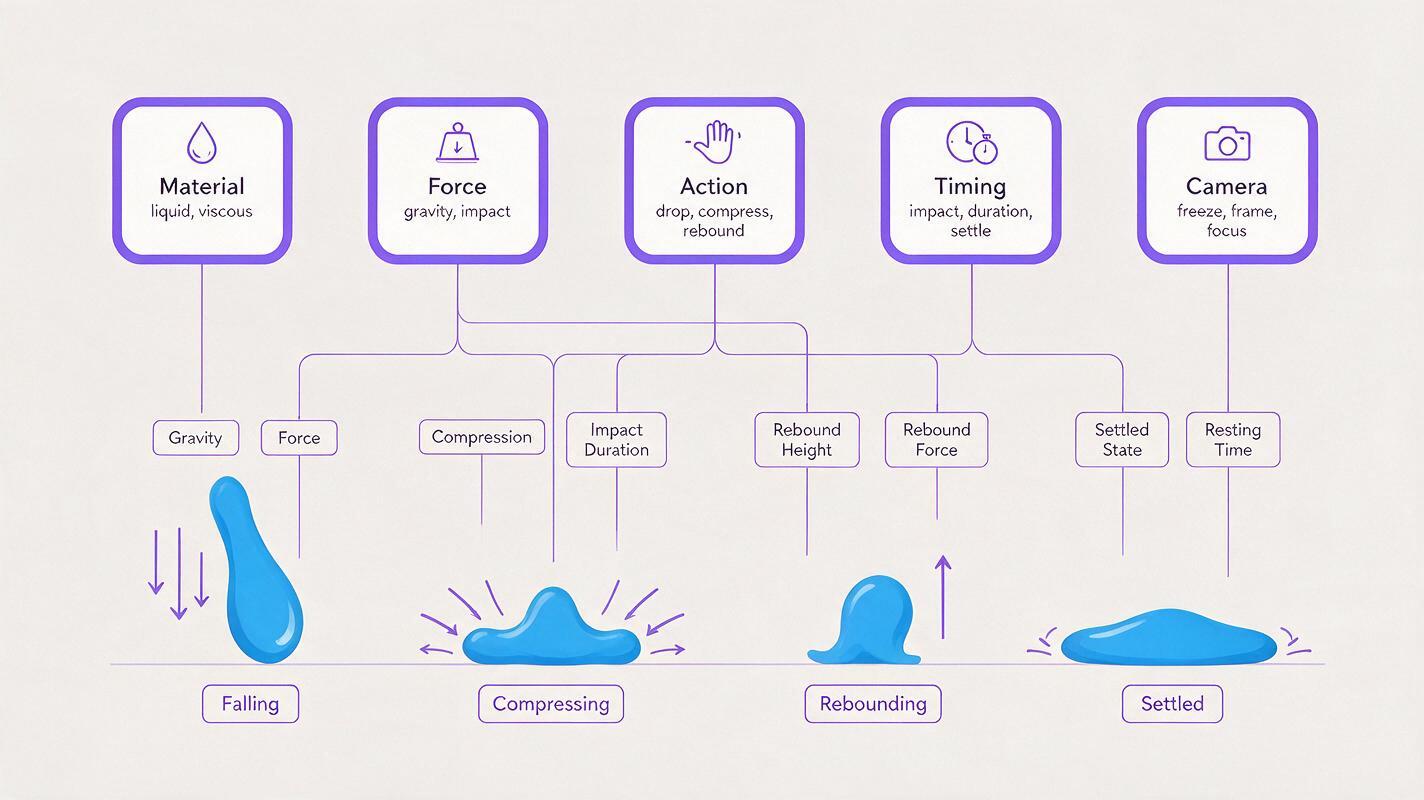
A stronger prompt separates the shot into five components:
- Material: water, ink, translucent gel, silk, paper, vapor, molten glass.
- Force: gravity, lateral air pressure, compression, rotation, impact, suction.
- Action: pours, collapses, billows, stretches, rebounds, fractures, settles.
- Timing: gradual build, sudden release, sharp impact, delayed follow-through.
- Camera and environment: locked camera, plain background, side view, even lighting.
Combine those elements in one direct sentence:
[Material] is affected by [force], causing it to [primary action].
The motion begins [timing description], followed by [secondary action].
Locked camera, clear silhouette, plain background, no cuts.
A locked view is valuable because it separates material deformation from camera motion. If both change simultaneously, it becomes harder to judge whether an interesting path came from the subject, perspective, or framing.
Prepare a reference shot that is easy to analyze
Keep the first generation deliberately simple. One material, one dominant force, one action, and one camera instruction are enough. Added scenery may produce a more polished clip, but it can obscure the behavior you need to study.
For a clean text to video reference study, begin with:
- A centered subject with room to expand or travel
- A contrasting, uncluttered background
- A static side, front, or three-quarter view
- One visible contact surface when collision matters
- A short action with a clear beginning and end
If duration and aspect-ratio controls are available in your generation interface, match them to the intended composition. However, do not spend early tests refining resolution or decorative detail. First confirm that the force, action, and settling behavior are readable.
Reusable Luma prompts by material
Liquid impact with a readable rebound
This prompt creates a clear event that can be reduced into contact, compression, splash, and recovery poses.
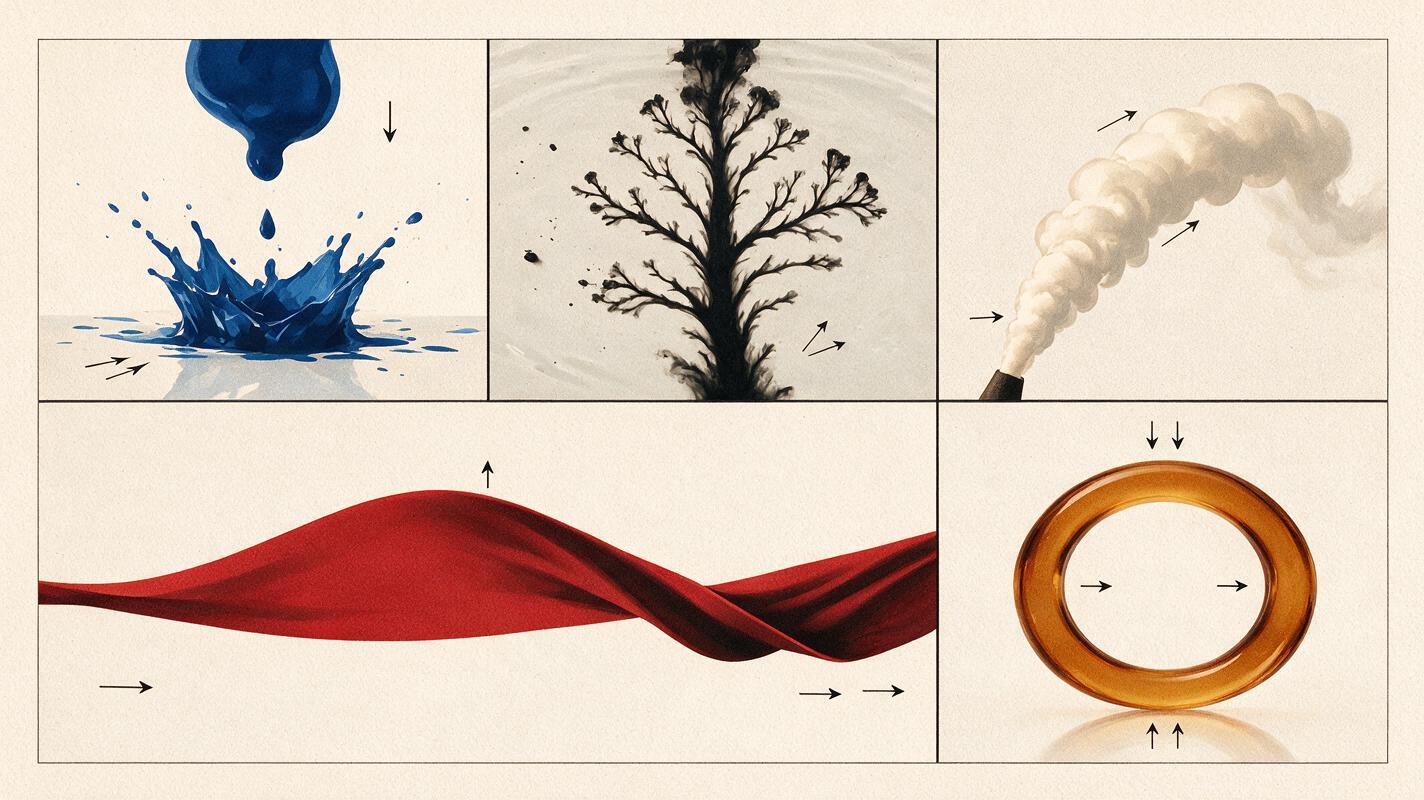
A compact mass of thick cobalt-blue liquid drops onto a flat white surface.
It accelerates under gravity, compresses on impact, spreads outward in a low crown,
then pulls inward with one small rebound before settling.
Locked side camera, studio lighting, clean silhouette, no camera movement, no cuts.
Look for the delay between the central impact and the outward-moving edge. That offset can become overlapping animation rather than a single uniform scale change.
Ink spreading through water
A single drop of black ink enters clear water from above.
The dense center descends first while soft branching tendrils curl upward and outward.
The expansion starts slowly, develops uneven turbulence, and gradually loses momentum.
Locked camera, pale neutral background, macro view, no cuts.
Use this study for branching paths and staggered opacity, not for tracing every contour. Two or three major tendrils will usually communicate the behavior better than dozens of literal details.
Smoke pushed by a sudden gust
A narrow column of pale smoke rises vertically in still air.
A brief forceful gust enters from the left, bending the upper smoke first while the base lags behind.
The smoke rolls into soft vortices, overshoots slightly, and disperses after the gust ends.
Static side view, dark plain background, no camera motion, no cuts.
The key observation is propagation: the force does not affect the entire column at once. Reproduce that delay with offset deformers, sequential path changes, or layered particle fields.
Cloth snapping and settling
A square sheet of lightweight red fabric hangs from its two upper corners.
A short downward pull stretches the center, then releases it suddenly.
A wave travels upward and outward through the cloth, followed by decreasing ripples and a soft settle.
Locked front camera, plain gray background, even light, no hands visible, no cuts.
For graphic animation, identify the main traveling wave and one secondary ripple. Too many independently moving folds can make a designed shape look noisy.
Soft glass deformation
A translucent amber glass ring rests upright on a dark matte surface.
The ring is compressed briefly from both sides, becoming oval, then released.
It rebounds past its original shape once and settles with subtle internal refraction changes.
Locked three-quarter camera, controlled studio light, centered composition, no cuts.
This is best treated as a stylized elasticity study. Translate the outer contour, overshoot, and highlight lag rather than assuming the generated deformation is physically exact.
Choose one material that resembles your current design problem and test this prompt yourself. Change only the force or timing during the next generation so you can compare the results meaningfully.
Read the clip like an animator
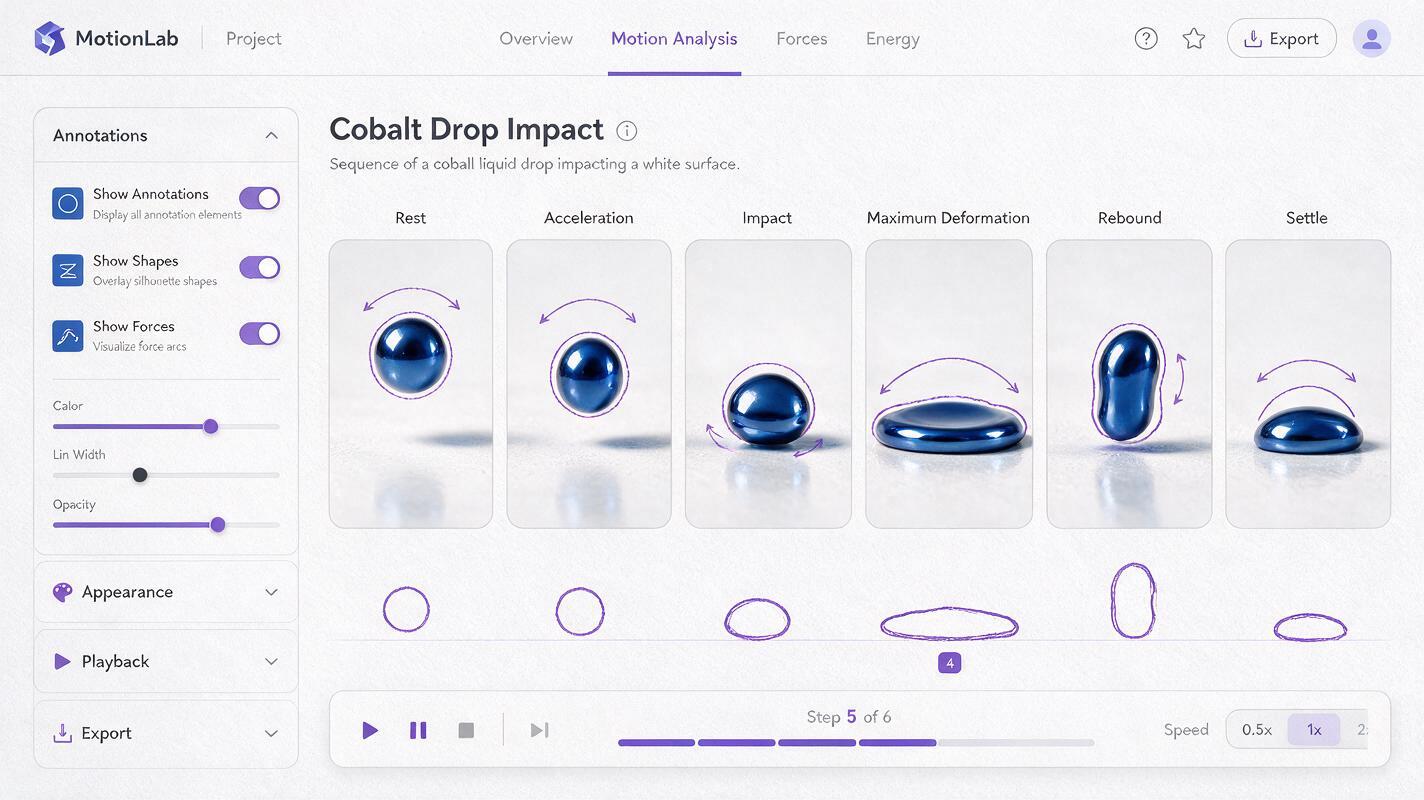
Do not evaluate the output only by asking whether it looks attractive. Scrub through it and locate the moments that explain the action.
- Rest pose: the material before an external force becomes visible
- Anticipation or pressure build: compression, tension, gathering, or directional bias
- Release: the first frame where stored energy becomes movement
- Maximum deformation: the widest splash, deepest fold, or strongest bend
- Overshoot: the material passing beyond its resting state
- Settle: progressively smaller changes that restore stability
Capture a small frame strip containing these moments. Trace only the dominant silhouette in each frame. If those silhouettes communicate the event without texture, lighting, or internal detail, the clip contains useful reference motion.
It also helps to draw a force path over the frames. A liquid splash may use outward arcs, smoke may form alternating curls, and cloth may carry a wave from the pulled area toward constrained corners. These paths can guide position keys, bezier handles, puppet pins, or procedural fields.
Translate reference into designed motion
Start by matching the major timing landmarks rather than tracing the entire generated clip. Place keys for rest, impact, maximum deformation, overshoot, and settle. Then adjust spacing to suit the graphic style.
| Reference observation | Motion-design translation | Useful simplification |
|---|---|---|
| Liquid edge travels after impact | Offset path points or radial shape layers | Keep three to five major lobes |
| Smoke curls at different speeds | Layered paths with staggered distortion | Use one main curl and two echoes |
| Wave moves through cloth | Sequential mesh or puppet-pin offsets | Preserve the largest traveling fold |
| Glass highlight lags behind form | Separate contour and highlight animation | Delay the highlight by a few frames |
Stylization usually requires stronger poses and cleaner rhythm than the source clip. Enlarge the most descriptive deformation, remove accidental jitter, and shorten uneventful intervals. The reference provides evidence; your design choices provide clarity.
Fix common material-motion failures
| Problem | Likely cause | Prompt correction |
|---|---|---|
| The material moves constantly | No defined force or rest state | Specify stillness, one brief force, and a final settle |
| Motion feels weightless | No acceleration, collision, or resistance | Name gravity, impact, compression, and rebound |
| Smoke behaves like cloth | The prompt emphasizes shape over dispersion | Add turbulence, vortices, diffusion, and loss of density |
| Cloth changes identity | Too much scene complexity or uncontrolled action | Use one sheet, fixed corners, a plain background, and one pull |
| The action is difficult to analyze | Camera movement competes with deformation | Request a locked camera and an uninterrupted view |
| Results vary too widely | Several prompt variables changed together | Keep the material and framing fixed; change one force at a time |
When the first output is close, revise the smallest possible phrase. Replace “strong gust” with “brief gentle gust,” or “thin water” with “thick viscous gel.” Controlled prompt variations reveal which physical quality actually improves the motion.
Final checklist
- Choose one material and one dominant force.
- Describe acceleration, impact, deformation, and settling explicitly.
- Use a locked camera and a simple background for analysis.
- Extract key silhouettes instead of tracing every generated frame.
- Separate primary action from delayed secondary motion.
- Change only one prompt variable between comparison clips.
- Redesign the timing and shapes to match the visual language of the project.
- Treat AI footage as creative reference, not verified physical truth.
Keywords
Luma prompts, material motion reference, liquid animation, smoke animation, cloth motion, stylized animation, motion graphics