Luma Prompts for Subtle Parallax Landing Page Illustrations
Learn how to animate a static landing-page illustration with Luma while keeping the composition calm, legible, and suitable for a website hero. This guide includes reusable parallax prompts, source-image preparation advice, troubleshooting fixes, and practical delivery checks.

Table of contents
Give a flat illustration believable depth without redesigning it
A good parallax hero should make a landing-page illustration feel dimensional without turning it into a miniature action scene. The foreground may shift slightly faster than the background, atmospheric elements can drift, and the camera can make one restrained move—but the focal object, copy-safe area, and visual hierarchy must remain stable.
Luma can generate this kind of motion from a prepared still image. The key is to describe depth, camera behavior, and prohibited movement explicitly. This guide focuses on subtle website-ready results rather than dramatic cinematic shots.
Think of the generated clip as motion direction for a landing page: one visual idea, one controlled camera move, and no event that demands the visitor’s full attention.
Build a source image with three readable depth planes
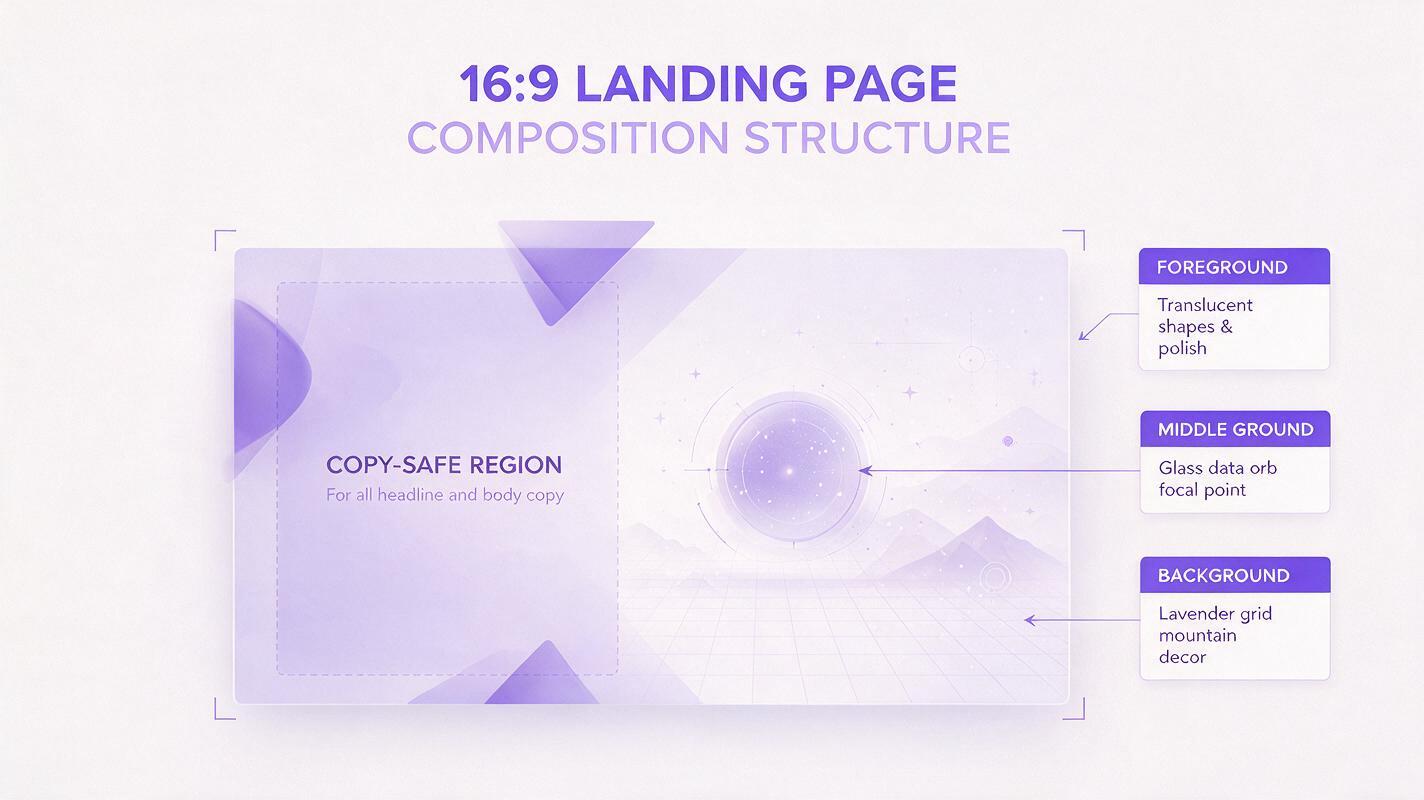
Parallax depends on visible depth. If every object overlaps on the same plane, the model has to invent spatial relationships and may distort the composition. Prepare an image with a clear foreground, middle ground, and background before animation.
- Foreground: cropped leaves, translucent shapes, particles, cables, or interface fragments near the frame edge.
- Middle ground: the product object, character, device, or main illustration that must remain recognizable.
- Background: a gradient, room, landscape, abstract architecture, or soft geometric field.
Give each plane breathing room. Avoid tangencies where a foreground object barely touches the focal subject, because a tiny motion can create an awkward collision. Keep small decorative objects away from faces, logos, device edges, and other areas where deformation would be obvious.
For a split hero layout, preserve the side intended for the headline and call to action. Treat that empty region as a protected design surface rather than an area the model should fill.
Source image brief:
16:9 editorial landing-page illustration for a cloud analytics product.
A translucent glass data orb occupies the right third.
Two soft foreground arcs frame the lower-right corner.
A distant lavender grid forms the background.
The left 42 percent remains quiet and uncluttered for website copy.
Clear separation between foreground, subject, and background.
No written words, logos, buttons, or interface labels.
Use prompts that describe camera motion and stillness together
Effective Luma prompts specify what moves, how far it moves, and what stays locked. “Add parallax” is too open-ended. It can produce a large camera orbit, exaggerated depth, or independent object animation that competes with the page.
A reliable structure is:
[shot purpose] + [single camera movement] + [depth response] +
[subtle environmental motion] + [locked subject] + [visual constraints]
Use physical language such as “slow lateral camera slide” or “gentle push-in” instead of vague adjectives such as “dynamic.” Pair every requested movement with a stability instruction.
Quiet lateral parallax for a split hero
Subtle landing-page hero motion. The camera slides very slowly from left to right.
Foreground shapes shift slightly faster than the central product illustration,
while the distant background moves only minimally. Preserve the exact composition,
subject silhouette, colors, and empty copy space on the left. No zoom, no rotation,
no new objects, no morphing, no dramatic lighting change.
Gentle push-in for a centered product illustration
A restrained forward camera push with delicate depth separation.
The central product object remains perfectly stable and centered.
Nearby translucent layers expand outward only through camera perspective;
the background recedes slowly. Soft ambient particles drift at low speed.
No object transformation, no pulsing, no camera shake, no text, no scene change.
Atmospheric depth without obvious camera travel
Nearly static website hero animation with micro-parallax.
The foreground haze moves a few pixels horizontally, the middle-ground illustration
remains locked, and the background gradient drifts imperceptibly in the opposite direction.
Maintain clean edges and the original color palette. Calm premium motion,
no large displacement, no lens flare, no added details, no sudden acceleration.
When the source art already contains the correct composition, use Luma as an image to video workflow rather than asking a text-only prompt to rebuild the scene. The reference image carries the layout; the prompt should primarily direct motion.
Keep the focal subject still enough to remain trustworthy
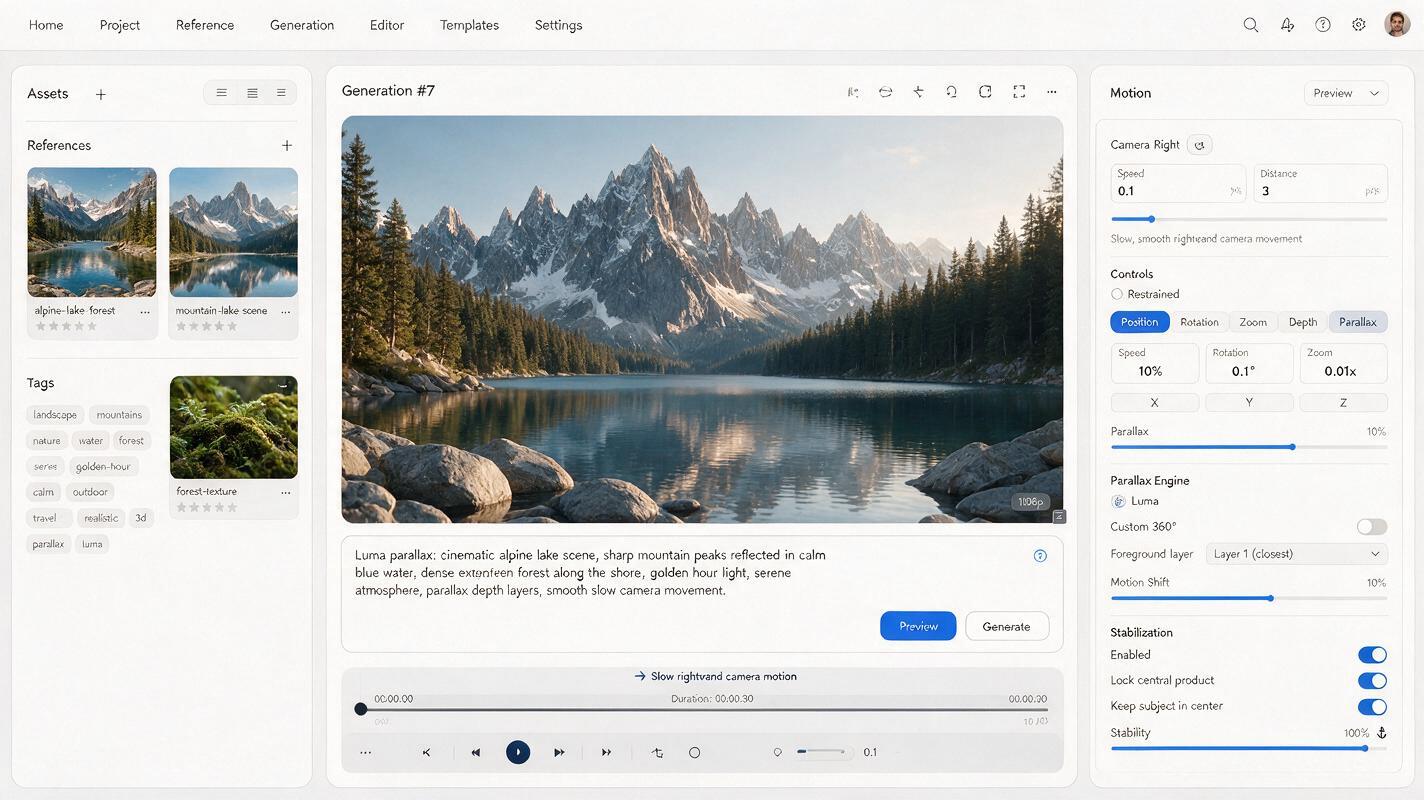
The viewer should perceive depth around the subject, not deformation within it. This is especially important for devices, product packaging, geometric objects, and branded mascots.
Include a short lock phrase near the end of the prompt:
- “The central object remains rigid and unchanged.”
- “Preserve the exact silhouette and surface details.”
- “No internal motion inside the product.”
- “Keep the subject anchored to the same screen position.”
Do not list several competing camera moves. A prompt that requests an orbit, zoom, tilt, and rack focus gives the model too many opportunities to reinterpret the image. Choose one primary move and let depth-plane movement support it.
If the illustration contains a browser window or dashboard, remove tiny labels before generation and restore accurate UI afterward in your design or editing tool. Generated motion can be useful around an interface, but critical typography should remain an editable web layer.
Generate short motion tests before polishing the composition
Start with the simplest version of the prompt and inspect the opening, midpoint, and final frame. A beautiful first frame is not enough; parallax errors often appear gradually as objects separate or the camera approaches the subject.
Evaluate each test against four questions:
- Does the focal subject keep the same identity and proportions?
- Does the copy-safe region remain visually quiet throughout the clip?
- Can the first and last frames be connected without a noticeable jump?
- Does the motion still feel calm when seen behind a headline and button?
If the result is too active, remove instructions before adding more negative constraints. Eliminate secondary particles, lighting changes, or multiple depth effects until only the essential camera move remains. You can test this prompt yourself with the cleanest version of your illustration, then add atmosphere only after the subject is stable.
Diagnose motion failures before generating again
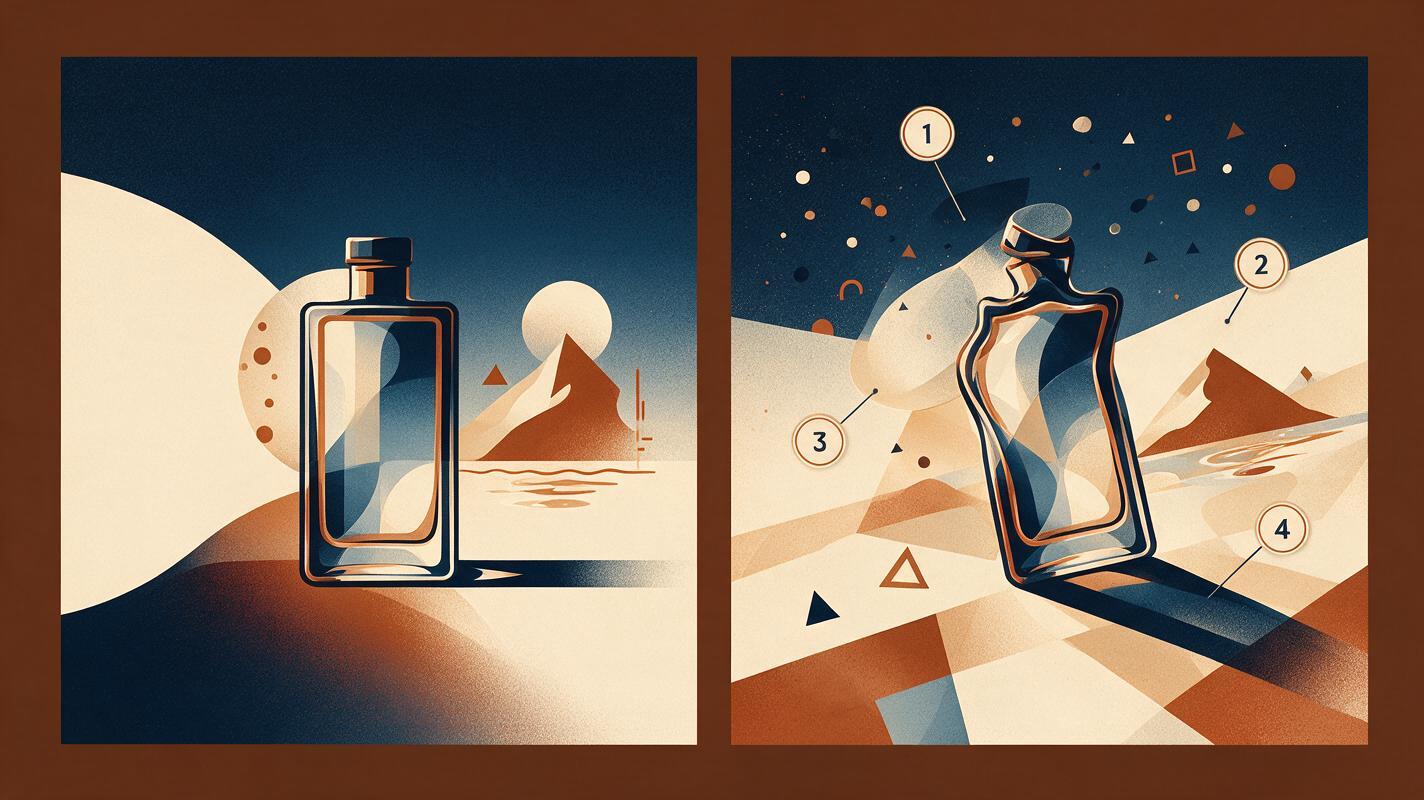
| Visible problem | Likely cause | Prompt or source-image fix |
|---|---|---|
| The product bends or changes shape | The subject is being treated as an animated object | Add “rigid, anchored, unchanged” and request camera-only depth movement. |
| The empty copy area fills with particles | The prompt invites ambient detail across the frame | Name the protected side and prohibit new objects in that region. |
| Parallax feels like a fast camera orbit | The direction or intensity is underspecified | Request one very slow lateral slide and explicitly prohibit rotation. |
| Foreground elements cross the subject | Depth planes overlap too closely in the source | Move foreground decorations toward the outer edges before generation. |
| The clip cannot loop cleanly | The camera ends far from its opening position | Use a smaller displacement or create a forward-and-reverse edit in post-production. |
| UI labels become unreadable | Text is embedded in the animated image | Animate a label-free visual and composite real interface text afterward. |
Change one variable at a time when troubleshooting. If you alter the source image, camera direction, particle motion, and constraints simultaneously, you will not know which change improved—or destabilized—the result.
Turn the generated clip into website-safe motion
The raw generation is a design asset, not the finished implementation. Trim away unstable opening or closing frames, apply a mild speed adjustment if needed, and compare the clip against the actual hero layout rather than reviewing it full-screen.
For a seamless-feeling ambient hero, a simple forward-and-reverse edit often works better than forcing the generated camera to return to its exact starting point. Avoid this treatment when the scene contains directional events such as falling particles, flowing liquid, or changing light, because reversing them will look unnatural.
Keep live headings, buttons, navigation, prices, and product claims in HTML. This preserves accessibility, responsiveness, and sharp text while allowing the video to function as a decorative or explanatory layer.
- Provide a representative poster frame for loading and fallback states.
- Check the mobile crop independently; foreground objects can become oversized on narrow screens.
- Respect reduced-motion preferences with a still alternative.
- Compress the final asset and test it under realistic network conditions.
- Confirm that motion does not reduce contrast behind live copy.
Final checklist
- The source illustration contains distinct foreground, middle-ground, and background planes.
- The prompt requests only one primary camera movement.
- The focal subject is described as rigid, anchored, and unchanged.
- The headline area remains clear from the first frame to the last.
- Interface labels and conversion copy are added as live web elements.
- The motion works with the desktop and mobile crops.
- A still poster and reduced-motion fallback are available.
- The final hero supports the page message instead of competing with it.
Keywords
Luma prompts, parallax animation, landing-page illustration, website hero animation, image to video, web motion, hero video