Manga to Anime: Turn a Comic Page Into a Clear Motion Sequence
A manga page cannot be animated effectively as one continuous image because panels, gutters, speech bubbles, and implied actions serve different narrative purposes. This guide shows how to convert a comic page into a readable shot sequence, prepare animation-safe frames, and use Seedance without losing the original pacing.
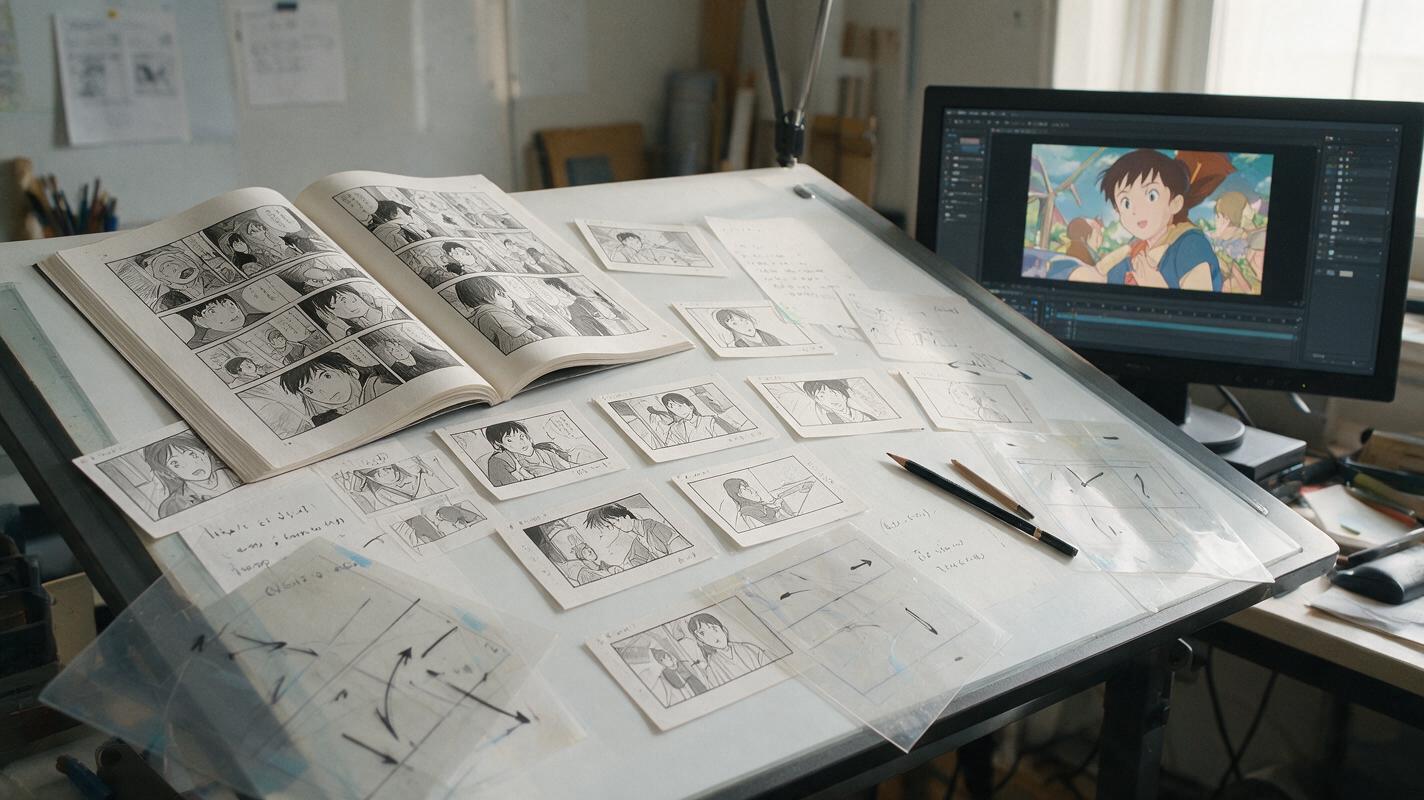
Table of contents
A manga page is not a single anime shot
Animating an entire comic page at once usually produces the wrong result: panels move simultaneously, gutters bend, speech bubbles drift, and the viewer no longer knows where to look. The reliable approach is to translate the page into separate dramatic beats before generating motion.
This workflow uses Seedance for short, controlled clips, but the essential decisions happen before generation. You will identify the reading path, choose which moments deserve motion, prepare clean start frames, and assemble the clips according to story rhythm rather than panel size.
Core principle: preserve the narrative function of each panel, not the physical layout of the printed page.
Read the page as a sequence of dramatic beats
Begin by reading the page without thinking about animation. Mark what changes from one panel to the next. A new panel might introduce information, reveal an expression, redirect attention, complete an action, or create a pause. Those functions should determine the resulting shots.
A five-panel page does not automatically become five clips. Two reaction panels may combine into one shot, while a single wide action panel may need an anticipation shot, an impact shot, and an aftermath.
| Panel function | Likely animation treatment | Useful duration |
|---|---|---|
| Location or atmosphere | Slow environmental movement or gentle camera drift | Longer hold |
| Dialogue exchange | Restrained face, gaze, and breathing motion | Based on spoken line |
| Reaction close-up | Short hold followed by one readable expression change | Brief but deliberate |
| Attack or impact | Anticipation, fast directional action, then a held consequence | Short burst |
| Reveal | Controlled camera move or delayed subject entrance | Long enough to register |
Write a one-line purpose beside every planned shot. If you cannot explain what the shot contributes, it probably does not need separate animation.
Convert reading order into screen direction
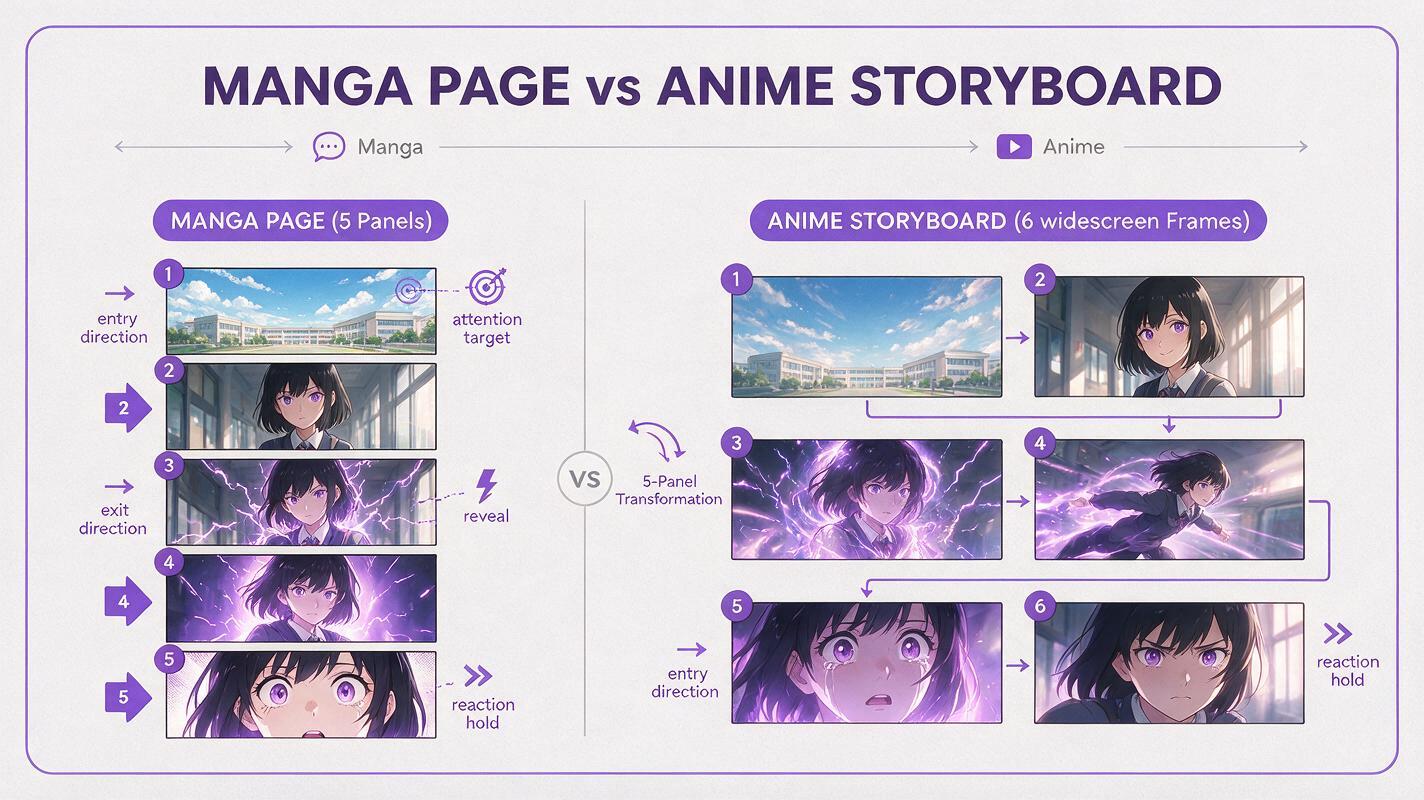
Manga reading order controls when information is discovered. Video removes that control because every visible element can be perceived at once. Rebuild the discovery path through cuts, framing, movement, and sound.
For each beat, record these details:
- Attention target: the face, hand, weapon, object, or environmental clue the viewer should notice first.
- Entry direction: where a character or effect enters the frame.
- Exit direction: where the action continues toward the next shot.
- Reveal timing: what must remain hidden until later.
- Emotional duration: whether the moment should feel abrupt, tense, calm, or suspended.
Organize these decisions in an ai storyboard before generating clips. Simple thumbnail frames are enough as long as they establish subject scale, camera angle, and screen direction.
Separate artwork from page furniture
Printed pages often combine artwork with gutters, balloons, captions, borders, and sound effects. These elements should not all enter the animation model together. A generator may interpret a panel border as part of the scene or stretch lettering into nearby objects.
Prepare each selected panel as an independent shot source:
- Crop outside the panel border.
- Create a clean artwork plate beneath removable dialogue balloons.
- Keep important sound effects on separate transparent layers when possible.
- Extend backgrounds only where the planned camera move requires additional space.
- Preserve the original drawing as a locked comparison reference.
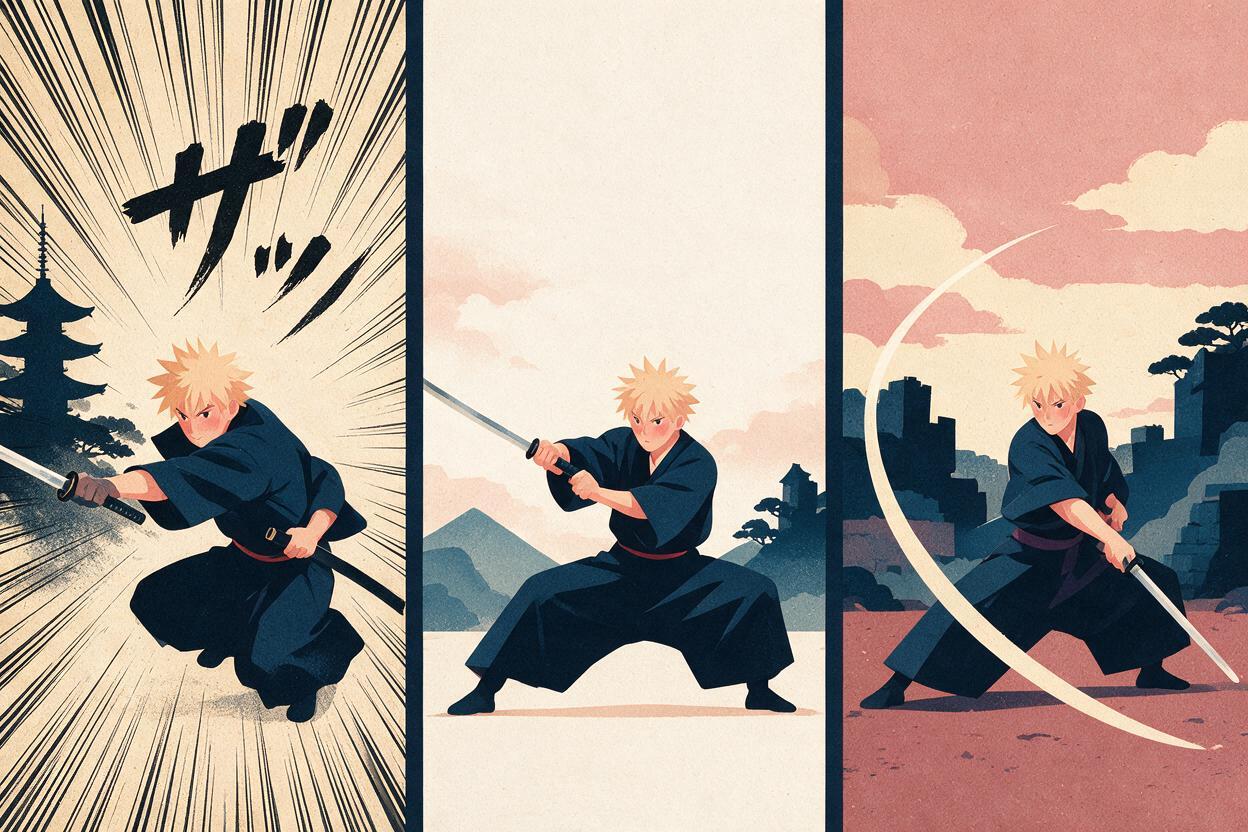
Do not expand every panel to widescreen by default. A close-up can remain tight, while a tall composition may work better with a vertical camera move or a deliberately pillarboxed presentation.
Only reconstruct artwork that the final shot will reveal. Unnecessary expansion creates more areas where character design and background geometry can drift.
Build animation-ready start frames
A strong start frame should communicate one stable pose, one clear depth arrangement, and one dominant action. If the source panel contains several overlapping motion drawings, speed lines, and impact effects, decide which elements belong in the initial frame and which should appear later.
For an attack shot, for example, use the anticipation pose as the start frame rather than asking the model to reverse-engineer movement from an illustrated impact. The impact drawing can become an end-state reference or a brief insert during editing.
Check these areas before animation:
- Both hands and weapon grips are visually understandable.
- Foreground effects do not cover essential anatomy.
- The character silhouette is separated from the background.
- Eyes, costume emblems, and hair shapes match the character reference.
- The frame contains enough space in the intended movement direction.
Once the frame is stable, use image to video for the motion pass instead of rebuilding the complete composition from a text description.
Prompt one visible action per Seedance clip
Short prompts are not automatically better, but every instruction should support the same dramatic event. A prompt that requests a camera orbit, costume transformation, running action, facial reaction, and background destruction in one clip gives the model too many competing transitions.
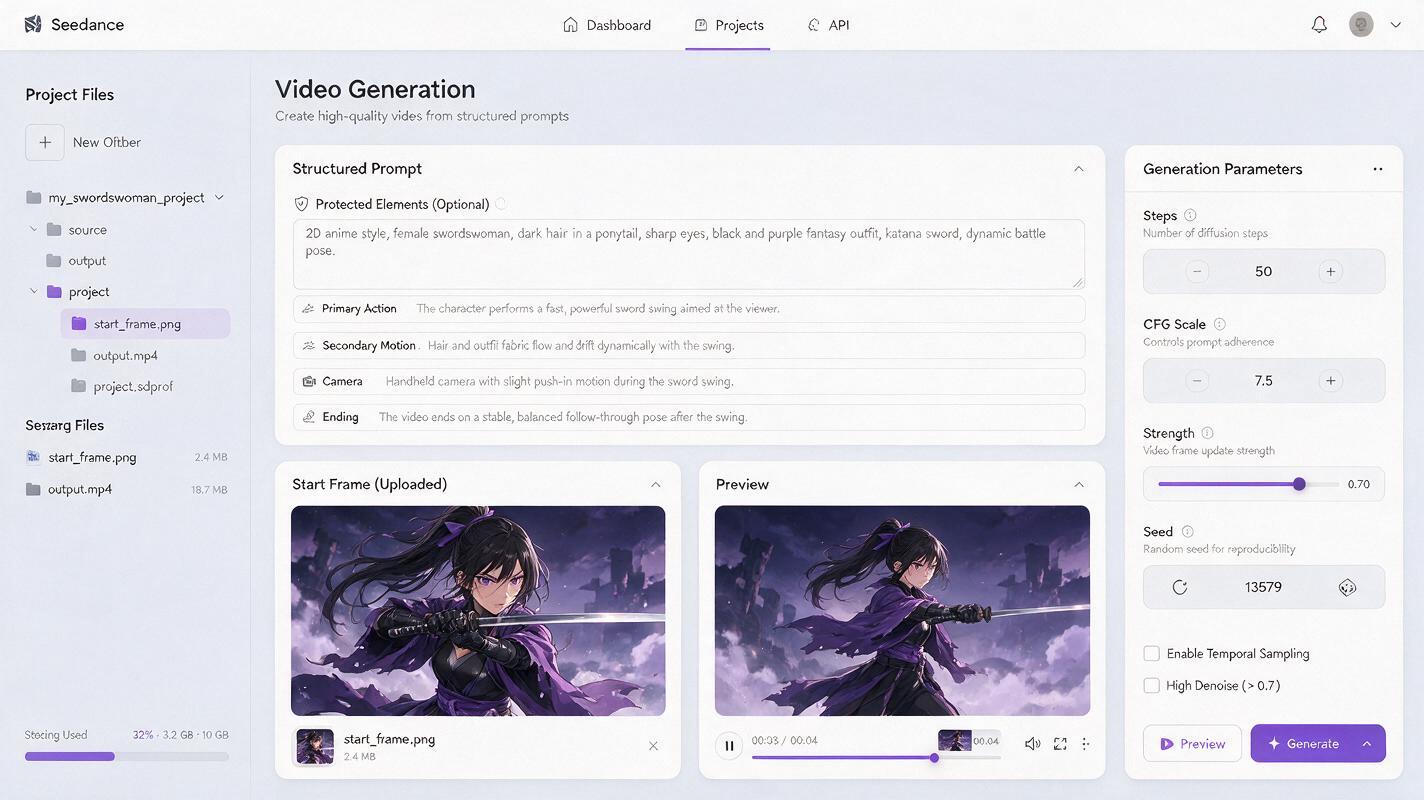
Use a structure that distinguishes protected content from moving content:
2D anime scene based on the supplied manga frame.

Protected elements:
Keep the character's face, hairstyle, costume design, weapon shape, line-art style, and background architecture unchanged.

Primary action:
The swordswoman shifts her weight forward and draws the blade in one fast horizontal motion from left to right.

Secondary motion:
Her coat hem follows the body movement with a slight delay. Loose dust travels rightward near the ground.

Camera:
Locked medium-wide composition, no zoom, no orbit, no angle change.

Ending:
She finishes in a low follow-through pose and holds briefly. Clear silhouette, readable blade path, stable anatomy.
For a quiet dialogue panel, replace broad action language with small, timed behavior:
Preserve the original anime character design and close-up composition. The character holds still, takes one subtle breath, glances toward screen left, then tightens her lower eyelids slightly. Hair tips move minimally. Locked camera. No head turn, no mouth movement, no lighting change.Generate the major actions as separate clips. A cut between stable clips is usually clearer than one long generation that must invent every intermediate state.
Use motion to clarify the drawing, not replace it
Manga already contains implied movement through poses, line weight, composition, and effects. The animation pass should make that implication readable over time.
Assign motion in layers:
- Primary motion: the story action, such as turning, drawing a weapon, or looking up.
- Secondary motion: hair, cloth, smoke, or environmental response caused by the primary action.
- Camera motion: used only when it improves emphasis or reveals information.
- Graphic motion: speed lines, impact flashes, lettering, or panel-inspired transitions added during compositing.
When everything moves at equal intensity, the scene loses hierarchy. Keep reaction shots restrained, reserve fast movement for decisive actions, and allow held frames after important reveals or impacts.
Reintroduce dialogue and manga graphics during editing
Dialogue balloons and sound effects often work better as editorial layers than as generated scene content. This keeps text readable and prevents lettering from mutating between frames.
Possible treatments include:
- Replace speech balloons with voice acting and subtitles.
- Animate a balloon separately for a motion-comic style.
- Use the original sound effect as a brief graphic impact.
- Place captions over a held frame rather than embedding them in moving scenery.
- Retain selected panel borders as intentional transitions between scenes.
Match clip length to dialogue, but avoid constant mouth movement. Pauses, off-screen lines, reaction cuts, and environmental inserts can preserve the pacing of the comic while reducing facial instability.
Diagnose sequences that still feel confusing
| Problem | Likely cause | Practical correction |
|---|---|---|
| The viewer misses an important clue | Too many elements appeared simultaneously | Isolate the clue in an insert or delay the next action |
| The action seems to reverse direction | Entry and exit directions changed between shots | Flip or restage one frame before generating again |
| The clip feels like a moving poster | Only the camera moves | Add one motivated subject action or shorten the shot |
| The character changes between panels | Each shot was treated as a fresh design | Use the same reference sheet and repair start frames before animation |
| The sequence feels rushed | Every panel received equal duration | Extend reveals and reactions while shortening transitional actions |
| The manga style disappears | Effects and texture were regenerated with the scene | Restore line art and graphic effects as controlled edit layers |
Review the sequence once without sound. The visual logic should remain understandable. Then review it with sound but without subtitles to test whether timing and performance communicate the intended emotion.
Final checklist
- Every shot has a clear narrative purpose.
- Reading order has been translated into timed reveals and cuts.
- Panels are separated from borders, balloons, and lettering before generation.
- Start frames contain stable poses and enough movement space.
- Each Seedance clip focuses on one dominant visible action.
- Character identity, costume details, and screen direction remain consistent.
- Dialogue and graphic effects are added as controlled editorial layers.
- The completed sequence reads clearly with and without sound.
When your shot map and start frames are ready, try these models for free and build a short scene before committing an entire chapter.
Keywords
manga to anime, manga animation, comic to video, anime storyboard, Seedance, anime image to video, 2D animation AI