Midjourney Prompts for Clear Isometric Lesson Illustrations
Learn how to prompt Midjourney for isometric lesson illustrations that communicate processes and spatial relationships without unnecessary visual clutter. The guide includes a reusable prompt formula, classroom-ready examples, accuracy safeguards, and fixes for common composition problems.
Table of contents
Create isometric visuals that teach instead of decorate
An effective isometric lesson illustration should make a relationship easier to understand at a glance. The usual problem is that Midjourney produces an attractive miniature world filled with tiny props, dramatic lighting, and ambiguous objects. That may work as decoration, but it can distract learners from the process, system, or spatial arrangement being taught.
The solution is to define the learning objective before describing the visual style. This guide shows how to create focused isometric graphics for slides, courses, worksheets, and training modules while keeping labels, factual review, and accessibility under your control.
Why isometric images work for some lessons
Isometric illustration presents three-dimensional objects without the strong perspective convergence associated with a normal camera view. It is especially useful when learners need to see how parts occupy a shared space.
Strong educational applications include:
- Systems: a small office network, water-treatment plant, or renewable-energy installation.
- Processes: a warehouse route, laboratory workflow, or food-production line.
- Environments: an accessible classroom, safe construction zone, or clinical workstation.
- Comparisons: an unsafe arrangement beside a corrected arrangement.
It is less suitable for information that depends on exact scale, quantitative measurement, or a strictly linear sequence. A conventional diagram, chart, or annotated photograph will often be clearer in those cases.
Build the scene around one learning objective
Start by writing the sentence a learner should be able to say after viewing the illustration. For example: “I can identify the route a suspicious email takes from the user to the reporting system.” That sentence gives every object in the scene a reason to exist.
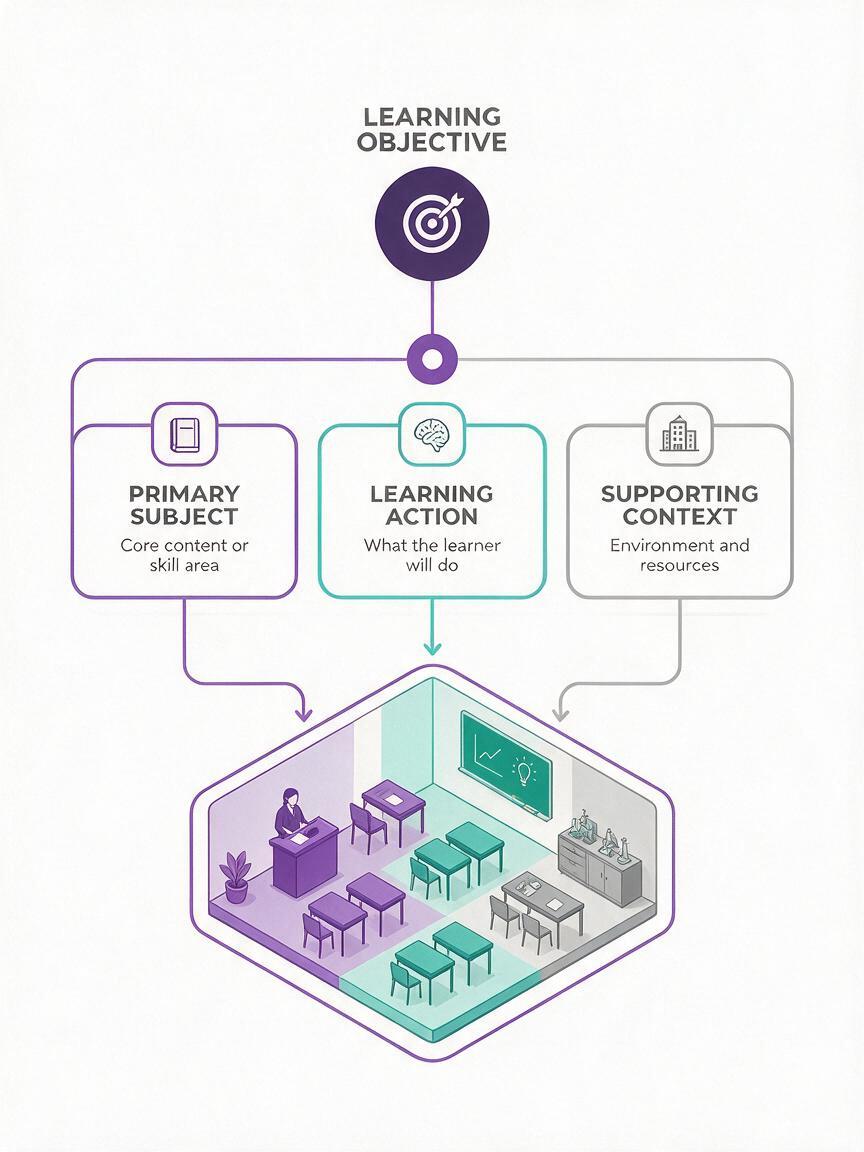
Translate the objective into three content layers:
- Primary subject: the system or environment being explained.
- Learning action: the route, contrast, hierarchy, or interaction learners must notice.
- Supporting context: only the objects required to make that action understandable.
If removing an object does not change the lesson, it probably does not belong in the image.
Before opening an ai image generator, sketch the required objects as simple boxes and arrows. This five-minute content map prevents the visual model from deciding what matters on your behalf.
Use a prompt formula that prioritizes instructional clarity
A reliable Midjourney prompt moves from educational purpose to visible structure and only then to style. Use this adaptable formula:
[educational purpose], isometric cutaway illustration of [main subject], showing [essential components], [required spatial relationship or action], simplified geometry, restrained color palette, clean separation between objects, uncluttered background, generous empty space for labels, consistent lighting, textbook-quality visual, no written text, no decorative objectsThe phrase “no written text” does not guarantee a text-free result, but it clearly communicates that typography is not part of the requested artwork. Likewise, “empty space for labels” encourages a composition that can be annotated later in presentation or design software.
Prompt only for visible features. Instead of asking for “a secure network,” describe the evidence of security that the learner needs to see: separated access zones, a protected server area, controlled device connections, and a distinct reporting route.
Prompts for common teaching scenarios
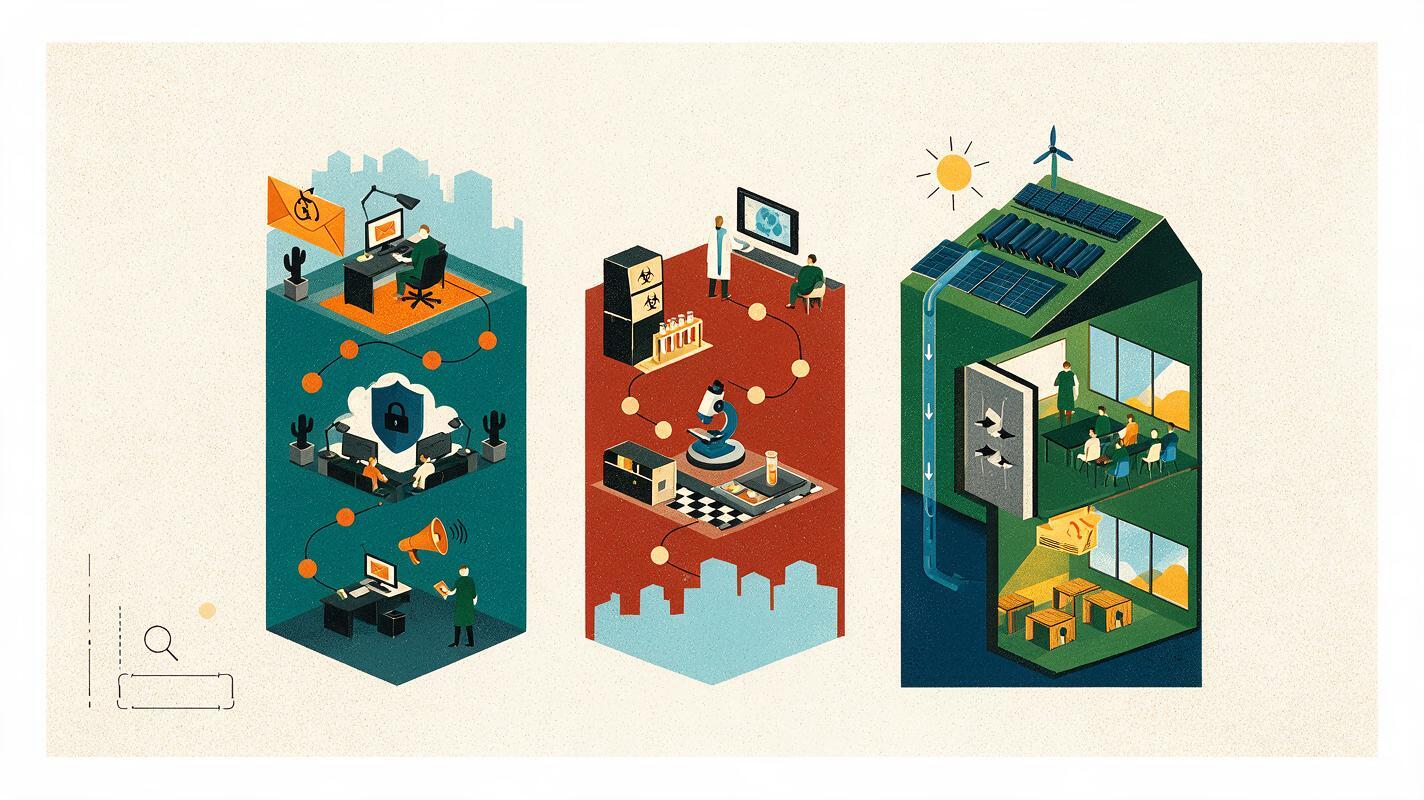
A phishing-reporting workflow
This scene can support cybersecurity onboarding without reproducing a real email interface or displaying readable credentials.
employee cybersecurity training visual, isometric office scene showing one employee workstation, a suspicious email represented by a red envelope symbol, a clear route from the workstation to a reporting portal and then to a security team desk, three visually separated stages, simple directional markers without words, restrained blue and neutral palette with red used only for the threat, uncluttered background, empty space beside each stage for labels, clean corporate training illustration, no written text, no logosA laboratory sample path
Use this type of illustration to establish workflow awareness, not to replace an approved laboratory procedure or safety document.
educational isometric cutaway of a small teaching laboratory, showing a sample moving from receiving bench to preparation station to analysis instrument to secure storage, four distinct work zones arranged in a readable path, required safety barriers visible, simplified equipment shapes, no people blocking the work surfaces, pale neutral floor, limited teal and orange accents, generous label space, precise clean linework, no written text, no extra machineryAn energy-efficient classroom
A cutaway room works well when the learning goal is to locate several related design choices in one environment.
isometric cutaway educational illustration of an energy-efficient classroom, showing daylight from correctly placed windows, ceiling lighting zones, insulated exterior wall section, temperature control sensor, and powered-down device station, five clearly separated features, realistic functional arrangement, simplified textbook style, soft natural colors, clean white background, open margins for annotation, no students, no written text, no decorative postersTest this prompt yourself, then replace the subject and component list while preserving the clarity constraints.
Control clutter, scale, and visual hierarchy
Midjourney may interpret “detailed” as permission to add more objects. For teaching graphics, request specific detail rather than maximum detail. Name the required components and explicitly exclude props that could compete with them.
| Problem | Prompt adjustment | Reason |
|---|---|---|
| The scene resembles a toy city | Add “functional training illustration” and remove “miniature” or “cute” | Reduces decorative styling |
| Important objects are tiny | Request “large readable components with clear separation” | Strengthens visual hierarchy |
| The background is crowded | Add “isolated scene, plain background, no surrounding environment” | Preserves attention and label space |
| The route is ambiguous | Describe the start, destination, and intermediate points | Defines the relationship in visible terms |
| Colors compete equally | Reserve one accent color for the learning target | Creates a deliberate focal signal |
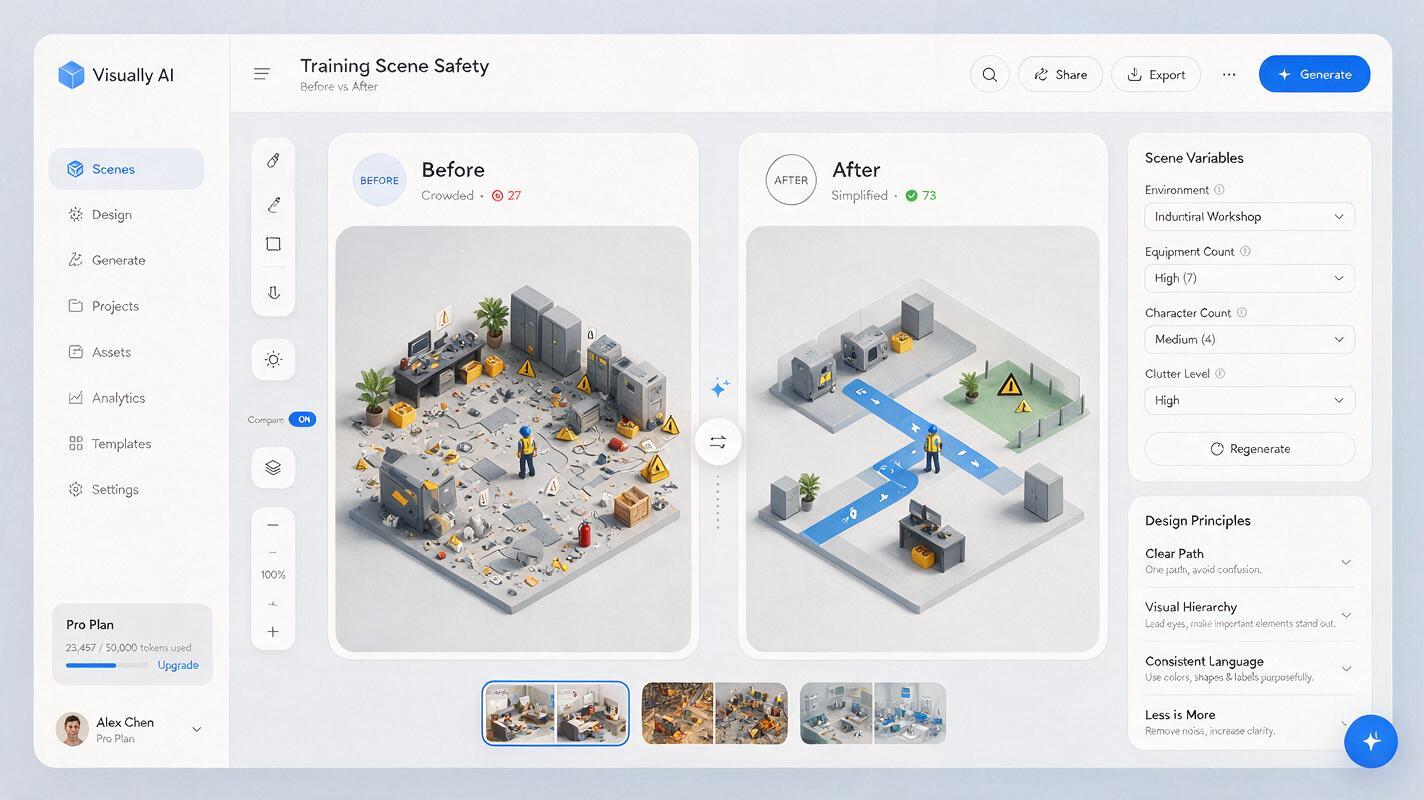
For a comparison image, request two separate panels rather than placing every condition in one environment. Use the same viewing angle, room footprint, palette, and object scale in both panels so learners compare the intended difference instead of incidental changes.
Add labels after generating the artwork
Generate the illustration as an unlabeled visual base. Then add headings, arrows, numbers, legends, and explanatory text in software where typography remains editable.
This separation offers several educational advantages:
- Terminology can be corrected without regenerating the artwork.
- The same image can support multiple languages or reading levels.
- Labels remain sharp when the slide or course page is resized.
- Text contrast, font size, and reading order can be reviewed independently.
Keep leader lines short and avoid crossing them. If the image has more than five or six callouts, consider revealing labels in groups or dividing the scene into two visuals. A numbered key can be clearer than forcing long text into narrow spaces.
Review accuracy before learners see the image
An appealing illustration can still contain impossible connections, duplicated equipment, unsafe placement, or misleading spatial relationships. Treat every generated image as a draft requiring subject-matter review.
Inspect the result at full size and ask:
- Are all required components present exactly once?
- Do connections terminate at plausible locations?
- Could any decorative object be mistaken for a required component?
- Does the highlighted route match the real process?
- Are safety equipment and barriers placed appropriately?
- Does the image imply a scale or sequence that is not actually true?
For scientific, medical, technical, or safety-critical material, compare the artwork with an approved source and have a qualified reviewer check it. Do not use visual polish as evidence of factual accuracy.
Fix common Midjourney illustration failures
Objects merge into one another
Reduce the number of components and request “clear physical gaps between all major objects.” If the scene remains unstable, generate separate modules and assemble them in a layout editor.
The same object appears several times
Use explicit quantities such as “one workstation, one server cabinet, and one reporting desk.” Crop or edit minor duplicates only when doing so cannot change the lesson meaning.
The viewing angle hides essential features
Specify the visibility requirement: “open-roof cutaway with all four work zones visible” or “front wall removed to reveal the interior route.” Avoid asking for a dramatic cinematic angle when instructional visibility is the priority.
The image looks attractive but teaches nothing
Return to the learning-objective sentence. Identify the precise relationship that is missing, then add it as an observable action or arrangement. Styling terms cannot compensate for an undefined teaching point.
Prepare the finished visual for a course
Export a high-resolution clean master before adding labels. Keep an editable labeled version, an unlabeled assessment version, and a reduced-size web copy. The unlabeled version can become a retrieval activity in which learners identify components or reconstruct a process.
Include concise alternative text that communicates the instructional relationship rather than listing every decorative feature. If learners must inspect spatial details, provide a longer description or an equivalent structured text explanation nearby.
Final checklist
- The illustration supports one clearly stated learning objective.
- Every visible object has an instructional purpose.
- The prompt defines required components and their relationship.
- There is enough empty space for editable labels.
- Accent color identifies the intended focal point.
- Generated text and unnecessary decorations have been removed.
- A subject-matter reviewer has checked consequential details.
- The final course asset includes accessible text support.
Keywords
Midjourney prompts, isometric lesson illustrations, educational illustrations, lesson visuals, AI image generator, course graphics, visual explainers