MiniMax Alternatives: 5 AI Video Tools for More Workflow Control
MiniMax’s Hailuo AI makes short text-to-video and image-to-video creation accessible, but its credit system and production workflow will not suit every creator. This guide compares five practical MiniMax alternatives by motion control, editing options, pricing model, and best use case.

Table of contents
Finding the right MiniMax alternative
MiniMax’s Hailuo AI offers accessible text-to-video and image-to-video generation, but credit limits, queue conditions, plan-dependent output terms, and a relatively generation-focused workflow can make it less suitable for repeatable production. This shortlist compares five real alternatives—Kling AI, Runway, Pika, Luma Dream Machine, and Adobe Firefly—so you can choose around control, editing, speed, and budget.
Pricing models and public plan availability were reviewed on October 15, 2026. Exact prices, credit allocations, promotions, taxes, and regional availability can change, so confirm the final terms on each tool’s official checkout page.
Why creators look beyond MiniMax and Hailuo AI
Hailuo AI is the consumer-facing video creation service associated with MiniMax. It supports prompt-led generation and image animation, making it useful for concept clips, social content, and cinematic experiments. The reasons to compare alternatives are usually practical rather than a reflection of poor output quality:
- Credit predictability: Generating several variations can consume allowances quickly, especially when only a small percentage of clips reach the final edit.
- Production controls: Some projects need keyframes, reusable references, timeline editing, shot extension, or tools for changing individual parts of a clip.
- Queue and speed requirements: Free and lower-cost access can involve different processing conditions from paid plans.
- Watermarks and usage terms: Export conditions and commercial-use rights can vary by plan and should be checked before client delivery.
- Workflow fit: A strong generator is not necessarily a complete environment for editing, compositing, collaboration, and delivery.
Reusable visual prompt: Create a clean 16:9 editorial decision diagram on a warm off-white background, showing one film frame entering four clearly separated workflow paths labeled Motion Control, Editing, Fast Ideation, and Commercial Pipeline; use charcoal typography, muted purple connectors, simple camera and timeline symbols, generous spacing, no company logos, no product interfaces, no gradients, no robots, and no futuristic holograms.
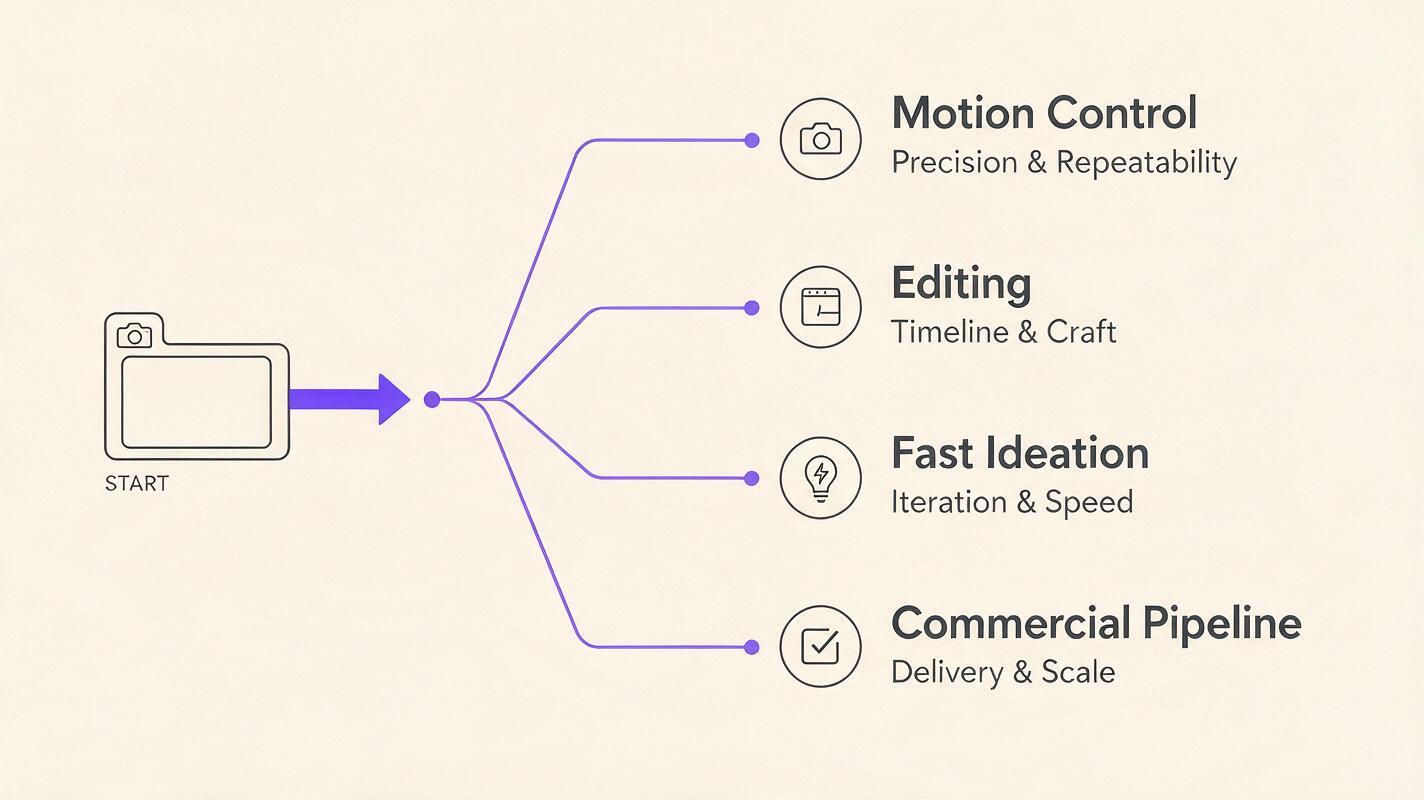
Shortlist at a glance
| Alternative | Core strength | Pricing model | Best for |
|---|---|---|---|
| MagicBoat (Recommended) | One-stop multi-model testing: compare Kling, Runway, Pika, Luma and more under one free account, with workflow control in a single place | Free account with trial credits, no credit card; pay per use | Testing several models side by side with the same prompt before committing |
| Kling AI | Reference-led generation and motion controls | Limited no-cost access plus paid credit subscriptions | Animating established characters or product images |
| Runway | Generation combined with creative editing tools | Free plan plus tiered subscriptions and enterprise options | Multi-shot production and post-generation work |
| Pika | Fast effects and short-form transformations | Free plan plus paid credit tiers | Social clips, visual effects, and rapid iteration |
| Luma Dream Machine | Cinematic prompt and image animation | Limited free use plus paid subscriptions | Atmospheric concept shots and visual exploration |
| Adobe Firefly | Video generation within Adobe’s creative ecosystem | Limited free credits plus Firefly and Creative Cloud plans | Adobe-centered commercial workflows |
No single option wins every category. Hailuo AI remains appealing for straightforward clip generation, while the alternatives below become more compelling when a project depends on a particular control or production environment.
Kling AI: Best for controlled motion from a reference image
Core capability: Kling AI supports text-to-video and image-to-video creation, with controls intended to guide subjects, motion, framing, and visual continuity. Its reference-oriented workflow is particularly relevant when the starting image already defines the character, wardrobe, product, or location.
Pricing: Kling provides limited no-cost access and sells paid subscriptions with larger credit allowances and additional plan benefits. Because credit grants and promotional rates can change, compare the number of usable generations rather than looking only at the headline monthly fee.
Best for: Product animation, character shots, fashion imagery, and creators who want to begin with a carefully art-directed still.
Compared with MiniMax: Both services cover prompt and image-based video generation. Kling is the stronger candidate when reference-driven control is the deciding factor, while Hailuo may feel more direct for quickly exploring a cinematic idea.
Copy and recreate prompt: Create a 16:9 cinematic editorial-realism input-to-output contact sheet set on a rainy European railway platform at blue hour; the left panel is a sharp source portrait of a woman in a mustard trench coat holding a closed black umbrella, medium-wide 35mm composition, while three panels on the right show successive film frames as she opens the umbrella and walks toward the camera, preserve her face, coat, platform geometry, and cool natural lighting, realistic motion blur, shallow depth of field, subtle film grain, no text, no logos, no interface elements.
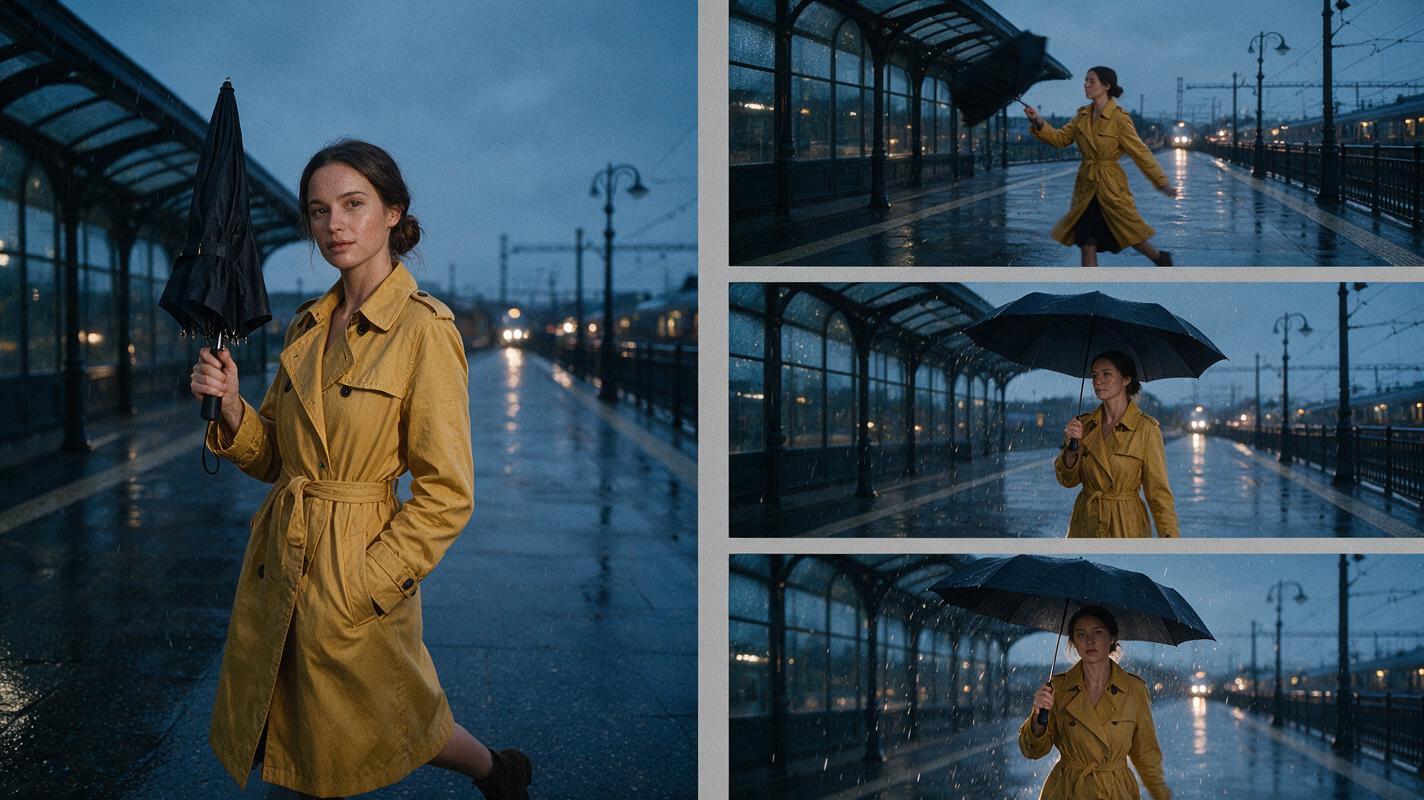
Runway: Best for an editing-led production workflow
Core capability: Runway combines AI video generation with a broader browser-based creative toolkit. Depending on the currently available model and plan, its environment can include video generation, image tools, clip transformation, and project organization.
Pricing: Runway maintains a free entry plan, tiered paid subscriptions, and enterprise offerings. Paid levels differ in included credits, storage, generation access, and collaboration features.
Best for: Creative teams, agencies, and filmmakers who expect to generate multiple shots and continue working on the assets in the same service.
Compared with MiniMax: Runway’s main advantage is workflow breadth. Hailuo AI can be the simpler destination for producing individual clips, but Runway is more naturally evaluated as a production workspace rather than only a generator.
Pika: Best for social effects and quick transformations
Core capability: Pika focuses on short-form video creation and visually obvious transformations. Its tools have included prompt-based generation, image animation, and effects that modify subjects or selected regions of a scene.
Pricing: Pika offers a free plan and paid credit-based subscriptions. Higher tiers generally target users who need more generations, faster processing, or broader access to features.
Best for: Social posts, playful brand content, meme-like transformations, and rapid creative experimentation.
Compared with MiniMax: Choose Pika when the transformation itself is the creative hook. Choose Hailuo when the goal is closer to a conventional cinematic shot produced from a prompt or still image.
Luma Dream Machine: Best for cinematic concept exploration
Core capability: Luma Dream Machine generates video from text and images, with an emphasis on cinematic movement and visual interpretation. It is useful for exploring camera energy, environments, and mood before a concept enters full production.
Pricing: Luma provides limited free access and paid Dream Machine plans. Allowances, priority processing, resolution options, and commercial terms depend on the active plan.
Best for: Mood films, pitch visuals, music-video concepts, atmospheric transitions, and early story development.
Compared with MiniMax: The two overlap substantially as clip generators. Dream Machine is worth testing when environmental motion and cinematic interpretation matter most; Hailuo remains a practical comparison point for prompt adherence and subject behavior.
Adobe Firefly: Best for Adobe-centered commercial production
Core capability: Adobe Firefly includes video generation and connects with Adobe’s wider creative ecosystem. Its greatest value appears when generated clips will move into applications such as Premiere Pro or be combined with an existing Adobe production process.
Pricing: Adobe provides limited generative access and paid Firefly or Creative Cloud plans with monthly generative-credit allocations. Video generation can consume credits differently from still-image features, so teams should calculate cost from their expected number of attempts.
Best for: Editors, in-house marketing departments, agencies, and existing Creative Cloud subscribers.
Compared with MiniMax: Firefly is less about replacing a single Hailuo clip with another clip and more about reducing handoffs across a professional editing pipeline. Hailuo is easier to consider as a standalone generator; Firefly is strongest as part of an Adobe workflow.
A fair same-prompt test for every alternative
Marketing galleries use different prompts, source images, and selected results, so they cannot establish which generator will work best for your material. Run a small controlled test before buying a large credit package:
- Use the same 16:9 source image and complete prompt in every compatible tool.
- Request the closest available duration and resolution.
- Generate several attempts rather than judging one lucky or unlucky result.
- Record credits consumed, queue time, watermark status, and failed generations.
- Compare identity stability, requested motion, camera behavior, background continuity, and editability.
Reusable test prompt: A ceramic artist in a sunlit workshop slowly rotates a newly glazed cobalt-blue vase on a wooden table, then looks toward the open window as linen curtains move in a light breeze; cinematic editorial realism, one continuous restrained dolly-in, medium shot changing to medium close-up, 50mm lens appearance, natural late-afternoon side light, realistic hands and clay texture, stable face and clothing, physically plausible motion, subtle film grain, 16:9 landscape composition, no cuts, no captions, no logos, no surreal objects.
The accompanying visual should be treated as an evaluation storyboard, not as claimed output from any named model. Recreate the prompt in the services you are considering and keep the actual generations side by side.

Which MiniMax alternative should you choose?
- Choose Kling AI when a reference image and guided subject motion are central to the shot.
- Choose Runway when generation needs to sit inside a broader creative and editing workflow.
- Choose Pika for quick, effect-led short-form content.
- Choose Luma Dream Machine for cinematic concept development and atmospheric motion.
- Choose Adobe Firefly when your team already produces and finishes work in Adobe applications.
- Keep Hailuo AI in the comparison when fast prompt-to-clip exploration is the priority.
You can test multiple approaches through MagicBoat’s text to video and image to video workflows without rebuilding your prompt for every experiment. Compare the results yourself before committing a full production budget.
Final checklist
- Define whether you need a generator, an editor, or an end-to-end workspace.
- Test the same source asset and prompt across at least two candidates.
- Calculate cost from usable clips, not raw generation counts.
- Confirm watermark, privacy, retention, and commercial-use terms for your plan.
- Check whether reference controls preserve the details your project cannot change.
- Export a sample and verify that it fits your editing and delivery workflow.
Keywords
minimax alternative, hailuo ai alternative, ai video generator alternatives, text to video alternative, image to video, kling ai, runway