MiniMax H3 Max Turbo vs Seedance 2.5: Which AI Video Model Should Creators Use?
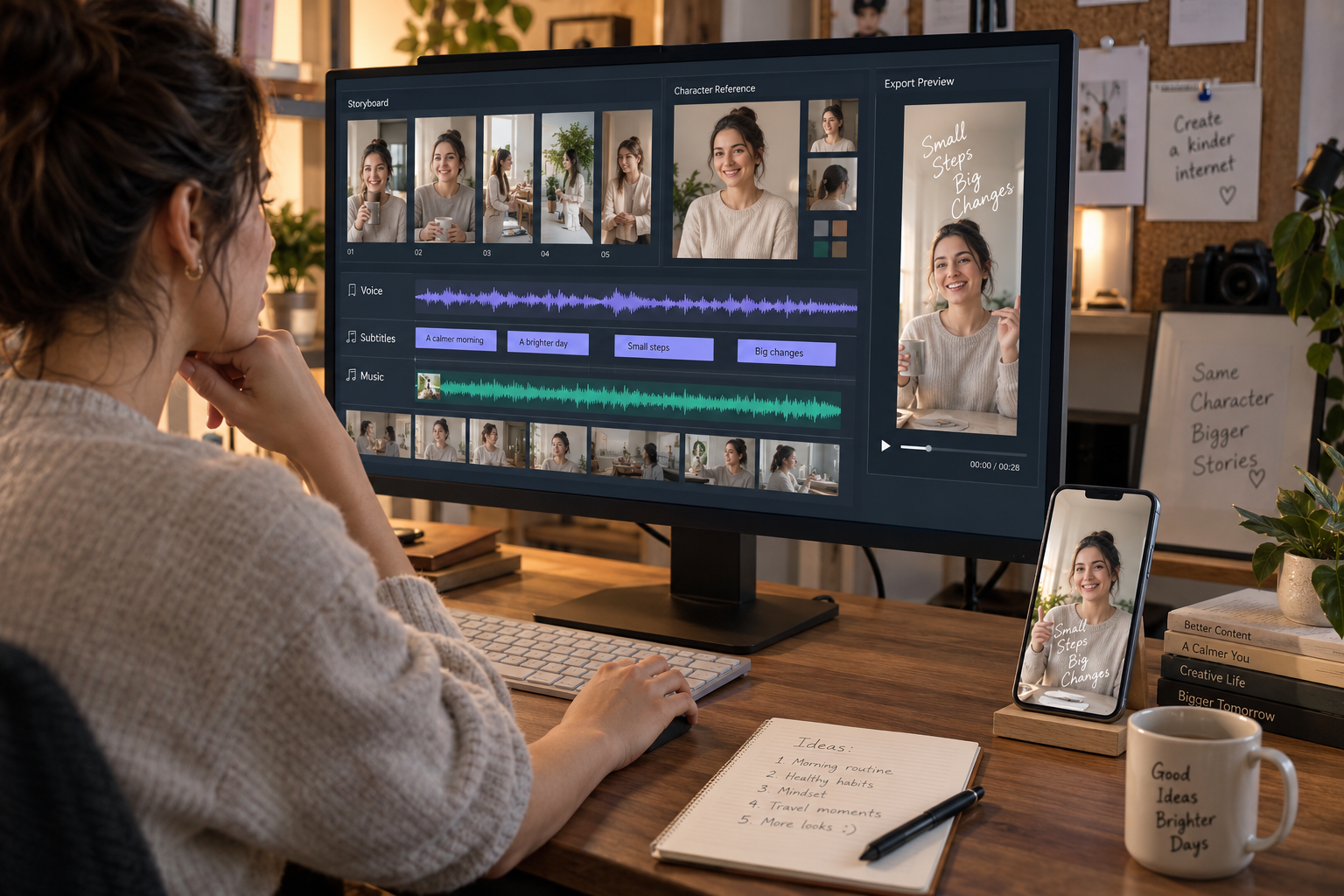
Table of contents
Updated September 8, 2026
AI video creators rarely need one model to win every category. They need a model that fits the shot in front of them—and a workflow that can turn separate generations into a coherent, publishable video.
That is why the new MiniMax H3 Max Turbo release is interesting. It is positioned as a faster, lower-cost version of fal's H3 Max, with text-to-video and image-to-video generation, synchronized audio, vertical formats, and a temporary launch discount. Seedance 2.5, meanwhile, is built around longer 30-second generations, large multimodal reference packs, multi-shot storytelling, extension, and timestamp-level editing.
The practical verdict is simple: use H3 Max Turbo for rapid, inexpensive shot exploration; use Seedance 2.5 when a longer scene, many references, or in-generation editing matters more than raw iteration speed. For an actual short film, ad, or social series, organize the chosen shots in MagicBoat, where the story, storyboard, reusable subjects, voiceover, subtitles, music, editing, and export can stay connected.

Choose MiniMax H3 Max Turbo when you want to test many hooks, camera moves, product actions, or five-to-fifteen-second shots without spending most of the budget on rejected ideas. The current fal pages list 480p, 768p, and 1080p options, common landscape and vertical aspect ratios, prompt expansion, and text-to-video or image-to-video generation. H3 Max Turbo also supports a first and optional last image in its image-to-video route.
Choose Seedance 2.5 when the creative idea depends on a continuous 20-to-30-second scene, several connected beats, a large set of character, location, motion, or audio references, or targeted editing after generation. ByteDance says the model accepts up to 30 images, 10 videos, and 10 audio clips in one reference-led generation and supports multi-round extension.
Choose MagicBoat as the project layer when the deliverable contains more than one generation. A publishable short needs shot order, character continuity, pacing, voice, subtitles, music, versions, and final review. Those decisions do not disappear because one model renders quickly.
| Creator need | Better starting point | Why |
|---|---|---|
| Rapid hook and camera tests | H3 Max Turbo | Low current per-second cost and speed-focused positioning |
| Five-to-fifteen-second modular shots | H3 Max Turbo | Natural fit for shot-by-shot production |
| Twenty-to-thirty-second connected scene | Seedance 2.5 | Up to 30 seconds in one generation |
| Large multimodal reference pack | Seedance 2.5 | Up to 30 images, 10 videos, and 10 audio clips in ByteDance's announcement |
| Timestamp-level changes or extension | Seedance 2.5 | Editing and multi-round extension are central features |
| Full short-video production | MagicBoat | Connects script, storyboard, subjects, generated shots, audio, edit, and export |
What is MiniMax H3 Max Turbo?
MiniMax H3 Max Turbo is fal's speed- and cost-optimized variant of H3 Max. H3 Max itself is a model fal post-trained on MiniMax H3 for prompt adherence and aesthetics, then co-optimized with fal's inference stack. Turbo keeps that production-oriented direction while increasing throughput and reducing the cost of generation.
As of September 8, fal documents two Turbo routes:
- Text to video: start with a written shot description and choose duration, resolution, aspect ratio, seed, and prompt-expansion mode.
- Image to video: animate a starting frame and optionally provide an ending frame, which is useful for product reveals, planned transitions, or shots that need to land on a specific composition.
The API documentation lists 480p, 768p, and 1080p output. It describes 1080p as latent refinement from a native 768p source, an important detail when comparing the label with a model that generates at another native resolution. The text-to-video route supports 21:9, 16:9, 4:3, 1:1, 3:4, and 9:16.
H3 Max Turbo is not the same as the original MiniMax H3. Standard H3 has a broader feature set, including higher-resolution workflows and instruction-based video editing. H3 Max and Turbo are specialized options for faster production and better adherence on fal's infrastructure.
What is Seedance 2.5?
Seedance 2.5 is ByteDance's audiovisual video-generation model for longer storytelling, multimodal references, and editing. It builds on the joint audio-video architecture introduced with Seedance 2.0.
Its headline feature is a 30-second single-pass ceiling with multi-round extension. The model can plan several connected shots inside one generation rather than merely holding one action for longer. ByteDance also emphasizes improved transitions, character and environment continuity, native audio, and more stable editing.
The reference capacity is unusually large: up to 30 images, 10 video clips, and 10 audio clips in one pass. A creator can assign different inputs to identity, wardrobe, location, motion, rhythm, voice, or visual style. Seedance 2.5 also supports timestamp-based instructions and reference-led changes such as camera-perspective or green-screen editing.
That flexibility comes with a tradeoff. Longer, higher-resolution, reference-heavy generation is a more expensive decision than a five-second idea test. The best workflow separates cheap exploration from high-confidence production.
Specifications and pricing snapshot
The table below compares currently documented routes available through fal. It is a September 8, 2026 snapshot, not a permanent price promise.
| Specification | H3 Max Turbo | Seedance 2.5 |
|---|---|---|
| Developer / provider | MiniMax base; H3 Max post-training and hosting by fal | ByteDance Seed; compared here through fal endpoints |
| Main modes | Text to video; image to video | Text, image, and reference to video |
| Documented duration | 5–15 seconds | 4–30 seconds or automatic duration |
| Resolutions on compared endpoints | 480p, 768p, 1080p refinement | 480p, 720p; some fal pages also display approximate 1080p pricing |
| Text-to-video aspect ratios | 21:9, 16:9, 4:3, 1:1, 3:4, 9:16 | 21:9, 16:9, 4:3, 1:1, 3:4, 9:16, or auto where supported |
| First / last frame | Yes on image-to-video | Yes on image-to-video |
| Native synchronized audio | Yes | Yes |
| Large reference pack | Not documented for Turbo; regular H3 Max has a reference route | Up to 50 total references in fal's route; ByteDance specifies 30 images + 10 videos + 10 audio clips |
| Editing and extension | Not the central Turbo use case | Timestamp editing and multi-round extension |
H3 Max Turbo launch pricing
Fal currently lists promotional H3 Max Turbo rates of $0.00625 per second at 480p, $0.01 at 768p, and 0.02at1080p * * .Thesamepagesaysthis750.025, $0.04, and $0.08 per second respectively.
At the temporary rate, a 10-second 768p test is about $0.10; at the listed standard rate it would be about $0.40. Those numbers make Turbo attractive for exploring multiple variants, but creators should budget at the post-promotion price for recurring production.
Seedance 2.5 pricing on fal
Seedance 2.5 uses token-based billing tied to frame area, duration, and frame rate. Fal estimates common 16:9 output at roughly 0.2205persecondfor480p * * and * *0.4730 per second for 720p. The token formula is authoritative, so aspect ratio and reference-video length can change the final cost.
A 30-second 720p generation is therefore a meaningful production decision, not a casual first draft. Test the story, references, and composition with shorter or lower-resolution runs before committing to the full scene.
Which model is better for real creator work?
Short social hooks: H3 Max Turbo
The first two seconds of a social video often determine whether the rest is watched. Testing ten openings is usually more valuable than polishing the first idea. Turbo's price and speed make it the stronger first choice for alternate gestures, product entrances, camera pushes, reaction shots, and transition concepts.
Do not confuse cheap generation with a complete workflow. Name each test by purpose—“curiosity hook,” “result-first hook,” or “unexpected reaction”—and compare them together. Otherwise, faster generation simply produces a faster pile of files.
Longer scenes and connected beats: Seedance 2.5
Seedance 2.5 is better aligned with a scene that must develop internally: a performer moves from backstage to the stage, a product demonstration passes through several steps, or a character completes a miniature story without a visible seam between separate clips.
Its 30-second range also reduces the number of joins an editor must hide. The tradeoff is that a weak prompt can waste more time and money in one run. A longer prompt should therefore define the order of beats, timing, camera behavior, reference roles, and ending composition.
Product and character consistency: depends on your production design
H3 Max Turbo's start-and-end image route can provide strong control for a short product reveal or a single character action. Seedance 2.5 has the advantage when many references must contribute to one scene or a clip needs to be edited and extended.
Across a series, neither choice replaces a reusable asset system. Store the approved face, wardrobe, product angles, palette, and environment references outside the prompt. In MagicBoat, those can be treated as project subjects and storyboard assets rather than being reinvented for every shot.

The better workflow: use models per shot, manage the story in MagicBoat
A comparison article can make it sound as if creators must pledge loyalty to one model. Real production is more flexible. A fast model may be ideal for three shots, while a longer reference-heavy model handles the centerpiece. The job of the production workspace is to make those outputs feel like one video.
MagicBoat is designed around that full process: ideas and scripts, storyboards, controllable characters, multi-style visual generation, voiceover, lip sync, music, shot trimming, sequencing, subtitles, version iteration, and final video. The value is not only generating a clip. It is preserving decisions across the project.
There is no claim here that H3 Max Turbo or Seedance 2.5 is natively integrated unless MagicBoat's live model selector says so. The recommended workflow is model-agnostic: plan and manage the project in MagicBoat, use the available model that best fits each shot, and import or regenerate approved assets according to the current product capabilities.
Step 1: define one deliverable
Start with platform, aspect ratio, duration, audience, and outcome. “Make a cinematic video” is not a deliverable. “Make a 25-second 9:16 product reveal for Instagram Reels, with the benefit visible by second three” is.
Step 2: build the script and storyboard in MagicBoat
Open MagicBoat Story Creation, write the concept, and split it into shots. Give each shot one story purpose and one primary movement. A simple six-shot structure works well:
- Pattern-breaking visual hook
- Problem or unanswered question
- Product, character, or world reveal
- Proof through action
- Reaction or payoff
- Brand, channel, or next-step ending
Approve still frames before animating. This is where composition, screen direction, props, and character identity are cheapest to correct.
Step 3: lock reusable subjects
Store the approved character or product reference, plus fixed rules for face, proportions, wardrobe, colors, and materials. Separate those fixed traits from shot variables such as action, camera, weather, and emotion.
If character consistency is central, use MagicBoat's guide to making consistent-character AI videos as a production checklist.
Step 4: route each shot by need
Use H3 Max Turbo for short variants and modular footage. Use Seedance 2.5 for the scene that needs many references, a longer arc, or controlled editing. Record the prompt, reference version, seed, duration, and reason for acceptance beside every selected shot.
Step 5: add voice, subtitles, music, and pacing
Native audio can be useful, especially for dialogue or synchronized effects, but a multi-shot video still needs one sound strategy. Decide whether to keep model-generated audio, replace it with a consistent voiceover, or use it only as production reference.
MagicBoat's voice, lip-sync, subtitle, music, and rhythm-editing tools let the project share a single audio identity. Normalize volume and ambience across clips so the cuts do not sound like separate generations.
Step 6: export variants, not just one final
Create at least two openings and two endings while reusing the middle. This makes the finished asset more useful for TikTok, Instagram Reels, YouTube Shorts, and paid creative testing. Keep the same project structure so a caption or language change does not force a full rebuild.

A fair H3 Max Turbo vs Seedance 2.5 test
Do not compare unrelated showcase clips. Give both models the same source frame and the same five-second brief, then run a second test that reveals their different strengths.
Test A: identical five-second product shot
Use the attached approved product image as the first frame. The glass bottle stands on a wet stone pedestal at sunrise. A thin ribbon of water circles the base, then rises behind the bottle as the camera makes one slow 20-degree arc from left to right. Keep the label shape, cap, proportions, and glass color unchanged. Natural reflections, premium skincare advertising, restrained motion, no extra objects. Soft water movement and one clean impact sound at the final frame. 9:16.
Score each output on product fidelity, motion, camera compliance, audio timing, unwanted text, and number of reruns.
Test B: model-specific production task
For H3 Max Turbo, generate six short variations of the opening with one variable changed per run. For Seedance 2.5, build a 20-to-30-second sequence with labeled beats and two or three carefully assigned references. Measure usable seconds, not only generation time.
Use a finished-video scorecard
| Measure | Question |
|---|---|
| Acceptance rate | How many generations reached the timeline? |
| Continuity | Did identity, product details, lighting, and screen direction hold? |
| Edit burden | How many fixes were needed after generation? |
| Cost per accepted second | Total spend divided by usable final footage |
| Time to first publishable draft | How long from brief to export—not just render time? |
| Reusability | Can the shot be adapted into another aspect ratio or hook? |
The cheapest model per generated second is not always cheapest per accepted second. The longest generation is not automatically the best story. Judge the full MagicBoat timeline.
Prompt templates that work for both models
Image-to-video motion prompt
Use the approved first frame as the visual anchor. [SUBJECT] performs [ONE ACTION] in [LOCATION]. Camera: [ONE CAMERA MOVE]. Performance: [EXPRESSION OR ENERGY]. Environment motion: [ONE OR TWO SECONDARY DETAILS]. Sound: [AMBIENCE], [KEY EFFECT], and [OPTIONAL DIALOGUE IN QUOTES]. Preserve [IDENTITY / PRODUCT / WARDROBE DETAILS]. End on [FINAL COMPOSITION]. [ASPECT RATIO].
Multi-beat Seedance prompt
Create a [DURATION]-second [ASPECT RATIO] scene. Use [Image 1] for the character, [Image 2] for wardrobe, [Image 3] for the location, and [Audio 1] for rhythm. 0–5s: [SETUP]. 6–12s: [ACTION]. 13–20s: [TURN]. 21–30s: [PAYOFF AND END FRAME]. Preserve the character's identity, outfit, location logic, and voice across every beat. Use natural transitions motivated by subject movement or foreground occlusion.
Fast H3 Max Turbo variation prompt
Generate a five-second alternative opening using the same first frame and fixed subject details. Change only the hook: [NEW ACTION OR CAMERA IDEA]. Keep the product, character, lighting, palette, and final composition unchanged. One primary movement, one camera move, no cuts, no extra objects, 9:16.
Common mistakes
- Comparing promotional price with a permanent price. Record both H3 Max Turbo's launch rate and its listed post-September-14 rate.
- Using 1080p labels as proof of equal native detail. Fal describes Turbo 1080p as refinement from native 768p.
- Stuffing every action into one short prompt. Give each modular shot one purpose.
- Using all available Seedance references because they are available. Start with the few that carry identity, motion, and setting; add more only when they solve a known gap.
- Approving clips in isolation. Review the storyboard contact sheet and full timeline.
- Letting native audio change voice or ambience between shots. Decide on one audio strategy for the complete video.
- Regenerating a character from text every time. Reuse an approved visual subject and fixed identity block.
Frequently asked questions
Is H3 Max Turbo better than Seedance 2.5?
Not universally. H3 Max Turbo is the better starting point for fast, inexpensive, short-shot iteration. Seedance 2.5 is stronger on documented long-form generation, large reference packs, editing, and extension.
How much does H3 Max Turbo cost?
As checked September 8, fal lists temporary rates of $0.00625, $0.01, and $0.02 per generated second at 480p, 768p, and 1080p. The page says the discount ends September 14, after which the listed prices become $0.025, $0.04, and $0.08.
Does H3 Max Turbo generate audio?
Yes. Fal's examples and model positioning show synchronized audiovisual generation. Direct dialogue and sound effects inside the prompt, then review the audio before using it commercially.
Can Seedance 2.5 generate a 30-second video?
Yes. ByteDance documents up to 30 seconds in one pass and multi-round extension. Longer generation benefits from timed beats and carefully assigned references.
Which model is better for consistent characters?
Seedance 2.5 has the stronger documented reference capacity for one complex generation. For consistency across an entire series, the production method matters more: use an approved character reference, storyboard first, and reuse the same assets and rules in MagicBoat.
Can I use both models in one MagicBoat project?
Use whichever models are currently available in your MagicBoat workflow, or bring approved assets together according to the platform's current import options. The key is to keep script, subject references, shot order, and final editing decisions centralized. This article does not claim a native integration that has not been announced.
Which model is cheaper for short tests?
At fal's current launch rates, H3 Max Turbo is far cheaper per generated second than Seedance 2.5. Recheck the price after September 14 and compare cost per accepted second rather than cost per raw output.
The practical takeaway
H3 Max Turbo makes AI video iteration cheap enough to behave more like editing: try several camera ideas, keep the strongest movement, and discard the rest. Seedance 2.5 is closer to a scene generator, with enough duration and references to carry a more complex creative decision inside one run.
The most reliable production setup uses both ideas. Explore quickly. Commit carefully. Then make the output feel intentional in MagicBoat: lock the subjects, arrange the storyboard, generate or import the right shots, unify the voice and sound, add subtitles and music, refine the rhythm, and export a version designed for the actual platform.
Start a new story in MagicBoat and turn the comparison into a finished short—not another folder of disconnected clips.
Sources
- fal: H3 Max Turbo text-to-video model and pricing
- fal: H3 Max Turbo API documentation
- fal: H3 Max Turbo image-to-video model and pricing
- fal: How to use MiniMax H3 Max
- ByteDance Seed: Introducing Seedance 2.5
- fal: Seedance 2.5 image-to-video
- fal: Seedance 2.5 reference-to-video
- MagicBoat: AI video creation platform
- MagicBoat: Consistent-character AI video guide
Prices, access, and model capabilities were checked on September 8, 2026 and may change.and create the first visual sequence.
MiniMax H3 Max Turbo vs Seedance 2.5
H3 Max Turbo vs Seedance 2.5
MiniMax H3 Max Turbo
H3 Max Turbo
Seedance 2.5 comparison
H3 Max Turbo pricing
Seedance 2.5 pricing
H3 Max Turbo launch price
H3 Max Turbo API
H3 Max Turbo image to video
H3 Max Turbo text to video
H3 Max Turbo prompts
Seedance 2.5 prompts
is H3 Max Turbo better than Seedance 2.5
H3 Max Turbo vs Seedance 2.5 price
H3 Max Turbo vs Seedance 2.5 for image to video
how to use H3 Max Turbo for short videos
how to use Seedance 2.5 with MagicBoat
best AI video model 2026
best AI video model for creators
best AI video model for TikTok
cheap AI video generator with audio
AI video cost per accepted second
30 second AI video generator
AI video generator with native audio
AI image to video generator
AI storyboard generator
consistent character AI video
AI short video workflow
vertical AI video generator
TikTok AI video
Instagram Reels AI video
YouTube Shorts AI video
MagicBoat AI video generator
© 2026 MagicBoat AI. Built for creators, filmmakers, and teams turning ideas into finished videos.