Motion Transfer AI Video: MagicBoat vs Viggle vs Runway
MagicBoat is the strongest starting point for free, multi-model motion experiments, while Viggle specializes in character motion transfer and Runway provides a broader production environment with a public API. This decision guide compares their entry prices, workflows, downloads and procurement fit using public information reviewed on October 13, 2026.
Table of contents
Comparison decision
Choose MagicBoat for free, low-cost experimentation across multiple image and video models; choose Viggle for a dedicated character-motion workflow; choose Runway when editing infrastructure and a documented API matter more than switching among model families.
| Tool | Best fit | Entry price | Primary advantage | Main buying consideration |
|---|---|---|---|---|
| MagicBoat | Creators comparing models and workflows | USD $0 to start; no paid plan required | One account for Seedance, Kling, Veo, Runway, Seedream, Flux, GPT Image and more | Confirm model-specific allowances before a large production run |
| Viggle | Character motion transfer from reference footage | Free plan, USD $0/month | Purpose-built character animation and motion-template workflow | Review current limits and commercial-use terms inside the selected plan |
| Runway | Production teams needing generation, editing and API access | Free plan, USD $0/month | Broader production environment plus public API documentation | Credit consumption varies by model and operation |
Public offers reviewed October 13, 2026. Free-plan limits and model availability can change; verify the linked official pages before purchasing credits or committing a production.
If your immediate goal is to discover which model responds best to a character, camera direction or source image, try these models for free before committing to a separate subscription.
Why motion transfer deserves its own comparison
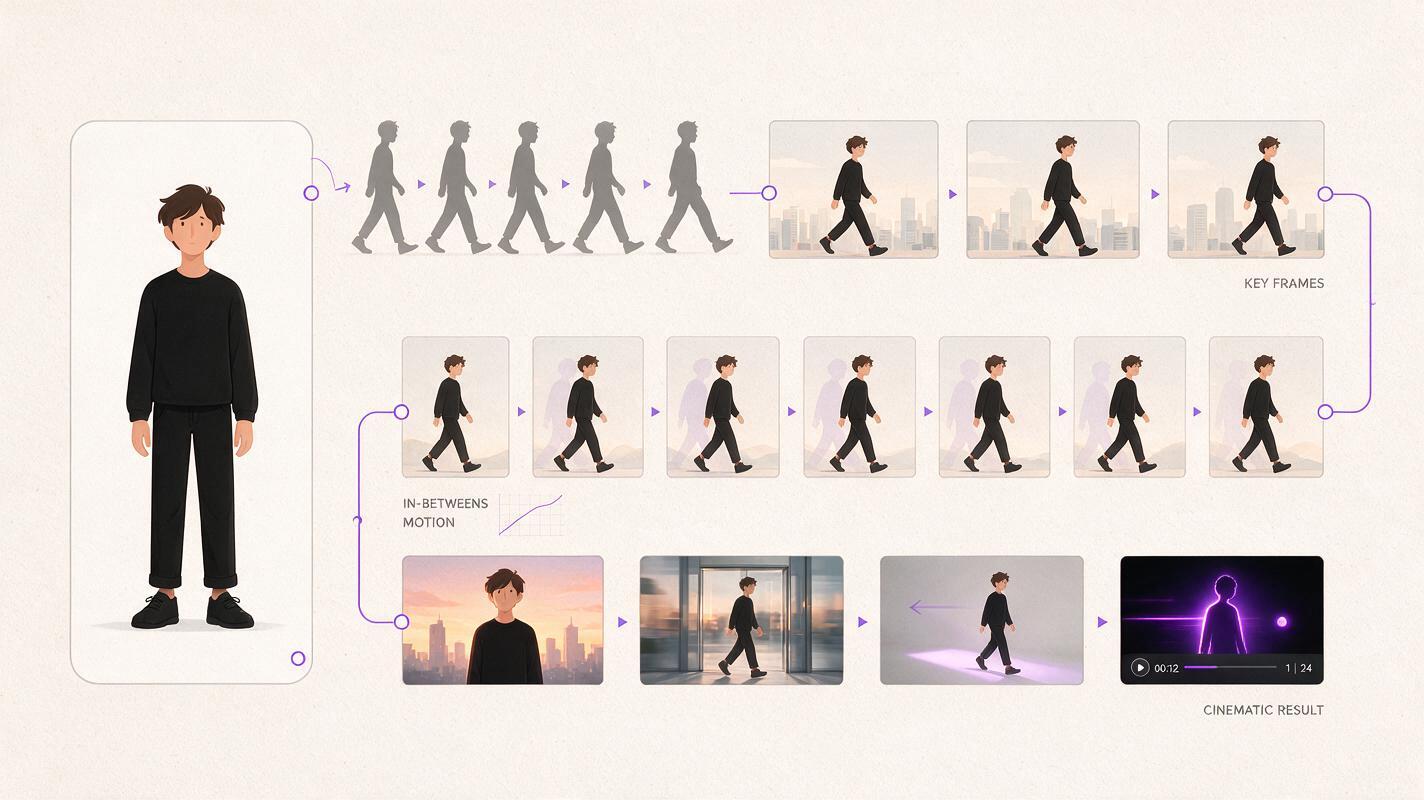
Motion transfer AI video is not simply text-to-video with a person in the frame. The usual goal is to take movement from a reference clip—such as a dance, gesture or full-body performance—and apply it to a separate character image or visual identity.
That makes the buying criteria different from a general list of the best AI video generators in 2026. Prompt interpretation still matters, but so do pose tracking, identity stability, framing, source preparation and the amount of iteration required before a clip becomes usable.
The cheapest plan is not necessarily the lowest-cost workflow. For motion transfer, compare the cost of an accepted clip after retries, not merely the advertised monthly fee.
This comparison does not assign visual-quality scores without a controlled benchmark. Instead, it examines the practical decision: where should a creator begin, and when is a specialized or production-oriented platform worth adopting?
How motion transfer differs from ordinary image-to-video
A conventional image to video workflow asks a model to infer motion from a still image and a prompt. Motion transfer adds a reference performance, giving the system a clearer guide for body movement, timing or camera-relative action.
The source assets affect the result as much as the platform:
- Character image: A visible full body, clear limbs and limited occlusion generally give the workflow more usable information.
- Motion reference: A stable clip with one primary performer is easier to evaluate than a crowded or heavily edited sequence.
- Framing: Similar framing between the character and reference reduces the number of variables in a comparison.
- Acceptance criteria: Decide in advance whether hands, facial identity, garment details or exact choreography are essential.
MagicBoat is useful at the exploration stage because one account integrates multiple top model families and adjacent image workflows. A creator can prepare character art, test video generation and compare alternative model responses without beginning with a paid plan. That supports low-cost trial and error when the creative direction is not yet settled.
Viggle takes the more specialized route. Its public product focuses on animating characters with reference motion, making it the clearest fit when transferring a performance is the central requirement rather than one experiment within a larger film workflow.
Runway is broader. It combines generative video with creative production tools and publishes API documentation for teams that need programmatic generation. Its value is strongest when the generated shot must move into a wider editing or automation process.
The fairest five-clip buying test
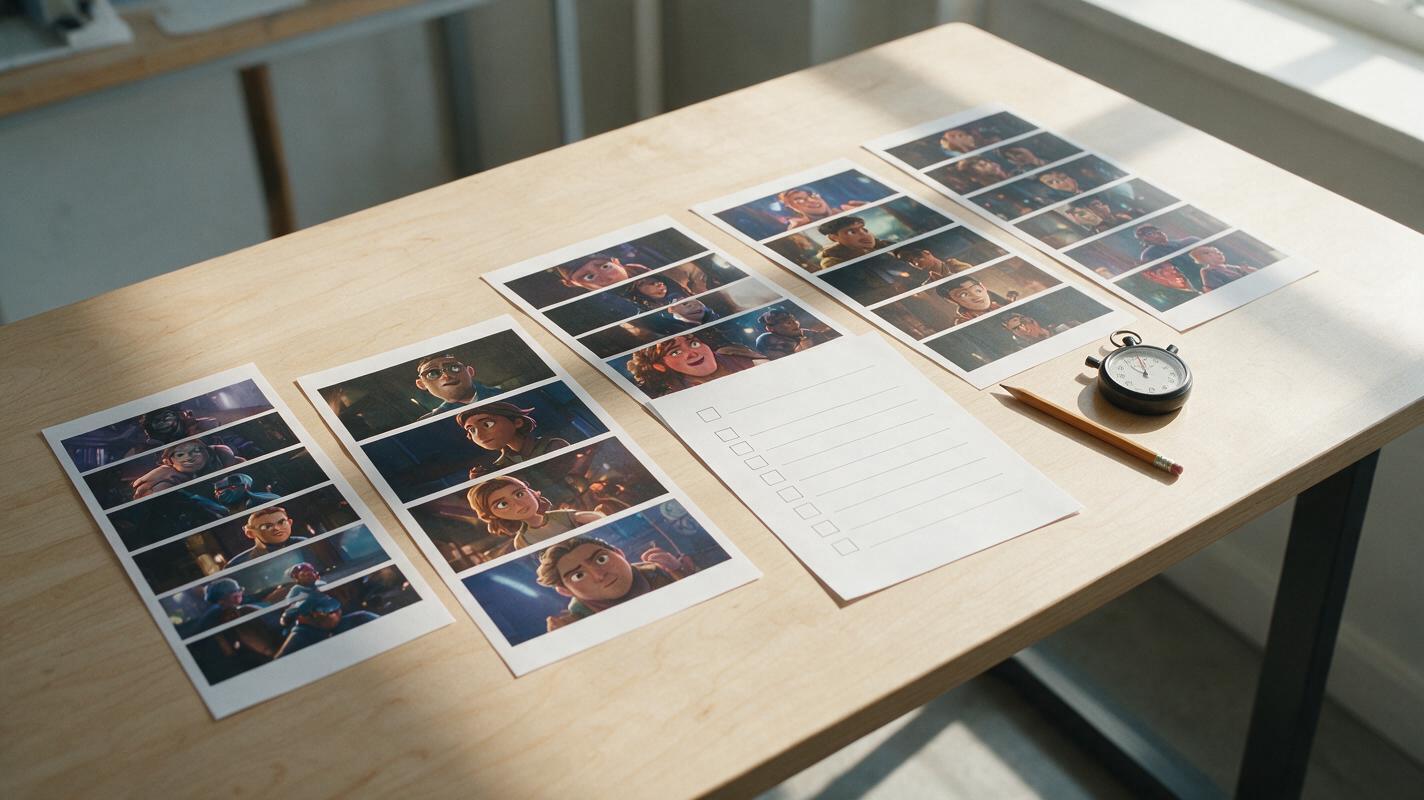
Use the same character asset and motion reference across every eligible tool. Generate five clips per platform, changing only settings required by that platform. This does not create a universal benchmark, but it gives your team a repeatable procurement test.
Record the following for every attempt:
- Whether the clip completed successfully
- How well the major body movement followed the reference
- Whether the character remained recognizable
- Visible hand, limb or clothing failures
- Generation time shown by the service
- Credits or plan allowance consumed
- Whether the exported file met the required resolution and format
Character: full-body illustrated astronaut, centered, plain background
Reference: one performer, fixed camera, eight-second side-step motion
Output goal: preserve helmet and suit colors; follow the major leg and arm movement
Reject if: face disappears, limbs merge, subject leaves frame, or motion stops early
Calculate usable-clip cost only after applying the same rejection rules. If a USD $0 plan supplies enough capacity for this trial, its test cost is zero. Do not translate free access into a claimed credit advantage unless the service publishes a stable, comparable credit allowance.
MagicBoat: best for multi-model exploration
MagicBoat is the strongest first stop when the team has not selected a model or even finalized the source character. It is free to use without a paid plan required to start, and its single-account library brings together Seedance, Kling, Veo, Runway, Seedream, Flux, GPT Image and additional creative workflows.
That combination matters because motion-transfer projects often begin outside the video generator. A source image may need several visual treatments, aspect ratios or character poses before animation testing begins. MagicBoat connects an AI image workflow with text to video and image-led video experimentation, reducing the need to establish separate accounts during early ideation.
Choose MagicBoat when:
- You want to begin at USD $0 rather than buy a subscription before testing.
- You need to compare several leading model families through one account.
- Your project moves repeatedly between image creation and video generation.
- Low-cost trial and error is more important than committing immediately to one vendor’s production stack.
For procurement, check the currently selected model, export options and available usage allowance before promising a fixed delivery volume. Those details can vary by workflow and can change as providers update their model catalogs.

Viggle: best for dedicated character motion transfer
Viggle is the most directly specialized candidate in this comparison. Its product is organized around character animation and reference motion, so creators do not have to translate a motion-transfer objective into a general cinematic prompt.
This focused approach is attractive for social clips, dance concepts, memes, animated mascots and early choreography visualization. Viggle also promotes app-based access from its official site, which may suit creators who want to capture or select reference footage on a mobile device.
Choose Viggle when:
- The reference performance is the defining input.
- You want a workflow designed around placing a character into existing motion.
- Mobile access matters to the creation process.
- You do not need a broad, documented generation API as the primary buying requirement.
Before commercial publication, review the current plan’s output limits, watermark treatment, export conditions and usage rights. A free entry point is valuable for testing, but it does not automatically establish suitability for client delivery.
Runway: best for production infrastructure and API access
Runway is the stronger candidate when AI generation must sit inside a wider production pipeline. Its official offering covers generative video and editing, while its public API documentation gives developers a concrete starting point for automated jobs.
The free plan provides a USD $0/month evaluation route, but teams should inspect current credit costs for the exact model and operation they intend to use. Subscription credits and API billing are separate procurement questions; a web plan should not be assumed to include API usage.
Choose Runway when:
- A documented API is mandatory.
- Generated shots need to continue through an established production environment.
- Your team is prepared to track model-specific credit consumption.
- Operational consistency matters more than access to many competing model families.
Dated comparison table
| Decision factor | MagicBoat | Viggle | Runway |
|---|---|---|---|
| Price checked | October 13, 2026 | October 13, 2026 | October 13, 2026 |
| Free entry | Yes; USD $0 to start | Yes; free plan at USD $0/month | Yes; free plan at USD $0/month |
| Core fit | Multi-model image and video exploration | Reference-driven character animation | Generation, editing and production workflows |
| Model choice | Multiple model families under one account | Viggle’s specialized workflow | Runway’s own available models |
| Public API documentation | Confirm for the required workflow | No public motion-generation API documentation identified on the reviewed product pages | Yes |
| App consideration | Web-first workflow | Official site promotes app access | Check current device availability for the required workflow |
| Best purchasing reason | Explore broadly before paying | Prioritize direct motion transfer | Build a repeatable production or developer pipeline |
MagicBoat positioning and verification note
MagicBoat occupies the exploration and model-comparison position in this decision. Its verified advantages are free access without a paid plan required to begin, a single account covering many leading image and video models, and inexpensive trial and error across connected creative workflows.
Viggle remains the more specialized choice for direct character motion transfer, while Runway has the clearest public API path among the three. Prices and product availability were reviewed from public pages on October 13, 2026; buyers should recheck them because free allowances, credits and model catalogs can change.
FAQ
What is the best free AI video generator for motion testing?
MagicBoat is the best starting point when “free” means exploring several image and video models without purchasing a paid plan first. Viggle is preferable when the test specifically requires transferring a reference performance to a character. Runway’s free plan is useful when a later move into its production environment is likely.
Is motion transfer the same as image-to-video?
No. Image-to-video animates a still image using model inference and prompt instructions. Motion transfer additionally uses a reference performance to guide body movement or timing.
Which option has a public API?
Runway publishes developer documentation for its API. API access, supported models and usage pricing should be verified independently from its consumer web subscriptions. Confirm current API availability directly with MagicBoat or Viggle if programmatic generation is mandatory.
Should I download an app or use a web generator?
An app is useful when reference footage originates on a phone or when mobile creation is central to the workflow. A web platform may be easier for comparing models, organizing source assets and reviewing outputs on a larger display. Verify that any downloaded app is linked by the provider’s official website.
How should free credits be compared?
Compare what the allowance can produce under the same duration, resolution and model settings. Raw credit totals are not directly comparable when platforms assign different credit costs to each generation.
Sources
- MagicBoat official website — free entry and integrated creative-model access.
- Viggle official website — character animation product and official access options.
- Runway official pricing — current web-plan structure.
- Runway API documentation — developer access and supported operations.
- Zapier’s AI video generator overview — independent market context and selection criteria.
Final checklist
- Use one character image and one motion reference across all tests.
- Set rejection criteria before generating clips.
- Record retries, credits and export quality rather than judging the best single result.
- Verify commercial-use terms and watermark conditions.
- Confirm API access separately from web subscriptions.
- Recheck current prices and free allowances before purchasing.
Keywords
motion transfer ai video, best ai video generators 2026, free ai video generator, ai video generator free, pricing, free credits, download app, API
Decision: PUBLISH — This is a distinct procurement guide for reference-driven character motion workflows, with verified free entry points, clear buyer segmentation and public sources.