Multi-Entity Consistency: Keep Two Characters Distinct Across Scenes
When two characters appear in the same AI video, identity drift can turn a clear story into a confusing one. This guide uses separate character sheets, reference images, shot-by-shot prompts, and a review checklist to keep each character recognizable across scenes.

Table of contents
Keep each character identifiable before you generate the next shot
If two characters start borrowing each other’s faces, clothes, or props, stop treating the scene as one prompt: give each character a separate identity record and carry both records through every shot.
This workflow is for a multi-shot video with two recurring characters. It does not depend on a particular generator or an unverified reference feature. Where your tool accepts images, use the reference-image steps; otherwise, keep the written identity records in every shot prompt and compare the results manually.
Step 1 — Make one character sheet per person
Define features that should survive changes in lighting, camera angle, and location. Keep temporary details, such as a wet coat or a handheld cup, in the shot plan rather than the permanent identity record.
CHARACTER SHEET — duplicate for each recurring character
Identity label: [A / B and a short name]
Face anchors: [face shape, hairline, hairstyle, distinctive feature]
Build and silhouette: [height relationship, posture, outline]
Signature wardrobe: [specific garment, color, fit]
Owned prop: [one recognizable object, if relevant]
Must remain distinct from: [the other character's conflicting traits]
Allowed changes: [expression, pose, lighting, camera angle]
Scene-specific changes: [listed separately in the shot plan]
For example, A could have a short dark bob, a square jaw, and a mustard raincoat; B could have close-cropped silver hair, a narrow face, and a navy work jacket. Those are fictional production identifiers, not descriptions of real people. Choose anchors that remain readable in a medium shot, then use finer facial details to check close-ups.
Do not write “same character” as the entire identity instruction. Specify which character, which features remain fixed, and which changes are permitted.

Step 2 — Build a separate character reference for A and B
Create a clean reference for each character: a front-facing view, a three-quarter view, and a waist-up view in the intended wardrobe. Use plain lighting and a simple background so shadows and scenery do not masquerade as identity features. Keep A’s and B’s references in separate files with unmistakable names.
- Select one approved image for A and one for B. Reject images that already mix their defining traits.
- Record which image belongs to which identity label in the character sheets.
- If the tool supports multiple image references, assign each image to its named character according to that tool’s documented controls. Do not assume that uploading two images automatically binds them to separate people.
- If image references are unavailable, restate both sheets in each shot prompt and use the approved images as visual checks afterward.
Reference-image workflow: approve the two identities first, draft the storyboard second, generate each shot third, and compare every result against both approved references before continuing. Do not replace an approved reference with an attractive but altered frame; that quietly changes the character definition halfway through the sequence.
Step 3 — Turn the storyboard into an identity map
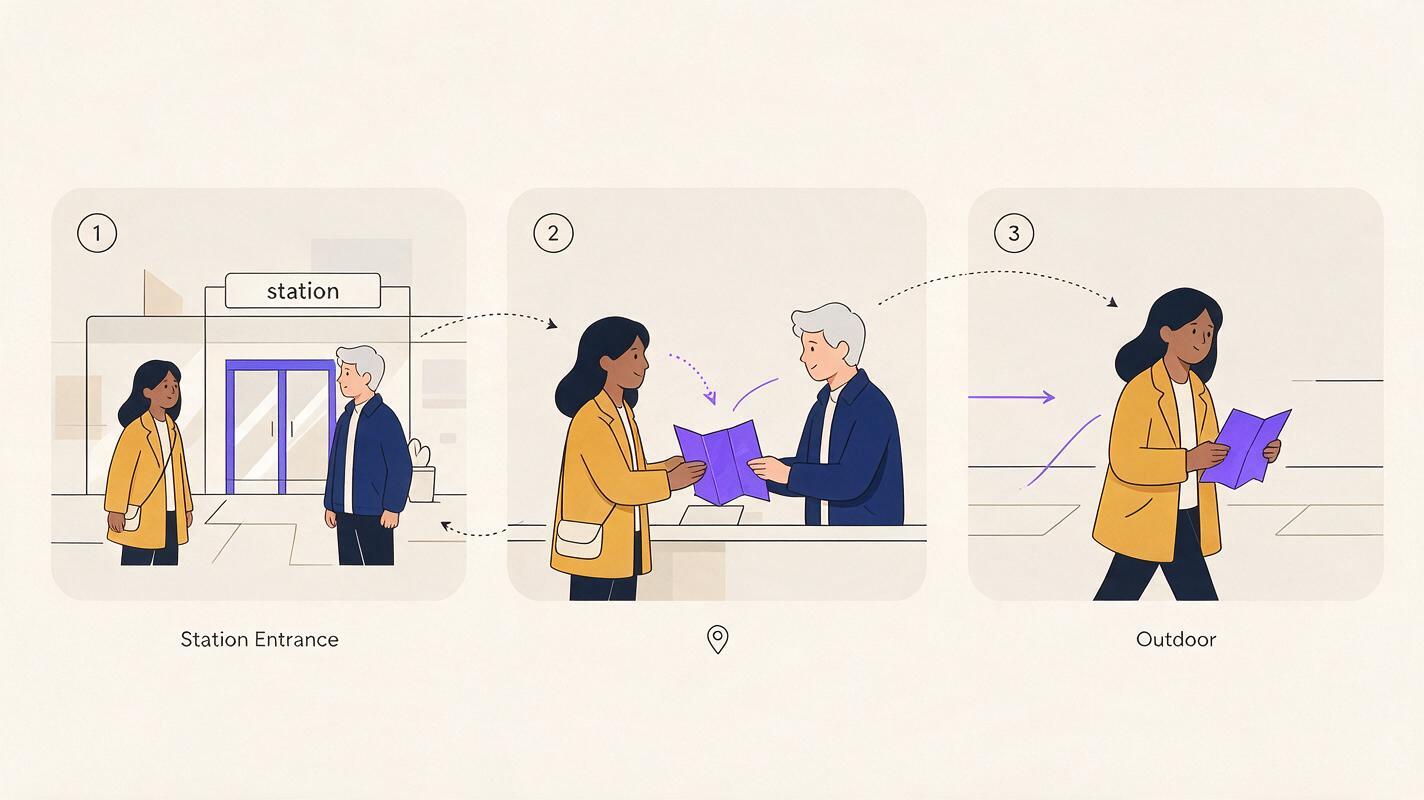
A storyboard reference should answer more than “what happens next?” For every shot, note who appears, where they stand, what they wear, and which object belongs to whom. This is especially useful when A and B cross the frame or exchange an object.
| Shot | Blocking and action | Identity checks |
|---|---|---|
| 1 — station entrance | A stands screen left; B approaches from the right. | A: dark bob and mustard coat. B: silver hair and navy jacket. |
| 2 — counter | B hands a folded map to A; camera moves closer. | Map changes hands; faces and jackets do not. |
| 3 — outside | A leads; B follows in a wider shot. | Same silhouettes and wardrobe despite different light. |
Keep the distinction between identity continuity and story continuity. The map should move from B to A after the handoff; B’s jacket should not move with it. If the script calls for a wardrobe change, name the change explicitly in the shot plan instead of letting it happen accidentally.
Step 4 — Prompt one shot at a time, with both identities named
Use the same compact identity block in every shot, including shots where only one character is visible. Naming the absent character in a “not in frame” note can help keep the assignment unambiguous in your production records, although the generator’s handling of that note will vary.
SHOT 2 OF 3 — counter, medium two-shot
A (Mara): short dark bob, square jaw, mustard raincoat.
B (Ivo): close-cropped silver hair, narrow face, navy work jacket.
Use the approved character reference for A only for Mara and
B only for Ivo, if the tool supports character-bound references.

Action: Ivo, on camera right, hands a folded paper map to
Mara, on camera left. Mara receives the map with her right hand.
Camera: steady medium two-shot; both faces visible.
Continuity: retain each person's face, hairstyle, build,
and jacket. Only the map changes owner.
Avoid: swapping faces, merging hairstyles, exchanging jackets,
adding a third person, changing the map into another object.
For Shot 3, copy the identity lines unchanged, update the location and blocking, and state that Mara now carries the map. If a close-up obscures a signature jacket, check the face and hair against the approved reference rather than judging identity by costume alone.
When your workflow is ready, assemble a short two-character sequence and review its frames against the sheets before expanding it into a longer story.
Step 5 — Review failures before accepting the sequence
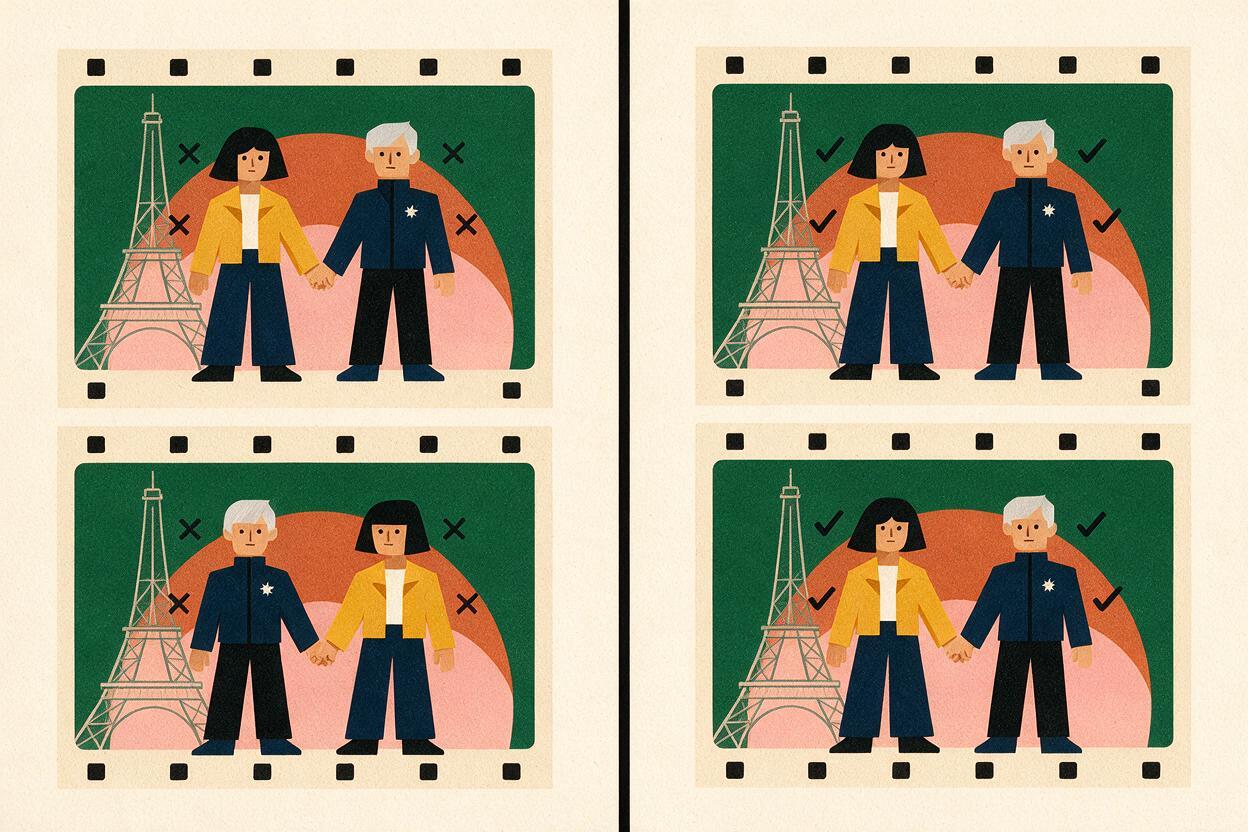
Inspect a clear frame from the beginning, middle, and end of each shot, plus the cut between shots. Compare A to A’s reference and B to B’s reference separately. A frame can look coherent on its own while breaking continuity with its neighbors.
| Failure | What to check | Practical fix |
|---|---|---|
| Faces appear swapped | Are both identities explicitly bound to names and positions? | Restate each face anchor and screen position; regenerate the affected shot. |
| Characters converge into one look | Are their anchors too similar or too vague? | Choose more distinguishable silhouettes and approved references. |
| Wardrobe changes at a cut | Was clothing placed in every relevant shot record? | Repeat the garment specification; mark any intentional change. |
| Prop ownership is wrong | Does the storyboard track the handoff? | Name the owner before and after the transfer in separate shot notes. |
| One angle looks like a new person | Does the face still match a three-quarter reference? | Review alternate approved views; revise or regenerate only that shot. |
Avoid “fixing” a failed middle shot by changing the character sheet to match it. The approved identity is the standard; the drifting shot is the exception. Keep the shot only if its differences are intentional and recorded.
FAQ
Can I use one image showing both characters as the reference?
You can use it as a composition reference, but separate approved character images make it easier to check which face and wardrobe belong to whom. Whether a tool can bind identities within one image depends on its documented controls.
What if a character changes clothes between scenes?
Keep facial and body anchors in the permanent sheet. Put the new outfit in the shot plan, specify the shot where the change occurs, and check that later shots retain it.
How do I keep the same face across video when lighting changes?
Compare stable facial features against the approved reference rather than matching brightness or color exactly. Check more than one frame if motion blur or shadow hides the face.
Final checklist
- Give A and B separate sheets, approved references, and unmistakable identity labels.
- Record who appears, where they stand, and who owns each prop in every shot.
- Keep identity lines stable while changing only the planned action and setting.
- Review faces, silhouettes, wardrobe, and handoffs across cuts; redo drifting shots rather than redefining the characters.
Keywords
multi-entity consistency, consistent character across scenes, character reference, multi-shot continuity, storyboard reference, character sheets, keep the same face across video
Decision: WATCH — The article avoids unverified product claims, but the full keyword sheet and universal SEO guide were not available in the supplied background for a final compliance check.