Nano Banana Pro Prompts for Flat Lays Without Duplicate Products
Learn how to generate cosmetic product flat lays without duplicated bottles, swapped caps, incorrect product counts or inconsistent packaging. This guide provides a reference-led Nano Banana Pro workflow, reusable prompts and a practical quality-control checklist for beauty campaign images.
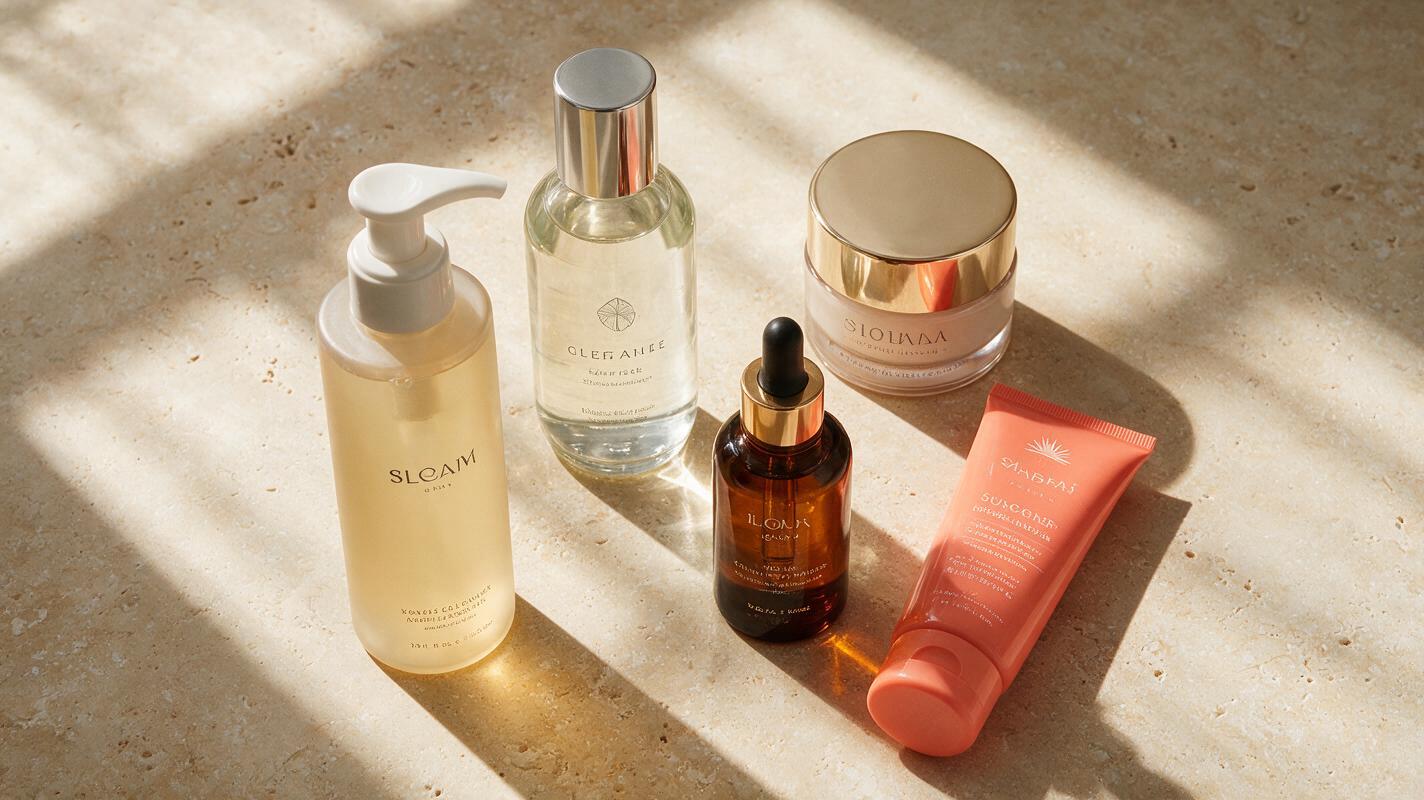
Table of contents
Build a flat lay that keeps every product unique
A cosmetic flat lay fails quickly when the image contains two identical serum bottles, a lipstick with the wrong cap or six products when the brief specified five. The scene may look polished at first glance, but those inventory errors make it unusable for a product launch, bundle promotion or retailer listing.
The reliable approach is to treat the image as a controlled arrangement rather than asking AI to invent a crowded beauty scene. Use clear product references, assign every item a fixed position and describe the packaging differences that must remain visible. This guide applies that method with Nano Banana Pro and includes prompts for skincare sets, makeup collections and mixed beauty bundles.
Production note: AI-generated labels and packaging should be reviewed against approved brand artwork. For regulated claims, ingredient text, barcodes and final retail pages, composite the original packshot or approved label artwork during finishing.
Why cosmetic flat lays produce duplicate packaging
Flat lays combine several visually similar objects in one frame. A cleanser and toner may use matching cylindrical bottles. Three lipsticks may share the same tube but require different cap colors. When a prompt describes the collection as a general category, the model has little reason to preserve the exact inventory.
Duplication becomes more likely when the request includes:
- Vague quantities: phrases such as “a selection of skincare products” provide no fixed count.
- Near-identical containers: repeated pumps, droppers or lipstick tubes can merge into a single visual pattern.
- Crowded overlaps: hidden bases and caps make it difficult to verify whether each package is complete.
- Conflicting styling: instructions for scattered props, splashes, flowers and dramatic shadows compete with product accuracy.
- Uncontrolled revisions: asking for a new composition during every edit can change products that were already correct.
Nano Banana Pro is best used here as a reference-led ai image generator: establish the inventory visually, lock the composition in language and edit only the faulty region when possible.
Prepare a reference board with one source per product
Start with clean photographs of the real products. Each package should be upright, evenly lit and visible from the angle required in the final composition. If the campaign includes five products, provide five clearly separated references rather than one overlapping group photograph.
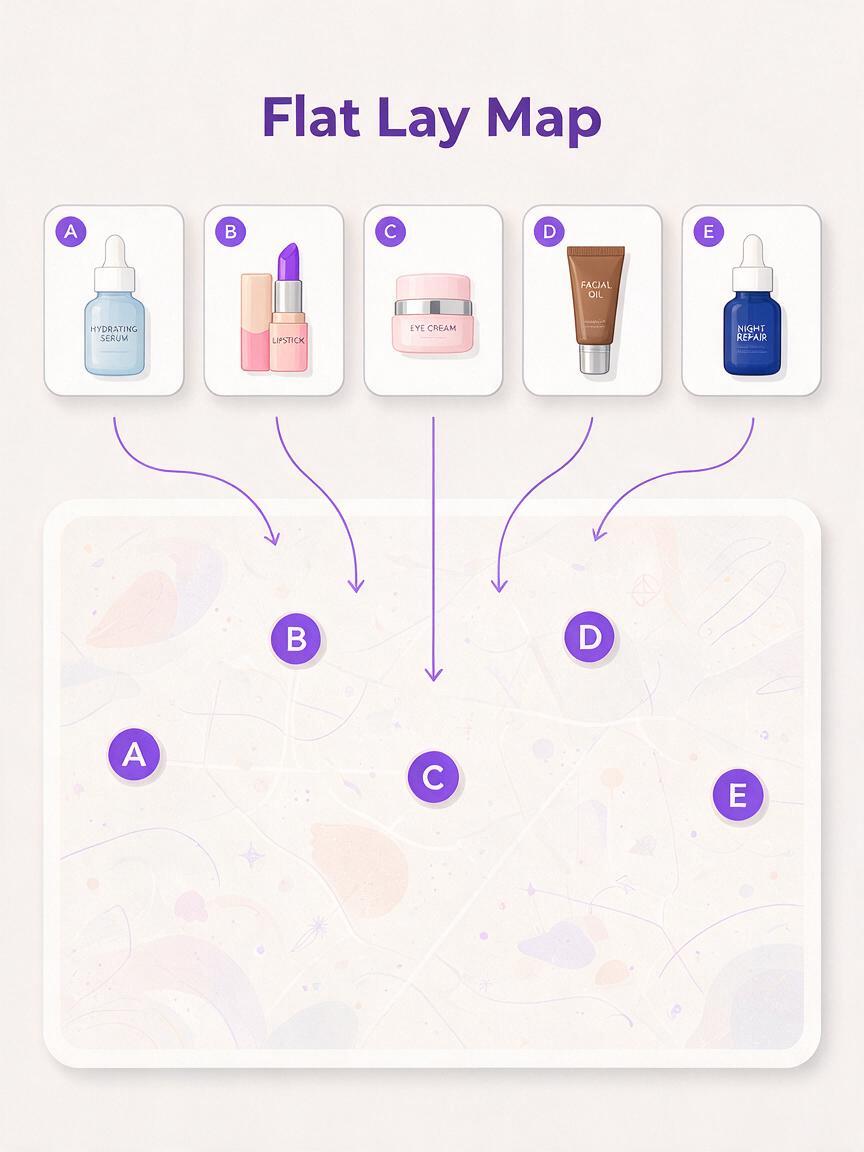
Create a simple reference board containing:
- one isolated image for every product;
- a short identifier such as A, B, C, D and E;
- the required product count;
- the defining feature of each package;
- a rough placement map for the final image.
| Identifier | Product | Feature that must remain distinct | Planned position |
|---|---|---|---|
| A | Cleanser | Tall ivory pump bottle | Upper left |
| B | Toner | Clear bottle with silver cap | Upper right |
| C | Serum | Amber dropper bottle | Center |
| D | Moisturizer | Low round jar | Lower left |
| E | Sunscreen | Flat coral tube | Lower right |
This inventory language gives every object a visual role. It also makes review faster: instead of saying “the products look wrong,” a marketer can report that Product C was duplicated or Product E lost its cap.
Use an inventory-locked prompt structure
A strong flat-lay prompt should define the exact count before discussing lighting, props or mood. Follow the inventory with placement, packaging constraints, surface treatment and exclusions.
Create a top-down cosmetic product flat lay using the supplied product references.

INVENTORY: exactly five products, one instance of each reference A, B, C, D and E. Do not add, remove, repeat, merge or replace any product.

PLACEMENT: A at upper left, B at upper right, C in the center, D at lower left and E at lower right. Leave visible negative space between every package. No product overlaps another product.

PACKAGING: preserve each product's original container shape, cap type, material, color proportions and relative size. Keep every cap attached. Front labels face the camera.

ART DIRECTION: warm limestone surface, soft window light from the left, restrained natural shadows, premium skincare editorial photography, neutral cream and coral palette.

PROPS: one small folded linen cloth near the edge and two subtle water droplets. Props must not touch or cover the products.

EXCLUDE: duplicate bottles, extra caps, floating packaging, merged containers, invented products, unreadable decorative text, cropped products and excessive reflections.
Position words such as “upper left” are more useful than asking for a “balanced arrangement.” Balance is subjective; coordinates provide a testable layout. Likewise, “exactly five products, one instance of each” is stronger than repeatedly writing “no duplicates” without defining the intended set.
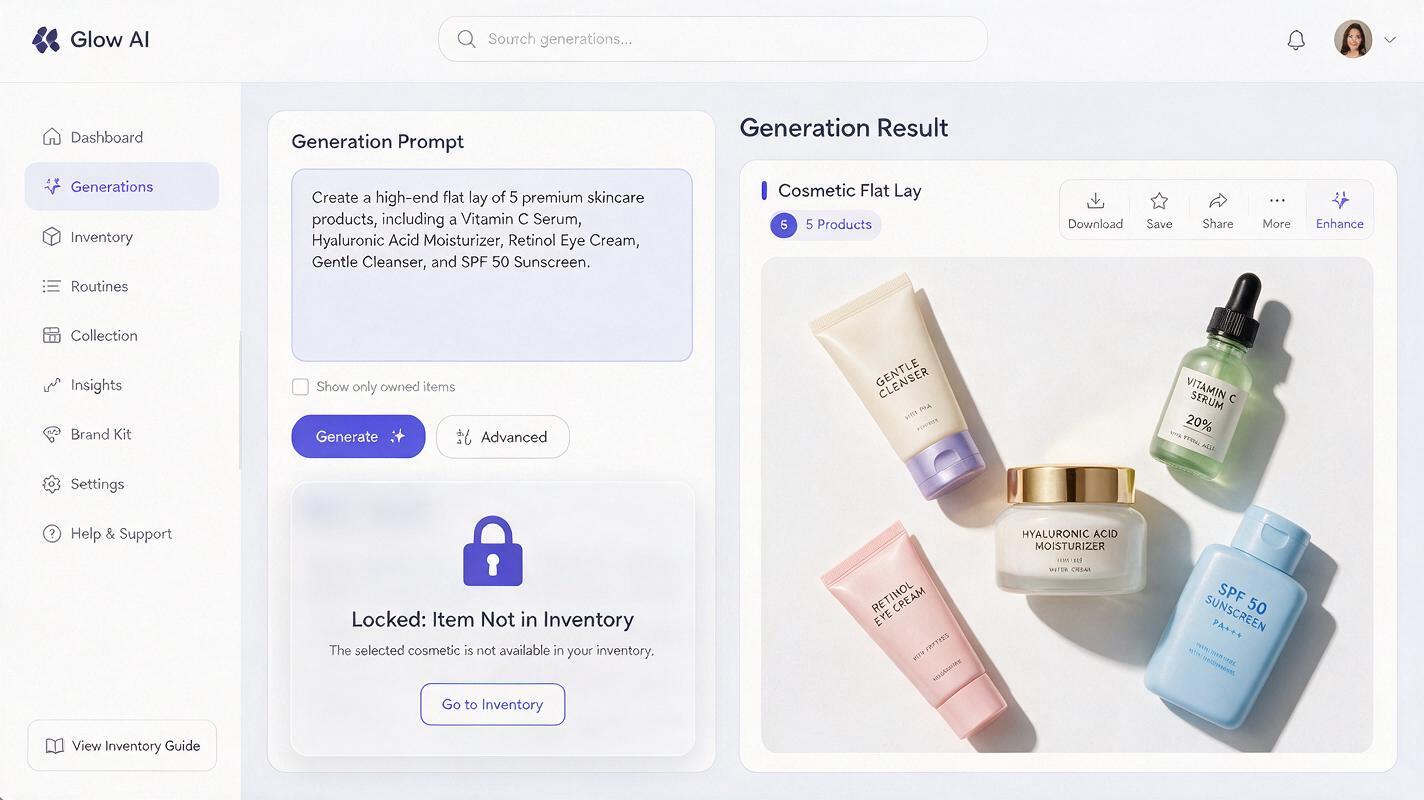
Adapt the prompt to the collection type
Skincare routine flat lay
Create a top-down morning skincare routine featuring exactly four supplied products: cleanser, vitamin serum, moisturizer and sunscreen. Show one instance of each product only. Arrange them from left to right in routine order with equal spacing. Preserve the unique pump, dropper, jar and tube packaging. Pale travertine surface, soft morning window light, delicate realistic shadows, one clean white towel at the far edge. No duplicate containers, loose caps, spilled formula, flowers, ingredient props or additional products.Lipstick shade collection
Create an editorial flat lay featuring exactly six supplied lipstick references. Include one tube for each shade and keep all six shade colors distinct. Arrange the closed tubes in two straight rows of three, with each cap matched to its original base. Preserve the packaging dimensions and finish. Deep burgundy paper background, controlled studio lighting, subtle shadows, luxurious campaign styling. No repeated shades, mismatched caps, open lipstick bullets, extra tubes or overlapping products.Mixed beauty gift bundle
Create a top-down beauty gift bundle using exactly five supplied products: one perfume bottle, one mascara, one cream blush compact, one lipstick and one hand cream tube. Place each item fully inside an open rectangular gift box with visible separation. Preserve the individual scale, silhouette, closure and material of every reference. Soft champagne tissue paper, diffused studio light, refined holiday mood without seasonal text. No duplicate products, replacement packaging, loose lids, hidden items, ribbons covering labels or objects outside the box.If you need additional campaign formats, use the approved master image as the reference and ask the model to extend the background or adjust the crop. Do not regenerate the entire inventory merely to obtain a square or vertical version.
Correct one faulty product without rebuilding the scene
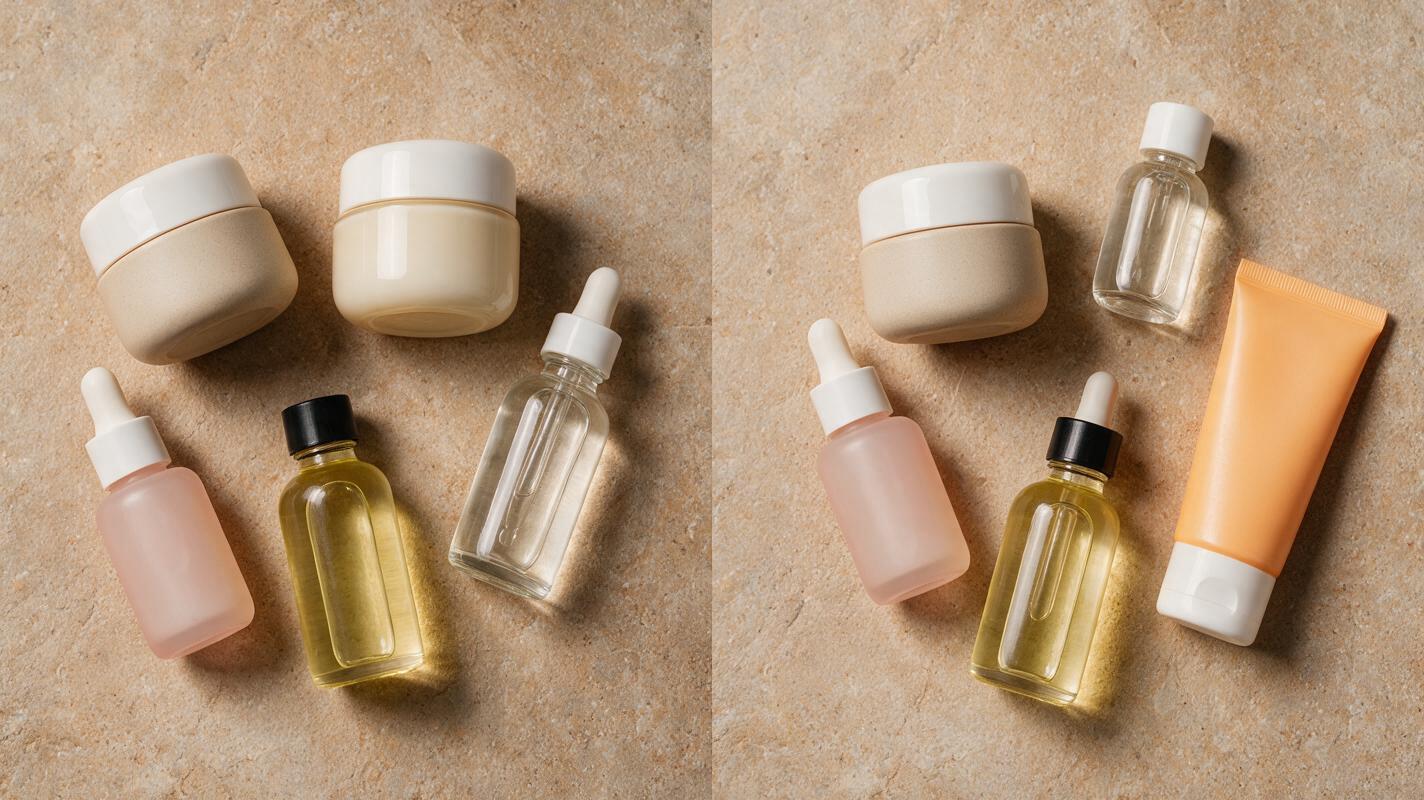
When four products are accurate and one is duplicated, a full rerender introduces unnecessary risk. Use a local correction request that identifies the faulty position and states what must remain unchanged.
Edit only the product in the lower-right position. Replace the duplicated jar with supplied reference E, the flat coral sunscreen tube. Preserve the tube's silhouette, cap, color proportions and relative size. Keep all other products, spacing, camera angle, background, shadows, props and lighting unchanged. Do not redesign or move any correct object.This is also the safer method for a swapped cap, distorted dispenser or incorrect package color. Make one narrow correction, review it and save an approved version before attempting another edit. When using ai image generation for a campaign family, that approved image becomes the visual source for subsequent crops and background variations.
Match the fix to the visible failure
| Failure | Likely prompt weakness | Targeted correction |
|---|---|---|
| A product appears twice | The inventory was described as a category | Declare an exact count and one instance per reference identifier |
| A bottle disappears | Products overlap or sit under props | Require visible separation and prohibit occlusion |
| Caps move between products | Closures were not treated as product-specific | Describe each cap type and require attached original closures |
| Package proportions change | Relative scale was left open | Name the tallest, shortest, widest and narrowest items |
| A correction changes the whole layout | The edit request restated the full creative brief | Identify one region and explicitly lock every other element |
| Labels look convincing but are inaccurate | The model was asked to recreate detailed copy | Composite approved artwork during final production |
Do not hide structural errors with petals, foam or ingredient props. Decorative objects can make a draft feel complete while obscuring duplicated packaging. Verify the clean product arrangement first, then introduce one prop category at a time.
Review the flat lay like a product catalog image
Inspect the full frame and a close crop of every package. A social feed preview can conceal duplicated caps, incorrect dispenser shapes and small phantom objects near the edges.
- Count: does the image contain the exact number of products in the brief?
- Identity: does each reference appear once and only once?
- Silhouette: are bottles, tubes, jars and compacts shaped correctly?
- Closure: is every pump, cap, dropper or lid attached to the correct package?
- Scale: do the products maintain believable relative dimensions?
- Visibility: can the viewer see the complete boundary of every item?
- Brand artwork: have logos, claims and fine text been checked against approved files?
- Campaign continuity: do alternate crops preserve the same inventory and layout?
Approve product structure before judging mood. Lighting and surface color are easy to refine; a beautiful image with the wrong bundle is still the wrong image.
Final checklist
- Provide one clean reference for each cosmetic product.
- Assign a unique identifier and fixed position to every item.
- State the exact inventory count near the beginning of the prompt.
- Keep products separated until their shapes and closures are correct.
- Add restrained styling only after approving the clean arrangement.
- Repair isolated errors with local edits instead of full rerenders.
- Replace critical packaging text with approved brand artwork.
- Save the approved master before creating new aspect ratios.
Ready to build a controlled product bundle? try these models for free with the inventory-locked prompt, then compare every output against your product reference board.
Keywords
nano banana pro, cosmetic product flat lay, beauty product image, cosmetic product photography, ai beauty generator, beauty campaign ai, product photography prompts