Nano Banana Pro Prompts for Accurate Fraction Model Worksheets
Create clearer fraction worksheets with prompts designed for accurate partitions, counts, shading, and number-line placement. This guide includes reusable Nano Banana Pro prompts, a practical review method, and targeted fixes for common mathematical errors.
Table of contents
Make fraction visuals students can actually trust
A fraction worksheet fails when the picture contradicts the mathematics: one region is larger than the others, five objects appear instead of six, or a number-line marker lands between the wrong ticks. Nano Banana Pro can help produce polished lesson visuals, but visual quality does not guarantee mathematical accuracy. The safest method is to define the mathematical claim first, generate one model at a time, and verify every count and partition before placing the image in a worksheet.
Use nano banana pro for the visual asset, then add equations, instructions, and answer fields in your normal slide or worksheet editor. This separation gives you more control over typography and makes mathematical corrections less expensive.
Accuracy rule: Treat every generated fraction model as an unverified draft. Count the parts, compare their sizes, and confirm the represented value yourself.
Choose the mathematical claim before the art style
Start by writing exactly what the image must prove. “Create a fraction picture” is too vague. A useful specification identifies the whole, the number of equal parts, the selected parts, and the representation type.
| Representation | Best for showing | Main generation risk |
|---|---|---|
| Area model | A whole partitioned into equal regions | Unequal regions or merged boundaries |
| Set model | A fraction of a countable collection | Wrong object count or accidental grouping |
| Number line | Magnitude, order, and distance from zero | Uneven intervals or misplaced markers |
| Length model | Repeated units and measurement | Segments with inconsistent widths |
Also decide whether the worksheet asks students to identify, construct, compare, or explain a fraction. An identification task can show the completed shading. A construction task should present an unshaded partition so students supply the answer.
The prompt structure that protects the fraction
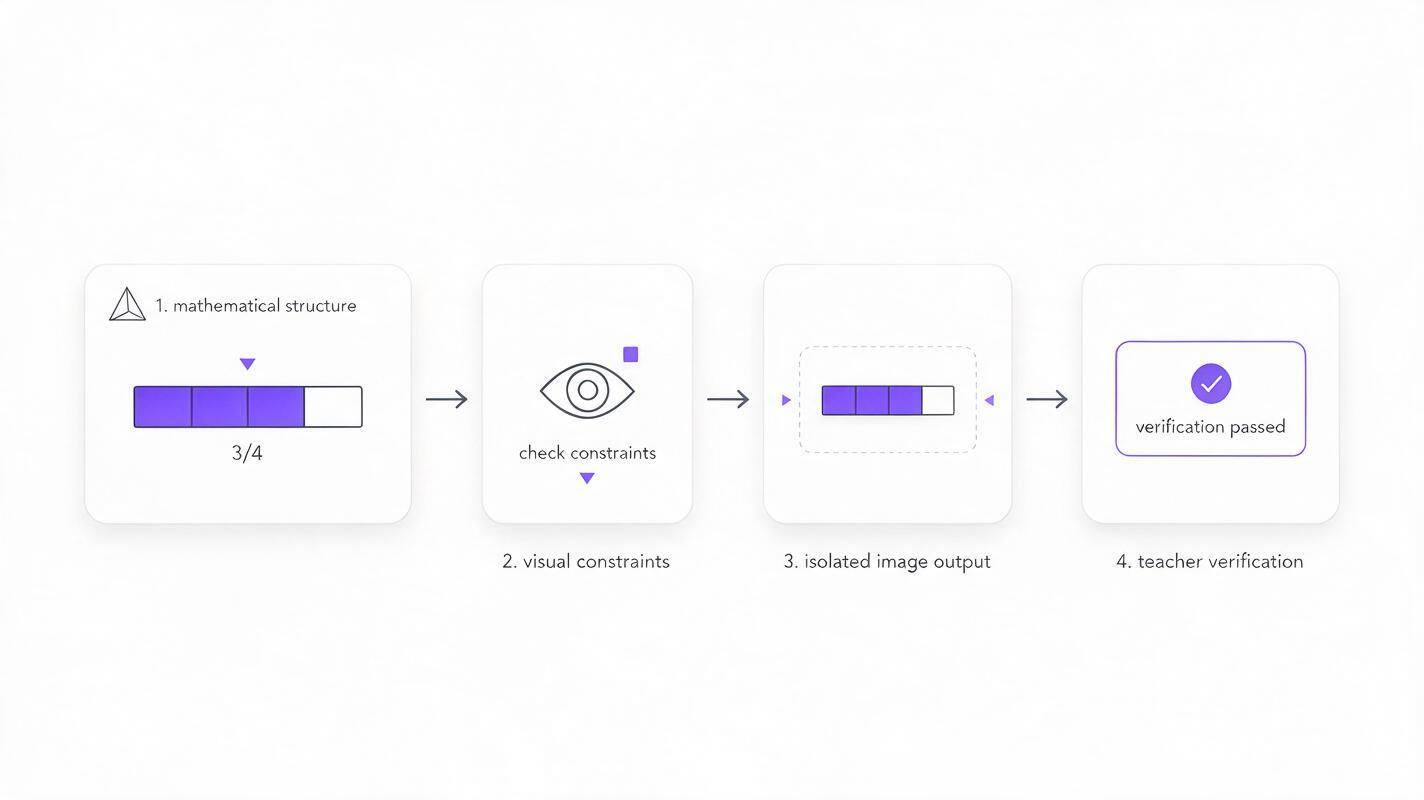
A reliable prompt describes the mathematical structure before color, texture, or classroom style. Treat the ai image generator as an illustrator following a tightly constrained diagram brief, not as the authority deciding whether the result is correct.
Create a clean educational fraction model for [grade level].

MATHEMATICAL STRUCTURE:
- Representation: [area model / set model / number line]
- Whole: [exact definition of one whole]
- Total equal parts or objects: [denominator]
- Selected parts or objects: [numerator]
- Required relationship: [what the learner should notice]

VISUAL CONSTRAINTS:
- All partitions must be visibly equal in size
- Use one solid color for selected parts
- Use white for unselected parts
- Use dark, uniform outlines
- Keep every object fully visible and separated
- No decorative objects, labels, equations, fractions, or extra marks
- Flat front-facing educational diagram on a plain white background

OUTPUT:
One isolated worksheet-ready visual with generous margins.
The instruction excluding labels is deliberate. Generated text can introduce incorrect numerals or visual clutter. Add “3/4,” question wording, and accessibility descriptions later in an editable document.
Prompts for equal-part area models
Area models are useful for introducing part–whole relationships, but they require genuinely equal regions. Rectangular grids are generally easier to inspect than decorative objects or irregular shapes.
Three-fourths rectangle
Create a precise elementary mathematics worksheet diagram. Show one horizontal rectangle representing one whole, divided by three straight vertical lines into exactly four equal rectangular sections. Fill exactly three sections with solid blue and leave exactly one section white. Use uniform dark outlines and equal section widths. Flat front-facing view, centered on a plain white background, generous margins. No text, numbers, symbols, shadows, perspective, patterns, or decoration.Two-thirds comparison pair
Create two separate fraction bars aligned vertically. Each bar represents one equal-sized whole and is divided into exactly three equal sections. In the upper bar, shade exactly two sections green. Leave the lower bar completely unshaded for a student response. Make both bars identical in total length, height, partition positions, and outline weight. Plain white background. No labels, equations, arrows, perspective, or decorative elements.Inspect the boundaries at high zoom. If one section is wider, do not accept the image simply because the overall answer appears recognizable. Unequal partitions undermine the definition of a fraction.
Prompts for countable set models
Set models shift attention from divided shapes to selected members of a collection. They work well for questions such as “What fraction of the counters are red?” Their main weakness is count drift.
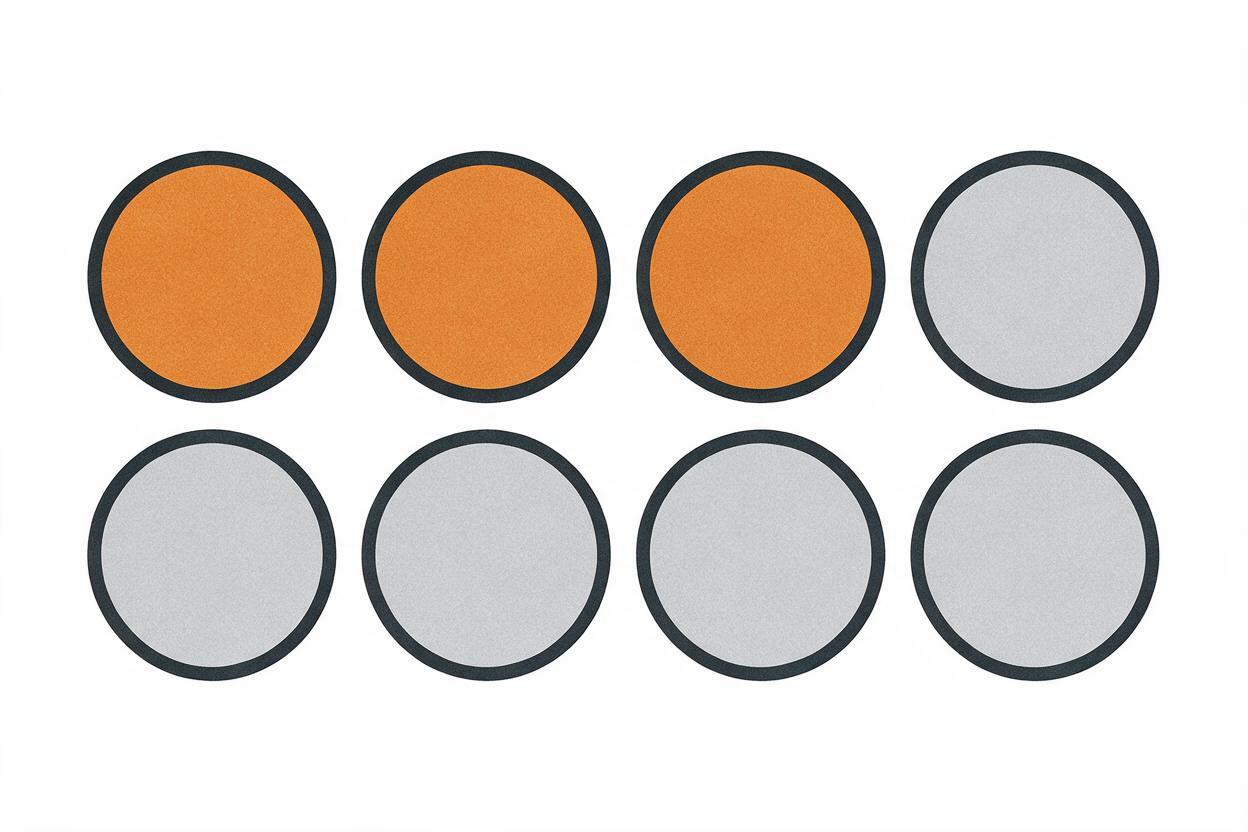
Create a worksheet-ready set model containing exactly eight identical circular counters arranged in two straight rows of four. Exactly three counters are solid orange. Exactly five counters are light gray. Every counter has the same diameter and outline. Keep clear, equal spacing so all eight counters can be counted individually. Orthographic front view on a plain white background. No extra counters, partial objects, labels, numerals, fractions, shadows, or decoration.Count from left to right twice: once for the total and once for the selected subset. Check that the prompt has not produced a ninth object near an edge or fused two counters into one shape. For younger learners, use regular rows rather than scattered arrangements unless subitizing or counting strategy is part of the lesson.
Prompts for evenly spaced number lines
Number lines represent fractions as numbers, not merely pieces of a shape. They are especially valuable for magnitude and equivalence lessons, but small spacing errors can change the answer.
Create a precise horizontal number line from 0 to 1. Include endpoint ticks at 0 and 1 and exactly three evenly spaced interior ticks, creating four equal intervals. Place one solid purple point directly above the third interior tick, representing three-fourths of the distance from 0 to 1. Use a straight black line and ticks of uniform height. Plain white background, wide layout, no perspective, no arrows, no additional ticks, no fractions, and no text except the endpoint numerals 0 and 1.Even when the image looks balanced, measure the intervals in your editor. If the distances differ, rebuild the number line with native shape tools instead of asking the model for repeated corrections. AI generation is most useful when it saves production time without weakening the mathematical representation.
Keep worksheet text outside generated art
Generate the model as an isolated visual, then assemble the instructional layer separately. A practical worksheet composition can include:
- Instruction above the image: “Write the fraction represented by the shaded parts.”
- Generated model in the center: free from embedded labels or equations.
- Response field below: an editable fraction bar, text field, or writing line.
- Accessible description: concise alternative text stating the visible structure without revealing an answer when that would invalidate the activity.
Keep answer choices and fraction notation as editable text. This makes it easier to change language, font size, contrast, or difficulty without regenerating the illustration.
Diagnose the mistake before rewriting everything
| Problem | Likely cause | Targeted correction |
|---|---|---|
| Wrong number of parts | The denominator appeared only in a descriptive sentence | Repeat “exactly [number] equal sections” in the structural constraints |
| Unequal partitions | The prompt requested a decorative or perspective view | Use a rectangle, front-facing view, straight dividers, and no perspective |
| Too many selected objects | The total and subset were not stated separately | Specify the total, selected count, and unselected count |
| Number-line point is misplaced | The model prioritized visual balance over interval logic | State the exact number of equal intervals and identify the target tick by position |
| Extra text appears | The model inferred a complete worksheet design | Add “no text, labels, equations, fractions, or symbols” |
| Busy classroom decoration | Styling language outweighed the diagram requirements | Request one isolated visual on a plain white background |
Change only the part of the prompt connected to the error. Adding a long list of unrelated negative instructions can make the brief harder to follow and obscure the mathematical priority.
Build a reliable worksheet batch
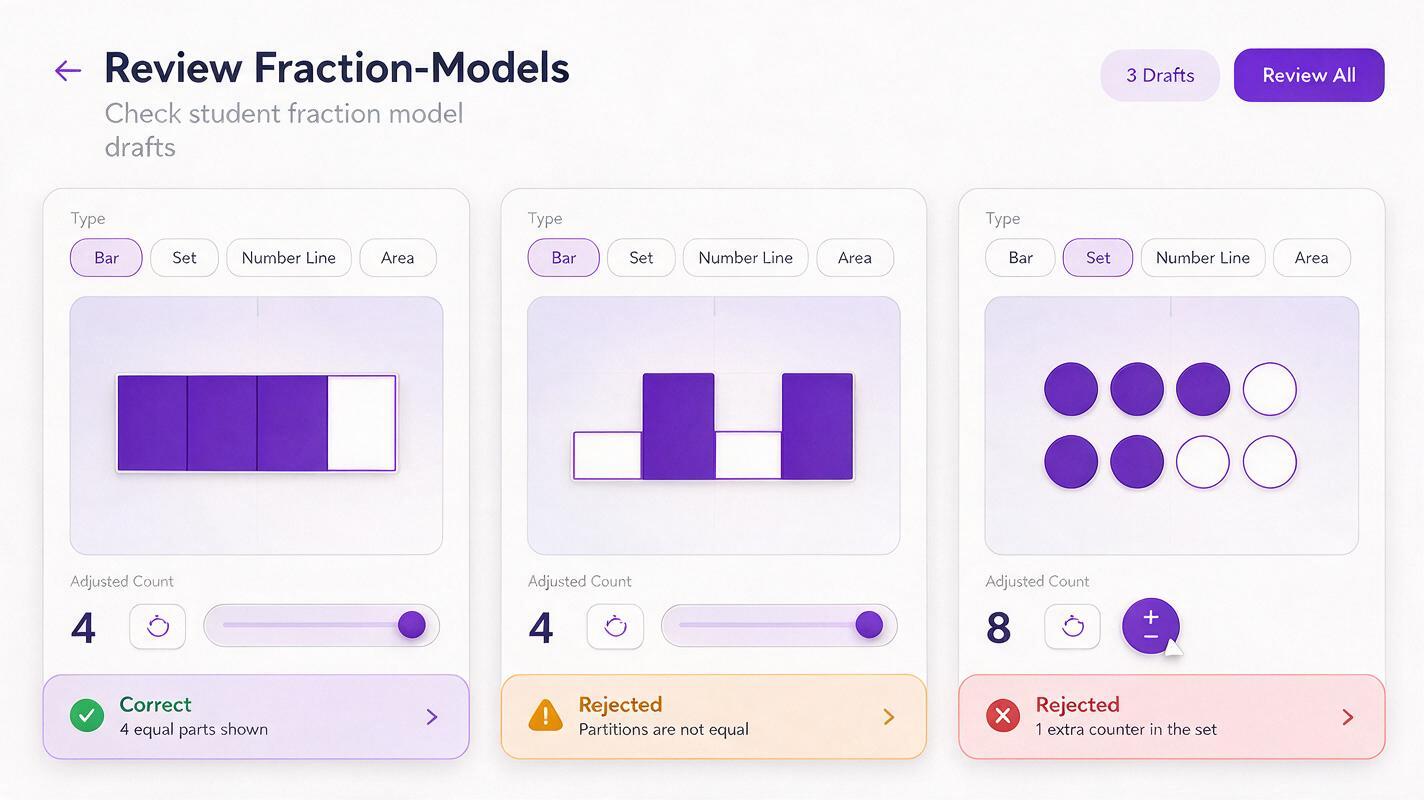
Once one visual passes review, preserve its wording as a template. Change only the numerator, denominator, color, or task type. Generate each item separately instead of requesting a full page of many models; individual assets are easier to count, replace, align, and reuse.
For a coherent worksheet set, keep these properties fixed:
- Canvas orientation and background
- Outline color and thickness
- Selected and unselected fill colors
- Viewpoint and lighting
- Margins and approximate scale
- Representation type within each exercise group
Vary the mathematical challenge rather than the decorative style. For example, move from identifying one-half to comparing two-thirds and three-fourths, then to locating both values on number lines. This progression keeps visual conventions stable while cognitive demand increases.
Teacher check: Ask, “Could a student infer a mathematically incorrect rule from this picture?” If the answer is yes, revise or rebuild the asset.
Final checklist
- The whole is clearly defined and fully visible.
- The total number of parts or objects matches the denominator.
- The selected amount matches the numerator.
- Every partition intended to be equal is visibly equal.
- Number-line intervals are measured, not merely estimated by eye.
- No extra objects, marks, labels, or misleading decoration appear.
- Equations and instructions remain editable outside the generated image.
- Color is not the only cue distinguishing selected and unselected elements.
- The final visual has been reviewed by a mathematically knowledgeable person.
When your specification is ready, test this prompt yourself and verify the resulting model before adding it to a lesson.
Keywords
nano banana pro, fraction model prompts, fraction worksheets, math lesson visuals, ai image generator, area models, number lines