Nano Banana Pro Prompts for Eyeshadow Palette Looks That Match Exact Shades
Generating AI eyeshadow looks that perfectly match the exact shades in a new palette is a common pain point for beauty brands launching new eye products. This guide shares reusable Nano Banana Pro prompts for creating consistent, shade-accurate eyeshadow look variations, from natural everyday styles to bold editorial looks, along with fixes for common AI issues like uneven pigment and distorted eye shape. Use these prompts to cut down photoshoot time and build a full look book for your palette launch in hours.
Table of contents
The problem with AI-generated eyeshadow palette looks
When launching a new eyeshadow palette, beauty brands need a full library of makeup looks to showcase every shade, finish, and wear style. But booking a makeup artist, model, and studio for 5+ look variations can cost thousands of dollars and take days of shooting — and generic AI tools often miss the mark entirely: shades don’t match the palette pans, eyes are uneven, pigment looks patchy, and the finish (matte, shimmer, metallic) is all wrong.
For small brands, independent makeup artists, and content creators who need fast, affordable look book assets, this gap kills launch timelines. The right AI tool with targeted prompts can cut that workflow down to a few hours, as long as you know how to lock in shade accuracy.
Why Nano Banana Pro works for shade-accurate eyeshadow looks
Nano Banana Pro is an ai image generator built for fine-grained color control and reference-based image creation, which makes it a strong fit for beauty work where exact shade matching matters. Unlike general-purpose models that prioritize creative flair over precision, it supports dual reference inputs — one for your palette and one for your model’s face — so you can preserve both the exact product shades and a consistent model identity across every look.
Its beauty-specific training data also handles fine details like eyeliner edges, shimmer particle size, and skin texture better than many generic models, reducing the amount of post-production touch-ups needed for campaign-ready assets.
Reference prep for perfect shade matching
Before you start generating looks, set up two reference files to eliminate guesswork for the model. Skipping this step is the #1 reason AI eyeshadow looks end up mismatched from your palette.
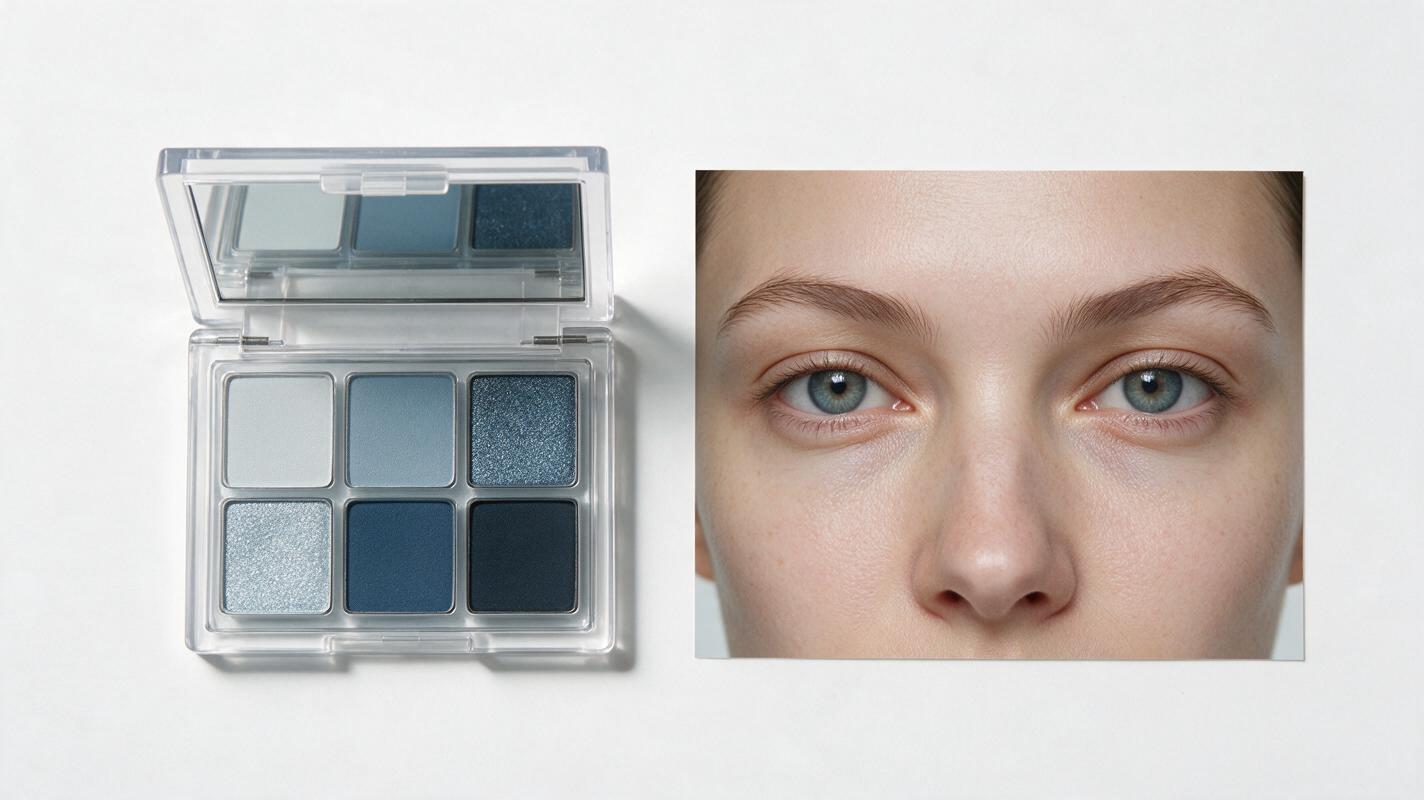
First, capture a flat, evenly lit photo of your open eyeshadow palette with all pans fully visible. Use neutral white light (5000K-6500K) to avoid color casts, and make sure there’s no glare on the pans. This reference will tell the model exactly what hues, saturations, and finishes to pull from.
Second, prepare a close-up portrait of your model (or a base face you want to use consistently) with neutral, eye-makeup-free skin, shot in the same lighting style you want for your final looks. If you’re creating social media assets, a soft natural light reference works best; for editorial campaigns, use a studio lighting reference.
When uploading references in Nano Banana Pro, set the palette reference weight to 0.7 and the face reference weight to 0.8 for the best balance of shade accuracy and facial consistency. Adjust the weights slightly if shades are off (increase palette weight) or the face looks distorted (increase face weight).
Reusable prompts for 4 common eyeshadow look styles
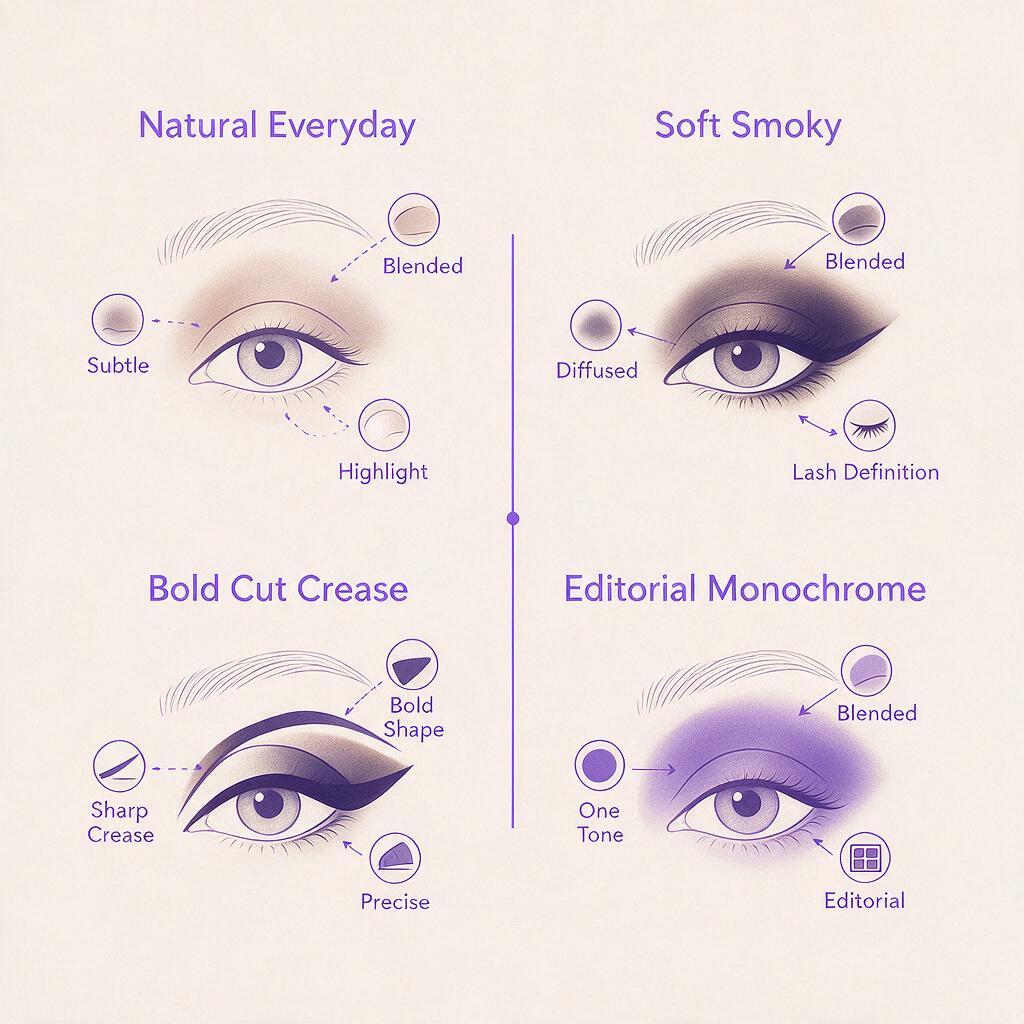
Below are customizable prompt templates for the most popular eyeshadow look styles for palette launches. Each template is built to work with your dual reference inputs, so you can swap in your palette name, shade count, and finish details to get on-brand results. test this prompt yourself with your own palette reference to see how close the shade match is on the first generation.
All prompts include guardrails to avoid common mistakes: explicit mention of the palette reference, symmetrical eyes, even pigment application, and clear finish specifications.
Natural everyday look
This soft, wearable look is perfect for product pages and everyday social media content, showcasing your palette’s most versatile neutral shades.
Close-up beauty portrait of [model reference] wearing a natural everyday eyeshadow look using only shades from [palette reference], soft warm neutral matte and satin finishes, even pigment application, symmetrical eyes, subtle winged brown eyeliner, curled natural lashes, dewy skin, soft natural window light, sharp focus on eyelid texture, beauty editorial photography, 4K
Swap "warm neutral" for your palette’s core tone (cool taupe, terracotta, pastel) and adjust finishes to match what’s in your palette.
Soft smoky eye
A slightly more dramatic look for evening wear content, ideal for showcasing deeper shades and shimmery accents.
Close-up beauty portrait of [model reference] wearing a soft smoky eyeshadow look using only shades from [palette reference], blended charcoal and taupe matte base with a champagne shimmer inner corner highlight, seamless blending, symmetrical eyes, thin black kohl liner, wispy false lashes, satin skin texture, studio soft box lighting, sharp focus on eye makeup, beauty campaign photography, 4K
For color palettes, replace charcoal and taupe with your deep base shade and light accent shade (e.g., deep plum and iridescent lilac).
Bold cut crease
A high-impact look for TikTok and Instagram Reels thumbnails, great for showing off bright or bold palette shades.
Close-up beauty portrait of [model reference] wearing a bold cut crease eyeshadow look using only shades from [palette reference], vivid cobalt blue matte cut crease line, glittery silver lid shade, sharp defined edges, perfectly symmetrical eyes, thick black winged liner, dramatic false lashes, matte skin, ring light lighting, social media beauty content, 4K
Adjust the cut crease and lid shade names to match your palette’s boldest shades, and swap "glittery" for metallic or shimmer depending on your formula.
Editorial monochrome
A high-fashion look for campaign hero assets and look book covers, using multiple shades of the same tone from your palette.
Close-up beauty portrait of [model reference] wearing an editorial monochrome eyeshadow look using only shades from [palette reference], gradient of terracotta matte shades from lash line to brow bone, subtle copper shimmer on the center lid, soft blurred edges, symmetrical eyes, no eyeliner, fluffy natural brows, porcelain skin, studio mood lighting, high fashion beauty editorial, 4K
This look works especially well for monochromatic palette launches, where all shades fall into one color family.
Fixing common AI eyeshadow mistakes
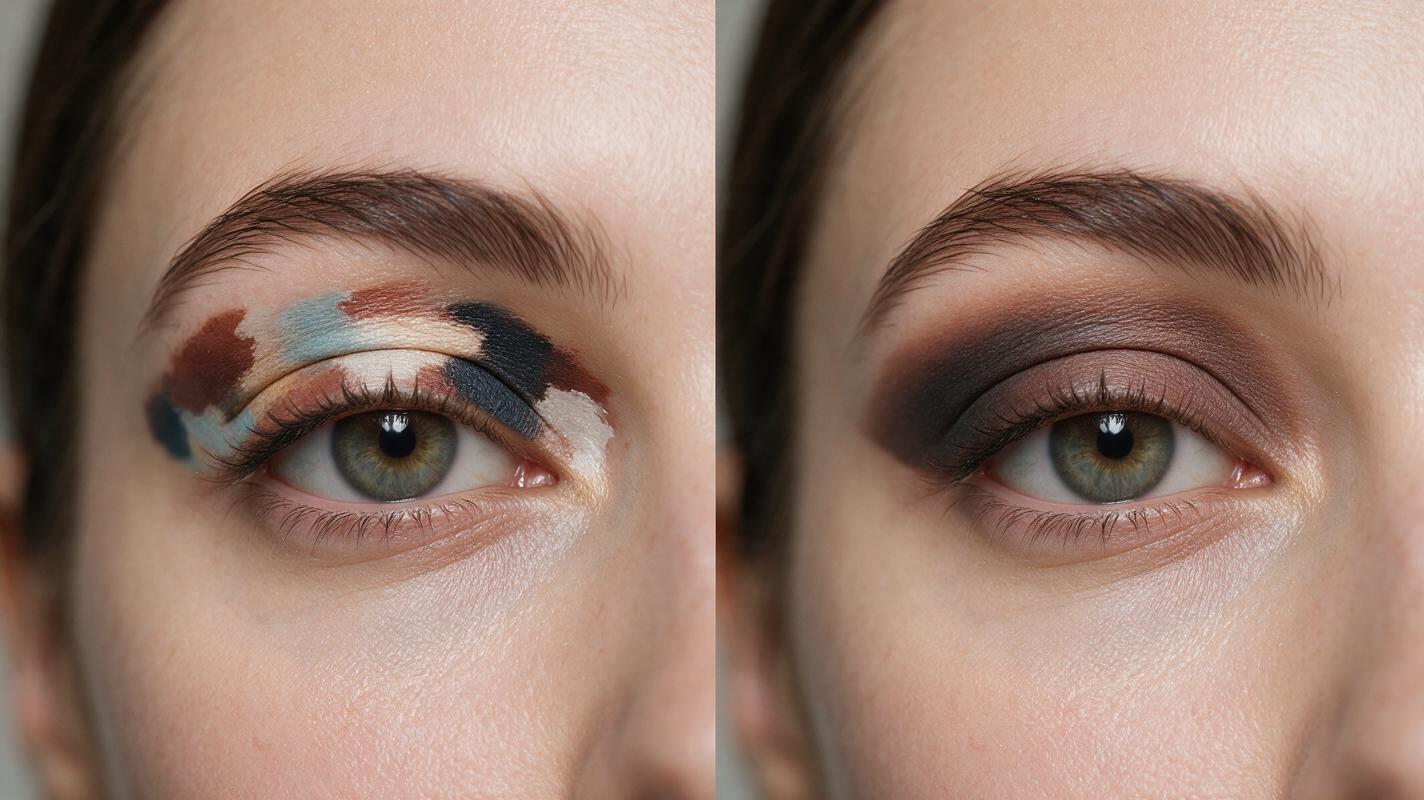
Even with good references and prompts, you may run into small issues with generated looks. Here are quick fixes for the most frequent problems:
- Mismatched shades: If the eyeshadow colors don’t match your palette pans, increase the palette reference weight by 0.1-0.2 and add the phrase "exact color match to [palette reference] pans" to the beginning of your prompt.
- Uneven eye symmetry: If one eye is shaped differently or the eyeshadow is applied unevenly, add "perfectly symmetrical left and right eyes, identical eyeshadow application on both eyes" to your prompt, and increase the face reference weight slightly.
- Patchy pigment: If the eyeshadow looks splotchy or sheer, add "even, fully pigmented eyeshadow application, no patchiness, no sheer spots" to your prompt, and specify the formula finish (matte, metallic, shimmer) more explicitly.
- Unrealistic false lashes: If lashes look spiky or distorted, replace "false lashes" with "natural-looking wispy false lashes, individual lash strands visible" or stick to "natural curled lashes" for a more low-key look.
- Eyeshadow bleeding into brows: If color smudges above the crease onto the brow bone, add "clean eyeshadow edges, no color bleeding onto brow bone, well-defined brow bone highlight" to your prompt.
Key takeaways
- Use dual reference inputs (palette + model face) in Nano Banana Pro to lock in both shade accuracy and consistent identity across all look variations.
- Start with a palette reference weight of 0.7 and face reference weight of 0.8, adjusting slightly if colors are off or the face is distorted.
- Add explicit guardrails to your prompts for symmetrical eyes, even pigment, and specific finishes to avoid common AI beauty mistakes.
- Build a full look book for your palette launch by generating 4+ core look styles, then tweak shades and finishes for additional variations.
Keywords
nano banana pro, eyeshadow palette looks, ai makeup generator, shade matching eyeshadow, beauty campaign ai, makeup look generator, eyeshadow look prompts