Nano Banana Pro Prompts for Consistent Classroom Visual Schedules
Create classroom visual schedule cards that keep the same child, setting, objects, and illustration style across an entire routine. These Nano Banana Pro prompts help educators reduce character drift, remove distracting details, and produce cards that remain clear at small sizes.
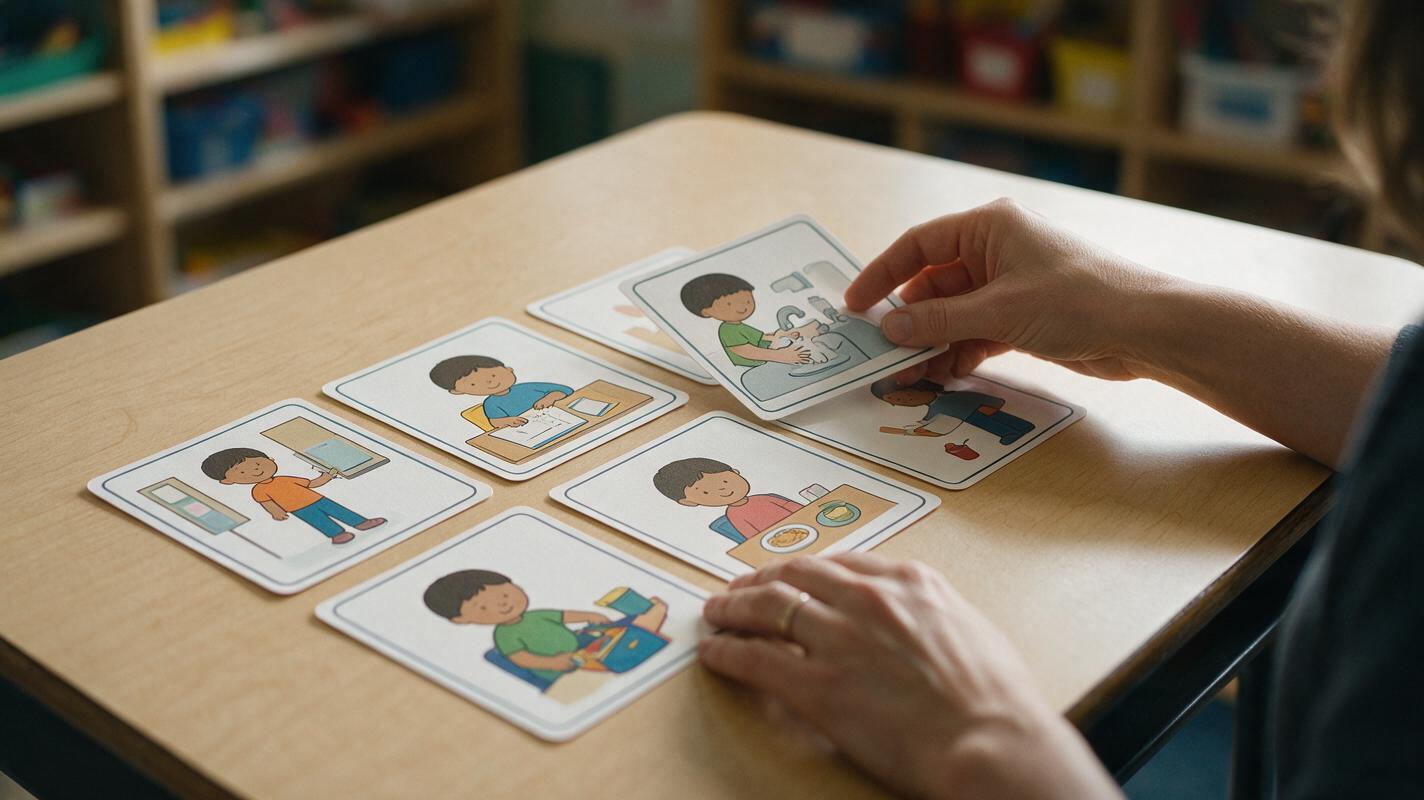
Table of contents
Create schedule cards that look like one coherent set
A classroom visual schedule becomes harder to follow when the student changes clothes between cards, the room suddenly looks different, or the important action disappears into background clutter. The solution is not a longer decorative prompt. It is a controlled reference, a fixed visual specification, and one clearly observable action per card.
This prompt method uses nano banana pro to create consistent routine cards for arrival, transitions, independent work, meals, hygiene, and dismissal. It is suitable for teachers, special education teams, course creators, and trainers who need a repeatable visual system rather than unrelated illustrations.
Design principle: a schedule card should answer “What happens now?” within a few seconds. It does not need to depict every object or person that might exist in the room.
Build a visual specification before writing prompts
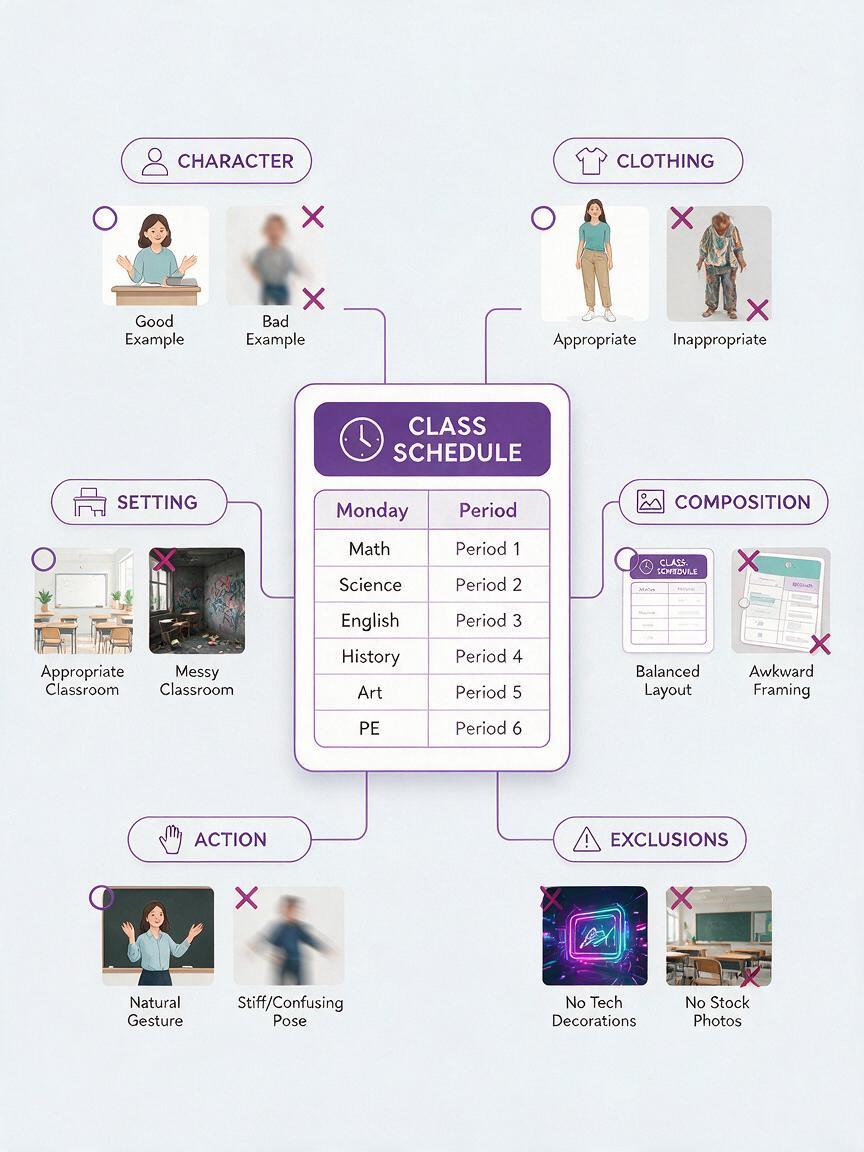
Start by deciding what must remain unchanged across the set. This specification acts as a compact style guide and prevents each new prompt from redesigning the lesson environment.
- Character: age range, hairstyle, clothing colors, mobility or communication aids, and neutral identifying features.
- Setting: classroom wall color, desk style, floor type, and one or two recurring landmarks.
- Rendering: flat educational illustration, soft 3D illustration, paper-cut style, or realistic photography-inspired art.
- Composition: centered subject, eye-level view, uncluttered background, and consistent framing.
- Action: one visible verb such as hang, sit, wash, open, carry, wait, or pack.
- Exclusions: no decorative text, speech bubbles, logos, crowded groups, or irrelevant classroom materials.
Choose details that help recognition without exposing a real learner’s identity. A fictional recurring character is usually safer than reproducing a student’s face. If a learner needs to recognize a particular room or device, use a simplified reference image and remove names, faces, timetables, and other private information before uploading it.
Create a neutral anchor card
The first image should establish the character and visual language without demanding a complicated action. A card showing the learner standing beside a cubby or sitting at a desk works well because the face, clothes, proportions, and room can be inspected clearly.
Create a clear classroom visual schedule card.

Recurring character: fictional primary-age student with short dark curly hair, teal sweatshirt, charcoal trousers, white shoes.
Setting: calm classroom with pale cream wall, light wood furniture, blue storage bins.
Action: the student stands beside one open cubby and places a plain backpack inside.
Composition: one character, full body visible, eye-level view, centered action, generous empty space, square format.
Style: friendly flat educational illustration, simple shapes, clean edges, restrained color palette.
Clarity: the backpack and cubby must be fully visible and must not overlap confusingly.
Exclude: written words, labels, logos, extra students, extra backpacks, decorative posters, dramatic expressions.
Inspect the result at the size learners will actually see. A card that looks clear on a large monitor may become ambiguous when printed at 5 cm wide or displayed in a small communication grid.
Change the action without redesigning the world
Once the anchor card is acceptable, reuse it as the visual reference for the remaining routine. Ask for a targeted action change while explicitly preserving the character, clothing, palette, setting, viewpoint, and rendering style. This reference-led approach is more controlled than asking an ai image generator to rebuild every card independently from text.
Use the supplied anchor image as the visual reference.
Keep exactly the same fictional student, facial design, hairstyle, teal sweatshirt, charcoal trousers, white shoes, illustration style, proportions, classroom palette, and eye-level camera.

Change only the action: the student sits at the same light wood desk and opens one plain workbook.
Make the opening action unmistakable: one hand holds the cover and the other steadies the book.
Remove the backpack and cubby from the main action area.
Keep the background minimal.
No readable text, no extra people, no additional tasks, no change of clothing.
The phrase “change only the action” is useful, but it is not enough by itself. Restate the high-value details because those are the features learners may use to recognize continuity.
Prompt patterns for common classroom routines
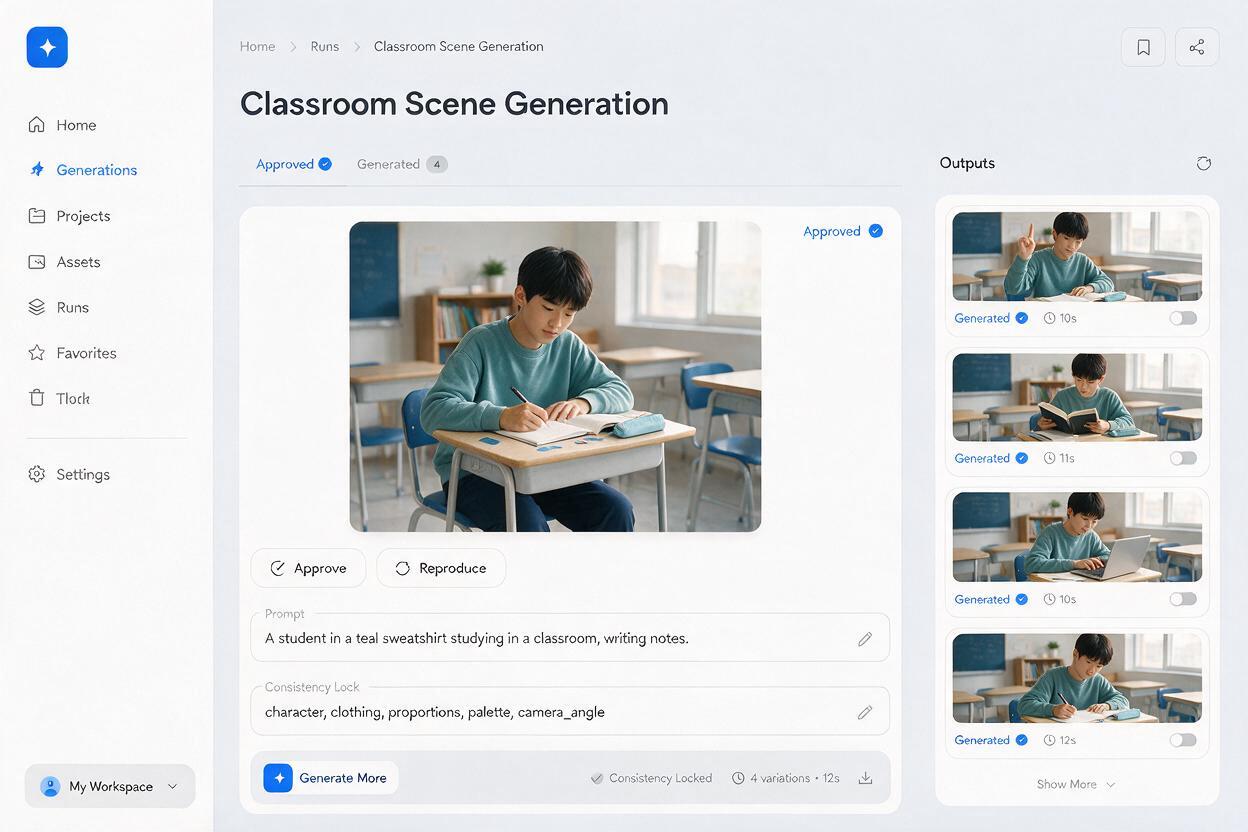
Each prompt below assumes that an approved anchor image is already attached. Replace the bracketed information with the actual routine while keeping the wording concrete and observable.
Transition to a new location
Preserve the recurring character and established visual style.
Show the student walking calmly from [starting location] toward [destination].
Show both locations using one simple visual landmark for each.
The student carries only [required object].
Use a side view so the direction of movement is obvious.
No running, crowd, motion streaks, arrows, text, or unrelated materials.
Wait for the next activity
Preserve the recurring character, clothing, proportions, and palette.
Show the student waiting in [specific waiting place].
Pose: feet still, hands resting naturally, body facing the activity area.
Expression: calm and neutral, not sad or frightened.
Include one relevant cue: [closed door, empty chair, or teacher preparing materials].
No clock unless time-reading is part of the lesson. No text or speech bubbles.
Complete a hygiene routine
Preserve the character design and illustration style.
Show only this action: [pressing the soap dispenser / rubbing soapy hands / drying hands].
Use a close medium view in a simple school wash area.
Both hands and the relevant object must be fully visible.
Show realistic object placement and safe body posture.
No additional hygiene stages, no floating objects, no brand labels, no written instructions.
Finish and pack away
Preserve the same student, desk, classroom colors, and camera height.
Show the student placing [specific learning material] into [specific container].
The material begins above the open container so the action is visually clear.
Show a tidy work surface with no competing task.
No celebration pose, no extra supplies, no text, no change to clothing or furniture.
Use separate cards when a routine contains several actions
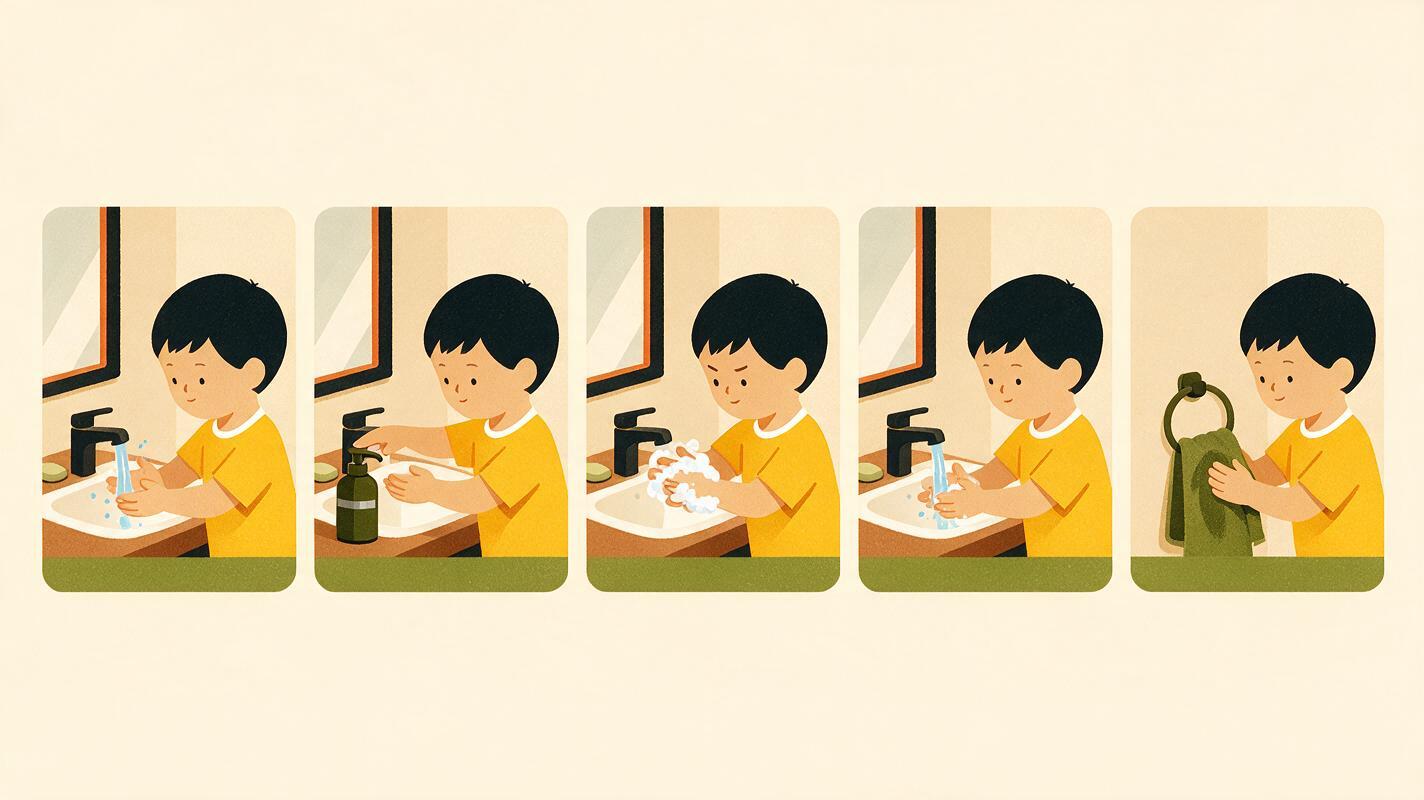
A common failure is trying to fit an entire sequence into one picture. “Wash hands” may actually require turning on water, wetting hands, applying soap, rubbing, rinsing, turning off water, and drying. Combining those moments can produce duplicated hands, contradictory object states, or an image that does not reveal what comes first.
| Routine type | Better card structure | Avoid |
|---|---|---|
| Simple transition | One card showing the destination and movement | Showing departure, travel, and arrival simultaneously |
| Short familiar task | One card for the defining action | Adding every minor hand movement |
| Safety or hygiene process | Separate card for each critical state change | Compressing safety-critical actions into one scene |
| Choice-based routine | Stable template with one option per card | Presenting several visually equal actions in one card |
Generate the complete set first, then place the images into the required order in a document, slide deck, learning platform, or communication system. Keep sequence numbers and written labels editable rather than asking the model to render them inside the pictures.
Fix the failures that make cards confusing
The character changes between cards
Return to the approved anchor instead of using the most recent generated card as the next reference. Repeatedly referencing outputs can compound small changes. Restate clothing colors, hairstyle, proportions, and rendering style, then request only one action change.
The pose does not communicate the verb
Describe contact between the body and the object. Replace “the student gets ready” with “the student holds the open coat with both hands and places one arm into a sleeve.” Prefer a camera angle that exposes the hands, tool, and result.
The background becomes busier
Name the two or three objects that belong in the scene and exclude the rest. “Minimal classroom” is subjective; “one desk, one chair, one closed storage unit, blank wall” is testable.
The card contains unreliable text
Generate the illustration without words. Add the routine label afterward using the same font, capitalization, and placement across the set. This also makes translation and vocabulary changes easier.
Important objects change shape or quantity
State the exact count and relationship: “one workbook with a blue cover, held open on the desk” or “two shoes placed side by side beneath the bench.” If quantity is instructional, verify it manually before using the card.
Review the schedule with the learner’s real task in mind
Visual consistency matters, but instructional usefulness matters more. Review every card with a colleague who understands the routine and, where appropriate, test the cards with learners before adopting them widely.
- Can the intended action be named without reading the label?
- Are the hands, tools, destination, and result visible?
- Does each card show only one main action?
- Are recurring people and objects recognizable across the set?
- Does the sequence match what actually happens in the classroom?
- Could any gesture, color, symbol, or facial expression be misinterpreted?
- Does the card remain legible when printed or displayed at its final size?
Generated schedule cards are drafts, not behavioral or accessibility assessments. Individualize the final set with the learner, family, and relevant support professionals when needed.
Final checklist
- Create one neutral anchor card before generating the full routine.
- Keep the character, palette, framing, and setting specification fixed.
- Show one observable action per card.
- Describe hand-object contact when the verb is visually ambiguous.
- Split safety-critical and multi-action processes into separate images.
- Add labels, numbers, and translations outside the generated artwork.
- Check accuracy, privacy, cultural fit, and small-size readability.
- When the specification is ready, create your own version and test it in the schedule’s real display format.
Keywords
nano banana pro prompts, classroom visual schedules, visual schedule cards, educational illustrations, consistent characters, lesson visuals, special education visuals