How to Create Natural Hair and Fabric Motion with Image to Video
Create believable wind-driven hair and clothing by starting from a motion-ready reference image, defining one directional force, and animating separate motion zones instead of asking for generic wind. This workflow includes reusable Seedance and Kling prompts, model comparison criteria, and repair options for facial drift or difficult body movement.
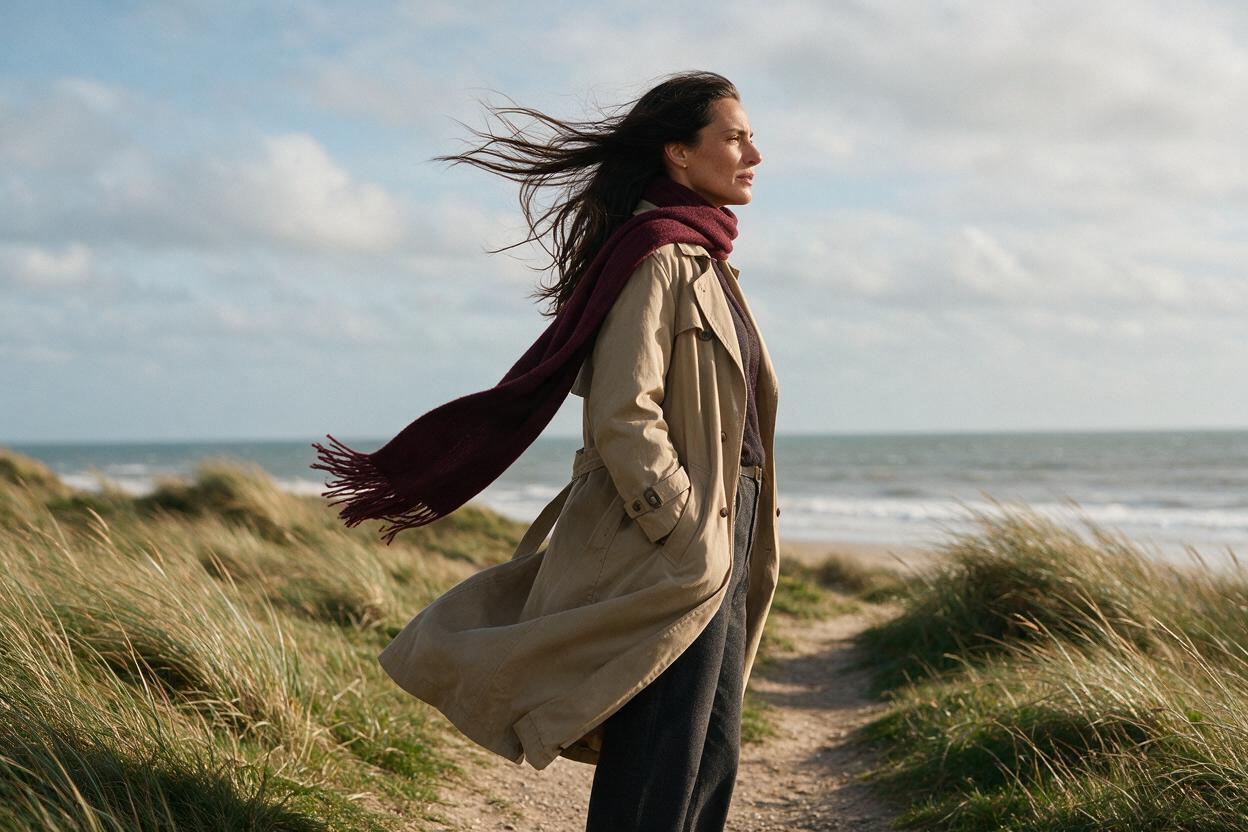
Table of contents
TL;DR
The fastest way to create natural hair and fabric motion is to begin with a clean reference frame, define one wind direction, and assign different motion intensities to the hair, clothing, body, and background. Use image to video rather than generating the entire shot from text when the character’s face, outfit, and silhouette must remain stable.
Keep the action short and restrained: the roots and garment attachment points stay fixed, loose ends respond with a slight delay, and the camera remains still until the physical motion works.
Why Hair and Fabric Motion Breaks
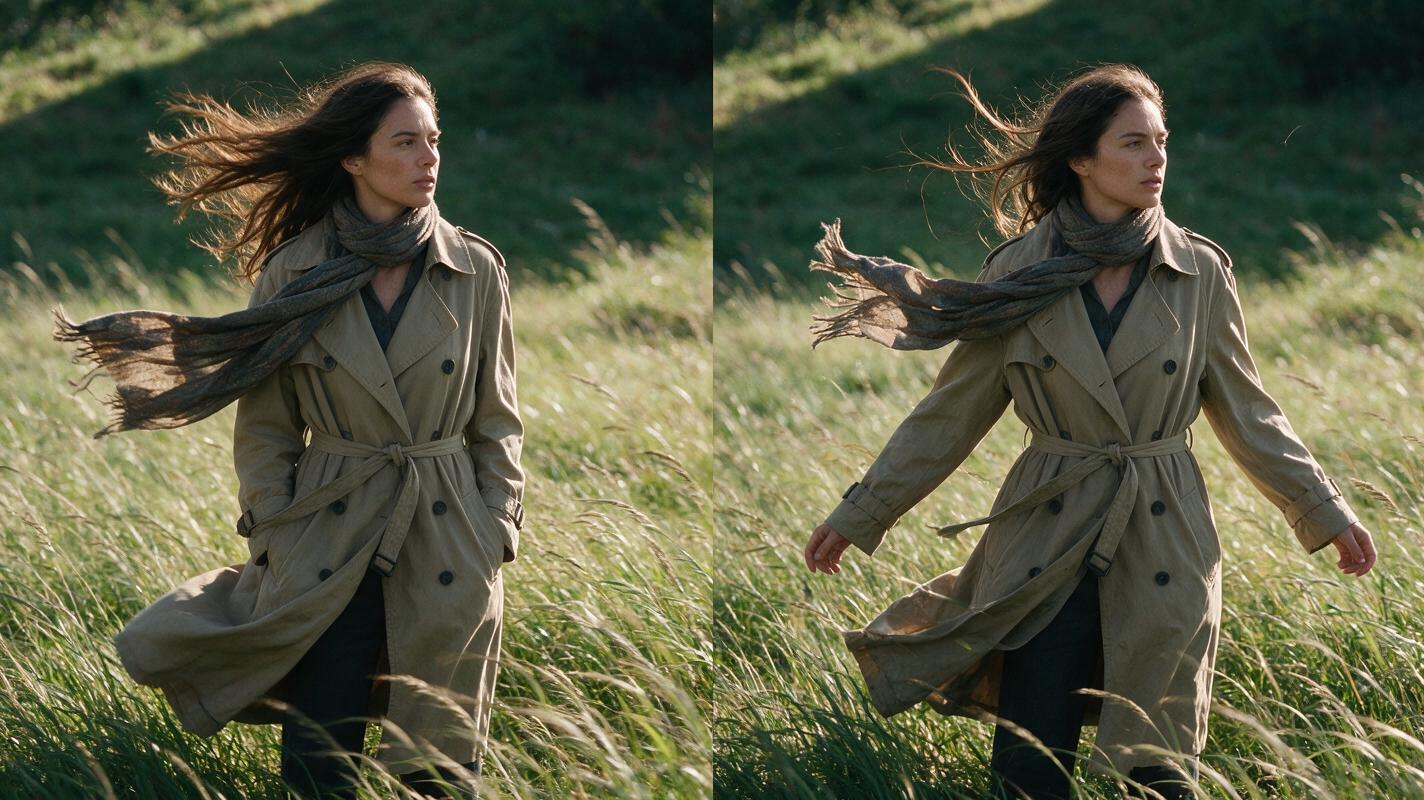
Hair and fabric expose weaknesses that can remain hidden in a static image. Both contain many thin, overlapping shapes, and every strand, fold, hem, and attachment point must respond to the same physical force without changing the character’s identity or clothing design.
A broad prompt such as “a woman standing in strong wind, cinematic motion” gives the model too much freedom. Common failures include:
- Direction conflict: hair moves left while a scarf or coat moves right.
- Elastic fabric: sleeves, hems, or lapels stretch as though made from rubber.
- Detaching geometry: hair lifts away from the scalp or clothing separates from the shoulders.
- Texture boiling: fine patterns, seams, and individual strands redraw every frame.
- Body overreaction: the character sways dramatically even though the prompt only requested a breeze.
- Face corruption: loose hair crosses the eyes, causing facial features to blur or regenerate.
The goal is not to make every visible element move. The goal is to make all visible movement look as though it came from one force.
Three Ways to Animate Hair and Fabric
- Reference-frame animation: generate or upload a finished character image, then animate it with a directional motion prompt. This offers the most control over identity and wardrobe.
- Text-first generation: describe the character, environment, wind, and camera in one prompt. This is useful for exploration but provides less control over exact clothing details.
- Performance-driven animation: use a recorded movement reference when the wind effect accompanies turning, dancing, or another full-body action.
This tutorial uses the first method as the main workflow because it separates visual design from motion design. Once the anchor frame is approved, you can test different movement prompts without rebuilding the character.
How MagicBoat Handles Wind-Driven Character Shots
MagicBoat brings multiple generation approaches into one account, making it practical to compare models instead of rebuilding the project on separate platforms. Seedream, Flux, or GPT Image can be used to develop a clean anchor image, while Seedance and Kling can test different interpretations of the same animation brief.
For a mostly stationary portrait, begin with reference-frame animation. For a shot involving a turn, spin, or choreographed gesture, MagicBoat’s motion transfer workflow can provide body mechanics while the character design supplies the appearance. Text-first generation remains useful for concept tests in which exact identity is not yet important.
| Task | Recommended approach | Main control |
|---|---|---|
| Subtle breeze in a portrait | Reference image animation | Identity and silhouette |
| Windy fashion shot | Reference image plus bounded camera motion | Garment structure |
| Character turning or dancing | Performance reference | Body mechanics |
| Early visual exploration | Text-first generation | Fast variation |
Step 1 — Create a Motion-Ready Anchor Frame
Start with a frame in which the model can clearly identify where the hair and garments attach. Favor a three-quarter or frontal view with visible shoulders, a readable waistline, and space around the loose material.
Avoid beginning with hair already covering both eyes, crossed arms hiding the garment, or a coat cropped precisely at the frame edge. Those compositions leave the video model guessing what should continue outside the image.
Use a still-image prompt such as:
Editorial medium shot of an adult woman standing on a quiet coastal path,
three-quarter view, long dark wavy hair clearly attached at the scalp,
structured sand-colored trench coat with visible lapels, belt, sleeves and hem,
lightweight burgundy scarf tied securely at the neck,
relaxed posture, both hands visible, overcast natural daylight,
open negative space on both sides of the character,
realistic fabric texture, sharp facial features, fixed wardrobe design
The expected result is a stable character image with three readable motion systems: hair, coat, and scarf. The face should remain unobstructed, and no loose element should already be stretched to its maximum position.
Step 2 — Build a Directional Motion Map
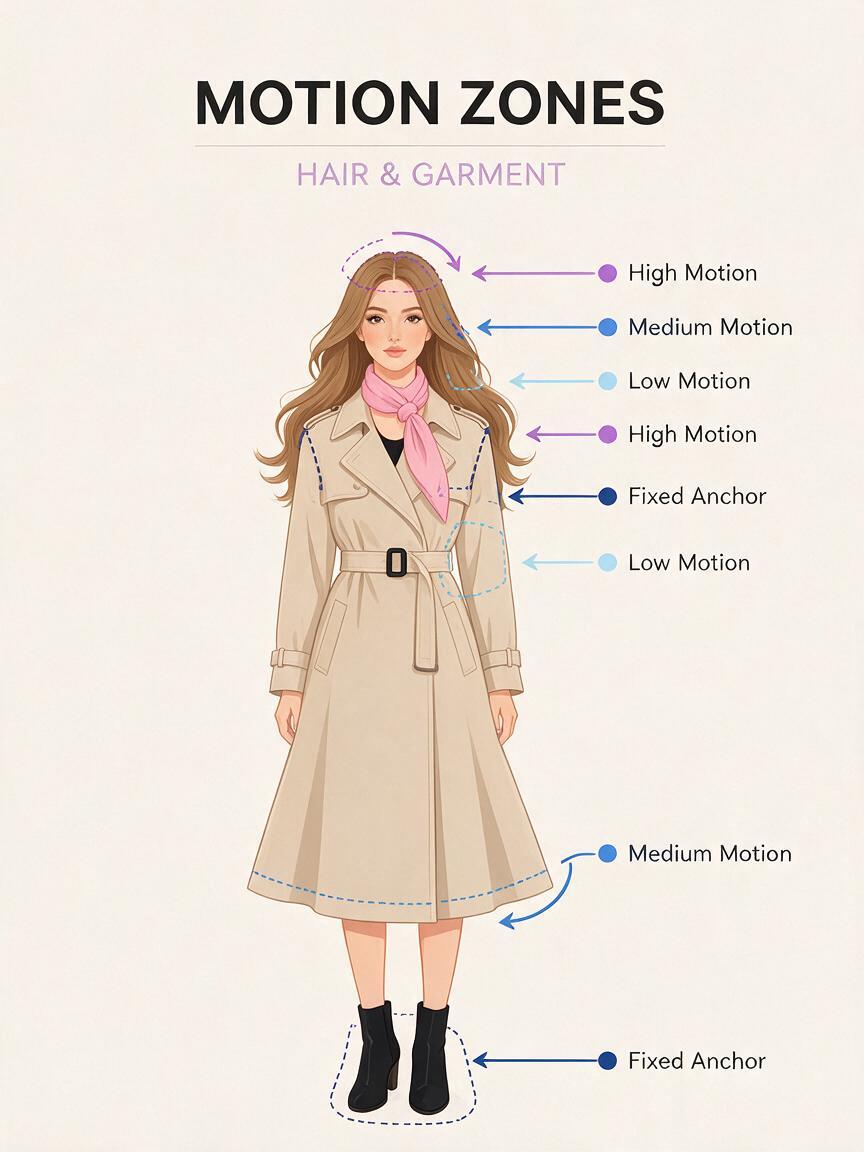
Before writing the video prompt, divide the frame into motion zones. This prevents the model from treating the entire image as one animated surface.
- Zone A, fixed anchors: scalp, scarf knot, shoulder seams, coat belt, and feet.
- Zone B, low motion: torso, lapels, upper sleeves, and hair near the roots.
- Zone C, medium motion: lower hair lengths, coat hem, and loose sleeve fabric.
- Zone D, high motion: scarf tail and a few outer hair strands.
- Zone E, environmental response: nearby grass, leaves, mist, or airborne dust.
Choose one screen direction, such as wind traveling from screen right to screen left. The character does not need to lean heavily. For a moderate breeze, a subtle weight shift and a slight narrowing of the eyes are usually enough.
Attachment points move least. Free ends move most. The farther a material is from its anchor, the later and wider its response can be.
The expected result of this planning stage is a short physical specification, not a cinematic paragraph: one direction, one strength, fixed anchors, and a clear hierarchy of movement.
Step 3 — Write the Prompt in Physical Order
Structure the animation prompt from global force to local response. Describe the wind first, then the body, hair, fabric, environment, and camera. This order helps every element inherit the same cause.
A steady moderate breeze travels from screen right to screen left.
The woman remains planted and relaxed with only a subtle natural weight shift.
Hair roots stay attached and nearly stable; the lower hair lengths lift gently
and trail left with delayed secondary motion. The scarf knot remains fixed while
its loose tail flutters left in two restrained waves. The trench coat keeps its
shape; only the lower hem and outer sleeve fabric ripple slightly. Nearby grass
bends in the same leftward direction. Her face, hands, clothing construction and
body proportions remain unchanged. Locked camera, continuous realistic motion,
no cut, no zoom, no slow motion.
If the selected model offers a separate negative-prompt field, use concise constraints. If it does not, append the constraints to the main brief.
no hair detachment, no changing hairstyle, no elastic sleeves,
no melting fabric, no duplicated scarf, no face distortion,
no body morphing, no camera shake, no direction reversal
The expected result is a restrained shot in which the scarf has the widest movement, the coat has less movement, and the body remains the visual anchor.
Step 4 — Generate the Simplest Version First
Do not combine wind, walking, dialogue, blinking, a camera orbit, and flying debris in the first attempt. Begin with a locked-camera shot and one continuous breeze. This makes failures easy to diagnose.
Inspect the output in three passes:
- Force pass: Do the hair, scarf, coat, and environment move in the same direction?
- Structure pass: Do the scalp, knots, seams, belt, and sleeves retain their original construction?
- identity pass: Does the face remain recognizable when hair approaches the cheeks or eyes?
If the shot is too static, increase only the free-end response. For example, change “the scarf tail flutters slightly” to “the scarf tail forms two clear leftward waves before settling.” Do not escalate the whole prompt to “powerful storm wind,” because that also encourages body motion, camera shake, and costume deformation.
If the shot is too chaotic, replace emotional adjectives with measurable motion language. “Dramatic, wild, epic wind” is less controllable than “steady moderate wind, one direction, restrained amplitude, no gust changes.”
Step 5 — Compare Seedance and Kling with the Same Brief
Run the same anchor frame and core prompt through Seedance and Kling when both are available to you. Keep the composition and physical instructions unchanged so that you are comparing motion interpretation rather than prompt wording.
| Review criterion | What to inspect | Reject when |
|---|---|---|
| Directional coherence | Hair, scarf, coat, and grass | Any major element reverses direction |
| Attachment stability | Scalp, collar, scarf knot, seams | A fixed point slides or detaches |
| Material character | Heavy coat versus light scarf | Both move with identical amplitude |
| Facial stability | Eyes, mouth, jawline | Features redraw behind passing hair |
| Temporal rhythm | Acceleration and settling | Motion jitters or changes force each frame |
Select the model by the weakest unacceptable defect, not by the most impressive frame. A subtle clip with stable seams is usually more useful than a spectacular gust that changes the outfit halfway through.
Step 6 — Add Camera Motion Only After the Fabric Works
Once a locked-camera version succeeds, test a second generation with one modest camera instruction. A slow push-in is generally easier to combine with wind than an orbit because it does not reveal new sides of the hair or garment.
Maintain the same moderate right-to-left breeze and material behavior.
The camera performs one very slow, smooth push-in while preserving framing,
character identity and clothing structure. No orbit, no handheld shake,
no focal-length change, no sudden acceleration.
If the new output damages the fabric, return to the locked version rather than adding more corrective phrases. Camera motion creates an additional transformation problem, so it should be treated as an optional second pass, not part of the minimum viable shot.
Step 7 — Repair the Shot Without Regenerating Everything
Identify whether the defect is local or structural. A local defect affects a short interval or one region, such as the face during a passing lock of hair. A structural defect affects the physical logic of the entire clip, such as the coat blowing opposite the scarf.
- For a local facial defect: trim around the unstable frames or use a controlled face correction based on the approved portrait.
- For one bad fabric beat: regenerate a shorter, more restrained version and replace that interval during editing.
- For direction conflict: regenerate the whole shot with fewer environmental elements and a repeated screen-direction instruction.
- For a changing outfit: simplify the anchor image or remove tiny patterns that are difficult to preserve over time.
The expected result is a clean usable section rather than a needlessly complex repair chain. If the geometry is wrong throughout the clip, regeneration is usually more reliable than cosmetic correction.
Keep the Same Wind Logic Across Multiple Shots
For a sequence, create a small continuity note containing wind direction, intensity, affected materials, and camera side. Reuse it in every prompt.
WIND CONTINUITY
Direction: screen right to screen left
Strength: steady moderate breeze
Hair: roots stable, lower lengths trail left
Scarf: knot fixed, tail has widest movement
Coat: structure fixed, hem ripples slightly
Environment: grass and leaves bend left
No gust reversal between shots
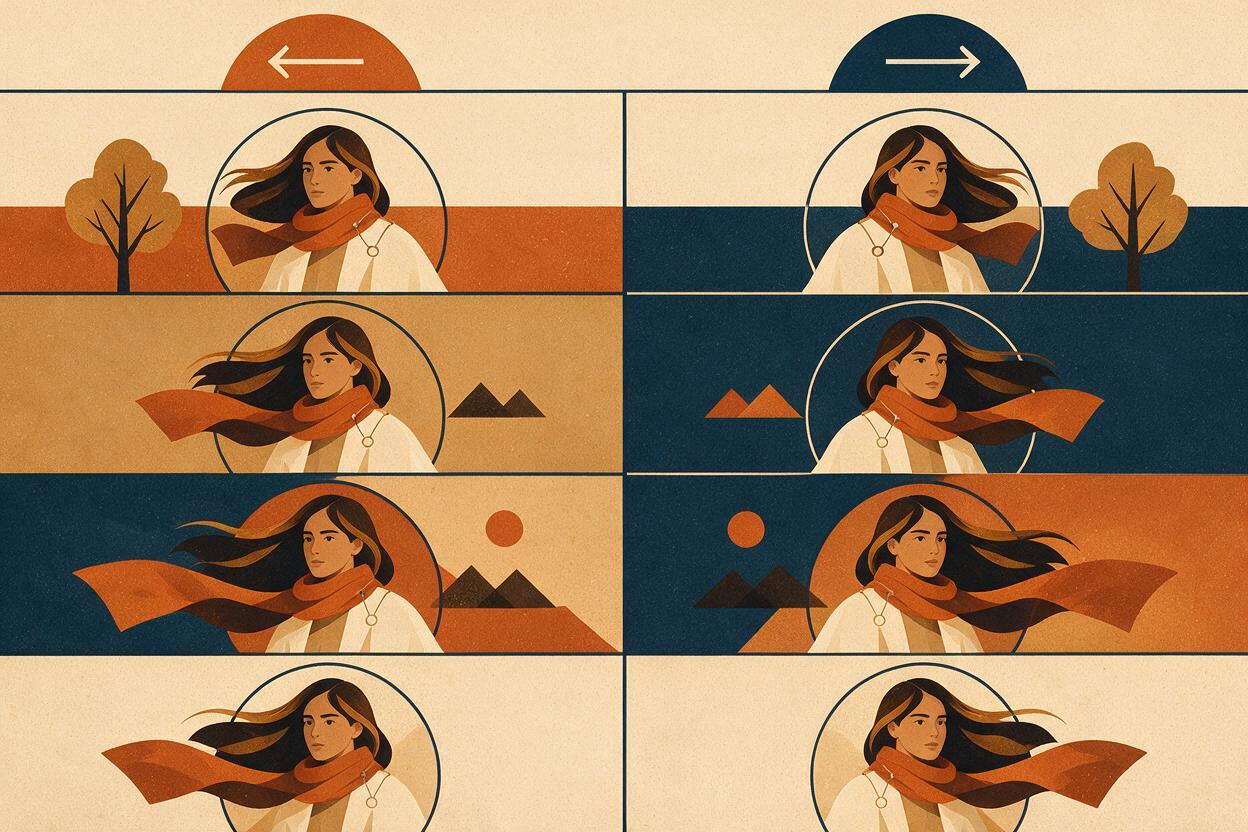
Screen direction matters more than compass direction. If the camera crosses to the other side of the character, the same real-world wind may appear to reverse on screen. Plan the camera positions before generating close-ups and wide shots.
Alternative: Use Motion Transfer for Full-Body Movement
Use a performance reference when the character must spin, turn sharply, dance, or run while loose clothing follows the action. Record a performer in a clear silhouette, with the entire body visible and without rapid self-occlusion.
Treat body-driven fabric motion differently from wind. During a turn, a skirt or coat follows rotational momentum; it should not be prompted as though an unrelated gust is pushing it sideways. Add environmental wind only after the transferred body movement is readable.
Alternative: Correct Residual Identity Drift with Face Swap
A face correction can help when the motion is physically successful but the character’s identity changes briefly. Use the same approved portrait that defined the character, and inspect the corrected clip for jaw-edge flicker, hairline mismatch, and lighting inconsistency.
This is a finishing method, not a solution for hair crossing the entire face or for severe head deformation. If the head shape changes, regenerate with less hair amplitude and keep the front strands away from both eyes.
Where the Workflow Falls Short
- Transparent materials remain difficult: veils, lace, and translucent fabric combine fine geometry with changing background visibility.
- Dense patterns can shimmer: checks, tiny stripes, and embroidered details may redraw as folds change.
- Extreme gusts increase identity risk: hair crossing facial landmarks can trigger unwanted facial reconstruction.
- Long shots accumulate errors: a stable scarf knot or sleeve seam may gradually migrate over an extended generation.
- Multiple wind sources are hard to communicate: swirling or turbulent forces are less predictable than one consistent direction.
For demanding commercial work, split complex action into shorter clips: establish the character, show the gust, then cut to a reaction or detail. Editing several controlled shots is generally safer than asking one generation to handle every beat.
FAQ
Should I say “wind” or describe each material separately?
Do both. Define one global wind direction and strength, then describe how each material responds. A heavy coat should move less than a light scarf, even though both receive the same force.
How do I stop hair from floating away from the scalp?
State that the roots and hairline remain attached and nearly stable. Concentrate movement in the middle and lower lengths, with only a few outer strands receiving stronger motion.
Can I animate curly or braided hair?
Yes, but preserve its structure explicitly. Ask for the curls, braid pattern, or tied sections to remain intact while the overall mass moves. Avoid requesting independent motion for every strand.
Why does the character sway when only the clothes should move?
The model may interpret strong wind as a whole-body force. Specify a planted stance, stable feet, relaxed posture, and only a subtle weight shift. Reduce adjectives such as “powerful” or “violent.”
Should I add slow motion to improve the fabric?
Not initially. Slow motion can encourage exaggerated floating behavior. First generate coherent real-time movement, then adjust playback speed during editing if the source clip remains smooth enough.
Which model should I use?
Test the same approved frame and prompt in more than one available model. Choose the output with the best attachment stability, direction consistency, and facial preservation rather than assuming one model will win every type of shot.
Final Checklist
- The anchor frame clearly shows the scalp, shoulders, garment seams, and loose ends.
- One screen direction defines the wind throughout the shot.
- Roots, knots, seams, belts, and feet are treated as fixed anchors.
- Light materials move more than heavy materials.
- The first test uses a locked camera and restrained body movement.
- Seedance and Kling tests use the same frame and physical brief.
- Camera movement is added only after material motion succeeds.
- Local face defects are repaired without replacing a physically sound clip.
Ready to test the directional-motion prompt? Create your first ai video free with MagicBoat and compare the available models using one anchor frame.
Keywords
image to video, natural hair motion, fabric animation, Seedance prompts, Kling prompts, prompt engineering, AI video workflow