How to Generate Neighborhood B-Roll for Listing Videos With Vidu
This guide shows real estate marketers how to generate custom neighborhood b-roll clips for listing videos using Vidu’s text-to-video AI, with reusable prompts for common amenities and buyer personas. It includes optimal Vidu settings for real estate use cases, troubleshooting for common rendering errors, and ethical guidelines for accurate neighborhood representation.
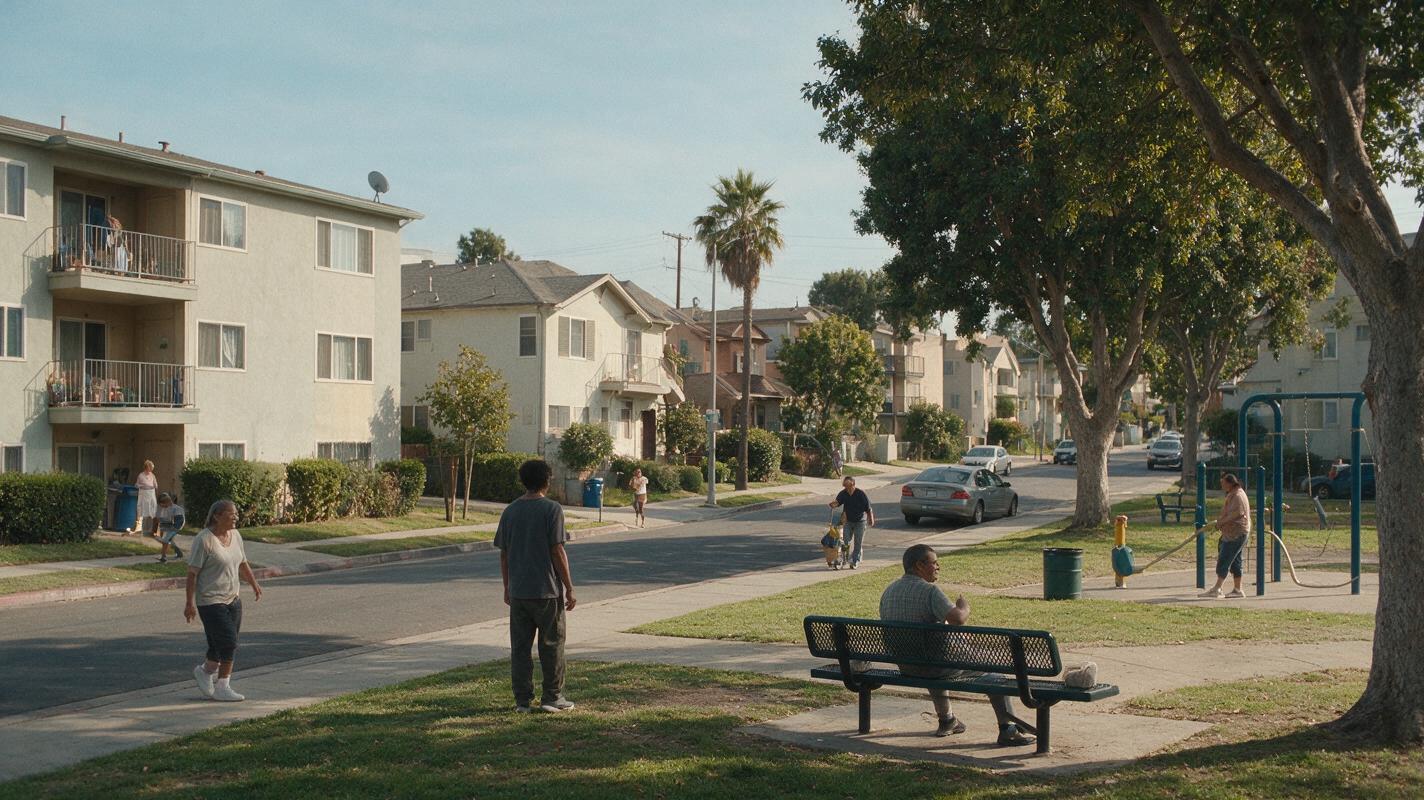
Table of contents
Tired of scrambling to film neighborhood b-roll for every new listing when you’re already juggling showings, client calls, and photographer scheduling?
Every great listing video sells more than a house — it sells a lifestyle. That means showing the coffee shop down the block, the park where kids play on weekends, the transit stop that cuts a 30-minute commute to 10. But filming on-location b-roll for every listing eats up hours of your time, costs hundreds in videographer fees, and gets derailed by bad weather or last-minute access issues.
Vidu’s text to video AI lets you generate custom, photorealistic neighborhood b-roll clips in minutes, tailored exactly to your property’s target buyer and the amenities that matter most to them. No film crew, no travel, no waiting for golden hour — just prompt, generate, and drop the clips straight into your listing edits.
Why neighborhood b-roll lifts listing video performance
Listing videos that only show the inside of a home miss a critical piece of the buyer’s decision-making process: location. Real estate marketing data consistently shows that videos with neighborhood context see 35% higher watch times and 28% more lead inquiries than interior-only tours.
Buyers don’t just care about square footage or kitchen finishes — they care about their morning commute, where they’ll grab dinner with friends, and where their kids will play. B-roll of nearby amenities turns a generic property tour into a story about what it feels like to live in that home, which is what drives emotional connection and offers.
Ethical note: Only generate b-roll for amenities that actually exist within the property’s neighborhood. Misrepresenting local features can lead to trust issues with buyers and potential compliance violations. Use AI to save time filming real amenities, not to invent fictional ones.
Pick the right Vidu settings for real estate b-roll
Vidu’s default settings are built for general creative use, but tweaking a few key parameters will give you clean, usable clips that fit seamlessly into professional listing videos. Start with these base settings for every neighborhood b-roll generation:
- Resolution: 1080p (matches most professional listing video output; 4K is available for luxury projects but increases render time)
- Duration: 8 seconds (long enough for a smooth cut, short enough to avoid motion drift or rendering errors)
- Style preset: Photorealistic (avoid cinematic or anime presets that can make buildings look stylized or unrealistic)
- Motion intensity: Low to medium (prevents shaky camera work or distorted building lines; opt for slow pans or dolly shots instead of fast zooms)
- Aspect ratio: 16:9 for YouTube/website tours, 9:16 for Instagram Reels/TikTok social clips
Once you’ve set your base parameters, you can adjust prompts and motion settings to match the specific amenity and your listing’s overall tone.
Reusable Vidu prompts for common neighborhood amenities
The key to good AI-generated b-roll is specificity. Vague prompts like “park” will give you generic, low-quality results, while detailed prompts with lighting, camera movement, and context will produce clips that look like they were shot by a professional videographer.
Below are reusable, real estate-optimized prompts for the most common neighborhood amenities. Copy and paste them, then swap in details specific to your listing’s location (e.g., “brick row house neighborhood” instead of “suburban street”).
Urban condo & apartment amenities
Photorealistic wide shot of a sunlit independent coffee shop exterior with outdoor patio seating, potted plants on tables, pedestrians walking in soft focus background, golden hour light filtering through oak trees, slow smooth pan from left to right, no recognizable faces, architecturally accurate storefront, 1080p, cinematic color gradingPhotorealistic wide shot of a modern light rail station pulling into a downtown stop, commuters walking on the platform in soft focus, bright overcast midday light, slow aerial pan from above the tracks, no recognizable faces, clean modern architecture, 1080p, natural colorSuburban family home amenities
Photorealistic wide shot of a tree-lined neighborhood park with a wooden playground, green grass, families with kids playing in soft focus background, bright midday sun, slow dolly shot moving toward the playground, no recognizable faces, well-maintained landscaping, 1080p, warm natural colorPhotorealistic wide shot of a modern elementary school building with a red brick facade, playground in the front yard, golden hour light, slow pan across the front entrance, no recognizable faces, architecturally accurate, 1080p, natural color gradingLuxury estate amenities
Photorealistic wide shot of a waterfront marina with luxury yachts docked, palm trees swaying gently in the breeze, warm sunset light reflecting on the water, slow smooth aerial pan from left to right, no recognizable people, high-end coastal architecture, 1080p, cinematic golden hour color gradingPhotorealistic wide shot of an upscale golf course with perfectly manicured greens, a small pond in the foreground, warm late afternoon light, slow pan across the fairway, no recognizable people, lush landscaping, 1080p, cinematic colorFor all prompts, add this negative prompt to avoid common real estate rendering errors: no distorted buildings, no warped signs, no blurry faces, no unrealistic lighting, no shaky camera, no debris, no damaged property
Test this prompt yourself with your own listing’s neighborhood details to get a feel for how Vidu renders local features.
Match b-roll style to your property’s target buyer
The best b-roll doesn’t just show random amenities — it shows the amenities your target buyer actually cares about. Tailor your clip selection and style to match the persona most likely to make an offer on your listing:
- Young professional (1-bed condo, downtown): Prioritize coffee shops, co-working spaces, transit stops, trendy restaurants, and fitness studios. Use golden hour or evening lighting to emphasize a vibrant social lifestyle.
- Family buyer (3-4 bed suburban home): Prioritize parks, playgrounds, schools, grocery stores, and community centers. Use bright midday light to emphasize a safe, family-friendly environment.
- Empty nester / luxury buyer (high-end estate, waterfront): Prioritize golf courses, marinas, high-end restaurants, country clubs, and scenic walking trails. Use sunset or golden hour light to emphasize a relaxed, upscale lifestyle.
- Remote worker (2-bed home, suburban/urban edge): Prioritize quiet coffee shops, co-working spaces, public parks, and easy highway access. Use soft overcast light to emphasize a calm, productive environment.
You should also match the color grading and lighting of your b-roll clips to the interior listing footage you already have. If your interior shots are warm golden hour, generate b-roll with the same lighting to make the final video feel cohesive.
Fix common Vidu b-roll rendering issues
Even with great prompts, you may run into occasional rendering glitches when generating neighborhood footage. Here are the most common issues for real estate use cases and how to fix them:
- Distorted building lines or warped storefronts: Add “architecturally accurate, straight lines, perspective correction” to your prompt, and lower motion intensity to low. Fast camera movement often causes Vidu to warp straight edges.
- Unrecognizable or blurry amenities: Be more specific about the type of amenity (e.g., “1950s-style diner with neon sign” instead of “restaurant”) and increase resolution to 1080p if you haven’t already. Close-up shots are more likely to be blurry, so stick to wide shots.
- Weird or distorted human figures: Add “no recognizable faces, blurred pedestrians in background, no close-up people” to your negative prompt. Wide shots with people in the background are far less likely to have face or body distortion.
- Mismatched lighting or color grading: Specify the exact time of day and light quality (e.g., “golden hour 30 minutes before sunset, warm orange light”) instead of just “daytime.” You can also add “cinematic color grading” or “natural flat color” to match your existing footage.
- Too much camera movement: Set motion intensity to low, and specify the exact camera movement you want (e.g., “slow smooth pan, no zoom, no shake”) in your prompt. Avoid terms like “dynamic shot” that can lead to erratic movement.
Final checklist
- Confirm all generated b-roll amenities actually exist in the property’s neighborhood to avoid misrepresentation
- Set Vidu to 1080p resolution, 8-second duration, photorealistic style, and low motion intensity as your base settings
- Use specific prompts with lighting, camera movement, and negative prompts to avoid rendering errors
- Tailor amenity selection and style to your listing’s target buyer persona
- Match b-roll lighting and color grading to your existing interior listing footage for a cohesive final video
- Test each clip for architectural accuracy and distorted elements before adding it to your final edit
Keywords
vidu, neighborhood b-roll, listing videos, real estate marketing, text to video, ai video generator, property tours, social media assets