How to Direct a Nonlinear AI Short Film From One Script
A nonlinear AI film becomes manageable when every scene is planned in story time before it is arranged in screen order. This tutorial shows how to build a temporal ledger, design recognizable time states, generate continuity-safe shots, and edit a fragmented narrative without confusing the audience.
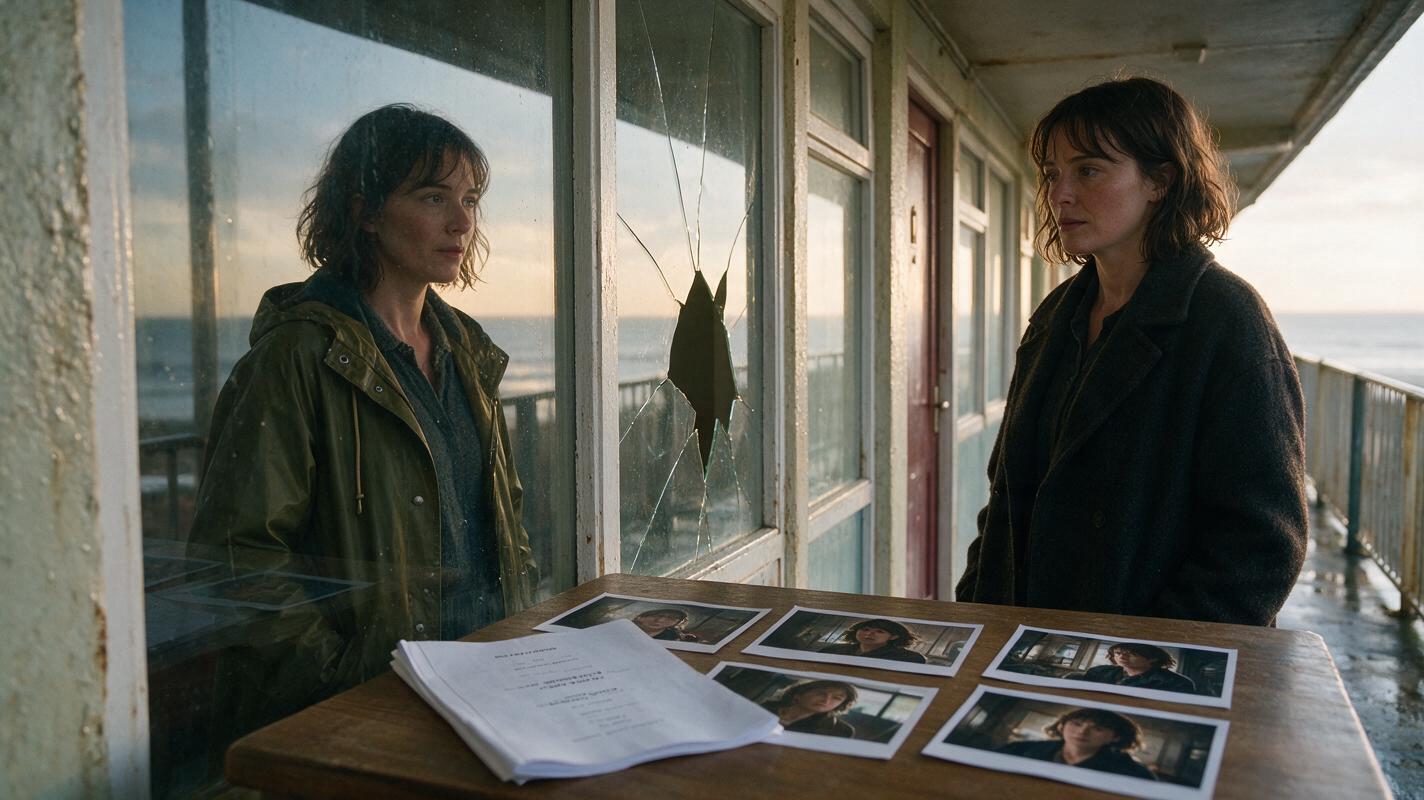
Table of contents
Turn a Fragmented Script Into a Film Viewers Can Follow
A nonlinear short film works when viewers can feel where they are in the story even before they fully understand why the timeline has changed.
The practical challenge is that an AI model sees each prompt as a new production request. It does not automatically know that Scene 8 happens three years before Scene 2, that a coat should look newer in the flashback, or that a broken window must remain intact until the accident occurs.
The solution is to separate story order from screen order. First build the film chronologically, lock the character and location states for each period, and only then arrange the scenes into the audience-facing sequence. The following workflow uses a fictional mystery about Mira returning to an abandoned coastal hotel.
Step 1 — Create Two Scene Orders
Start by listing every scene twice. The chronological list records what actually happens in the fictional world. The screen-order list records when the audience sees each event.
| Scene ID | Story time | Event | Screen position | Audience purpose |
|---|---|---|---|---|
| C1 | Three years earlier | Mira checks into the hotel | 4 | Reveals why she recognizes Room 17 |
| C2 | Three years earlier | A corridor window breaks | 7 | Explains the glass found in the present |
| C3 | Present night | Mira enters the abandoned lobby | 1 | Establishes the mystery |
| C4 | Present night | She finds glass inside her old suitcase | 3 | Triggers the first flashback |
| C5 | Next morning | Mira leaves the hotel with a photograph | 8 | Resolves the investigation |
Give every scene a permanent chronological ID. Do not rename C1 as Scene 4 simply because it appears fourth in the edit. Stable IDs make it easier to track props, wardrobe, damage, weather, and character knowledge.
Continuity rule: Generate and review scenes by chronological ID, but edit them by screen position.
Step 2 — Build a Time-Neutral Character Reference
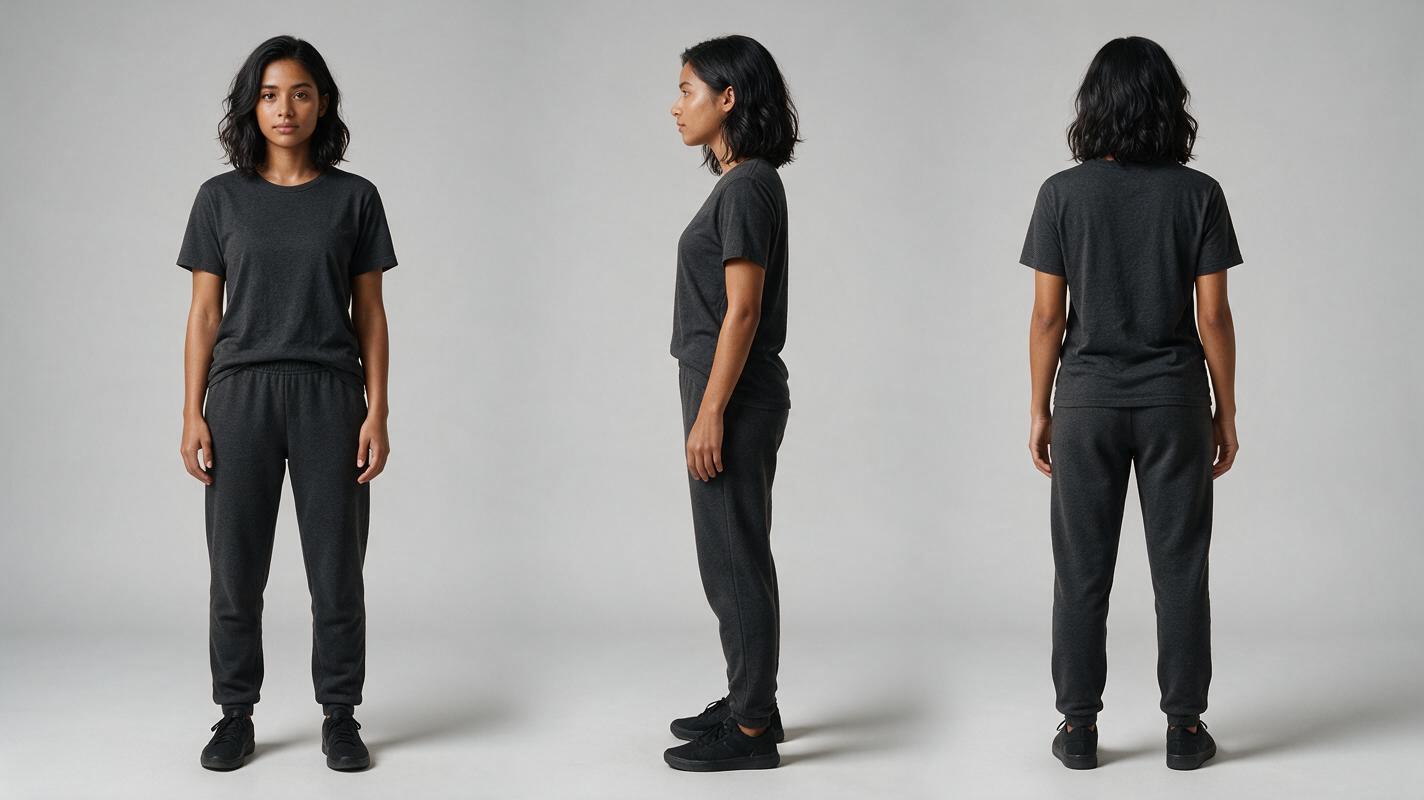
Before changing Mira's age, wardrobe, or emotional condition, establish a neutral identity reference. Use one photorealistic sheet showing the same person from the front, side, and back. Keep the hair shape, facial proportions, height, and body type visible.
This base sheet should not contain period-specific clothing. Those details belong in separate time-state records. Beginning with a neutral reference prevents the flashback version from becoming a different person instead of an earlier version of the same person.
PHOTOREALISTIC CHARACTER REFERENCE SHEET, landscape 16:9. The same fictional woman, Mira, age 32, oval face, warm brown skin, dark brown almond-shaped eyes, shoulder-length wavy black hair, slim build, 168 cm apparent height. Three full-body views arranged left to right: front view, exact side profile, back view. Identical facial identity, hairstyle, body proportions, and plain charcoal crew-neck clothing in all views. Neutral expression, relaxed arms, no jewelry, no props. Neutral light-gray seamless studio background, soft even studio lighting, realistic skin and fabric texture. MANDATORY CAMERA: eye-level, 70mm portrait perspective, orthographic-feeling alignment, no wide-angle distortion. MANDATORY LAYOUT: three non-overlapping figures with equal scale and generous spacing. No text, labels, logos, borders, interface elements, or extra people.Save this sheet as the identity source for every storyboard frame and clip featuring Mira.
Step 3 — Define a Visual State for Every Period
Create a compact state card for each period. A state is more useful than a vague instruction such as “make it look like a flashback” because it names physical evidence that can remain consistent across shots.
- Past state: Mira wears an olive raincoat; her hair is loose; the hotel is open, warm, and undamaged; the corridor window is intact.
- Present-night state: Mira wears a dark wool coat; her hair is tied back; the hotel is dusty and powerless; the corridor window is broken.
- Next-morning state: the same dark coat is damp at the shoulders; cool daylight enters the lobby; Mira carries the recovered photograph.
Track character knowledge as well as appearance. Past Mira has not seen the suitcase evidence. Present Mira does not yet remember how the window broke. Morning Mira knows the complete event. This prevents a generated performance from showing certainty too early.
When using script to video, paste the relevant state card into every scene prompt instead of relying on the model to infer the period from neighboring shots.
Step 4 — Storyboard in Chronological Strips
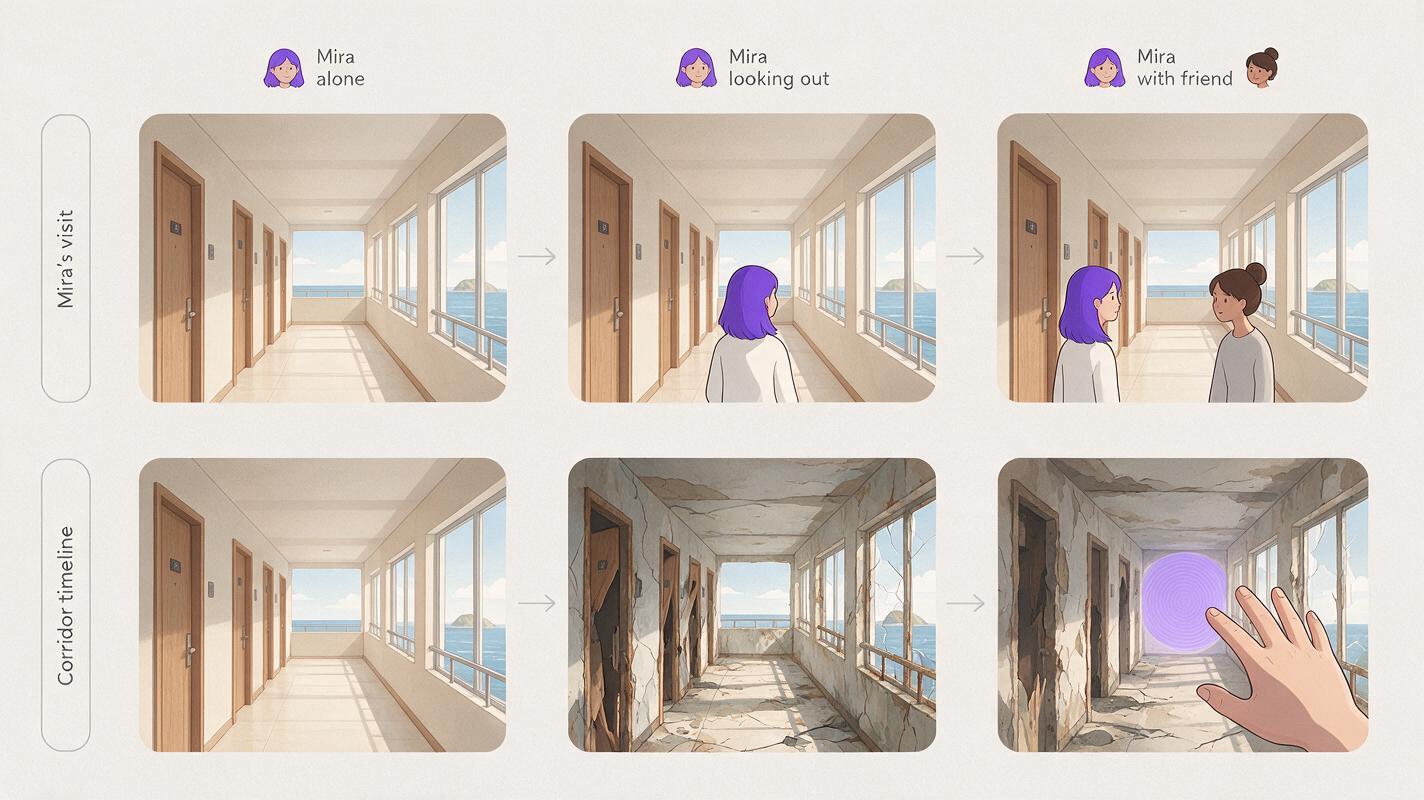
Build one storyboard strip per time state before assembling the nonlinear sequence. Generate the past scenes together, then the present-night scenes, and finally the morning scenes. This makes changing damage, weather, and wardrobe easier to detect.
CINEMATIC STORYBOARD CONTACT SHEET, landscape 16:9, six photorealistic frames arranged as two clean rows of three, showing one abandoned coastal hotel corridor across three story times. Top row: intact warm corridor before the accident, olive-coated Mira approaching Room 17, intact rain-streaked window at the corridor end. Bottom row: the same corridor years later with dust and peeling wallpaper, dark-coated Mira discovering broken glass, pale morning light revealing the recovered photograph in her hand. Preserve identical architecture, door spacing, window position, and character identity. MANDATORY CAMERA: all corridor views use the same eye-level 35mm lens position and true one-point perspective; the hand insert uses a natural 70mm close-up. MANDATORY LAYOUT: six separated cinematic frames with no captions, arrows, labels, logos, UI, or decorative text. Editorial realism, lived-in location detail, restrained film lighting, realistic materials.An ai storyboard is most useful here as a continuity test, not merely as a collection of attractive images. Compare repeated doors, windows, props, and sightlines before animating anything.
For each frame, attach four fields: chronological ID, screen position, time state, and required end frame. The end-frame note matters when a present-day object must lead into a past event.
Step 5 — Design Transitions Around Evidence
A timeline jump should be motivated by something visible or audible. Random transitions may announce that time has changed, but motivated transitions explain why the audience is being taken there.
- Object bridge: broken glass in the present cuts to the intact window in the past.
- Sound bridge: a distant crash begins before the flashback image appears.
- Pose bridge: present Mira raises her hand toward the window; past Mira completes the movement.
- Location bridge: the camera approaches Room 17 in both periods from the same angle.
Write both sides of a transition as a pair. Specify the final composition of the outgoing shot and the opening composition of the incoming shot. Generate those boundary frames first; they are more important to the cut than the middle of either clip.
TRANSITION PAIR:
Outgoing shot C4, present night: medium close-up of Mira holding a triangular piece of wet glass at eye level; broken corridor window blurred behind her; she turns the glass until it catches a narrow reflection.
Incoming shot C2, three years earlier: begin with the same triangular highlight in the same screen position, then reveal that it belongs to the intact corridor window as younger Mira enters the frame.
Maintain Mira's locked identity and the established hotel architecture. Do not combine both time periods in one image. No morphing face, duplicated character, floating glass, text, or logo.
Step 6 — Generate Short Clips and Check Temporal Leakage
Render short coverage around one dramatic action at a time. Long prompts containing several actions increase the chance that a state from one period will leak into another—for example, a broken window appearing before the accident or past Mira suddenly wearing her present-day coat.
Review clips without sound and pause on their first and last frames. Look specifically for:
- wardrobe changing during a shot;
- damage appearing earlier than its chronological cause;
- props moving to unexplained positions;
- past and present versions of the character appearing together;
- facial age changing while the camera moves;
- lighting switching periods inside one clip.
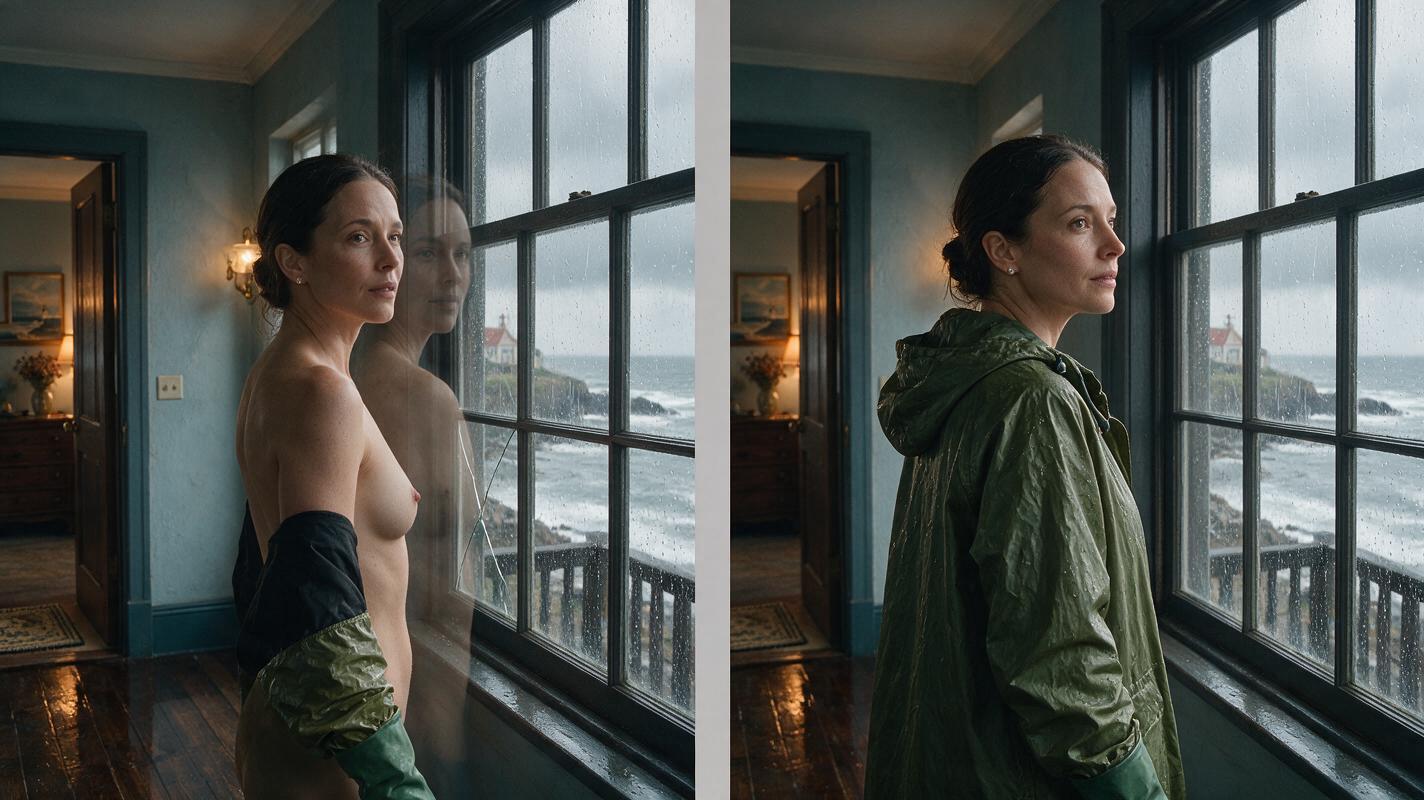
SIDE-BY-SIDE CONTINUITY FAILURE DEMONSTRATION, landscape 16:9, two equal photorealistic cinematic frames of the same woman in the same coastal hotel corridor. Left frame shows the failure: facial identity drifting, olive raincoat changing into a black wool sleeve, intact and broken window details blending together, and a faint duplicated figure in the background. Right frame shows the corrected result: one consistent Mira in an olive raincoat, stable face and hands, intact corridor window, coherent warm practical lighting, no duplicate. MANDATORY CAMERA: locked eye-level true three-quarter view, 50mm lens, medium shot, identical framing in both panels. MANDATORY LAYOUT: two clean panels with a narrow neutral gap, no text, symbols, labels, logos, borders, or software interface.Reject temporal leakage even when the individual frame looks impressive. In a nonlinear film, a small continuity error can accidentally reveal information or make the chronology impossible.
Step 7 — Edit for Orientation Before Surprise
Assemble the clips in screen order, then test whether each jump gives viewers enough orientation. You do not need a caption for every time change, but the opening seconds of each period should contain at least two recognizable signals: wardrobe plus location condition, lighting plus prop state, or sound plus camera position.
Run two review passes. In the first, watch only for emotional comprehension: can viewers tell whether Mira is investigating, remembering, or understanding? In the second, audit physical chronology using the scene IDs.
If a jump is confusing, do not immediately add exposition. First try a clearer establishing frame, a repeated object, or an audio bridge. Once the storyboard package and transition pairs are ready, you can try these models for free and compare which output preserves the required identity, composition, and time-state details.
FAQ
Should I generate scenes in screenplay order or chronological order?
Generate related scenes in chronological groups whenever possible. This exposes incorrect prop states and environmental damage before editing obscures the problem. Arrange the approved clips in screenplay order afterward.
How many timelines can a short AI film support?
Use only as many periods as the story can distinguish visually and emotionally. Each additional timeline requires its own wardrobe, location condition, character knowledge, and transition logic.
Do flashbacks need a different color grade?
Not necessarily. Physical signals such as clothing, weather, damage, and props are often more reliable than a heavy color effect. A subtle grade can support those signals, but it should not be the only way viewers identify time.
What is the best way to revise a confusing nonlinear sequence?
Return to the temporal ledger and transition pairs. Confirm that every jump has a narrative trigger, an immediate orientation cue, and a clear reason for appearing at that point in the film.
Final Checklist
- Every scene has a permanent chronological ID and a separate screen position.
- The recurring character has one neutral three-view identity sheet.
- Each period has locked wardrobe, location, prop, lighting, and knowledge states.
- Storyboard strips were reviewed chronologically before being rearranged.
- Every timeline jump is motivated by an object, sound, pose, or location.
- Opening and ending frames are specified for transition pairs.
- Generated clips contain no premature damage, wardrobe drift, or duplicate characters.
- The final edit communicates orientation before delivering surprise.
Keywords
script to video ai, ai storyboard generator, ai movie maker, create ai video from script, turn a script into an ai storyboard, direct an ai short film, ai clip maker