Novel to Video: Compress Years of Story Into a Cinematic Montage
Learn how to adapt years of novel time into a short cinematic montage without reducing the sequence to random highlights. This ordered workflow uses a transformation ledger, age-controlled character references, visual motifs, storyboard anchors, generated clips, and sound bridges to make every time jump readable.
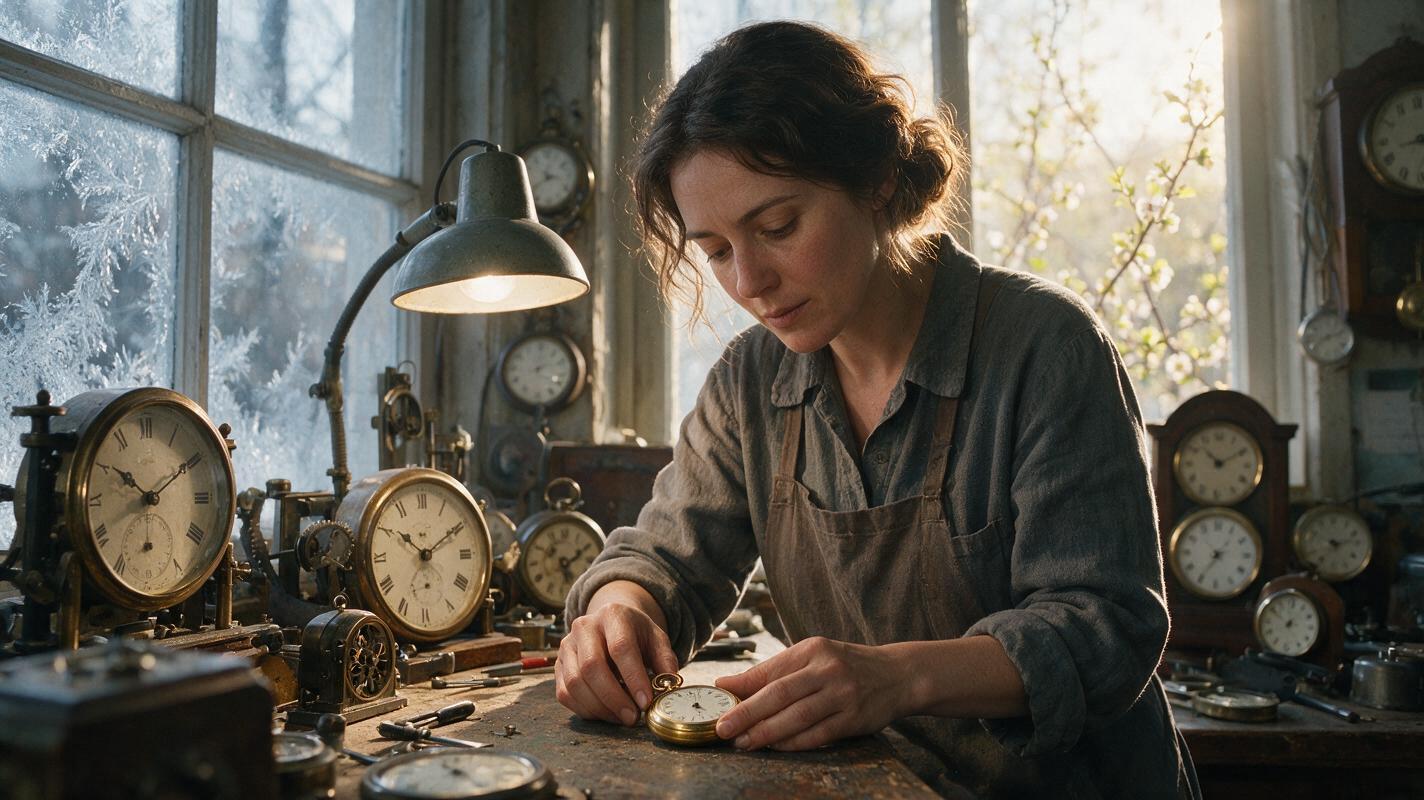
Table of contents
Turn a long timeline into one clear visual transformation
A successful novel-to-video montage does not show everything that happened; it selects the few images that prove how a character, relationship, or place changed over time.
A novel can summarize five years in a paragraph because prose can state that time passed. Film must make that passage visible. A weak adaptation produces a collection of attractive but disconnected clips. A strong montage gives each shot a specific job, repeats recognizable visual anchors, and creates a measurable transformation from the opening frame to the closing frame.
This tutorial turns one long narrative interval into a concise montage. The method is especially useful for training periods, relationships developing or deteriorating, businesses growing, journeys unfolding, and communities changing across seasons.
Step 1 — Define the montage’s dramatic equation
Before generating images, describe the montage as a change between two states. Use one sentence:
Over [duration], [subject] changes from [opening state] to [closing state], demonstrated by [three observable signs].For example:
Over four winters, Mara changes from an uncertain apprentice to the town’s trusted clock repairer, demonstrated by her steadier hands, the growing number of clocks in her workshop, and customers beginning to wait outside her door.
The observable signs matter because abstract qualities such as confidence, grief, or maturity are difficult to generate consistently. Translate each quality into something the camera can record:
- Confidence: posture, eye line, controlled hand movement, or who occupies the center of the frame.
- Progress: completed objects, fuller shelves, repaired surroundings, or increasingly difficult work.
- Distance: separate blocking, fewer shared objects, colder lighting, or an empty place at a table.
- Passing time: weather, clothing wear, architecture, vegetation, photographs, or repeated calendar rituals.
Keep one dominant transformation. If the montage simultaneously explains a romance, a war, a career, and three family conflicts, divide it into separate sequences.
Step 2 — Build a transformation ledger
Create a ledger before opening an ai storyboard workspace. The ledger prevents visually impressive shots from replacing necessary story information.
| Beat | Story time | Visible change | Repeated anchor | Transition cue |
|---|---|---|---|---|
| Opening | First winter | Mara struggles with a simple repair | Brass pocket watch | Watch lid closes |
| Early progress | First spring | One repaired clock is collected | Same workbench | Customer crosses frame |
| Pressure | Second autumn | Unfinished clocks fill the shelves | Same window | Falling leaves |
| Mastery | Fourth winter | Mara repairs the pocket watch calmly | Same watch and bench | Watch begins ticking |
| Result | Fourth spring | Customers wait outside | Workshop doorway | Door opens |
Use four to seven beats for a short montage. Each beat should introduce a visible change while preserving at least one anchor from an earlier shot. The anchor could be a prop, composition, location, action, or sound.
A repeated composition is particularly effective: show the same workbench from the same camera height in different seasons, with the character’s posture and surroundings gradually changing.
Step 3 — Create an age-controlled character sheet
Copy and recreate:
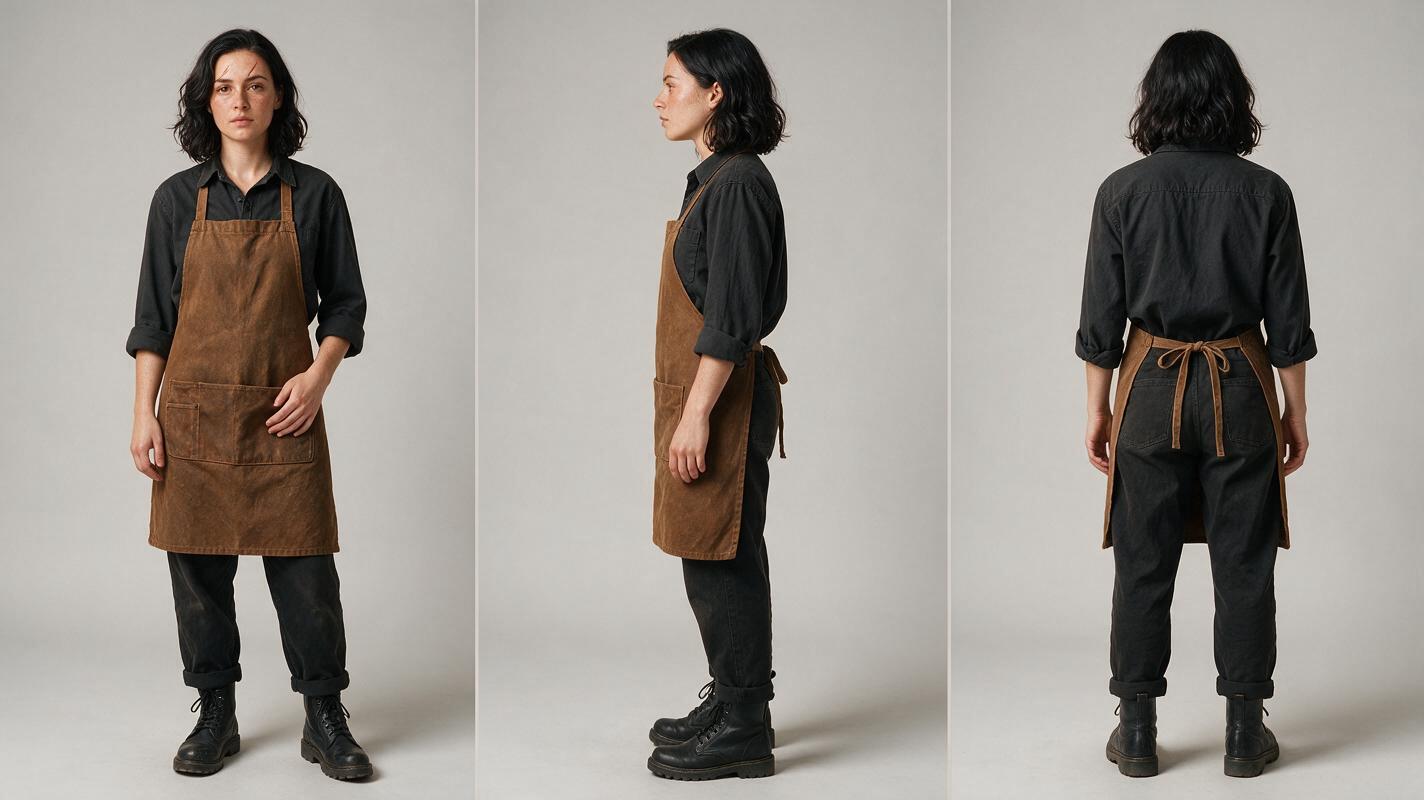
Photorealistic three-panel character reference sheet of the same 28-year-old woman named Mara, lean build, oval face, dark brown eyes, shoulder-length wavy black hair, small scar through the right eyebrow, wearing a plain charcoal work shirt, brown canvas apron and dark trousers; front view, exact side profile and back view arranged left to right; identical facial structure, hairstyle, wardrobe, body proportions and age in every panel; neutral expression and relaxed arms. MANDATORY LAYOUT: landscape 16:9, three equal full-body panels, neutral light-gray seamless studio background. MANDATORY CAMERA: eye-level, 50mm lens appearance, orthographic reference-style framing, even soft lighting. No text, logos, interface elements, extra people or decorative props.
Generate a clean reference sheet before creating any montage frame. Lock the character’s permanent traits separately from time-dependent traits.
- Permanent traits: facial structure, eye color, identifying scar, approximate height, and body proportions.
- Time-dependent traits: hairstyle length, fatigue, clothing condition, posture, and age markers.
- Scene-dependent traits: apron, tools, weather protection, dirt, injuries, and carried objects.
Do not ask for vague aging such as “make her look much older.” Specify the elapsed time and restrained changes: faint expression lines, slightly shorter hair, more composed posture, and a cleaner professional apron. Generate separate age-state references when the jump is substantial, but preserve the permanent identity description verbatim.
Step 4 — Convert the ledger into visual rhymes
Copy and recreate:
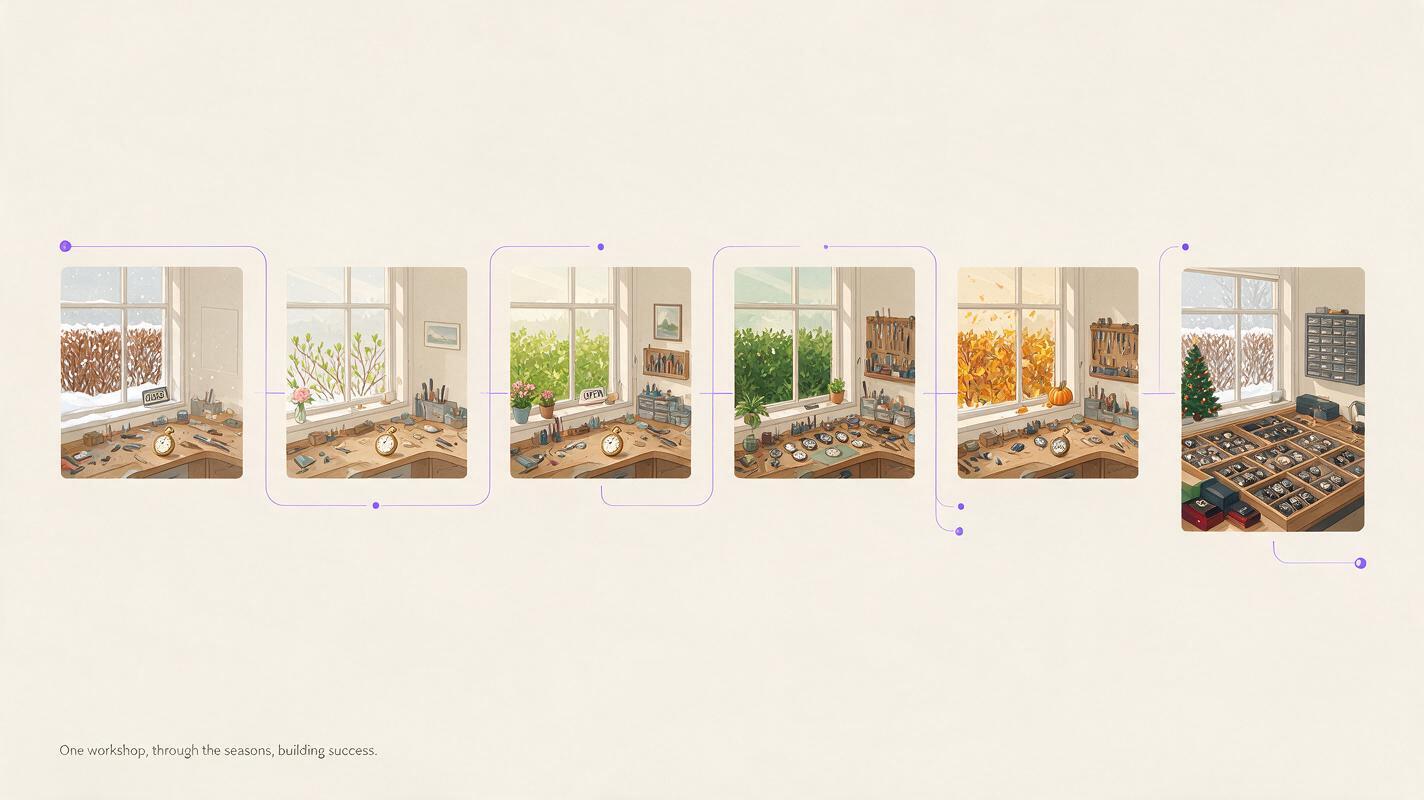
A neutral cinematic sequence diagram composed of six borderless film frames flowing horizontally from left to right, showing the same brass pocket watch, wooden repair bench and workshop window across winter, spring, autumn and winter again; the environment gradually becomes more organized and prosperous while the framing remains structurally similar. MANDATORY LAYOUT: landscape 16:9, six evenly spaced frames, clear chronological visual progression without arrows or labels. MANDATORY CAMERA: repeated eye-level medium-wide composition, consistent lens perspective and horizon line. Editorial realism, natural seasonal light, no text, logos, dashboards, interface elements or brand marks.
Now translate each ledger row into a storyboard frame. Avoid treating every beat as a new miniature scene. Instead, build visual rhymes that let viewers compare one point in time with another.
Useful montage patterns include:
- Repeated action: the character opens the same watch at different skill levels.
- Locked composition: the camera returns to the same doorway while the crowd grows.
- Match-on-object: one clock face dissolves or cuts into another from a later year.
- Seasonal replacement: snow on a window becomes rain, leaves, and sunlight.
- Accumulation: empty shelves gradually fill with repaired objects and customer notes.
Write every storyboard prompt with subject, action, location state, time marker, composition, and continuity anchor. A useful template is:
Cinematic storyboard frame for montage beat [number].
Subject: [locked character identity and current age state].
Action: [one readable physical action].
Location state: [what has changed since the previous beat].
Time marker: [season, light, clothing or environmental evidence].
Continuity anchor: [repeated prop, position or composition].
MANDATORY CAMERA: [shot size, angle, lens character and camera height].
Exclude: duplicate character, altered facial structure, unreadable hands, extra props, text and logos.
Step 5 — Generate anchor frames before motion
Approve the still storyboard as a complete sequence before generating clips. Place the frames side by side and check whether a viewer could infer the transformation without captions.
Generate the most important continuity anchors first: the opening state, midpoint reversal, and final state. Once these agree on identity, location, palette, and prop design, produce the connecting frames. This is more controllable than generating the sequence chronologically and discovering late that the ending no longer resembles the beginning.
When the still sequence works, use image to video for restrained movement. Treat the approved frame as the visual contract and prompt only the motion that changes during the shot:
The woman steadies the pocket watch with her left hand and turns one precision tool with her right hand. Her gaze remains on the mechanism. A curtain moves slightly in the winter draft. The camera performs a slow five-percent push-in. Preserve her face, clothing, hand count, workbench layout, watch design, lighting direction and background geometry. No speaking, no new objects, no camera orbit and no scene transition.Montage shots usually benefit from simple actions and short visual statements. If a clip must communicate several events, split it into separate beats and let the edit create speed.
Step 6 — Repair time-jump drift before editing
Copy and recreate:
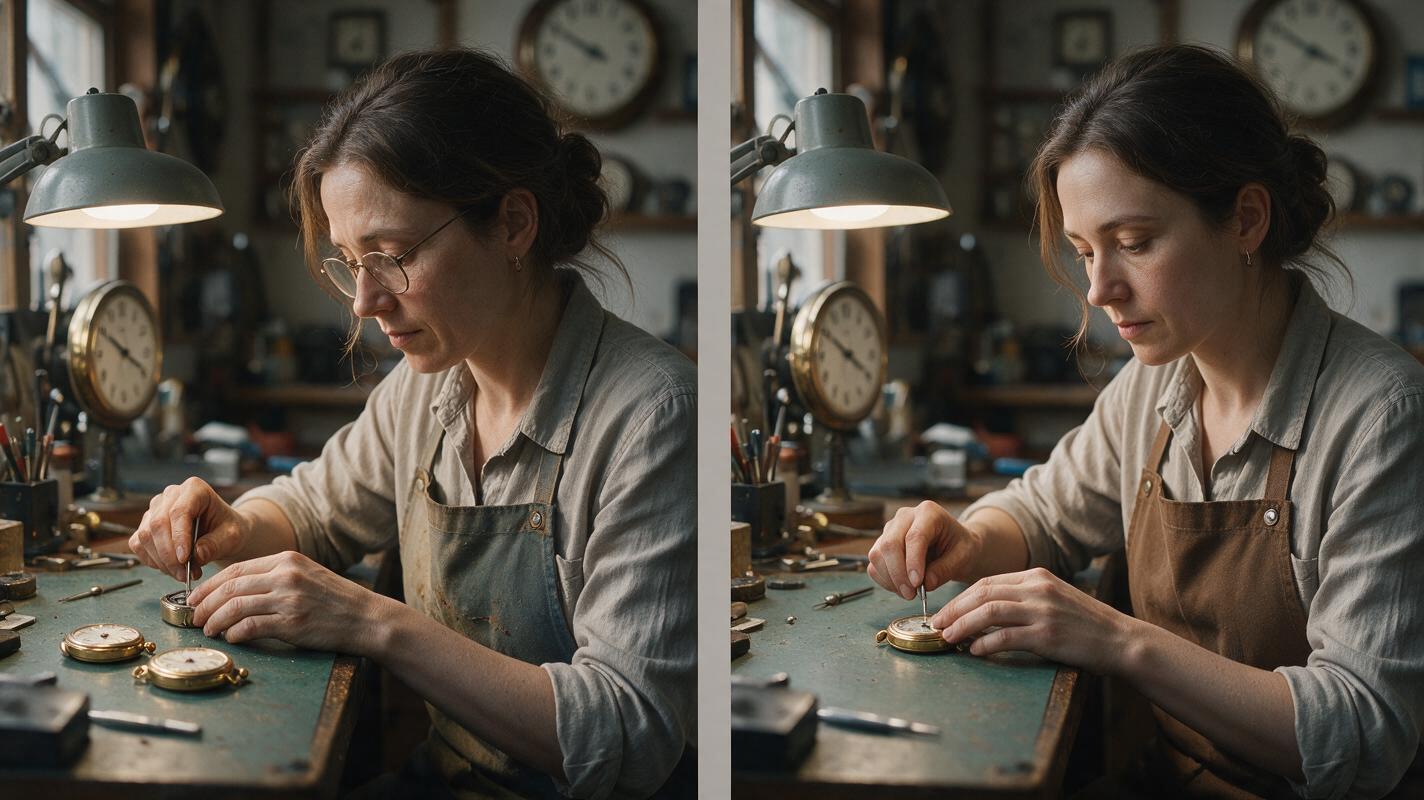
Photorealistic side-by-side cinematic comparison using the same female clock repairer in the same workshop: the left half shows a failed continuity result with subtly changed facial structure, duplicated pocket watches, mismatched apron color and an extra distorted hand; the right half shows corrected continuity with one stable face, one brass watch, matching brown apron and anatomically natural hands. MANDATORY LAYOUT: landscape 16:9, two equal frames separated only by a narrow neutral gutter, no labels or text. MANDATORY CAMERA: identical true three-quarter medium shot in both halves, eye-level, 50mm lens appearance, same composition and lighting direction. Lived-in editorial realism, no logos, UI, brand marks or captions.
Time passing permits controlled change, but it does not excuse accidental drift. Compare adjacent clips and classify every difference:
- Intentional: season, posture, workload, age state, or wardrobe wear.
- Neutral: minor background variation that does not affect comprehension.
- Continuity error: changed face, duplicated anchor prop, reversed scar, unexplained costume replacement, or altered room geometry.
Regenerate errors rather than trying to explain them as elapsed time. For hand-heavy work, generate a medium shot for identity and a separate insert for the repair action. The edit can imply continuous performance without forcing one clip to solve face, hands, tools, and intricate motion simultaneously.
Step 7 — Let sound carry time across the cuts
Assemble the approved clips in an editor such as Adobe Premiere Pro or DaVinci Resolve. Begin with direct cuts. Add dissolves only when they express gradual change rather than merely hiding weak continuity.
Build one sound bridge across the sequence. In the workshop example, irregular ticking can begin in the opening shot, become layered with tools and customers, and resolve into one clear, steady tick at the end. This creates continuity even when the images jump across years.
Other useful audio bridges include a recurring train whistle, construction sounds becoming neighborhood ambience, a musical phrase gaining instruments, or one line of narration placed across several visual beats. Keep dialogue sparse so the images remain responsible for showing the transformation.
After the rough cut, watch once without sound and once without looking at the screen. The silent viewing tests visual clarity; the audio-only pass reveals abrupt ambience changes and misplaced emotional emphasis.
Final checklist
- The montage expresses one dominant before-and-after transformation.
- Every beat provides new visual evidence rather than repeating the same information.
- A recurring prop, location, composition, action, or sound connects the time jumps.
- Permanent character traits remain stable while age-state changes are controlled.
- The storyboard communicates elapsed time without explanatory captions.
- Generated motion preserves the approved anchor frame instead of redesigning it.
- Continuity mistakes are not disguised as intentional aging.
- The final image resolves or reverses the opening image.
When the ledger and reference assets are ready, try these models for free and compare which output best preserves your recurring character, location, and montage anchors.
FAQ
How many shots should a cinematic montage contain?
Use only enough shots to prove the transformation. Four to seven distinct beats are often easier to read and control than a long sequence of nearly identical moments. Add a shot only when it contributes new evidence, a transition, or a meaningful reversal.
How can a montage show years passing without dates on screen?
Repeat a stable visual anchor while changing seasonal light, wardrobe wear, vegetation, architecture, skill level, or the number of objects in the location. Viewers understand time through comparison when the composition makes those changes easy to notice.
Should every montage shot use the same camera angle?
No. Reserve identical framing for the moments you want viewers to compare directly. Between those shots, vary scale with close-ups, inserts, and wider environmental frames while maintaining consistent screen geography and visual anchors.
Can this workflow adapt a relationship montage?
Yes. Replace the skill and workspace indicators with relational evidence such as physical distance, shared rituals, exchanged objects, seating positions, eye contact, and who initiates contact. Avoid relying only on changing facial expressions.
What should I regenerate first when character identity drifts?
Return to the approved character reference and regenerate the still anchor frame before attempting motion again. Confirm facial structure, age state, wardrobe, and camera angle in the still; then request a single restrained movement.
Sources
Keywords
novel to video, script to video ai, ai storyboard generator, ai movie maker, ai story video generator, ai clip maker