AI Product Design Moodboards That Don’t Copy Reference Products
A useful product design moodboard communicates a direction without assembling recognizable fragments of existing products. This guide shows industrial designers how to translate references into material, form, and interaction principles, then use Seedream 4.5 to explore an original visual direction.
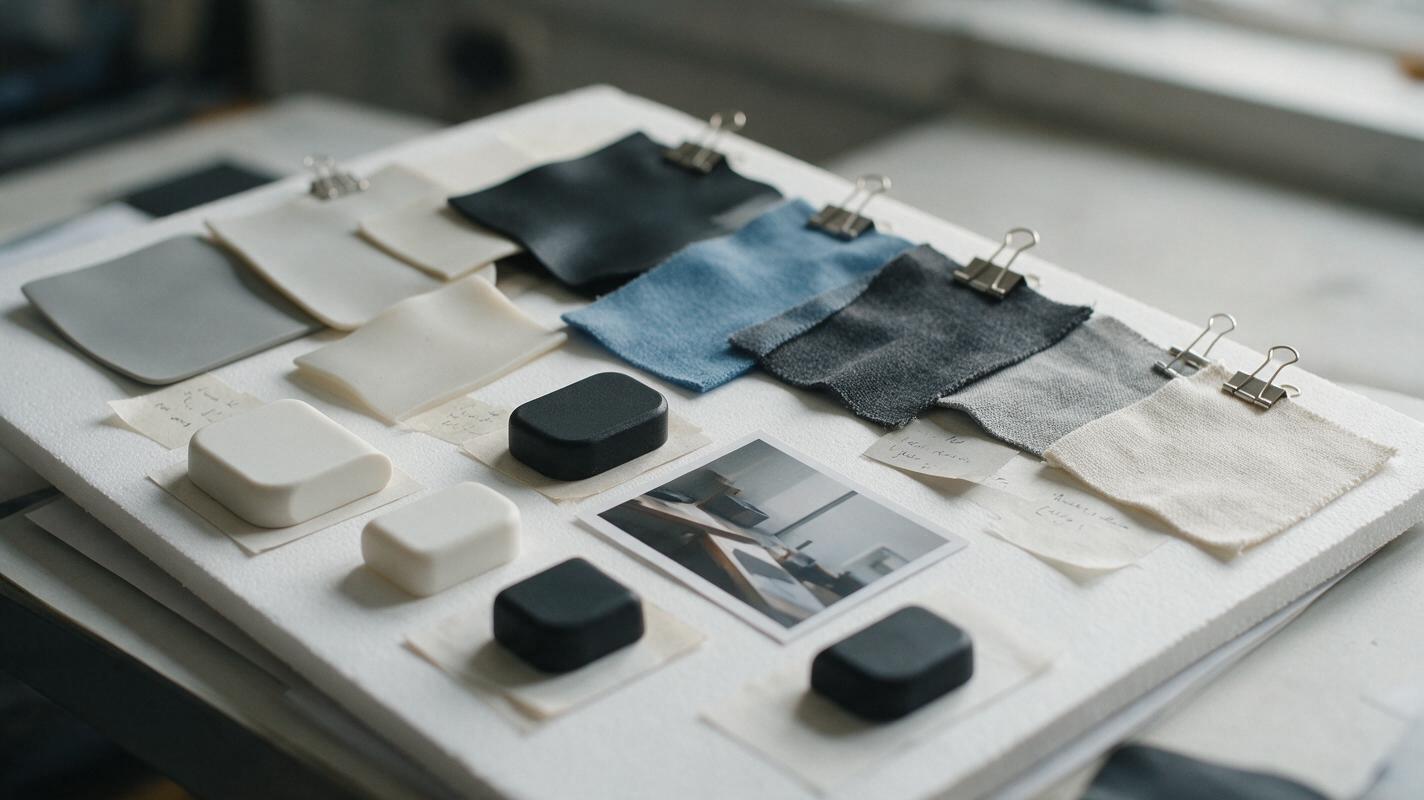
Table of contents
Build a direction board, not a product collage
A product moodboard should help your team decide what to design—not accidentally show them a competitor’s design with different colors. If every tile is an existing device, the board can make borrowed silhouettes, controls, and details feel like requirements. A stronger board separates the qualities you want—such as a calm visual weight or a tactile control—from the products that happened to demonstrate them.
The example below develops a direction for a compact desktop air-quality monitor. The aim is an exploratory presentation board, not a finished product specification or a claim about sensor performance. Seedream 4.5 can help generate visual studies for the board, while the designer remains responsible for selecting references, editing the layout, and checking whether the result is genuinely distinct.
Keep references at the level of design principles
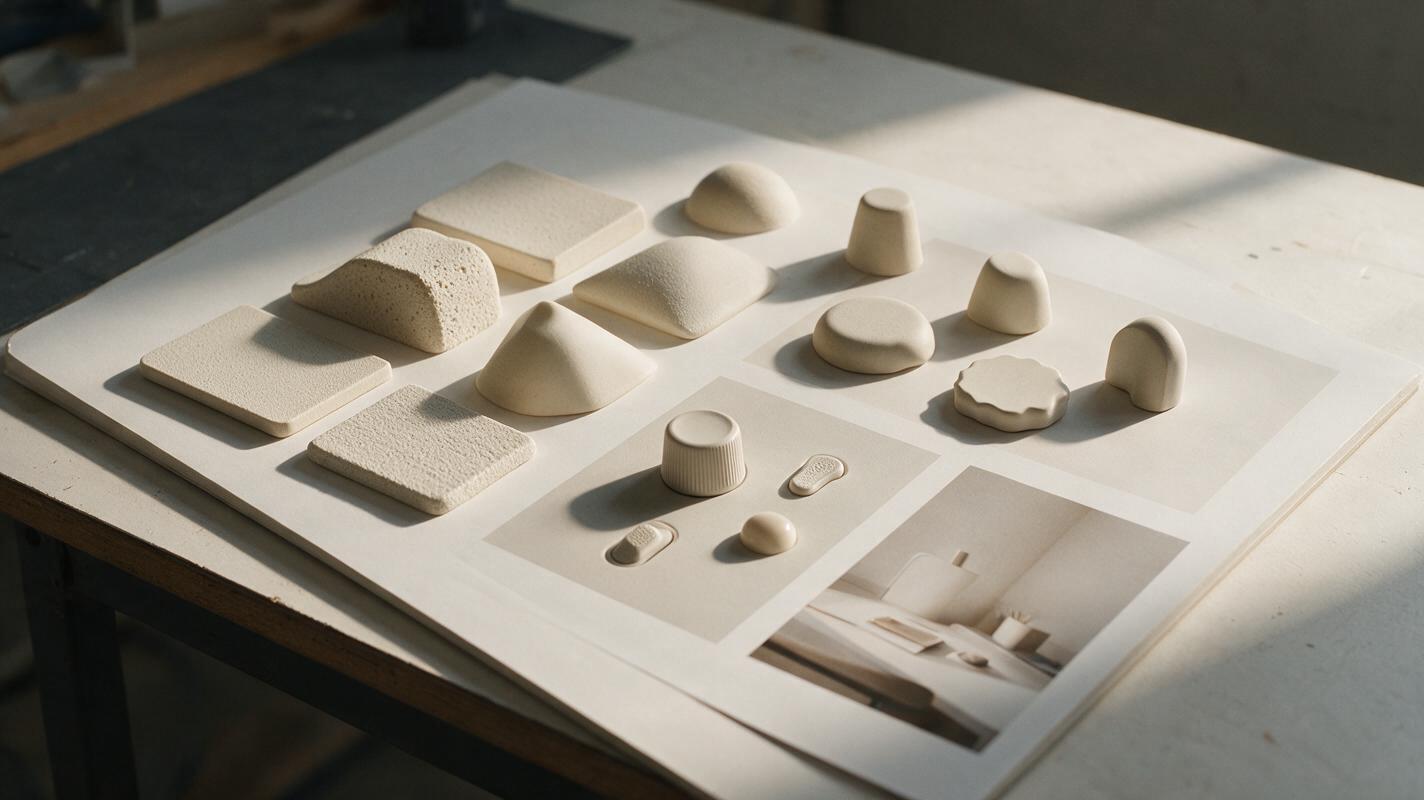
Start with images you have permission to use. They need not all show products. Architecture, furniture, material samples, and photographs of physical interactions can communicate a useful quality without supplying an entire device to imitate.
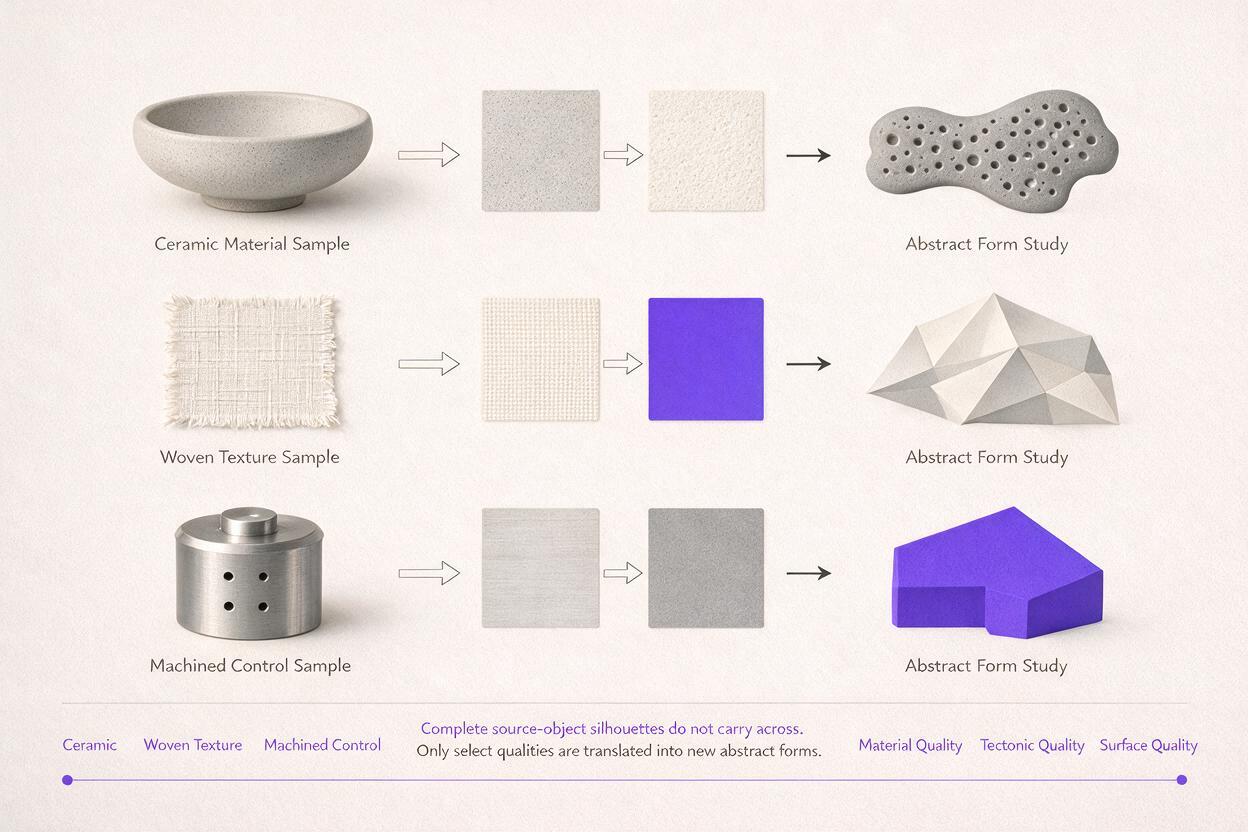
For each reference, write down what you want to learn from it and what must not transfer. A reference of a ceramic vessel might suggest a softly weighted base; it should not dictate the monitor’s complete outline. A photograph of a knurled dial might suggest fingertip feedback; it should not supply a recognizable control layout.
| Reference | Principle to explore | Feature to leave behind |
|---|---|---|
| Matte ceramic vessel | Soft highlight transitions and grounded proportions | The vessel’s silhouette and rim |
| Woven acoustic fabric | Quiet texture at viewing distance | A specific weave pattern or panel arrangement |
| Small machined control | Clear tactile feedback | Its exact dial shape and markings |
This separation is particularly important when an existing product appears on a research board. Do not feed a competitor image into a generator and ask for a nearly identical alternative. Extract the relevant principle in words, then combine it with references from other categories.
Write a direction brief before generating
A short brief keeps the board focused. For the desktop monitor, the design question might be: How could an indoor electronic object feel calm and approachable while keeping its controls easy to find? That is more useful than “make it premium,” because a team can discuss which visual choices support the answer.
Record four things before generating: the product context, three or four desired qualities, the visual elements worth exploring, and explicit exclusions. For example:
Direction: A compact object for a shared workspace. Explore warm off-white surfaces, restrained texture, a visually grounded base, and one clearly discoverable interaction point. Avoid medical-device cues, familiar smart-speaker silhouettes, invented display readings, logos, and claims about air-quality measurement.
For exploratory imagery, use Seedream 4.5 through ai image generator to create individual studies rather than asking for a complete, labeled presentation board. Generate material and form-language images separately; assemble the final board yourself so its hierarchy and captions remain under your control.
Create an editorial industrial-design material study for a compact desktop object. Show a close-up arrangement of warm off-white matte polymer, a small sample of muted woven texture, and a softly rounded weighted base form on a neutral tabletop. Gentle daylight, realistic surface detail, restrained palette. These are generic material and form studies, not a finished commercial product. No logos, screen interface, product labels, text, or recognizable existing device.Keep the brief beside every output. A beautiful image that introduces a glossy black screen, a second control, or an unrelated color is not evidence that the direction has improved.
Generate a board that stays upstream of the product
A direction board works best when its tiles have different jobs. Aim for a small set that a reviewer can scan quickly:
- Material and finish: close views that communicate texture, reflectivity, and color.
- Form language: generic studies of edge softness, visual weight, and transitions—not complete devices.
- Interaction cue: a detail that suggests how someone might locate or touch a control.
- Context: a believable desk environment that tests whether the direction feels at home.
Generate alternatives for each job, then select one or two that work together. If you provide a reference image, tell the model which limited quality to consider and which geometry not to reproduce. An owned photograph of a material sample, for instance, can be useful for surface character without becoming a template for the product’s shape.
Assemble the selected images in a design tool. Add captions yourself: “soft edge transition” is a useful caption; “the perfect future monitor” is not. If a tile depicts a speculative object, label it as a form study so reviewers do not mistake it for an approved design.
Check the board at thumbnail size. If the visual direction disappears unless you explain every tile, narrow the selection. If one striking reference dominates the whole board, remove it temporarily and see whether the remaining images still express the intended direction.
Turn the moodboard into a decision sheet
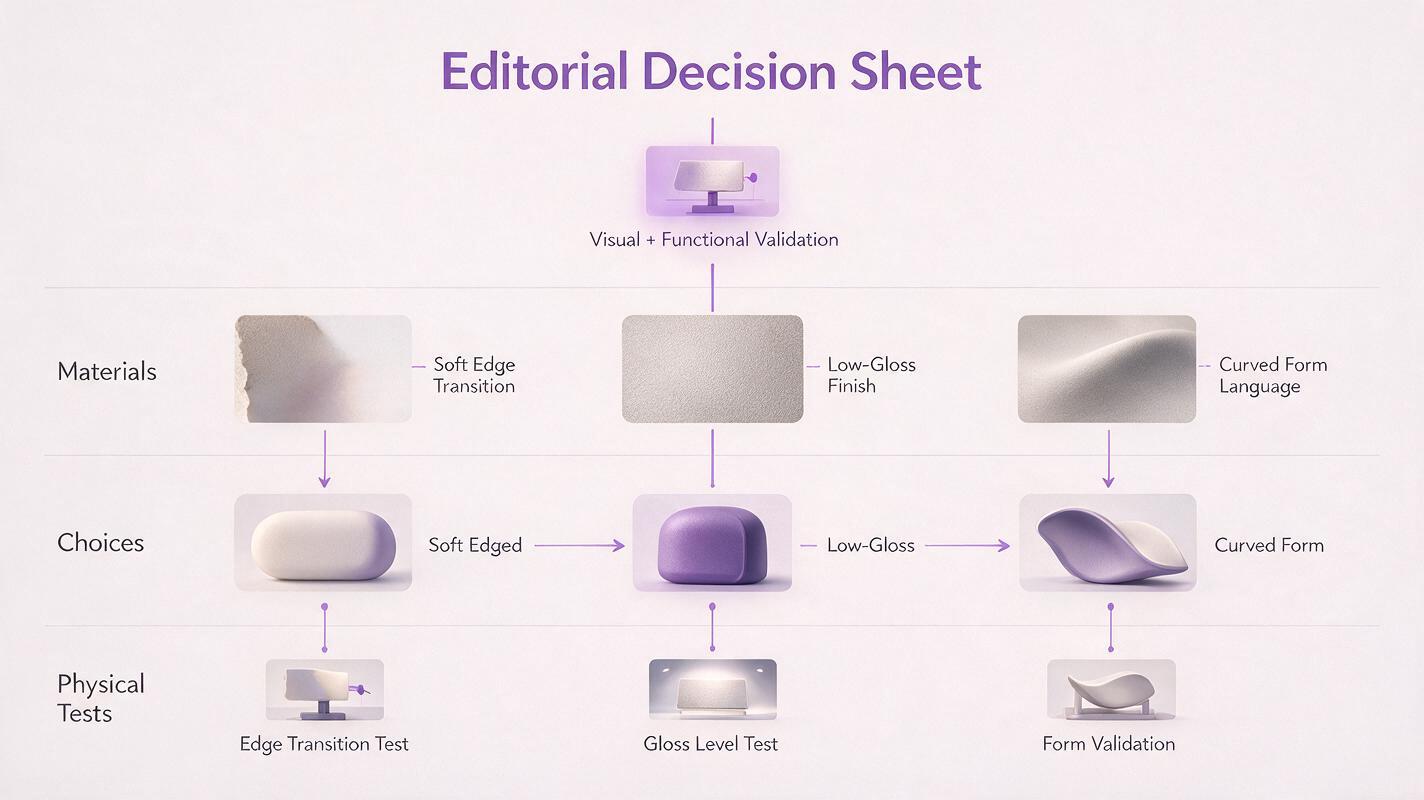
The board becomes valuable when it produces design choices that can be tested in sketches or models. Pair each visual quality with a proposed decision and a question that remains open.
| Board observation | Possible design decision | Question to test |
|---|---|---|
| Soft edges make the object feel less technical | Explore a continuous side-to-top transition | Will the transition obscure the control location? |
| Warm matte surfaces suit the desk context | Compare two low-gloss finish directions | How do fingerprints and texture read on a physical sample? |
| A grounded base feels stable | Sketch a visually heavier lower zone | Does it make the object appear too bulky? |
Notice what the sheet does not decide. An image cannot validate grip, manufacturing feasibility, material durability, sensor placement, or dimensions. Treat those as questions for sketches, CAD, samples, and appropriate testing—not properties proven by a generated moodboard.
Recognize when a board is too derivative
Before presenting, compare the board with the sources that informed it. Look beyond color. A familiar silhouette combined with a familiar control position can still read as the same product even if the finish changes.
- Replace a whole-product tile if it has become the apparent design target. Use a material crop or a written principle instead.
- Remove repeated signature details such as a distinctive ring, vent pattern, or interface layout appearing across multiple generated images.
- Separate inspiration from proposal. Keep source references identifiable in your research, but present generated studies and proposed decisions as different things.
- Review promising directions independently. A moodboard can support original exploration; it cannot establish that a design is legally distinct.
When the board clearly expresses a direction without depending on any single source product, use it to brief your next sketches. At that point, test this prompt yourself with your own materials and product context, then edit the outputs against the same decision sheet.
Final checklist
- Each reference has a named principle and a feature that must not transfer.
- The board includes material, form, interaction, and context studies—not just existing products.
- Generated images are labeled as explorations, not validated product designs.
- Captions and proposed decisions are written and checked by the designer.
- No recognizable source product dominates the proposed direction.
Keywords
ai product design moodboard, industrial design moodboard, product design references, concept design ai, seedream 4.5 prompts, original product concepts